QLHCAR1104PRINTER ADAPTER
EPoX Computer Co., Ltd.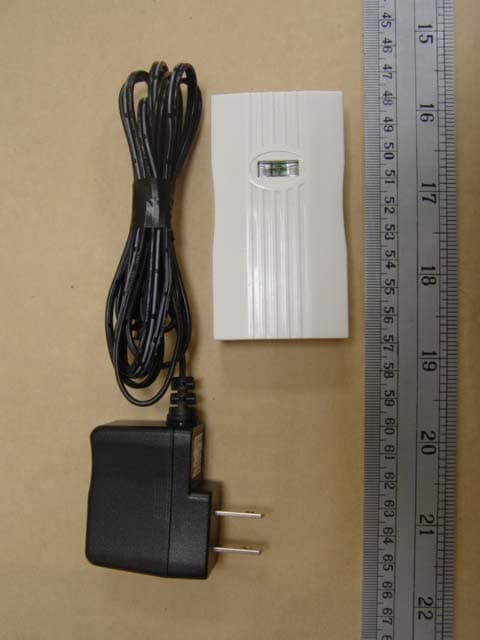
Click to zoom
Application Details
- Equipment Class
- DSS - Part 15 Spread Spectrum Transmitter
- Date of Grant
- Sep 28, 2005
- Application Purpose
- Original Equipment
- Date of Application
- Sep 28, 2005
- Equipment Note
- PRINTER ADAPTER
- Frequency Range
- 2402.00000000 - 2480.00000000
- Company
- EPoX Computer Co., Ltd.
- Country
- Taiwan
Documents & Files
Document Text
Text extracted from the exhibit documents filed with the FCC. Open a document above to read the original.
Users Manual
BT-PA04AU Quick Setup Guide 1 2 3 4 5 6 7 Bluetooth Printer Adapter Hardware Installation Software Installation Insert the Printer Adapter into your USB printer. 將藍芽印表機轉接器插入您的USB 印表機。 Schliessen Sie den Druck Adapter am USB Port an. 将蓝牙打印机适配器插入您的 USB 打印机。 Sluit de Printer Adapter op uw USB printer aan. Conecte el adaptador de la impresora en su impresora Usb Connect the AC power, and the LED will light. 接上電源,LED 燈將會恆亮。 Schliessen Sie das Netzteil an und die LED fängt an zu leuchten 接通电源,LED 灯将会常亮 Sluit het netsnoer aan en steek deze in het stopcontact, een LED zal éénmaal oplichten Conecte el cable en el enchufe y se encenderá la luz LED C Power on the printer, and the LED will blink. 開啟印表機電源,LED 燈將會閃爍。 Schalten Sie den Drucker an und die LED fängt an zu blinken 打开打印机电源,LED 灯将会闪烁。 Zet de printer aan en een LED zal knipperen. Encienda la impresora y el LED parpadeará Installazzione dell'hardware Branchez l'adaptateur Bluetooth sur votre imprimante USB onnettere l'adattatore di rete una luce Led si accendera' Branchez l'adaptateur secteur et la LED s'allumera. Accendere la stampante la luce si illuminera’ Allumez votre imprimante et la LED clignotera. Double Click the Bluetooth icon. 雙擊右下角的藍芽圖示。 Doppel Klick auf das Bluetooth Symbol 双击右下角的蓝牙图标。 Dubbelklik op het icoontje op het bureaublad of in de taakbalk Haga doble clic en el icono de la hoja de inicio o de la barra de tareas Click the “New Connection”. 按“新增連接”。 Klicken Sie auf "Neue Verbindung" 点击“新增连接”。 Klik op "New Connection" Haga clic en "New connection" Pressare 2 volte la vignetta Bluetooth Double cliquez sur l'icône Bluetooth. Pressare "nuova connessione” Cliquez sur « Nouvelle Connexion ». Select “Express Mode” and “Next” 選擇快速模式然後按”下一步” Wählen Sie "Express Mode" und klicken Sie auf "Next" 选择快速模式然后点击“下一步” Selecteer "Express Mode" en "Next" Seleccione "Express Mode" y haga clik en "Next". Searching for Bluetooth Devices. 搜索藍芽裝置。 Nach Bluetooth Geräten suchen 搜索蓝牙设备。 Zoeken naar Bluetooth apparaten Buscar aparatos Bluetooth Selezzionare “Express Mode”e' premere prossima Sélectionnez « Express Mode » et « Suivant » Cercare il prodotto bluetooth Recherche de l'appareil Bluetooth. Select “xxxx Printer Adapter” and click“Next”. 選擇“xxxx Printer Adapter”然後按”下一步”。 Wählen Sie "xxxx Printer Adapter" und klicken Sie auf "Next" 选择“xxxx Printer Adapter”然后点击“下一步” Selecteer “xxxx Printer Adapter”en klik "Next" Seleccione "xxxx Printer Adapter" y haga clik en "Next". Selezzionare Printer Adapter e' premere prossima Sélectionnez « xxxx Printer Adapter » et cliquez sur "Suivant" Click “OK”. 按”OK”。 Klicken Sie auf "ok" 点击“OK”。 Klik "OK" Haga clic en "OK" Cliquez sur « OK ». The system will automatically run the “Add Printer Wizard”. Click “Next”. 系統自動執行新增印表機精靈,按”下一步”。 Das System wird automatisch den "Add Printer Wizard" öffnen. Klicken Sie auf "Next" 系统自动执行“添加打印机向导”,点击“下一 步” Het systeem start automatisch de printer wizard. Klik "Next" El sistema iniciará automaticamente el “add printer wizard”. Haga clic en “Next” Premere OK Il sistema partira automaticamente con la ricerca del printer , premere prossima Le système démarrera automatiquement le « Add Printer Wizard » Contents Bluetooth Printer Adapter 印表機專用藍芽轉接器 Bluetooth Drucker Adapter 打印机专用蓝牙适配器 Bluetooth Printer Adapter Adaptador para impresora Bluetooth Adattatore per stampanti Bluetooth L'adaptateur Bluetooth pour imprimante USB extension cable USB 延長線 USB Verlängerungskabel Kabel USB 延长线 USB verlengkabel USB cable extensor Cavo per estensione porta Usb Câble flexible USB Power Adapter 變壓器 Netzteil 电源 Stroom adapter Adaptador eléctrico Adattatore corrente di rete Adaptateur secteur Step1 Step2 Step3 Step4 Step5 Step6 Step7 Step8 Connect to the Bluetooth device. A new printer port will be created automatically. 連接裝置中。安裝精靈會自動增加印表機連接埠。 Verbinden vom Bluetooth Gerät. Ein neuer Drucker Port wird automatisch erstellt 连接中。安装向导会自动创建打印机接口。 Maak verbinding met het Bluetooth apparaat. Een nieuwe printerpoort wordt automatisch aangemaakt Conectar con el aparato Bluetooth. Se creará un nuevo port de impresora automaticamente. Connettere al prodotto Bluetooth.facendo questo si ottera' una nuova porta per printer automaticamente Connexion à l'appareil Bluetooth. Un nouveau port pour l’imprimante sera crée automatiquement. O u t l e t Before starting You must have a Bluetooth Dongle installed in your PC.You must have a USB printer and its driver.PIN-code of this Printer Adapter is “1234”.The installation and setup procedures are based on Windows XP [SP2] platform and Toshiba Bluetooth driver. 您有一部USB 印表機並且有其驅動程式。您的電腦已安裝好USB藍芽轉接器。這個印表機轉接器 的密碼是“1234”。此處使用 WinXp [SP2]以及 Toshiba 的藍芽驅動程式來說明。 Sie müssen einen Bluetooth Dongle installiert haben und Sie müssen ein USB Drucker besitzen. Der PIN Code für den Druck Adapter ist "1234". Es wird WIN XP+SP2 verwendet und die Bluetooth Treiber von Toshiba werden installiert um Ihnen die Installation zu zeigen. 需要一部USB 打印机并有其驱动程序。已安装好USB蓝牙适配器及驱动程序的电脑。该蓝牙打印 机适配器的密码是“1234”。此处使用 WinXp [SP2]以及 Toshiba 的蓝牙驱动程序来作说明。 U moet een Bluetooth Dongle op uw PC aangesloten hebben.U moet een USB printer aan uw PC hebben aangesloten en de driver geïnstalleerd hebben De PIN-code van deze Printer Adapter is 1234 Gebruik WIN XP+SP2 en Toshiba Bluetooth driver voor de installatie Debe instalar un dongle Bluetooth en su ordenador.Debe instalar la impresora usb y el driver .La contraseña del adaptador de su impresora es 1234.Usar WIN XP+SP2 y Toshiba Bluetooth driver para instalar Prima di partire con listallazzione del ‘adattatore per Bluetooth printer e’assolutamente necessario che abbiate gia’ installato un Bluetooth Dongle nel vostro PC. Assicuratevi di avere il CD con i driver di installazione e’ codice segreto ( 1234 ) per potere gemellare il vostro pc al PA04AU L’istallazzione e regolazzione di questo prodotto e basata su piattaforma Window XP ( SP2 ) e Toshiba Bluetooth drivers Vous avez une imprimante USB et le pilote de votre imprimante USB est installé.Vous avez un adaptateur Bluetooth in…
Text truncated - open the document above for the full version.
Cover Letter(s)
EPoXCOMPUTERCO.,LTD. lOF,No.346,Sec.2,ChungSanRd.,ChungHoCity, TaipeiHsien235,Taiwan,R.O.C. FederalCommunicationsCommission FCCID:QLHCARII04 DearSir: Thisis torequestconfidentialityoninfonnationsubmittedforaboveapplication.We wouldliketo requestconfidentialityonsomeexhibitswesubmittedforaboveoriginal applicationforthereasonoftradesecret.If thoseexhibitsareavailableforpublic inspection,anypersonwhooncegetstheinfonnationcontainedin thoseexhibitswill beabletodesignandtomakethesameproductsveryeasily.Thisis a veryserious problemandhugelossforus,becausewedidinvestsomuchonit. PleasebenotmadetheExhibitTypeslistedbelowroutinelyavailableforpublic inspection: PartList Schematics BlockDiagram By: ~~~ By: Mr.PradaChou (Signature) Title:0AW Applicant:EPoXCOMPUTERCO.,LTD. (Printed) Address:1OF,No.346,Sec.2,ChungSanRd.,ChungHoCity,TaipeiHsien235, TaiwanR.O.C. Tel:+886-2-2247-9888 Fax:+886-2-2247-3250 Date : Sep21,2005 - ---- - - - --
External Photos
ETS DR.GENZ TAIWAN PS CO., LTD. . Registration number: W6M20509-6162-P-15 FCC ID : QLHCAR1104 ETS Dr.Genz Taiwan PS Co., Ltd. External Photo ETS DR.GENZ TAIWAN PS CO., LTD. . Registration number: W6M20509-6162-P-15 FCC ID : QLHCAR1104 ETS Dr.Genz Taiwan PS Co., Ltd. ETS DR.GENZ TAIWAN PS CO., LTD. . Registration number: W6M20509-6162-P-15 FCC ID : QLHCAR1104 ETS Dr.Genz Taiwan PS Co., Ltd. ETS DR.GENZ TAIWAN PS CO., LTD. . Registration number: W6M20509-6162-P-15 FCC ID : QLHCAR1104 ETS Dr.Genz Taiwan PS Co., Ltd. ETS DR.GENZ TAIWAN PS CO., LTD. . Registration number: W6M20509-6162-P-15 FCC ID : QLHCAR1104 ETS Dr.Genz Taiwan PS Co., Ltd. ETS DR.GENZ TAIWAN PS CO., LTD. . Registration number: W6M20509-6162-P-15 FCC ID : QLHCAR1104 ETS Dr.Genz Taiwan PS Co., Ltd. ETS DR.GENZ TAIWAN PS CO., LTD. . Registration number: W6M20509-6162-P-15 FCC ID : QLHCAR1104 ETS Dr.Genz Taiwan PS Co., Ltd. ETS DR.GENZ TAIWAN PS CO., LTD. . Registration number: W6M20509-6162-P-15 FCC ID : QLHCAR1104 ETS Dr.Genz Taiwan PS Co., Ltd.
RF Exposure Info
MPE Prediction FCC Rule: 15.247(b)(5) Systems operating under the provisions of this section shall be operated in a manner that ensures that the public is not exposed to radio frequency energy levels in excess of the Commission’s guidelines. See §1.1307(b)(1) of this Chapter. LIMITS FOR MAXIMUM PERMISSIBLE EXPOSURE (MPE) Frequency Range (MHz) Electric Field Strength (V/m) Magnetic Field Strength (A/m) Power Density (mW/cm2) Average time (minutes) (A)Limits For Occupational / Control Exposures 30-300 61.4 0.613 1.0 6 300-1500 ... ... F/300 6 1500-100,000 ... ... 5 6 (B)Limits For General Population / Uncontrolled Exposure 30-300 27.5 0.073 0.2 30 300-1500 ... ... F/1500 30 1500-100,000 ... ... 1.0 30 F = Frequency in MHz Prediction of MPE limit at a given distance Equation from page 18 of OET Bulletin 65, Edition 97-01 PG S = -------------- 4πR² where: S = power density P = power input to the antenna G = power gain of the antenna in the direction of interest relative to an isotropic radiator R = distance to the center of radiation of the antenna Maximum peak output power at antenna input terminal: 11.43 (dBm) Maximum peak output power at antenna input terminal: 13.899 (mW) Antenna gain(maximal): 1.5 (dBi) Prediction distance: 20 (cm) Prediction frequency: 2441 (MHz) MPE limit for uncontrolled exposure at prediction frequency: 1.0 (mW/cm²) Power density at prediction frequency: 0.0041476 (mW/cm²) The manual instruct the user to install and operate the device in a minimum distance of 20 cm between antenna and the users body.
Test Report
ETS Dr.Genz Taiwan PS Co., LTD FCC Registration No.: 930600 Industry Canada filed test laboratory Reg. No. IC 5679 Accredited Testing Laboratory A2LA Cert.No.: 2300.01 PCTRB Accredited Type Certification Test House FCC TEST - REPORT FCC RULES PART 15 / SUBPART C FCC ID: QLHCAR1104 Test report no.: W6M20509-6162-P-15 ETS DR.GENZ TAIWAN PS CO., LTD. 6F, NO. 58, LANE 188, RUEY-KUANG RD., NEIHU, TAIPEI 114, TAIWAN, R.O.C. PHONE 886-2-66068877 FAX 886-2-66068879 ETS DR.GENZ TAIWAN PS CO., LTD. . Registration number: W6M20509-6162-P-15 FCC ID : QLHCAR1104 ETS Dr. Genz Taiwan PS Co., Ltd. Page 2 of 41 TABLE OF CONTENTS 1 GENERAL INFORMATION ...................................................................................................... 3 1.1 NOTES................................................................................................................................... 3 1.2 TESTING LABORATORY......................................................................................................... 4 1.2.1 Location .......................................................................................................................4 1.2.2 Details of accreditation status ..................................................................................... 4 1.3 D ETAILS OF APPROVAL HOLDER............................................................................................ 4 1.4 A PPLICATION DETAILS.......................................................................................................... 5 1.5 G ENERAL INFORMATION OF TEST ITEM................................................................................. 5 1.6 T EST STANDARDS.................................................................................................................. 6 2 TECHNICAL TEST .................................................................................................................... 7 2.1 S UMMARY OF TEST RESULTS................................................................................................. 7 2.2 TEST ENVIRONMENT.............................................................................................................. 7 2.3 TEST EQUIPMENT LIST.......................................................................................................... 8 3 TEST RESULTS (ENCLOSURE) ............................................................................................ 13 3.1 PEAK OUTPUT POWER (TRANSMITTER) ............................................................................... 14 3.2 EQUIVALENT ISOTROPIC RADIATED POWER......................................................................... 16 3.2.1 Transmitter................................................................................................................. 16 3.3 RF EXPOSURE COMPLIANCE REQUIREMENTS..................................................................... 16 3.4 O UT OF BAND RADIATED EMISSIONS.................................................................................. 16 3.5 TRANSMITTER RADIATED EMISSIONS IN RESTRICTED BANDS............................................. 17 3.6 SPURIOUS EMISSIONS (TX) .................................................................................................. 18 3.7 CARRIER FREQUENCY SEPARATION.................................................................................... 22 3.8 NUMBER OF HOPPING FREQUENCIES.................................................................................. 23 3.8.1 Pseudorandom Frequency Hopping Sequence ......................................................... 23 3.8.2 Coordination of hopping sequences to other transmitters......................................... 23 3.8.3 System Receiver Hopping Capability......................................................................... 23 3.9 TIME OF OCCUPANCY (DWELL TIME) ................................................................................. 24 3.10 20DB BANDWIDTH............................................................................................................ 25 3.10.1 System Receiver Input Bandwidth.............................................................................. 25 3.11 BAND-EDGE COMPLIANCE OF RF EMISSIONS..................................................................... 26 3.12 RADIATED EMISSIONS FROM RECEIVER SECTION OF TRANSCEIVER................................... 27 3.13 P OWER LINE CONDUCTED EMISSION................................................................................. 29 APPENDIX ........................................................................................................................................ 31 APPENDIX A.................................................................................................................................... 32 A PPENDIX B .................................................................................................................................... 33 A PPENDIX C .................................................................................................................................... 34 A PPENDIX D.................................................................................................................................... 35 A PPENDIX E .................................................................................................................................... 36 A PPENDIX F .................................................................................................................................... 37 A PPENDIX G.................................................................................................................................... 38 A PPENDIX H.................................................................................................................................... 39 A PPENDIX I ......................................................................................................…
Text truncated - open the document above for the full version.
Test Setup Photos
ETS DR.GENZ TAIWAN PS CO., LTD. . Registration number: W6M20509-6162-P-15 FCC ID : QLHCAR1104 ETS Dr.Genz Taiwan PS Co., Ltd. Set Up Photo ETS DR.GENZ TAIWAN PS CO., LTD. . Registration number: W6M20509-6162-P-15 FCC ID : QLHCAR1104 ETS Dr.Genz Taiwan PS Co., Ltd. ETS DR.GENZ TAIWAN PS CO., LTD. . Registration number: W6M20509-6162-P-15 FCC ID : QLHCAR1104 ETS Dr.Genz Taiwan PS Co., Ltd. ETS DR.GENZ TAIWAN PS CO., LTD. . Registration number: W6M20509-6162-P-15 FCC ID : QLHCAR1104 ETS Dr.Genz Taiwan PS Co., Ltd.
Contact Information
Applicant
Frank Tsai(Assistant Manager)
Technical Contact
ETS Dr. Genz Taiwan PS CO., Ltd.Steven Chuang
[email protected]+886-2-6606-8877
6F., No. 58, Lane 188, Ruey Kuang Road, Neihu · Taipei · Taiwan
Non-Technical Contact
ETS Dr. Genz Taiwan PS CO., Ltd.Chiney Chen
[email protected]+886-2-6606-8877
Test Firm
Worldwide Testing Services (Taiwan) Co. Ltd.Chang Tse-Ming
Technical Specifications
| # | Rule Parts | Frequency Range | Power Output |
|---|---|---|---|
| 1 | 15C | 2.40 GHz - 2.48 GHz | 13.90 mW |
Other Applications from EPoX Computer Co., Ltd.
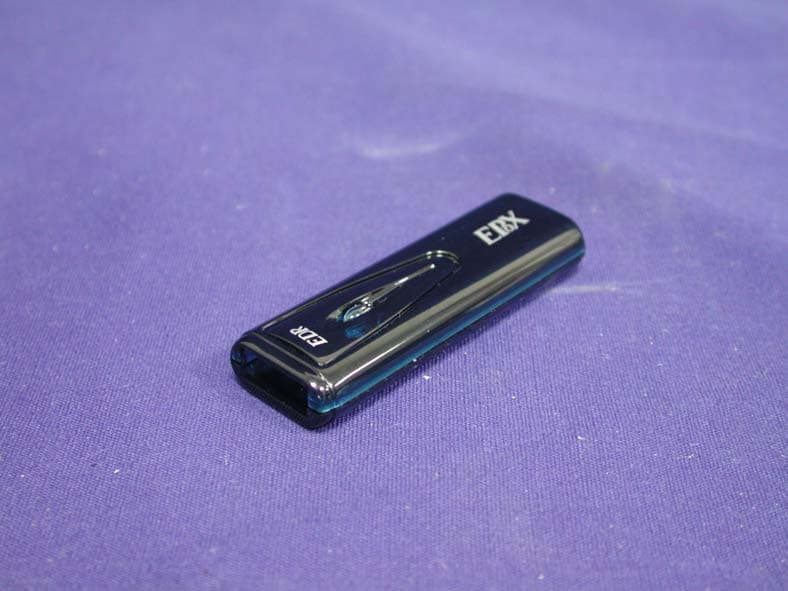
QLHCAT0305
Dec 26, 2005Bluetooth USB Dongle
Equipment Class
DSS - Part 15 Spread Spectrum Transmitter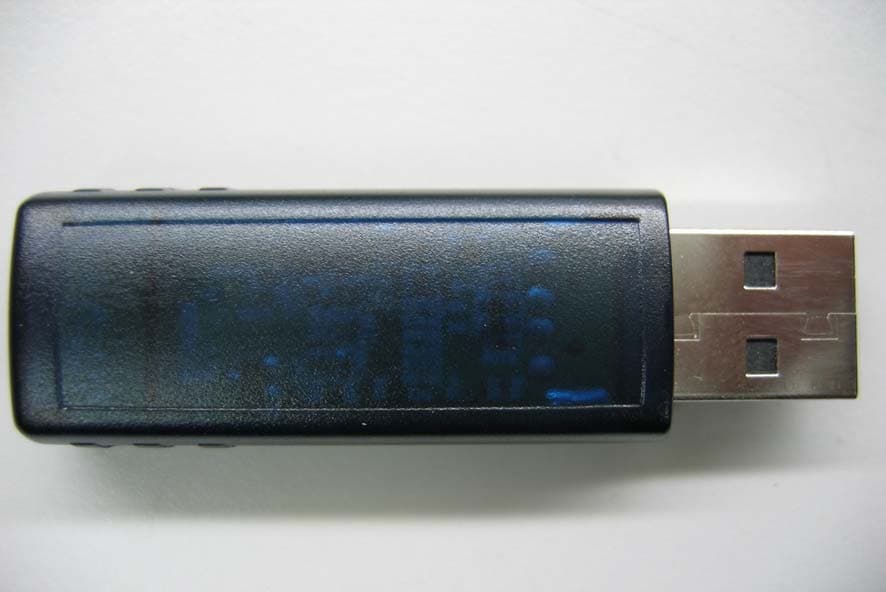
QLHCAQ0504
Jan 19, 2005Bluetooth USB Dongle
Equipment Class
DSS - Part 15 Spread Spectrum Transmitter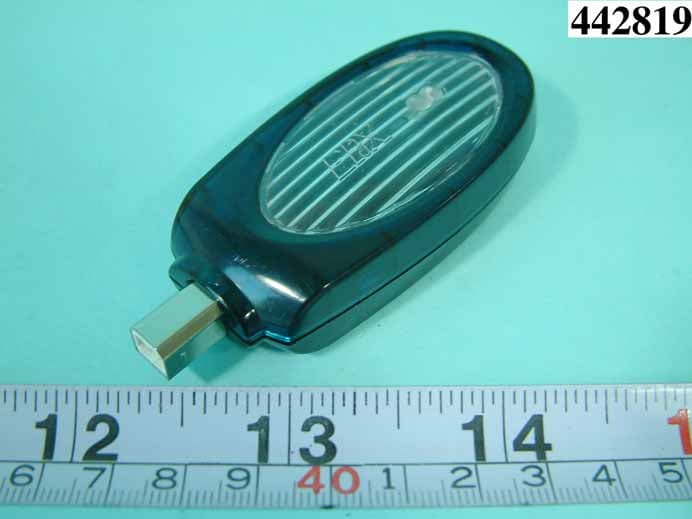
QLHCAN0304
Nov 21, 2004PRINTER ADAPTER
Equipment Class
DSS - Part 15 Spread Spectrum Transmitter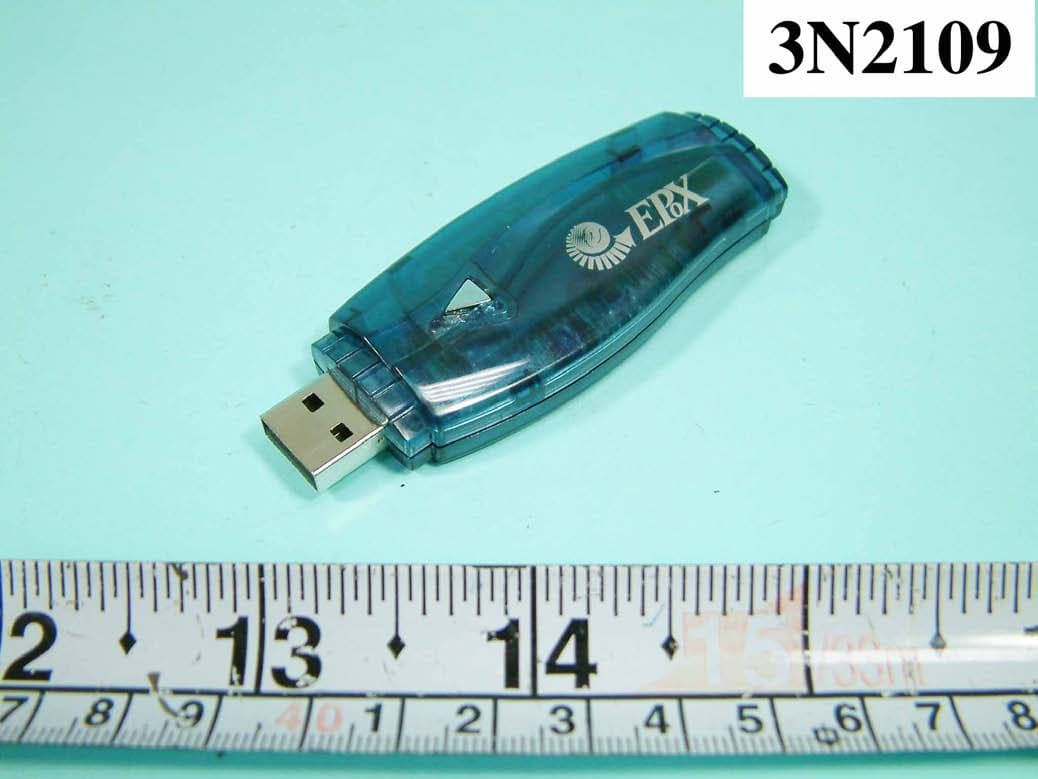
QLHCAI0803
Aug 18, 2004DONGLE
Equipment Class
DSS - Part 15 Spread Spectrum Transmitter
QLHCAO0404
Jul 26, 2004USB DONGLE
Equipment Class
DSS - Part 15 Spread Spectrum Transmitter