QPJTMP-701GMP3 Player
Telewin Inc.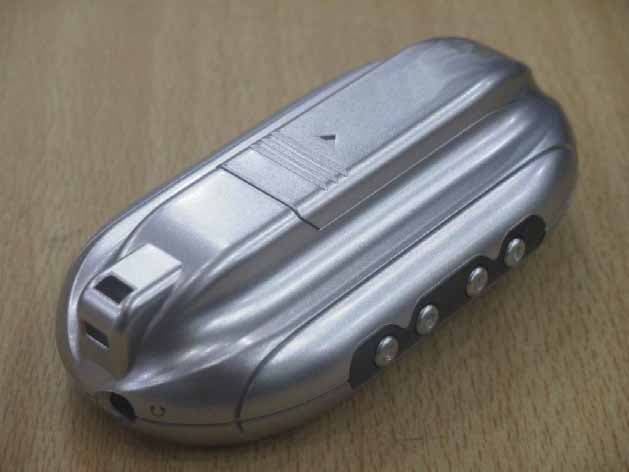
Click to zoom
Application Details
- Equipment Class
- JBP - Part 15 Class B Computing Device Peripheral
- Date of Grant
- Nov 02, 2004
- Application Purpose
- Original Equipment
- Date of Application
- Nov 02, 2004
- Equipment Note
- MP3 Player
- Company
- Telewin Inc.
- Country
- South Korea
Documents & Files
Document Text
Text extracted from the exhibit documents filed with the FCC. Open a document above to read the original.
Users Manual
1 Safety Guidelines - Cautions - Safety instructions Accessories Characteristics Battery / USB Cable / Cigar-jack - How to use rechargeable battery or dry battery for power source - Icon indicating battery - How to use a charger (option) - Cigar-jack (option) - Icon indicating battery - Use of USB cable /Cigar-jack - Cautions in using battery Designations Before use - Menu setup - Start/ Exit - Navigation menu LCD display - Main window - Music player window - FM radio window - Image view window 23 How to use Music Player - Music player - Menu - SRS WOW How to use Image viewer - Image viewer How to use FM Radio - FM radio - Menu How to use Game - Game How to use Movie player - Movie player How to use Control panel - Control panel How to use Text viewer - Text viewer Link to external machine - Recording from External machine to voice recorder - Recording from Voice recorder to external machine How to use TMF Converter (movie maker) - TMF Converter - TMF Converter - TMF Converter setup - TMF player How to use LDB Manager - LDB Manager - LDB menu - Preview window of LDB manager - Menu in list window () - How to input simple song text (auto search) - How to input searched text (manual search) HOW to use M-PAL LDB Manager () - How to synchronize text by user - Text correction (62) Link to PC - PC environment - File work in connection to mobile disk Installation of Window 98 How to upgrade of firmware Specification 45 Cautions Do not drop or apply excessive pressure to the player!! It causes the trouble. Do not place in following places: - Extreme temperature (60C) - Extreme dust - Direct sun light or near heat sources - Extreme moisture like bathroom - Closed car (in particular summer) Extreme pressure to LCD causes breakdown of device. It doesn t function normally. Printed expressions can be erased by long use or other reasons (extreme pressure or abrasion) Pay attention that necklace may hang on chink in the door or elevator. Use of long-time armband may cause the troubles in blood circulation. Do not use the device near any appliances, cash card and transportation card that generates a strong magnetic field. It causes their dysfunction. Do not try to disassemble and repair the device yourself. Remove immediately batteries when the device generates heat or smokes. Avoid the use of device in the restricted area of electronic machine (airplane) Do not throw against men. When using the battery, do not try to disassemble it, to heat or to put in heating source. - Leakage of electrolyte such as alkali solution may cause harm to eyes or explosion. - When contacting with alkali solutions to skin or clothing, wash them out immediately and then consult doctor. Keep the device out of reach of children. Do not let children hold the small device and accessories to the mouth or use it carelessly. The device is processed with the paint that may be harmful to human body. Avoid holding it to the mouth. * Please be advised that the company doesn t assume the responsibility for the claims or the indemnification from the third parties in using the device. Safety GuidelinesSafety instructions 67 Components Accessories consist of basic and optional components. Basic components BodyEarphoneNecklace BatteryUSB cable CD line-in cableUser manual Optional components Arm bandCharger Rechargeable battery Telephone recorder MINI USB adapter Accessories Cigar-jack adapterPin microphoneCase Mobile phone recorderAC/DC adapter 89 MP3/WMA/ASF file support It plays MPEG 1/2/2/5 layer 2/3, WMA and ASF files. OGG (OGG Vorbis) file support It plays OGG vorbis files Direct encoding It makes direct encoding as MP3 or WMA file by connection external CD player or audio to line-in terminal without computer. Caption display While playing MP3/WMA file, it displays text data in LCD by use of media sync for learning songs, foreign language and study. Caption function supports two languages. (Master / Slave caption) Adjustment of play speed You can adjust play speed during play and use section repetition for learning foreign language. Text view support All text files are displayed in LCD. You can verify conveniently simple documents and important data. Multi-language function support It supports multi language when setting ID3 Tag Language or language in menu. Korean, English, Chinese and Japanese are supported. Navigation during play It navigates MP3 file during play and displays file information. When selecting file during navigation, the selected file is played. Unlimited folder creation It creates necessary folders for independently and conveniently saving (by artist, album and genre). Play list function You can select the desired songs in every time. Bookmark You can replay the selected language, recorded and classic file in indicated location by bookmark function. Equalizer By use of 5-band equalizer (rock, classic, jazz, pop and normal) and 2-band user equalizer, you can enjoy freely desired music tone. 3-dimensional sound effect It realizes 3-dimensional sound effect with SRS of surround function, TRUE Base of bass and FOCUS of clearness. Movie play It plays movie and music movie files such as AVI/ASF/MNV. Pause screen It displays images in JPEG/BMP/GIF files. You can customize to make your logo file by use these files. 64,000 color TFT graphic LCD It realizes 65,000 natural colors by adoption of TIF LCD (128x160) for movie play and pause screen. FM Radio function It receives FM frequency in every place of world and with preset function, you can save 20 radio stations conveniently. Big-capacity mobile disk support PC recognizes connected mobile disk by plug & play mode and you can move, create and copy files. USB Host (ver 1.1) (to be supported) Firmware upgrade function It realizes regular and continuous upgrade of firmware for enhancement and reinforcement of performance. Characteristics 1011 How to use rechargeable battery or dry battery for power source Cigar-jack (option) When using cigar-jack for power source, select USB pow…
Text truncated - open the document above for the full version.
Block Diagram
Untitled-2 (1242x1667x256 jpeg)
External Photos
(1024x768x16M jpeg) (1024x768x16M jpeg)
ID Label/Location Info
FCC Labelling Requirement The device shall bear the following statement in a conspicuous location on the device: 1. Label: On the device FCCID:QPJTMP-701G 2. Statemate: In the manual This device complies with part 15 of the FCC Rules. Operation is subject to the following two conditions:(1) This device may not cause harmful interference, and(2) this device must accept any interference received, including interference that may cause undesired operation.
Test Report
THRU Lab & Engineering. RM1105,11FL, ACE TECHNO TOWER 197-22,GURO-DONG GURO-GU SEOUL KOREA 81221095059F81221095056 email [email protected] APPLICANT: Telewin Inc. FCCID: QPJTMP-701G REPORT #: THRU-411001 COVER SHEET Test Report Product Name: MP3 PLAYER FCC ID: QPJTMP-701G Applicant: Telewin Inc. 65-5, Sosabon 2-Dong Sosagu Bucheon, Kyungki-Do Korea 422-232 Date Receipt: 10/26/2004 Date Tested: 11/02/2004 THRU Lab & Engineering. RM1105,11FL, ACE TECHNO TOWER 197-22,GURO-DONG GURO-GU SEOUL KOREA 81221095059F81221095056 email [email protected] APPLICANT: Telewin Inc. FCCID: QPJTMP-701G REPORT #: THRU-411001 COVER SHEET APPLICANT:Telewin Inc. FCC ID :QPJTMP-701G TABLE OF CONTENTS PAGE 1......TEST EQUIPMENT LIST AND TEST PROCEDUR PAGE 2......TEST PROCEDURE PAGE 3-4....RADIATED EMISSIONS TEST DATA PAGE 5......POWERLINE CONDUCTED EMISSIONS TEST DATA PAGE 6-7....POWERLINE CONDUCTED EMISSIONS TEST PLOT EXHIBIT 1............BLOCK DIAGRAM EXHIBIT 2............SCHEMATIC EXHIBIT 3............TEST SETUP PHOTO EXHIBIT 4............Users MANUAL EXHIBIT 5............SAMPLE OF FCC ID LABEL EXHIBIT 6............LOCATION OF FCC ID LABEL EXHIBIT 7............EXTERNAL PHOTO - FRONT SIDE EXHIBIT 8............EXTERNAL PHOTO - BACK SIDE EXHIBIT 9............INTERNAL PHOTO - COMPONENT SIDE EXHIBIT 10...........INTERNAL PHOTO - COPPER SIDE THRU Lab & Engineering. RM1105,11FL, ACE TECHNO TOWER 197-22,GURO-DONG GURO-GU SEOUL KOREA 81221095059F81221095056 email [email protected] APPLICANT:Telewin Inc. FCCID: QPJTMP-701G REPORT #: THRU-411001 Page 1 of 7 APPLICANT: Telewin Inc. FCC ID :QPJTMP-701G TEST EQUIPMENT LIST DEVICE MODEL MFGR SERNO DUE.CAL EMI Test Receiver ESVS 10 Rohde & Schwarz 830489/001 2005.04.07. Spectrum Analyzer 8566B Hewlett Packard 2311A02394 2005.04.07. Spectrum Display 85662A Hewlett Packard 2542A12429 2005.04.07. Quasi-Peak Adapter 85650A Hewlett Packard 2521A00887 2005.04.07. RF Preselector 85685A Hewlett Packard 2648A00504 2005.04.07. Pre-Amplifier 8449B Hewlett Packard 3008A00375 2005.04.07. Pre-Amplifier 8447F Hewlett Packard 3113A05367 2005.04.07. Spectrum Monitor EZM Rohde & Schwarz 862304/007 2005.04.07. Bico-Antenna 94455-1 Eaton 977 2005.03.17. Log-Periodic Antenna 3146 EMCO 2051 2005.03.17. Dipole Antenna TDA25/1/2 Electro Metrics 176/200/200 2005.03.17. Horn Antenna SAS-571 A.H Systems 414 2005.03.17. Spectrum Analyzer R3261C Advantest 71720189 2005.04.07. LISN KNW-242 Kyoritsu 8-923-2 2004.07.17. LISN 8012-50-R- 24 Solar 8379121 2004.07.17. Loop Ant 6507 EMCO 1435 2004.10.06. Signal Generator SMS Rohde & Schwarz 872165/100 2005.04.07. Modulation Analyzer 8901B Hewlett Packard 3438A05094 2005.04.07. Frequency Counter CMC251 Tektronic CMC-251TW52489 2005.04.07. THRU Lab & Engineering. RM1105,11FL, ACE TECHNO TOWER 197-22,GURO-DONG GURO-GU SEOUL KOREA 81221095059F81221095056 email [email protected] APPLICANT:Telewin Inc. FCCID: QPJTMP-701G REPORT #: THRU-411001 Page 2 of 7 TEST PROCEDURE GENERAL: This report shall NOT be reproduced except in full without the written approval of Thrulab & Engineering. Shielded interface cables were used in all cases except for cables connecting to the telephone line and the power cords. A test program was run which filled the screen with H's and also with the modem dialing out. Peripherals were turned on and operating. RADIATION INTERFERENCE: The test procedure used was ANSI STANDARD C63.4-1992 using a HEWLETT PACKARD spectrum analyzer with a preselector. The bandwidth of the spectrum analyzer was 100 kHz with an appropriate sweep speed. The analyzer was calibrated in dB above a microvolt at the output of the antenna. The resolution bandwidth was 100 kHz and the video bandwidth was 300 kHz. The ambient temperature of the UUT was 20ºC with a humidity of 70%. FORMULA OF CONVERSION FACTORS: The Field Strength at 3m was established by adding the meter reading of the spectrum analyzer (which is set to read in units of dBuV) to the antenna correction factor supplied by the antenna manufacturer. The antenna correction factors are stated in terms of dB. The gain of the Preselector was accounted for in the Spectrum Analyzer Meter Reading. Example: Freq (MHz) METER READING + ACF = FS 33 20 dBuV + 10.36 dB = 30.36 dBuV/m @ 3m ANSI STANDARD C63.4-1992 10.1.7 MEASUREMENT PROCEDURES: The UUT was placed on a table 80 cm high and with dimensions of 1m by 1.5m. The UUT was placed in a manner that was representative of the way the EUT would be used. If the EUT had any peripherals, they were attached and placed in a similar manner. The table used for radiated measurements is capable of continuous rotation. When an emission was found, the table was rotated to produce the maximum signal strength. At this point, the antenna was raised and lowered from 1m to 4m. The antenna was placed in both the horizontal and vertical planes. In addition, in the event of the test being for a computer set up, the modem and printer positions were swapped and cables were manipulated as much as possible. The monitor was not moved, as that would not represent a typical situation configuration. The situation was similar for the conducted measurement except that the table did not rotate. The EUT was setup as described in ANSIC63.4-1992 with the EUT 40 cm from the vertical ground wall. THRU Lab & Engineering. RM1105,11FL, ACE TECHNO TOWER 197-22,GURO-DONG GURO-GU SEOUL KOREA 81221095059F81221095056 email [email protected] APPLICANT:Telewin Inc. FCCID: QPJTMP-701G REPORT #: THRU-411001 Page 3 of 7 APPLICANT: Telewin Inc. FCC ID :QPJTMP-701G NAME OF TEST: RADIATED SPURIOUS EMISSIONS RULES PART NO.: 15.109(a) - Class B Computing Device REQUIREMENTS: 30-88 MHz 40.0 dBuV/m measured at 3 meters 88-216 MHz 43.5 dbuV/m 216-960 MHz 46.0 dbuV/m ABOVE 960 MHz 54.0 dbuV/m TEST CONFIGURATION: Toshiba Notebook MODEL: Statelliate Pro 4280 MOUSE Model: JPC2057 HP PRINTER Model: C2605 Modem Model: SM1200A1 Speaker Model: RP-SP10 Monitor Model: SyncMastor500P THRU Lab & Engineering. RM1105,11FL, ACE TECHNO …
Text truncated - open the document above for the full version.
Test Setup Photos
THRU Lab & Engineering. RM1105,11FL, ACE TECHNO TOWER 197-22,GURO-DONG GURO-GU SEOUL KOREA 81221095059F81221095056 email [email protected] THRU Lab & Engineering. RM1105,11FL, ACE TECHNO TOWER 197-22,GURO-DONG GURO-GU SEOUL KOREA 81221095059F81221095056 email [email protected] THRU Lab & Engineering. RM1105,11FL, ACE TECHNO TOWER 197-22,GURO-DONG GURO-GU SEOUL KOREA 81221095059F81221095056 email [email protected] THRU Lab & Engineering. RM1105,11FL, ACE TECHNO TOWER 197-22,GURO-DONG GURO-GU SEOUL KOREA 81221095059F81221095056 email [email protected]
Contact Information
Applicant
Julie Sung(Assistant Manager)
Test Firm
Thru Lab & EngineeringK. Kang
Technical Specifications
| # | Rule Parts | Frequency Range | Power Output |
|---|---|---|---|
| 1 | 15B | - | - |
Other Applications from Telewin Inc.
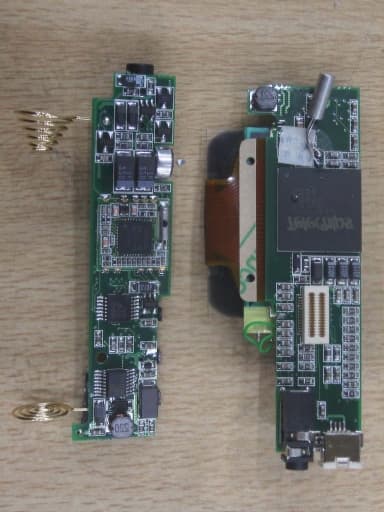
QPJTW-6512
Dec 21, 2003MP3 PLAYER
Equipment Class
JBP - Part 15 Class B Computing Device Peripheral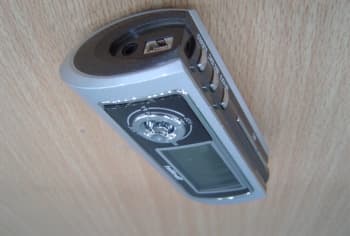
QPJTW-2512ME
Oct 15, 2003MP3 PLAYER
Equipment Class
JBP - Part 15 Class B Computing Device Peripheral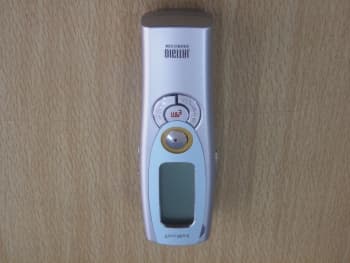
QPJTDR-2128M
Jan 19, 2003Digital Voice Recorder
Equipment Class
JBP - Part 15 Class B Computing Device Peripheral
QPJTDR-2064U
Oct 30, 2002Digital Voice Recorder
Equipment Class
JBP - Part 15 Class B Computing Device Peripheral