QVN-BTEARWireless Headset
Euro Communication Equipement SAS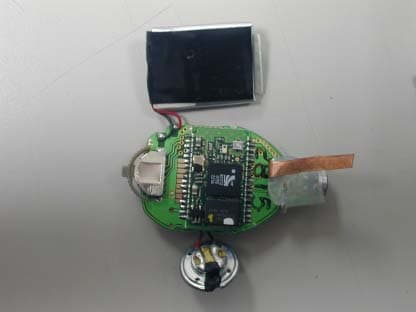
Click to zoom
Application Details
- Equipment Class
- DSS - Part 15 Spread Spectrum Transmitter
- Date of Grant
- Mar 24, 2003
- Application Purpose
- Original Equipment
- Date of Application
- Mar 24, 2003
- Equipment Note
- Wireless Headset
- Frequency Range
- 2402.00000000 - 2480.00000000
- Country
- France
Documents & Files
Document Text
Text extracted from the exhibit documents filed with the FCC. Open a document above to read the original.
Users Manual
Remark: - In standby mode, the microphone will still have a small consumption (less the 1.8 microwatts). - In order to extend your battery life, it is highly recommended to switch “OFF” your microphone when not using for a long time. FUNCTION CONTROLS Adjust the Function Controls as recommended: A. Tone Control “H“ for High Tone. “L” for Low Tone. B. ASP Control ON = Echo and Feedback Canceller. OFF = Echo Reducer only. C. Adjustable Mike Gain(MIC) Control “H” for high gain ; “L” for low gain. Microphone gain "L" is necessary in noisy background. The Mike gain must be adjusted to match with your cell phone model. If the gain is too high, it can cause feedback (whistling sound), echo or background noise during calls on some cell phones. SETTING THE VOLUME There are two volume controls on the unit. One is on the main unit (10) and controls only the main speaker (6). The other is on the headset (8) and sets both the earphone (11) and the main speaker (6). The headset volume control (8) is digital and is combined with the multi-function button. Pressing it clockwise increases the volume. Counter-clockwise decreases it. Continuous pressing of the digital volume control can also rapidly set the volume. During a communication, pick-up the earphone and adjust it’s volume (8). Replace the earphone on the base and adjust the speaker volume (10). If the volume is too high, it can cause feedback (whistling sound), echo or background noise during calls on some cell phones. ANSWERING / RECEIVING A CALL When phone is receiving a call, the phone ring tone will be heard on the hands-free kit or on the headset. Just press the button (4 on the main unit, 8 on the headset) once to answer the call. Pressing the button again will hang-up and terminates the call. MAKING A CALL Calling through the hands-free kit can be done using voice tags (refer to the phone user manual on saving and activating voice tags). The steps are: 1. Press the button (4) once on the main unit or the headset button (8) to activate the voice dialing. 2. A beep will then be heard prompting the user to say the name of the person to call. 3. Say the name. 4. The phone will then place the call automatically. In case the phone does not recognize the name spoken, the steps above may be repeated. 5. Press the button again to terminate the call. If the desired number to be dialed has no voice tag, normal dialing can also be done using the keypad on the phone. After dialing, audio is transferred automatically to the unit. When connected, pressing the button (4 or 8) will hang-up and terminates the call. OPERATING MANUAL MULTI-TOOTH Bluetooth Enabled Hands-Free Kit / Headset Recommended Function Controls Setting (Working on all models): MIC = L ASP = ON TONE = H Note : On high background environment, If you experience audio level fluctuation, turn ASP ‘’ OFF ’’ . USER’S MANUAL This unit uses Bluetooth technology that allows wireless communications on devices such as cellular phones. This is designed to be a totally wireless hands-free car kit or a stand- alone wireless headset. This provides the user to operate a cellular phone inside the car while driving and can also be used anywhere by detaching the headset and becomes a stand-alone Bluetooth headset. The unit may possibly work on all Bluetooth cellular phones provided that they respect the Bluetooth protocol. ILLUSTRATIONS: 1 – Magnet 2 – Charging Pins 3 – Charge/Power Indicator 4 – Line Pick-up Button 5 – Cigarette Lighter Plug 6 – Main Speaker 8 – Multi-function Button (Talk/Power/Volume) 9 – Microphone / Indicator lights 10 – Speaker Volume 11 – Earphone OPERATIONS TURNING ON/OFF THE UNIT When using as a hands-free car kit, plugging it in the cigarette lighter jack activates the unit. When using as a headset, pressing down the button (8) for 2 seconds turns it ON. When ON, a low-high tone is heard and a continuous blue light will show (red indicates low- battery). After releasing the button the unit is now ready and is waiting for a call (standby mode). If the indicator becomes red, it means that the battery on the headset is low. Re-charge it immediately by putting it back to the main unit. As a headset, pressing the button (8) for 4 to 10 seconds will turn it OFF depending on the phone. A high-low tone will then be heard and the indicator lights becomes red then turns off after a few seconds. Wait at least for 4 seconds before to turn the headset on again. Turning off of the headset is necessary to conserve battery life, in the case the headset will not be used for a long time. PAIRING TO THE PHONE Before use, the hands-free kit must be paired with the phone. Pairing is done only once. When the phone and the unit is already paired, connection to the phone will be automatic anytime when the phone is used. Pairing steps: 1. Bring the cellular phone in close proximity with the unit. 2. Detach the headset from the main unit. 3. Turn off the headset. This is done by pressing down the headset button (8) for 4 seconds. A high-low tone will be heard. Release the button. The light will become red and turns off after a few seconds. 4. From OFF state, press the button again for 10 seconds. Then a low-high tone is heard and the blue indicator will light indicating the unit is now ON. 5. Continue pressing down the button (8) until a distinctive three-tone sound will be heard and a red and blue light will alternately blink. This indicates that the unit is ready for pairing. 6. Perform a device scan or discovery on the cellular phone. Refer the phone users manual for this procedure. 7. Enter “0000” as the passkey or passcode. If the pairing is successful, the alternating red/blue lights will stop. 8. If the pairing is unsuccessful, the steps above may be repeated. The unit is now ready to link calls from the phone directly to the headset. INSTALLING THE MICROPHONE 1. Put two (2) "AAA" Alkaline batteries in the wireless microphone. Note: Microphone battery life is more than 500 calls (if 3 calls/day, ba…
Text truncated - open the document above for the full version.
Cover Letter(s)
Federal Communication Commission Equipment Authorization Division, Application Process Branch 7435 Oakland Mills Road Columbia, MD 21048 U.S.A February 6, 2003 TO WHOM IT MAY CONCERN Pursuant to Paragraphs §0.457 and 0.459 of the Commission Rules (47 C.F.R.) and the Section § 552(b)(4) of the Freedom of Information Act, Euro Communication Equipements SAS. requests confidentiality for the following products: FCCID QVN-HFK2MI4 FCCID QVN-BTEAR For the product stated above, we request that the following information be held confidential: 1) Electrical Schematics of the Circuitry No other items submitted as part of the equipment authorization filing process are deemed confidential. The above exhibits contain Euro Communication Equipements SAS trade secrets and proprietary information that could be of benefit to our competitors regarding the design of our Wireless microphone and wireless headset. This material is not customarily available to the general public and we request that it be withheld from public inspection. If you have any questions, please feel free to contact me. Sincerely, Jason Lin Assistant Manager E&E department , SGS Taiwan
External Photos
External Photos
Internal Photos
Internal Photos
Operational Description
Technical description of the BTEAR Headset The BTEAR unit is a Bluetooth ™ compatible Class 2 device, which receives and transmits in the frequency range of 2.402-2.480GHz. It is a spread spectrum (frequency hopping) headset; 79 channels, 1MHz Bandwidth, frequency hops at 1600 hops/second per the Bluetooth standard. The unit communicates with other Bluetooth devices using a time division duplex scheme that alternates transmission and receive functions, and thus uses the same antenna to transmit and receive at different times. The unit contains CSR single chip radio with external 4mB Flash memory, with 3V and 1.8V voltage regulation circuit, battery protection and charging circuit. A common antenna is used to send and receive RF signals. The MC145483 codec is used to convert the receive and transmit data in to audio signal. Battery charging is done with an overload and overcharge protection circuit to charge a 130mAH, rechargeable 3.6V Lithium Polymer cell. The headset can communicate with other Bluetooth ™ products that support the Headset Profile. Refer to the users manual for basic functions of this unit.
Test Report
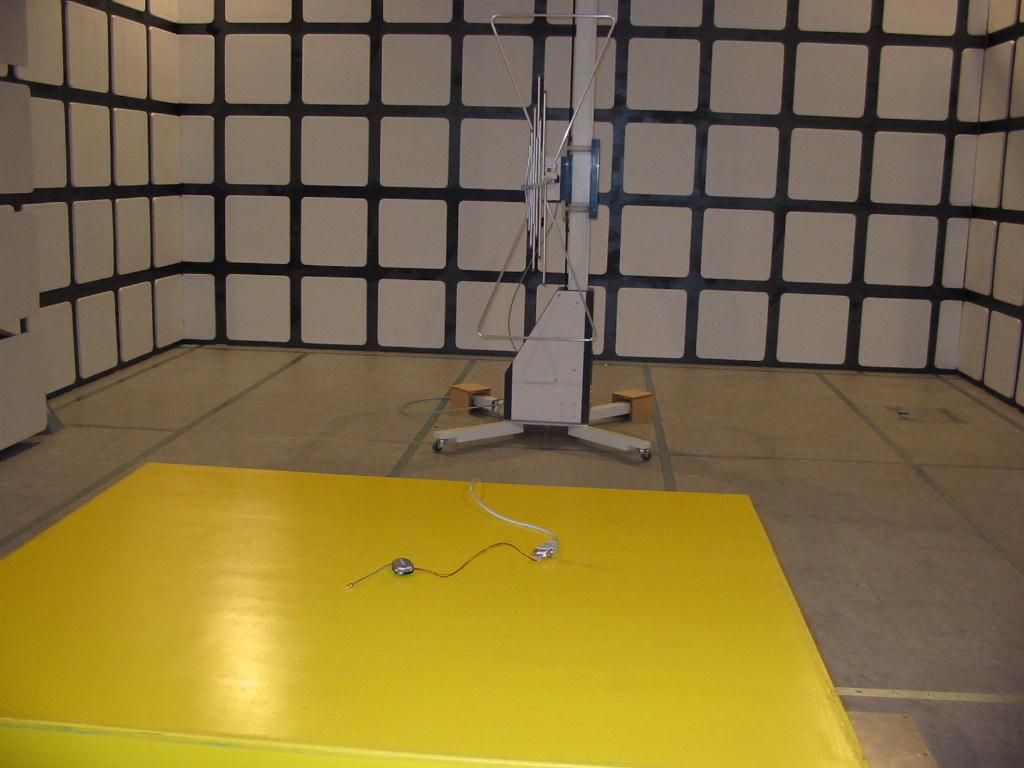
Report No. : ER/2003/20001 Page : 1 of 32 FCC TEST REPORT quipment Under Test : Wireless Headset Model No. : BTEAR Applicant : Euro Communication Equipments SAS Route de Foix 11500 NEBIAS Quillan, France Address of Applicant : Standards: FCC Part 15 subpart C In the configuration tested, the EUT complied with the standards specified above. Remarks: This report details the results of the testing carried out on one sample, the results contained in this test report do not relate to other samples of the same product. The manufacturer should ensure that all products in series production are in conformity with the product sample detailed in this report. This report may only be reproduced and distributed in full. If the product in this report is used in any configuration other than that detailed in the report, the manufacturer must ensure the new system complies with all relevant standards. Any mention of SGS Taiwan E&E Services or testing done by SGS Taiwan E&E Services in connection with distribution or use of the product described in this report must be approved by SGS Taiwan E&E Services in writing. Tested by : Robert Chang Date : March 17,2003 Approved by : Jason Lin Date : March 17,2003 Report No. : ER/2003/20001 Page : 2 of 32 Contents 1. General Information 1.1 Testing Laboratory 3 1.2 Details of Applicant 3 1.3 Description of EUT(s) 3 1.4 Operation Procedure 4 2. Summary of Results 5 3. Instruments List 6 4. Measurements 7 4.1 Radiated emission Limits, general requirement 7 4.2 Channel Spacing 12 4.3 20db bandwidth / No. of channels 13 4.4 Average time of Occupancy 18 4.5 Peak output power 20 4.6 Band-edge emission 22 4.7 Spurious Emission under 25Ghz 24 APPENDIX Photographs of Test Setup 31 Photographs of EUT 32-33 Report No. : ER/2003/20001 Page : 3 of 32 1. General Information 1.1 Testing Laboratory SGS Taiwan Ltd. ( FCC Registration number: 573967 ) 1F, No. 134, Wukung Road, Wuku industrial zone Taipei county , Taiwan , R.O.C. Telephone : +886-2-2299-3279 Fax : +886-2-2298-2698 Internet : http://www.sgs.com.tw 1.2 Details of Applicant Name : Euro Communication Equipments SAS Address : Route de Foix 11500 NEBIAS Quillan, France Contact : Mr. Michel Marchant Telephone : +33-4-68208730 1.3 Description of EUT(s) 1 Product name Wireless Headset 2 Product ID BTEAR 3 Power supply Internal rechargeable battery, 3V 4 Carrier Frequency 2402MHz to 2480MHz 5 Modulation Method GFSK,1Mbps,0.5BT Gaussian 6 Hopping 1600hops/sec, 1MHz channel space Report No. : ER/2003/20001 Page : 4 of 32 1.4 Operation Procedure Since the EUT is a FHSS system, it is difficult to measure the parameters under hopping mode. The output power and operating frequency are NOT End-user adjustable. Applicant offer a engineering software “BlueSuite” and RS232 interface to control the EUT. Setting of the software parameters are set as default. Operating frequency are set as testing required. The output power is set as Ext=255, Int=50 (at max. power) The lowest operating frequency within Bluetooth specification is 2402Mhz, and highest operating frequency is 2480Mhz. So the frequency above are used as the lowest and highest frequency in the testing, and the middle frequency is set as 2441Mhz. Due to cable loss, the real value will equal to measured value(show on the instrument) add cable loss. Report No. : ER/2003/20001 Page : 5 of 32 2.Summary of Results subclause Parameter to be measures Verdict Page 15.209 Radiated emission Limits, general requirement PASS 9 15.247(a)(1) Channel Spacing PASS 12 15.247(a)(1)(ii) 20db bandwidth / No. of channels PASS 13 15.247(a)(1)(ii) Average Time of Occupacy PASS 18 15.247(b)(1) Peak Output power PASS 20 15.247(c) Band-Edge Emission PASS 22 15.247(c) Spurious Emission under 25Ghz PASS 24 Report No. : ER/2003/20001 Page : 6 of 32 3. Instruments List Instrument Model Serial number Calibration date Desktop PC Acer Veriton 7200N/A N/A Spectrum Analyzer Agilent 7405A US40240202 May 22, 2002 Climatic chamber Terchy MHG-120L911009 Oct. 15, 2002 Antenna Schwarzbeck BBHA9120A 309/320 July 01, 2002 Antenna Schwarzbeck VULB9163 152 July 01, 2002 RF Signal generator Agilent 83752A 3601A02720 Sep. 04, 2002 EMC Analyzer HP 8594EM 3624A00203 Dec. 13, 2002 EMI Test Receiver R&S ESCS 30 828985/004 Oct. 11, 2002 Report No. : ER/2003/20001 Page : 7 of 32 4. Measurements 4.1 Radiated emission Limits, general requirement SUBCLAUSE 15.209 30Mhz-300 Mhz Vertical Report No. : ER/2003/20001 Page : 8 of 32 30Mhz-300 Mhz Horizontal Report No. : ER/2003/20001 Page : 9 of 32 300Mhz-1000 Mhz Vertical Report No. : ER/2003/20001 Page : 10 of 32 300Mhz-1000 Mhz Horizontal Report No. : ER/2003/20001 Page : 11 of 32 4.2.1 Limits Report No. : ER/2003/20001 Page : 12 of 32 4.2 Channel Spacing SUBCLAUSE15.247(a)(1) Channel Spacing = 998 Khz Report No. : ER/2003/20001 Page : 13 of 32 4.3 No. of carrier frequency / 20db Bandwidth SUBCLAUSE15.247(a)(1)(ii) Number of channels = 79 Report No. : ER/2003/20001 Page : 14 of 32 Report No. : ER/2003/20001 Page : 15 of 32 20dB bandwidth at lowest (2402Mhz), middle(2441Mhz), highest channel(2480Mhz) Report No. : ER/2003/20001 Page : 16 of 32 Channel bandwidth = 790 KHZ Report No. : ER/2003/20001 Page : 17 of 32 Channel bandwidth = 880 KHZ 4.4 Average Time of Occupancy SUBCLAUSE15.247(a)(1)(ii) Report No. : ER/2003/20001 Page : 18 of 32 Report No. : ER/2003/20001 Page : 19 of 32 4.5.1 calculation At channel 2441Mhz, there are 10 bursts in 1 sec. Time period of each burst is 410 Sec. So the occupacy time within 30 second is 410 x 10 x 30 = 123000 Sec = 123 mSec = 0.123 Sec. 4.5.2 Limits The average time of occupancy on any frequency shall not be greater than 0.4 seconds within a 30 second period. The EUT comply with the requirement in Sec 15.247(a)(1) that use at least 75 hopping frequencies. The maximum 20dB bandwidth of the hopping channel is 1 MHz. The average time of occupancy on any frequency shall not be greater than 0.4 seconds within a 30 second period. Report No. : ER/2003/20001 Pa…
Text truncated - open the document above for the full version.
Contact Information
Applicant
Michel E Marchant(President)
Test Firm
SGS Taiwan Ltd.Wyse Chiu
Technical Specifications
| # | Rule Parts | Frequency Range | Power Output |
|---|---|---|---|
| 1 | 15C | 2.40 GHz - 2.48 GHz | 800.00 µW |
Other Applications from Euro Communication Equipement SAS
QVNBTD4
Jan 26, 2014BTD4
Equipment Class
DSS - Part 15 Spread Spectrum Transmitter
QVNBTFMC
Jan 14, 2014BTFMC
Equipment Class
DSS - Part 15 Spread Spectrum Transmitter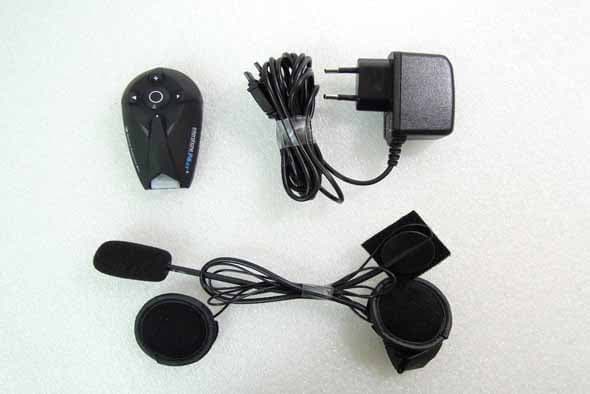
QVNBTF4XT
Jul 06, 2013BTF4XT
Equipment Class
DSS - Part 15 Spread Spectrum Transmitter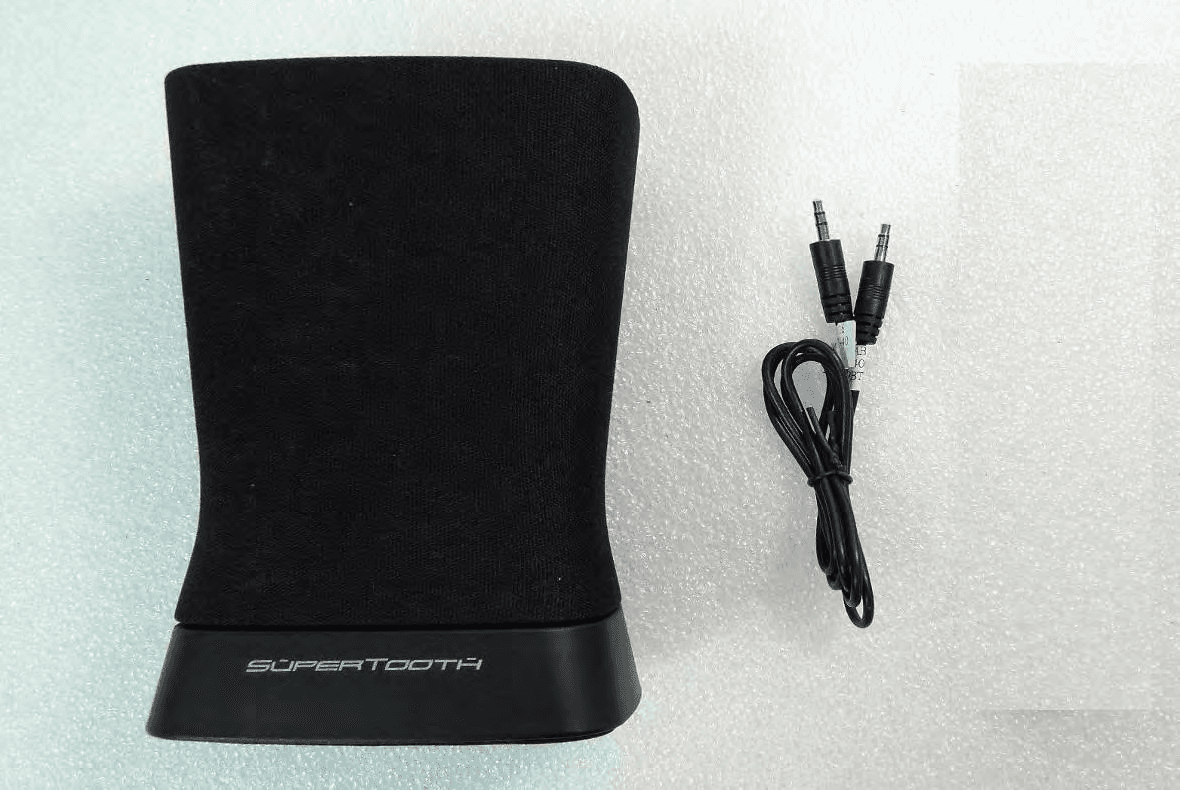
QVNBTD3
May 28, 2013BTD3
Equipment Class
DSS - Part 15 Spread Spectrum Transmitter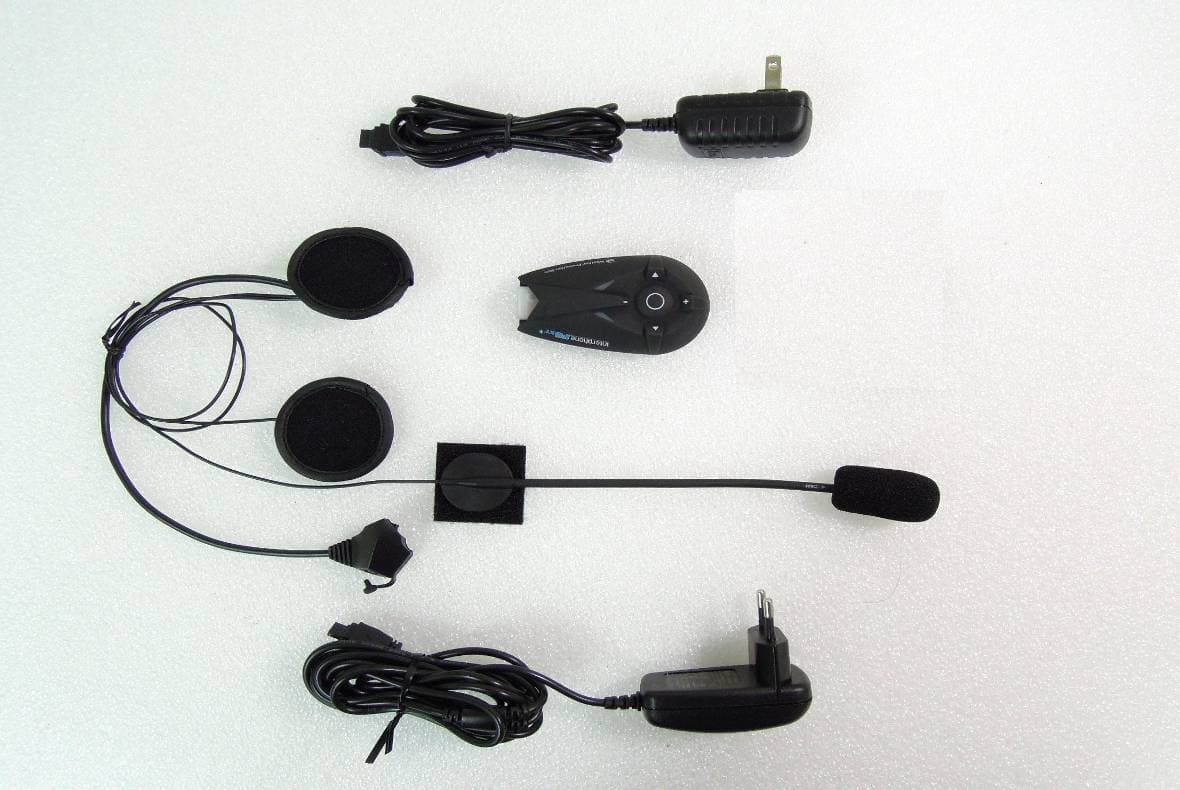
QVNBTF5XT
Mar 03, 2013BTF5XT
Equipment Class
DSS - Part 15 Spread Spectrum Transmitter