QWHBH470NCWireless Headphone
Music Tribe Commercial MY Sdn. Bhd.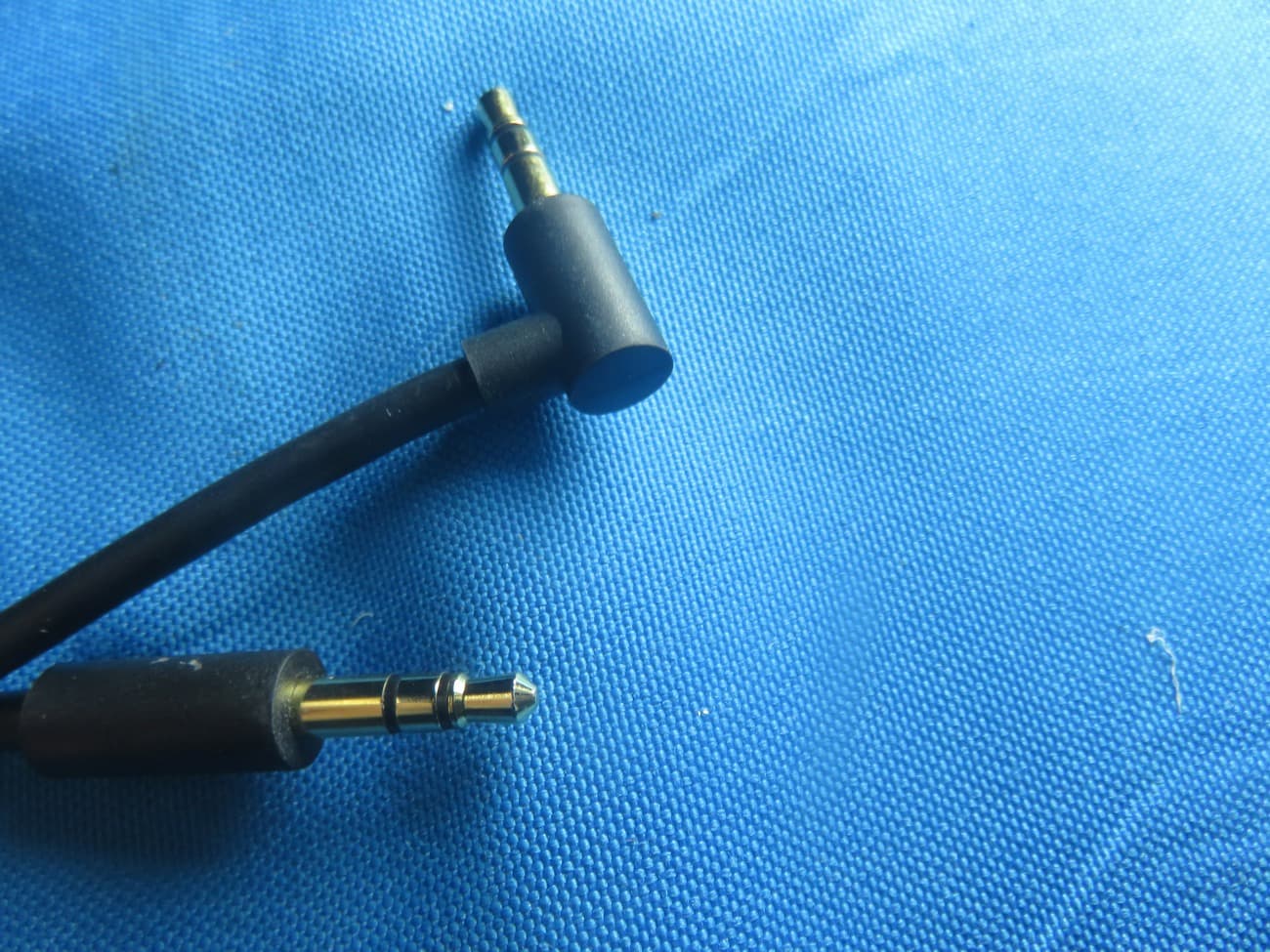
Click to zoom
Application Details
- Equipment Class
- DSS - Part 15 Spread Spectrum Transmitter
- Date of Grant
- Jan 27, 2021
- Application Purpose
- Original Equipment
- Date of Application
- Jan 27, 2021
- Equipment Note
- Wireless Headphone
- Frequency Range
- 2402.00000000 - 2480.00000000
- Country
- Malaysia
Documents & Files
Document Text
Text extracted from the exhibit documents filed with the FCC. Open a document above to read the original.
Users Manual
BH470NC User Manual Congratulations on your purchase and thank you for your use of our Bluetooth Active Noise Cancelling Headset. In order to start quickly, please read the user guide carefully. Caution 1. Please turn off the headset and put it into box to avoid damage, scratches or bracket deformation when long time no use. In order to prolong the battery service life, please charge every 6 months. 2. Please charge at first if the headset is left unused for long time. 3. The battery of headset is original and please don’t change it by yourself. 4. Please keep the headset under dry place. 5. Please don’t put this product into the environment with temperature over than 60°C or into fire to avoid battery blast accident. 6. Please don’t bent or twist the bracket to avoid deformation. 7. Please don’t tear down ear-cushions by un-professional person. 8. Don’t adjust the volume to a very high level and continued play. If tinnitus occurs, please turn the volume down or stop playing, do not turn the volume up suddenly. Please slowly turn up the volume to avoid hearing damage caused by high volume. 9. Do not use the headset in dangerous place or place where cannot hear the outside sound. Included: The headset contains the following parts: Bluetooth Active Noise Cancelling Headset X 1 Manual X 1 3.5mm – 3.5mm audio Cable X 1 Micro USB Charging Cable X 1 Charge the Battery: The headset contains a Type-C USB cable that can be connected to your computer or other device made for USB charging. Plug the Micro USB end of the included USB cable into the USB micro port charger connector under the left ear-cap of the headphone. Plug the other end into a USB port on your computer or other devices made for USB charging. The indicator light will be red while charging. Once fully charged, the indicator light will turn off. Charge time is about 3 hours on an empty battery. Active Noise Cancelling On: Hold the ANC button for 1 second. Green LED light will turn on. The ANC function is available at both Wired and Wireless condition. Active Noise Cancelling Off: Hold the ANC button for 1 second. Green LED light will turn off. The ANC function must be switched off by manual operation. Bluetooth Switch On: To switch on, press and hold the MFB about 3 seconds. The headset enters Bluetooth searching mode. Blue light on. Bluetooth Switch Off: To switch off, press and hold the MFB about 3 seconds. Pairing: 1. Ensure that your phone or Bluetooth device is switched on. 2. To pair the headset if it has not been previously paired with a device, switch on the headset. The headset enters the pairing mode, and the blue indicator light starts to flash quickly. To pair the headset if it has been previously paired with another device, ensure that the previously paired devise is switched off. 3. Activate the Bluetooth feature on your phone or Bluetooth devices, and set it to search for Bluetooth devices. 4. Select “BH470NC” from the list of found devices on your phone or Bluetooth devices. 5. When successfully connected, the blue light turns to continuously lighting. The headset that has been previously paired with another device will automatically connect with the device if the device is power on and within connecting range, if not, the headset will enter standby mode with continuously blue light. Adjust the volume: Turn the volume up or down by a long press on the volume +/- key during a call or while listening to music. When the volume reaches to Maximum volume, there is a warning tone. Application: Power On: Press center key for 3 seconds Power Off: Press center key for 3 seconds Volume Up: Short press "+" key Volume Down: Short press "-" key Next Track: Long press "+" key. Previous Track: Long press "-" key Play the Track: Press "center" key once Pause the Track: Press "center" key once Answer incoming call: Press "center" key once Refuse incoming call: Press "center" key twice End the call: Press "center" key once Last number Redial: Press "center" key twice Activate Siri: Press "center" key thrice MIC: Microphone USB: Type-C USB charging port BH470NC can make and receive calls hands-free with your compatible mobile phone and listen to music from a compatible Bluetooth device, but they should be with 10 meters (33 feet) of each other. The headset is compliant with the Bluetooth Specification 4.1support the following profiles: Headset Profile (HSP) V1.6, Hands-free Profile (HFP) V1.5, Advanced Audio Distribution Profile (A2DP) V1.0, and Audio Video Remote Control Profile (AVRCP) V1.4 input rating 5V DC, 0.5A Calls: To make a call, use your mobile phone in the normal way when the headset is connected to it. Quickly Press the MFB twice to call the last number in the call list. When a phone call comes in, quickly press the MFB to answer it, or long press about 1.5 seconds to reject the call. Call is ended when short press MFB during a call. Listen to Music: To listen to music, connect the headset to phone or compatible Bluetooth devices that support A2DP Bluetooth profile. The available music functions depend on your Bluetooth devices. If you receive or make a call while listening to music, the music is paused until the call ends. To play a song, select in the music player and press the Play/Pause key on the headset. To pause or resume playing a song, press the Play/Pause key. To select the next song during playback, press the volume up key quickly. To select the previous song, press the volume down key quickly. To increase the volume, press and hold the volume up key, there will be beep town when reaching max volume. To decrease the volume, press and hold the volume down key. (Until Mute) Disconnect the Headset: To disconnect the headset from your device, switch off the headset, or disconnect it in Bluetooth menu of your device. Reconnect the headset: To connect the headset to the phone or Bluetooth devices that you have last used with it, switch on the headset, or make the connection in the Bluetooth menu of your device. Passive…
Text truncated - open the document above for the full version.
Users Manual
BH480NC User Manual Congratulations on your purchase and thank you for your use of our Bluetooth Active Noise Cancelling Headset. In order to start quickly, please read the user guide carefully. Caution 1. Please turn off the headset and put it into box to avoid damage, scratches or bracket deformation when long time no use. In order to prolong the battery service life, please charge every 6 months. 2. Please charge at first if the headset is left unused for long time. 3. The battery of headset is original and please don’t change it by yourself. 4. Please keep the headset under dry place. 5. Please don’t put this product into the environment with temperature over than 60°C or into fire to avoid battery blast accident. 6. Please don’t bent or twist the bracket to avoid deformation. 7. Please don’t tear down ear-cushions by un-professional person. 8. Don’t adjust the volume to a very high level and continued play. If tinnitus occurs, please turn the volume down or stop playing, do not turn the volume up suddenly. Please slowly turn up the volume to avoid hearing damage caused by high volume. 9. Do not use the headset in dangerous place or place where cannot hear the outside sound. Included: The headset contains the following parts: Bluetooth Active Noise Cancelling Headset X 1 Manual X 1 3.5mm – 3.5mm audio Cable X 1 Micro USB Charging Cable X 1 Charge the Battery: The headset contains a Type-C USB cable that can be connected to your computer or other device made for USB charging. Plug the Micro USB end of the included USB cable into the USB micro port charger connector under the left ear-cap of the headphone. Plug the other end into a USB port on your computer or other devices made for USB charging. The indicator light will be red while charging. Once fully charged, the indicator light will turn off. Charge time is about 3 hours on an empty battery. Active Noise Cancelling On: Hold the ANC button for 1 second. Green LED light will turn on. The ANC function is available at both Wired and Wireless condition. Active Noise Cancelling Off: Hold the ANC button for 1 second. Green LED light will turn off. The ANC function must be switched off by manual operation. Bluetooth Switch On: To switch on, press and hold the MFB about 3 seconds. The headset enters Bluetooth searching mode. Blue light on. Bluetooth Switch Off: To switch off, press and hold the MFB about 3 seconds. Pairing: 1. Ensure that your phone or Bluetooth device is switched on. 2. To pair the headset if it has not been previously paired with a device, switch on the headset. The headset enters the pairing mode, and the blue indicator light starts to flash quickly. To pair the headset if it has been previously paired with another device, ensure that the previously paired devise is switched off. 3. Activate the Bluetooth feature on your phone or Bluetooth devices, and set it to search for Bluetooth devices. 4. Select “BH470NC” from the list of found devices on your phone or Bluetooth devices. 5. When successfully connected, the blue light turns to continuously lighting. The headset that has been previously paired with another device will automatically connect with the device if the device is power on and within connecting range, if not, the headset will enter standby mode with continuously blue light. Adjust the volume: Turn the volume up or down by a long press on the volume +/- key during a call or while listening to music. When the volume reaches to Maximum volume, there is a warning tone. Application: Power On: Press center key for 3 seconds Power Off: Press center key for 3 seconds Volume Up: Short press "+" key Volume Down: Short press "-" key Next Track: Long press "+" key. Previous Track: Long press "-" key Play the Track: Press "center" key once Pause the Track: Press "center" key once Answer incoming call: Press "center" key once Refuse incoming call: Press "center" key twice End the call: Press "center" key once Last number Redial: Press "center" key twice Activate Siri: Press "center" key thrice MIC: Microphone USB: Type-C USB charging port BH470NC can make and receive calls hands-free with your compatible mobile phone and listen to music from a compatible Bluetooth device, but they should be with 10 meters (33 feet) of each other. The headset is compliant with the Bluetooth Specification 4.1support the following profiles: Headset Profile (HSP) V1.6, Hands-free Profile (HFP) V1.5, Advanced Audio Distribution Profile (A2DP) V1.0, and Audio Video Remote Control Profile (AVRCP) V1.4 input rating 5V DC, 0.5A Calls: To make a call, use your mobile phone in the normal way when the headset is connected to it. Quickly Press the MFB twice to call the last number in the call list. When a phone call comes in, quickly press the MFB to answer it, or long press about 1.5 seconds to reject the call. Call is ended when short press MFB during a call. Listen to Music: To listen to music, connect the headset to phone or compatible Bluetooth devices that support A2DP Bluetooth profile. The available music functions depend on your Bluetooth devices. If you receive or make a call while listening to music, the music is paused until the call ends. To play a song, select in the music player and press the Play/Pause key on the headset. To pause or resume playing a song, press the Play/Pause key. To select the next song during playback, press the volume up key quickly. To select the previous song, press the volume down key quickly. To increase the volume, press and hold the volume up key, there will be beep town when reaching max volume. To decrease the volume, press and hold the volume down key. (Until Mute) Disconnect the Headset: To disconnect the headset from your device, switch off the headset, or disconnect it in Bluetooth menu of your device. Reconnect the headset: To connect the headset to the phone or Bluetooth devices that you have last used with it, switch on the headset, or make the connection in the Bluetooth menu of your device. Passive…
Text truncated - open the document above for the full version.
Cover Letter(s)
Music Tribe Commercial MY Sdn. Bhd. Declaration of Authorization We Name: Music Tribe Commercial MY Sdn. Bhd. Address: 1-17-02, Suntech @ Penang Cybercity, LinTang Mayang Pasir 3, Bayan Baru, Pulau Pinang, Malaysia City: Bayan Baru Country: Malaysia Declare that: Name Representative of agent: Ms. Rose Liu Agent Company name: BTL Inc. Address: No.3 Jinshagang 1 st Road, Shixia, Dalang Town City: Dong Guan Country: China is authorized to apply for Certification and signing related documents of the following product(s), including 731 form(s): Product description: Wireless Headphone Type designation: BH470NC, BH480NC Trademark: Behringer FCC ID: QWHBH470NC on our behalf. Date: 2020-11-11 City: Bayan Baru Name: Kane Xin Function: Innovation Compliance EMC Signature: -----------------------------------------
Cover Letter(s)
Rev 11/20/07 Music Tribe Commercial MY Sdn. Bhd. Federal Communications Commission Authorization and Evaluation Division Confidentiality Request regarding application for certification of FCC ID: (QWHBH470NC). Pursuant to Sections 0.457 and 0.459 of the Commission’s Rules, we hereby request confidential treatment of information accompanying this application as outlined below: Exhibit Type File Name Schematics, Block Diagram, Operational Description, 4. Schematics 5. Block Diagram 6. Operational Description The above materials contain trade secrets and proprietary information not customarily released to the public. The public disclosure of these materials may be harmful to the applicant and provide unjustified benefits to its competitors. The applicant understands that pursuant to Section 0.457 of the Rules, disclosure of this application and all accompanying documentation will not be made before the date of the Grant for this application. It is our understanding that all measurement test reports, FCC ID label format and correspondence during the certification review process cannot be granted as confidential documents and this information will be available for public review once the grant of equipment authorization is issued. (signature) Kane Xin
Cover Letter(s)
Model Declaration Letter Date: 2020.11.11 We, the undersigning company Company Name: Music Tribe Commercial MY Sdn. Bhd. A ddress: 1-17-02, Suntech @ Penang Cybercity, LinTang Mayang Pasir 3, Bayan Baru, Pulau Pinang, Malaysia Bayan Baru Malaysia Hereby confirm that the following products: Product description: Wireless Headphone Type Design: B H470NC, BH480NC Brand: Behringer That All versions of the Model BH470NC and BH480NC are electrically equal except the following d ifference: Only differ in appearance and color. S ignature: Name: Kane Xin T elephone: 0760-23382666 EXT 8686 E-mail: [email protected]
External Photos
Report No.: 2009C162 Page 2 of 19 Model: BH470NC Report No.: 2009C162 Page 3 of 19 Report No.: 2009C162 Page 4 of 19 Report No.: 2009C162 Page 5 of 19 Model: BH480NC Report No.: 2009C162 Page 6 of 19 Report No.: 2009C162 Page 7 of 19 Report No.: 2009C162 Page 8 of 19
ID Label/Location Info
BH480NC
Internal Photos
Report No.: 2009C162 Page 9 of 19 Report No.: 2009C162 Page 10 of 19 Report No.: 2009C162 Page 11 of 19 Report No.: 2009C162 Page 12 of 19 Report No.: 2009C162 Page 13 of 19 Report No.: 2009C162 Page 14 of 19 Report No.: 2009C162 Page 15 of 19 Report No.: 2009C162 Page 16 of 19 ANT Report No.: 2009C162 Page 17 of 19 Report No.: 2009C162 Page 18 of 19 Report No.: 2009C162 Page 19 of 19
RF Exposure Info
Report No.: BTL-FCCP-2-2009C162 Page 1 of 4 FCC RF EXPOSURE REPORT FCC ID: QWHBH470NC Project No. : 2009C162 Equipment : Wireless Headphone Brand Name : Behringer Test Model : BH470NC Series Model : BH480NC Applicant : Music Tribe Commercial MY Sdn. Bhd. Address : 1-17-02, Suntech @ Penang Cybercity, LinTang Mayang Pasir 3, Bayan Baru, Pulau Pinang, Malaysia Manufacturer : Music Tribe Commercial MY Sdn. Bhd. Address : 1-17-02, Suntech @ Penang Cybercity, LinTang Mayang Pasir 3, Bayan Baru, Pulau Pinang, Malaysia Factory : iLike Electronics Co., Ltd. Address : Floor 1 and 2 of No. 2300267 ,2300268 ,Ju Ling old village, Ju Tang Community , Guanlan Street, Longhua New District,Shenzhen, China. Date of Receipt : Sep. 28, 2020 Date of Test : Sep. 29, 2020 ~ Oct. 23, 2020 Issued Date : Jan. 22, 2021 Report Version : R01 Test Sample : Engineering Sample No.: DG2020101082 Standard(s) : FCC Guidelines for Human Exposure IEEE C95.1 & KDB447498 D01 The above equipment has been tested and found compliance with the requirement of the relative standards by BTL Inc. Prepared by : Vincent Tan Approved by : Ethan Ma Add: No.3, Jinshagang 1st Road, Shixia, Dalang Town,Dongguan, Guangdong, China. Te l : +86-769-8318-3000 Web: www.newbtl.com Report No.: BTL-FCCP-2-2009C162 Page 2 of 4 REPORT ISSUED HISTORY Report Version Description Issued Date R00 Original Issue. Dec. 21, 2020 R01 Revised report to address comments. Jan. 22, 2021 Report No.: BTL-FCCP-2-2009C162 Page 3 of 4 1. TEST FACILITY The test facilities used to collect the test data in this report is at the location of No.3,Jinshagang 1st Road, Shixia, Dalang Town, Dongguan, Guangdong, China. BTL's Test Firm Registration Number for FCC: 357015 BTL's Designation Number for FCC: CN1240 2. GENERAL CONCULUSION According to FCC KDB447498 D01, Appendix A, SAR Test Exclusion Thresholds for 100 MHz – 6 GHz and ≤ 50 mm, the 1-g and 10-g SAR test exclusion thresholds are determined by the following: [(max. power of channel, including tune-up tolerance, mW) / (min. test separation distance, mm)] · [√f(GHz)] ≤ 3.0 for 1-g SAR, and ≤ 7.5 for 10-g extremity SAR, where f(GHz) is the RF channel transmit frequency in GHz Power and distance are rounded to the nearest mW and mm before calculation The result is rounded to one decimal place for comparison Appendix A - SAR Test Exclusion Thresholds for 100 MHz - 6 GHz and < 50 mm MHz 5 10 15 20 25 30 35 40 45 50 mm 150 39 77 116 155 194 232 271 310 349 387 SAR Test Exclusion Thresholds (mW) 300 27 55 82 110 137 164 192 219 246 274 450 22 45 67 89 112 134 157 179 201 224 835 16 33 49 66 82 98 115 131 148 164 900 16 32 47 63 79 95 111 126 142 158 1500 12 24 37 49 61 73 86 98 110 122 1900 11 22 33 44 54 65 76 87 98 109 2450 10 19 29 38 48 57 67 77 86 96 3600 8 16 24 32 40 47 55 63 71 79 5200 7 13 20 26 33 39 46 53 59 66 5400 6 13 19 26 32 39 45 52 58 65 5800 6 12 19 25 31 37 44 50 56 62 Report No.: BTL-FCCP-2-2009C162 Page 4 of 4 3. TABLE FOR FILED ANTENNA Ant. Brand Model Name Antenna Type Connector Gain (dBi) 1 N/A N/A Printed N/A 0.37 4. TEST RESULTS Frequency (MHz) Max Tune-up power (dBm) Max Tune-up power (mW) Result Limit 2402 4.00 2.512 0.779 3 Note: (1) Output power including tune up tolerance. (2) The maximum measured output peak power of this EUT is 2.512mW, less than 10mW at 5mm distance. Conclusion: No SAR evaluation required since transmitter power is below FCC threshold. End of Test Report
Test Report
Report No.: BTL-FCCP-1-2009C162 Page 1 of 70 FCC Radio Test Report FCC ID: QWHBH470NC This report concerns: Original Grant Project No. : 2009C162 Equipment : Wireless Headphone Brand Name : Behringer Test Model : BH470NC Series Model : BH480NC Applicant : Music Tribe Commercial MY Sdn. Bhd. Address : 1-17-02, Suntech @ Penang Cybercity, LinTang Mayang Pasir 3, Bayan Baru, Pulau Pinang, Malaysia Manufacturer : Music Tribe Commercial MY Sdn. Bhd. Address : 1-17-02, Suntech @ Penang Cybercity, LinTang Mayang Pasir 3, Bayan Baru, Pulau Pinang, Malaysia Factory : iLike Electronics Co., Ltd. Address : Floor 1 and 2 of No. 2300267 ,2300268 ,Ju Ling old village, Ju Tang Community , Guanlan Street, Longhua New District,Shenzhen, China. Date of Receipt : Sep. 28, 2020 Date of Test : Sep. 29, 2020 ~ Oct. 23, 2020 Issued Date : Dec. 21, 2020 Report Version : R00 Test Sample : Engineering Sample No.: DG2020101082 for conducted, DG2020101083 for radiated Standard(s) : FCC Part15, Subpart C (15.247) ANSI C63.10-2013 FCC KDB 558074 D01 15.247 Meas Guidance v05r02 T he above equipment has been tested and found compliance with the requirement of the relative standards by BTL Inc. Prepared by : Vincent Tan Approved by : Ethan Ma Add: No.3, Jinshagang 1st Road, Shixia, Dalang Town,Dongguan, Guangdong, China. Te l : +86-769-8318-3000 Web: www.newbtl.com Report No.: BTL-FCCP-1-2009C162 Page 2 of 70 Declaration BTL represents to the client that testing is done in accordance with standard procedures as applicable and that test instruments used has been calibrated with standards traceable to international standard(s) and/or national standard(s). BTL's reports apply only to the specific samples tested under conditions. It is manufacture’s responsibility to ensure that additional production units of this model are manufactured with the identical electrical and mechanical components. BTL shall have no liability for any declarations, inferences or generalizations drawn by the client or others from BTL issued reports. The report must not be used by the client to claim product certification, approval, or endorsement by NVLAP, NIST, A2LA, or any agency of the U.S. Government. This report is the confidential property of the client. As a mutual protection to the clients, the public and ourselves, the test report shall not be reproduced, except in full, without our written approval. BTL’s laboratory quality assurance procedures are in compliance with the ISO/IEC 17025 requirements, and accredited by the conformity assessment authorities listed in this test report. BTL is not responsible for the sampling stage, so the results only apply to the sample as received. The information, data and test plan are provided by manufacturer which may affect the validity of results, so it is manufacturer’s responsibility to ensure that the apparatus meets the essential requirements of applied standards and in all the possible configurations as representative of its intended use. Limitation For the use of the authority's logo is limited unless the Test Standard(s)/Scope(s)/Item(s) mentioned in this test report is (are) included in the conformity assessment authorities acceptance respective. Please note that the measurement uncertainty is provided for informational purpose only and are not use in determining the Pass/Fail results. Report No.: BTL-FCCP-1-2009C162 Page 3 of 70 Table of Contents Page REPORT ISSUED HISTORY 6 1 . SUMMARY OF TEST RESULTS 7 1.1 TEST FACILITY 8 1.2 MEASUREMENT UNCERTAINTY 8 1.3 TEST ENVIRONMENT CONDITIONS 9 2 . GENERAL INFORMATION 10 2.1 GENERAL DESCRIPTION OF EUT 10 2.2 DESCRIPTION OF TEST MODES 12 2.3 PARAMETERS OF TEST SOFTWARE 12 2.4 BLOCK DIAGRAM SHOWING THE CONFIGURATION OF SYSTEM TESTED 13 2.5 SUPPORT UNITS 14 3 . AC POWER LINE CONDUCTED EMISSIONS TEST 15 3.1 LIMIT 15 3.2 TEST PROCEDURE 15 3.3 DEVIATION FROM TEST STANDARD 15 3.4 TEST SETUP 16 3.5 EUT OPERATING CONDITIONS 16 3.6 TEST RESULTS 16 4 . RADIATED EMISSION TEST 17 4.1 LIMIT 17 4.2 TEST PROCEDURE 18 4.3 DEVIATION FROM TEST STANDARD 18 4.4 TEST SETUP 19 4.5 EUT OPERATING CONDITIONS 20 4.6 TEST RESULTS - 9 KHZ TO 30 MHZ 20 4.7 TEST RESULTS - 30 MHZ TO 1000 MHZ 20 4.8 TEST RESULTS - ABOVE 1000 MHZ 20 5 . NUMBER OF HOPPING FREQUENCY 21 5.1 LIMIT 21 5.2 TEST PROCEDURE 21 5.3 DEVIATION FROM STANDARD 21 5.4 TEST SETUP 21 Report No.: BTL-FCCP-1-2009C162 Page 4 of 70 Table of Contents Page 5.5 EUT OPERATION CONDITIONS 21 5.6 TEST RESULTS 21 6 . AVERAGE TIME OF OCCUPANCY 22 6.1 LIMIT 22 6.2 TEST PROCEDURE 22 6.3 DEVIATION FROM STANDARD 22 6.4 TEST SETUP 22 6.5 EUT OPERATION CONDITIONS 22 6.6 TEST RESULTS 22 7 . HOPPING CHANNEL SEPARATION MEASUREMENT 23 7.1 LIMIT 23 7.2 TEST PROCEDURE 23 7.3 DEVIATION FROM STANDARD 23 7.4 TEST SETUP 23 7.5 EUT OPERATION CONDITIONS 23 7.6 TEST RESULTS 23 8 . BANDWIDTH TEST 24 8.1 LIMIT 24 8.2 TEST PROCEDURE 24 8.3 DEVIATION FROM STANDARD 24 8.4 TEST SETUP 24 8.5 EUT OPERATION CONDITIONS 24 8.6 TEST RESULTS 24 9 . MAXIMUM OUTPUT POWER 25 9.1 LIMIT 25 9.2 TEST PROCEDURE 25 9.3 DEVIATION FROM STANDARD 25 9.4 TEST SETUP 25 9.5 EUT OPERATION CONDITIONS 25 9.6 TEST RESULTS 25 10 . CONDUCTED SPURIOUS EMISSION 26 10.1 LIMIT 26 10.2 TEST PROCEDURE 26 Report No.: BTL-FCCP-1-2009C162 Page 5 of 70 Table of Contents Page 10.3 DEVIATION FROM STANDARD 26 10.4 TEST SETUP 26 10.5 EUT OPERATION CONDITIONS 26 10.6 TEST RESULTS 26 11 . MEASUREMENT INSTRUMENTS LIST 27 12 . EUT TEST PHOTO 29 APPENDIX A - AC POWER LINE CONDUCTED EMISSIONS 33 APPENDIX B - RADIATED EMISSION - 9 KHZ-30 MHZ 36 APPENDIX C - RADIATED EMISSION - 30 MHZ TO 1000 MHZ 41 APPENDIX D - RADIATED EMISSION - ABOVE 1000 MHZ 44 APPENDIX E - NUMBER OF HOPPING FREQUENCY 57 APPENDIX F - AVERAGE TIME OF OCCUPANCY 59 APPENDIX G - HOPPING CHANNEL SEPARATION MEASUREMENT 62 APPENDIX H - BANDWIDTH 64 APPENDIX I - MAXIMUM OUTPUT POWER 66 APPENDIX J - CONDUCTED SPURIOUS EMISSION 68 Report No.: BTL-FCCP-1-2009C162 Page 6 of 70 REPORT ISSUED HISTORY Report Version Description Issued Date R00 Origi…
Text truncated - open the document above for the full version.
Test Report
Report No.: 2009C162 Page 8 of 19 Report No.: 2009C162 Page 9 of 19 Report No.: 2009C162 Page 10 of 19 Report No.: 2009C162 Page 11 of 19 Report No.: 2009C162 Page 12 of 19 Report No.: 2009C162 Page 13 of 19 Report No.: 2009C162 Page 14 of 19 Report No.: 2009C162 Page 15 of 19 Report No.: 2009C162 Page 16 of 19 ANT Report No.: 2009C162 Page 17 of 19 Report No.: 2009C162 Page 18 of 19 Report No.: 2009C162 Page 19 of 19
Test Setup Photos
Report No.: BTL-FCCP-1-2009C162 Page 29 of 70 12. EUT TEST PHOTO AC Power Line Conducted Emissions Test Photos Report No.: BTL-FCCP-1-2009C162 Page 30 of 70 Radiated Emissions Test Photos 9 kHz to 30 MHz Report No.: BTL-FCCP-1-2009C162 Page 31 of 70 Radiated Emissions Test Photos 30 MHz to 1000 MHz Report No.: BTL-FCCP-1-2009C162 Page 32 of 70 Radiated Emissions Test Photos Above 1 GHz
Contact Information
Applicant
Kane Xin(Innovation Compliance Leader)
Test Firm
BTL Inc.Sophia Huang
[email protected]+86-769-83183000
Technical Specifications
| # | Rule Parts | Frequency Range | Power Output |
|---|---|---|---|
| 1 | 15C | 2.40 GHz - 2.48 GHz | 2.50 mW |
Other Applications from Music Tribe Commercial MY Sdn. Bhd.
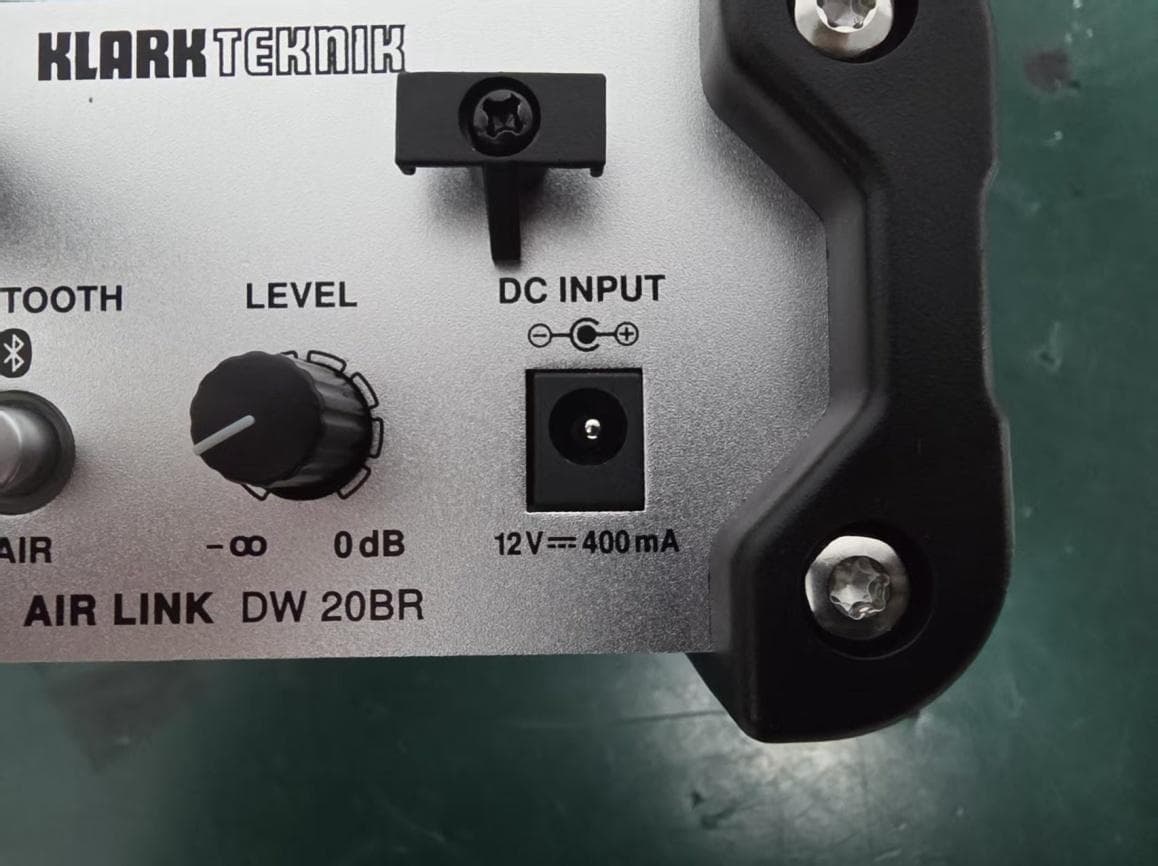
QWHDW20BR1
Mar 29, 2026Wireless DI Boxes
Equipment Class
DSS - Part 15 Spread Spectrum Transmitter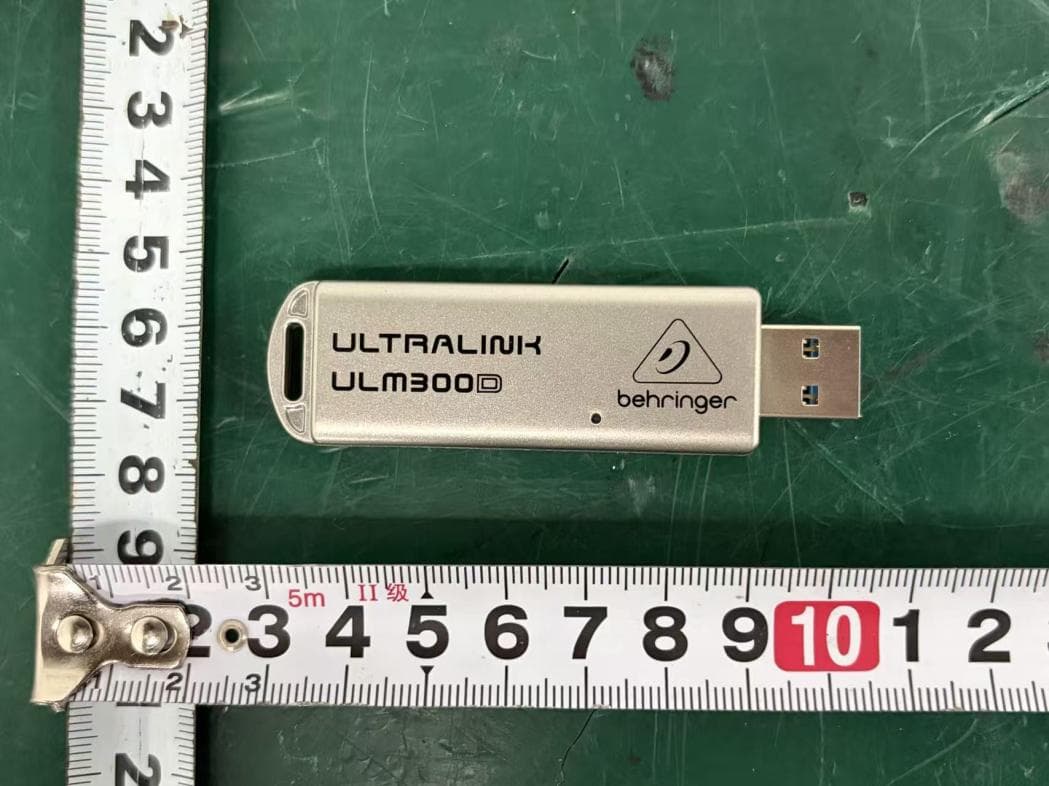
QWHULM300D1
Mar 26, 2026Wireless Microphone System
Equipment Class
DSS - Part 15 Spread Spectrum Transmitter
QWHULM300RD
Mar 26, 2026Wireless Microphone System
Equipment Class
DSS - Part 15 Spread Spectrum Transmitter
QWHULM300RS
Mar 25, 2026Wireless Microphone System
Equipment Class
DSS - Part 15 Spread Spectrum Transmitter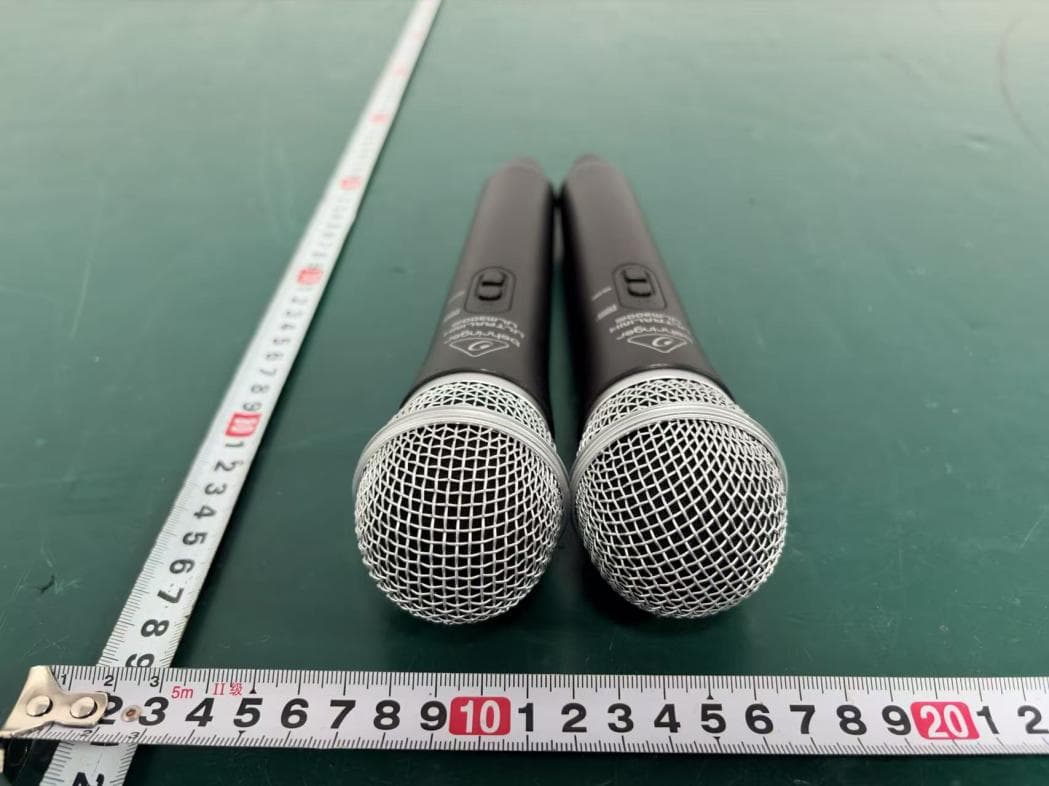
QWHULM300M1
Mar 24, 2026Wireless Microphones
Equipment Class
DSS - Part 15 Spread Spectrum Transmitter