QY6NEO-4005LSLCD TV & MONITOR
LPS Device Co., Ltd.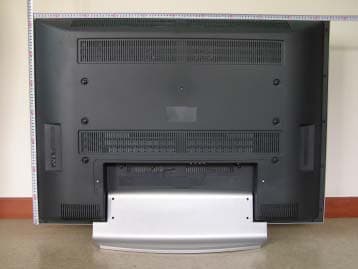
Click to zoom
Application Details
- Equipment Class
- JBP - Part 15 Class B Computing Device Peripheral
- Date of Grant
- Aug 23, 2005
- Application Purpose
- Original Equipment
- Date of Application
- Aug 23, 2005
- Equipment Note
- LCD TV & MONITOR
- Company
- LPS Device Co., Ltd.
- Country
- South Korea
Documents & Files
Document Text
Text extracted from the exhibit documents filed with the FCC. Open a document above to read the original.
Users Manual
NEOVIA 40 L C D T V OWNER S INSTRUCTION FCC NOTE :This equipment has been tested and found to comply with the limits for a Class B digital device, pursuant to Part 15 of the FCC Rules. These limits are designed to provide reasonable protection against harmful interference in a residential installation. This equipment generates, uses and can radiate radio frequency energy and, if not installed and used in accordance with the instructions, may cause harmful interference to radio communications. However, there is no guarantee that interference will not occur in a particular installation. If this equipment does cause harmful interference to radio or television reception, which can be determined by turning the equipment off and on, the user is encouraged to try to correct the interference by one or more of the following measures: -- Reorient or relocate the receiving antenna. -- Increase the separation between the equipment and receiver. -- Connect the equipment into an outlet on a circuit different from that to which the receiver is connected. -- Consult the dealer or an experienced radio/TV technician for help. THIS DEVICE COMPLIES WITH PART 15 OF THE FCC RULES. OPERATION IS SUBJECT TO THE FOLLOWING TWO CONDITIONS: (1) THIS DEVICE MAY NOT CAUSE HARMFUL INTERFERENCE, AND (2) THIS DEVICE MUST ACCEPT ANY INTERFERENCE RECEIVED, INCLUDING INTERFERENCE THAT MAY CAUSE UNDESIRED OPERATION THE MANUFACTURER IS NOT RESPONSIBLE FOR ANY RADIO OR TV INTERFERENCE CAUSED UNAUTHORIZED MODIFICATIONS TO THIS EQUIPMENT. SUCH MODIFICATIONS COULD VOID THE USER'S AUTHORITY TO OPERATE THE EQUIPMENT. NEOVIA 40 LCD TV OWNER S INSTRUCTION 3 ENGLISH TABLE OF CONTENTS WARNING4 IMPORTANT SAFETY INSTRUCTIONS5 SAFETY PRECAUTIONS6 SUPPLIED ACCESSORIES7 PRECAUTION ON BATTERY USE 7 OVER-VIEW Remote Control 8 Front Panel 8 Rear Connection 9 CONNECTING TO DEVICE Connecting to TV 10 Connecting to CABLE TV / VCR 10 Connecting to SCART 11 Connecting to HDMI 12 Connecting to another output source 13 Connecting to external speaker 13 Connecting to PC 14 SETTING TV Setting 15 Source Setting 17 Source Selection 19 OSD CONTROL Picture 21 Image Adjustment 22 Set Up 23 Audio Setting 24 FAQ / TROUBLESHOOTING25 SPECIFICATIONS27 40 LCD TV OWNER S INSTRUCTION 4 NEOVIA ENGLISH WARNING CAUTION RISK OF ELECTRIC SHOCK DO NOT OPEN Shock Hazard Marking and Associated Graphical Symbol CAUTION RISK OF ELECTRIC SHOCK DO NOT OPEN Explanation of Safety Related Symbol CAUTION : TO REDUCE THE RISK OF ELECTRIC SHOCK. DO NOT REMOVE COVER (OR BACK). NO USER-SERVICEABLE PARTS INSIDE. REFER SERVICING TO QUALIFIED SERVICE PERSONNEL. This symbol is intended to alert the user to the presence of uninsulted ‘dangerous voltage’ within the products enclosure that may be of sufficient magnitute to constitude a risk of electric shock to persons. To preserve the environment, do not rubbish. This symbol is intended to alert the user to the presence of important operating and maintenance (servicing) instructions in the literature accompanying the appliance. To reduce the risk or fire or electric shock. Do not expose this apparatus to rain or moisture. WARNING - NEOVIA 40 LCD TV OWNER S INSTRUCTION 5 ENGLISH IMPORTANT SAFETY INSTRUCTIONS 1) Read these instructions. 2) Keep these instructions. 3) Heed all warnings. 4) Follow all instructions. 5) Do not use this apparatus near water. 6) Do not install near any heat sources such as radiators, heat registers, stoves, or other apparatus (including amplifiers) that produce heat. 7) Do not defeat the safety purpose of the polarized or grounding type plug. A polarized plug has two blades with one wider than the other. A grounding type plug has two blades and a third grounding prong. The wide blade or the third prong is provided for your safety. When the provided plug does not fit into your outlet, consult an electrician for replacement of the obsolete outlet. 8) Only use the attachments/accessories specified by the manufacturer. 9) Use only with a cart, stand, tripod, bracket, or table specified by the manufacturer, or sold with the apparatus. When a cart is used, use caution when moving the cart/apparatus combination to avoid injury from tip-over. 10) Unplug this apparatus during lightening storms or when unused for long periods of time. 11) Refer all servicing to qualified service personnel. Servicing is required when the apparatus has been damaged in any way, such as power supply cord or plug is damaged, liquid has been spilled or objects have fallen into the apparatus, the apparatus has been exposed to rain or moisture, does not operate normally, or has been dropped. 40 LCD TV OWNER S INSTRUCTION 6 NEOVIA ENGLISH SAFETY PRECAUTIONS Warranty To guard against injury, the following basic safety precautions should be observed in the installation, use and servicing of the set. Power Sources This set should be operated only from the type of power source indicated on the serial label. If you are not sure of the type of electrical power supplied to your home, consult your dealer or local power company. Wall Outlet Do not use a poor fitting outlet. Insert the plug fully into the outlet. If it is loose, it may cause arcing which result fire. Moisture Do not handle the TV set with wet hands as it could damage the TV set and it may cause electric shock as well as fire. Cleaning Be sure to unplug the TV unit before cleaning. To minimize contact with the front of the screen surface, use dry soft cloth when cleaning front of the screen. Do not use alcohol, benzine, thinner etc., as it damages the coating. Should use commercially available chemical fibre cleaning cloths in accordance with their supplied instructions. Ventilation Holes The slots and opening holes in the TV set are provided for necessary ventilation. To insure the reliable operation of the set, and to protect from overheating, the holes and openings must never be blocked or covered. Unless proper ventilation is provided, the unit may gather dust and get dirty. For proper vent…
Text truncated - open the document above for the full version.
Users Manual
40 LCD TV OWNER S INSTRUCTION 14 NEOVIA ENGLISH Analog RGB DVI PC AUDIO in Connecting to PC Connect the cables as shown above and make sure that both PC and the LCD TV is turned off for precautions. Please note that especially DVI cables should be connected when the power has been turned off. NEOVIA 40 LCD TV OWNER S INSTRUCTION 15 ENGLISH TV SETTING AUTO SETTING COUNTRY : Attuned the TV for that particular country, for correct searching of the channels. AUTO SEARCH : When press “Right” in the remote or “VOL Right” button in the front of the TV, the TV automatically searches all the available channels that can be displayed. PROGRAM TABLE : Lists all the available channels that has been searched. MANUAL SETTING PROGRAM: Refer to the table of numbers in the program table. FINE TUNE: To make small adjustments for tuning individual stations. CHANNEL: Displays the channel currently shown on the display. Note : Even though channel number has been changed, the program number does not change. The user can set the channel number and store to the program number in this section. Please note that there is no manual searching for this LCD TV STANDARD : Shows the TV standard that it has been set. LABEL : User changable labels for that particular channel. AUDIO MODE : To change the sound system used for a program channel. (If the station is sending alternative sound to that particular program then this TV is capable of receiving and playing that sound). STORE : Press right cursor in the remote or “VOL Right” to store currently changed settings. SETTING Press the MENU button Press left cursor to select “TV” Press down cursor to select functions within “TV” menu Press right / left cursor to change the settings Press MENU or ENTER to save Press MENU to escape OSD. ACCESS TV Adjust the chosen function. Press ENTER to Save. Press EXIT to turn the OSD Off. This is the general TV Setting which is shown when selecting “TV” in the on screen display (OSD). 40 LCD TV OWNER S INSTRUCTION 16 NEOVIA ENGLISH ADD / DEL To Add and/or Del channels in the program table If in another source, press TV to select TV LAST To return to previous channel. Cursors To move to desired position This is the general TV setting which is shown when selecting “TV” in the on screen display (OSD). When turning on for the first time, the TV should be set in order to receive reception. For NTSC the channels are preset to all the channels from channel 2 to channel 99. For other areas the channels (SECAM / PAL), needs to be searched before TV is tunned to areal reception. For tunning for the first time. 1. First, country needs to be selected before auto searching is enabled. This is also need to be set first in order to set the tuner according to each countries standards. 2. Once the country has been set then auto search can begin. 3. Move the cursor to auto search channels and begin auto searching. 4. LCD TV then will start searching for all the available channels. 5. Once all the channels have been searched these are stored in the program table. 6. All the channels can be fine tuned. 7. All the channel names can be edited to suit individuals who likes to change the labels for their purposes. 8. Once all the setting has been completed press enter to save and press exit to leave the OSD. NEOVIA 40 LCD TV OWNER S INSTRUCTION 17 ENGLISH SOURCE SETTING Press the MENU button. Press left cursor to select “SOURCE”. Press down cursor to select functions within “SOURCE” menu. Press right / left cursor to change the settings. Press MENU or ENTER to save. Press MENU to escape OSD. ACCESS SOURCE. Adjust the chosen function. Press ENTER to save. Press EXIT to turn the OSD Off. This is the general “SOURCE” layout which can be seen when selecting “SOURCE” in the on screen display (OSD). LAYOUT Selecting various display out modes Single Main Picture Picture in Picture(PIP) Picture By Picture(PBP) Main Picture with 3 small separate Picture (POP3) Main Picture with 5 small Picture (POP5). WINDOW LAYOUT (DEFINITION) This LCD TV has capable of showing multiple pictures in one display screen. The various window layout possible for this LCD TV is defined. MAIN SOURCE It displays what is the main source modes when in single, POP3 and POP5 picture or the left of the screen when in picture by picture. SECONDARY SOURCE It displays the secondary source modes when in single, POP3 and POP5 picture or the right of the screen when in picture by picture. MAIN WINDOW: Only one source is used to display it . PIP:(Picture In Picture) Here main picture is shown with another picture shown in small screen. PBP:(Picture By Picture) Here two separate screen shown in LCD TV POP3:(Picture On Picture) Here main screen with three small pictures from source 40 LCD TV OWNER S INSTRUCTION 18 NEOVIA ENGLISH Once the multi display has been chosen, main window source and secondary window source need to be selected. Once the layout is changed user has to set two sources to display for all case other then the main screen. There is a hot key provided within the remote control that user can quickly access this function. PIP (Picture in Picture) Using either the hot key in the remote or access through OSD user can change the size, the postion of the secondary picture and the audio sound out between secondary and primary audio. PIP Positioning. Press POS button in the remote control to change the placement of the secondary picture. PIP Resizing Select secondary picture until green border is lit around secondary picture and press RESIZE and then left and right control to change the secondary picture size. Pressing audio in the remote control change the sound output of the speakers from primary to secondary. This audio button works for PIP and PBP. * If there is no signal for PIP, the size and position of PIP window is not changable. POP5:(Picture On Picture) Here main screen with five small picture from one source Secondary Window Primary Window Press resize to show the border around secondary pict…
Text truncated - open the document above for the full version.
Users Manual
40 LCD TV OWNER S INSTRUCTION 22 NEOVIA ENGLISH IMAGE ADJUSTMENT Press the MENU button. Press left cursor to select “IMG.ADJ”. Press down cursor to select functions within “IMG.ADJ” MENU. Press right / left cursor to change the settings. Press MENU or ENTER to save. Press MENU to escape OSD. ACCESS IMG.ADJ. Adjust the chosen function. Press ENTER to Save. Press EXIT to turn the OSD Off. This is the general image adjustment layout which can be seen when selecting “IMAGE ADJUSTMENT” in the on screen display (OSD). Here the adjustment can be made to the displays horizontal and vertical position and image size if the display seems not in correct position. Image Size FILL ALL mode will display the picture at its maximum size but with slight elongation ASPECT RATIO mode the display is streched vertically. NORMAL mode display is set at original 4:3 ZOOM mode magnifies the central section of the picture WIDE mode The display is stretched at the edges. H Position / V Position To alter the picture position vertically and/or horizontally. AUTO Only valid in the Analog RGB mode to AUTO set Picture position. Freeze Frame To temporarly freeze current viewing picture (prolong freeze can permamently burned to the LCD panel hence it is not recommended for long period of time). NEOVIA 40 LCD TV OWNER S INSTRUCTION 23 ENGLISH SET UP Press the MENU button. Press left cursor to select “SET UP”. Press down cursor to select functions within “SETUP” MENU. Press right / left cursor to change the settings. Press MENU or ENTER to save. Press MENU to escape OSD. ACCESS SETUP. Adjust the chosen function. Press ENTER to save. Press EXIT to turn the OSD Off. This is the general “SETUP” layout which can be seen when selecting “SETUP” in the on screen display (OSD). LANGUAGE: Various OSD Language setting has been provided for ease of use. ENGLISH FRENCH GERMAN ITALIAN PORTUGUESESPANISH DUTCH Hot key provided in the remote control for quick and convenient setting. OSD TRANSPARENCY: To change the black background level. TIMEOUT: The time when OSD display to turn itself off when not been pressed for selected period of time. CLOCK TIME : Displays current time when set. TIME ON : The time when TV to turn itself on. TIME OFF : The time when TV to turn itself off. CHANNEL : The channel that the TV to turn itself on. VOLUME : The level of the speaker sound when the TV turns on. SLEEP TIME : Timer setting for when the display to be turned off. The timer can be set for every 10 minutes interval for up to 180 minutes. (Hot key is provided in the remote control for quick and convenient setting.) RESET Returns OSD setting to factory default setting. 40 LCD TV OWNER S INSTRUCTION 24 NEOVIA ENGLISH AUDIO SETTING Press the MENU button. Press left cursor to select “AUDIO” Press down cursor to select functions within “AUDIO” menu Press right / left cursor to change the settings. Press MENU or ENTER to save. Press MENU to escape OSD. ACCESS AUDIO. Adjust the chosen function. Press ENTER to save. Press EXIT to turn the OSD Off. This is the general “AUDIO” layout which can be seen when selecting “AUDIO” in the on screen display (OSD). SOUND MODE Preset equalizer values, Normal Music News Movie User. BALANCE This is to change the sound output level for left and right. EQUALIZER This has been provided to alter the output sound by the user when set as “USER ” in mode setting . HEAD PHONE Balance : This is to change the sound output level for left and right. Volume : To change the sound output level. Treble : Change the level of the sound output level around 10KHz frequency area. Bass : Change the level of the sound output around 100hertz frequency area. STEREO Output sound modes stereo Mono, Bilingual Dual A Dual B Bilingual, Dual A and Dual B works if station sends it. SURROUND (Option) To enable or disable sound to boost and perform process to make the “surround like sound” for clear and fidelity sound. AUDIO To change the sound output from primary to secondary when in PIP or PBP mode. NEOVIA 40 LCD TV OWNER S INSTRUCTION 25 ENGLISH FAQ / TROUBLESHOOTING If the TV seems to have a problem, first try the following list of possible problems and solutions before contacting a service center. If none of these troubleshooting tips apply, do not attempt to repair the product yourself. Call your nearest service center. Symptoms that may appear to be a problem The following symptoms may happen even if the TV has no problem. First try the following list of possible problems and solutions before contacting a service center. First try the following list of possible problems and solutions. If the symptom continues, turn the TV off, and call your nearest service center. SymptomPossible ProblemPossible Solution No picture on the screen, and the power LED does not turn on. The TV is turned on, but there is no picture on the screen. An afterimage is gen- erated when continuously watching a still image. Power connection problem. The brightness is adjusted too low. The fluorescent tube is out of order. This is caused by an inherent property of LCD panels. Depending on the number of valid pixels, there may be black or bright pixels. These will be less than 0.005% of the sum of all pixels. This is not a problem. No picture is displayed on the screen, but there is no audio A picture is displayed on the screen, but there no audio. Remote control malfunc- tions. Discordance between the external device jack and the input switch button location. The volume is adjusted to 0. Mute is active. The audio cable is disconnected. The polarity of the batteries installed in the remote control is wrong. The batteries installed in the remote control have not been discharged completely. Adjust the input switch location. Turn up the Volume button. Press the Mute button again. Check the audio cable connectivity. Reinstall the batteries properly. Replace the batteries with new ones. Noise is heard on the radio. No color in a color picture This may happen when you use a radio near the…
Text truncated - open the document above for the full version.
Block Diagram
POWER (24V,12V,5V) IMAGE PROCESSOR DDR SDRAM 32-bit PWM IR TOUCHPAD LVDS LED RS232C FLASH Memory EEPROM Debug Port HDMI Rx Video Decoder #1 Video Decoder #2 (W/ DVI) SDRAM D einterlacer (Option) EEP ROM SDRAM Sound Decoder Enhanced Audio Processor (Option) Audio AMP Analog RGB DVI CVBS #1 RF In (Tuner) HD #1 SOUND #1 CVBS #2 HD #2 SOUND #2 SOUND HDMI Video Switch EEP ROM 16 bit16 bit L CD MO DU L E Block Diagram EEP ROM 18.432M Hz 27.000M Hz RTC 32.768K Hz 27.000M Hz28.322M Hz28.322M Hz 14.31818 M Hz
External Photos
E E M M I I T T E E S S T T R R E E P P O O R R T T Report reference No: KST-FCC0536 KOSTEC Co.,Ltd. 180-254,Annyung-Ri, Taean-Yup, Hwasung-shi, Kyunggi-do, Korea Tel : +82-31-222-4251 Fax: +82-31-222-4252 http://www.kosteclab.com Page : 14of 25 August 10, 2005 EUT Front Rear
ID Label/Location Info
E E M M I I T T E E S S T T R R E E P P O O R R T T Report reference No: KST-FCC0536 KOSTEC Co.,Ltd. 180-254,Annyung-Ri, Taean-Yup, Hwasung-shi, Kyunggi-do, Korea Tel : +82-31-222-4251 Fax: +82-31-222-4252 http://www.kosteclab.com Page : 25of 25 August 10, 2005 Appendix – Sample Label LPS Device Co.,Ltd. Product : LCD TV & Monitor Model : NEO-4005LS FCC ID : QY6NEO-4005LS Power : AC 100 ~ 240 V , THIS DEVICE COMPLIES WITH PART 15 OF THE FCC RULES. OPERATION IS SUBJECT TO THE FOLLOWING TWO CONDITIONS: (1) THIS DEVICE MAY NOT CAUSE HARMFUL INTERFERENCE, AND (2) THIS DEVICE MUST ACCEPT ANY INTERFERENCE RECEIVED, INCLUDING INTERFERENCE THAT MAY CAUSE UNDESIRED OPERATION Made in KOREA
ID Label/Location Info
LPS Device Co.,Ltd. Product : LCD TV & Monitor Model : NEO-4005LS FCC ID : QY6NEO-4005LS Power : AC 100 ~ 240 V , THIS DEVICE COMPLIES WITH PART 15 OF THE FCC RULES. OPERATION IS SUBJECT TO THE FOLLOWING TWO CONDITIONS: (1) THIS DEVICE MAY NOT CAUSE HARMFUL INTERFERENCE, AND (2) THIS DEVICE MUST ACCEPT ANY INTERFERENCE RECEIVED, INCLUDING INTERFERENCE THAT MAY CAUSE UNDESIRED OPERATION Made in KOREA
Internal Photos
E E M M I I T T E E S S T T R R E E P P O O R R T T Report reference No: KST-FCC0536 KOSTEC Co.,Ltd. 180-254,Annyung-Ri, Taean-Yup, Hwasung-shi, Kyunggi-do, Korea Tel : +82-31-222-4251 Fax: +82-31-222-4252 http://www.kosteclab.com Page : 15of 25 August 10, 2005 Inside Port E E M M I I T T E E S S T T R R E E P P O O R R T T Report reference No: KST-FCC0536 KOSTEC Co.,Ltd. 180-254,Annyung-Ri, Taean-Yup, Hwasung-shi, Kyunggi-do, Korea Tel : +82-31-222-4251 Fax: +82-31-222-4252 http://www.kosteclab.com Page : 16of 25 August 10, 2005 AD Board ( Front ) AD Board ( Rear ) E E M M I I T T E E S S T T R R E E P P O O R R T T Report reference No: KST-FCC0536 KOSTEC Co.,Ltd. 180-254,Annyung-Ri, Taean-Yup, Hwasung-shi, Kyunggi-do, Korea Tel : +82-31-222-4251 Fax: +82-31-222-4252 http://www.kosteclab.com Page : 17of 25 August 10, 2005 OSD Board ( Front ) OSD Board ( Rear ) E E M M I I T T E E S S T T R R E E P P O O R R T T Report reference No: KST-FCC0536 KOSTEC Co.,Ltd. 180-254,Annyung-Ri, Taean-Yup, Hwasung-shi, Kyunggi-do, Korea Tel : +82-31-222-4251 Fax: +82-31-222-4252 http://www.kosteclab.com Page : 18of 25 August 10, 2005 Interface Board (Front) Interface Board (Rear) E E M M I I T T E E S S T T R R E E P P O O R R T T Report reference No: KST-FCC0536 KOSTEC Co.,Ltd. 180-254,Annyung-Ri, Taean-Yup, Hwasung-shi, Kyunggi-do, Korea Tel : +82-31-222-4251 Fax: +82-31-222-4252 http://www.kosteclab.com Page : 19of 25 August 10, 2005 TV Tuner Board (Front) TV Tuner Board (Rear) E E M M I I T T E E S S T T R R E E P P O O R R T T Report reference No: KST-FCC0536 KOSTEC Co.,Ltd. 180-254,Annyung-Ri, Taean-Yup, Hwasung-shi, Kyunggi-do, Korea Tel : +82-31-222-4251 Fax: +82-31-222-4252 http://www.kosteclab.com Page : 20of 25 August 10, 2005 LCD Panel (Front) LCD Panel (Rear) E E M M I I T T E E S S T T R R E E P P O O R R T T Report reference No: KST-FCC0536 KOSTEC Co.,Ltd. 180-254,Annyung-Ri, Taean-Yup, Hwasung-shi, Kyunggi-do, Korea Tel : +82-31-222-4251 Fax: +82-31-222-4252 http://www.kosteclab.com Page : 21of 25 August 10, 2005 I/O Board ( Front ) I/O Board ( Rear ) E E M M I I T T E E S S T T R R E E P P O O R R T T Report reference No: KST-FCC0536 KOSTEC Co.,Ltd. 180-254,Annyung-Ri, Taean-Yup, Hwasung-shi, Kyunggi-do, Korea Tel : +82-31-222-4251 Fax: +82-31-222-4252 http://www.kosteclab.com Page : 22of 25 August 10, 2005 Extension Board ( Front ) Extension Board ( Rear ) E E M M I I T T E E S S T T R R E E P P O O R R T T Report reference No: KST-FCC0536 KOSTEC Co.,Ltd. 180-254,Annyung-Ri, Taean-Yup, Hwasung-shi, Kyunggi-do, Korea Tel : +82-31-222-4251 Fax: +82-31-222-4252 http://www.kosteclab.com Page : 23of 25 August 10, 2005 SMPS ( Front ) SMPS ( Rear ) E E M M I I T T E E S S T T R R E E P P O O R R T T Report reference No: KST-FCC0536 KOSTEC Co.,Ltd. 180-254,Annyung-Ri, Taean-Yup, Hwasung-shi, Kyunggi-do, Korea Tel : +82-31-222-4251 Fax: +82-31-222-4252 http://www.kosteclab.com Page : 24of 25 August 10, 2005 Remote Controller None
Parts List/Tune Up Info
TOTX173 500254-1907 JE0301641A JK0200901N JE0300391N CS42C3100P H80PJ325ST-215 CS42C3100P 74320-4000 200-015-262-001 3228BC-BF CSCR1
Test Report
E E M M I I T T E E S S T T R R E E P P O O R R T T FCC EVALUATION REPORT FOR CERTIFICATION KOREA Standard Technology Test report No.: KST-FCC0536 Applicant’s Name : LPS Device Co.,Ltd. Applicant’s Address : Rm 606 6F, Joongang Induspia2 Apt. Factory 144-5, Sangdaewon-dong, Sungnam-si, Kyunggi-Do , KOREA Manufacturer’s Name : LPS Device Co.,Ltd. Manufacturer’s Address : Rm 606 6F, Joongang Induspia2 Apt. Factory 144-5, Sangdaewon-dong, Sungnam-si, Kyunggi-Do , KOREA EUT’s: FCC ID : QY6NEO-4005LS Product Name : LCD TV & Monitor Model Number(s) : NEO-4005LS Product Options : Request for enter a multi list of model name by Applicant’s ( L40DTP & L40DTN & L40DTA & L40DTB & L40DTC & L40DTJ ) Category : FCC Part 15 subpart B Class B Computing Digital Device Supplementary Information The device bearing the brand name and FCC ID specified above has been shown to comply with the applicable technical standards as indicated in the measurement report and was tested in accordance with measurement procedures specified in ANSI C63.4-2003 . I attest to the accuracy of data and all measurements reported herein were performed by or were made under my supervision and are correct to the best of my knowledge and belief. I assume full responsibility for the completeness of these measurements and vouch for the qualifications of all persons taking them. Test Date : August 1, 2005. Issued Date : August 10 , 2005 Te s t e d b y : Approved by: Jung, Suck-JinLee, Weon-Woo E E M M I I T T E E S S T T R R E E P P O O R R T T Report reference No: KST-FCC0536 KOSTEC Co.,Ltd. 180-254,Annyung-Ri, Taean-Yup, Hwasung-shi, Kyunggi-do, Korea Tel : +82-31-222-4251 Fax: +82-31-222-4252 http://www.kosteclab.com Page : 2of 25 August 10, 2005 Contents 1. Description of Device 2. Test Facility 3. MAP 4. Test system configuration 5. Description of E.U.T. 6. Summary of test results. 7. Test results. 8. Photographs. Appendix. Schematics Specifications. E E M M I I T T E E S S T T R R E E P P O O R R T T Report reference No: KST-FCC0536 KOSTEC Co.,Ltd. 180-254,Annyung-Ri, Taean-Yup, Hwasung-shi, Kyunggi-do, Korea Tel : +82-31-222-4251 Fax: +82-31-222-4252 http://www.kosteclab.com Page : 3of 25 August 10, 2005 1. Description of Device 1) Kind of equipment: LCD TV & Monitor 2) FCC ID: QY6NEO-4005LS 3) Model Name: NEO-4005LS 4) Serial No.: None 5) Type of Sample Tested: Pre-production 6) High Frequency Used: 32.768 KHz 14.31818 MHz 18.432 MHz 27.000 MHz 28.322 MHz 7) Power Rating: 100-240 V~; 50/60 Hz; 250 W 8) Tested Power supply: 1phase AC110V, 60Hz 9) Date of Manufacture: July , 2005 10) Manufacture: LPS DEVICE CO.,LTD. 11) Description of Operating: Scroll All “H” Character Resolution 1024*768 , Vertical Frequency: 75Hz & TV tuner mode 12) Dates of Test: August 1, 2005 13) Place of Tests: Korea Standard Technology EMC site 14) Test Report No: KST-FCC0536 E E M M I I T T E E S S T T R R E E P P O O R R T T Report reference No: KST-FCC0536 KOSTEC Co.,Ltd. 180-254,Annyung-Ri, Taean-Yup, Hwasung-shi, Kyunggi-do, Korea Tel : +82-31-222-4251 Fax: +82-31-222-4252 http://www.kosteclab.com Page : 4of 25 August 10, 2005 2. Test Facility The open field test site and conducted measurement facility are used for these testing, where are located following address and drawing. This site was fully described in a report dated November 14, 2002, that was submitted to the FCC. Korea Standard Technology ( KOSTEC Co., Ltd) Head office: 180-254, Annyung-Ri, Taean-Yup, Hwasung-shi, Kyunggi-do, Korea Telephone Number : 82-31-222-4251 Facsimile Number : 82-31-222-4252 Test Lab :180-254, Annyung-Ri, Taean-Yup, Hwasung-shi, Kyunggi-do, Korea Telephone Number : 82-31-222-4251 Facsimile Number : 82-31-222-4252 MIC(Ministry of Information and Communication) Number : KR0041 FCC Filing Number : 525762 VCCI Membership Number : 2005 VCCI Registration Number : R-1657 / C-1763 E E M M I I T T E E S S T T R R E E P P O O R R T T Report reference No: KST-FCC0536 KOSTEC Co.,Ltd. 180-254,Annyung-Ri, Taean-Yup, Hwasung-shi, Kyunggi-do, Korea Tel : +82-31-222-4251 Fax: +82-31-222-4252 http://www.kosteclab.com Page : 5of 25 August 10, 2005 3. MAP Korea Hwasung-shi (open area test site) KOSTEC Co., Ltd E E M M I I T T E E S S T T R R E E P P O O R R T T Report reference No: KST-FCC0536 KOSTEC Co.,Ltd. 180-254,Annyung-Ri, Taean-Yup, Hwasung-shi, Kyunggi-do, Korea Tel : +82-31-222-4251 Fax: +82-31-222-4252 http://www.kosteclab.com Page : 6of 25 August 10, 2005 4. TEST SYSTEM CONFIGURATION Operation Environment Ambient Temperature ( C ) Humidity ( % ) Pressure ( hPa ) 10 m Open Area site 26 39 996 Shielded room: 26 38 996 Test site These testing were performed following locations ; Shielded room : Conducted Emission, 10 m Open Area Site: Radiated Emission Measurement Uncertainty All measurements involve certain levels of uncertainties, especially in field of EMC. The factors contributing to uncertainties are test receiver, Cable loss, antenna factor calibration, Antenna directivity, antenna factor variation with height, antenna phase center variation, antenna frequency interpolation, measurement distance variation, ite imperfection, mismatch, and system repeatability. Based on NIS 80,81, The measurement uncertainty level with a 95 % confidence level were applied. sample calculation Conducted emission The field strength is calculated by adding the LISN factor, cable loss from the measured reading. The sample calculation is as follows: FS = MR + LF + CL MR = Meter Reading LF = LISN Factor CL = Cable Loss If MR is 30 dB, LISN Factor 1dB, CL 1dB The result (MR) is 30 + 1 + 1 = 32 dBuV E E M M I I T T E E S S T T R R E E P P O O R R T T Report reference No: KST-FCC0536 KOSTEC Co.,Ltd. 180-254,Annyung-Ri, Taean-Yup, Hwasung-shi, Kyunggi-do, Korea Tel : +82-31-222-4251 Fax: +82-31-222-4252 http://www.kosteclab.com Page : 7of 25 August 10, 2005 5. Description of E.U.T. Product Description Manufactured By: LPS Device Co.,Ltd. Address: Rm 606 6F, Joongang Induspia2 Apt. Factory 144-5, Sangda…
Text truncated - open the document above for the full version.
Test Setup Photos
E E M M I I T T E E S S T T R R E E P P O O R R T T Report reference No: KST-FCC0536 KOSTEC Co.,Ltd. 180-254,Annyung-Ri, Taean-Yup, Hwasung-shi, Kyunggi-do, Korea Tel : +82-31-222-4251 Fax: +82-31-222-4252 http://www.kosteclab.com Page : 8of 25 August 10, 2005 Peripherals No Description Manufacturer Model/Part # Serial Number 1 Personal computer TG KOREA HP Pavillion t212k KRJ32101BH 2 LCD TV & MONITORLPS Device Co.,Ltd.. NEO-4005LS None 3 Keyboard HP 5219 BN31719954 4 Mouse HP M042K0 30205141 5 Remote Control LPS Device Co.,Ltd.. None None 6 Headset None Hdppycdll None E.U.T Test Configuration (example) 6. Summary of test results Modification to the E.U.T. - None Result : - PASS E E M M I I T T E E S S T T R R E E P P O O R R T T Report reference No: KST-FCC0536 KOSTEC Co.,Ltd. 180-254,Annyung-Ri, Taean-Yup, Hwasung-shi, Kyunggi-do, Korea Tel : +82-31-222-4251 Fax: +82-31-222-4252 http://www.kosteclab.com Page : 12of 25 August 10, 2005 8.PHOTOGRAPHS Conducted emission ( Front ) Conducted emission ( Rear )…
Text truncated - open the document above for the full version.
Contact Information
Applicant
Jin-kyu Jung(Senior Enginner)
Test Firm
KOSTEC Co., Ltd.Cho Jae-Beom
Technical Specifications
| # | Rule Parts | Frequency Range | Power Output |
|---|---|---|---|
| 1 | 15B | - | - |
Other Applications from LPS Device Co., Ltd.
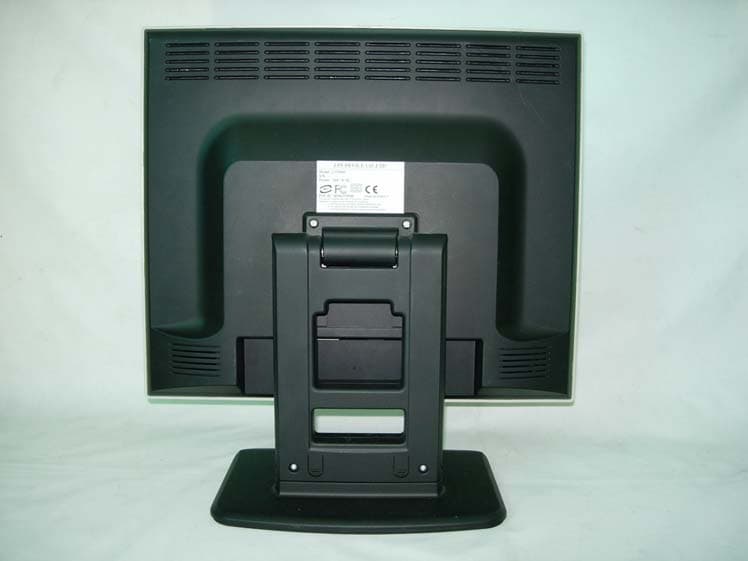
QY6L170ND
Nov 21, 2004LCD MONITOR
Equipment Class
JBP - Part 15 Class B Computing Device Peripheral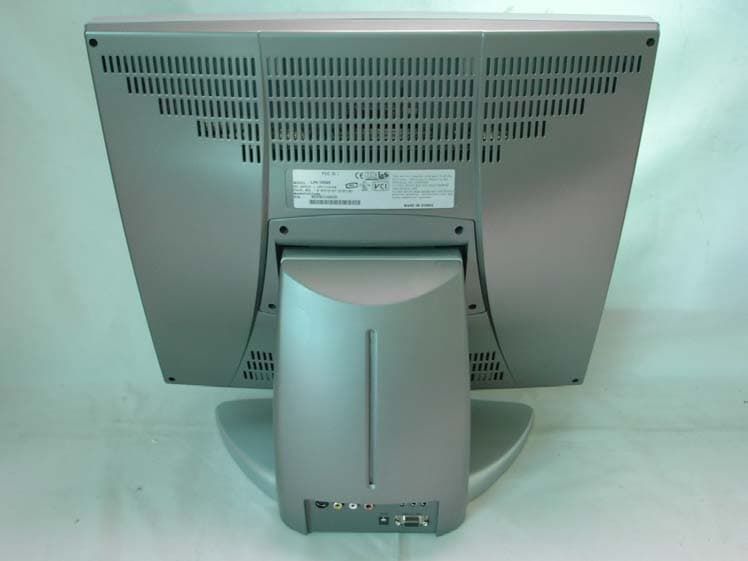
QY6LPS-190M
Jun 28, 2004LCD MONITOR
Equipment Class
JBP - Part 15 Class B Computing Device Peripheral
QY6LPS-150M
Mar 23, 200415" LCD Monitor
Equipment Class
JBP - Part 15 Class B Computing Device Peripheral
QY6LPS-170M
Oct 07, 200317 Inches TFT LCD Monitor
Equipment Class
JBP - Part 15 Class B Computing Device Peripheral
QY6LPS-150P
Apr 13, 2003LCD Monitor
Equipment Class
JBP - Part 15 Class B Computing Device Peripheral