RJAINNO30GSM 900/1800/1900 Mobile Phone
Innostream Inc.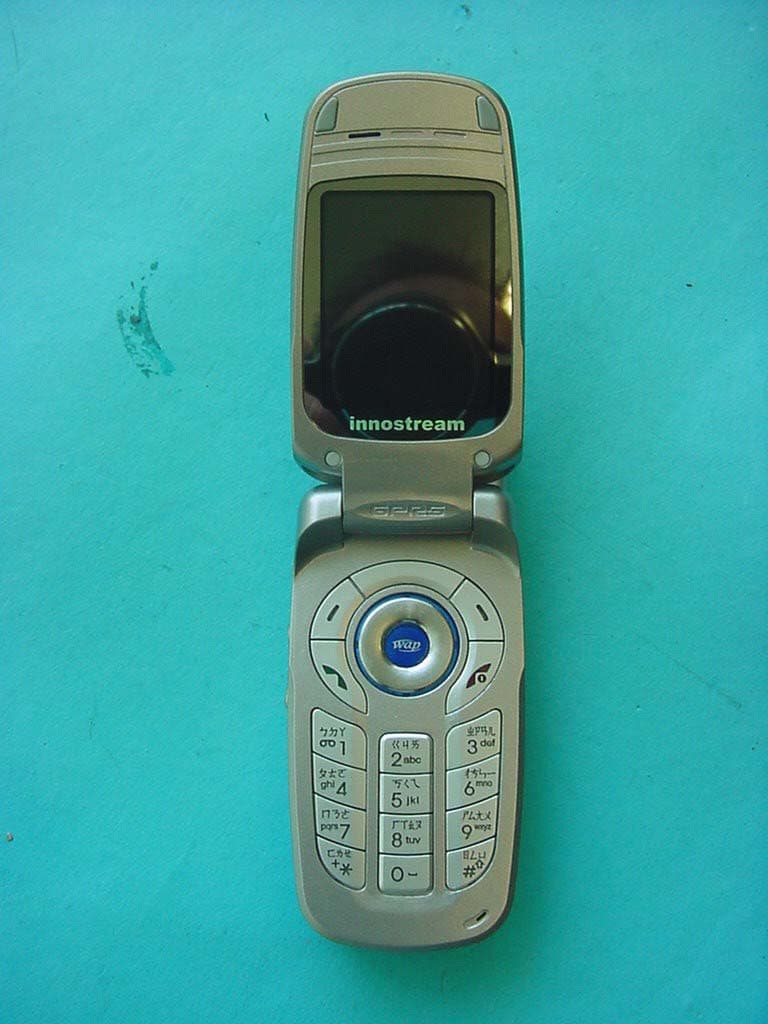
Click to zoom
Application Details
- Equipment Class
- PCE - PCS Licensed Transmitter held to ear
- Date of Grant
- Jun 13, 2004
- Application Purpose
- Original Equipment
- Date of Application
- Jun 13, 2004
- Equipment Note
- GSM 900/1800/1900 Mobile Phone
- Frequency Range
- 1850.20000000 - 1909.80000000
- Company
- Innostream Inc.
- Country
- South Korea
Documents & Files
Document Text
Text extracted from the exhibit documents filed with the FCC. Open a document above to read the original.
Users Manual
INNO 30 User’s Guide INNOSTREAM Confidential Color Mobile Phone Tri-band GSM/DCS/PCS INNO 30 User’s Guide PAGE : 1 of 93 INNO 30 User’s Guide INNOSTREAM Confidential Contents 1.BEFORE YOU START 1.1 PHONE LAYOUT AND ICONS........................................................................................................ 1.2 KEYS DESCRIPTION.................................................................................................................... 1.3 QUICK SILENCE MODE................................................................................................................ 1.4 USING THE NAVIGATION KEYS..................................................................................................... 1.5 USING THE EARPHONE............................................................................................................... 1.6 DISPLAY IN THE IDLE SCREEN..................................................................................................... 1.7 USING THE KEYPAD LOCK FEATURE............................................................................................. 2.GETTING STARTED................................................................................................................. 2.1 HOW TO ATTACH THE BATTERY.................................................................................................. 2.2 HOW TO REMOVE THE BATTERY.................................................................................................. 2.3 HOW TO CHARGE THE BATTERY.................................................................................................. 2.4 HOW TO PLACE THE SIM CARD.................................................................................................... 2.5 HOW TO REMOVE THE SIM CARD.................................................................................................. 2.6 HOW TO SWITCH YOUR PHONE ON AND OFF.................................................................................. 3. SECURITY CODES................................................................................................................... 3.1 PIN .......................................................................................................................................... 3.2 PUK.......................................................................................................................................... 3.3 PIN2......................................................................................................................................... 3.4 PUK2 ....................................................................................................................................... 3.5 SIM LOCK CODE......................................................................................................................... 3.6 LOCK CODE............................................................................................................................... 3.7 PASSWORD................................................................................................................................ 4. MAKING AND RECEIVING A CALL........................................................................................ 4.1 MAKING A CALL......................................................................................................................... 4.2 ANSWERING A CALL................................................................................................................... 4.3 MAKING THE EMERGENCY CALL.................................................................................................. 4.4 MAKING AN INTERNATIONAL CALL.............................................................................................. 4.5 ENTERING A "PAUSE" CHARACTER IN A DIAL STRING.................................................................... 4.6 NOTIFICATION OF MISSED CALL................................................................................................... 5. IN-CALL OPTIONS.................................................................................................................. 5.1 PUTTING A CALL ON HOLD/UNHOLD............................................................................................ 5.2 MAKING A SECOND CALL............................................................................................................ 5.3 SWAPPING BETWEEN ACTIVE CALLS AND HELD CALLS.................................................................. 5.4 ANSWERING A SECOND INCOMING CALL........................................................................................ 5.5 ADJUSTING THE EARPIECE VOLUME............................................................................................. 5.6 MUTING THE MICROPHONE......................................................................................................... 5.7 SENDING DTMF.......................................................................................................................... 5.8 STORING A NUMBER ON THE SCRATCHPAD................................................................................... 5.9 USING THE SMS FUNCTION 5.10 USING THE LOUDSPEAKER................................................................................................... PAGE : 2 of 93 INNO 30 User’s Guide INNOSTREAM Confidential 5.11 MAKING A CONFERENCE CALL........................................................................................................... 6. PHONEBOOK........................................................................................................................... 6.1 STORING A PHONE NUMBER WITH A NAME.................................................................................... 6.2 QUICK SEARCHING FOR A NUMBER IN THE PHONEBOOK................................................................. 6.3 STORING A NUMBER OF THE RECENT CALLS TO THE PHONEBOOK...............…
Text truncated - open the document above for the full version.
Cover Letter(s)
CONFIDENTIALITY REQUEST Federal Communication Commission Equipment Authorization Division, Application Processing Branch 7435 Oakland Mills Road Columbia, MD 21048 April 23, 2004 TO WHOM IT MAY CONCERN Pursuant to Paragraphs §0.457 and 0.459 of the Commission’s Rules (47 C.F.R.) and Section §552(b)(4) of the Freedom of Information Act, Company requests confidentiality for the following products: FCC ID Number Product Title/Model RJA INNO30 For the product stated above, we request that the following information be held confidential: 1. Schematics 2. Block Diagram 3. Operational Description 4. Tune Up Procedure 5. Part List The above exhibits contain Company trade secrets and proprietary information that could be of benefit to our competitors regarding the design of our mobile handset. This material is not customarily available to the general public and we request that it be withheld from public inspection. If you have any questions, please feel free to contact me at the address shown below. Sincerely, (signed) Name: Erin Cha Company: Innostream Inc. Address: 6F. Daewoo Telecom Bldg., 265-3, Seohyun-dong, Bundang-gu, Sungnam-shi, Kyunggido, Korea Phone: +82 31 707 3860 Email: [email protected]
External Photos
CETECOM ICT Services GmbH Test report no..: 4_1295-01-04/04 Issue Date: 2004-04-22 Page 58 (72) Photographs of the equipment CETECOM ICT Services GmbH Test report no..: 4_1295-01-04/04 Issue Date: 2004-04-22 Page 59 (72) Photographs of the equipment
Internal Photos
CETECOM ICT Services GmbH Test report no..: 4_1295-01-04/04 Issue Date: 2004-04-22 Page 60 (72) Photographs of the equipment CETECOM ICT Services GmbH Test report no..: 4_1295-01-04/04 Issue Date: 2004-04-22 Page 61 (72) Photographs of the equipment Battery INNO 30(SLIM) CETECOM ICT Services GmbH Test report no..: 4_1295-01-04/04 Issue Date: 2004-04-22 Page 62 (72) Photographs of the equipment CETECOM ICT Services GmbH Test report no..: 4_1295-01-04/04 Issue Date: 2004-04-22 Page 63 (72) Photographs of the equipment CETECOM ICT Services GmbH Test report no..: 4_1295-01-04/04 Issue Date: 2004-04-22 Page 64 (72) Photographs of the equipment CETECOM ICT Services GmbH Test report no..: 4_1295-01-04/04 Issue Date: 2004-04-22 Page 65 (72) Photographs of the equipment CETECOM ICT Services GmbH Test report no..: 4_1295-01-04/04 Issue Date: 2004-04-22 Page 66 (72) Photographs of the equipment CETECOM ICT Services GmbH Test report no..: 4_1295-01-04/04 Issue Date: 2004-04-22 Page 67 (72) Photographs of the equipment CETECOM ICT Services GmbH Test report no..: 4_1295-01-04/04 Issue Date: 2004-04-22 Page 68 (72) Photographs of the equipment
RF Exposure Info
CETECOM ICT Services GmbH Untertuerkheimer Str. 6-10, 66117 Saarbruecken, GermanyPhone: +49 (0) 681 598-0Fax: -8475 SAR-LaboratoryPhone: +49 (0) 681 598-8454. As of 2004-05-18Page 1 of 29 Accredited testing laboratory DAR registration number: TTI-P-G 166/98 Federal Motor Transport Authority (KBA) DAR registration number: KBA-P 00070-97 Appendix to the Report 4-1295-01-03/04-B Calibration Data, Phantom Certificate and detail Information of the DASY4 System Test specification : CETECOM ICT Services GmbH Calibration Data and Phantom Information; Report No.: 4-1295-01-03/04-B As of 2003-05-18Page 2 of 29 Table of Content 1Calibration report “Probe ET3DV6” ......................................................................................................................................3 2Calibration report “1900 MHz System validation dipole”...................................................................................................11 3Calibration certificate of Data Aquisition Unit (DAE).........................................................................................................21 4Certificate of Conformity “SAM Twin Phantom V4.0/V4.0C” ...........................................................................................22 5Application Note System Performance Check .....................................................................................................................24 CETECOM ICT Services GmbH Calibration Data and Phantom Information; Report No.: 4-1295-01-03/04-B As of 2003-05-18Page 3 of 29 1 Calibration report “Probe ET3DV6” CETECOM ICT Services GmbH Calibration Data and Phantom Information; Report No.: 4-1295-01-03/04-B As of 2003-05-18Page 4 of 29 CETECOM ICT Services GmbH Calibration Data and Phantom Information; Report No.: 4-1295-01-03/04-B As of 2003-05-18Page 5 of 29 CETECOM ICT Services GmbH Calibration Data and Phantom Information; Report No.: 4-1295-01-03/04-B As of 2003-05-18Page 6 of 29 CETECOM ICT Services GmbH Calibration Data and Phantom Information; Report No.: 4-1295-01-03/04-B As of 2003-05-18Page 7 of 29 CETECOM ICT Services GmbH Calibration Data and Phantom Information; Report No.: 4-1295-01-03/04-B As of 2003-05-18Page 8 of 29 CETECOM ICT Services GmbH Calibration Data and Phantom Information; Report No.: 4-1295-01-03/04-B As of 2003-05-18Page 9 of 29 CETECOM ICT Services GmbH Calibration Data and Phantom Information; Report No.: 4-1295-01-03/04-B As of 2003-05-18Page 10 of 29 CETECOM ICT Services GmbH Calibration Data and Phantom Information; Report No.: 4-1295-01-03/04-B As of 2003-05-18Page 11 of 29 2 Calibration report “1900 MHz System validation dipole” CETECOM ICT Services GmbH Calibration Data and Phantom Information; Report No.: 4-1295-01-03/04-B As of 2003-05-18Page 12 of 29 CETECOM ICT Services GmbH Calibration Data and Phantom Information; Report No.: 4-1295-01-03/04-B As of 2003-05-18Page 13 of 29 CETECOM ICT Services GmbH Calibration Data and Phantom Information; Report No.: 4-1295-01-03/04-B As of 2003-05-18Page 14 of 29 CETECOM ICT Services GmbH Calibration Data and Phantom Information; Report No.: 4-1295-01-03/04-B As of 2003-05-18Page 15 of 29 CETECOM ICT Services GmbH Calibration Data and Phantom Information; Report No.: 4-1295-01-03/04-B As of 2003-05-18Page 16 of 29 CETECOM ICT Services GmbH Calibration Data and Phantom Information; Report No.: 4-1295-01-03/04-B As of 2003-05-18Page 17 of 29 CETECOM ICT Services GmbH Calibration Data and Phantom Information; Report No.: 4-1295-01-03/04-B As of 2003-05-18Page 18 of 29 CETECOM ICT Services GmbH Calibration Data and Phantom Information; Report No.: 4-1295-01-03/04-B As of 2003-05-18Page 19 of 29 CETECOM ICT Services GmbH Calibration Data and Phantom Information; Report No.: 4-1295-01-03/04-B As of 2003-05-18Page 20 of 29 CETECOM ICT Services GmbH Calibration Data and Phantom Information; Report No.: 4-1295-01-03/04-B As of 2003-05-18Page 21 of 29 3 Calibration certificate of Data Aquisition Unit (DAE) CETECOM ICT Services GmbH Calibration Data and Phantom Information; Report No.: 4-1295-01-03/04-B As of 2003-05-18Page 22 of 29 4 Certificate of Conformity “SAM Twin Phantom V4.0/V4.0C” CETECOM ICT Services GmbH Calibration Data and Phantom Information; Report No.: 4-1295-01-03/04-B As of 2003-05-18Page 23 of 29 CETECOM ICT Services GmbH Calibration Data and Phantom Information; Report No.: 4-1295-01-03/04-B As of 2003-05-18Page 24 of 29 5 Application Note System Performance Check 5.1.1.1 Purpose of system performance check The system performance check verifies that the system operates within its specifica-tions. System and operator errors can be detected and corrected. It is recommended that the system performance check is performed prior to any usage of the system in order to guarantee reproducible results. The measurement of the Specific Absorption Rate (SAR) is a complicated task and the result depends on the proper functioning of many components and the correct settings of many param-eters. Faulty results due to drift, failures or incorrect parameters might not be recognized, since they often look similar in distribution to the correct ones. The Dosimetric Assessment System DASY4 incorporates a system performance check procedure to test the proper functioning of the system. The system performance check uses normal SAR measurements in a simplified setup (the at section of the SAM Twin Phantom) with a well characterized source (a matched dipole at a specified distance). This setup was selected to give a high sensitivity to all parameters that might fail or vary over time (e.g., probe, liquid parameters, and software settings) and a low sensitivity to external effects inherent in the system (e.g., positioning uncertainty of the device holder). The system performance check does not replace the calibration of the components. The accuracy of the system performance check is not sufficient for calibration purposes. It is possible to calculate the field quite accurat…
Text truncated - open the document above for the full version.
RF Exposure Info
CETECOM ICT Services GmbH Untertuerkheimer Str. 6-10, 66117 Saarbruecken, Germany Phone: +49 (0) 681 598-0 Fax: -8475 SAR-Laboratory Phone: +49 (0) 681 598-8454 . As of 2004-05-21 Page 1 of 64 Accredited testing laboratory DAR registration number: TTI-P-G 081/94-D0 Federal Motor Transport Authority (KBA) DAR registration number: KBA-P 00070-97 Test report no. : 4-1295-01-03/04-B Type identification : INNO 30 Test specification : IEEE P1528/D1.2 FCC-ID : RJAINNO30 Test specification : CETECOM ICT Services GmbH Test report no.: 4-1295-01-03/04-B As of 2004-05-21 Page 2 of 64 Table of Contents 1 General Information ...............................................................................................................................................................3 1.1 Notes ................................................................................................................................................................................3 1.1.1 Statement of Compliance........................................................................................................................................3 1.2 Testing laboratory ............................................................................................................................................................4 1.3 Details of applicant ..........................................................................................................................................................4 1.4 Application details ...........................................................................................................................................................4 1.5 Test item...........................................................................................................................................................................5 1.6 Test specification(s) .........................................................................................................................................................6 1.6.1 RF exposure limits ..................................................................................................................................................6 2 Technical test..........................................................................................................................................................................7 2.1 Summary of test results ....................................................................................................................................................7 2.2 Test environment..............................................................................................................................................................7 2.3 Measurement and test set-up ............................................................................................................................................7 2.4 Measurement system ........................................................................................................................................................8 2.4.1 System Description .................................................................................................................................................8 2.4.2 Test environment ....................................................................................................................................................9 2.4.3 Probe description ....................................................................................................................................................9 2.4.4 Phantom description .............................................................................................................................................10 2.4.5 Device holder description .....................................................................................................................................10 2.4.6 Scanning procedure ..............................................................................................................................................11 2.4.7 Spatial Peak SAR Evaluation ...............................................................................................................................12 2.4.8 Data Storage and Evaluation ................................................................................................................................13 2.4.9 Test equipment utilized.........................................................................................................................................15 2.4.10 Tissue simulating liquids : dielectric properties ...................................................................................................16 2.4.11 Tissue simulating liquids : parameters..................................................................................................................17 2.4.12 Measurement uncertainty evaluation for SAR test ...............................................................................................18 2.4.13 Measurement uncertainty evaluation for system validation..................................................................................19 2.4.14 System validation .................................................................................................................................................20 2.4.15 Validation procedure ............................................................................................................................................21 2.5 Test results (Head and Body SAR) ................................................................................................................................22 2.5.1 Description of test procedures ..............................................................................................................................23 2.6 Test results (conducted power measurement) ............…
Text truncated - open the document above for the full version.
Test Report
CETECOM ICT Services GmbH Radio Satellite Communication Untertürkheimer Straße 6-10 . D-66117 Saarbrücken Telefon: +49 (0)681 598-9100 Telefax: -9075 RSC11 Issued test report consists of 72 pages Page 1 (72) BLUETOOTH TM is a trademark owned by Bluetooth SIG, Inc. and licensed to CETECOM Recognized by the Federal Communications Commission Anechoic chamber registration no.: 90462 (FCC) Anechoic chamber registration no.: 3463 (IC) TCB ID: DE 0001 Accredited by the German Accreditation Council DAR–Registration Number TTI–P–G 084/94-D0 Independent ETSI compliance test house ETSI Accredited Bluetooth™ Test Facility (BQTF) Test report no.: 4_1295-01-04/04 FCC Part 24/15 INNO 30 FCC ID: RJAINNO30 CETECOM – ICT Services GmbH Untertürkheimerstr. 6-10 66117 Saarbrücken, Germany Telephone: + 49 (0) 681 / 598-0 Fax: + 49 (0) 681 / 598-9075 CETECOM ICT Services GmbH Test report no..: 4_1295-01-04/04 Issue Date: 2004-04-22 Page 2 (72) Table of Contents 1 General information 1.1 Notes 1.2 Testing laboratory 1.3 Details of applicant 1.4 Application details 1.5 Test item 1.6 Test standards 2 Technical test 2.1 Summary of test results 2.2 Test report 1 General information 1.1 Notes The test results of this test report relate exclusively to the test item specified in 1.5. The CETECOM ICT Services GmbH does not assume responsibility for any conclusions and generalizations drawn from the test results with regard to other specimens or samples of the type of the equipment represented by the test item. The test report may only be reproduced or published in full. Reproduction or publication of extracts from the report requires the prior written approval of the CETECOM ICT Services GmbH. 1.2 Testing laboratory CETECOM ICT Services GmbH Untertürkheimer Straße 6 - 10 66117 Saarbrücken Germany Telephone : + 49 681 598 - 9100 Telefax : + 49 681 598 - 9075 E-mail : [email protected] Internet : www.cetecom-ict.de Accredited testing laboratory The test laboratory (area of testing) is accredited according to DIN EN ISO/IEC 17025. DAR registration number: TTI-P-G-081/94-D0 Listed by : Federal Communications Commission (FCC) Identification/Registration No : 90462 Anechoic chamber registration no.: 3463 (IC) Accredited Bluetooth TM Test Facility (BQTF) BLUETOOTH TM is a trademark owned by Bluetooth SIG, Inc. and licensed to CETECOM CETECOM ICT Services GmbH Test report no..: 4_1295-01-04/04 Issue Date: 2004-04-22 Page 3 (72) 1.3 Details of applicant Name : INNOSTREAM Inc. Street : 6F, Daewoo Telecom Bldg., #265-3 Seohyeon-dong City : 463-769 Bundang-gu, Sungnam Si , Kyunggi-do Country : Korea Telephone : +82 31 707 3860 Telefax : +82 31 707 7352 Contact : Erin Cha Telephone : +82 31 707 3860 e-mail : [email protected] 1.4 Application details Date of receipt of application : 2004-03-23 Date of receipt of test item : 2004-04-19 Date of test : 2004-04-19 –2004-04-21 1.5 Test item Type of equipment : Triple Band PCS Mobile Phone (PCS 900/1800/1900 MHz) Type designation : INNO 30 Manufacturer : Same as applicant Street : City : Country : Serial numbers : IMEI : Additional information : Frequency : 1850.2 – 1909.8 MHz Type of modulation : 300KGXW / 300KG7W Number of channels : 300 (PCS1900) Antenna : Integral antenna Power supply : 3,7V DC Li-ion Battery Output power GSM 1900 : cond : 29.0 dBm Peak , ERP: 27.9 dBm (Burst); EIRP: 29.0 dBm (Burst) Type of equipment : Temperature range : -30°C - +60°C FCC – ID : IC : Hardware : 0.3 Software : 1.5 1.6 Test standards: FCC Part 24 FCC Part 15 CETECOM ICT Services GmbH Test report no..: 4_1295-01-04/04 Issue Date: 2004-04-22 Page 4 (72) 2 Technical test For Part 24/22 we use the substitution method ( TIA/EIA 603). All measurements in this report are done in GSM mode. Device is able to transmit data in GPRS mode also. But because the current measurements are performed in PEAK mode no other results from GPRS mode are possible. The only different is the modulation average power, which is 3 dB higher (by using 2 timeslots in the Up-link ). Remarks: For AC-conducted measurements the AC chargers Type: TA-2KS-EU / TA-2KS-TW / TA- 2KS-CN /TA-2KS-UK (all the same circuit, only the plug is different ) was used. For radiated test two type of Headsets were used ( same result ): HC-MNO-INN005; HC-MYO-INN004 No deviations from the technical specification(s) were ascertained in the course of the tests performed. FINAL VERDICT: PASS Technical responsibility for area of testing : 2004-04-23 RSC 8411 Berg M. Date Section Name Signature Technical responsibility for area of testing : 2004-04-23 RSC8412 Hausknecht D. Date Section Name Signature CETECOM ICT Services GmbH Test report no..: 4_1295-01-04/04 Issue Date: 2004-04-22 Page 5 (72) 2.2 Test report TEST REPORT Test report no. : 4_1295-01-04/04 CETECOM ICT Services GmbH Test report no..: 4_1295-01-04/04 Issue Date: 2004-04-22 Page 6 (72) TEST REPORT REFERENCE LIST OF MEASUREMENTS PARAMETER TO BE MEASURED PAGE Part PCS 1900 POWER OUTPUT SUBCLAUSE § 24.232 7 FREQUENCY STABILITY SUBCLAUSE § 24.235 10 AFC FREQ ERROR vs. VOLTAGE 11 AFC FREQ ERROR vs. TEMPERATURE 11 EMISSIONS LIMITS §24.238 13 CONDUCTED SPURIOUS EMISSIONS 33 BLOCK EDGE COMPLIANCE FOR BLOCK A AND C 42 OCCUPIED BANDWIDTH §2.989 44 CONDUCTED EMISSIONS § 15.107/207 51 TEST EQUIPMENT AND ANCILLARIES USED FOR TESTS 53 Test site 55 Photographs of the equipment 58 CETECOM ICT Services GmbH Test report no..: 4_1295-01-04/04 Issue Date: 2004-04-22 Page 7 (72) REFERENCE NUMBER(S) OF TEST EQUIPMENT USED (for reference numbers see test equipment listing) 64 POWER OUTPUT SUBCLAUSE § 24.232 Summary: This paragraph contains both average , peak output powers and EIRP measurements for the mobile station. In all cases, the peak output power is within the required mask (this mask is specified in the JTC standards, TIA PN3389 Vol. 1 Chap 7, and is no FCC requirement). Method of Measurements: The mobile was set up for the max. output power with pseudo random data modulation. The power was measured with R&S Sig…
Text truncated - open the document above for the full version.
Test Setup Photos
CETECOM ICT Services GmbH Test report no..: 4_1295-01-04/04 Issue Date: 2004-04-22 Page 55 (72) Test site CETECOM ICT Services GmbH Test report no..: 4_1295-01-04/04 Issue Date: 2004-04-22 Page 56 (72) Test site CETECOM ICT Services GmbH Test report no..: 4_1295-01-04/04 Issue Date: 2004-04-22 Page 57 (72) Test site
Contact Information
Applicant
Si�Chul Kim
Test Firm
Cetecom ICT Services GmbHRalf Hoehn
Technical Specifications
| # | Rule Parts | Frequency Range | Power Output | Emission | Tolerance |
|---|---|---|---|---|---|
| 1 | 24E | 1.85 GHz - 1.91 GHz | 794.00 mW | 300KGXW | 0.0590000000 ppm |
Other Applications from Innostream Inc.

RJAINNO-A21
Aug 25, 2005GSM/GPRS 850/1800/1900 MHz Mobile Phone
Equipment Class
PCE - PCS Licensed Transmitter held to ear
RJAINNO-P11
Aug 23, 2005GSM/GPRS 850/1900 Mobile Phone
Equipment Class
PCE - PCS Licensed Transmitter held to ear
RJAINNO-A20
Apr 19, 2005Single-Band PCS GSM Phone
Equipment Class
PCE - PCS Licensed Transmitter held to ear
RJAINNO-P10
Mar 31, 2005Single-Band PCS GSM Phone
Equipment Class
PCE - PCS Licensed Transmitter held to ear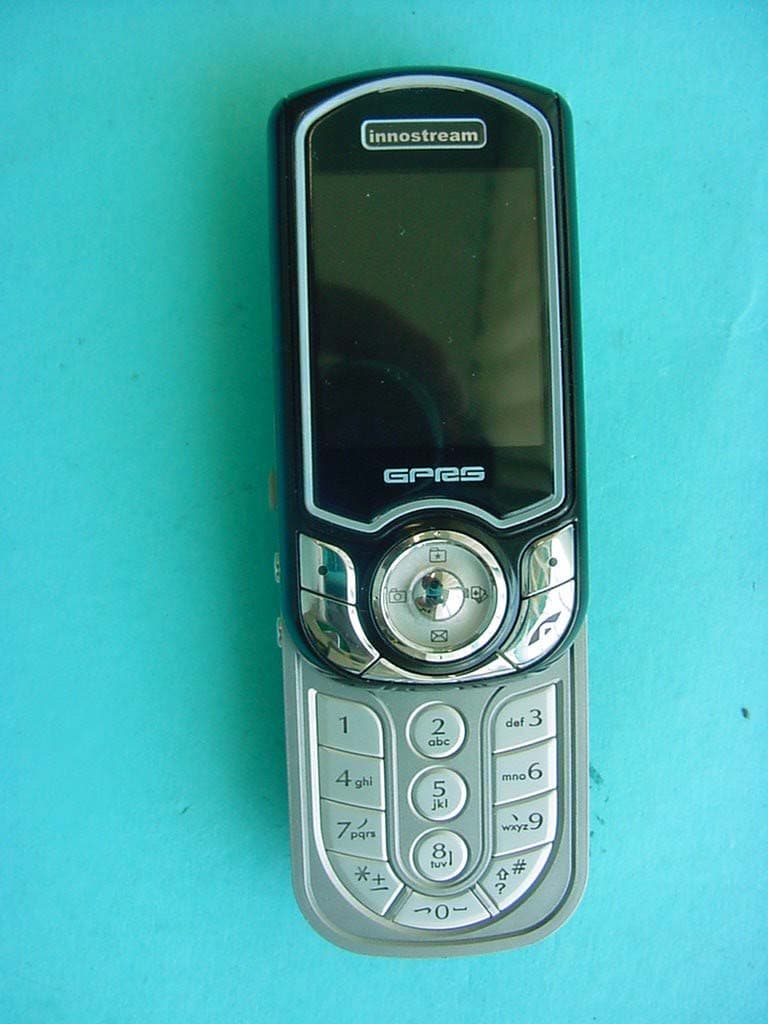
RJAINNO55
Jun 01, 2004GSM 900/1800/1900 Mobile Phone
Equipment Class
PCE - PCS Licensed Transmitter held to ear