RKIC51-A04116-XXBluetooth Headset
i.Tech Dynamic Limited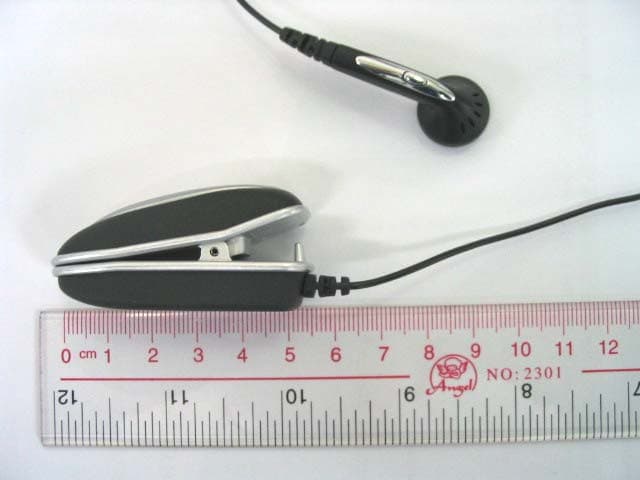
Click to zoom
Application Details
- Equipment Class
- DSS - Part 15 Spread Spectrum Transmitter
- Date of Grant
- Apr 27, 2005
- Application Purpose
- Original Equipment
- Date of Application
- Apr 27, 2005
- Equipment Note
- Bluetooth Headset
- Frequency Range
- 2402.00000000 - 2480.00000000
- Company
- i.Tech Dynamic Limited
- Country
- Hong Kong
Documents & Files
Document Text
Text extracted from the exhibit documents filed with the FCC. Open a document above to read the original.
Users Manual
(Cover) i.Tech Clip IIe User Guide (Page 0) Contents i.Tech Clip IIe Headset.........................................................................1 Getting Started..................................................................................2 Charging Your Headset......................................................................3-4 Nominal Charging Time..................................................................4 Talk & Standby Time......................................................................4 Low Battery.................................................................................4 Turning Your Headset On and Off.............................................................5 Pairing Your Headset.........................................................................6-7 Using Your Headset........................................................................ ...8-9 Answering a Call...........................................................................8 Ending a Call................................................................................8 Dialling from Your Mobile Handset......................................................8 Muting a Call...............................................................................8 Voice Dialling from Your Headset......................................................9 Last Number Redialling from Your Headset..........................................9 Adjusting the Volume...........................................................................10 Resetting the Headset...........................................................................10 Care and Maintenance.....................................................................11-12 Safety Information..............................................................................13 Troubleshooting..................................................................................14 Product Specifications..........................................................................15 (Page 1) Bluetooth Buzzer Clip Headset Overview Fig. 1 (MFB) Getting Started (Page 2) To use your i.Tech Clip IIe headset (“the headset”), please follow these simple steps: Charge your headset Pair your headset with a Bluetooth-enabled mobile handset (Page 3) Charging Your Headset Fig. 2 The Headset comes with a built-in rechargeable battery. Prior to using the headset, it is recommendable to charge the battery fully for the first time. (Page 4) Connect the charger to an AC wall outlet and the charger plug to the headset’s charging socket (fig.2). The LED will be red while charging. IMPORTANT Charging indication will be delayed for a few seconds if the headset has not been used for a long time or the battery is drained. Nominal Charging Time Charging the battery fully is normally within 3 hours. When the battery is fully charged, the LED will turn blue and remains on for 30 minutes. Disconnect the charger from AC wall outlet and the headset. Press and hold the MFB (fig.1) for 2 seconds to turn the headset on, please refer to “Turning Your Headset On and Off” on the next page. Talk & Standby Time The fully charged battery offers up to 10 hours talk time and up to 200 hours standby time. When no calls are in progress, the headset remains turned on in standby mode. Low Battery When the headset is on and the battery becomes low, the LED flashes red and the headset emits a beep every 1 minute. Please recharge the battery as described above. (Page 5) Turning Your Headset On and Off Turning On the Headset Press and hold the MFB for 2 seconds until you hear a short beep. The LED will flash blue. IMPORTANT Press the MFB again each time you turn on the headset to reactivate pairing so that the connection between the headset and the mobile handset is resumed. For pairing, please refer to “Pairing Your Headset” on page 6-7. Turning Off the Headset Press and hold the MFB for 3 seconds until you hear a long beep. The LED flash stops. IMPORTANT To disconnect the Bluetooth connection, please firstly turn of your headset by pressing the MFB key. (Page 6) Pairing Your Headset Prior to using your Headset for the first time, you must pair it with a Bluetooth-enabled mobile handset. The information on the next page describes pairing instruction for typical Bluetooth-enabled mobile handset. Headset pairing procedure is subject to different models of mobile handsets. (Page 7) Pairing Your Headset 1. Place the headset and the mobile handset where they are easily viewable by no more than 1 meter apart. 2. Ensure the headset is OFF. 3. Press and hold the MFB until the headset LED alternately flashes blue and red. 4. Activate your mobile handset’s Bluetooth function by referring to your mobile handset user guide for details. 5. Set the mobile handset to search for Bluetooth devices within about 1 meter as instructed in the mobile handset user guide and select “i.Tech Clip IIe” from the list. 6. Enter the preprogrammed passkey “0000” and press “OK” to pair your headset and mobile handset. When the pairing is complete, the headset LED will flash blue rapidly for 5 times followed by a long beep. 7. Go back to your mobile handset’s main menu. For certain mobile handset models, a headset icon will be shown on the screen. You should now be able to make and receive calls using your headset. IMPORTANT If the pairing cannot be completed within 2 minutes while the pairing mode is activated, the headset LED flashes purple red with 3 beeps and the headset is turned off. Please repeat Steps 2 to 7 to pair the headset and the mobile handset again. (Page 8) Using Your Headset Answering a Call To answer a call, wait for the headset and the buzzer to ring, then press the MFB to accept the call or answer the call via your mobile handset in the normal way. If you want to stop the buzzer from ringing, press the Vo l u m e K e y once. The headset continues to ring. Ending a Call Press the MFB to end your call or end the call via …
Text truncated - open the document above for the full version.
External Photos
www.tuv.com Test Report No.: 1400xxxx 001 Annex A page 1 of 5 Annex A Photo Documentation www.tuv.com Test Report No.: 1400xxxx 001 Annex A page 2 of 5 1.1 Original equipment exterior appearance (FCCID: RKIC51-A04115-XX) Front view Back view www.tuv.com Test Report No.: 1400xxxx 001 Annex A page 3 of 5 Side view 1 Side view 2 www.tuv.com Test Report No.: 1400xxxx 001 Annex A page 4 of 5 1.2 Modified equipment exterior appearance (FCCID: RKIC51-A04116-XX) Front view Back view www.tuv.com Test Report No.: 1400xxxx 001 Annex A page 5 of 5 Side view 1 Side view 2
ID Label/Location Info
www.tuv.com Test Report No.: 1400xxxx 001 Annex A page 1 of 2 Annex B Label Artwork www.tuv.com Test Report No.: 1400xxxx 001 Annex A page 2 of 2 1.1 Label artwork The yellow oval in the above photos indicates the location of the label artwork.
Internal Photos
www.tuv.com Test Report No.: 14008539 001 Appendix 3 page 4 of 7 1.2 Internal view 1.2.1 Front side 1 The yellow circle indicates the location of the antenna. 1.2.2 Rear side 1 www.tuv.com Test Report No.: 14008539 001 Appendix 3 page 5 of 7 1.2.3 Module side 1 1.2.4 Module side 2 www.tuv.com Test Report No.: 14008539 001 Appendix 3 page 6 of 7 1.2.5 Battery compartment 1 1.2.6 Battery compartment 2 www.tuv.com Test Report No.: 14008539 001 Appendix 3 page 7 of 7 1.2.7 Small circuit board 1 1.2.8 Small circuit board 2
Operational Description
www.tuv.com Test Report No.: 14008539 001 Appendix 4 page 3 of 12 1.2 Operational Descriptions 1.2.1 Product Descriptions The test item is a wireless headset based on the Bluetooth technology. It transfers the audio signal to and from a corresponding Bluetooth Audio Gateway such as mobile phone wirelessly. Bluetooth is a short-range radio link intended to be a cable replacement between portable and/or fixed electronic devices. 1.2.2 Technical Background of the Wireless Technology Bluetooth operates in the unlicensed ISM band at 2.4 GHz. A frequency hop transceiver is applied to combat interference and fading. A shaped, binary FM modulation is applied to minimize transceiver complexity. The symbol rate is 1 Ms/s. A slotted channel is applied with a nominal slot length of 625 μs. For full duplex transmission, a Time-Division Duplex (TDD) scheme is used. On the channel, information is exchanged through packets. Each packet is transmitted on a different hop frequency. A packet nominally covers a single slot, but can be extended to cover up to five slots. The Bluetooth protocol uses a combination of circuit and packet switching. Slots can be reserved for synchronous packets. Bluetooth can support an asynchronous data channel, up to three simultaneous synchronous voice channels, or a channel which simultaneously supports asynchronous data and synchronous voice. Each voice channel supports a 64 kb/s synchronous (voice) channel in each direction. The asynchronous channel can support maximal 723.2 kb/s asymmetric (and still up to 57.6 kb/s in the return direction), or 433.9 kb/s symmetric. The Bluetooth system consists of a radio unit, a link control unit, and a support unit for link management and host terminal interface functions.
Test Report
www.tuv.com Test Report No.: 14008539 001 Date: 02.03.2005 page 2 of 14 Table of Content Page Cover Page .................................................................................1 Table of Content ..........................................................................2 Product information.......................................................................................................4 Manufacturers declarations ....................................................................................................................... 4 Product function and intended use........................................................................................................... 4 Submitted documents ................................................................................................................................ 4 Special accessories and auxiliary equipment.......................................................................................... 4 List of Test and Measurement Instruments.................................................................5 Result FCC Part 15 – Subpart C ...................................................................................6 Subclause 15.203 – Antenna Information....................................................................... Pass................. 6 Subclause 15.204 – Antenna Information....................................................................... Pass................. 6 Subclause 15.207 – Disturbance Voltage on AC Mains ................................................ Pass................. 6 Subclause 15.247 (a) – Carrier Frequency Separation.................................................. Pass................. 7 Subclause 15.247 (a) – Time of Occupancy (Dwell Time) ............................................. Pass................. 8 Subclause 15.247 (a) – 20 dB Bandwidth .............................................................................. .................. 9 Subclause 15.247 (a) – Hopping Sequence .................................................................... Pass.................9 Subclause 15.247 (a) – Equal Hopping Frequency Use ................................................ Pass............... 10 Subclause 15.247 (a) – Receiver Input Bandwidth ........................................................ Pass............... 11 Subclause 15.247 (a) – Receiver Hopping Capability.................................................... Pass............... 11 Subclause 15.247 (b) – Peak Output Power ................................................................... Pass............... 11 Subclause 15.247 (b) – Band edge compliance ............................................................. Pass............... 12 Subclause 15.247 (c) – Spurious Conducted Emissions .............................................. Pass............... 12 Subclause 15.247 (c) – Spurious Radiated Emissions.................................................. Pass............... 13 Appendix 1 – Test protocols 54 pages Appendix 2 – Test setup 2 pages Appendix 3 – Photo documentation 7 pages www.tuv.com Test Report No.: 14008539 001 Date: 02.03.2005 page 3 of 14 Appendix 4 – Product documentation 12 pages www.tuv.com Test Report No.: 14008539 001 Date: 02.03.2005 page 4 of 14 Product information Manufacturers declarations Transmitter Receiver Operating frequency range 2402 - 2480 MHz 2402 - 2480 MHz Type of modulation FHSS modulation FHSS modulation Number of channels 79 79 Channel separation 1 MHz 1 MHz Type of antenna Dielectric chip antenna Dielectric chip antenna Antenna gain (dBi) 0 Power level fix Type of equipment stand alone stand alone Connection to public utility power line No Nominal voltage V nor : 3.9 V V nor : 3.9 V Independent Operation Modes Page scan Inquiry scan Connection state - ACL Link Connection state - SCO Link Product function and intended use The test item is a wireless headset based on the Bluetooth technology. Bluetooth is a short-range radio link intended to be a cable replacement between portable and/or fixed electronic devices. Bluetooth operates in the unlicensed ISM Band at 2.4 GHz. In the US a band of 83.5 MHz width is available. In this band, 79 RF channels spaced 1 MHz apart are defined. The channel is represented by a pseudo-random hopping sequence through the 79 channels. The channel is divided into time slots, with a nominal slot length of 625 μs, where each slot corresponds to different RF hop frequencies. The nominal hop rate is 1600 hops/s. The symbol rate on the channel is 1 Ms/s. Submitted documents Circuit Diagram Block Diagram Bill of material User manual Special accessories and auxiliary equipment The product has been tested together with the following additional accessory: 1. AC/DC Power adaptor Model number: (1) IT03024UK (2) IT03024EU Input: 100-240VAC Output: 5.0VDC 200mA www.tuv.com Test Report No.: 14008539 001 Date: 02.03.2005 page 5 of 14 List of Test and Measurement Instruments Kind of Equipment Manufacturer Type S/N Test Receiver Rohde & Schwarz ESH-3 890173/033 L/I/S/N Rohde & Schwarz ESH 3-Z5 849876/026 Oscilloscope HP 54713B US34510455 Test Receiver Rohde & Schwarz ESVP 882402/033 Absorbing Clamp Rohde & Schwarz MDS-21 979 3/4 Test Receiver Rohde & Schwarz ESVS30 842807/009 Biconical Antenna Rohde & Schwarz HK116 841489/015 Log.-Periodic Antenna Rohde & Schwarz HL223 841516/017 Universal Power Analyzer Voltech PM3000A 9915 Reference Impedance Network Voltech IEC 555 Standard 9946 AC Power Source California Instr. 4500L HK51895 Trip-Loop Antenna Chase LLA6142 1019 Double Ridge Horn Antenna EMCO 3115 9002-3351 Double Ridge Horn Antenna EMCO 3115 9002-3347 RF Comms Test Set HP 8920B US36492628 Spectrum Analyser + Tracking G. HP 8596E 3639A00758 Signal Generator Rohde & Schwarz SMY 01 844146/024 Signal Generator Rohde & Schwarz SMY 01 844146/023 BiLog Antenna EMCO 3143 9607-1287 Isotropic Field Probe Holladay HI-4422 90956 Power Amplifier Kalmus 757-LC 7620-1 Power A…
Text truncated - open the document above for the full version.
Test Setup Photos
www.tuv.com Test Report No.: 14008539 001 Appendix 2 page 1 of 2 Appendix 2 Test Setup Photos www.tuv.com Test Report No.: 14008539 001 Appendix 2 page 2 of 2 Set-up for Radiation Emission (Transceiver) Set-up for Disturbance Voltage on AC mains
Contact Information
Applicant
Raymond Liu(General Manager)
Technical Contact
T�V Rheinland Hong Kong Ltd.Hugo Wan
[email protected]+852-2192-1000
Unit 8, 25/F., Skyline Tower · Hong Kong · Hong Kong
Test Firm
Hong Kong Productivity CouncilIr Angel Wong Yuen-yee
Technical Specifications
| # | Rule Parts | Frequency Range | Power Output |
|---|---|---|---|
| 1 | 15C | 2.40 GHz - 2.48 GHz | 2.20 mW |
Other Applications from i.Tech Dynamic Limited
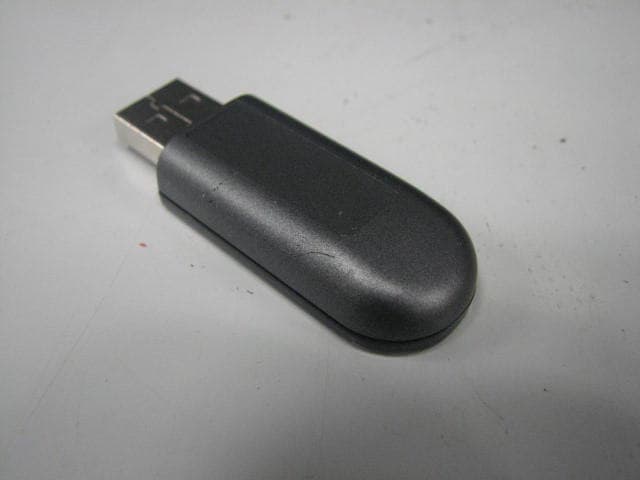
RKIC51-B115-XX
Oct 28, 2010Bluetooth Dongle
Equipment Class
DSS - Part 15 Spread Spectrum Transmitter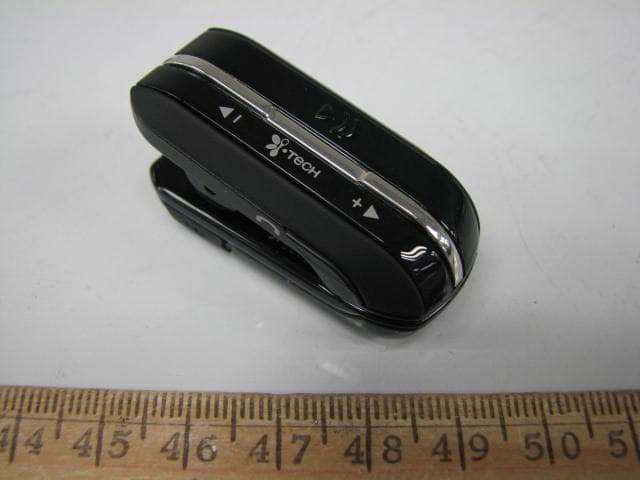
RKIC51-B806-XX
Aug 29, 2010Bluetooth Headset
Equipment Class
DSS - Part 15 Spread Spectrum Transmitter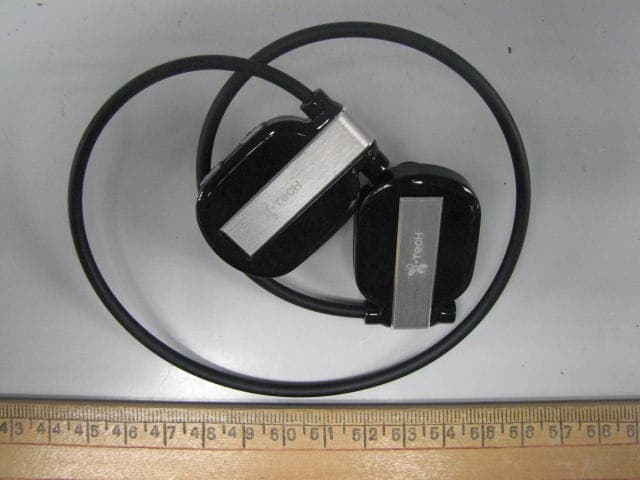
RKIC51-B807-XX
Jun 29, 2010Bluetooth Headset
Equipment Class
DSS - Part 15 Spread Spectrum Transmitter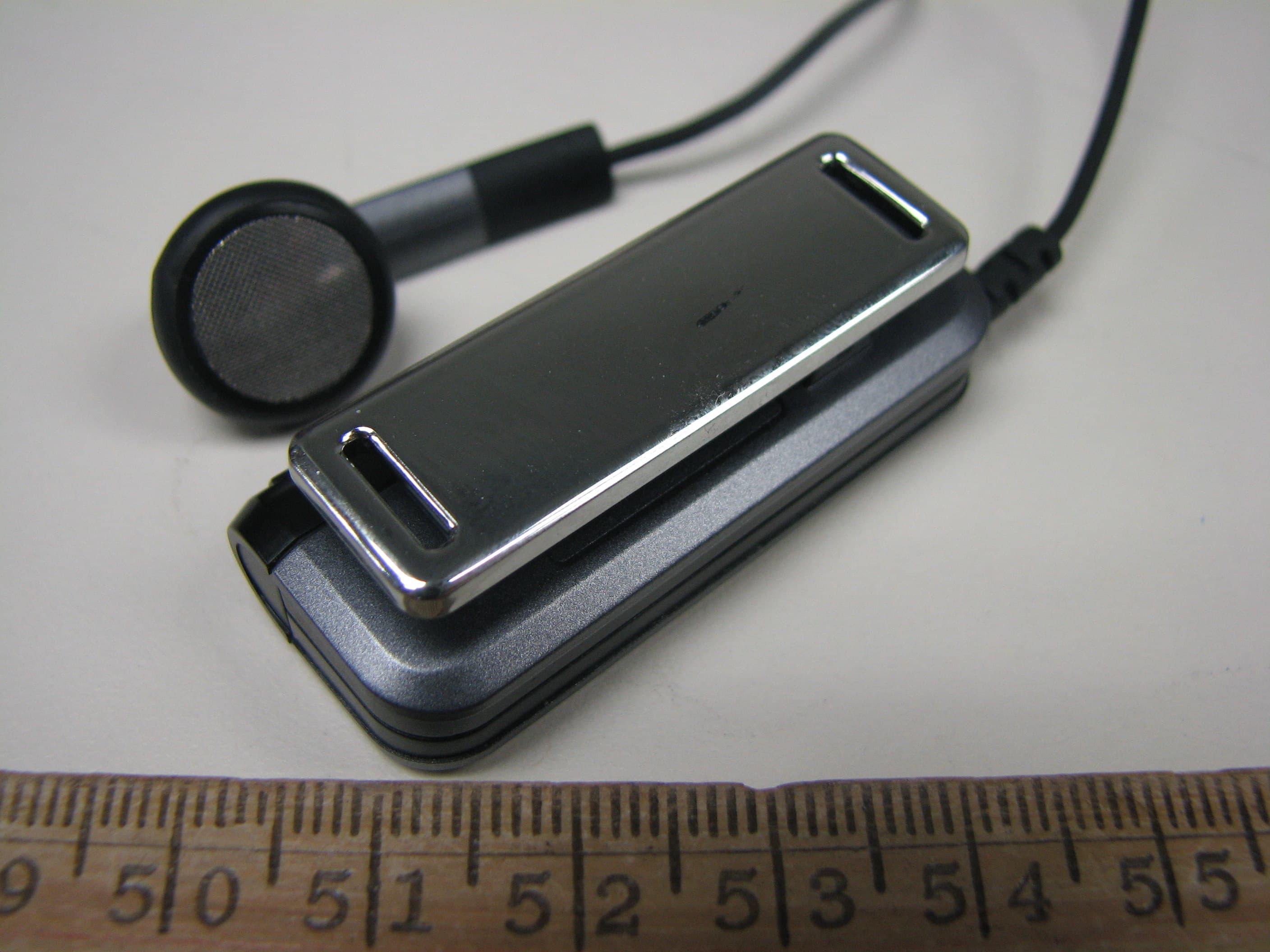
RKIC51-B604-XX
May 16, 2010Bluetooth Headset
Equipment Class
DSS - Part 15 Spread Spectrum Transmitter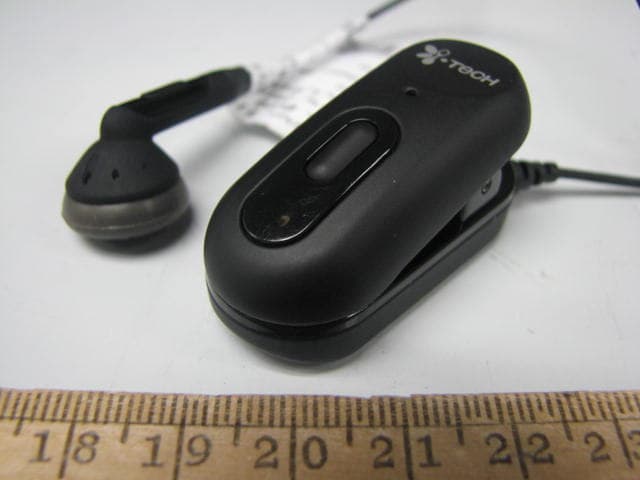
RKIC51-B606-XX
Apr 07, 2010Bluetooth Headset
Equipment Class
DSS - Part 15 Spread Spectrum Transmitter