RKIC51-A06065-XXBluetooth Headset
i.Tech Dynamic Limited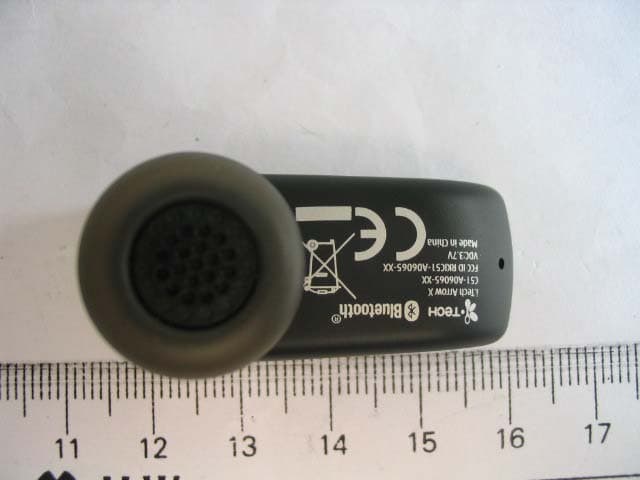
Click to zoom
Application Details
- Equipment Class
- DSS - Part 15 Spread Spectrum Transmitter
- Date of Grant
- Nov 06, 2006
- Application Purpose
- Original Equipment
- Date of Application
- Nov 06, 2006
- Equipment Note
- Bluetooth Headset
- Frequency Range
- 2402.00000000 - 2480.00000000
- Company
- i.Tech Dynamic Limited
- Country
- Hong Kong
Documents & Files
Document Text
Text extracted from the exhibit documents filed with the FCC. Open a document above to read the original.
Users Manual
www.tuv.com Test Report No.: 14014342 001 Appendix 4 page 14 of 38 1.6 User Manual (Cover) i.Tech Arrow X User Guide Version 1 5-Sept-2006 Project No. : C51-A06065-XX www.tuv.com Test Report No.: 14014342 001 Appendix 4 page 15 of 38 [Inside Cover] i.Tech Arrow X Bluetooth Headset gives you more freedom on the move. Pair with compatible Bluetooth mobile phones and this headset makes it easier for you to carry on with your tasks whilst making a call. i.Tech Arrow X Bluetooth Headset is compliant with Bluetooth Version 2.0 Class 2 specifications, and is compatible with the latest mobile phones supporting Bluetooth Headset or Handsfree Profiles. www.tuv.com Test Report No.: 14014342 001 Appendix 4 page 16 of 38 (Page 0) Contents Title Page i.Tech Arrow X Bluetooth Headset Overview 2 Getting Started 2 Charging Your Headset Normal Charging Time Talk and Standby Time Battery Low Indication 3-4 4 4 4 Turning Your Headset On and Off 5 Pairing Your Headset 6-7 Using Your Arrow X Headset Answering a Call Ending a Call Adjusting the Volume Muting a Built-in Microphone Dialing from Your Mobile Phone Voice Dialing from Your Headset Last Number Redialing from Your Headset Rejecting a Call (Handsfree Profile ONLY) Transferring a Call (Handsfree Profile ONLY) 8-10 8 8 8 8 9 9 9 10 10 Resetting or Removing Pairing 12 Care and Maintenance Headset Built-in Battery Charger 13-14 13 14 14 Safety Information 15 Troubleshooting 16 Declaration of Conformity (DoC) 17 Product Specifications 18 www.tuv.com Test Report No.: 14014342 001 Appendix 4 page 17 of 38 (Page 1) Arrow X Bluetooth Headset Overview - Figure 1 1 Multi-function button (MFB) 2 Volume button + 3 Volume button - 4 Speaker (In-ear type) 5 Built-in Microphone 6 Built-in Rechargeable Battery 7 Charging Socket 8 Status Indicator (This small light will flash red, blue or purple dependant on pairing mode and operation) 1 2 3 4 5 6 7 8 www.tuv.com Test Report No.: 14014342 001 Appendix 4 page 18 of 38 Getting Started (Page 2) To use your i.Tech Arrow X Bluetooth Headset (“the headset”), please follow the steps below: 1. Ensure your headset is fully charged 2. Pair your charged headset with a Bluetooth-enabled mobile phone Figure 2 www.tuv.com Test Report No.: 14014342 001 Appendix 4 page 19 of 38 (Page 3) Charging Your Headset Figure 3 The headset comes with a built-in rechargeable battery. Prior to using the headset for the first time, it is recommended to fully charge the battery first. www.tuv.com Test Report No.: 14014342 001 Appendix 4 page 20 of 38 (Page 4) Insert the charger plug into the headset’s charging socket (refer to Figure 3) and plug the mains charger to an AC wall outlet. The light on the Arrow Lite (status indicator) will stay red during charging. IMPORTANT: Charging indication will be delayed for a few seconds if the headset has not been used for a long time or the battery is drained. Normal Charging Time It takes about three hours to fully charge the battery. When the battery is fully charged, the status indicator will turn blue and remain on. Unplug the mains charger from the AC wall outlet and the charger plug from the headset. Press and hold the MFB (refer to Figure 1) for two seconds to turn on the headset. Please refer to “Turning Your Headset On and Off” on the next page for further details. Talk and Standby Time A fully charged battery can offer up to 4 hours of talk time and up to 100 hours of standby time. When there are no calls the headset should remain turned on in standby mode. Battery Low Indication When the battery has become low when the headset is on, the status indicator will flash red and the headset will emit a beep* every minute. Please follow the instructions described above to recharge the battery. *If you are pairing your headset and your mobile phone in a noisy environment, we advise you to put on the earphone first so that the beep will be more audible. www.tuv.com Test Report No.: 14014342 001 Appendix 4 page 21 of 38 (Page 5) Turning Your Headset On and Off Turning On the Headset Press and hold the MFB (see Figure 1) for two seconds until you hear a short beep. The status indicator will then flash blue. IMPORTANT: Press the MFB again when you want to turn on the headset to re-activate pairing and ensure the connection between the headset and the mobile phone is resumed. For pairing, please refer to “Pairing Your Headset” on page 6 of this user guide. Turning Off the Headset Press and hold the MFB for two seconds until you hear a long beep. The status indicator will turn red and the headset will turn off. IMPORTANT: To disconnect the Bluetooth connection, press the headset’s MFB firmly to turn it off. If you will not be using the headset for a while, we advise you turn off the Bluetooth function on your mobile phone as well. www.tuv.com Test Report No.: 14014342 001 Appendix 4 page 22 of 38 (Page 6) Pairing Your Headset Figure 4 The headset works with Bluetooth-enabled mobile phones only. Prior to using and pairing your headset for the first time, please check if your mobile phone is Bluetooth-enabled. This information will normally feature on the packaging or user guide that is provided with your mobile phone. The pairing instructions for a typical Bluetooth-enabled mobile phone are explained on the next page. The headset pairing procedure may vary depending on the model of your mobile phone. Please contact the manufacturer of your mobile phone or its agent for further information. www.tuv.com Test Report No.: 14014342 001 Appendix 4 page 23 of 38 (Page 7) Pairing Your Headset 1. Place the headset and the mobile phone where they are no more than one metre apart. 2. Ensure the headset is off. (The status indicator is unlit and does not flash.) 3. Press and hold the MFB until the headset’s status indicator flashes blue and red alternately. 4. Activate your mobile phone’s Bluetooth function. Please refer to your mobile phone user guide for details. 5. Set the mobile phone to search for Bluetooth devices within…
Text truncated - open the document above for the full version.
External Photos
www.tuv.com Test Report No.: 14014342 001 Appendix 3 page 1 of 8 Appendix 3 Construction Photos www.tuv.com Test Report No.: 14014342 001 Appendix 3 page 2 of 8 1.1 External view 1.1.1 Front view 1.1.2 Rear view www.tuv.com Test Report No.: 14014342 001 Appendix 3 page 3 of 8 1.1.3 Side view 1 1.1.4 Side view 2 www.tuv.com Test Report No.: 14014342 001 Appendix 3 page 4 of 8 1.1.5 Side view 3
ID Label/Location Info
www.tuv.com Test Report No.: 14014342 001 Appendix 4 page 1 of 38 Appendix 4 Technical Documents www.tuv.com Test Report No.: 14014342 001 Appendix 4 page 2 of 38 1.1 FCCID Label Artwork The yellow oval shows the location of the Rating Label.
Internal Photos
www.tuv.com Test Report No.: 14014342 001 Appendix 3 page 5 of 8 1.2 Internal view 1.2.1 Front side 1 www.tuv.com Test Report No.: 14014342 001 Appendix 3 page 6 of 8 1.2.2 Front side 2 1.2.3 Front side 3 www.tuv.com Test Report No.: 14014342 001 Appendix 3 page 7 of 8 1.2.4 Front side 4 www.tuv.com Test Report No.: 14014342 001 Appendix 3 page 8 of 8 1.2.5 Rear side
Test Report
www.tuv.com Test Report No.: 14014342 001 Date: 18.10.2006 page 2 of 12 Table of Content Page Cover Page .................................................................................1 Table of Content ..........................................................................2 Product information.......................................................................................................3 Manufacturers declarations ....................................................................................................................... 3 Product function and intended use........................................................................................................... 3 Submitted documents ................................................................................................................................ 3 List of Test and Measurement Instruments.................................................................4 Result FCC Part 15 – Subpart C ...................................................................................5 Subclause 15.203 – Antenna Information....................................................................... Pass................. 5 Subclause 15.204 – Antenna Information....................................................................... Pass................. 5 Subclause 15.207 – Disturbance Voltage on AC Mains .................................................. N/A................. 5 Subclause 15.247 (a) – Carrier Frequency Separation.................................................. Pass................. 5 Subclause 15.247 (a) – Time of Occupancy (Dwell Time) ............................................. Pass................. 6 Subclause 15.247 (a) – 20 dB Bandwidth ....................................................................... Pass................. 7 Subclause 15.247 (a) – Hopping Sequence .................................................................... Pass.................7 Subclause 15.247 (a) – Equal Hopping Frequency Use ................................................ Pass................. 8 Subclause 15.247 (a) – Receiver Input Bandwidth ........................................................ Pass................. 9 Subclause 15.247 (a) – Receiver Hopping Capability.................................................... Pass................. 9 Subclause 15.247 (b) – Peak Output Power ................................................................... Pass.................9 Subclause 15.247 (b) – Band edge compliance ............................................................. Pass............... 10 Subclause 15.247 (c) – Spurious Conducted Emissions .............................................. Pass............... 10 Subclause 15.247 (c) – Spurious Radiated Emissions.................................................. Pass............... 11 Appendix 1 – Test protocols 14 pages Appendix 2 – Test setup 2 pages Appendix 3 – Photo documentation 8 pages Appendix 4 – Product documentation 38 pages www.tuv.com Test Report No.: 14014342 001 Date: 18.10.2006 page 3 of 12 Product information Manufacturers declarations Transceiver Operating frequency range 2402 - 2480 MHz Type of modulation FHSS modulation Number of channels 79 Channel separation 1 MHz Type of antenna Integral Antenna Antenna gain (dBi) 1.2 Power level fix Type of equipment stand alone, plug-in radio device Connection to public utility power line No Nominal voltage V nor : 3.7 V Independent Operation Modes Page scan Inquiry scan Connection state - ACL Link Connection state - SCO Link Product function and intended use The test item is a Headset based on the Bluetooth technology. Bluetooth is a short-range radio link intended to be a cable replacement between portable and/or fixed electronic devices. Bluetooth operates in the unlicensed ISM Band at 2.4 GHz. In the US a band of 83.5 MHz width is available. In this band, 79 RF channels spaced 1 MHz apart are defined. The channel is represented by a pseudo-random hopping sequence through the 79 channels. The channel is divided into time slots, with a nominal slot length of 625 μs, where each slot corresponds to different RF hop frequencies. The nominal hop rate is 1600 hops/s. The symbol rate on the channel is 1 Ms/s. Submitted documents Circuit Diagram Block Diagram Bill of material User manual www.tuv.com Test Report No.: 14014342 001 Date: 18.10.2006 page 4 of 12 List of Test and Measurement Instruments Kind of Equipment Manufacturer Type S/N Test Receiver Rohde & SchwarzESH-3 890173/033 L/I/S/N Rohde & SchwarzESH 3-Z5 849876/026 Oscilloscope HP 54713B US34510455 Test Receiver Rohde & SchwarzESVP 882402/033 Absorbing Clamp Rohde & SchwarzMDS-21 979 3/4 Test Receiver Rohde & SchwarzESVS30 842807/009 Biconical Antenna Rohde & SchwarzHK116 841489/015 Log.-Periodic Antenna Rohde & SchwarzHL223 841516/017 Universal Power Analyzer Voltech PM3000A 9915 Reference Impedance Network Voltech IEC 555 Standard 9946 AC Power Source California Instr. 4500L HK51895 Trip-Loop Antenna Chase LLA6142 1019 Double Ridge Horn Antenna EMCO 3115 9002-3351 Double Ridge Horn Antenna EMCO 3115 9002-3347 RF Comms Test Set HP 8920B US36492628 Spectrum Analyser + Tracking G. HP 8596E 3639A00758 Signal Generator Rohde & SchwarzSMY 01 844146/024 Signal Generator Rohde & SchwarzSMY 01 844146/023 BiLog Antenna EMCO 3143 9607-1287 Isotropic Field Probe Holladay HI-4422 90956 Power Amplifier Kalmus 757-LC 7620-1 Power Amplifier Kalmus 122-FC 7620-2 Coupling Clamp Schaffner CDN 126 312 Couple Device Network Fischer CDN-M2 9604 Spectrum Analyzer Rohde & SchwarzFSP30 1093.4495K30 Temperature Chamber Binder MK 240 9020-0028 EFT,ESD,SURGE, DIPS tester Schaffner Best 96 IN3796-011 Surge Generator Schaffner NSG650 280 Active Loop Antenna EMCO 6502 9107-2651 www.tuv.com Test Report No.: 14014342 001 Date: 18.10.2006 page 5 of 12 Result FCC Part 15 – Subpart C Subclause 15.203 – Antenna Information Pass Requirement: No antenna other than that furnished …
Text truncated - open the document above for the full version.
Test Report
www.tuv.com Test Report No.: 14014342 001 Appendix 1 page 1 of 14 Appendix 1 Test results www.tuv.com Test Report No.: 14014342 001 Appendix 1 page 2 of 14 Carrier Frequency Separation Reference frequency (MHz) Channel Separation (MHz) 2441.000 1.002 A 2.441 GHz RBW 100 kHz 2.441 GHzVBW 300 kHz 2.441 GHz SWT 2.5 ms 2.441 GHz Ref 20 dBm 2.441 GHz Center 2.441 GHz 2.441 GHz Span 3 MHz 2.441 GHz 300 kHz/ 2.441 GHz Att 30 dB 2.441 GHz * 2.441 GHz 1 PK 2.441 GHz MAXH 2.441 GHz 2.441 GHz 2.441 GHz 2.441 GHz 2.441 GHz 2.441 GHz 2.441 GHz 2.441 GHz 2.441 GHz 2.441 GHz -80 -70 -60 -50 -40 -30 -20 -10 0 10 20 2.441 GHz 1 Marker 1 [T1 ] -7.06 dBm 2.441000000 GHz 2 Delta 2 [T1 ] 0.11 dB 1.002000000 MHz 3 Delta 3 [T1 ] 0.08 dB -1.002000000 MHz MARKER 1 2.441 GHz Date: 7.SEP.2006 10:42:30 www.tuv.com Test Report No.: 14014342 001 Appendix 1 page 3 of 14 Dwell Time Ref 20 dBm 2.928 ms Att 30 dB 2.928 ms * 2.928 ms A 2.928 ms CLRWR 2.928 ms RBW 1 MHz 2.928 msVBW 3 MHz 2.928 ms TRG 2.928 ms Center 2.441 GHz 2.928 ms 400 μs/ 2.928 ms SWT 4 ms 2.928 ms * 2.928 ms 1 PK 2.928 ms 2.928 ms 2.928 ms 2.928 ms 2.928 ms 2.928 ms 2.928 ms 2.928 ms 2.928 ms 2.928 ms -80 -70 -60 -50 -40 -30 -20 -10 0 10 20 2.928 ms 1 Marker 1 [T1 ] -5.14 dBm 4.000000 μs 2 Delta 2 [T1 ] 0.07 dB 2.928000 ms TRG -8.7 dBm DELTA MARKER 2 2.928 ms Date: 7.SEP.2006 11:13:04 Ref 20 dBmAtt 30 dB * A CLRWR RBW 1 MHz VBW 3 MHz Center 2.441 GHz3.16 s/ SWT 31.6 s SGL *1 PK -80 -70 -60 -50 -40 -30 -20 -10 0 10 20 Date: 7.SEP.2006 11:14:22 www.tuv.com Test Report No.: 14014342 001 Appendix 1 page 4 of 14 20dB Bandwidth Tx frequency: 2402MHz Ref 20 dBm 2.402464 GHz Att 30 dB 2.402464 GHz * 2.402464 GHz A 2.402464 GHz Center 2.402 GHz 2.402464 GHz Span 2 MHz 2.402464 GHz 200 kHz/ 2.402464 GHz 1 PK 2.402464 GHz MAXH 2.402464 GHz * 2.402464 GHz RBW 30 kHz 2.402464 GHzVBW 100 kHz 2.402464 GHz SWT 2.5 ms 2.402464 GHz 2.402464 GHz 2.402464 GHz 2.402464 GHz 2.402464 GHz 2.402464 GHz 2.402464 GHz 2.402464 GHz 2.402464 GHz 2.402464 GHz -80 -70 -60 -50 -40 -30 -20 -10 0 10 20 2.402464 GHz 1 Marker 1 [T1 ] -5.95 dBm 2.402000000 GHz 2 Delta 2 [T1 ] -20.15 dB -460.000000000 kHz 3 Delta 3 [T1 ] -20.15 dB 460.000000000 kHz TH -25.95 dBm F1 F2 FREQUENCY LINE 2 2.402464 GHz Date: 7.SEP.2006 11:16:59 www.tuv.com Test Report No.: 14014342 001 Appendix 1 page 5 of 14 Tx frequency: 2441MHz Ref 20 dBm 2.440992 GHz Att 30 dB 2.440992 GHz * 2.440992 GHz A 2.440992 GHz MAXH 2.440992 GHz Center 2.441 GHz 2.440992 GHz Span 2 MHz 2.440992 GHz 200 kHz/ 2.440992 GHz * 2.440992 GHz RBW 30 kHz 2.440992 GHzVBW 100 kHz 2.440992 GHz SWT 2.5 ms 2.440992 GHz 1 PK 2.440992 GHz 2.440992 GHz 2.440992 GHz 2.440992 GHz 2.440992 GHz 2.440992 GHz 2.440992 GHz 2.440992 GHz 2.440992 GHz 2.440992 GHz -80 -70 -60 -50 -40 -30 -20 -10 0 10 20 2.440992 GHz 1 Marker 1 [T1 ] -5.97 dBm 2.440992000 GHz 2 Delta 2 [T1 ] -20.49 dB -456.000000000 kHz 3 Delta 3 [T1 ] -19.85 dB 480.000000000 kHz TH -26.1 dBm F1 F2 MARKER 1 2.440992 GHz Date: 7.SEP.2006 11:19:41 Tx frequency: 2480MHz Ref 20 dBm 2.480452 GHz Att 30 dB 2.480452 GHz * 2.480452 GHz A 2.480452 GHz MAXH 2.480452 GHz Center 2.48 GHz 2.480452 GHz Span 2 MHz 2.480452 GHz 200 kHz/ 2.480452 GHz * 2.480452 GHz RBW 30 kHz 2.480452 GHzVBW 100 kHz 2.480452 GHz SWT 2.5 ms 2.480452 GHz 1 PK 2.480452 GHz 2.480452 GHz 2.480452 GHz 2.480452 GHz 2.480452 GHz 2.480452 GHz 2.480452 GHz 2.480452 GHz 2.480452 GHz 2.480452 GHz -80 -70 -60 -50 -40 -30 -20 -10 0 10 20 2.480452 GHz 1 Marker 1 [T1 ] -5.38 dBm 2.480000000 GHz 2 Delta 2 [T1 ] -20.04 dB -460.000000000 kHz 3 Delta 3 [T1 ] -20.23 dB 452.000000000 kHz TH -25.4 dBm F1 F2 FREQUENCY LINE 2 2.480452 GHz Date: 7.SEP.2006 11:21:56 www.tuv.com Test Report No.: 14014342 001 Appendix 1 page 6 of 14 Peak Output Power Tx frequency: 2402MHz Ref 20 dBm 2.40182 GHz Att 30 dB 2.40182 GHz * 2.40182 GHz A 2.40182 GHz MAXH 2.40182 GHz Center 2.402 GHz 2.40182 GHz Span 5 MHz 2.40182 GHz 500 kHz/ 2.40182 GHz * 2.40182 GHz RBW 1 MHz 2.40182 GHzVBW 3 MHz 2.40182 GHz SWT 2.5 ms 2.40182 GHz 1 PK 2.40182 GHz 2.40182 GHz 2.40182 GHz 2.40182 GHz 2.40182 GHz 2.40182 GHz 2.40182 GHz 2.40182 GHz 2.40182 GHz 2.40182 GHz -80 -70 -60 -50 -40 -30 -20 -10 0 10 20 2.40182 GHz 1 Marker 1 [T1 ] -5.52 dBm 2.401820000 GHz MARKER 1 2.40182 GHz Date: 7.SEP.2006 11:23:04 www.tuv.com Test Report No.: 14014342 001 Appendix 1 page 7 of 14 Tx frequency: 2441MHz Ref 20 dBm 2.44078 GHz Att 30 dB 2.44078 GHz * 2.44078 GHz A 2.44078 GHz MAXH 2.44078 GHz 1 PK 2.44078 GHz 2.44078 GHz 2.44078 GHz 2.44078 GHz 2.44078 GHz 2.44078 GHz 2.44078 GHz 2.44078 GHz 2.44078 GHz 2.44078 GHz Center 2.441 GHz 2.44078 GHz Span 5 MHz 2.44078 GHz 500 kHz/ 2.44078 GHz * 2.44078 GHz RBW 1 MHz 2.44078 GHzVBW 3 MHz 2.44078 GHz SWT 2.5 ms 2.44078 GHz -80 -70 -60 -50 -40 -30 -20 -10 0 10 20 2.44078 GHz 1 Marker 1 [T1 ] -7.48 dBm 2.440780000 GHz MARKER 1 2.44078 GHz Date: 7.SEP.2006 11:23:56 Tx frequency: 2480MHz Ref 20 dBm 2.47983 GHz Att 30 dB 2.47983 GHz * 2.47983 GHz A 2.47983 GHz MAXH 2.47983 GHz 1 PK 2.47983 GHz 2.47983 GHz 2.47983 GHz 2.47983 GHz 2.47983 GHz 2.47983 GHz 2.47983 GHz 2.47983 GHz 2.47983 GHz 2.47983 GHz Center 2.48 GHz 2.47983 GHz Span 5 MHz 2.47983 GHz 500 kHz/ 2.47983 GHz * 2.47983 GHz RBW 1 MHz 2.47983 GHzVBW 3 MHz 2.47983 GHz SWT 2.5 ms 2.47983 GHz -80 -70 -60 -50 -40 -30 -20 -10 0 10 20 2.47983 GHz 1 Marker 1 [T1 ] -7.49 dBm 2.479830000 GHz MARKER 1 2.47983 GHz Date: 7.SEP.2006 11:24:31 www.tuv.com Test Report No.: 14014342 001 Appendix 1 page 8 of 14 Band Edge Compliance Tx frequency: 2402MHz Ref 20 dBm 2.39952 GHz Att 30 dB 2.39952 GHz * 2.39952 GHz A 2.39952 GHz MAXH 2.39952 GHz 1 PK 2.39952 GHz 2.39952 GHz 2.39952 GHz 2.39952 GHz 2.39952 GHz 2.39952 GHz 2.39952 GHz 2.39952 GHz 2.39952 GHz 2.39952 GHz 2 MHz/ 2.39952 GHz Center 2.394 GHz 2.39952 GHz Span 20 MHz 2.39952 GHz * 2.39952 GHz RBW 100 kHz 2.39952 GHzVBW 300 kHz 2.39952 GHz SWT 2.5 ms 2.39952 GHz -80 -70 -60 -50 -40 -30 -20 -10 0 10 20 2.39952 GHz 1 Marker 1 [T1 ] -46.78 dBm 2.399520000 GHz F1 F2 → MAR…
Text truncated - open the document above for the full version.
Test Setup Photos
www.tuv.com Test Report No.: 14014342 001 Appendix 2 page 1 of 2 Appendix 2 Test Setup Photos www.tuv.com Test Report No.: 14014342 001 Appendix 2 page 2 of 2 Set-up for Radiation Emission (Transceiver) Set-up for Radiation Emission (Transceiver)
Contact Information
Applicant
Raymond Liu(General Manager)
Technical Contact
T�V Rheinland Hong Kong Ltd.Sharon Li
[email protected]+852-2192-1000
Unit 8, 25/F., Skyline Tower, 39 Wang Kwong Road · Kowloon · Hong Kong
Test Firm
Hong Kong Productivity CouncilIr Angel Wong Yuen-yee
Technical Specifications
| # | Rule Parts | Frequency Range | Power Output |
|---|---|---|---|
| 1 | 15C | 2.40 GHz - 2.48 GHz | 630.00 µW |
Other Applications from i.Tech Dynamic Limited
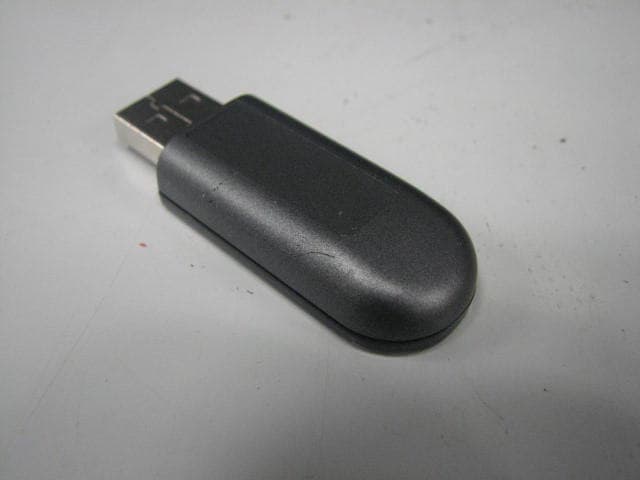
RKIC51-B115-XX
Oct 28, 2010Bluetooth Dongle
Equipment Class
DSS - Part 15 Spread Spectrum Transmitter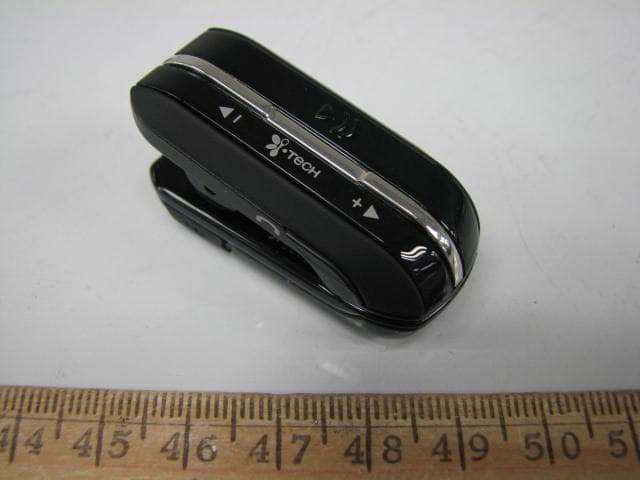
RKIC51-B806-XX
Aug 29, 2010Bluetooth Headset
Equipment Class
DSS - Part 15 Spread Spectrum Transmitter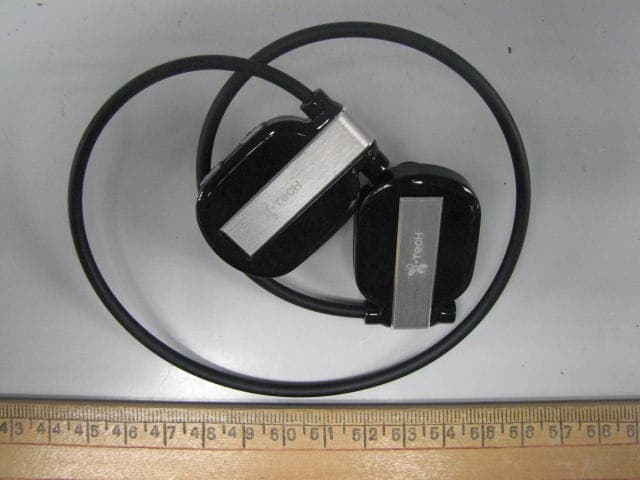
RKIC51-B807-XX
Jun 29, 2010Bluetooth Headset
Equipment Class
DSS - Part 15 Spread Spectrum Transmitter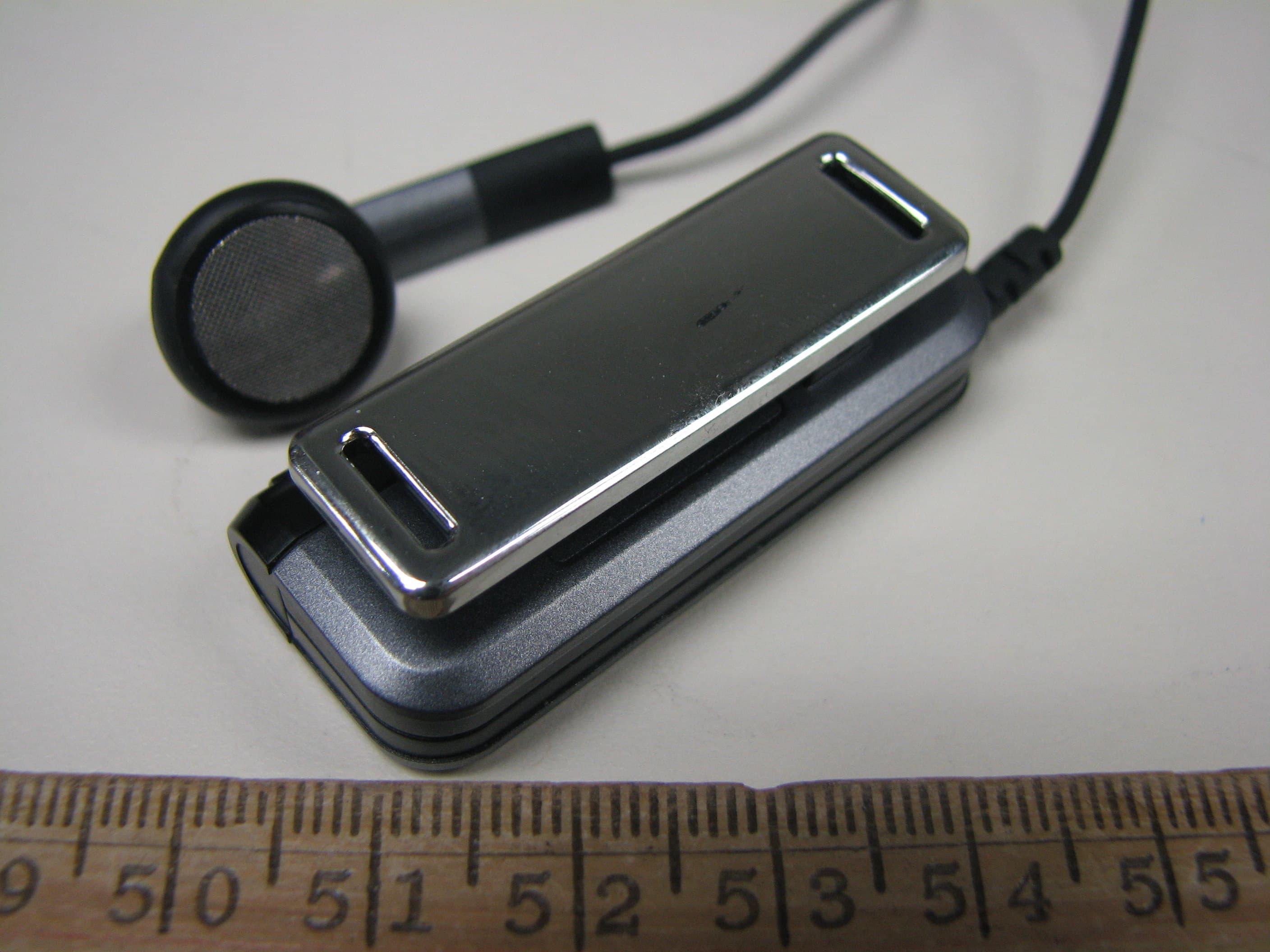
RKIC51-B604-XX
May 16, 2010Bluetooth Headset
Equipment Class
DSS - Part 15 Spread Spectrum Transmitter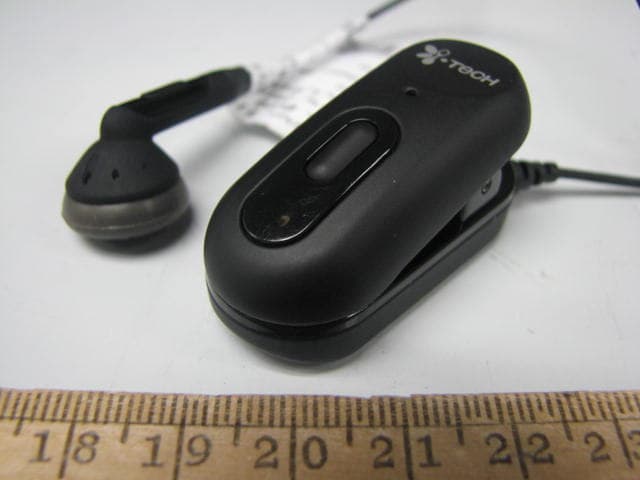
RKIC51-B606-XX
Apr 07, 2010Bluetooth Headset
Equipment Class
DSS - Part 15 Spread Spectrum Transmitter