Text extracted from the exhibit documents filed with the FCC. Open a document above to read the original.
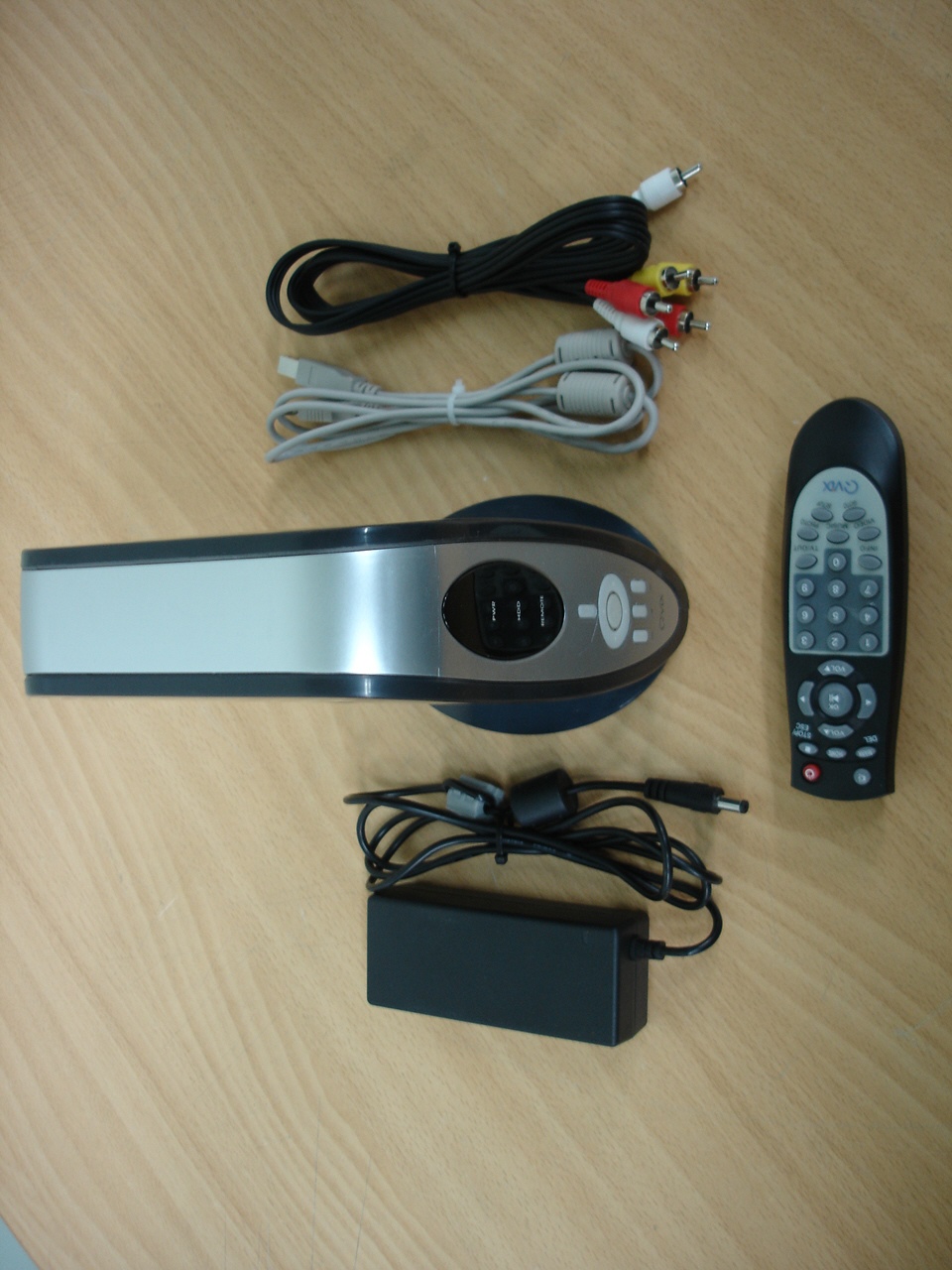
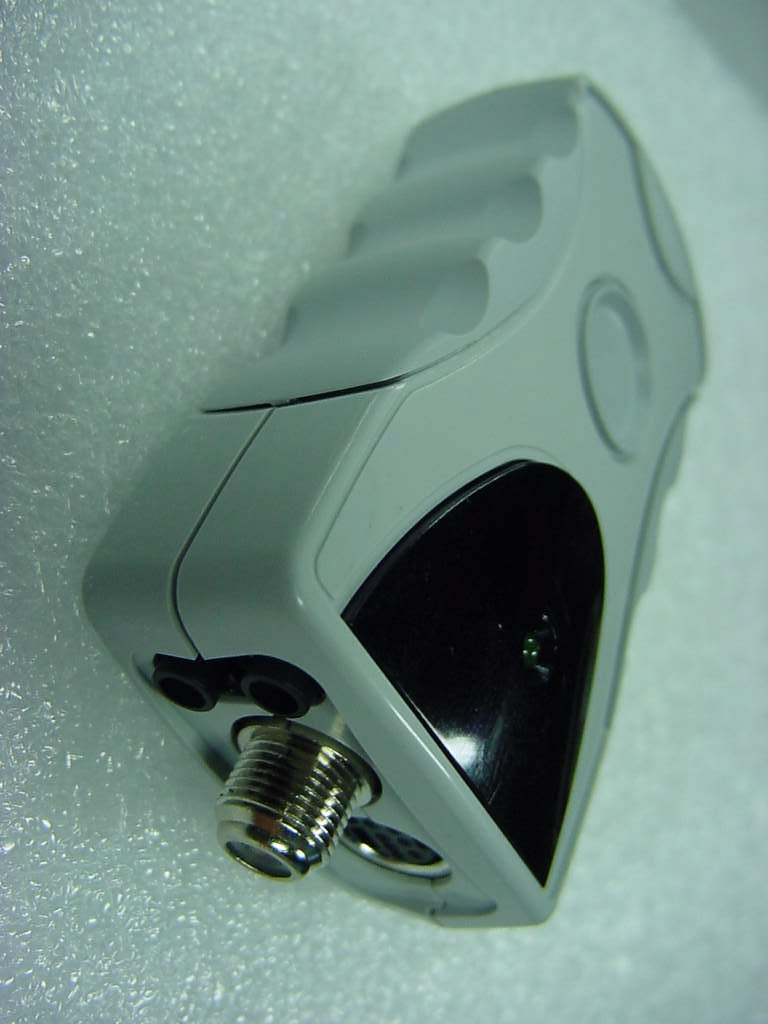
POCKET TV Installation and Usage Guide BLUE'cord Technology corp. Introductionโฃ We like to thank you for choosing POCKET TV. BLUE'cord Technology corp. would appreciate to assist you with another order inthenearfutureandarepleasedtowelcomeanynewcustomerrecommendbyyou. 1. POCKET TV Products Figure 1. POCKET TV Figure 2. POCKET TV Cable 2. Before use POCKET TV (1)Thisproductcanbeusedincomputer with USB(Universal Serial Bus) 2.0port. (2) This product can install and run on Microsoft Windows 2000, XP. (3) It may be difference of performance by computer performance. (4) This product and guide's contents may be difference for function improvement, the shape or contents may be changed without declaration. (5) Because of improvement of function or stability, this product and guide's contents is upgrading now, and there is program of new version in our company's homepage (www.bluecord.co.kr). (6) If you don't keep this guide's indication when this product was installed/used, it may result in malfunction or damage of your computer or POCKET TV. DANGER โDO NOTunplug the POCKET TV from the USB port of your computer when lighting the power lamp of the POCKET TV. Otherwise, it may result in malfunction or damage of your computer or POCKET TV. It were spent 10 seconds and 30 seconds on starting and finishing the POCKETTV program,โ respectively, for the safe working. At this time, DO NOT unplug the POCKET TVfromtheUSB port of your computer. Otherwise, it may result in malfunction or damage ofyour computer or POCKET TV. 3. Installation of POCKET TV - Please install the POCKET TV software before insert the POCKET TV into your USB port.- (1)Insert the POCKET TV CD, then the autorun window to install POCKET TV will be displayed automatically. (2)Please, click DRIVER button. (3)The window of the process to copy data will be seen. (4)Please, Click theFinish button. (5) As same method, do install the TV PLUS program. (6)Insert the POCKET TV into the USB port of your computer after system rebooting. Note : Don't insert POCKET TV into the USB port beforeโ computer rebooting is NOT finish. (7)A window will be displayed with the message that a new hardware is found. Andnext, a window will be displayed with the message that 'POCKET TV'is found. (8) All steps for the installation of POCKET TV will be finished after file copy. (9) If hardware setting is successfullyfinished, there is 'POCKET TV' in MyComputer/Control Panel/System/Device Manager/Imaging Device. Figure 3. System Properties (14)To run the program, double click the TV PLUS icon or[Start][Program][Honestech]โโ โ [TV PLUS] Note : Insert POCKET TV into the USB port before run the program.โ 4. POCKET TV Control Panel and Function (1) POCKET TV Control Panel Figure 4. POCKET TV Control Panel and Screen Window (2) TV PLUS Window If you want to know the details of TV PLUS program, click the ? mark. (3) TVR Screen 1) If you click mouse right button on TVR Screenl, 3 menus are appeared. Figure 5. TVR Screen - Screen size menu -Screenratemenu -AlwaysTopmenu (4) Main Control Panel -Ifyouclickthe button on the control panel, the using methods of honestech TV are displayed. Figure 6. Main Control Box -Ifyouclickthe button, you can check the recorded movie file information. Figure 7. File Pool - Button for editing the movie file - Button for attaching the movie file in e-mail. - Button for displaying the recorded movie file. - Button for help. - Recording button for movie file - Time shift button - Play button for the recorded movie file - Pause button - Stop button - Volume Up - Volume Down - Mute button - Change button for input video source (TV, CATV, Composite and S-Video) - Channel change button -Help - Scheduler function button Reserved recording function - Setting button Recording Format, Searching channel etc. - Auto channel searching - Change button for skin - Still capture button - Surfing channel Address : 59-4, Hwaam-dong, Yusong-gu, Taejon, Korea, 305-348โ Bluecord Technology Corporation. Tel : +82-42-601-4557โ Fax : +82-42-601-4599โ E-Mail : [email protected]โ Home Page : http://www.bluecord.co.krโ
From: Steve Cheng Sent: Monday, November 17, 2003 3:43 PM To: Y. K. Kwon (E-mail) Cc: Mike Kuo Subject: Re: AN03T3399 Blue'cord USB Rx RL8POCKETTV20BJ RT for project: AN03T3399 Blue'cord USB Rx RL8POCKETTV20BJ Subject: Question #1: Please remove the big shielding box on the PCB board, which has the antenna terminal on it, and retake the EUT internal photo. Question #2: P3, EUT is operating under 15B PC peripheral and 15.117 TV broadcast receivers, not 15.101. For your info: Per ANSI C63.4, all the peripherals used in the compliance test shall keep 10cm away from each other. If 1.5 x 1m table is not big enough to accommodate all peripherals, you can extend test table to have larger size. Best Regards Steve Cheng / TCB Technical Reviewer Compliance Certification Services 561F Monterey Road Morgan Hill, CA 95037 Tel:(408) 463-0885 x: 119 Fax:(408) 463-0888 [email protected] http:\\www.ccsemc.com
From: schong [[email protected]] Sent: Tuesday, November 18, 2003 4:14 AM To: [email protected] Cc: [email protected] Subject: AN03T3399 Blue'cord USB Rx RL8POCKETTV20BJ Dear Mr. Chen, Thank you for your cooperation and kindess. Regardig the project AN03T3399, we would like to inform you as follows, 1. Question #1 : Please refer to attached the revised internal photos. 2. Question #2 : Please refer to attached the revised report, Page 3. 3. We attached the revised setup photos. If you have any question or need more information, please feel free to contact us. Thank you and have a great day! Best Regards, S. C. Hong / Project Engineer ------------------------------ ONETECH Corp. ONETECH Testing & Eval. Lab. EMC Div II, Team 2 Home page: http://www.onetech.co.kr E-mail: [email protected] Tel: 31-765-8289 Fax: 31-766-2904
FCC ID. : RL8POCKETTV20BJ File No. : E03OR-033 It should not be reproduced except in full, without the written approval of ONETECH. FCC-003 (Rev.0) HEAD OFFICE : #505 SK APT. Factory 223-28, Sangdaewon 1 Dong, Jungwon-Gu, Seongnam-City, Kyunggi-Do, 462-121, Korea (TEL: +82-31-746-8500, FAX: +82-31-746-8700) EMC Testing Dept : 426-1 Daessangryung-Ri, Chowol-Myun, Kwangju-City, Kyunggi-Do 464-860 Korea. (TEL: +82-31-765-8289, FAX: +82-31-766-2904) ONETECH Testing & Evaluation Lab. FCC ID. : RL8POCKETTV20BJ File No. : E03OR-033 It should not be reproduced except in full, without the written approval of ONETECH. FCC-003 (Rev.0) HEAD OFFICE : #505 SK APT. Factory 223-28, Sangdaewon 1 Dong, Jungwon-Gu, Seongnam-City, Kyunggi-Do, 462-121, Korea (TEL: +82-31-746-8500, FAX: +82-31-746-8700) EMC Testing Dept : 426-1 Daessangryung-Ri, Chowol-Myun, Kwangju-City, Kyunggi-Do 464-860 Korea. (TEL: +82-31-765-8289, FAX: +82-31-766-2904) ONETECH Testing & Evaluation Lab.
FCC ID. : RL8POCKETTV20BJ File No. : E03OR-033 It should not be reproduced except in full, without the written approval of ONETECH. FCC-003 (Rev.0) HEAD OFFICE : #505 SK APT. Factory 223-28, Sangdaewon 1 Dong, Jungwon-Gu, Seongnam-City, Kyunggi-Do, 462-121, Korea (TEL: +82-31-746-8500, FAX: +82-31-746-8700) EMC Testing Dept : 426-1 Daessangryung-Ri, Chowol-Myun, Kwangju-City, Kyunggi-Do 464-860 Korea. (TEL: +82-31-765-8289, FAX: +82-31-766-2904) ONETECH Testing & Evaluation Lab. IDENTIFICATION LABEL: PROPOSED FCC ID LABEL Due to the product size, only the FCC ID shall be permanently affixed to the rear side of the equipment and other information shall be placed in the instruction manual. FCC ID: RL8POCKETTV20BJ
Page 1 of 12 FCC ID. : RL8POCKETTV20BJ File No. : E03OR-033 It should not be reproduced except in full, without the written approval of ONETECH. EMC-003 (Rev.0) HEAD OFFICE : #505 SK APT. Factory 223-28, Sangdaewon 1 Dong, Jungwon-Gu, Seongnam-City, Kyunggi-Do, 462-121, Korea (TEL: +82-31-746-8500, FAX: +82-31-746-8700 ) EMC Testing Dept : 426-1 Daessangryung-Ri, Chowol-Myun, Kwangju-City, Kyunggi-Do 464-860 Korea. (TEL: +82-31-765-8289, FAX: +82-31-766-2904) ONETECH Testing & Evaluation Lab . E LECTROMAGNETIC E MISSION COMPLIANCE REPORT FOR FCC CLASS B CERTIFICATION Test report file number : E03OR-033 Applicant : BLUE'cord Technology Corp. Address : 59-4, Hwaam-Dong, Yusong-Gu, Taejon, 305-348, Korea Manufacturer : BLUE'cord Technology Corp. Address : 59-4, Hwaam-Dong, Yusong-Gu, Taejon, 305-348, Korea Type of Equipment : USB TV/FM Broadcast Receiver FCC ID : RL8POCKETTV20BJ Model Name : POCKET TV Serial Number : N/A Total page of Report : 12 pages (including this page) Date of Incoming : August 05, 2003 Date of Issuing : October 17, 2003 SUMMARY The equipment complies with the requirements of FCC CFR 47 PART 15 SUBPART B, Class B . This test report contains only the results of a single test of the sample supplied for the examination. It is not a general valid assessment of the features of the respective products of the mass-production. Prepared by: Reviewed by: G. W. Lee/ Chief Engineer Y. K. Kwon/ Director EMC Div. EMC Div. ONETECH Corp. ONETECH Corp. Page 2 of 12 FCC ID. : RL8POCKETTV20BJ File No. : E03OR-033 It should not be reproduced except in full, without the written approval of ONETECH. EMC-003 (Rev.0) HEAD OFFICE : #505 SK APT. Factory 223-28, Sangdaewon 1 Dong, Jungwon-Gu, Seongnam-City, Kyunggi-Do, 462-121, Korea (TEL: +82-31-746-8500, FAX: +82-31-746-8700 ) EMC Testing Dept : 426-1 Daessangryung-Ri, Chowol-Myun, Kwangju-City, Kyunggi-Do 464-860 Korea. (TEL: +82-31-765-8289, FAX: +82-31-766-2904) ONETECH Testing & Evaluation Lab . CONTENTS Page 1. VERIFICATION OF COMPLIANCE....................................................................................................................................3 2. GENERAL INFORMATION...................................................................................................................................................4 2.1 PRODUCT DESCRIPTION..........................................................................................................................................................4 2.2 MODEL DIFFERENCES:.............................................................................................................................................................4 2.3 RELATED SUBMITTAL(S) / GRANT(S).....................................................................................................................................4 2.4 TEST SYSTEM DETAILS............................................................................................................................................................4 2.5 TEST METHODOLOGY..............................................................................................................................................................5 2.6 TEST FACILITY........................................................................................................................................................................5 3. SYSTEM TEST CONFIGURATION.......................................................................................................................................6 3.1 JUSTIFICATION........................................................................................................................................................................6 3.2 EUT EXERCISE SOFTWARE......................................................................................................................................................6 3.3 CABLE DESCRIPTION...............................................................................................................................................................6 3.4 N OISE S UPPRESSION P ARTS ON C ABLE ..................................................................................................................................6 3.5 EQUIPMENT MODIFICATIONS..................................................................................................................................................7 3.6 CONFIGURATION OF TEST SYSTEM..........................................................................................................................................7 4. PRELIMINARY TEST..............................................................................................................................................................7 4.1 AC POWER LINE CONDUCTED EMISSION TEST.......................................................................................................................7 4.2 R ADIATED E MISSION T EST ......................................................................................................................................................7 5. FINAL RESULT OF MEASURMENT...................................................................................................................................8 5.1 CONDUCTED EMISSION TEST..................................................................................................................................................8 5.2 RADIATED EMISSION TEST....................................................................................................................................................10 6. FIELD STRENGTH CALCULATION.................................................................................................................................11 7. LIST OF TEST EQUIPMENT..............................................................................................................................................โฆ
Text truncated - open the document above for the full version.
FCC ID. : RL8POCKETTV20BJ File No. : E03OR-033 It should not be reproduced except in full, without the written approval of ONETECH. FCC-003 (Rev.0) HEAD OFFICE : #505 SK APT. Factory 223-28, Sangdaewon 1 Dong, Jungwon-Gu, Seongnam-City, Kyunggi-Do, 462-121, Korea (TEL: +82-31-746-8500, FAX: +82-31-746-8700) EMC Testing Dept : 426-1 Daessangryung-Ri, Chowol-Myun, Kwangju-City, Kyunggi-Do 464-860 Korea. (TEL: +82-31-765-8289, FAX: +82-31-766-2904) ONETECH Testing & Evaluation Lab. Radiated Emission Test FCC ID. : RL8POCKETTV20BJ File No. : E03OR-033 It should not be reproduced except in full, without the written approval of ONETECH. FCC-003 (Rev.0) HEAD OFFICE : #505 SK APT. Factory 223-28, Sangdaewon 1 Dong, Jungwon-Gu, Seongnam-City, Kyunggi-Do, 462-121, Korea (TEL: +82-31-746-8500, FAX: +82-31-746-8700) EMC Testing Dept : 426-1 Daessangryung-Ri, Chowol-Myun, Kwangju-City, Kyunggi-Do 464-860 Korea. (TEL: +82-31-765-8289, FAX: +82-31-766-2904) ONETECH Testing & Evaluation Lab.
| # | Rule Parts | Frequency Range | Power Output |
|---|---|---|---|
| 1 | 15B | - | - |

MULTIMEDIA PLAYER
Equipment Class
JBP - Part 15 Class B Computing Device Peripheral