RSQ-MCM200Wireless Optical Mouse
Archer Wireless Co., Ltd.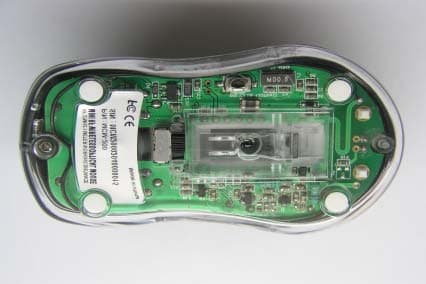
Click to zoom
Application Details
- Equipment Class
- DXX - Part 15 Low Power Communication Device Transmitter
- Date of Grant
- Apr 25, 2004
- Application Purpose
- Original Equipment
- Date of Application
- Apr 25, 2004
- Equipment Note
- Wireless Optical Mouse
- Frequency Range
- 27.14500000 - 27.14500000
- Company
- Archer Wireless Co., Ltd.
- Country
- Taiwan
Documents & Files
Document Text
Text extracted from the exhibit documents filed with the FCC. Open a document above to read the original.
Users Manual
Welcome Thank you for purchasing this RF Wireless Optical Mouse. Utilizing the latest wireless RF technology. This mouse can work from any directions or angles even when objects hinder between your mouse & the receiver. You can locate the device freely and enjoy its convenience. Install your wireless mouse Hardware Installation Installing batteries 1. remove the battery cover from the bottom of your mouse 2. Insert two AAA Alkaline batteries into the battery compartment. 3. Replace the cover carefully. Once the battery is placed correctly in the mouse, the optical LED located at the mouse bottom will light up. z Once the battery is placed correctly in the mouse, the optical LED located at the mouse bottom will light up. Connect the Mouse To connect to the USB port on PC (Windows 98 or higher is required) Connect the USB receiver to the USB port on the computer and wait for a while for hardware identification of mouse on the PC Press & release the button for ID setting (this procedure has to be made each time after re-insert battery). Power on-off function This ON/OFF function is designed to save battery life. When mouse is not in use, you may turn the battery switch off Establishing a Communication Link 1. Press the ID button of your receiver and the LED of the receiver will flash quickly. 2. Press the ID button on the back of your mouse in 2 minutes then the LED of the receiver stop to flash 3. Once the receiver links with the mouse successfully, and then you can use it normally, if you move the mouse or press any key on the mouse the LED on the receiver will flash in accordance with. If your RF Optical Mouse is disturbed from the neighboring mouse, please repeat the procedure 1 and 2 for better performance Important Note z To optimize the performance of your RF reception, please make your receiver at least 8 inches (20 cm) away from electronic devices, such as monitor, speakers or external storage devices. z Please avoid your RF optical mouse to work on a metal surface. Metals such as iron, aluminum or copper shield the radio frequency transmission and may slow down the response of the mouse of cause the mouse to fail temporarily. z This RF mouse will enter power saving mode automatically and if you don’t move the mouse for over 10 minutes then you may have to press any key on the mouse to wake it up. z Never use the RF mouse on a glass or mirrored surface z Each time after you insert the new batteries, please reconnect the receiver and press the reset channel button to scan for the best performed ID. z Battery detection system and middle wheel indicator light warn you when the battery power is low and requires replacement. z Always use Alkaline batteries ONLY. Do not mix used and new batteries in one mouse. z When this RF Optical mouse is interfered by other RF mouse users, please reconnect the mouse receiver and link the communication again z For better performance, please use USB extension cable, and put the receiver on your desk if desktop PC is used. z Using light color mouse pad is recommended. Federal Communications Commission (FCC) Statement 15.21 You are cautioned that changes or modifications not expressly approved by the part responsible for compliance could void the user’s authority to operate the equipment. 15.105(b) This equipment has been tested and found to comply with the limits for a Class B digital device, pursuant to part 15 of the FCC rules. These limits are designed to provide reasonable protection against harmful interference in a residential installation. This equipment generates, uses and can radiate radio frequency energy and, if not installed and used in accordance with the instructions, may cause harmful interference to radio communications. However, there is no guarantee that interference will not occur in a particular installation. If this equipment does cause harmful interference to radio or television reception, which can be determined by turning the equipment off and on, the user is encouraged to try to correct the interference by one or more of the following measures: -Reorient or relocate the receiving antenna. -Increase the separation between the equipment and receiver. -Connect the equipment into an outlet on a circuit different from that to which the receiver is connected. -Consult the dealer or an experienced radio/TV technician for help. You are cautioned that changes or modifications not expressly approved by the party responsible for compliance could void your authority to operate the equipment. FCC RF Radiation Exposure Statement: This Transmitter must not be co-located or operating in conjunction with any other antenna or transmitter.
External Photos
REPORT NO: ER/2004/30011 ID: RSQ-MCM200DATE: Apr. 20, 2004 APPENDIX 2 EXTERNAL OF EUT Front View of EUT Back View of EUT Bottom View of EUT
ID Label/Location Info
FCC ID LABEL FORMAT AND LOCATION Applicant:ARCHER WIRELESS CO., LTD FCC ID:RSQ-MCM200 FCC ID: RSQ-MCM200 This device complies with part 15 of the FCC Rules. Operation is subject to the following two conditions: (1) This device may not cause harmful interference, and (2) this device must accept any interference received, including interference that may cause undesired operation. FCC ID LABEL AREA
Internal Photos
REPORT NO: ER/2004/30011 ID: RSQ-MCM200DATE: Apr. 20, 2004 APPENDIX 3 INTERNAL OF EUT Internal of EUT – Open Internal of EUT – 1 Internal of EUT – 2
Test Report
REPORT NO: ER/2004/30011 ID: RSQ-MCM200DATE: Apr. 20, 2004 Page: 1 of 15 The results shown in this test report refer only to the sample(s) tested unless otherwise stated. This test report cannot be reproduced, except in full, without prior written permission of the Company. SGS Taiwan Ltd. No. 134, Wu Kung Rd., Wuku Industrial Zone, Taipei Country, Taiwan. / 1361 t (886-2) 2299-3939f (886-2) 2298-2698www.sgs.com.tw ELECTROMAGNETIC EMISSIONS COMPLIANCE REPORT INTENTIONAL RADIATOR CERTIFICATION TO FCC PART 15 SUBPART C REQUIREMENT OF Product name:Wireless Optical Mouse Brand Name:Archer Model Name:MCM-200 FCC ID:RSQ-MCM200 REPORT NO:ER/2004/30011 ISSUE DATE:Apr. 20, 2004 FCC Rule Part: 15.227 Prepared for ARCHER WIRELESS CO., LTD. 8F, No. 442, Sec. 2, Chung Shun Road, Chung Ho City, Taipei Hsien, Taiwan Prepared by SGS Taiwan Ltd. No. 134, Wu Kung Rd., Wuku Industrial Zone, Taipei County, Taiwan. Note: This report shall not be reproduced except in full, without the written approval of SGS Taiwan Ltd. This document may be altered or revised by SGS Taiwan Ltd. personnel only, and shall be noted in the revision section of the document. REPORT NO: ER/2004/30011 ID: RSQ-MCM200DATE: Apr. 20, 2004 Page: 2 The results shown in this test report refer only to the sample(s) tested unless otherwise stated. This test report cannot be reproduced, except in full, without prior written permission of the Company. SGS Taiwan Ltd. No. 134, Wu Kung Rd., Wuku Industrial Zone, Taipei Country, Taiwan. / 1361 t (886-2) 2299-3939f (886-2) 2298-2698www.sgs.com.tw VERIFICATION OF COMPLIANCE Applicant: ARCHER WIRELESS CO., LTD. 8F, NO. 442, SEC. 2, CHUNG SHUN ROAD, CHUNG HO CITY, TAIPEI HSIEN, TAIWAN Product Description: Wireless Optical Mouse FCC ID Number: RSQ-MCM200 Model No.: MCM-200 Model Difference: N/A File Number: ER/2004/30011 Date of test: Apr. 02, 2004 – Apr. 09, 2004 Date of EUT Received: Apr. 01, 2004 We hereby certify that: The above equipment was tested by SGS Taiwan Ltd. The test data, data evaluation, test procedures, and equipment configurations shown in this report were made in accordance with the procedures given in ANSI C63.4 (1992) and the energy emitted by the sample EUT tested as described in this report is in compliance with conducted and radiated emission limits of FCC Rules Part 15.227. The test results of this report relate only to the tested sample identified in this report. Test By: Date Apr. 20, 2004 Willis Chen Approved ByDate Apr. 20, 2004 Vincent Su REPORT NO: ER/2004/30011 ID: RSQ-MCM200DATE: Apr. 20, 2004 Page: 3 The results shown in this test report refer only to the sample(s) tested unless otherwise stated. This test report cannot be reproduced, except in full, without prior written permission of the Company. SGS Taiwan Ltd. No. 134, Wu Kung Rd., Wuku Industrial Zone, Taipei Country, Taiwan. / 1361 t (886-2) 2299-3939f (886-2) 2298-2698www.sgs.com.tw Table of Contents 1.GENERAL INFORMATION ............................................................................................. 4 1.1P RODUCT D ESCRIPTION .............................................................................................................. 4 1.2R ELATED S UBMITTAL ( S ) / G RANT ( S ) ........................................................................................ 4 1.3T EST M ETHODOLOGY ................................................................................................................. 4 1.4T EST F ACILITY ............................................................................................................................ 4 2.SYSTEM TEST CONFIGURATION ................................................................................ 5 2.1EUT C ONFIGURATION ................................................................................................................ 5 2.2EUT E XERCISE ........................................................................................................................... 5 2.3T EST P ROCEDURE ....................................................................................................................... 5 2.4L IMITATION ................................................................................................................................5 2.5C ONFIGURATION OF T ESTED S YSTEM ........................................................................................ 7 3.SUMMARY OF TEST RESULTS ..................................................................................... 8 4.DESCRIPTION OF TEST MODES .................................................................................. 8 5.CONDUCTED EMISSIONS TEST (NOT APPLICABLE IN THIS REPORT)............ 9 5.1M EASUREMENT P ROCEDURE :..................................................................................................... 9 5.2T EST SET-UP (B LOCK D IAGRAM OF C ONFIGURATION ) ............................................................ 9 5.3M EASUREMENT E QUIPMENT U SED : ........................................................................................... 9 5.4M EASUREMENT R ESULT :............................................................................................................ 9 6.RADIATED EMISSION TEST ........................................................................................ 10 6.1M EASUREMENT P ROCEDURE .................................................................................................... 10 6.2T EST SET-UP (B LOCK D IAGRAM OF C ONFIGURATION ) .......................................................... 10 6.3M EASUREMENT E QUIPMENT U SED : ......................................................................................... 11 6.4F IELD S TRENGTH C ALCULATION ............................................................................................. 11 6.5M EASUREMENT R ESULT ........................................................................................................... 12 6.6M EASUREMENT R ESU…
Text truncated - open the document above for the full version.
Test Setup Photos
REPORT NO: ER/2004/30011 ID: RSQ-MCM200DATE: Apr. 20, 2004 APPENDIX 1 PHOTOGRAPHS OF SET UP Radiated Emission Setup Photos
Contact Information
Applicant
Peggy Sun(Sales Manager)
Test Firm
SGS Taiwan Ltd.Wyse Chiu
Technical Specifications
| # | Rule Parts | Frequency Range | Power Output |
|---|---|---|---|
| 2 | 15C | 27.145 MHz - 27.145 MHz | - |
Other Applications from Archer Wireless Co., Ltd.

RSQRT-760
Apr 21, 2010ALPHA-NUMERIC PAGER
Equipment Class
CYY - Communications Receiver used w/Pt 15 Transmitter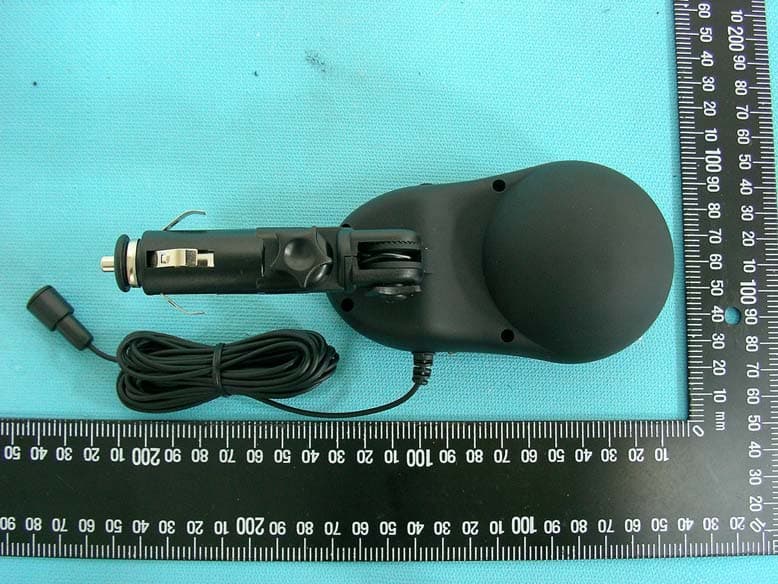
RSQ-BH300
Apr 24, 2007BLUETOOTH LCD PLUG-IN CARKIT
Equipment Class
DSS - Part 15 Spread Spectrum TransmitterRSQ-200BT
Oct 10, 2004Bluetooth Mouse
Equipment Class
DSS - Part 15 Spread Spectrum TransmitterRSQ-20024G
Oct 06, 2004MCM200--2.4G WIRELESS OPTICAL MOUSE
Equipment Class
DXX - Part 15 Low Power Communication Device TransmitterRSQ-22000
Jul 05, 2004Bluetooth Headset
Equipment Class
DSS - Part 15 Spread Spectrum Transmitter