RYLH373E43USBMOUSE
DynaPoint (Dong Guan) Inc.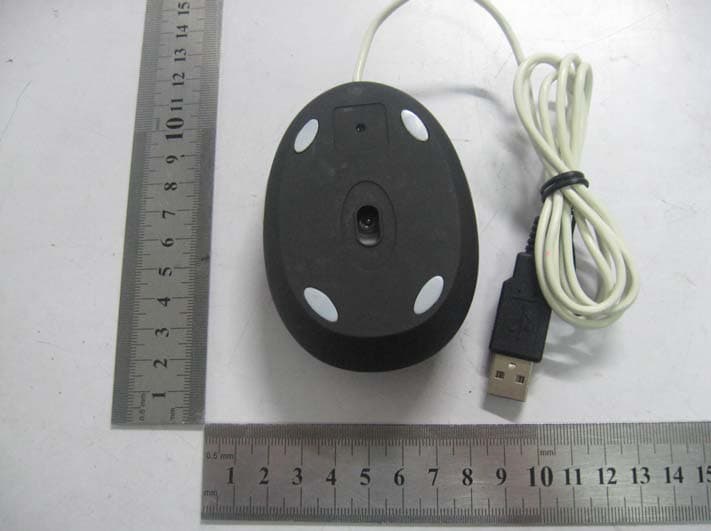
Click to zoom
Application Details
- Equipment Class
- JBP - Part 15 Class B Computing Device Peripheral
- Date of Grant
- Jul 11, 2010
- Application Purpose
- Original Equipment
- Date of Application
- Jul 11, 2010
- Equipment Note
- MOUSE
- Company
- DynaPoint (Dong Guan) Inc.
- Country
- China
Documents & Files
Document Text
Text extracted from the exhibit documents filed with the FCC. Open a document above to read the original.
Users Manual
H37 manual 1. Product description: 1.1 This mouse sets with 800dpi resolution. 1.2 Ergonomics design offers comfortable use for both left and right hand users. 1.3 Streamline appearance design, not novel but fashionable in design. 1.4 Capacity: 8M, Supports bmp and jpg format. 1.5 Display function could be adjusted automatically and manually. 1.6 USB interface, plug and play. 1.7 Compatible with windows95、windows98、windows2000、windows XP、Vista and windows 7. 1.8 This mouse includes three keys—left, right and middle, plus 3D and scroll function. 1.9 1.5 Inch TFT color LCD. 2. Installation: 2.1 Plug the mouse into PC USB port directly, plug and play, no need to install other drivers. 3. Display manual: 3.1 Appearance and key function(picture as below): 3.2 Buttons. 1. Menu: Press and hold to power on and off. 2. Up: Go back to the previous item/picture. 3. Down: Go to the next item/picture. 4. Reset: To restart the unit when it has been stopped or connect with computer error. 3.3 Menu Introduction: A. Press Menu button to access the Menu: Use “Up/Down” buttons to navigate then press Menu button to access the selected item. Main Menu USB Connect Slide Show Auto off Backlight Contrast Delete Power Off Exit -The menu including:USB connect, Slide Show, Clock, Auto off, Backlight, Contrast, Delete, Power off and Exit. Note: Hold Menu button for 2 seconds. The unit will power off. It is not acceptable power off in the main menu interface. B. USB connect: -Connect the unit with computer. Select “USB connect” and press Menu button to enter the sub-menu. -Select “Yes” to connect it with computer, please refer to section “4. Picture File Conversion” . -Select “No” to exit. C. Slide Show: -Select “Slide Show” and press Menu button to enter. - Select “on”, adjust the setting by using “Up/Down” buttons (the slide time range is 00-15). Press Menu button to exit the setting and back to “Menu” after adjusting. - Select “off”, no slide function, press Menu button to exit the setting and back to “Menu”. - Select “Cancel”, press Menu button to exit the setting and back to “Menu”. D. Power Off(for LCD): -Select “Power off” and press Menu button to shut LCD display. -Press Menu button again several seconds, the screen will display just as before. E. Auto off(for LCD): -Select “Auto off ”and press Menu button to enter. -Press “On”, then press “up” button or “down” button to adjust time for Auto off, (the time arrange is 00-30 minutes), show as blow. - Select “off”, press Menu button to exit the setting and back to “Menu”. - Select “Cancel”, press Menu button to exit the setting and back to “Menu”. F. Backlight Adjusting: -Select “Backlight” and press Menu button to enter. Main Menu USB Connect Slide Show Auto off Backlight Contrast Delete Power Off Exit -Adjust the setting by using “Up/Down” buttons (the brightness arrange is 0-21). G. Contrast Adjusting: -Select “Contrast” and press Menu button to enter. -Adjust the setting by press “Up/Down” buttons (the contrast arrange is 0-6). H. Delete: Delete one: -Select “Delete” and press “Menu” to enter. -Select sub-menu “Delete one” press Menu button to enter. -Select one picture by using “Up/Down” buttons. -Select “Yes” and press “Menu” to delete the picture. -Select “No” and press “Menu” to exit. Delete All: -Select “Delete” and press “Menu” to enter. - Select sub-menu “Delete All” press Menu button to enter. -Select “Yes” and press “Menu” to delete all pictures. -Select “No” and press “Menu” to exit. I. Exit: -Select “Exit” and press Menu button to exit the menu. J. If there are not any pictures in the unit, the screen will display“No photo”, show as blow: 4. Picture File Conversion: -Connect the unit to the computer with the USB cable. - Select “Connect” then press Menu button. -Select “No” and press Menu button to exit. -Select “Yes” and press Menu button to enter “connect” mode. -The computer will open a window of the tool. -Select the picture file need to be converted. Green means the unit was connected with computer. Red means the unit was disconnected with computer. ,:Zoom in/out the picture for selected the picture. ,:Rotates the picture. :Cut the picture to correct size. :Whole picture convert, shift for . :Add the selected picture. :Select all pictures in the unit. : Delete the selected picture. : Save the selected pictures in the unit to computer. :Save all pictures in the unit to computer. : Exit. -After the whole pictures are converted, click “ ” button to transfer the pictures to the unit. -Press the reset button and turn back the normal display mode after loading completely. 5. Display setting: -Click “setting” can change the front color and the background color of the menu. to select the font color. to select the background color. 6. Auto-play setup for computer system 6.1 Windows 7 system setup: Enter “Control table‐‐‐‐Hardware and voice effect‐‐‐‐Auto‐play” option, then choose “Install or run program from your media” in the sub‐option of “Software and game”,see the red mark in the image as below: 6.2 Vista system setup: Enter “Control panel”, choose the “Auto‐play”, and choose “Install or run program” in the sub‐option of “Software and game”, see the red mark in the image as below: 6.3 The issue below Window XP system: 6.3.1.Click “Start”, choose and enter “Run”, see below image: Software and game Software and game Install or run program 6.3.2. Input “gpedit.msc ” in the Run blank column and click “OK”, see below image. 6.3.3.Open the folder “System” and double click “Turn off Autoplay”, see the red mark in the image as below: 6.3 4. Enter“Turn off Autoplay Properties” interface as follow, choose “Disabled” and click Open System Double click here “OK”, see the red mark in the image as below: Choose Disabled FCC Notice This device complies with Part 15 of the FCC Rules. Operation is subject to the following two conditions: (1) this device may not cause harmful interference, and (2) this device must accept any interference received, including interf…
Text truncated - open the document above for the full version.
Block Diagram
Block Diagram OM21 Key-press USB Port Sensor AX206 XTAL 6MHz LCD XTAL 12MHz FE1.1S Y1 32.768kHz Y2 24MHz
Cover Letter(s)
DynaPoint (Dong Guan) INC. FCC ID: RYLH373E43USB POWER OF ATTORNEY Date: July 12, 2010 Federal Communications Commission Authorization and Evaluation Division 7435 Oakland Mills Road Columbia, MD 21046 To Whom It May Concern: We, the undersigned, hereby authorize SEM.Test Compliance Service Co., Ltd. Jandy So on our behalf, to apply to the Federal Communications Commission on our equipment. Any and all acts carried out by SEM.Test Compliance Service Co., Ltd. Jandy So on our behalf shall have the same effect as acts of our own. This is to advise that we are in full compliance with the Anti-Drug Abuse Act. We, DynaPoint (Dong Guan) INC., are not subject to a denial of federal benefits pursuant to Section 5301 of the Anti-Drug Act of 1988, 21 USC853a, and no party to the application is subject to a denial of federal benefits pursuant to that section. Sincerely, DynaPoint (Dong Guan) INC. Kouni Chang Manager
External Photos
DynaPoint (Dong Guan) INC. Model: H373E43USB REPORT NO.: STR10068256I FCC PART 15B EXHIBIT 2 - EUT EXTERNAL PHOTOGRAPHS EUT View 1 EUT View 2
ID Label/Location Info
DynaPoint (Dong Guan) INC. Model: H373E43USB REPORT NO.: STR10068256I FCC PART 15B EXHIBIT 1- PRODUCT LABELING Proposed FCC ID Label Format FCC ID: RYLH373E43USB This device complies with Part 15 of the FCC Rules. Operation is subject to the following two conditions: (1) This device may not cause harmful interference, and (2) This device must accept any interference received, including interference that may cause undesired operation. Specifications : Text is Black in color and justified. Labels are printed in indelible ink on permanent adhesive silk-screened onto the EUT or shall be affixed at a conspicuous location on the EUT. Proposed Label Location on EUT FCC ID Label Location
ID Label/Location Info
DynaPoint (Dong Guan) INC. Model: H373E43USB REPORT NO.: STR10068256I FCC PART 15B EXHIBIT 1- PRODUCT LABELING Proposed FCC ID Label Format FCC ID: RYLH373E43USB This device complies with Part 15 of the FCC Rules. Operation is subject to the following two conditions: (1) This device may not cause harmful interference, and (2) This device must accept any interference received, including interference that may cause undesired operation. Specifications : Text is Black in color and justified. Labels are printed in indelible ink on permanent adhesive silk-screened onto the EUT or shall be affixed at a conspicuous location on the EUT. Proposed Label Location on EUT FCC ID Label Location
Internal Photos
DynaPoint (Dong Guan) INC. Model: H373E43USB REPORT NO.: STR10068256I FCC PART 15B EXHIBIT 3 - EUT INTERNAL PHOTOGRAPHS EUT Housing and Board View Solder Board-Component View 1 DynaPoint (Dong Guan) INC. Model: H373E43USB REPORT NO.: STR10068256I FCC PART 15B Solder Board-Component View 2 Solder Board-Component View 3 DynaPoint (Dong Guan) INC. Model: H373E43USB REPORT NO.: STR10068256I FCC PART 15B Solder Board-Component View 4
Operational Description
Circuit Description 1. U1-OM21 is master controller of the mouse, the Y1 is generated the 6 MHz clock signal to it, the operator operating the mouse via key-press, and the control signal input to U1, and to control the computer via USB port. 2. U2-FE1.1s is master controller of the playing function of the mouse, the Y1 is generated the 12 MHz clock signal to it, the operator operating the mouse via key-press “down”, “up”, “power”, and to playing the photo in the LCD display. 3. U3-AX206 is LCD driver and controller with the osoillator of the 32.768kHz and 24MHz.
Schematics
12345678 A B C D 87654321 D C B A Title NumberRevisionSize A3 Date:19-Mar-2010Sheet of File:D:\Design\BACKUP~11.DDBDrawn By: S3 PWR CS 1 SO 2 WP 3 GND 4 SI 5 SCK 6 HOLD 7 VCC 8 U1 EON F80 C21 104 V3.3 FL_CLK FL_DI FL_CS FL_DO K E Y 3 C19 105 L C D _ D 7 S L E E P B A T D E T B A T D E T _ E N K E Y 3 USBDET GND LCD_D0 LCD_RST LCD_WR LCD_RD MCLR LCD_A0 V3.3 LCD_CS F L _ C S F L _ C L K D P D M F L _ D O F L _ D I B U Z R GND LCD_D1 LCD_D2 LCD_D3 LCD_D4 LCD_D5 LCD_D6 V3.3 Y1 32.768K Y2 24M C15 15P C14 15P C17 10P C16 10P R11 47K C20 104 C18 104 S1 DOWN S2 UP P36 1 P35 2 P34 3 P33 4 P32 5 P31 6 P41 7 LDOIN 8 VSS 9 LDOEN 10 VDD 11 P40 12 P 2 7 1 3 P 2 6 1 4 P 2 5 1 5 P 2 4 1 6 P 2 3 1 7 P 2 2 1 8 P 1 6 1 9 P 1 5 2 0 U S B D M 2 1 U S B D P 2 2 P 1 7 2 3 P 2 0 2 4 P21 25 P14 26 P13 27 P42/TEST 28 MCLR 29 P12 30 P11 31 P10 32 P30 33 VSS 34 VDD 35 P07 36 P 0 6 3 7 P 0 5 3 8 P 0 4 3 9 P 0 3 4 0 P 0 2 4 1 P 0 1 4 2 P 0 0 4 3 O S C 1 4 4 O S C 2 4 5 O S C 3 2 K 1 4 6 O S C 3 2 K 2 4 7 P 3 7 4 8 AX206 U3 AX206 DP DM R8 33R R9 33R GND K E Y 1 K E Y 2 LCD MCU KEY S4 Reset 若用DICE邦定芯片,凡不用的引脚,均可以不邦线 GND V5 K E Y 1 K E Y 2 PWM FLASH U S B D E T 1 3 4 3 27 3 8 7 1 8 L C D _ C S L C D _ R S T L C D _ R D L C D _ D 7 L C D _ D 6 L C D _ D 5 L C D _ D 4 L C D _ D 3 L C D _ D 2 L C D _ D 1 L C D _ D 0 L C D _ W R L C D _ A 0 R12 51R V D D 1 V S S 2 B M 1 3 B M 0 4 C S O 5 C D 6 W R 1 7 W R 0 8 R S T B 9 D 0 1 0 D 1 1 1 D 2 1 2 D 3 1 3 D 4 1 4 D 5 1 5 D 6 1 6 D 7 1 7 D 8 1 8 D 9 1 9 D 1 0 2 0 D 1 1 2 1 D 1 2 2 2 D 1 3 2 3 D 1 4 2 4 D 1 5 2 5 L E D - 2 6 L E D + 2 7 LCD3 1.5 CSTNLX-27PIN-LCM V 3 . 3 G N D G N D G N D G N D G N D G N D G N D V 3 . 3 PWM G N D G N D G N D G N D V B U S M 12 C8 10uF 1 2 R7 2.7K/1% C10 10nF C7 100uF/16V 12 R10 10K 12 C13 10uF Y1 12MHz 12 R6 100K 1 2 R3 47K 12 C9 0.1uF C12 0.1uF/0603 12 R5 100K F E 1 . 1 s VSS 1 XOUT 2 XIN 3 DM4 4 DP4 5 DM3 6 DP3 7 DM2 8 DP2 9 DM1 10 DP1 11 VD18_O 12 VD33 13 REXT 14 VD18 28 TESTJ 27 OVCJ 26 PWRJ 25 LED2 24 LED1 23 DRV 22 VD33_O 21 VDD5 20 BUSJ 19 VBUSM 18 XRSTJ 17 DPU 16 DMU 15 U2 C11 0.1uF/0603 12 R4 100K VCC 1_8V V5 VCC 1_8V VCC 3_3V VCC 3_3V VCC 3_3V VCC 3_3V V5 5 0 0 m A 500mA * C2 clos e to pin 21 (VD3 3_O) 3 0 0 m A DP 1 DM1 V D D 4 G N D 3 D + 2 D - 1 M? JP1 C3 104 C4 104 C5 C6 D1 LED1 R1 20 * MLR 1 2 3 EN1 C1 10UF C2 10UF LED 1 D+ 2 D- 3 VDD 4 V3.3 5 L 6 M 7 R 8 Z1 16 Z2 15 OSCA 14 OSCB 13 AGND 12 AGND 11 DGND 10 NC 9 U1 OM21 V5 Y1 6M DP1 DM1V5 R2 30K * V5 R15 20K R16 20K V5 DYNAPOINT(DONGGUAN) INC V1.0H39电路图 H39 PDF 文件使用 "pdfFactory Pro" 试用版本创建 www.fineprint.cn
Test Report
DynaPoint (Dong Guan) INC. Model: H373E43USB REPORT NO.: STR10068256I PAGE 1 OF 13 FCC PART 15B FCC PART 15B MEASUREMENT AND TEST REPORT FOR DynaPoint (Dong Guan) INC. No.51 Xinju Road Precinct Shangjia, ChangAn, DongGuan, GuangDong, China FCC ID: RYLH373E43USB Report Concerns: Original Report Equipment Type: Mouse Model: H373E43USB Report No.: STR10068256I Test Date: 2010-06-25 to 2010-07-10 Issue Date: 2010-07-12 Test Engineer: Seven Song Reviewed By: Lahm Peng Approved & Authorized By: Jandy so/PSQ Manager Prepared By: SEM.Test Compliance Service Co., Ltd 3/F, Jinbao Commerce Building, Xin'an Fanshen Road, Bao'an District, Shenzhen, P.R.C.(518101) Tel.: +86-755-33663308 Fax.: +86-755-33663309 Website: www.semtest.com.cn Note: This test report is limited to the above client company and the product model only. It may not be duplicated without prior permitted by SEM.Test Compliance Service Co., Ltd . DynaPoint (Dong Guan) INC. Model: H373E43USB REPORT NO.: STR10068256I PAGE 2 OF 13 FCC PART 15B TABLE OF CONTENTS 1. GENERAL INFORMATION ...................................................................................................................................3 1.1 PRODUCT DESCRIPTION FOR EQUIPMENT UNDER TEST (EUT)...............................................................................3 1.2 TEST STANDARDS...................................................................................................................................................3 1.3 RELATED SUBMITTAL(S)/GRANT(S) .......................................................................................................................3 1.4 TEST METHODOLOGY.............................................................................................................................................3 1.5 TEST FACILITY.......................................................................................................................................................4 1.6 EUT EXERCISE SOFTWARE....................................................................................................................................4 1.7 ACCESSORIES EQUIPMENT LIST AND DETAILS.......................................................................................................4 1.8 EUT CABLE LIST AND DETAILS.............................................................................................................................4 2. SUMMARY OF TEST RESULTS ...........................................................................................................................5 3. §15.107 (A)- CONDUCTED EMISSION .................................................................................................................6 3.1 MEASUREMENT UNCERTAINTY..............................................................................................................................6 3.2 TEST EQUIPMENT LIST AND DETAILS.....................................................................................................................6 3.3 TEST PROCEDURE...................................................................................................................................................6 3.4 BASIC TEST SETUP BLOCK DIAGRAM.....................................................................................................................6 3.5 ENVIRONMENTAL CONDITIONS..............................................................................................................................7 3.6 TEST RECEIVER SETUP...........................................................................................................................................7 3.7 SUMMARY OF TEST RESULTS/PLOTS......................................................................................................................7 3.8 CONDUCTED EMISSIONS TEST DATA......................................................................................................................7 4. §15.109(A)- RADIATED EMISSION ....................................................................................................................10 4.1 MEASUREMENT UNCERTAINTY............................................................................................................................10 4.2 TEST EQUIPMENT LIST AND DETAILS...................................................................................................................10 4.3 TEST PROCEDURE.................................................................................................................................................10 4.4 TEST RECEIVER SETUP.........................................................................................................................................11 4.5 CORRECTED AMPLITUDE & MARGIN CALCULATION............................................................................................11 4.6 ENVIRONMENTAL CONDITIONS............................................................................................................................11 4.7 SUMMARY OF TEST RESULTS/PLOTS....................................................................................................................11 DynaPoint (Dong Guan) INC. Model: H373E43USB REPORT NO.: STR10068256I PAGE 3 OF 13 FCC PART 15B 1. GENERAL INFORMATION 1.1 Product Description for Equipment Under Test (EUT) Client Information Applicant: DynaPoint (Dong Guan) INC. Address of applicant: No.51 Xinju Road Precinct Shangjia, ChangAn, DongGuan, GuangDong, China Manufacturer: DynaPoint (Dong Guan) INC. Address of manufacturer: No.51 Xinju Road Precinct Shangjia, ChangAn, DongGuan, GuangDong, China General Description of E.U.T Items Description EUT Description: Mouse Trade Name: / Model No.: H373E43USB Rated Voltage: DC 5V Packaging Size: 9.0X6.0X3.0 cm For more information refer to the circuit diagram form and the user’s manual. The test data is gathered from a production sample, provided by the manuf…
Text truncated - open the document above for the full version.
Test Setup Photos
DynaPoint (Dong Guan) INC. Model: H373E43USB REPORT NO.: STR10068256I FCC PART 15B EXHIBIT 4 - TEST SETUP PHOTOGRAPHS Conducted Emission Test Setup Radiation Emission Test Setup
Contact Information
Applicant
Kouni Chang(Engineering Manager)
Test Firm
SEM.Test Compliance Service Co., Ltd.Jandy So
Technical Specifications
| # | Rule Parts | Frequency Range | Power Output |
|---|---|---|---|
| 1 | 15B | - | - |
Other Applications from DynaPoint (Dong Guan) Inc.
RYLH213E53USB
Oct 19, 2010MOUSE
Equipment Class
JBP - Part 15 Class B Computing Device Peripheral
RYLH3LV6010USB
Sep 12, 20102.4G MOUSE
Equipment Class
DXX - Part 15 Low Power Communication Device Transmitter
RYLH3PS5P10USB
Aug 31, 201027MHz MOUSE
Equipment Class
DXX - Part 15 Low Power Communication Device Transmitter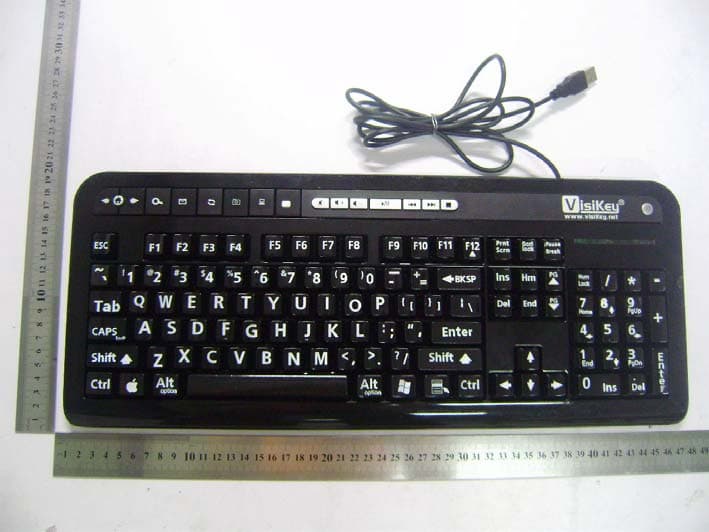
RYLKA558UH
Aug 29, 2010KEYBOARD
Equipment Class
JBP - Part 15 Class B Computing Device Peripheral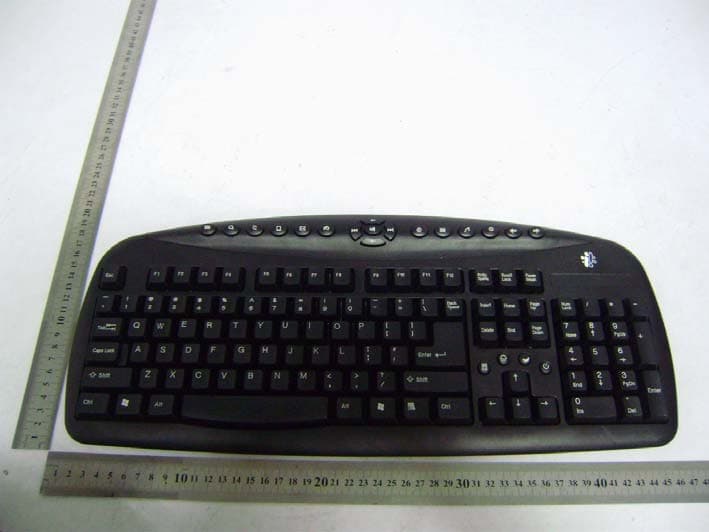
RYLKM998
Jun 01, 201027MHz KEYBOARD
Equipment Class
DXX - Part 15 Low Power Communication Device Transmitter