RYQEA211101WCDMA/LTE Mobile Phone
FIH CO., LTD.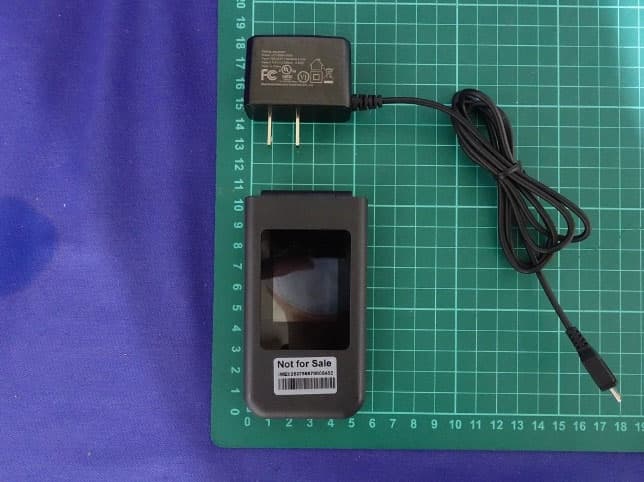
Click to zoom
Application Details
- Equipment Class
- DSS - Part 15 Spread Spectrum Transmitter
- Date of Grant
- Aug 26, 2021
- Application Purpose
- Original Equipment
- Date of Application
- Aug 26, 2021
- Equipment Note
- WCDMA/LTE Mobile Phone
- Frequency Range
- 2402.00000000 - 2480.00000000
- Company
- FIH CO., LTD.
- Country
- Taiwan
Documents & Files
Document Text
Text extracted from the exhibit documents filed with the FCC. Open a document above to read the original.
Users Manual
To reduce risk of fire or burns, do not disassemble crush, puncture, short circuit the external contacts expose to temperature above 140°F (60°C), or dispose of in fire or water. Safety Information1 Please read before proceeding THE BATTERY IS NOT FULLY CHARGED WHEN YOU TAKE IT OUT OF THE BOX. DO NOT REMOVE THE BATTERY PACK WHEN THE PHONE IS CHARGING. Important health information and safety precautions When using this product, the safety precautions below must be taken to avoid possible legal liabilities and damages. Retain and follow all product safety and operating instructions. Observe all warnings in the operating instructions on the product. To reduce the risk of bodily injury, electric shock, fire and damage to the equipment, observe the following precautions. Safety Information 2 Safety precautions for proper grounding installation This product is equipped with a USB Cable for connecting with a desktop or notebook computer. Be sure your computer is properly grounded (earthed) before connecting this product to the computer. The power supply cord of a desktop or notebook computer has an equipment grounding conductor and a grounding plug. The plug must be plugged into an appropriate outlet that is properly installed and grounded in accordance with all local codes and ordinances. Warning: Connecting to improperly grounded equipment can result in an electric shock to your device. Safety Information4 Safety Information 3 Safety precautions for power supply unit Use the correct external power source required, consult your authorized service provider or local power company. For a product that operates from battery power or other sources, refer to the operating instructions that are included with the product.This product should be operated only with the following designated power supply unit(s). Travel charger: Input: 0.15A. Output: 5V, 0.55A Battery must be used with caution This product contains a Lithium-ion battery. There is a risk of fire and burns if the battery pack is handled improperly. Do not attempt to open or service the battery pack. Do not disassemble, crush, puncture, short circuit the external contacts or circuits, dispose of in fire or water, or expose a battery pack to temperatures higher than 140°F (60°C). The operating temperature for the phone is 14°F (-10°C) to 113°F (45°C).The charging temperature for phone is 32°F (0°C) to 113°F (45°C). Keep this product away from excessive moisture and extreme temperatures. Do not leave the product inside a vehicle or in places where the temperature may exceed 113°F (45°C), such as on a car dashboard, window sill, or behind a glass that is exposed to direct sunlight or strong ultraviolet light for extended periods of time. This may damage or overheat the product, or pose a risk to the vehicle. Safety precautions for direct sunlight Permanent hearing loss may occur if earphones or headphones are used at high volume for prolonged periods of time. Prevention of hearing loss Due to possible interference caused by this product to an aircraft’s navigation system and its communications network, using this device’s phone function on board an airplane is against the law in most countries. If you want to use this device when on board an aircraft, remember to turn off the RF on your phone by switching to Airplane Mode. Safety in aircraft When in any area with a potentially explosive atmosphere or where flammable materials exist, the product should be turned off and the user should obey all signs and instructions. Sparks in such areas could cause an explosion or fire resulting in bodily injury or even death. Users are advised not to use the equipment at refueling points, such as service or gas stations, and are reminded of the need to observe restrictions on the use of radio equipment in fuel depots, chemical plants, or where blasting operations are in progress. Areas with a potentially explosive atmosphere are often, but not always, clearly marked. These include fueling areas, below deck on boats, fuel or chemical transfer or storage facilities, and areas where the air contains chemicals or particles, such as grain, dust, or metal powders. Explosive atmospheres Environment restrictions Do not use this product in gas stations, fuel depots, chemical plants or where blasting operations are in progress, or in potentially explosive atmospheres such as fueling areas, fuel storehouses, below deck on boats, chemical plants, fuel or chemical transfer or storage facilities, and areas where the air contains chemicals or particles, such as grain, dust, or metal powders. Please be aware that sparks in such areas could cause an explosion or fire resulting in bodily injury or even death. This product may cause medical equipment to malfunction. The use of this device is forbidden in most hospitals and medical clinics. If you use any other personal medical device, consult the manufacturer of your device to determine if they are adequately shielded from external RF energy. Your health care provider may be able to assist you in obtaining this information. Turn your phone OFF in health care facilities when any regulations posted in these areas instruct you to do so. Hospitals or health care facilities may be using Interference with medical equip- ment functions Your device has an internal antenna. This product should be operated in its normal-use position to ensure the radioactive performance and safety of the interference. As with other mobile radio transmitting equipment, users are advised that for satisfactory operation of the equipment and for the safety of personnel, it is recommended that no part of the human body be allowed to come too close to the antenna during operation of the equipment. Use only the supplied integral antenna. Use of unauthorized or modified antennas may impair call quality and damage the phone, causing loss of performance and SAR levels exceeding the recom- mended limits as well as result in noncompliance with local regular requiremen…
Text truncated - open the document above for the full version.
Users Manual
AT&T Acadia User Guide DOC20210405 Your Phone The topics in this section will introduce you to your phone, help you get set up with service, provide an overview of the phone screen, and get you started with basic phone operations. Keys and connectors These topics illustrate your phone’s primary parts and key functions. Note: Your phone’s screens and app layouts are subject to change. This user guide uses sample images only. Key Description OK/App Menu Press to confirm an option. Press to access the Apps Menu from the Home screen. Navigation ring Press up to access Quick Settings, such as Wi-Fi, Bluetooth, and more. Press down to access E-Mail. Press left to access the apps on the Home screen (Store, Maps, and YouTube). Press right to access the Browser. Messages Press to access the Messages app. Back/Clear Press to return to the previous screen, close a dialog box, or exit a menu. Press to delete characters when in Edit mode. Call/Answer Press to dial or answer an incoming call. Press to enter the Call Log from the Home screen. Key Description Call/Answer Press to end a call or return to the Home screen. Press and hold to power on/off. Right Menu Press from the Home screen to access the Contacts app. Press from within an app to access various functions and options. Left Menu Press from the Home screen to access the Notices app. Press from within an app to access various functions and options. Voicemail Press and hold from the Home screen to access Voicemail. Ringtones/Alerts Press and hold from the Home screen to access Ringtones and Alerts. Camera Button Press to access the Camera app. Press to capture a photo or shoot video in the Camera app. Press and hold along with the Volume Down key to capture a screenshot. Volume Button Press to adjust the earpiece or headset volume during a call. Press to adjust the media volume while listening to music or watching/streaming a video. Press to adjust the ringtone volume from the Home screen. Press to mute the ringtone of an incoming call. CAUTION! Inserting an accessory into the incorrect jack may damage the phone. Getting started Setup Removing or attaching the back cover Removing or installing the battery Inserting or removing the Nano SIM card and microSD™ card To insert a Nano SIM or microSD card, push the Nano SIM or microSD card into the corresponding card slot with the gold- connectors facing down. To remove the Nano SIM, follow the instructions provided on the device label. Note: Your phone only supports Nano SIM cards. Attempting to insert a Mini or Micro SIM card may damage the phone. Charging the battery Insert the micro-USB cable into the phone’s charging port and plug the charger into an electrical outlet. Note: To reduce power consumption and energy waste, disconnect your charger when the battery is fully charged and switch off Wi-Fi, Bluetooth, and other wireless connections when they are not in use. Powering your phone on Press and hold the End/Power key until the phone powers on. If a SIM card is not installed, you will still be able to power your phone on, connect to a Wi-Fi network, and use some device features. You will not be able to make calls using your network without a SIM card. If Screen Lock is set up, enter your passcode to access your phone. Note: Store your passcode in a safe place that you can access without your phone. If you do not know your passcode or have forgotten it, contact your service provider. Do not store your passcode on your phone. Setting up your phone for the first time 1. View the important notifications on network data usage. Press the Left Menu key to have them read out. You can press the Right Menu key to continue to the next screen after 3 seconds. 2. Use the Navigation ring to select a language and press OK. Press the Right Menu key to continue. 3. Use the Navigation ring to select a Wi-Fi network, if applicable. Press Okoth select a network and enter the password (if needed), then press the Right Menu key to continue. If you do not want to connect to a network, press the Right Menu key to skip. 4. Press the Right Menu key to accept the date and time and continue, or press Okoth disable Auto Sync and manually set the date, time, time zone, clock format, and Home screen clock visibility. Press the Right Menu key to continue. Note: Auto Sync is not available without a Wi-Fi connection. This phone uses cellular data for certain services, applications, and functions. If not connected to Wi-Fi, standard data charges will apply. Please connect to a Wi-F network to limit data charges. 5. Press OK once you have read the KaiOS Anti-Theft Notice. 6. Read the KaiOS License Terms and Privacy Policy and check the boxes to allow KaiOS to access and send performance data. Press the Right Menu key to Accept and continue. Note: You can still create a KaiOS account without allowing KaiOS to send analytics data 7. Create a KaiOS Account to lock the device remotely or wipe all personal information in the event of loss or theft. Press OK to create an account. Press the Right Menu key to accept the KaiOS Terms and Privacy Notice, then follow the prompts to complete setup. If you do not want to create a KaiOS Account, press the Right Menu key to skip. Note: If you choose to skip, you can create a KaiOS Account at any time, Go to Settings > Account > KaiOS account > Create Account. Powering your phone on Press and hold the End/Power key, then select Power Off. Home screen Status & notification bar View phone status and notifications in the Status & notification bar at the top of the screen. Your notifications appear at the left side of the status bar, and phone status icons appear at the right side. Phone status icons Icon Status Bluetooth ® active Wi-Fi ® active Vibration mode on Silent mode on Network signal strength (full) Network signal roaming No network signal 4G LTE service 3G data service Airplane mode on Battery charging Battery status (full charge) No SIM card Headphones connected Notification icons Icon Sta…
Text truncated - open the document above for the full version.
Cover Letter(s)
FIH CO., LTD. No.4, Minsheng St., Tu-Cheng Dist., New Taipei City 23679, Taiwan Declaration of Authorization We Name: FIH CO., LTD. Address: No.4, Minsheng St., Tu-Cheng Dist. City: New Taipei City Country: Taiwan Declare that: Name Representative of agent: Louis Hsu Agent Company name: DEKRA Testing and Certification Co., Ltd. Address: No.372-2, Sec. 4, Zhongxing Rd., Zhudong Township, City: Hsinchu County, Country Taiwan is authorized to apply for FCC Certification of the following product(s): Product description: WCDMA/LTE Mobile Phone Type designation: EA211101 Trademark: FIH FCC ID: RYQEA211101 on our behalf. Date: July 7, 2021 City: New Taipei City Name: Barry Tsai Function: Manager Signature: .
Cover Letter(s)
FIH CO., LTD. No.4, Minsheng St., Tu-Cheng Dist., New Taipei City 23679, Taiwan Rev 11/20/07 Federal Communications Commission Authorization and Evaluation Division Confidentiality Request regarding application for certification of FCC ID: RYQEA211101. Pursuant to Sections 0.457 and 0.459 of the Commission’s Rules, we hereby request confidential treatment of information accompanying this application as outlined below: Exhibit Type Block Diagram Schematics Operational Description Part List Tune up procedure Antenna Report File Name (EA211101)BlkDia (EA211101)Schem (EA211101)OpDes (EA211101)BOM (EA211101)Tuneup procedure (EA211101)Antenna Report The above materials contain trade secrets and proprietary information not customarily released to the public. The public disclosure of these materials may be harmful to the applicant and provide unjustified benefits to its competitors. The applicant understands that pursuant to Section 0.457 of the Rules, disclosure of this application and all accompanying documentation will not be made before the date of the Grant for this application. Pursuant to DA04-1705 June 15, 2004 of the Commission’s public notice, we also request temporary confidential treatment of information accompanying this application as outlined below: Exhibit Type File Name External Photos Internal Photos Test Setup Photos Manual (EA211101)ExtPho (EA211101)IntPho (EA211101)Tsup (EA211101)UserMan Planned Release Date STC: 2022/01/30 If no date is given, 180 days from grant date will be used. Sincerely, (signature) (printed name) Barry Tsai / Manager (Date) July 7, 2021
External Photos
Report No.: 2150946R-E3032110113 Page : 1 of 18 Attachment 2 : EUT Detailed Photographs (1) EUT Photo (2) EUT Photo Report No.: 2150946R-E3032110113 Page : 2 of 18 (3) EUT Photo (4) EUT Photo Report No.: 2150946R-E3032110113 Page : 3 of 18 (5) EUT Photo (6) EUT Photo Report No.: 2150946R-E3032110113 Page : 4 of 18 (7) EUT Photo
ID Label/Location Info
The batteries are designed for easy removal and the label will be visible whenever the batteries are removed for charging or replacement.
RF Exposure Info
No.I21Z70234-SEM03 ©Copyright. All rights reserved by CTTL. Page 147 of 171 1900 MHz Dipole Calibration Certificate No.I21Z70234-SEM03 ©Copyright. All rights reserved by CTTL. Page 148 of 171 No.I21Z70234-SEM03 ©Copyright. All rights reserved by CTTL. Page 149 of 171 No.I21Z70234-SEM03 ©Copyright. All rights reserved by CTTL. Page 150 of 171 No.I21Z70234-SEM03 ©Copyright. All rights reserved by CTTL. Page 151 of 171 No.I21Z70234-SEM03 ©Copyright. All rights reserved by CTTL. Page 152 of 171 No.I21Z70234-SEM03 ©Copyright. All rights reserved by CTTL. Page 153 of 171 No.I21Z70234-SEM03 ©Copyright. All rights reserved by CTTL. Page 154 of 171 No.I21Z70234-SEM03 ©Copyright. All rights reserved by CTTL. Page 155 of 171 2300 MHz Dipole Calibration Certificate No.I21Z70234-SEM03 ©Copyright. All rights reserved by CTTL. Page 156 of 171 No.I21Z70234-SEM03 ©Copyright. All rights reserved by CTTL. Page 157 of 171 No.I21Z70234-SEM03 ©Copyright. All rights reserved by CTTL. Page 158 of 171 No.I21Z70234-SEM03 ©Copyright. All rights reserved by CTTL. Page 159 of 171 No.I21Z70234-SEM03 ©Copyright. All rights reserved by CTTL. Page 160 of 171 No.I21Z70234-SEM03 ©Copyright. All rights reserved by CTTL. Page 161 of 171 No.I21Z70234-SEM03 ©Copyright. All rights reserved by CTTL. Page 162 of 171 No.I21Z70234-SEM03 ©Copyright. All rights reserved by CTTL. Page 163 of 171 2450 MHz Dipole Calibration Certificate No.I21Z70234-SEM03 ©Copyright. All rights reserved by CTTL. Page 164 of 171 No.I21Z70234-SEM03 ©Copyright. All rights reserved by CTTL. Page 165 of 171 No.I21Z70234-SEM03 ©Copyright. All rights reserved by CTTL. Page 166 of 171 No.I21Z70234-SEM03 ©Copyright. All rights reserved by CTTL. Page 167 of 171 No.I21Z70234-SEM03 ©Copyright. All rights reserved by CTTL. Page 168 of 171 No.I21Z70234-SEM03 ©Copyright. All rights reserved by CTTL. Page 169 of 171 No.I21Z70234-SEM03 ©Copyright. All rights reserved by CTTL. Page 170 of 171 No.I21Z70234-SEM03 ©Copyright. All rights reserved by CTTL. Page 171 of 171 ANNEX I Accreditation Certificate
RF Exposure Info
No.I21Z70234-SEM03 ©Copyright. All rights reserved by CTTL. Page 118 of 171 No.I21Z70234-SEM03 ©Copyright. All rights reserved by CTTL. Page 119 of 171 No.I21Z70234-SEM03 ©Copyright. All rights reserved by CTTL. Page 120 of 171 No.I21Z70234-SEM03 ©Copyright. All rights reserved by CTTL. Page 121 of 171 No.I21Z70234-SEM03 ©Copyright. All rights reserved by CTTL. Page 122 of 171 No.I21Z70234-SEM03 ©Copyright. All rights reserved by CTTL. Page 123 of 171 ANNEX H Dipole Calibration Certificate 750 MHz Dipole Calibration Certificate No.I21Z70234-SEM03 ©Copyright. All rights reserved by CTTL. Page 124 of 171 No.I21Z70234-SEM03 ©Copyright. All rights reserved by CTTL. Page 125 of 171 No.I21Z70234-SEM03 ©Copyright. All rights reserved by CTTL. Page 126 of 171 No.I21Z70234-SEM03 ©Copyright. All rights reserved by CTTL. Page 127 of 171 No.I21Z70234-SEM03 ©Copyright. All rights reserved by CTTL. Page 128 of 171 No.I21Z70234-SEM03 ©Copyright. All rights reserved by CTTL. Page 129 of 171 No.I21Z70234-SEM03 ©Copyright. All rights reserved by CTTL. Page 130 of 171 No.I21Z70234-SEM03 ©Copyright. All rights reserved by CTTL. Page 131 of 171 835 MHz Dipole Calibration Certificate No.I21Z70234-SEM03 ©Copyright. All rights reserved by CTTL. Page 132 of 171 No.I21Z70234-SEM03 ©Copyright. All rights reserved by CTTL. Page 133 of 171 No.I21Z70234-SEM03 ©Copyright. All rights reserved by CTTL. Page 134 of 171 No.I21Z70234-SEM03 ©Copyright. All rights reserved by CTTL. Page 135 of 171 No.I21Z70234-SEM03 ©Copyright. All rights reserved by CTTL. Page 136 of 171 No.I21Z70234-SEM03 ©Copyright. All rights reserved by CTTL. Page 137 of 171 No.I21Z70234-SEM03 ©Copyright. All rights reserved by CTTL. Page 138 of 171 No.I21Z70234-SEM03 ©Copyright. All rights reserved by CTTL. Page 139 of 171 1750 MHz Dipole Calibration Certificate No.I21Z70234-SEM03 ©Copyright. All rights reserved by CTTL. Page 140 of 171 No.I21Z70234-SEM03 ©Copyright. All rights reserved by CTTL. Page 141 of 171 No.I21Z70234-SEM03 ©Copyright. All rights reserved by CTTL. Page 142 of 171 No.I21Z70234-SEM03 ©Copyright. All rights reserved by CTTL. Page 143 of 171 No.I21Z70234-SEM03 ©Copyright. All rights reserved by CTTL. Page 144 of 171 No.I21Z70234-SEM03 ©Copyright. All rights reserved by CTTL. Page 145 of 171 No.I21Z70234-SEM03 ©Copyright. All rights reserved by CTTL. Page 146 of 171
RF Exposure Info
No.I21Z70234-SEM03 ©Copyright. All rights reserved by CTTL. Page 1 of 171 SAR TEST REPORT No. I21Z70234-SEM03 For FIH CO., LTD WCDMA/LTE Mobile Phone Model Name: EA211101 with Hardware Version: 2.0 Software Version: 0.2116.11.01_TA FCC ID: RYQEA211101 Issued Date: 2021-6-28 Note: The test results in this test report relate only to the devices specified in this report. This report shall not be reproduced except in full without the written approval of CTTL. The report must not be used by the client to claim product certification, approval, or endorsement by NVLAP, NIST, or any agency of the U.S.Government. Test Laboratory: CTTL, Telecommunication Technology Labs, CAICT No. 51, Xueyuan Road, Haidian District, Beijing, P. R. China 100191. Tel:+86(0)10-62304633-2512, Fax:+86(0)10-62304633-2504 Email: [email protected], website: www.caict.ac.cn No.I21Z70234-SEM03 ©Copyright. All rights reserved by CTTL. Page 2 of 171 REPORT HISTORY Report Number Revision Issue Date Description I21Z70234-SEM03 Rev.0 2021-6-28 Initial creation of test report No.I21Z70234-SEM03 ©Copyright. All rights reserved by CTTL. Page 3 of 171 TABLE OF CONTENT 1 TEST LABORATORY .................................................................................................................... 5 1.1 TESTING LOCATION ........................................................................................................................................ 5 1.2 TESTING ENVIRONMENT................................................................................................................................. 5 1.3 PROJECT DATA ............................................................................................................................................... 5 1.4 SIGNATURE ..................................................................................................................................................... 5 2 STATEMENT OF COMPLIANCE .................................................................................................. 6 3 CLIENT INFORMATION ................................................................................................................ 8 3.1 APPLICANT INFORMATION .............................................................................................................................. 8 3.2 MANUFACTURER INFORMATION ..................................................................................................................... 8 4 EQUIPMENT UNDER TEST (EUT) AND ANCILLARY EQUIPMENT (AE) ................................. 9 4.1 ABOUT EUT ................................................................................................................................................... 9 4.2 INTERNAL IDENTIFICATION OF EUT USED DURING THE TEST ........................................................................ 10 4.3 INTERNAL IDENTIFICATION OF AE USED DURING THE TEST .......................................................................... 10 5 TEST METHODOLOGY .............................................................................................................. 11 5.1 APPLICABLE LIMIT REGULATIONS ................................................................................................................ 11 5.2 APPLICABLE MEASUREMENT STANDARDS ................................................................................................... 11 6 SPECIFIC ABSORPTION RATE (SAR) ...................................................................................... 12 6.1 INTRODUCTION ............................................................................................................................................. 12 6.2 SAR DEFINITION .......................................................................................................................................... 12 7 TISSUE SIMULATING LIQUIDS ................................................................................................. 13 7.1 TARGETS FOR TISSUE SIMULATING LIQUID .................................................................................................... 13 7.2 DIELECTRIC PERFORMANCE ......................................................................................................................... 13 8 SYSTEM VERIFICATION ............................................................................................................ 19 8.1 SYSTEM SETUP ............................................................................................................................................. 19 8.2 SYSTEM VERIFICATION ................................................................................................................................. 20 9 MEASUREMENT PROCEDURES .............................................................................................. 21 9.1 TESTS TO BE PERFORMED ............................................................................................................................. 21 9.2 GENERAL MEASUREMENT PROCEDURE ........................................................................................................ 23 9.3 WCDMA MEASUREMENT PROCEDURES FOR SAR ...................................................................................... 24 9.4 SAR MEASUREMENT FOR LTE ..................................................................................................................... 25 9.5 BLUETOOTH & WI-FI MEASUREMENT PROCEDURES FOR SAR .................................................................... 27 9.6 POWER DRIFT ............................................................................................................................................... 27 10 AREA SCAN BASED 1-G SAR ................................................................................................. 28 10.1 REQUIREMENT OF KDB ............................................................................................…
Text truncated - open the document above for the full version.
Test Report
Report No.: 2150946R-E3032110113 Page : 1 of 91 FCC Test Report Product Name WCDMA/LTE Mobile Phone Model No EA211101 FCC ID. RYQEA211101 Applicant FIH CO., LTD. Address No.4, Minsheng St., Tu-Cheng Dist., New Taipei City 23679, Taiwan Date of Receipt May. 28, 2021 Issue Date Jun. 16, 2021 Report No. 2150946R-E3032110113 Report Version V1.0 The test results relate only to the samples tested. The test results shown in the test report are traceable to the national/international standard through the calibration report of the equipment and evaluated measurement uncertainty herein. This report must not be used to claim product endorsement by TAF or any agency of the government. The test report shall not be reproduced without the written approval of DEKRA Testing and Certification Co., Ltd. Measurement uncertainties evaluated for each testing system and associated connections are given here to provide the system information for reference. Compliance determinations do not take into account measurement uncertainties for each testing system, but are based on the results of the compliance measurement. Report No.: 2150946R-E3032110113 Page : 2 of 91 Test Report Issue Date: Jun. 16, 2021 Report No.: 2150946R-E3032110113 Product Name WCDMA/LTE Mobile Phone Applicant FIH CO., LTD. Address No.4, Minsheng St., Tu-Cheng Dist., New Taipei City 23679, Taiwan Manufacturer FIH CO., LTD. Model No. EA211101 FCC ID. RYQEA211101 EUT Rated Voltage DC 5V, 550mA EUT Test Voltage AC 120V / 60Hz Trade Name FIH Applicable Standard FCC CFR Title 47 Part 15 Subpart C ANSI C63.4: 2014, ANSI C63.10: 2013 Test Result Complied Documented By : (Senior Adm. Specialist / April Chen) Tested By : ( Senior Engineer / Ivan Chuang ) Approved By : ( Senior Engineer / Jack Hsu ) Report No.: 2150946R-E3032110113 Page : 3 of 91 TABLE OF CONTENTS Description Page 1. GENERAL INFORMATION ..................................................................................................... 6 1.1. EUT Description ............................................................................................................................ 6 1.2. Tested System Details.................................................................................................................... 8 1.3. Configuration of Tested System .................................................................................................... 8 1.4. EUT Exercise Software ................................................................................................................. 8 1.5. Test Facility ................................................................................................................................... 9 1.6. List of Test Item and Equipment ................................................................................................. 10 1.7. Uncertainty .................................................................................................................................. 11 2. Conducted Emission .................................................................................................................. 12 2.1. Test Setup .................................................................................................................................... 12 2.2. Limits .......................................................................................................................................... 12 2.3. Test Procedure ............................................................................................................................. 12 2.4. Test Result of Conducted Emission ............................................................................................. 13 3. Peak Power Output ................................................................................................................... 15 3.1. Test Setup .................................................................................................................................... 15 3.2. Limits .......................................................................................................................................... 15 3.3. Test Procedure ............................................................................................................................. 15 3.4. Test Result of Peak Power Output ............................................................................................... 16 4. Radiated Emission ..................................................................................................................... 19 4.1. Test Setup .................................................................................................................................... 19 4.2. Limits ...........................................…
Text truncated - open the document above for the full version.
Contact Information
Applicant
Barry Tsai(Manager)
Test Firm
DEKRA TESTING AND CERTIFICATION CO., LTD. LinKouMirenda Liao
Technical Specifications
| # | Rule Parts | Frequency Range | Power Output |
|---|---|---|---|
| 1 | 15C | 2.40 GHz - 2.48 GHz | 6.70 mW |
Other Applications from FIH CO., LTD.
RYQFPLX26
Apr 08, 2026Gizmo Watch 4
Equipment Class
CXX - Communications Rcvr for use w/ licensed Tx and CBsRYQGW4
Apr 02, 2026Smartwatch
Equipment Class
TNT - Licensed Non-Broadcast Transmitter Worn on BodyRYQ31PHBM2000A
Jul 29, 20244G Module
Equipment Class
PCB - PCS Licensed Transmitter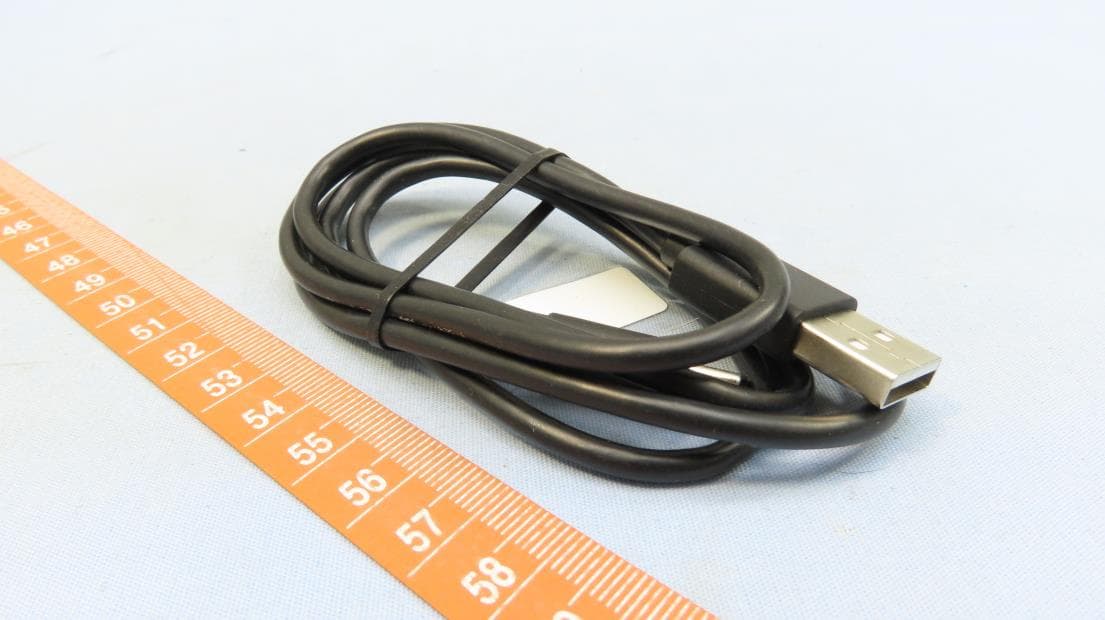
RYQGP3
Nov 30, 2023LTE smartphone
Equipment Class
DSS - Part 15 Spread Spectrum Transmitter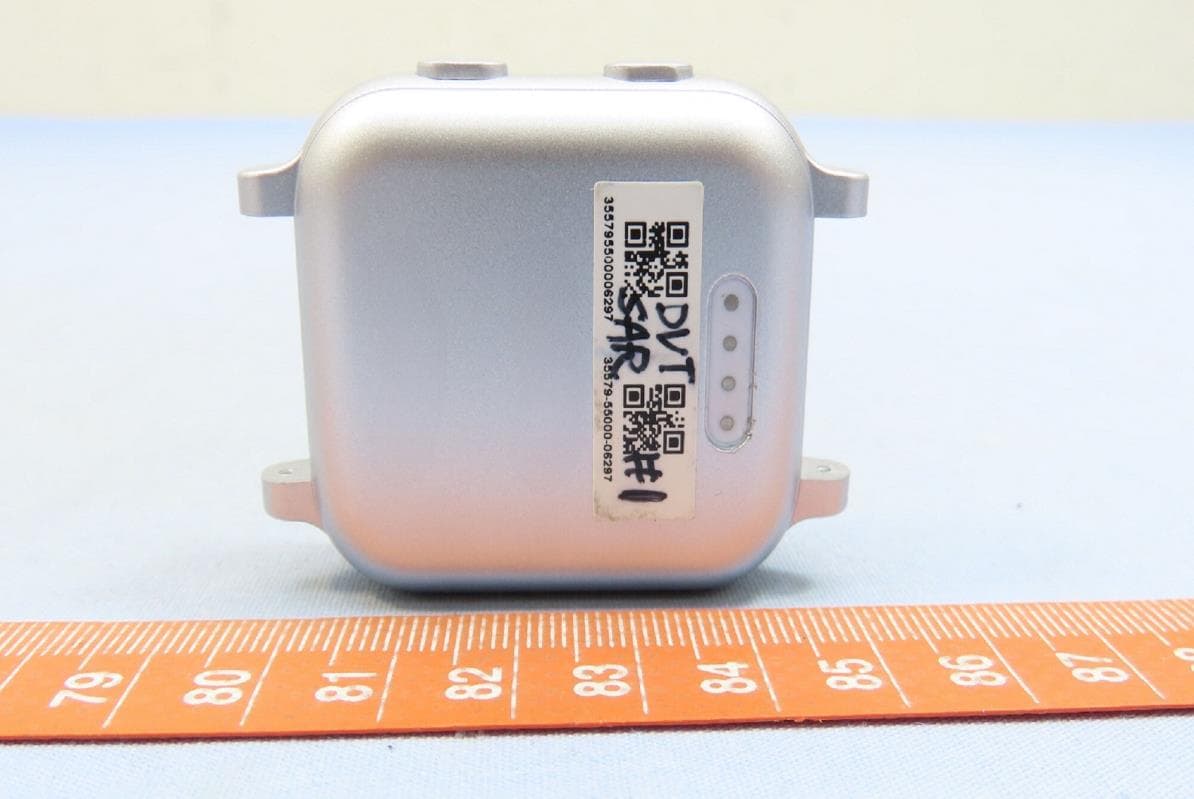
RYQGW23
Aug 06, 2023Smartwatch
Equipment Class
JBP - Part 15 Class B Computing Device Peripheral