RYQEC1002WCDMA/LTE Mobile Phone
FIH CO., LTD.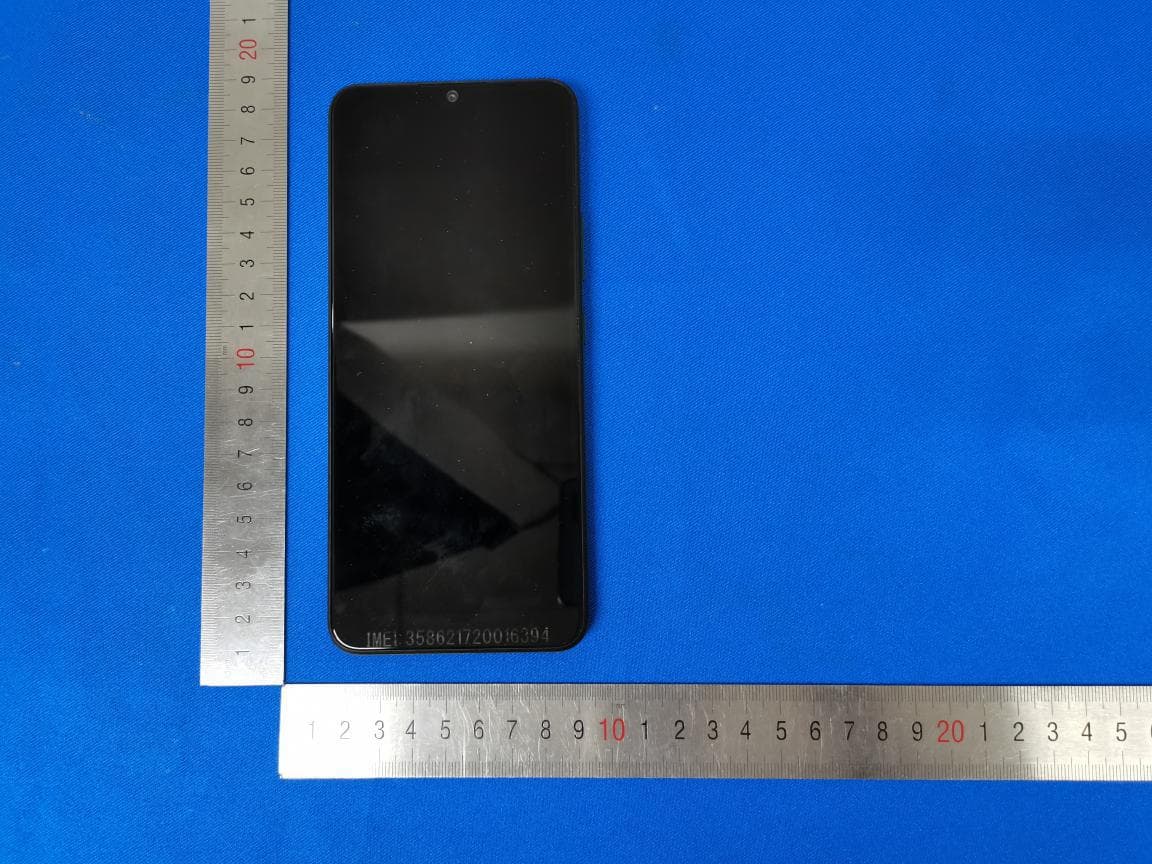
Click to zoom
Application Details
- Equipment Class
- CXX - Communications Rcvr for use w/ licensed Tx and CBs
- Date of Grant
- Mar 03, 2021
- Application Purpose
- Original Equipment
- Date of Application
- Feb 25, 2021
- Equipment Note
- WCDMA/LTE Mobile Phone
- Frequency Range
- 758.00000000 - 768.00000000
- Company
- FIH CO., LTD.
- Country
- Taiwan
Documents & Files
Document Text
Text extracted from the exhibit documents filed with the FCC. Open a document above to read the original.
Users Manual
CricketOvation2 Safetyanduse Pleasereadbeforeproceeding THEDEVICEISNOTFULLYCHARGEDWHENYOUTAKEITOUTOFTHEBOX.DONOTATTEMPTTOREMOVETHE BATTERYPACK. Importanthealthinformationandsafetyprecautions Whenusingthisproduct,thesafetyprecautionsbelowmustbetakentoavoidpossiblelegalliabilitiesanddamages.Retainandfollow allproductsafetyandoperatinginstructions.Observeallwarningsintheoperatinginstructionsontheproduct. Toreducetheriskofbodilyinjury,electricshock,fireanddamagetotheequipment,observethefollowingprecautions. Electricalsafety Thisproductisintendedforusewhensuppliedwithpowerfromthedesignatedbatteryorpowersupplyunit.Otherusagemaybe dangerousandwillinvalidateanyapprovalgiventothisproduct. Safetyprecautionsforpropergroundinginstallation Warning:Connectingtoimproperlygroundedequipmentcanresultinanelectricshocktoyourdevice. ThisproductisequippedwithaUSBCableforconnectingwithadesktopornotebookcomputer.Besureyourcomputerisproperly grounded(earthed)beforeconnectingthisproducttothecomputer.Thepowersupplycordofadesktopornotebookcomputerhasan equipmentgroundingconductorandagroundingplug.Theplugmustbepluggedintoanappropriateoutletthatisproperlyinstalledand groundedinaccordancewithalllocalcodesandordinances. Safetyprecautionsforpowersupplyunit Usethecorrectexternalpowersource Aproductshouldbeoperatedonlyfromthetypeofpowersourceindicatedontheelectricalratingslabel.Ifyouarenotsureofthetype ofpowersourcerequired,consultyourauthorizedserviceproviderorlocalpowercompany.Foraproductthatoperatesfrombattery powerorothersources,refertotheoperatinginstructionsthatareincludedwiththeproduct. Thisproductshouldbeoperatedonlywiththefollowingdesignatedpowersupplyunit(s). Travelcharger:Input:100-240V,50/60Hz,0.5A.Output:9V,2A Batterymustbeusedwithcaution Thisproductcontainsalithiumpolymerbattery.Thereisariskoffireandburnsifthebatterypackishandledimproperly.Donot attempttoopenorservicethebatterypack.Donotdisassemble,crush,puncture,shortcircuittheexternalcontactsorcircuits,disposeof infireorwater,orexposeabatterypacktotemperatureshigherthan140°F(60°C).Theoperatingtemperatureforthephoneis14°F(-10° C)to113°F(45°C).Thechargingtemperatureforphoneis32°F(0°C)to113°F(45°C). Warning:Batteryisnon-removable.Donotattempttoremovethebatteryfordangerofexplosion. Toreduceriskoffireorburns,donotdisassemblecrush,puncture,shortcircuittheexternalcontactsexposetotemperatureabove140°F (60°C),ordisposeofinfireorwater.Donotattempttoreplacethenon-removablebattery. Thephoneandbatteryasaunibodydevicemustbedisposedofinaccordancewithlocallyapplicableenvironmentalregulationsor guidessuppliedwithyourproduct. Takeextraprecautions Donotdisassembleoropen,crush,bendordeform,punctureorshred. Donotshortcircuitabatteryorallowmetallicconductiveobjectstocontactbatteryterminals. OnlyusetheUSBcableprovidedwiththephoneorthatbeartheUSB-IFlogoorhavecompletedtheUSB-IFcompliance program. Donotmodifyorremanufacture,attempttoinsertforeignobjectsintothebattery,immerseorexposetowaterorotherliquids, exposetofire,explosionorotherhazard. Deviceusagebychildrenshouldbesupervised. OnlyusethebatterywithachargingsystemthathasbeenqualifiedwiththesystemperCTIACertificationRequirementfor BatterySystemCompliancetoIEEE1725.Useofanunqualifiedbatteryorchargermaypresentariskoffire,explosion,leakageorother hazard. Avoiddroppingthephone.Ifthephoneisdropped,especiallyonahardsurface,andtheusersuspectsdamage,takeittoaservicecenter forinspection. •Improperbatteryusemayresultinafire,explosionorotherhazard.Ifthebatteryleaks:Donotallowtheleakingfluidto comeintocontactwithskinorclothing.Ifalreadyincontact,flushtheaffectedareaimmediatelywithcleanwaterandseekmedical advice. Donotallowtheleakingfluidtocomeintocontactwitheyes.Ifalreadyincontact,DONOTrub;rinsewithcleanwater immediatelyandseekmedicaladvice. Takeextraprecautiontokeepaleakingbatteryawayfromfireasthereisadangerofignitionorexplosion. Safetyprecautionsfordirectsunlight Keepthisproductawayfromexcessivemoistureandextremetemperatures.Donotleavetheproductinsideavehicleorinplaceswhere thetemperaturemayexceed113°F(45°C),suchasonacardashboard,windowsill,orbehindaglassthatisexposedtodirectsunlightor strongultravioletlightforextendedperiodsoftime.Thismaydamageoroverheattheproduct,orposearisktothevehicle. Preventionofhearingloss Permanenthearinglossmayoccurifearphonesorheadphonesareusedathighvolumeforprolongedperiodsoftime. Safetyinaircraft Duetopossibleinterferencecausedbythisproducttoanaircraft’snavigationsystemanditscommunicationsnetwork,usingthis device’sphonefunctiononboardanairplaneisagainstthelawinmostcountries.Ifyouwanttousethisdevicewhenonboardan aircraft,remembertoturnofftheRFonyourphonebyswitchingtoAirplaneMode. Environmentrestrictions Donotusethisproductingasstations,fueldepots,chemicalplantsorwhereblastingoperationsareinprogress,orinpotentially explosiveatmospheressuchasfuelingareas,fuelstorehouses,belowdeckonboats,chemicalplants,fuelorchemicaltransferorstorage facilities,andareaswheretheaircontainschemicalsorparticles,suchasgrain,dust,ormetalpowders.Pleasebeawarethatsparksin suchareascouldcauseanexplosionorfireresultinginbodilyinjuryorevendeath. Explosiveatmospheres Wheninanyareawithapotentiallyexplosiveatmosphereorwhereflammablematerialsexist,theproductshouldbeturnedoffandthe usershouldobeyallsignsandinstructions.Sparksinsuchareascouldcauseanexplosionorfireresultinginbodilyinjuryorevendeath. Usersareadvisednottousetheequipmentatrefuelingpoints,suchasserviceorgasstations,andareremindedoftheneedtoobserve restrictionsontheuseofradioequipmentinfueldepots,chemicalplants,orwhereblastingoperationsareinprogress.Areaswitha potentiallyexplosiveatmosphereareoften,butnotalways,clearlymarked.Theseincludefuelingareas,belowdeckonboats,fuelor chemicaltransferorstoragefacilities,andareaswheretheaircontainschemicalsorparticles,suchasgrain,dust,ormetalpowders. Roadsafety Fullattentionmustbegiventodrivingatalltimesinordertoreducetheriskofanaccident.Usingaphonewhiledriving(evenwitha hands-freekit)causesdistractionandcanleadtoanaccident.Youmustcomplywithlocallaw…
Text truncated - open the document above for the full version.
Users Manual
Swipe down on the Status bar to open the Quick Settings panel.Tap Battery Saver to turn it on or off. Tap the Home key at any time to return to the main Home screen. Press and hold the Home key to access Google Assistant. Tap to create a newmessage or start a newgroup chat.Tap to create a newmessage or start a newgroup chat. Main MicrophoneSpeakerHeadset Jack USB Charging Port Main MicSpeakerSpeakerHeadset FlashFingerprintSensor Rear Camera myCricket: Access billing, make a quick payment, view usage and access supportfrom the palm of your hand.Visual Voicemail: Quickly view, access, and play back your voicemail messages. Easily save important numbers and respond to messages by calling back or texting. Product meets FCC Radio Frequency Exposure Guidelines– FCC ID RYQEC1002. This device complies with Part 15 of the FCC Rules.Operation is subject to the following two conditions:(1) This device may not cause harmful interference.(2)This device must accept any interference received, including interference that may cause undesired operation.(c)2021 Cricket Wireless LLC. All rights reserved.Cricket and the Cricket logo are registered trademarks under license to Cricket Wireless LLC.Other marks are the property of their respective owners.microSDXC™ logo is a trademark of SD-3C, LLC. Easily Adjust Settings Swipe up from the Home Screenand tap Settings . Quick Settings1. Swipe down from the Home screento view the Noti#cation panel. 2. Swipe down again to see the Quick Settings menu. 3. Tap a setting to turn it on or off. Gesture ControlsEnable Gesture Controls1. Swipe up on the Home screen and tap Settings > System > Gestures . 2. Choose from the following options: • Quick open camera: The ability to automatically openthe camera after pressing the Power key twice. • System navigation: Switch between 3-button navigation(standard) or Gesture navigation. • Prevent ringing: The ability to activate vibrate ormute when your phone ringsby pressing the Power key andVolume Up key. Calls and Voicemail HD Voice capable*Enjoy crystal-clear conversations.Make a call1. To make a call, tap Phone from the Home screen. 2. Enter the number using the dial pad, or choose a contact from the Contacts , Recent , or Favorites tab and tap the number to place the call. tes Check voicemail1. From the Home screen, tap Phone > Dialer . 2. Press and hold the 1 key , then follow the prompts to set up your voicemail. Use call waiting1. While on a call, you will hear a tone if another call comes in. Swipe up toaccept and place the current call onhold, or swipe down to reject the call.The caller will be sent to voicemail. 2. Tap to merge calls or tap the other call to switch between active calls. * To experience Cricket HD Voice, bothcallers must have a compatible HDVoice–capable smartphone and make the call overCricket’s LTE network or a compatible network. Cricket’sLTE coverage is not equivalent to its overall networkcoverage. HD Voice calls made on a compatibledevice and on the LTE network may not experience anHD Voice connection at times of network congestion.Other carriers’networks may interoperate with Cricket’sLTE network to support an HD voice call. Camera and Video Connect Wi-Fi & Bluetooth Take a picture 1. From the Home screen, tap Camera . 2. Position the object or landscape in the view#nder. 3. Tap to take the picture. It will be automatically savedto Photos . Make a video1. Touch Video and tap in the bottom center of the screen to startrecording a video. 2. Tap to stop recording. The video will be automaticallysaved. Share a picture or video1. From the Home screen, tap Photos . 2. Tap a photo or video, and then tap Share and select an option for sharing. Personalizing Your Screen Set your wallpaper1. Press and hold an empty space on the Home screen and tapWallpapers . 2. Add apps and widgets1. To add an app to the Home screen, swipe up from the bottom of theHome screen to access the Appsdrawer. Press and hold an app,then drag it to any Home screen. 2. To add a widget, press and hold an empty space on the Home screenand tap Widgets . 3. Press and hold a widget, then drag it to the Home screen. Organize your Home screens1. Press and hold the app, widget, or folder. 2. Drag the item to the desired position andthen release. Create app folders1. From the Home screen, press and hold an app,then drag it over to another app to create a folder . 2. Drag more apps to the folder to add them. 3. To name or rename the folder, open the folder,tap the title bar, and enter the desired name. Apps on Google Play™ Access Google Play 1. From the Home screen, tap Play Store . 2. Enter your existing Google™ account login or create onefollowing the steps on the screen. Navigate Google Play1. Tap a category to browse apps, games, movies, and music organized by popularity or category. 2. Tap the Google Play search bar to search the Play Store for a speci#c game or app. 3. To install, tap the app and follow the instructions. Once installed, you will see a noti#cation in theNoti#cations panel. Open the app from thisnoti#cation or by locating it in the apps drawer. Note: A payment method such as Google Wallet isrequired to purchase apps. Using the Touch Screen • Swipe up on the screen to unlock. • Use your #ngertip to lightly tapthe screen. • Use quick $icks of your #nger onthe touch screen to swipe up,down, left and right. • Spread two #ngers apart or pinchthem together on the screen tozoom in or out on a web page orGallery image. • To return to the previous screen, tap the Back key . • • Tap the Recent apps key to access recently viewed apps. • Swipe up from the bottom of the Home screen to access applications on your phone. 1. Swipe down on the Status bar to open the Noti#cation panel. 2. Swipe left or right on a noti#cation to delete it, or tap CLEAR ALL to clear all event-based noti#ca- tions (other ongoing noti#cations will remain). 3. From the Noti#cation panel, swipe down again to access the Quick Settings panel. Tapa setting to turn it…
Text truncated - open the document above for the full version.
Cover Letter(s)
Declarationofdifferences Hereby, Nameofmanufacturer: FIHCO.,LTD Address: No.4,MingshengSt.,Tu-ChengDist.,NewTaipeiCity23679,Taiwan City: NewTaipei Country: declaresthatthisequipment: Productdescription: WCDMA/LTEMobilePhone Typedesignation(s): EA1002,EC1002 Trademark: FIH isdifferenton EC1002isforCricket,EA1002isforATT.HWforthetwooperatorvariantsareidentical. Date: 2021.2.9 City: NewTaipei Name: BarryTsai Signature:
Cover Letter(s)
Amendment Letter TIMCO Engineering, Inc. This is to request report update for FCC ID: RYQEC1002, The Major change filed under this application and the relevant report numbers are as below: Original report number New report number Revise content AR/2020/C000806 AR/2020/C000806-01 1.Modify data conversion error of antenna height in radiated emission. 2. Update equipment list in section 3. 3. Updated Support Units, Test facility and Test Location Setup Photo Add test location. Sincerely, (signature) (printed name) Simon Ling
External Photos
ExternalPhotos
ID Label/Location Info
E-Label
ID Label/Location Info
Label&LabelLocation: Note:FCCID:RYQEC1002hastwomodels.
Internal Photos
InternalPhotos
Test Report
SGS-CSTC STANDARDS TECHNICAL SERVICES (XI 'AN) CO., LTD. Report No.: AR/2020/C000806 Page: 1 of 23 Authorized Signature: Derek Yang Wireless Laboratory Manager TEST REPORT Application No: AR/2020/C0008 Applicant: FIH CO., LTD Address of Applicant No.4, Mingsheng St., Tu-Cheng Dist., New Taipei City 23679, Taiwan Manufacturer: FIH CO., LTD Address of Manufacturer: No.4, Mingsheng St., Tu-Cheng Dist., New Taipei City 23679, Taiwan EUT Description: WCDMA/LTE Mobile Phone Model No.: EA1002, EC1002 Trade Mark: FIH FCC ID: RYQEC1002 Standard(s) : 47 CFR Part 15, Subpart B Date of Receipt: 2020/12/18 Date of Test: 2020/12/18 to 2021/1/8 Date of Issue: 2021/1/8 Test Result: Pass* * In the configuration tested, the EUT complied with the standards specified above. SGS-CSTC STANDARDS TECHNICAL SERVICES (XI 'AN) CO., LTD. Report No.: AR/2020/C000806 Page: 2 of 23 Revision Record Version Chapter Date Modifier Remark 01 2021/1/8 Original SGS-CSTC STANDARDS TECHNICAL SERVICES (XI 'AN) CO., LTD. Report No.: AR/2020/C000806 Page: 3 of 23 Test Summary Emission Part Item Standard Method Requirement Result Conducted Emissions at Mains Terminals (150kHz-30MHz) 47 CFR Part 15, Subpart B ANSI C63.4:2014 Class B Pass Radiated Emissions (30MHz-1GHz) 47 CFR Part 15, Subpart B ANSI C63.4:2014 Class B Pass Radiated Emissions (above 1GHz) 47 CFR Part 15, Subpart B ANSI C63.4:2014 Class B Pass Internal Source Upper Frequency Below 1.705MHz 30MHz 1.705MHz to 108MHz 1GHz 108MHz to 500MHz 2GHz 500MHz to 1GHz 5GHz Above 1GHz 5th harmonic of the highest frequency or 40GHz, whichever is lower Checked By Test By David Chen Daniel Wang Reviewer Project Engineer SGS-CSTC STANDARDS TECHNICAL SERVICES (XI 'AN) CO., LTD. Report No.: AR/2020/C000806 Page: 4 of 23 Remark: According to the declaration letter from manufacturer, for EC1002 is all test, and for EA1002 shares the same test data of EC1002 in this report. SGS-CSTC STANDARDS TECHNICAL SERVICES (XI 'AN) CO., LTD. Report No.: AR/2020/C000806 Page: 5 of 23 Contents 1 GENERAL INFORMATION .............................................................................................................................. 6 1.1 DESCRIPTION OF SUPPORT UNITS ................................................................................................................ 8 1.2 TEST LOCATION ........................................................................................................................................... 8 1.3 TEST FACILITY ............................................................................................................................................. 8 1.4 DEVIATION FROM STANDARDS ...................................................................................................................... 8 1.5 ABNORMALITIES FROM STANDARD CONDITIONS ............................................................................................. 8 2 EMISSION TEST RESULTS ............................................................................................................................ 9 2.1 CONDUCTED EMISSIONS AT MAINS TERMINALS (150KHZ-30MHZ) ................................................................. 9 2.1.1 E.U.T. Operation ................................................................................................................................ 9 2.1.2 Test Setup Diagram ......................................................................................................................... 10 2.1.3 Measurement Data .......................................................................................................................... 10 2.2 RADIATED EMISSIONS (30MHZ-1GHZ) ....................................................................................................... 13 2.1.4 E.U.T. Operation .............................................................................................................................. 13 2.1.5 Test Setup Diagram ......................................................................................................................... 14 2.1.6 Measurement Data .......................................................................................................................... 14 2.3 RADIATED EMISSIONS (ABOVE 1GHZ) ......................................................................................................... 17 2.1.7 E.U.T. Operation .............................................................................................................................. 17 2.1.8 Test Setup Diagram ......................................................................................................................... 18 2.1.9 Measurement Data .......................................................................................................................... 18 3 EQUIPMENT LIST ......................................................................................................................................... 21 4 MEASUREMENT UNCERTAINTY ................................................................................................................ 22 5 PHOTOGRAPHS ........................................................................................................................................... 23 5.1 TEST SETUP .............................................................................................................................................. 23 5.2 EUT CONSTRUCTIONAL DETAILS (EUT PHOTOS) ........................................................................................ 23 SGS-CSTC STANDARDS TECHNICAL SERVICES (XI 'AN) CO., LTD. Report No.: AR/2020/C000806 Page: 6 of 23 1 General Information Product Name: WCDMA/LTE Mobile Phone Model No.(EUT): EA1002, EC1002 Trade Mark: FIH Hardware Version: HW 3.0 Software Version: EA1002_01N0_1_180, EC1002_00N0_1_180 Frequency Bands: Band Tx (MHz) Rx (MHz) WCDMA Band II 1850~1910 1930~1990 WCDMA Band IV 1710~1755 2110~2155 WCDMA Ba…
Text truncated - open the document above for the full version.
Test Report
SGS-CSTC STANDARDS TECHNICAL SERVICES (XI 'AN) CO., LTD. Report No.: AR/2020/C000806-01 Page: 1 of 23 Authorized Signature: Simon Ling Wireless Laboratory Manager TEST REPORT Application No: AR/2020/C0008 Applicant: FIH CO., LTD Address of Applicant No.4, Mingsheng St., Tu-Cheng Dist., New Taipei City 23679, Taiwan Manufacturer: FIH CO., LTD Address of Manufacturer: No.4, Mingsheng St., Tu-Cheng Dist., New Taipei City 23679, Taiwan EUT Description: WCDMA/LTE Mobile Phone Model No.: EA1002, EC1002 Trade Mark: FIH FCC ID: RYQEC1002 Standard(s) : 47 CFR Part 15, Subpart B Date of Receipt: 2020/12/18 Date of Test: 2020/12/18 to 2021/1/8 Date of Issue: 2021/8/15 Test Result: Pass* * In the configuration tested, the EUT complied with the standards specified above. SGS-CSTC STANDARDS TECHNICAL SERVICES (XI 'AN) CO., LTD. Report No.: AR/2020/C000806-01 Page: 2 of 23 Revision Record Version Chapter Date Modifier Remark 01 2021/1/8 Original 02 2021/5/31 Leah Chen 1. Modify data conversion error of antenna height 2.Updated equipment list 03 2021/8/15 Leah Chen 1.Updated Support Units, Test facility and Test Location This report supersedes our previous report AR/2020/C000806, issued on 2021-01-08, which is hereby deemed null and void. Authorized for issue by: Prepared By (Leah Chen) /Engineer Checked By (Daniel Wang) /Reviewer SGS-CSTC STANDARDS TECHNICAL SERVICES (XI 'AN) CO., LTD. Report No.: AR/2020/C000806-01 Page: 3 of 23 Test Summary Emission Part Item Standard Method Requirement Result Conducted Emissions at Mains Terminals (150kHz-30MHz) 47 CFR Part 15, Subpart B ANSI C63.4:2014 Class B Pass Radiated Emissions (30MHz-1GHz) 47 CFR Part 15, Subpart B ANSI C63.4:2014 Class B Pass Radiated Emissions (above 1GHz) 47 CFR Part 15, Subpart B ANSI C63.4:2014 Class B Pass Internal Source Upper Frequency Below 1.705MHz 30MHz 1.705MHz to 108MHz 1GHz 108MHz to 500MHz 2GHz 500MHz to 1GHz 5GHz Above 1GHz 5th harmonic of the highest frequency or 40GHz, whichever is lower Remark: According to the declaration letter from manufacturer, for EC1002 is all test, and for EA1002 shares the same test data of EC1002 in this report. SGS-CSTC STANDARDS TECHNICAL SERVICES (XI 'AN) CO., LTD. Report No.: AR/2020/C000806-01 Page: 4 of 23 Contents 1 GENERAL INFORMATION ........................................................................................................................ 5 1.1 DESCRIPTION OF SUPPORT UNITS ......................................................................................................... 7 1.2 TEST LOCATION .................................................................................................................................... 7 1.3 TEST FACILITY ...................................................................................................................................... 7 1.4 DEVIATION FROM STANDARDS ............................................................................................................... 7 1.5 ABNORMALITIES FROM STANDARD CONDITIONS ..................................................................................... 7 2 EMISSION TEST RESULTS ...................................................................................................................... 8 2.1 CONDUCTED EMISSIONS AT MAINS TERMINALS (150KHZ-30MHZ) .......................................................... 8 2.1.1 E.U.T. Operation ............................................................................................................................ 8 2.1.2 Test Setup Diagram ....................................................................................................................... 9 2.1.3 Measurement Data ........................................................................................................................ 9 2.2 RADIATED EMISSIONS (30MHZ-1GHZ) ................................................................................................ 12 2.2.1 E.U.T. Operation .......................................................................................................................... 12 2.2.2 Test Setup Diagram ..................................................................................................................... 13 2.2.3 Measurement Data ...................................................................................................................... 13 2.3 RADIATED EMISSIONS (ABOVE 1GHZ) .................................................................................................. 16 2.3.1 E.U.T. Operation .......................................................................................................................... 16 2.3.2 Test Setup Diagram ..................................................................................................................... 16 2.3.3 Measurement Data ...................................................................................................................... 17 3 EQUIPMENT LIST .................................................................................................................................... 20 4 MEASUREMENT UNCERTAINTY ........................................................................................................... 22 5 PHOTOGRAPHS ...................................................................................................................................... 23 5.1 TEST SETUP ....................................................................................................................................... 23 5.2 EUT CONSTRUCTIONAL DETAILS (EUT PHOTOS) ................................................................................. 23 SGS-CSTC STANDARDS TECHNICAL SERVICES (XI 'AN) CO., LTD. Report No.: AR/2020/C000806-01 Page: 5 of 23 1 General Information Product Name: WCDMA/LTE Mobile Phone Model No.(EUT): EA1002, EC1002 Trade Mark: FIH Hardware Version: HW 3.0 Software Version: EA1002_01N0_1_180, EC1002_00N0_1_180 Frequen…
Text truncated - open the document above for the full version.
Test Setup Photos
SGS-CSTC STANDARDS TECHNICAL SERVICES (XI 'AN) CO., LTD. Page: 1 of 3 Appendix A JBP Setup Photos for AR/2020/C0008 SGS-CSTC STANDARDS TECHNICAL SERVICES (XI 'AN) CO., LTD. Page: 2 of 3 1 Photographs Test model No.: EA1002, EC1002 Conducted Emissions at Mains Terminals (150kHz-30MHz) Test Setup SGS-CSTC STANDARDS TECHNICAL SERVICES (XI 'AN) CO., LTD. Page: 3 of 3 Radiated Emissions Test Setup
Test Setup Photos
SGS-CSTC STANDARDS TECHNICAL SERVICES (XI 'AN) CO., LTD. Page: 1 of 3 Appendix A JBP Setup Photos for AR/2020/C0008 SGS-CSTC STANDARDS TECHNICAL SERVICES (XI 'AN) CO., LTD. Page: 2 of 3 1 Photographs Test model No.: EA1002, EC1002 Conducted Emissions at Mains Terminals (150kHz-30MHz) Test Setup (Test Location: SGS-CSTC STANDARDS TECHNICAL SERVICES (XI 'AN) CO., LTD.) SGS-CSTC STANDARDS TECHNICAL SERVICES (XI 'AN) CO., LTD. Page: 3 of 3 Radiated Emissions Test Setup(Test Location: SGS-CSTC STANDARDS TECHNICAL SERVICES (XI 'AN) CO., LTD.)
Contact Information
Applicant
Barry Tsai(Manager)
Test Firm
SGS-CSTC Standards Technical Services Co., LtdDerek Yang
[email protected]+86 0135 6484 8721
Technical Specifications
| # | Rule Parts | Frequency Range | Power Output |
|---|---|---|---|
| 4 | 15B | 758 MHz - 768 MHz | - |
Other Applications from FIH CO., LTD.
RYQFPLX26
Apr 08, 2026Gizmo Watch 4
Equipment Class
CXX - Communications Rcvr for use w/ licensed Tx and CBsRYQGW4
Apr 02, 2026Smartwatch
Equipment Class
TNT - Licensed Non-Broadcast Transmitter Worn on BodyRYQ31PHBM2000A
Jul 29, 20244G Module
Equipment Class
PCB - PCS Licensed Transmitter
RYQGP3
Nov 30, 2023LTE smartphone
Equipment Class
DSS - Part 15 Spread Spectrum Transmitter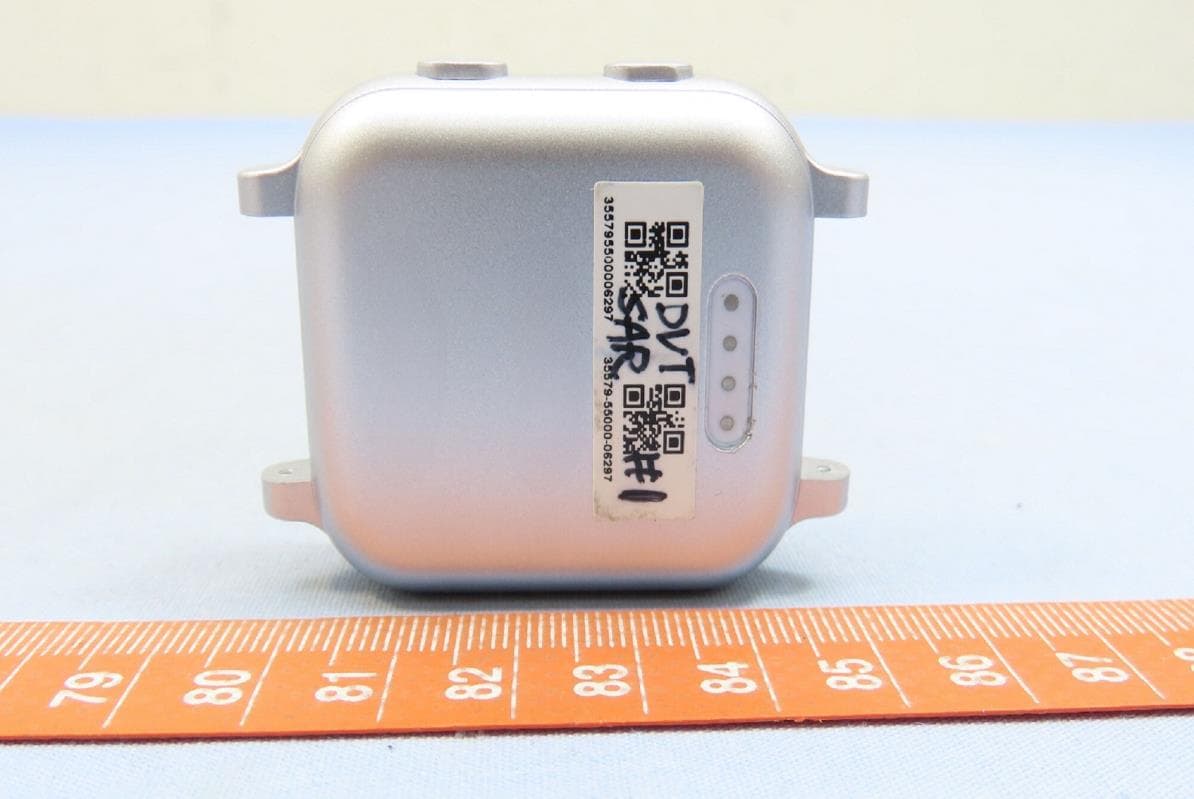
RYQGW23
Aug 06, 2023Smartwatch
Equipment Class
JBP - Part 15 Class B Computing Device Peripheral