S72-WFU1Wi-Fi Smart Adaptor
Cixi City Yidong Electronic Co., Ltd.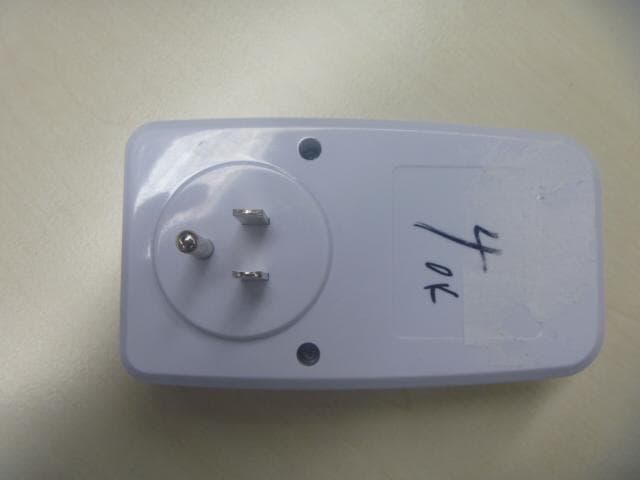
Click to zoom
Application Details
- Equipment Class
- DTS - Digital Transmission System
- Date of Grant
- Jul 02, 2015
- Application Purpose
- Original Equipment
- Date of Application
- Jun 25, 2015
- Equipment Note
- Wi-Fi Smart Adaptor
- Frequency Range
- 2412.00000000 - 2462.00000000
- Country
- China
Documents & Files
Document Text
Text extracted from the exhibit documents filed with the FCC. Open a document above to read the original.
Users Manual
1 Wi-Fi Smart Adaptor Operating Instruction Table of contents I. Product Overview------------------------------------------------------------------------2 II. Product Features-------------------------------------------------------------------------2 III. Mobile Client Software Installation----------------------------------------- ------2,3 IV. Phone Wi-Fi Network Connection Settings-----------------------------------------3 V. Adding Device---------------------------------------------------------------------4,5,6,7 VI. Control Operation--------------------------------------------------------------------7,8 VII. Modify Device Information----------------------------------------------------8,9,10 VIII. Timer Setting-----------------------------------------------------------------10,11,12 IX. Countdown Setting------------------------------------------------------------12,13,14 X. Restore Factory Settings--------------------------------------------------------------14 XI. Delete Device---------------------------------------------------------------------14,15 XII. Technical Parameters----------------------------------------------------------------15 XIII. Failure Analysis---------------------------------------------------------------------15 XIV.Cautions---------------------------------------------------------------------------15,16 XV. MPE Reminding----------------------------------------------------------------16,17 XVI.Region Selection--------------------------------------------------------------------17 XVII.After-sales Service -----------------------------------------------------------------17 2 I. Product Overview Wi-Fi smart plug switch is a kind of power socket, via Wi-Fi wireless network to connect Internet, so as to control electric appliance. From anywhere with an Internet connection, via smart phone client-side, user can control the power on/off and the status display of the socket; meanwhile, client-side supports control of multiple sockets. Wi-Fi smart socket uses smart Config network technology, by simple network configuration, and also supports 10 groups of timer tasks and a group of countdown task. With these characteristics, users can locally or remotely control any appliances they want according to their own habits, such as electric water heater, drinking fountain, aquarium playing oxygen equipment, lights, to have wireless and intelligent life. As the appliances are not needed, they can be turned off conveniently by mobile phone, so as to save energy and make sure appliances are in the off state, to ensure safe use of electrical appliances. II. Product Features ★ Support Wi-Fi Wireless Network ★ Support current status feedback,reporting current status back to client-side ★ Support smart Config network technology, with simple network operation ★ Supports 10 groups of timer tasks and a group of countdown task ★ Client-side can control 128 Wi-Fi sockets at most ★ Support multiple client-side controlling one Wi-Fi socket ★ Support local and remote wireless control III. Mobile Client Software Installation YD APP supports Android2.0 or later and IOS 6.0 or later versions of phone and table PC. Method One: Use your phone which is equipped with two-dimensional code scanning capability software, scanning the two-dimensional IOS or Android code printed on the box, then the client installer can be downloaded. Method Two: iPhone user enters APP Store and search "YD-SW1" to get the free client installer Customers using Android phone enters Google Play or other APP stores and Search "YD-SW1" to get the free client program. 3 After successful installation, an icon will appear on the phone screen as follows (Figure 1): Figure 1 IV. Phone Wi-Fi Network Connection Settings Click the “Settings” button on the phone interface (Figure 2), select the “Wi-Fi” to click into wireless network setting, and set the “Wi-Fi” control switch as open (Figure 3), i.e. click household wireless router model "VM664034-2G" and enter the password to connect (Figure 4). Note: Do not connect the phone to the 5GHz WIFI router. Below for reference: Figure 2 Figure 3 Figure 4 4 V. Adding Device The first time you need to configure the product, plug in the product, place the equipment on home Wi-Fi environment, make the phone connect to Wi-Fi (About how to connect the phone to Wi-Fi, it has been described in details above). After the product is powered on, the blue indicator in its front is on slow flashing mode. Long press the on-off button for more than 4s until the blue LED lights become quick flashing, which means on network configuration status. Loosen the button. At that moment the socket is under fast fleshing status. (If there are no quick flash of the blue indicator, turn off the power, re-operate it according to the above method) Note: Ordinarily ON/OFF button is used as manual switch. Press the power switch once, the power is on, so as the red indicators; press the button twice, the power is off, the red indicator dies out. Figure 5 Next,Start the “YD-SW1” software on phone interface. The Figure 6, Figure 7 and Figure 8 will appear when the first time starting the software (but it won’t appear later). Figure 6 Figure 7 Figure 8 Press the ON/OFF button for 4 seconds into setup mode 5 Click the “Action right now” button (Figure 8) to enter into the main interface (Figure 9). There is no devices list to be controlled for the first time using the software, so we need to add and configure controlled devices. Click “setup” button on Figure 9 to entry into Figure 10. (Figure 9) (Figure 10) There are two methods: Method 1: Click the “Smart Config” button on Figure 10 for entering into Config page (Figure 11). (Figure 11) At this point the name of your wireless network has been automatically acquired, please enter the password for the wireless router you connected (i.e. I try to connect to the router network of my company, network SSID: VM664034-2G, password: 87654321). Click the "Starting setup" button on …
Text truncated - open the document above for the full version.
Cover Letter(s)
THISMUSTBESIGNEDBYTHEAPPLICANT/AGENTANDSHOULDBE PLACEDONAPPROPRIATELETTERHEAD RequestforConfidentiality Date:___June5,2015_____ Subject:ConfidentialityRequestfor:______S72-WFU1_____ PursuanttoFCC47CRF0.457(d)and0.459andICRSP-100,Section10,theapplicantrequeststhatapartofthe subjectFCCapplicationbeheldconfidential. TypeofConfidentialityRequestedExhibit ShortTermPermanentBlockDiagrams ShortTermExternalPhotos ShortTermPermanent* 1 InternalPhotos ShortTermPermanentOperationDescription/TheoryofOperation ShortTermPermanentPartsList&Placement/BOM ShortTermPermanentTune-UpProcedure ShortTermPermanentSchematics ShortTermTestSetupPhotos ShortTermPermanent*User’sManual *Note:______(InsertExplanationasNecessary)______ _CixiCityYidongElectronicCo.,Ltd._hasspentsubstantialeffortindevelopingthisproductanditisoneofthefirst ofitskindinindustry.Havingthesubjectinformationeasilyavailableto"competition"wouldnegatetheadvantage theyhaveachievedbydevelopingthisproduct.Notprotectingthedetailsofthedesignwillresultinfinancial hardship. PermanentConfidentiality: Theapplicantrequeststheexhibitslistedaboveaspermanentlyconfidentialbepermanentlywithheldfrompublic reviewduetomaterialsthatcontaintradesecretsandproprietaryinformationnotcustomarilyreleasedtothepublic. Short-TermConfidentiality: Theapplicantrequeststheexhibitsselectedaboveasshorttermconfidentialbewithheldfrompublicviewfora periodof___(specifynumberofdaysnottoexceed180) 2 ___daysfromthedateoftheGrantofEquipment Authorizationandpriortomarketing.Thisistoavoidprematurereleaseofsensitiveinformationpriortomarketing orreleaseoftheproducttothepublic.ApplicantisalsoawarethattheyareresponsibletonotifyACBintheevent informationregardingtheproductortheproductismadeavailabletothepublic.ACBwillthenreleasethe documentslistedaboveforpublicdisclosurepursuanttoFCCPublicNoticeDA04-1705. NOTEforIndustryCanadaApplications: TheapplicantunderstandsthatuntilsuchtimethatICdistinguishesbetweenShortTermandPermanent Confidentiality,eithertypeofmarkedexhibitabovewillsimplybemarkedConfidentialwhensubmittedtoIC. Sincerely, By:____________MengjieShen_____ (Signature/Title 3 )(Printname) 1 -Theasteriskeditems(*)requirefurtherjustificationbeforepermanentconfidentialitywillbeallowed.Thesealsocurrently requirereviewbytheFCCundertheirPermit-But-Askpolicybeforethegrantisissuedandcandelaycompletionofan application.Furtherjustificationshouldbeaddedtothenoteabove.Onesuchexampleforapotteddevicewouldbe:“The EUTisFULLYpottedusinganon-removableepoxybasedmaterial.Removalofpottingmaterialcausesirreparable damagetointernalcircuitry.Seephotographsexhibitsthatoutlinethedevicebeforeandafterpotting.” 2 -Pleaserefertohttp://acbcert.com/documents/misc-docs/Memo-Short-Term-Vs-Standard-Confidentiality.pdfforcomplete details. 3 -MustbesignedbyapplicantcontactgivenforapplicantontheFCCsite,orbytheauthorizedagentifanappropriate authorizedagentletterhasbeenprovided.Lettersshouldbeplacedonappropriateletterhead.
Cover Letter(s)
CixiCityYidongElectronicCo.,Ltd. AuthoritytoActasAgent Date:_June5,2015____ AmericanCertificationBody,Inc. 6731WhittierAvenue SuiteC110 McLean,VA22101 ToWhomItMayConcern: ______IntertekTestingServicesShanghai______isauthorizedtoactonourbehalf,untilotherwise notified,forapplicationstoAmericanCertificationBody,Inc.(ACB). Wecertifythatwearenotsubjecttodenialoffederalbenefits,thatincludesFCCbenefits,pursuantto Section5301oftheAnti-DrugAbuseActof1988,21U.S.C.862.Further,noparty,asdefinedin47 CFR1.2002(b),totheapplicationissubjecttodenialoffederalbenefits,thatincludesFCCbenefits. Thankyou, AgencyAgreementExpirationDate:___March31,2016_______ By:____________________MengjieShen_______ (Signature 1 )(Printname) Title:________Manager__________ Onbehalfof:CixiCityYidongElectronicCo.,Ltd. (CompanyName) Telephone:____+86-574-63630755______ 1 -MustbesignedbyapplicantcontactgivenforapplicantontheFCCsite,orbytheauthorizedagentifanappropriate authorizedagentletterhasbeenprovided.Lettersshouldbeplacedonappropriateletterhead.
External Photos
FCC ID: S72-WFU1 IC: 10931A-WFU1 Page 1 of 2 External Picture FCC ID: S72-WFU1 IC: 10931A-WFU1 Page 2 of 2 EUT
ID Label/Location Info
Model : WFU-1 Wi-Fi Smart Adaptor Input:125 V AC,6 0Hz CIXI CITY YIDONG ELECTRONIC CO.,LTD. C us cm T Intertek This device complies with Part 15 of the FCC Rules . Operation is subject to the following two conditions: (1)This device may not cause harmful interference,and(2)this device must accept any interferencereceived,including interference that may cause undesired operation. Conf orms to UL Std.498 A,60730-1 Certified by CSA STD IEC E730-1 and C22.2 No.42 125VAC 60HZ 1250W(10A)Tungsten 125VAC 60HZ 15A Resistive125VAC 60HZ TV-5 1 / 2 HP 125VAC,60HZ,15A,General purpose For Indoor Use Only WIFI Frequency :2.4GHzWireless standards:IEEE802.11 b/g/n OUTPUT: FCC ID:S72-WFU1 4005922 IC:10931A-WFU1 Model:WFU-1 Wi-Fi Smart Adaptor CIXI CITY YIDONG ELECTRONIC CO.,LTD. C us
Internal Photos
FCC ID: S72-WFU1 IC: 10931A-WFU1 Page 1 of 6 Internal Picture FCC ID: S72-WFU1 IC: 10931A-WFU1 Page 2 of 6 FCC ID: S72-WFU1 IC: 10931A-WFU1 Page 3 of 6 FCC ID: S72-WFU1 IC: 10931A-WFU1 Page 4 of 6 FCC ID: S72-WFU1 IC: 10931A-WFU1 Page 5 of 6 FCC ID: S72-WFU1 IC: 10931A-WFU1 Page 6 of 6
RF Exposure Info
FCC ID: S72-WFU1 IC: 10931A-WFU1 Page 1 of 3 Statement of compliance to Maximum Permissible Exposure (MPE) Applicant : Cixi City Yidong Electronic Co., Ltd. Guanhaiwei Industrial West Zone, Cixi City, Ningbo 315315, China Manufacturer : Cixi City Yidong Electronic Co., Ltd. Guanhaiwei Industrial West Zone, Cixi City, Ningbo 315315, China Product Name : Wi-Fi Smart Adaptor Type/Model : WFU-1 According to §2.1091, §2.1093 and §1.1307(b), systems operating under the provisions of this section shall be operated in a manner that ensures that the public is not exposed to radio frequency energy level in excess of the Commission’s guidelines. Date of issue: June 8, 2015 Prepared by: Approved by: Nemo Li (Project engineer) Daniel Zhao (Reviewer) FCC ID: S72-WFU1 IC: 10931A-WFU1 Page 2 of 3 Power density (S) is calculated according to the formula: S = PG / (4πR²) Where S = power density in mW/cm² P = transmit power in mW G = numeric gain of transmit antenna (numeric gain=Log-1(dB antenna gain/10)) R = distance (cm) As we can see from the test report 150500091SHA-001: Frequency band Power Antenna Gain R S Limits (MHz) dBm mW dBi (Numeric) (cm) (mW/cm2) (mW/cm2) 2400 -2483.5 12.70 18.62 3.45 2.21 20 0.0082 1 Note: 1 mW/cm2 from 1.310 Table 1 This level is below the simultaneous transmission MPE test exclusion requirements (≤1.0). FCC ID: S72-WFU1 IC: 10931A-WFU1 Page 3 of 3 Appendix I Definition below must be outlined in the User Manual: To satisfy FCC RF exposure requirements, a separation distance of 20 cm or more should be maintained between the antenna of this device and persons during device operation. To ensure compliance, operations at closer than this distance is not recommended.
Test Report
FCC ID: S72-WFU1 IC: 10931A-WFU1 Page 1 of 48 EMC TEST REPORT for Intentional Radiator No. 150500091SHA-001 Applicant : Cixi City Yidong Electronic Co., Ltd. Guanhaiwei Industrial West Zone, Cixi City, Ningbo 315315, China Manufacturer : Cixi City Yidong Electronic Co., Ltd. Guanhaiwei Industrial West Zone, Cixi City, Ningbo 315315, China Product Name : Wi-Fi Smart Adaptor Type/Model : WFU-1 SUMMARY The equipment complies with the requirements according to the following standard(s): 47CFR Part 15 (2014): Radio Frequency Devices(Subpart C) ANSI C63.10 (2009): American National Standard of Procedures for Compliance Testing of Unlicensed Wireless Devices Date of issue: June 8, 2015 Prepared by: Reviewed by: Nemo Li (Project Engineer) Daniel Zhao (Reviewer) FCC ID: S72-WFU1 IC: 10931A-WFU1 Page 2 of 48 Description of Test Facility Name: Intertek Testing Services Limited Shanghai Address: Building 86, No. 1198 Qinzhou Rd., North, Shanghai 200233, P.R. China FCC Registration Number: 236597 IC Assigned Code: 2042B-1 Name of contact: Jonny Jing Tel: +86 21 61278271 Fax: +86 21 54262353 FCC ID: S72-WFU1 IC: 10931A-WFU1 Page 3 of 48 Content SUMMARY .......................................................................................................................................................... 1 DESCRIPTION OF TEST FACILITY ......................................................................................................................... 2 1. GENERAL INFORMATION ............................................................................................................................ 4 1.1 Applicant Information ..................................................................................................... 4 1.2 Identification of the EUT ................................................................................................ 4 1.3 Technical specification ................................................................................................... 5 2. TEST SPECIFICATION .................................................................................................................................. 6 2.1 Instrument list ................................................................................................................. 6 2.2 Test Standard .................................................................................................................. 7 2.3 Mode of operation during the test / Test peripherals used .............................................. 8 2.4 Test Summary ............................................................................................................... 10 3. MINIMUM 6DB BANDWIDTH ..................................................................................................................... 11 3.1 Limit .............................................................................................................................. 11 3.2 Test Configuration ........................................................................................................ 11 3.3 Test Procedure and test setup ........................................................................................ 11 4. MAXIMUM PEAK OUTPUT POWER ............................................................................................................. 20 4.1 Test limit ....................................................................................................................... 20 4.2 Test Configuration ........................................................................................................ 20 4.3 Test procedure and test setup ........................................................................................ 20 4.4 Test protocol ................................................................................................................. 21 5. POWER SPECTRUM DENSITY ..................................................................................................................... 22 5.1 Test limit ....................................................................................................................... 22 5.2 Test Configuration ........................................................................................................ 22 5.3 Test procedure and test setup ........................................................................................ 22 5.4 Test Protocol ................................................................................................................. 23 6. RADIATED EMISSION IN THE RESTRICTED BANDS .................................................................................... 31 6.1 Test limit ....................................................................................................................... 31 6.2 Test Configuration ........................................................................................................ 31 6.3 Test procedure and test setup ........................................................................................ 32 6.4 Test protocol ................................................................................................................. 33 7. EMISSION OUTSIDE THE FREQUENCY BAND ............................................................................................. 37 7.1 Limit .............................................................................................................................. 37 7.2 Test Configuration ........................................................................................................ 37 7.3 Test procedure and test setup ........................................................................................ 37 7.4 Test protocol ................................................................................................................. 39 8. POWER LINE CONDUCTED EMISSION .....................................................................…
Text truncated - open the document above for the full version.
Test Setup Photos
FCC ID: S72-WFU1 IC: 10931A-WFU1 Page 1 of 2 Test Setup FCC ID: S72-WFU1 IC: 10931A-WFU1 Page 2 of 2 1. Radiated Emission 30-1000MHz Above 1GHz
Contact Information
Applicant
Mengjie Shen(Manager)
Technical Contact
Intertek Testing Services Limited ShanghaiNemo Li
[email protected]86-21-61278449
Building No.86, 1198 Qinzhou Road(North) · Shanghai · China
Test Firm
Intertek Testing Services Limited ShanghaiJonny Jing
Technical Specifications
| # | Rule Parts | Frequency Range | Power Output |
|---|---|---|---|
| 1 | 15C | 2.41 GHz - 2.46 GHz | 19.00 mW |
Other Applications from Cixi City Yidong Electronic Co., Ltd.

S72-RC13U
Sep 15, 2020Wireless remote transmitter
Equipment Class
DSC - Part 15 Security/Remote Control Transmitter
S72-RC14U
Sep 15, 2020Wireless remote transmitter
Equipment Class
DSC - Part 15 Security/Remote Control Transmitter