S7USBPB1539Multimedia Equipment
Sling Media. Inc,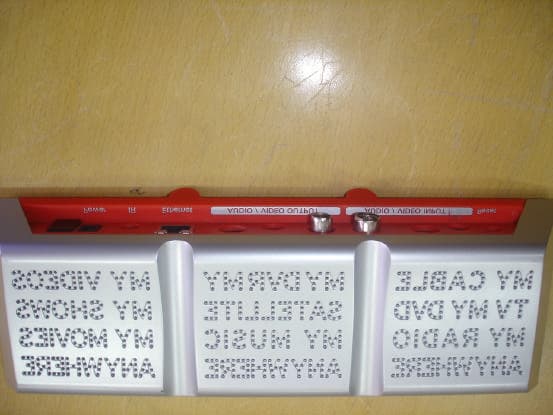
Click to zoom
Application Details
- Equipment Class
- JBP - Part 15 Class B Computing Device Peripheral
- Date of Grant
- Oct 09, 2006
- Application Purpose
- Original Equipment
- Date of Application
- Oct 08, 2006
- Equipment Note
- Multimedia Equipment
- Company
- Sling Media. Inc,
- Country
- United States
Documents & Files
Document Text
Text extracted from the exhibit documents filed with the FCC. Open a document above to read the original.
Users Manual
Slingbox User Guidei iiSlingbox User Guide © 2005 Sling Media, Inc. All rights reserved. Patents pending. Slingbox, SlingPlayer, SlingStream, and SlingBar are the property of Sling Media, Inc. All other products and services, screen images, logos, trademarks, and movie quotes are the property of their respective owners. SlingPlayer uses the SoundTouch Sound Processing Library, which is licensed under the terms of the GNU Lesser General Public License. (http://sky.prohosting.com/oparviai/soundtouch/#license) SoundTouch Library Copyright © Olli Parviainen 2001-2005. SB 1.5 SP 1.3 UG 1.1 (UK Edition) Slingbox User Guideiii Contents Contents .................................................................................... iii Introducing Slingbox™ ................................................................................... 1 Welcome ..................................................................................... 1 Setup is easy...ignoring your TV is difficult ..................................... 1 It’s not magic, but it’s close ............................................................... 1 Stream of Consciousness .................................................................... 2 Where will you watch your TV? ........................................................ 2 What’s New .......................................................................................... 2 Using this Guide ......................................................................... 4 Structure ................................................................................................ 4 Conventions ......................................................................................... 4 Package Contents ....................................................................... 5 System Requirements .......................................................................... 5 Network Requirements ....................................................................... 5 Important Safety Instructions .................................................... 6 Connecting your Slingbox .............................................................................. 9 About Connections ..................................................................... 9 Included Cables .................................................................................. 10 Rear Panel Connectors ..................................................................... 12 Connecting your Audio/Video Sources to Slingbox ................ 13 Connecting a Cable Box, Satellite Receiver, or a DVR ............... 14 Connecting Using a SCART Output .............................................. 15 Connecting an Antenna, DVB-T, or Analogue Cable ................. 15 Connecting Other Audio/Video Devices ..................................... 16 Sharing an Audio/Video Source ..................................................... 18 Connecting Multiple Audio/Video Sources to Slingbox ............ 18 Connecting the IR Control Cable ............................................ 20 Connecting Slingbox to your Home Network ......................... 21 Powering-up your Slingbox ...................................................... 22 Installing SlingPlayer .................................................................................... 23 About the Software Installation ................................................ 24 Free Slingbox Finder service ........................................................... 24 Installing SlingPlayer on your PC ............................................ 25 SlingPlayer Application Setup .................................................. 26 Setup Type ..........................................................................................27 Checking for Updates ........................................................................27 Selecting Your Slingbox ....................................................................27 Audio/Video Setup ...........................................................................28 Location of Your Slingbox ...............................................................29 Name and Password Setup ...................................................... 37 Assigning a Name ..............................................................................37 Assigning Passwords ..........................................................................38 IR Control Setup ...................................................................... 39 Changing Channels ............................................................................40 Remote Viewing Setup ..............................................................41 Configuring your Router ...................................................................42 Port Forwarding .................................................................................43 Opening Ports ....................................................................................43 You’re Good To Go .................................................................. 45 Registering Your Slingbox ....................................................... 46 How do I locate my Slingbox serial number? ................................46 How do I locate my Slingbox Finder ID? ......................................46 Getting to Know SlingPlayer ........................................................................47 SlingPlayer User Interface ....................................................... 47 SlingPlayer Controls ...........................................................................48 SlingPlayer Window Controls ..........................................................51 Slingbox Directory .............................................................................52 SlingRemote ........................................................................................53 SlingStream .............................................................…
Text truncated - open the document above for the full version.
Attestation Statements
Verma Kalyan/Ind/TUV 09/19/2006 01:07 AM To Tim Dwyer/US/TUV@TUV cc bcc Subject Re: documents for review and issue of FCC ID (part 1) Dear Tim, Please find the attached corrected doucments. Kalyan Varma Tim Dwyer/US/TUV Tim Dwyer/US/TUV 09/15/2006 05:09 AM To Verma Kalyan/Ind/TUV@TUV cc Subject Re: documents for review and issue of FCC ID (part 1) Hello Kalyan, I have completed most of the review and in the interest of time am sending my findings by email. I will need to prepare a more formal list but it is for formality only, and the content should be the same. The following are my comments and questions: 1. The statement in 3.3 of the test report needs to include 15.118, and additionally that SlingMedia has applied the Verification procedure as applicable to the product as a TV Broadcast Receiver. Kalyan: Corrected report attached. 2. The label needs to include the statement from 15.19(a)(3) "This device complies with..........." as on the previous model. Attached is the label from the earlier model. Kalyan: sorry, I overlooked at the statements. Please find the corrected label and othe related documents. 3. There is the appearance that this is a "TV Interface Device" as defined in 15.3(y). TV Interface Devices require either Declaration of Conformity or Certification. ou can either supply measurement data according to 15.115 or provide additional descriptive information in the operational description or a separate letter addressing the following issues. These are not clear from the present operational description or block diagram. -Is the signal provided at the Antenna/Cable Out connector a pass through from the input or is it the output from the cable tuner? Kalyan: It is only a pass through. There is no cable tuner inside -What is the operational frequency range of the Antenna/Cable In? Kalyan: no specific range is defined. -What frequency range is present on the Antenna /Cable Out connector? Kalyan: same as input -Is any frequency translation performed? Kalyan: no. The device does not perform any function on the Antenna/cable input. It passes through input to the output port. Hence not considered as TV interface device. [attachment "Label.pdf" deleted by Verma Kalyan/Ind/TUV] Best regards, TUV Rheinland of North America, Inc. EMC and Telecommunications Services Tim Dwyer EMC Program Manager Tel (203) 426-0888 Ext. 104 Fax (203) 426-4009 Email [email protected] web www.tuv.com
External Photos
TÜV RHEINLAND Product Safety GmbH Am Grauen Stein D-51105 Köln External Photos Documentation for Sling Media , Inc. 901, Mariners Island Blvd. Suite 300, San Mateo CA 94404 USA Of Multimedia Equipment Model: SB150-110 FCC ID: S7USBPB1539 This documentation consists of 4 pages include this cover page. Model:SB150-110 FCC ID: S7USBPB1539 Page 2 of 4 Over view Connector side view Model:SB150-110 FCC ID: S7USBPB1539 Page 3 of 4 Connector marking FCC ID label position Model:SB150-110 FCC ID: S7USBPB1539 Page 4 of 4 FCC ID
ID Label/Location Info
Model:SB150-110 FCC ID: S7USBPB1539 Label location Page 1 of 1 Model:SB150-110 FCC ID: S7USBPB1539 Label location Page 2 of 1
Internal Photos
TÜV RHEINLAND Product Safety GmbH Am Grauen Stein D-51105 Köln Internal Photos Documentation for Sling Media , Inc. 901, Mariners Island Blvd. Suite 300, San Mateo CA 94404 USA Of Multimedia Equipment Model: SB150-110 FCC ID: S7USBPB1539 This documentation consists of 3 pages include this cover page. Model: SB150-110 FCC ID: S7USBPB1539 Page 2 of 3 PCB component side P artial view on component side Model: SB150-110 FCC ID: S7USBPB1539 Page 3 of 3 Partial view on component side Track side
Test Report
Produktsicherheit und –qualität Product Safety and Quality FCC ID: S7USBPB1539 Prüfbericht - Nr.: Test Report No. 02421350 001 Seite Page 1 von of 19 Auftraggeber: Client: Sling Media, Inc. 901, Mariners Island Blvd. Suite 300, San Mateo CA 94404 USA Gegenstand der Prüfung: Test item: Multimedia equipment Bezeichnung: Identification: SB150-110 Serien-Nr.: Serial No. proto type FCC1 Wareneingangs-Nr.: Receipt No.: 1403002766 Eingangsdatum: Date of receipt: 26th April 2006 Prüfort: Testing location: Refer to section 2.1 Prüfgrundlage: Test specification: FCC Title 47, Part 15, Subpart B 2005(class B) The test procedures are followed as give in the standard ANSI C63.4 2003, EIA/TIA 603 and MP-5. Prüfergebnis: Test Result Der vorstehend beschriebene Prüfgegenstand wurde geprüft und entspricht oben genannter Prüfgrundlage. The a. m. test item passed. Prüflaboratorium / Testing Laboratory: TÜV Rheinland (India) Pvt., ltd zusammengestellt/ compiled by:B.S. Ravindra Kumar kontrolliert/ Reviewed by: G. Kalyan Varma 8th September 2006 Datum Unterschrif Date Signature 11th September 2006 Datum Unterschrift Date Signature Sonstiges / Other Aspects: remarks Abkürzungen: ok / P = entspricht Prüfgrundlage fail / F = entspricht nicht Prüfgrundlage n.a. / N = nicht anwendbar Abbreviations: ok / P = passed fail / F = failed n.a. / N = not applicable Dieser Prüfbericht bezieht sich nur auf den o.g. Prüfgegenstand und darf ohne Genehmigung der Prüfstelle nicht auszugsweise vervielfältigt werden. This test report relates to the a. m. test item. Without permission of the test center this test report is not permitted to be duplicated in extracts. TÜV Rheinland Product Safety GmbH û Am Grauen Stein û D - 51105 Köln û Tel.: +49 221 806-1371 û Fax: +49 221 806-3909 Mail: [email protected] û Web: www.tuv.com Produktsicherheit und –qualität Product Safety and Quality FCC ID: S7USBPB1539 Prüfbericht - Nr.: Test Report No. 02421350 001 Seite Page 2 von of 19 TEST SUMMARY 5.1.1 MAINS TERMINAL CONTINUOUS DISTURBANCE VOLTAGE RESULT: PASS 5.2.1 RADIATED EMISSION (RE) RESULT: PASS Produktsicherheit und –qualität Product Safety and Quality FCC ID: S7USBPB1539 Prüfbericht - Nr.: Test Report No. 02421350 001 Seite Page 3 von of 19 Contents 1. GENERAL REMARKS............................................................................................................4 1.1 COMPLEMENTARY MATERIALS............................................................................................4 1.2 FCC CROSS-REFERENCE TABLE.......................................................................................4 2. TEST SITES..........................................................................................................................5 2.1 TEST FACILITIES..................................................................................................................5 2.2 LIST OF TEST AND MEASUREMENT INSTRUMENTS.............................................................5 3. GENERAL PRODUCT INFORMATION.....................................................................................6 3.1 PRODUCT FUNCTION AND INTENDED USE..........................................................................6 3.2 RATINGS AND SYSTEM DETAILS.........................................................................................6 3.3 INDEPENDENT OPERATION MODES.....................................................................................6 3.4 NOISE GENERATING AND NOISE SUPPRESSING PARTS.....................................................6 3.5 SUBMITTED DOCUMENTS....................................................................................................6 4. TEST SET-UP AND OPERATION MODES..............................................................................7 4.1 PRINCIPLE OF CONFIGURATION SELECTION.......................................................................7 4.2 PHYSICAL CONFIGURATION FOR TESTING..........................................................................7 4.3 TEST OPERATION AND TEST SOFTWARE............................................................................7 4.4 SPECIAL ACCESSORIES AND AUXILIARY EQUIPMENT........................................................8 4.5 COUNTERMEASURES TO ACHIEVE EMC COMPLIANCE......................................................8 5. TEST RESULTS EMISSION.......................................................................................9 5.1 EMISSION IN THE FREQUENCY RANGE UP TO 30 MHZ.......................................................9 5.1.1 Mains Terminal Continuous Disturbance Voltage..............................................................9 5.2 EMISSION IN THE FREQUENCY RANGE ABOVE 30 MHZ..................................................12 5.2.1 Radiated Emission (RE)................................................................................................12 6. PHOTOGRAPHS OF THE TEST SET-UP.............................................................................16 7. LIST OF TABLES................................................................................................................19 8. LIST OF FIGURES..............................................................................................................19 9. LIST OF PHOTOGRAPHS...................................................................................................19 Produktsicherheit und –qualität Product Safety and Quality FCC ID: S7USBPB1539 Prüfbericht - Nr.: Test Report No. 02421350 001 Seite Page 4 von of 19 1. General Remarks 1.1 Complementary Materials All attachments are integral parts of this test report. 1.2 FCC Cross-reference Table The results of emission measurements and product related information contained in this test report and the attached materials relate to the contents of the FCC standard report in the following way: FCC § / heading 1.1 Product Description Refer user manual attachment 1.2 Related Submittals ---- 1.3…
Text truncated - open the document above for the full version.
Test Setup Photos
FCC ID: S7USBPB1539 Test set up photographs Page1 of 3 Photograph 1: Set-up for Conducted Emission on AC Mains Photograph 2: Set-up for Radiated Emission in Vertical Orientation FCC ID: S7USBPB1539 Test set up photographs Page2 of 3 Photograph 3: Set-up for Radiated Emission in Horizontal Orientation FCC ID: S7USBPB1539 Test set up photographs Page3 of 3
Contact Information
Applicant
Ian Schroeder(Hardware Engineer)
Technical Contact
Sling Media, Inc.Bhupen Shah
[email protected]650-293-8000
901 Mariners Island Blvd. · San Mateo, California · United States
Non-Technical Contact
Sling Media, Inc.Andrew Einaudi
[email protected]650-293-8000
Test Firm
Sanjay Baisakhiya,, HEAD EMC DIVISION,SAMEER-CEMSanjay Baisakhiya
Technical Specifications
| # | Rule Parts | Frequency Range | Power Output |
|---|---|---|---|
| 1 | 15B | - | - |
Other Applications from Sling Media. Inc,
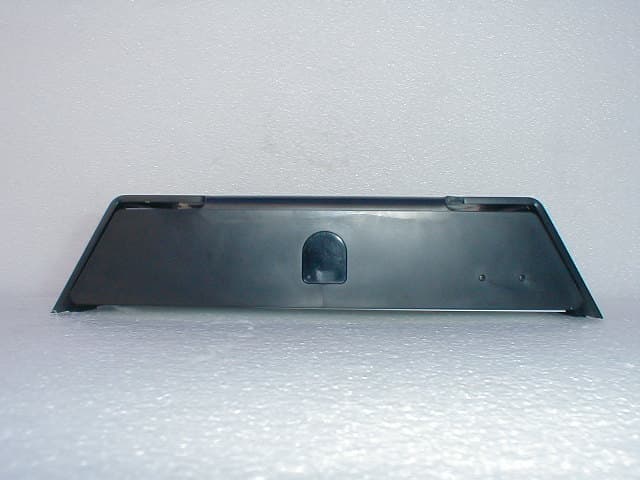
S7USBCA5120
Sep 03, 2007Multimedia Equipment: SlingCatcher Model:SC100-100
Equipment Class
JBP - Part 15 Class B Computing Device Peripheral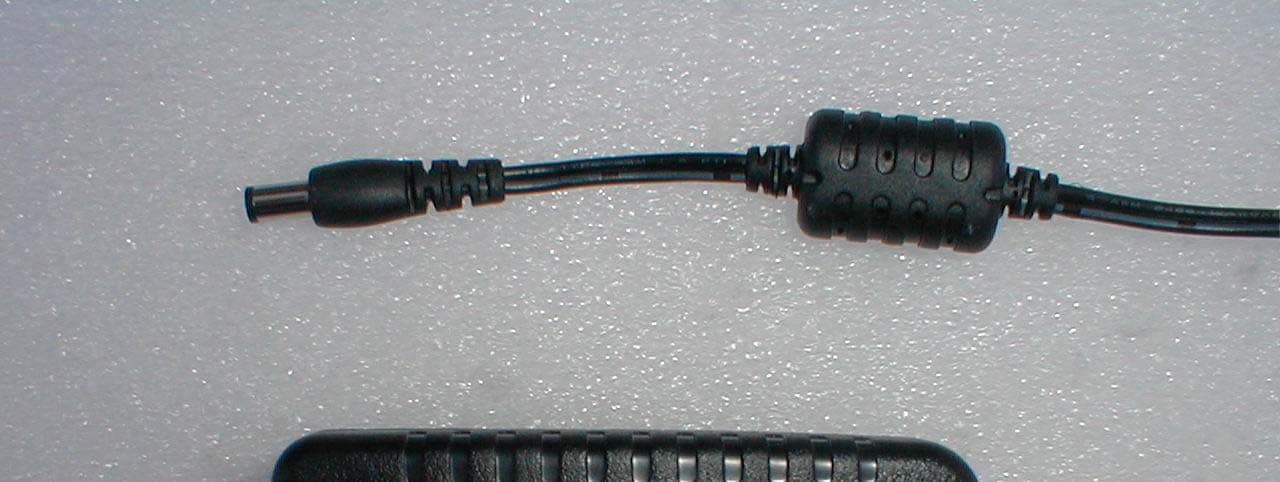
S7USBPB2849
Sep 03, 2007Multimedia Equipment:Slingbox SOLO Model:SB260-100
Equipment Class
JBP - Part 15 Class B Computing Device PeripheralS7USBPB2445
Sep 12, 2006Multimedia Equipment-Slingbox AV Model# SB240-100
Equipment Class
JBP - Part 15 Class B Computing Device PeripheralS7USBPB2041
Sep 12, 2006Multimedia Equipment-Slingbox PRO Model# SB200-100
Equipment Class
JBP - Part 15 Class B Computing Device PeripheralS7USBPB2243
Sep 12, 2006Multimedia Equipment-SlingboxTuner Model#SB220-100
Equipment Class
JBP - Part 15 Class B Computing Device Peripheral