S8J-WR2000300Mbps Wireless N Router
Shenzhen Bilian Electronic Co., Ltd.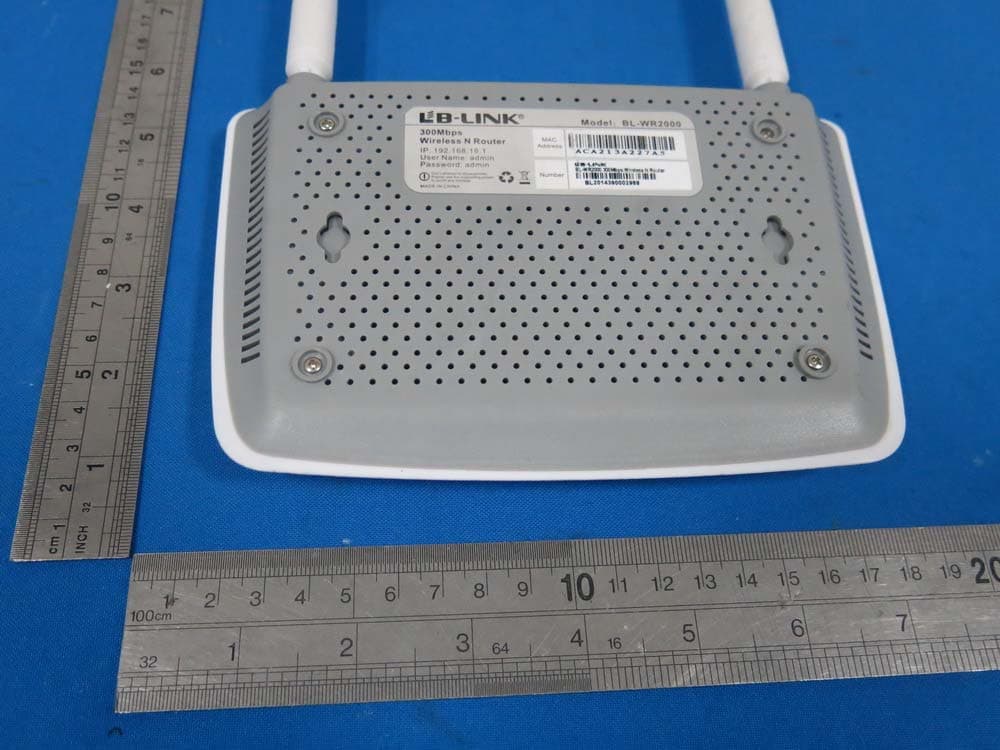
Click to zoom
Application Details
- Equipment Class
- DTS - Digital Transmission System
- Date of Grant
- Jan 13, 2015
- Application Purpose
- Original Equipment
- Date of Application
- Jan 13, 2015
- Equipment Note
- 300Mbps Wireless N Router
- Frequency Range
- 2412.00000000 - 2462.00000000
- Country
- China
Documents & Files
Document Text
Text extracted from the exhibit documents filed with the FCC. Open a document above to read the original.
Users Manual
300Mbps Wireless N Router Model:BL-WR2000 Quick Installation Guide 1.Connecting the device Note: Please use wired network connections only to configure the Router. Connect the WAN port on your Router to the Modem's LAN port with an Ethernet cable. (If there is no Modem, please use the incoming cable directly into the router's WAN port). Connect your computer to the Port labeled 1~4 on the Router with an Ethernet cable. Plug the provided power adapter into the power jack on the back of the router and the other end to a standard electrical wall socket. Wireless N Router Cable/DSL Modem Internet 1 2 3 Wireless N Router Cable/DSL Modem Internet PC Wireless N Router Cable/DSL Modem Internet PC 1 2 3 Power outlet 1 Check the router's LED indicator lights display status is the same as described. 4 2 Note: If the LED indicator light display abnormal, please check whether the connection is correct. WAN:Flashing or solid light LAN:Flashing or solid light if the corresponding port is connected SYSFlashing: Power: Solid light WPS: Flashing WLAN: Flashing ~ 2.Configuring the device Note: First of all, please configure your computer's IP address to automatically obtain, if not clear, please refer to FAQ3. Login Open your web browser,input 192.168.16.1 in the address field and press Enter. A dialog box will prompt you for the User name and Password. Enter the default values and click OK. User name:admin Password: admin The web management page will display after a successful login Click OK 1 about:blank - Microsoft Internet Explorer Address 192.168.16.1Go about:blank - Microsoft Internet Explorer NetworkWirelessFirewallVirtual ServerQOSQuick Setup Status Time ZoneExport/importRestoreFirmwarePassword System information Run time System time Software version 00:30:01 07:32:24 v2.0.10. Click Quick Setup 3 2 Internet Paremeters Configuration This page will then display How to select a connection type? User name and password A static IP address, subnet mask, gateway and DNS server Static IP address The Internet parameters provided by ISP when users apply for Internet access No parameters, don't use any router and don't do any setting 1.Make sure the cable is securely plugged 2.If the connection type your ISP provided is PPTP,L2TP,you must go to “Network-WAN” into Configuration for Dynamic When you choose the Dynamic IP no change required. Click “Next” to go on the next setting. Configuration for Static Mode This page will then display NetworkWirelessFirewallVirtual ServerQOSQuick Setup Quick Setup Qucik Setup DHCP (Auto Config) Static Mode (fixed IP) PPPOE (ADSL) Back Back Cancel Cancel Apply ApplyNext Select a connection type Click Next Note: to configure your connection type manually. the WAN port before detection. Connection type Static Mode Dynamic PPPoE A B NetworkWirelessFirewallVirtual ServerQOSQuick Setup Quick Setup Qucik Setup IP address Subnet Mask Gateway Primary DNS Server Secondary DNS Server Back Back Cancel Cancel Apply ApplyNext (Optional) Enter the IP address,subnet Mask, Gateway,DNS provided by your ISP Manually. Click Next Configuration for PPPOE This page will then display C NetworkWirelessFirewallVirtual ServerQOSQuick Setup Quick Setup Qucik Setup Back Back Cancel Cancel Apply ApplyNext Access Account Password Enter the Access Account and Password provided by your ISP. Click Next 4 Wireless Settings Configuration This page will then display Note: The basic setting for your Router is completed. You will be able to access to the Internet, if not, please refer to the troubleshooting 3 NetworkWirelessFirewallVirtual ServerQOSQuick Setup Quick Setup Qucik Setup Network name(SSID) Security WPA Algorithms Key Back Back Cancel Cancel Apply Apply AESTKIP&AES Next Next B-LINK_90E09F WPA2-PSK Create a unique and easy-to-remember name for your wireless network.You can also keep default settings without the device being affected. Select Security and WPA Algorithms, Suggest to choose “AES”. Set up a wireless Key,the length is more than 8 characters. Click Apply 5 3.Troubleshooting FAQ1: What should I do if I forget the user name and password? (How to restore the router 's configuration to its factory default settings.) Answer: If you forget the user name and password, the only way to solve this problem is to reset the router. Press and hold the RESET button on the rear panel for 5 to 8 seconds before releasing it. FAQ2: What can I do if I cannot access the Internet? MAC Address Clone Clone MAC Cancel Cancel Apply Apply Restore MAC Address:44:33:4C:90:E0:98 Hold for 5 to 8 seconds FAQ3: How to configure the IP address of the computer? For Windows XP OS Go to Start > Control Panel, you will then see the following page. Click Network and Internet Connections 6 2.Disconnect the Router and directly connect your computer to the Modem and try to access the Internet. If you still cannot access to the Internet, please contact your ISP or the Modem's manufacturer; otherwise, please reconnect the physical connection between your Modem, 3.Make sure that you are connected to the Router with the computer that was originally connected to your modem, then login to the web-based management page and browse to "Network > MAC Clone", click "Clone MAC" and then click "Apply". Reboot the Router and try to access the Internet from your computer, if the problem still, please go to the next step. 1.Check to see if all the connectors are connected well, including the telephone line (for your modem), Ethernet cables and power adapter. Router and the computer, then continue to follow the next step. Click Network Connections Right-click Local Area Connection Click Properties 7 Double-click Internet Protocol (TCP/IP) For Windows XP OS Select Obtain an IP address automatically Select Obtain DNS server address automatically Click OK 8 Click OK For Windows XP OS Click View network status and tasks Click Properties Right-click Local Area Connection Go to Start > Control Panel, you will then see the following page. For Windows 7 OS 9 …
Text truncated - open the document above for the full version.
Cover Letter(s)
SCS-F18: Project and Product Certification Representative Authorization Letter Page 1 of 2 Rev 5.0 775 Montague Expressway Milpitas, CA 95035 Tel: 408-526-1188 Fax: 408-526-1088 Email: [email protected] Project and Product Certification Representative Authorization Letter Reason for Amendment (current / obsolete) Revision History Approved Date From To Initial Release (obsolete) 1.0 1.0 Nov-14-2006 Revised wording (obsolete) 1.0 2.0 Sept–25-2007 Updated company template (obsolete) 2.0 3.0 Jan-31-2012 Updated letter information (obsolete) 3.0 4.0 May-23-2014 Added FCC ID field (current) 4.0 5.0 Sept 16 2014
Cover Letter(s)
SCS-F19: Confidentiality Request Letter Page 1 of 2 Rev 3.0 775 Montague Expressway Milpitas, CA 95035 Tel: 408-526-1188 Fax: 408-526-1088 Email: [email protected] Confidentiality Request Letter Reason for Amendment (current / obsolete) Revision History Approved Date From To Initial Release (obsolete) 1.0 1.0 Nov-14-2006 Adding CFR 2.459 (obsolete) 1.0 2.0 August – 11 - 2008 Updated company template & Added text box (current) 2.0 3.0 Jan-31-2012
Cover Letter(s)
Date: 2015-01-08 To: Federal Communications Commission 7435 Oakland Mills Road Columbia, MD FCC ID: S8J-WR2000 To Whom It May Concern: This letter is to ascertain that Shenzhen Bilian Electronic Co., Ltd. Product 300Mbps Wireless N Router has been the units used for conducting FCC compliance testing, the DoC part will be tested by FCC recognized test lab. If you have any question or concerns, pls. contact us. Sincerely, Tianle Chen Certification Engineer Building B1, Zhongxing Industrial Zone, Juling Jutang Community, Guanlan street, Bao'an, Shenzhen China
ID Label/Location Info
Label on EUT:
Internal Photos
Ant1 Ant2
RF Exposure Info
1 RF EXPOSURE EVALUATION EUT Specification EUT 300Mbps Wireless N Router FCC ID S8J-WR2000 Frequency band (Operating) WLAN: 2.412GHz ~ 2.462GHz WLAN: 5.18GHz ~ 5.32GHz / 5.50GHz ~ 5.70GHz WLAN: 5.745GHz ~ 5825GHz Others Device category Portable (<20cm separation) Mobile (>20cm separation) Others ___ Exposure classification Occupational/Controlled exposure (S = 5mW/cm2) General Population/Uncontrolled exposure (S=1mW/cm2) Antenna diversity Single antenna Multiple antennas Tx diversity Rx diversity Tx/Rx diversity Max. output power 17.77dBm for 802.11b; 16.76dBm for 802.11g; 15.21dBm for 802.11n(H20); 13.74dBm for 802.11n(H40); Antenna gain (Max) 5dBi Evaluation applied MPE Evaluation SAR Evaluation 2 Applicable Standard: Systems operating under the provisions of this section shall be operated in a manner that ensures that the public is not exposed to radio frequency energy levels in excess limit for maximum permissible exposure. In accordance with 47 CFR FCC Part 2 Subpart J. Section 2.1091 this device has been defined as a mobile device whereby a distance of 0.2m Normally can be maintained between the user and the device. Limits for Maximum Permissible Exposure(MPE) Frequency Range(MHz) Electric Field Strength(V/m) Magnetic Field Strength(A/m) Power Density(mW/cm 2 ) Average Time (A) Limits for Occupational/Control Exposures 0.3-3.0 614 1.63 (100)* 6 3.0-30 1842/f 4.89/f (900/f)* 6 30-300 61.4 0.163 1.0 6 300-1500 -- -- F/300 6 1500-100000 -- -- 5 6 (B) Limits for General Population/Uncontrol Exposures 0.3-1.34 614 1.63 (100)* 30 1.34-30 824/f 2.19/f (180/f)* 30 30-300 27.5 0.073 0.2 30 300-1500 -- -- F/1500 30 1500-100000 -- -- 1 30 Friis transmission formula: Pd=(Pout*G)\(4*pi*R2) Where Pd= Power density in mW/cm 2 , Pout=output power to antenna in Mw G= gain of antenna in linear scale, Pi=3.1416 R= distance between observation point and center of the radiator in cm Pd the limit of MPE, 1mW/cm 2 . If we know the maximum gain of the antenna and total power input to the antenna, through the calculation, we will know the distance where the MPE limit is reached. 3 Measurement Result Max power Result: Operation Mode Channel Number Channel Frequency (MHz) Measurement Level (dBm) Limit (dBm) Verdict Ant1 Ant2 Sum 802.11b 1 2412 17.05 17.77-- 30 PASS 6 2437 16.15 15.37-- 30 PASS 11 2462 14.08 13.92-- 30 PASS 802.11g 1 2412 16.76 16.08-- 30 PASS 6 2437 15.32 14.12-- 30 PASS 11 2462 13.72 12.49-- 30 PASS 802.11n (HT20) 1 2412 12.54 11.8215.21 30 PASS 6 2437 10.38 10.0413.22 30 PASS 11 2462 8.49 9.26 11.90 30 PASS 802.11n (HT40) 3 2422 11.09 10.3413.74 30 PASS 6 2437 10.75 9.46 13.16 30 PASS 9 2452 9.75 8.29 12.09 30 PASS Note: For MIMO system, Maximum Conducted Output Power is summed at the total transmit power delivered to all antennas. Antenna 1: Operating Mode Test Channel Tune up tolerance (dBm) Max tune up conducted power(dBm) Output Peak power (mW) Ant. Gain (dBi) Ant. Gain (numeric) Power density at 20cm (mW/ cm 2 ) Power density Limits (mW/cm 2 ) 802.11b 1 17±1 18 63.10 5 3.162 0.039691 1 6 16±1 17 50.12 5 3.162 0.031528 1 11 14±1 15 31.62 5 3.162 0.019893 1 802.11g 1 16±1 17 50.12 5 3.162 0.031528 1 6 15±1 16 39.81 5 3.162 0.025043 1 11 13±1 14 25.12 5 3.162 0.015801 1 802.11n (H20) 1 12±1 13 19.95 5 3.162 0.012551 1 6 10±1 11 12.59 5 3.162 0.007919 1 11 8±1 9 7.94 5 3.162 0.004997 1 802.11n (H40) 3 11±1 12 15.85 5 3.162 0.009970 1 6 10±1 11 12.59 5 3.162 0.007919 1 9 9±1 10 10.00 5 3.162 0.006291 1 4 Antenna 2: Operating Mode Test Channel Tune up tolerance (dBm) Max tune up conducted power(dBm) Output Peak power (mW) Ant. Gain (dBi) Ant. Gain (numeric) Power density at 20cm (mW/ cm 2 ) Power density Limits (mW/cm 2 ) 802.11b 1 17±1 18 63.10 5 3.162 0.039691 1 6 15±1 16 39.81 5 3.162 0.025043 1 11 13±1 14 25.12 5 3.162 0.015801 1 802.11g 1 16±1 17 50.12 5 3.162 0.031528 1 6 14±1 15 31.62 5 3.162 0.019893 1 11 12±1 13 19.95 5 3.162 0.012551 1 802.11n (H20) 1 11±1 12 15.85 5 3.162 0.009970 1 6 10±1 11 12.59 5 3.162 0.007919 1 11 9±1 10 10.00 5 3.162 0.006291 1 802.11n (H40) 3 10±1 11 12.59 5 3.162 0.007919 1 6 9±1 10 10.00 5 3.162 0.006291 1 9 8±1 9 7.94 5 3.162 0.004997 1 MPE Result: Operation Mode Channel Number Channel Frequency (MHz) Power density at 20cm (mW/ cm 2 ) Power density Limits (mW/cm 2 ) Verdict Ant1 Ant2 Sum 802.11b 1 2412 0.039691 0.039691 -- 1 PASS 6 2437 0.031528 0.025043 -- 1 PASS 11 2462 0.019893 0.015801 -- 1 PASS 802.11g 1 2412 0.031528 0.031528 -- 1 PASS 6 2437 0.025043 0.019893 -- 1 PASS 11 2462 0.015801 0.012551 -- 1 PASS 802.11n (HT20) 1 2412 0.012551 0.009970 0.022521 1 PASS 6 2437 0.007919 0.007919 0.015838 1 PASS 11 2462 0.004997 0.006291 0.011288 1 PASS 802.11n (HT40) 3 2422 0.009970 0.007919 0.017889 1 PASS 6 2437 0.007919 0.006291 0.014210 1 PASS 9 2452 0.006291 0.004997 0.011288 1 PASS
Test Report
TRF No: FCC 15.247/A Page 1 of 97 Report No.: KAD141127094E Ver.1.0 ELECTROMAGNETIC EMISSIONS COMPLIANCE REPORT INTENTIONAL RADIATOR CERTIFICATION TO FCC PART 15 SUBPART C REQUIREMENT OF 300Mbps Wireless N Router Model No.: BL-WR2000 FCC ID: S8J-WR2000 Trademark: LB-LINK Report No.: KAD141127094E Issue Date: January 07, 2015 Prepared for Shenzhen Bilian Electronic Co., Ltd. Building B1, Zhongxing Industrial Zone, Juling Jutang Community, Guanlan street, Bao'an, Shenzhen China Prepared by DONGGUAN EMTEK CO., LTD. No.281, Guantai Road, Nancheng District, Dongguan, Guangdong, China TEL: 86-769-22807078 FAX: 86-769-22807079 This report shall not be reproduced, except in full, without the written approval of DONGGUAN EMTEK CO., LTD. TRF No: FCC 15.247/A Page 2 of 97 Report No.: KAD141127094E Ver.1.0 VERIFICATION OF COMPLIANCE Applicant: Shenzhen Bilian Electronic Co., Ltd. Building B1, Zhongxing Industrial Zone, Juling Jutang Community, Guanlan street, Bao'an, Shenzhen China Manufacturer: Shenzhen Bilian Electronic Co., Ltd. Building B1, Zhongxing Industrial Zone, Juling Jutang Community, Guanlan street, Bao'an, Shenzhen China Product Description: 300Mbps Wireless N Router Model Number: BL-WR2000 Trade Mark: LB-LINK Date of Test: November 27, 2014 to December 24, 2014 We hereby certify that: The above equipment was tested by DONGGUAN EMTEK CO., LTD. The test data, data evaluation, test procedures, and equipment configurations shown in this report were made in accordance with the procedures given in ANSI C63.4 (2014) and the energy emitted by the sample EUT tested as described in this report is in compliance with conducted and radiated emission limits of FCC Rules Part 15.247(2014). Approved By Sam Lv / Q.A. Manager DONGGUAN EMTEK CO., LTD. TRF No: FCC 15.247/A Page 3 of 97 Report No.: KAD141127094E Ver.1.0 Modified Information Version Summary Revision Date Report No. Ver.1.0 Original Report / KAD141127094E TRF No: FCC 15.247/A Page 4 of 97 Report No.: KAD141127094E Ver.1.0 Table of Contents 1. GENERAL INFORMATION ...................................................................................................................... 6 1.1 PRODUCT DESCRIPTION ...................................................................................................................... 6 2. SYSTEM TEST CONFIGURATION ......................................................................................................... 7 2.1 EUT CONFIGURATION .......................................................................................................................... 7 2.2 EUT EXERCISE ................................................................................................................................... 7 2.3 TEST PROCEDURE ............................................................................................................................... 7 2.4 CONFIGURATION OF TESTED SYSTEM ................................................................................................... 7 3. DESCRIPTION OF TEST MODES ........................................................................................................... 8 4. SUMMARY OF TEST RESULTS .............................................................................................................. 9 5. TEST METHODOLOGY ........................................................................................................................... 9 6. TEST FACILITY ........................................................................................................................................ 9 7. TEST SYSTEM UNCERTAINTY ............................................................................................................ 10 8. CONDUCTED EMISSIONS TEST ......................................................................................................... 11 8.1 MEASUREMENT PROCEDURE ............................................................................................................. 11 8.2 TEST SET-UP (BLOCK DIAGRAM OF CONFIGURATION) ........................................................................ 11 8.3 MEASUREMENT EQUIPMENT USED ..................................................................................................... 11 8.4 CONDUCTED EMISSION LIMIT ............................................................................................................. 11 8.5 MEASUREMENT RESULT ..................................................................................................................... 11 9. RADIATED EMISSION TEST ................................................................................................................. 14 9.1 MEASUREMENT PROCEDURE ............................................................................................................. 14 9.2 TEST SET-UP (BLOCK DIAGRAM OF CONFIGURATION) ........................................................................ 15 9.3 MEASUREMENT EQUIPMENT USED ..................................................................................................... 16 9.4 RADIATED EMISSION LIMIT ................................................................................................................. 16 9.5 MEASUREMENT RESULT ..................................................................................................................... 18 10. 6DB BANDWIDTH TEST ................................................................................................................... 27 10.1 MEASUREMENT PROCEDURE ............................................................................................................. 27 10.2 TEST SET-UP (BLOCK DIAGRAM OF CONFIGURATION) ........................................................................ 27 10.3 MEASUREMENT EQUIPMENT USED ..................................................................................................... 27 10.4 MEASUREMENT RESULTS ........................…
Text truncated - open the document above for the full version.
Contact Information
Applicant
Tianle Chen(Certification Engineer)
Test Firm
EMTEK (DONGGUAN) CO.,LTDSam Lv
Technical Specifications
| # | Rule Parts | Frequency Range | Power Output |
|---|---|---|---|
| 1 | 15C | 2.41 GHz - 2.46 GHz | 59.84 mW |
Other Applications from Shenzhen Bilian Electronic Co., Ltd.
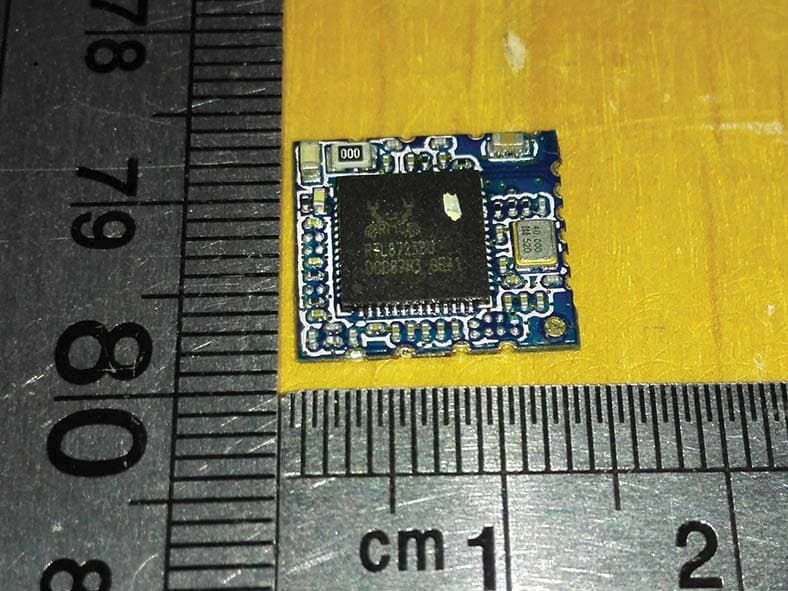
S8J-R8723BT1
Dec 22, 2015IEEE 802.11b/g/n WLAN BT Combo USB Module
Equipment Class
DTS - Digital Transmission System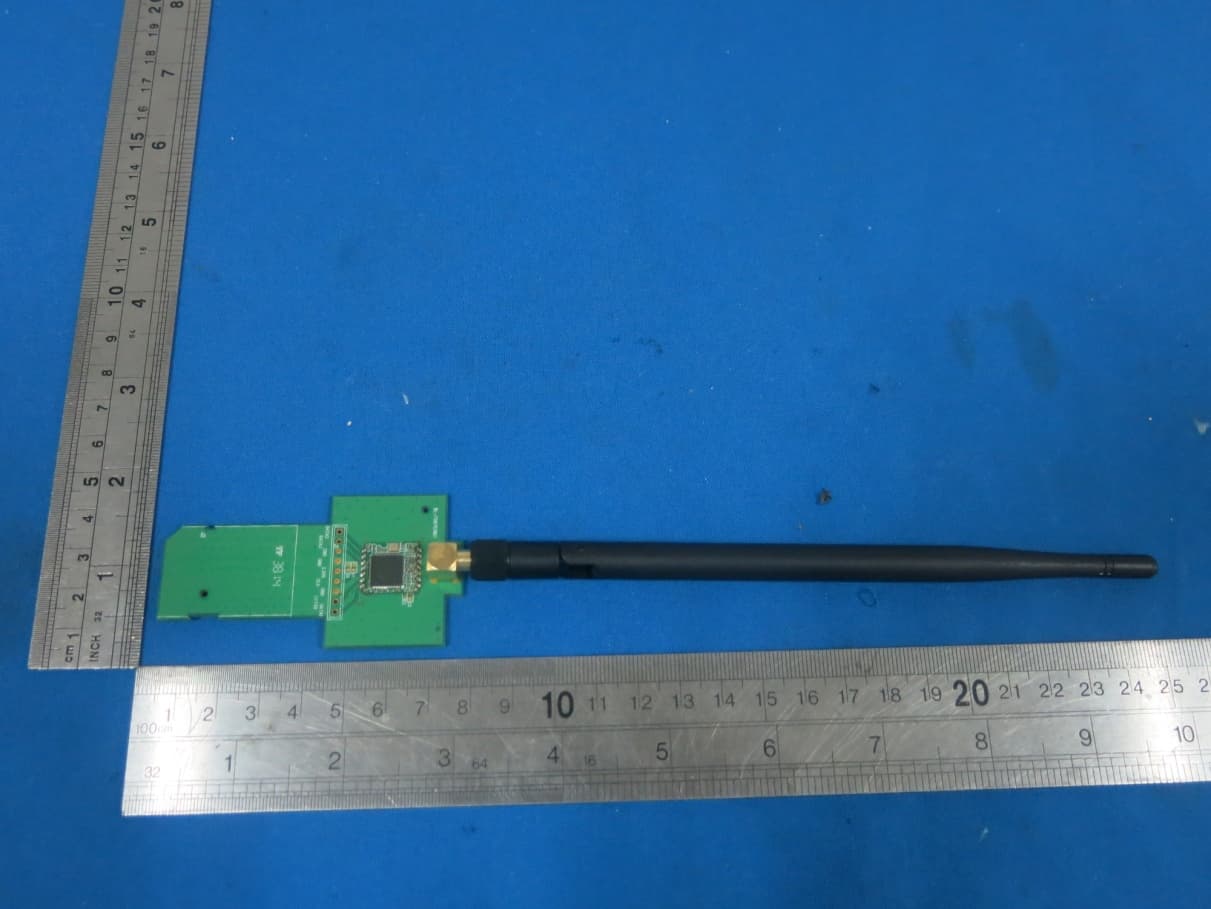
S8J-R8782MS1
Oct 24, 2015150Mbps Wireless N SDIO Module
Equipment Class
DTS - Digital Transmission System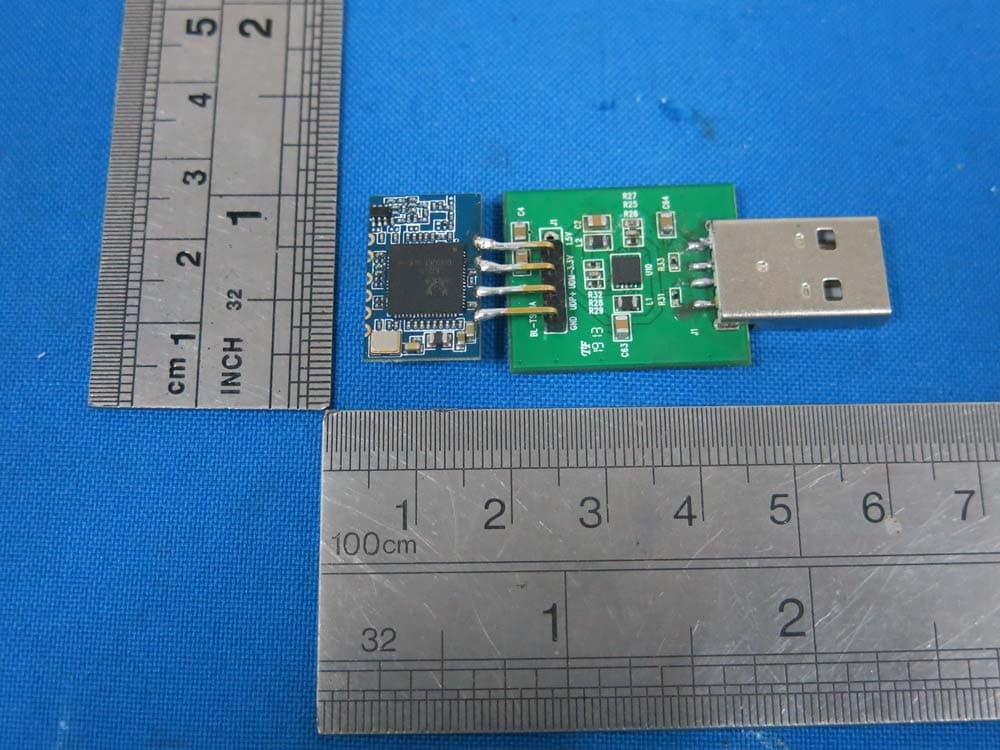
S8J-R8723RB1
Aug 31, 2015Bluetooth 150Mbps Wireless N USB Module
Equipment Class
DSS - Part 15 Spread Spectrum Transmitter
S8J-R8188EU1
Aug 18, 2015150Mbps Wireless N SDIO Module
Equipment Class
DTS - Digital Transmission System
S8J-WMR8300
Apr 25, 2015300Mbps Wireless N ADSL2 Modem Router
Equipment Class
DTS - Digital Transmission System