SONSP640TYGSM1900 & BT Service Point
WideRay Corp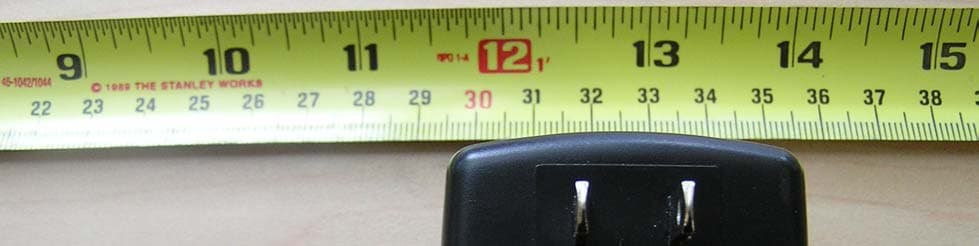
Click to zoom
Application Details
- Equipment Class
- DSS - Part 15 Spread Spectrum Transmitter
- Date of Grant
- Nov 18, 2005
- Application Purpose
- Original Equipment
- Date of Application
- Nov 18, 2005
- Equipment Note
- GSM1900 & BT Service Point
- Frequency Range
- 2402.00000000 - 2480.00000000
- Company
- WideRay Corp
- Country
- United States
Documents & Files
Document Text
Text extracted from the exhibit documents filed with the FCC. Open a document above to read the original.
Users Manual
Frequently Asked Questions 6 Installing the Jack 2 Features of the Jack 1 Jack SP640 User Guide 5 Using the Jack Downloading from the Jack 4 3 Specifications, Supported Devices Features of the Jack ......................................... 2 Front View.................................................................. 2 Back View .................................................................. 2 Description of Features................................................. 3 Accessories ................................................................ 4 Description of Accessories............................................ 5 Installing the Jack ............................................ 6 Step 1: Power the Jack ................................................ 6 Step 2: Verify Wi reless Service ..................................... 7 Step 3 (Optional): Secure the Mounting Plate/Stand......... 8 Step 4: Attach the Jack to the Mounting Plate/Stand..... 10 Specifications, Jack Fi les, and Supported Devices............................................................. 12 Specifications............................................................ 12 About Jack Files ........................................................ 13 Supported Devices ..................................................... 14 Downloading from the Jack .......................... 16 Downloading Vi a Infrared............................................ 16 Downloading Via Bluetooth ......................................... 22 Using the Palm OS and Pocket PC Br owsers ................. 28 Using the Nokia S60 Brow ser...................................... 30 Using the Smartphone 2002 Brow ser........................... 32 Using the Sony Eric sson UIQ Br owser .......................... 34 Using the Jack ................................................ 36 Status LED De scription ............................................... 36 LCD Disp lay .............................................................. 36 Managing Jack Files and Creating Browser Content ....... 37 Maintenance ............................................................. 37 Frequently Asked Questions ......................... 38 Browser FAQs ........................................................... 38 Downloading Via In frared FAQs ................................... 39 Downloading Via Bluetooth FAQs ................................ 40 Table of Contents 2 Features of the Jack Front View Back View 1 Docking Connector Power Button Infrared Port LCD Dis p la y Status LED AC Jack USB Port Ethernet Port Bluetooth 3 Description of Features LCD Display The LCD provides additional in formation regarding the state of the Jack. During power up the signal quality of the GPRS/GSM radio link will be displayed. Status LED The Status LED provides general status information. The LED will blink every two seconds once the Jack has powered up and is ready to send information. The Status LED will flicker when a tran smission is in progress. Infrared Port To download via infrared, users should stand within three feet (one meter) and point th e infrared port on their devices at the infrared port on the Jack. Bluetooth Users should stand within 10 meters (30 feet) of the Jack to download via Bluetooth. The Bluetooth port is an internal feature. Users do not have to point their mobile devices at the Bluetooth port. Power Button To turn off the power, hold the power button until “Service Point Powering Down” is disp laced on the LCD. Once the LCD displays “Service Point Off” it is safe to unplug the Jack. You must turn off the power before unplugging the Jack in order to perform a memory backup. If the LCD displays “Service Point Off,” press the Power Button to turn on the Jack. AC Jack Connect the AC Adapter to th e AC Jack to provide power. Docking Connector and USB Port The docking connector is used in conjunction with the optional Battery Module. The USB Port is unsupported at this time. 4Accessories AC Ada p te r ( 1 ) Security Screw and Screwdriver (1) Sheet Metal Screws (4) Mounting Plate / Stand ( 1 ) Note: Ob j ects are not shown to scale. 5 Description of Accessories AC Adapter The AC Adapter must be used to power the Jack. Mounting Plate/Stand The Mounting Plate/Stand can be used both as a mounting plate to attach the Jack to a wall and as a stand to display the Jack on a table or countertop. Sheet Metal Screws Four #8 sheet metal screws ar e included for screwing the Mounting Plate into wood or sheet metal. Security Screw A security screw is included for locking the Jack to the Mounting Plate/Stand. Security Screwdriver An L-shaped screwdriver is incl uded for the security screw. Please keep this driver in a safe place. Security Screwdriver An L-shaped screwdriver is incl uded for the security screw. Please keep this driver in a safe place. WideRay Jack Service Point CD (not shown) Use the WideRay Jack Service Point CD to install the WideRay Developer Kit. Once the software is installed, you can find the Content Development Guide, the Content Development Tutorial, and the Palm Admin Tool User Guide in: \Program Files\WideRay\Docs. The Content Development Guide and the Content Development Tutorial will teach you how to manage files on the Jack and how to create HTML-based Browser Content for the Browser. 6 Installing the Jack Step 1: Power the Jack Connect the AC Adapter Connect the AC adapter to th e port on the back of the Jack, and plug the adapter into a power outlet. Note : The Jack must be powered to receive wireless updates. 2 AC Jack 3 2 1 Feed cord through here Align AC Adapter plug with opening. Rotate plug so that cord is down. Feed cord through the cutout. Push in plug until you cannot see any part of the silver shaft. 7 Step 2: Verify Wireless Service Before permanently mounting the Jack, follow the steps below to verify that the Jack has wireless service. Note : Mounting the Jack underground or near metal objects may affect reception. Always test the wireless recep…
Text truncated - open the document above for the full version.
Cover Letter(s)
Federal Communication Commission Equipment Authorization Division, Application Processing Branch 7435 Oakland Mills Road Columbia, MD 21048 September 9, 2004 TO WHOM IT MAY CONCERN Pursuant to Paragraphs §0.457 and 0.459 of the Commission’s Rules (47 C.F.R.) and Section §552(b)(4) of the Freedom of Information Act, WideRay requests confidentiality for the following products: FCC ID Number Product Title/Model SONSP640TY Jack Service Point SP640 For the product stated above, we request that the following information be held confidential: 1) Circuit diagrams and schematics 2) Block diagrams 3) Bill of Materials 4) Operational Descriptions The above material contains WideRay intellectual property and proprietary information that could be of benefit to our competitors. In addition, we would like to request that the following material submitted by Motorola and Taiyo Yuden related respectively to their g.18 GSM/GPRS modem and EYSF2CAUX Bluetooth modules be held confidential: 1) Circuit diagrams and schematics 2) Block diagrams 3) Bill of Materials 4) Operational Descriptions. If you have any questions, please feel free to contact me at the address shown below. Sincerely, Gerry West Director Engineering – Canada 90-10451 Shellbridge Way Richmond, BC, Canada, V6X-2W8 Ph: 604-233-1105, Fax: 604-233-1108, E-mail: [email protected]
External Photos
PAGE 1 OF 6 External Photos FCC Part 15.247 for FHSS systems/ CANADA RSS-210 FOR: JACK SERVICE POINT MODEL #: SP640 WIDERAY CORPORATION 25 KEARNY STREET—6 TH FLOOR SAN FRANCISCO, CALIFORNIA 94108 U.S.A FCC ID: SONSP640TY IC ID: 5509A-SP640TY REFERENCE TEST REPORT #: EMC_1040_2005_BLUETOOTH DATE: SEPTEMBER 20, 2005 TTI-P-G 081/94-A0 Accredited according to ISO/IEC 17025 Bluetooth Qualification Test Facility (BQTF) FCC listed # 101450 IC recognized # 3925 CETECOM Inc. 411 Dixon Landing Road Milpitas, CA 95035 U.S.A. Phone: + 1 (408) 586 6200 Fax: + 1 (408) 586 6299 E-mail: [email protected] http://www.cetecom.com CETECOM Inc. is a Delaware Corporation with Corporation number: 2113686 Board of Directors: Dr. Harald Ansorge, Dr. Klaus Matkey, Hans Peter May © Copyright by CETECOM PAGE 2 OF 6 Table of Contents 1 ASSESSMENT....................................................................................................................................3 2 EXTERNAL PHOTOS.......................................................................................................................4 This report shall not be reproduced except in full without the written approval of: CETECOM, Inc. PAGE 3 OF 6 1 Assessment The following is in compliance with the applicable criteria specified in FCC rules Part 15.247 of the Code of Federal Regulations and in compliance with the applicable criteria specified in Industry Canada rules RSS210. Company Description Model # WIDERAY CORP. JACK SERVICE POINT SP640 This report shall not be reproduced except in full without the written approval of: CETECOM, Inc. PAGE 4 OF 6 2 EXTERNAL PHOTOS EUT FRONT This report shall not be reproduced except in full without the written approval of: CETECOM, Inc. PAGE 5 OF 6 EUT BACK This report shall not be reproduced except in full without the written approval of: CETECOM, Inc. PAGE 6 OF 6 This report shall not be reproduced except in full without the written approval of: CETECOM, Inc. AC/DC PWR SUPPLY
ID Label/Location Info
GENERAL PRODUCT LABEL 48.5 x 62 mm, 4mm radii product number: static serial number: increment by 1 MAC: (hexadecimal) increment by 1 CUSTOMER SERVICE LABEL 48.5 x 26.25 mm, 4mm radii CF DOOR LABEL 48.5 x 26 mm, 3mm radii PACKAGING LABEL 48.5 x 34 mm, 4mm radii product number: static serial number: increment by 1 Jack™ Service Point SP640 ® Made in Canada FCC ID: SONSP640TY WARNING Non Standard CF slot: Use only WideRay® approved CF cards. Disconnect power whenever the hatch is open to prevent damage to internal components and card. Product Number700-00017-02 Product Number700-00017-02 Serial Number 000015000 Jack™ Service Point SP640 For information contact WideRay Customer Care: [email protected] +1 (877) - WideRay IC: 5509A-SP640TY Serial Number00015000 MAC00:12:10:00:13:89 Power button functions: SHORT press to perform a GSM signal check. LONG press to power down.
Internal Photos
External Photo Internal Photo
Internal Photos
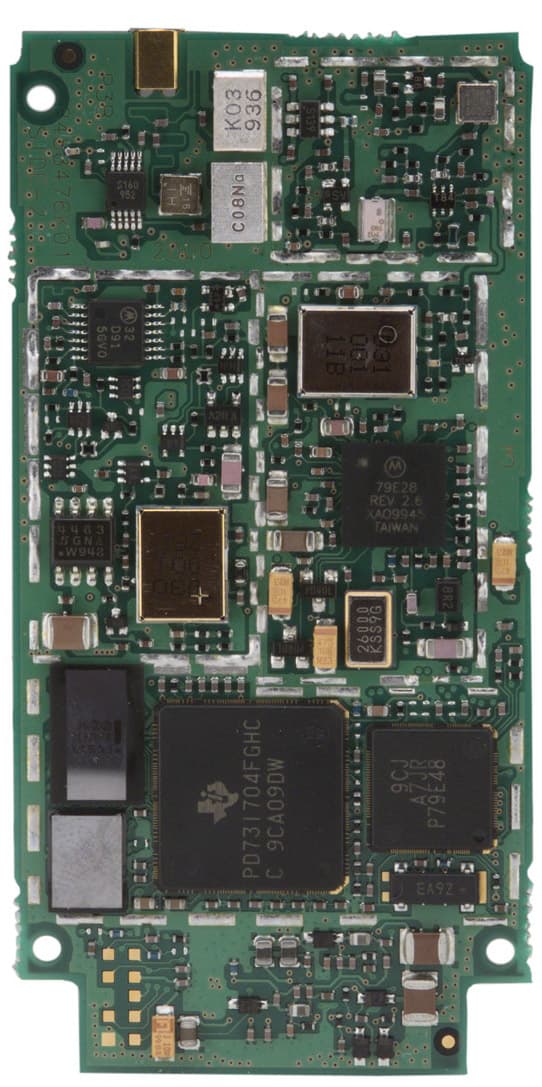
PAGE 1 OF 11 Internal Photos FCC Part 15.247 for FHSS systems/ CANADA RSS-210 FOR: JACK SERVICE POINT MODEL #: SP640 WIDERAY CORPORATION 25 KEARNY STREET—6 TH FLOOR SAN FRANCISCO, CALIFORNIA 94108 U.S.A FCC ID: SONSP640TY IC ID: 5509A-SP640TY REFERENCE TEST REPORT #: EMC_1040_2005_BLUETOOTH DATE: SEPTEMBER 20, 2005 TTI-P-G 081/94-A0 Accredited according to ISO/IEC 17025 Bluetooth Qualification Test Facility (BQTF) FCC listed # 101450 IC recognized # 3925 CETECOM Inc. 411 Dixon Landing Road Milpitas, CA 95035 U.S.A. Phone: + 1 (408) 586 6200 Fax: + 1 (408) 586 6299 E-mail: [email protected] http://www.cetecom.com CETECOM Inc. is a Delaware Corporation with Corporation number: 2113686 Board of Directors: Dr. Harald Ansorge, Dr. Klaus Matkey, Hans Peter May © Copyright by CETECOM PAGE 2 OF 11 Table of Contents 1 ASSESSMENT....................................................................................................................................3 2 INTERNAL PHOTOS........................................................................................................................4 This report shall not be reproduced except in full without the written approval of: CETECOM, Inc. PAGE 3 OF 11 1 Assessment The following is in compliance with the applicable criteria specified in FCC rules Part 15.247 of the Code of Federal Regulations and in compliance with the applicable criteria specified in Industry Canada rules RSS210. Company Description Model # WIDERAY CORP. JACK SERVICE POINT SP640 This report shall not be reproduced except in full without the written approval of: CETECOM, Inc. PAGE 4 OF 11 2 INTERNAL PHOTOS INTERNAL FRONT This report shall not be reproduced except in full without the written approval of: CETECOM, Inc. PAGE 5 OF 11 GSM ANTENNA This report shall not be reproduced except in full without the written approval of: CETECOM, Inc. PAGE 6 OF 11 GSM MODULE FRONT This report shall not be reproduced except in full without the written approval of: CETECOM, Inc. PAGE 7 OF 11 GSM MODULE BACK This report shall not be reproduced except in full without the written approval of: CETECOM, Inc. PAGE 8 OF 11 BLUETOOTH MODULE FRONT This report shall not be reproduced except in full without the written approval of: CETECOM, Inc. PAGE 9 OF 11 BLUETOOTH MODULE BACK This report shall not be reproduced except in full without the written approval of: CETECOM, Inc. PAGE 10 OF 11 INTERNAL FRONT WITH COMPONENTS REMOVED This report shall not be reproduced except in full without the written approval of: CETECOM, Inc. PAGE 11 OF 11 This report shall not be reproduced except in full without the written approval of: CETECOM, Inc. INTERNAL BACK
Test Report
TTI-P-G 081/94-A0 Accredited according to ISO/IEC 17025 Bluetooth Qualification Test Facility (BQTF) FCC listed # 101450 IC recognized # 3925 CETECOM Inc. 411 Dixon Landing Road Milpitas, CA 95035 U.S.A. Phone: + 1 (408) 586 6200 Fax: + 1 (408) 586 6299 E-mail: [email protected] http://www.cetecom.com CETECOM Inc. is a Delaware Corporation with Corporation number: 2113686 Board of Directors: Dr. Harald Ansorge, Dr. Klaus Matkey, Hans Peter May V1.1 2003-03-01 The BLUETOOTH trademarks are owned by Bluetooth SIG, Inc., U.S.A. and licensed to CETECOM Inc. © Copyright by CETECOM FCC Test Report FCC Part 15.247 for FHSS systems/ CANADA RSS-210 FOR: JACK SERVICE POINT MODEL #: SP640 WIDERAY CORPORATION 25 KEARNY STREET—6 TH FLOOR SAN FRANCISCO, CALIFORNIA 94108 U.S.A FCC ID: SONSP640TY IC ID: 5509A-SP640TY TEST REPORT #: EMC_1040_2005_BLUETOOTH DATE: SEPTEMBER 20, 2005 Test Report #: EMC_1040_2005_BLUETOOTH Date of Report: 2005-09-20 Page 2 of 70 TABLE OF CONTENTS 1 Assessment_____________________________________________________________________ 4 2 Administrative Data _____________________________________________________________ 5 2.1 Identification of the Testing Laboratory Issuing the EMC Test Report _____________________ 5 2.2 Identification of the Client __________________________________________________________ 5 2.3 Identification of the Manufacturer ___________________________________________________ 5 3 Equipment under Test (EUT) ______________________________________________________ 6 3.1 Identification of the Equipment under Test____________________________________________ 6 4 Subject Of Investigation __________________________________________________________ 7 5 Measurements __________________________________________________________________ 8 5.1 MAXIMUM PEAK OUTPUT POWER § 15.247 (RADIATED) ___________________________ 8 5.1.1 LIMIT SUB CLAUSE § 15.247 (b) (1) (2) (3) (4)_______________________________________________ 8 5.1.2 RESULTS: _____________________________________________________________________________ 8 5.2 MAXIMUM PEAK OUTPUT POWER § 15.247 (CONDUCTED) ________________________ 12 5.2.1 LIMIT SUB CLAUSE § 15.247 (b) (1) ______________________________________________________ 12 5.2.2 RESULTS: ____________________________________________________________________________ 12 5.3 20dB BANDWIDTH ______________________________________________________________ 16 5.3.1 LIMIT SUB CLAUSE § 15.247 (a) (1) (i) (ii) (iii) _____________________________________________ 16 5.3.2 RESULTS: ____________________________________________________________________________ 16 5.4 CARRIER FREQUENCY SEPARATION____________________________________________ 20 5.4.1 LIMIT SUB CLAUSE § 15.247 (a) (1) (i) (ii) (iii) _____________________________________________ 20 5.4.2 RESULTS: ____________________________________________________________________________ 20 5.5 NUMBER OF HOPPING CHANNELS ______________________________________________ 22 5.5.1 LIMIT SUB CLAUSE § 15.247 (a) (1) (iii)___________________________________________________ 22 5.5.2 RESULTS: ____________________________________________________________________________ 22 5.6 TIME OF OCCUPANCY (DWELL TIME)___________________________________________ 27 5.6.1 LIMIT SUB CLAUSE § 15.247 (a) (1) (i) (ii) (iii) _____________________________________________ 27 5.6.2 RESULTS: ____________________________________________________________________________ 27 5.7 CONDUCTED SPURIOUS EMISSIONS_____________________________________________ 31 5.7.1 LIMIT SUB CLAUSE § 15.247 (d) _________________________________________________________ 31 5.7.2 RESULTS _____________________________________________________________________________ 32 5.8 RESTRICTED BAND EDGE COMPLIANCE RADIATED §15.247/15.205 ________________ 38 5.8.1 LIMITS _______________________________________________________________________________ 38 5.8.2 RESULTS (2402MHz) ___________________________________________________________________ 39 5.8.3 RESULTS (2480MHz) ___________________________________________________________________ 41 5.9 TRANSMITTER SPURIOUS EMISSIONS RADIATED § 15.247/15.205/15.209 ____________ 43 5.9.1 LIMITS _______________________________________________________________________________ 43 5.9.2 RESULTS _____________________________________________________________________________ 44 5.10 RECEIVER SPURIOUS RADIATION § 15.209/RSS210 ________________________________ 53 5.10.1 LIMITS ____________________________________________________________________________ 53 5.10.2 RESULTS __________________________________________________________________________ 54 Test Report #: EMC_1040_2005_BLUETOOTH Date of Report: 2005-09-20 Page 3 of 70 5.11 CO-LOCATION _________________________________________________________________ 59 5.11.1 RESULTS (PCS AND BLUETOOTH) ____________________________________________________ 60 5.12 AC POWER LINE CONDUCTED EMISSIONS § 15.107/207 ___________________________ 66 5.12.1 LIMITS ____________________________________________________________________________ 66 5.12.2 RESULTS __________________________________________________________________________ 67 5.13 TEST EQUIPMENT AND ANCILLARIES USED FOR TESTS _________________________ 69 5.14 BLOCK DIAGRAMS _____________________________________________________________ 70 Test Report #: EMC_1040_2005_BLUETOOTH Date of Report: 2005-09-20 Page 4 of 70 1 Assessment The following is in compliance with the applicable criteria specified in FCC rules Part 15.247 of the Code of Federal Regulations and in compliance with the applicable criteria specified in Industry Canada rules RSS210. Company Description Model # WIDERAY CORP. JACK SERVICE POINT SP640 2005-09-20 2005-09-20 Neelesh Raj Lothar Schmidt Project Leader Test Lab Manager The test results of this test report relate exclusively to the test item specified in Identification of the Equipment under Test. The CETECOM Inc. USA does not assume responsibility for any conclusions and g…
Text truncated - open the document above for the full version.
Test Setup Photos
PAGE 1 OF 8 FCC Test Setup Photos FCC Part 15.247 for FHSS systems/ CANADA RSS-210 FOR: JACK SERVICE POINT MODEL #: SP640 WIDERAY CORPORATION 25 KEARNY STREET—6 TH FLOOR SAN FRANCISCO, CALIFORNIA 94108 U.S.A FCC ID: SONSP640TY IC ID: 5509A-SP640TY REFERENCE TEST REPORT #: EMC_1040_2005_BLUETOOTH DATE: SEPTEMBER 20, 2005 TTI-P-G 081/94-A0 Accredited according to ISO/IEC 17025 Bluetooth Qualification Test Facility (BQTF) FCC listed # 101450 IC recognized # 3925 CETECOM Inc. 411 Dixon Landing Road Milpitas, CA 95035 U.S.A. Phone: + 1 (408) 586 6200 Fax: + 1 (408) 586 6299 E-mail: [email protected] http://www.cetecom.com CETECOM Inc. is a Delaware Corporation with Corporation number: 2113686 Board of Directors: Dr. Harald Ansorge, Dr. Klaus Matkey, Hans Peter May © Copyright by CETECOM PAGE 2 OF 8 Table of Contents 1 ASSESSMENT....................................................................................................................................3 2 TEST SETUP PHOTOS.....................................................................................................................4 This report shall not be reproduced except in full without the written approval of: CETECOM, Inc. PAGE 3 OF 8 1 Assessment The following is in compliance with the applicable criteria specified in FCC rules Part 15.247 of the Code of Federal Regulations and in compliance with the applicable criteria specified in Industry Canada rules RSS210. Company Description Model # WIDERAY CORP. JACK SERVICE POINT SP640 This report shall not be reproduced except in full without the written approval of: CETECOM, Inc. PAGE 4 OF 8 2 TEST SETUP PHOTOS RADIATED EMISSIONS This report shall not be reproduced except in full without the written approval of: CETECOM, Inc. PAGE 5 OF 8 <CLOSE UP> RADIATED EMISSIONS This report shall not be reproduced except in full without the written approval of: CETECOM, Inc. PAGE 6 OF 8 AC LINE CONDUCTION This report shall not be reproduced except in full without the written approval of: CETECOM, Inc. PAGE 7 OF 8 AC LINE CONDUCTION This report shall not be reproduced except in full without the written approval of: CETECOM, Inc. PAGE 8 OF 8 This report shall not be reproduced except in full without the written approval of: CETECOM, Inc. ANTENNA PORT CONDUCTED MEASURMENT
Contact Information
Applicant
Gerry West
Test Firm
Cetecom Inc.Lothar Schmidt
Technical Specifications
| # | Rule Parts | Frequency Range | Power Output |
|---|---|---|---|
| 1 | 15C | 2.40 GHz - 2.48 GHz | 670.00 µW |
Other Applications from WideRay Corp
SONSP640
Dec 20, 2004GSM1900 & BT Service Point
Equipment Class
PCB - PCS Licensed Transmitter