SPX-ADSP100BBEBluetooth Speaker
Youngbo Engineering Inc.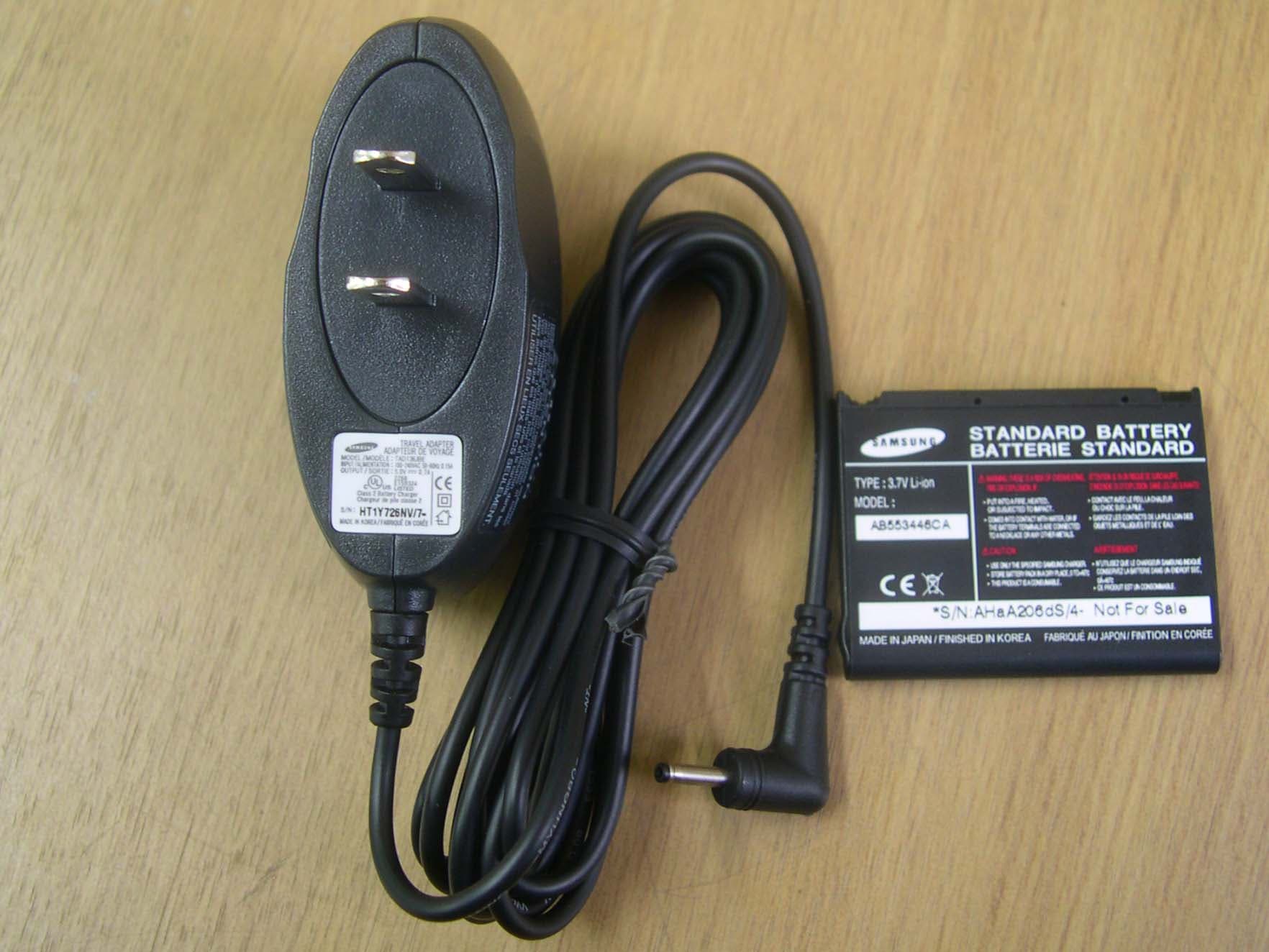
Click to zoom
Application Details
- Equipment Class
- DSS - Part 15 Spread Spectrum Transmitter
- Date of Grant
- Mar 16, 2006
- Application Purpose
- Original Equipment
- Date of Application
- Mar 16, 2006
- Equipment Note
- Bluetooth Speaker
- Frequency Range
- 2402.00000000 - 2480.00000000
- Company
- Youngbo Engineering Inc.
- Country
- South Korea
Documents & Files
Document Text
Text extracted from the exhibit documents filed with the FCC. Open a document above to read the original.
Users Manual
English . . . . . . . . . . . . . . . . . . . . . . . . . . . . . . . . . . . . . . . . . . 1 Français . . . . . . . . . . . . . . . . . . . . . . . . . . . . . . . . . . . . . . . . 29 Deutsch . . . . . . . . . . . . . . . . . . . . . . . . . . . . . . . . . . . . . . . . 57 Italiano . . . . . . . . . . . . . . . . . . . . . . . . . . . . . . . . . . . . . . . . . 85 Nederlands . . . . . . . . . . . . . . . . . . . . . . . . . . . . . . . . . 113 Español . . . . . . . . . . . . . . . . . . . . . . . . . . . . . . . . . . . . . . 143 Dansk . . . . . . . . . . . . . . . . . . . . . . . . . . . . . . . . . . . . . . . . . 171 Suomi . . . . . . . . . . . . . . . . . . . . . . . . . . . . . . . . . . . . . . . . . 199 Svenska . . . . . . . . . . . . . . . . . . . . . . . . . . . . . . . . . . . . . . 227 Русский . . . . . . . . . . . . . . . . . . . . . . . . . . . . . . . . . . . . . . 255 Português . . . . . . . . . . . . . . . . . . . . . . . . . . . . . . . . . . . 287 Ελληνικά . . . . . . . . . . . . . . . . . . . . . . . . . . . . . . . . . . . . . 315 Türkçe . . . . . . . . . . . . . . . . . . . . . . . . . . . . . . . . . . . . . . . . 345 1 English English » Getting started 1. Unpacking. . . . . . . . . . . . . . . . . . . . . . . . . . . . . . . . . . . . . . . . . . . . . . . 3 2. Speaker Overview. . . . . . . . . . . . . . . . . . . . . . . . . . . . . . . . . . . . . . . . 3 3. Button Functions . . . . . . . . . . . . . . . . . . . . . . . . . . . . . . . . . . . . . . . . . 4 4. Charging the Battery . . . . . . . . . . . . . . . . . . . . . . . . . . . . . . . . . . . . . 6 5. Replacing the Battery . . . . . . . . . . . . . . . . . . . . . . . . . . . . . . . . . . . . 8 6. Indicator light status . . . . . . . . . . . . . . . . . . . . . . . . . . . . . . . . . . . . . 9 » Before using your speaker 7. Turning the speaker On or Off . . . . . . . . . . . . . . . . . . . . . . . . . . . 10 8. Pairing the speaker with a compatible phone. . . . . . . . . . . . 10 9. Connecting the paired speaker to the phone . . . . . . . . . . . . 12 » Using the speaker 10. Making and answering a call . . . . . . . . . . . . . . . . . . . . . . . . . . . 13 11. Rejecting a call. . . . . . . . . . . . . . . . . . . . . . . . . . . . . . . . . . . . . . . . . 14 12. Switching the call between phone and speaker. . . . . . . . . 14 13. Activating Call-Waiting function. . . . . . . . . . . . . . . . . . . . . . . . 14 14. Activating 3-way Call function. . . . . . . . . . . . . . . . . . . . . . . . . . 15 15. Adjusting the speaker volume. . . . . . . . . . . . . . . . . . . . . . . . . . 15 16. Muting an ongoing call . . . . . . . . . . . . . . . . . . . . . . . . . . . . . . . . 15 » Care and Maintenance 17. Storing the speaker . . . . . . . . . . . . . . . . . . . . . . . . . . . . . . . . . . . . 16 18. Precautions when using batteries . . . . . . . . . . . . . . . . . . . . . . 16 19. Frequently asked questions . . . . . . . . . . . . . . . . . . . . . . . . . . . . 17 20. Certification and safety approvals . . . . . . . . . . . . . . . . . . . . . . 19 21. Warranty and parts replacement . . . . . . . . . . . . . . . . . . . . . . . 21 22. Correct Disposal of This Product. . . . . . . . . . . . . . . . . . . . . . . . 22 23. Glossary . . . . . . . . . . . . . . . . . . . . . . . . . . . . . . . . . . . . . . . . . . . . . . . 23 24. Specifications. . . . . . . . . . . . . . . . . . . . . . . . . . . . . . . . . . . . . . . . . . 24 2 English Using a mobile phone while driving creates a distraction to the driver which may increase the likelihood of an accident. When using the phone while driving, keep conversations short and do not make notes or read documents. Before answering calls consider your circumstances. Pull off the road and park before making or answering calls when driving conditions require (e.g. bad weather, high traffic density, presence of children in the car, difficult junctions or manoeuvres.) Remember, driving comes first, not the call! Abide by local laws. Drive safely ! Thank you for purchasing the Samsung Bluetooth Speaker ADSP100BBE, we hope you will be delighted with its operation. Please read the instruction manual to get started and to make best use of the speaker’s many features. ! Thank you The Samsung Bluetooth Speaker ADSP100BBE is compatible with most Bluetooth¹ (see Glossary) phones that are compliant with Bluetooth version 1.1 or higher specification and support Hands-free profile, Headset profile and Serial port Profile². Ensure that your phone has Bluetooth capability by visiting your phone manufacturer’s web site. Check phone compatibility ! 3 English Speaker Overview 2 Getting Started Explains what to remember for a proper use of your Bluetooth speaker. Indicator Light Microphone Talk Button Volume + Function Button Volume - Speaker End Button Charging Connector Side Function Button Unpacking 1 Bluetooth Speaker Charger User Manual Battery 4 English Button Functions 3 Press to answer a call. Press and hold for 2 seconds to connect to the phone after the pairing is completed. Press in standby mode 5 to redial the last dialed number. Press and hold for 2 seconds to put current call on hold and answer a second call. Talk Button Press and hold for 2 seconds to end a call. Press and hold for 2 seconds in standby mode to disconnect the phone. Press and hold for 2 seconds when a call comes in to reject a call. Press and hold for 3 seconds to power on/off. End Button Press and hold for 2 seconds in standby mode to flash GREEN light to notify the remained battery amount. - Flashes once : Approx 5~20% charged - Flashes twice : Approx 20~50% charged - Flashes three times : Approx 50~80% charged - Flashes four times : Approx 80~100% charged Press and hold for 2 seconds while Call-Wating is activated to activate 3-way call. Press and hold for 3 seconds in idle mode when ready to be paied or connected to the phone. Function Button Refer to Before using the product and Using th…
Text truncated - open the document above for the full version.
Users Manual
8 English Replacing the Battery 5 To remove the battery - The battery will gradually wear out if charging/discharging are repeated because it is a consumable part. - Pairing information is not deleted even if the battery is removed from the speaker. - Refer to 9. Connecting the paired speaker to the phone section for futher details about how to connect after replacing the battery. 1. Push down at the bottom of the speaker briefly, then push the cover toward as shown in the picture. - Make sure to turn off the power before removing the battery from the speaker. 2. Push up the catch at the left end of the inserted battery with your finger nail, and lift the battery away. To insert the battery 1. Insert the new battery in the reverse order of removal. - Make sure that the metallic pins of the battery and speaker meet before inserting. - Push the battery down to be inserted in tight and put the cover on again. 9 English Speaker StatusIndicator Light Status Audio Signal Power on Blue Red Purple light is on in order twice. Power off All LED lights are turned off Charging indicator light is on if the charger is connected. Pairing Mode BLUE Light is on (Stand-by mode for pairing) Charging indicator light and Touch key back light LED (BLUE Light) are on if the charger is connected. Idle Mode BLUE light flashes every 3 second (Disconnect Idle mode) BLUE light flashes twice every 3 second (2 min.after Pairing Mode) Stand-by ModeBLUE light flashes every 6 second Active Mode 6 BLUE light flashes twice every 6 second Low Battery WarningRED light flashes 3 times per 10 seconds ChargingSolid RED light is on Charging is completedGREEN light is on Charging is not available ORANGE light flashes (To inspect the battery is necessary) Charging is prohibited Solid ORANGE light is on (Temperature limitation is exceeded) Indicator light status 6 Refer to the table below to understand the present status and use the best of the product. 10 English Turning the speaker On or Off 7 Pairing the speaker with a compatible phone 8 > Pairing 3 will create a unique and encrypted wireless link between two Bluetooth enabled devices. To use the speaker with other Bluetooth devices, both devices must be paired. When trying pairing, keep the product and the phone close-by. Before using the product Explains the basic operation and set-ups of your Bluetooth speaker. > Press and hold for 3 seconds to turn the speaker on. - The melody informing power-on rings and the indicator light changes to Blue-Red-Purple. > Press and hold for 3 seconds in idle mode to turn off the speaker. - The melody informing power-off rings and the indicator light gets off. - If the speaker is turned on for the first time, the indicator light changes to BLUE-RED-PURPLE twice, then Solid BLUE light is on. Pair the speaker and phone while this status is continued for 2 minutes. 11 English When being ready to be paired > When turning the speaker on for the first time after purchasing. > When pressing and holding for 3 seconds in idle mode. - Passkey or PIN is a secret code that needs to be entered on the phone in order to pair the mobile phone with Bluetooth speaker. - If there is no Bluetooth device to be connected in 2 minutes, the BLUE indicator light flashes 2 times per 3 seconds (Idle Mode). In that case, press for 3 seconds to return to Pairing Mode. - Check the back of the product by removing the battery or the connected Bluetooth device information on the phone to find the B/D address of the product. (Refer to your phone’s user manual for further details.) 1. Solid BLUE light is on for 2 minutes if the speaker is ready to be paired. 2. Prepare your phone according to the phone’s user manual on Pairing. 3. Your phone will find “ Samsung ADSP100BBE” and ask if you want to pair with it. 4. Enter passkey or PIN⁴= 0000 (4zeros). 5. Your phone and the product will be automatically connected if the pairing is completed. BLUE light flashes every 6 second if they are correctly connected (Stand-by mode) . - Depending on the phone type, the phone and the product may not be connected automatically after the pairing is completed. In this case, refer to the phone’s user guide to try connecting. 12 English Connecting the paired speaker to the phone 9 To use the speaker with Bluetooth phone, pairing is necessary. Please make sure that two devices are paired before trying connecting, and if not, refer to 8. Pairing the speaker with a compatible phone section for pairing. To connect from the phone > Follow your phone’s user guide. To connect from the speaker 1. Press for 2 seconds. - If connected successfully, you can make or answer on the speaker. - The BLUE light will flash every 6 second if connected successfully. - If the connection fails, the BLUE indicator light will flash every 3 second, and the pop-up message which informs that the connection is failed displays on the phone. In this case, try connecting again from the beginning. - If disconnected due to the distance limit between the phone and the product - If you exchange or restart the phone battery - To connect from the speaker, your phone and the speaker have had to be connected more than once. 1. Turn on the speaker by pressing for 3 seconds. - The speaker tries connecting automatically. - The BLUE indicator light flashes every 6 second if the connecting succeeds, and flashes every 3 second if fails. - Depending on the phone type, the phone and speaker may be not connected automatically after the pairing is completed. In this case, try connecting by pressing for 2 seconds. To connect while the phone is turned on 13 English Making and answering a call 10 Using the product Explains how to use the various functions that the Bluetooth Speaker provides. Redialing the last dialed number > Press . - The speaker makes a call to the last dialed number. - Depending on the phone type, the phone displays the latest calling list first, then makes a call to the last dialed number by pressing once again. Making a cal…
Text truncated - open the document above for the full version.
Cover Letter(s)
YOUNGBO ENGINEERING INC. www.youngboeng.com Federal Communications Commission Equipment Authorization Division, Application Processing Branch 7435 Oakland Mills Road Columbia, MD21046 TO WHOM IT MAY CONCERN Pursuant to Paragraphs §0.457 and 0.459 of the Commission's Rules (47 C.F.R) and Section §552(b)(4) of the Freedom of Information Act, YOUNGBO ENGINEERING INC. requests confidentiality for the following products: FCC ID Number Product Title / Model SPX-ADSP100BBE Bluetooth Speaker / ADSP100BBE For the product stated above, we request that the following information be held confidential: 1) Schematic diagrams 2) Bill of materials (Part List) 3) Block Diagram No other items submitted as part of the equipment authorization filing process are deemed confidential. The above exhibits contain YOUNGBO ENGINEERING INC. trade secrets and proprietary information that could be of benefit to our competitors regarding the design of our products. This material is not customarily available to the general public and we request that it be withheld from public inspection. Sincerely, Cheol Yong Kim / Expert Research Engineer [email protected] 20-2, Sinhang-ri, Dunpo-myeon, Asan-si, Chungcheongnam-do, Korea #336-873 TEL: +82-41-537-1268, FAX: +82-41-537-1193 http://www.youngboeng.com
External Photos
SK TECH CO., LTD. Page 1 of 3 SKT SKTTRT-060307-006 FCC ID: SPX-ADSP100BBE External Photographs of EUT <Photograph 1: Front View> SK TECH CO., LTD. Page 2 of 3 SKT SKTTRT-060307-006 FCC ID: SPX-ADSP100BBE <Photograph 2: Rear View> SK TECH CO., LTD. Page 3 of 3 SKT SKTTRT-060307-006 FCC ID: SPX-ADSP100BBE <Photograph 3: AC/DC Adaptor and DC battery>
ID Label/Location Info
FCC ID Label Location LABEL LOCATION: FCCID will be on the exterior of the product Label will be attached inside the battery compartment LABEL LOCATION FCCID Location
Internal Photos
SK TECH CO., LTD. Page 1 of 2 SKT SKTTRT-060307-006 FCC ID: SPX-ADSP100BBE Internal Photographs of EUT <Photograph 1: Front View> SK TECH CO., LTD. Page 2 of 2 SKT SKTTRT-060307-006 FCC ID: SPX-ADSP100BBE <Photograph 2: Rear View>
Operational Description
Antenna description Model Name ALA931C4 Manufacturer AMOTECH CO., LTD. App. Type BT-SPK (Model ADSP100BBE) Dimension (L × W × D) 9.0mm ×3.0mm × 1.2mm Picture of the antenna Radiation Pattern
Operational Description
Operational Description This product, ADSP100BBE, is a Bluetooth device. The product operates in 2400 to 2483.5 MHz band. The channel is represented by a pseudo-random hopping sequence through the 79 channels. The channel is divided into time slots, with a nominal slot length of 625μs, where each slot corresponds to different RF hop frequencies. The nominal hop rate is 1600 hops/s. The control signals and data in the Bluetooth Chipset are modulated and processed and then pass the PA in it. They will be transmitted from ANT through the BALUN FILTER to another Bluetooth device. The RF signal from other Bluetooth devices is received via ANT. And they go through BALUN FILTER into the chip. They are magnified by internal LNA in the chip. The power settings and crystal trim are stored in EEPROM. The product is powered from a Li-ion battery and uses an integral SMD chip antenna. No external ground is required.
Test Report
SK TECH CO., LTD. Page 1 of 41 SKT SKTTRT-060307-006 FCC ID: SPX-ADSP100BBE Certificate of Compliance Test Report No.: SKTTRT-060307-006 NVLAP CODE: 200220-0 Applicant: YOUNGBO ENGINEERING INC. Applicant Address: 20-2, Sinhang-ri, Dunpo-myeon, Asan-si, Chungcheongnam-do, Korea #336-873 Manufacturer: YOUNGBO ENGINEERING INC. Manufacturer Address: 20-2, Sinhang-ri, Dunpo-myeon, Asan-si, Chungcheongnam-do, Korea #336-873 Device Under Test: Bluetooth Speaker FCC ID: SPX-ADSP100BBE Model No.: ADSP100BBE Receipt No.: SKTEU06-0108 Date of receipt: February 25, 2006 Date of Issue: March 7, 2006 Location of Testing: SK TECH CO., LTD. 820-2, Wolmoon-Ri, Wabu-Up, Namyangju-Si, Kyunggi-Do, Korea Test Procedure: ANSI C63.4, FCC Public Notice DA 00-705 (March 2000) Test Specification: 47CFR, Part 15 Rules Equipment Class: DSS - Part 15 Spread Spectrum Transmitter Test Result: The above-mentioned device has been tested and passed. Tested & Reported by: Jong-Soo, Yoon 2006.03.07 Approved by: Jae-Kyung, Bae 2006.03.07 Signature Date Signature Date Other Aspects: - Abbreviations: · OK, Pass = passed · Fail = failed · N/A = not applicable ☞ •This test report is not permitted to copy partly without our permission. •This test result is dependent on only equipment to be used. •This test result is based on a single evaluation of one sample of the above mentioned. •This test report must not be used to claim product endorsement by NVLAP or any agency of the U.S Government. • We certify that this test report has been based on the measurement standards that is traceable to the national or International standards. NVLAP Lab. Code: 200220-0 SK TECH CO., LTD. Page 2 of 41 SKT SKTTRT-060307-006 FCC ID: SPX-ADSP100BBE >> CONTENTS << 1. GENERAL ············································································································· 4 2. TEST SITE ············································································································ 4 2.1 Location ········································································································· 4 2.2 List of Test and Measurement Instruments ···················································· 5 2.3 Test Date ········································································································ 5 2.4 Test Environment ··························································································· 5 3. DESCRIPTION OF THE EQUIPMENT UNDER TEST ········································· 6 3.1 Rating and Physical Characteristics ······························································ 6 3.2 Equipment Modifications ················································································ 6 3.3 Submitted Documents ···················································································· 6 4. MEASUREMENT CONDITIONS ··········································································· 7 4.1 Description of test configuration ···································································· 7 4.2 List of Peripherals ·························································································· 7 4.3 Uncertainty ····································································································· 7 5. TEST AND MEASUREMENTS ············································································· 8 5.1 ANTENNA REQUIREMENT ·········································································· 8 5.1.1 Regulation ······························································································· 8 5.1.2 Result ······································································································ 8 5.2 MAXIMUM PEAK OUTPUT POWER ···························································· 9 5.2.1 Regulation ······························································································· 9 5.2.2 Test Procedure ························································································ 9 5.2.3 Test Results ····························································································· 9 Table 1: Measured values of the Maximum Peak Output Power (Conducted) ····· 9 Figure 1: Plot of the Maximum Peak Output Power (Conducted) ······················10 5.3 CARRIER FREQUENCY SEPARATION ····················································· 12 5.3.1 Regulation ····························································································· 12 5.3.2 Test Procedure ······················································································ 12 5.3.3 Test Results ··························································································· 12 Table 2: Measured values of the Carrier Frequency Separation (Conducted) ···12 Figure 2: Plot of the Carrier Frequency Separation (Conducted) .....................13 5.4 20dB CHANNEL BANDWIDTH ·································································· 15 5.4.1 Regulation ····························································································· 15 5.4.2 Test Procedure ······················································································ 15 5.4.3 Test Results ··························································································· 15 Table 3: Measured values of the 20dB Channel Bandwidth (Conducted) ··········15 Figure 3: Plot of the 20dB Channel Bandwidth (Conducted) ···························16 SK TECH CO., LTD. Page 3 of 41 SKT SKTTRT-060307-006 FCC ID: SPX-ADSP100BBE 5.5 NUMBER OF HOPPING CHANNELS ························································ 18 5.5.1 Regulation ····························································································· 18 5.5.2 Test Procedure ······················································································ 18 5.5.3 Test Results ·······················································…
Text truncated - open the document above for the full version.
Test Setup Photos
SK TECH CO., LTD. Page 1 of 3 SKT SKTTRT-060307-006 FCC ID: SPX-ADSP100BBE Test set up photos <Conducted RF power measurement> SK TECH CO., LTD. Page 2 of 3 SKT SKTTRT-060307-006 FCC ID: SPX-ADSP100BBE <Radiated Emissions – Front View> <Radiated Emissions – Rear View> SK TECH CO., LTD. Page 3 of 3 SKT SKTTRT-060307-006 FCC ID: SPX-ADSP100BBE <Conducted Emissions: Front View> <Conducted Emissions: Rear View>
Contact Information
Applicant
Jong Bok Lee(Principal Research Engineer)
Test Firm
SK Tech Co., LTD.Yoon Jongsoo
Technical Specifications
| # | Rule Parts | Frequency Range | Power Output |
|---|---|---|---|
| 1 | 15C | 2.40 GHz - 2.48 GHz | 1.49 mW |
Other Applications from Youngbo Engineering Inc.
SPXSBH600
Mar 31, 2008Bluetooth Headset
Equipment Class
DSS - Part 15 Spread Spectrum Transmitter
SPX-ACSP100BBE
Mar 16, 2006Bluetooth GPS Speaker
Equipment Class
DSS - Part 15 Spread Spectrum Transmitter
SPXHKT100BDE
Dec 16, 2004Bluetooth Handsfree Carkit
Equipment Class
DSS - Part 15 Spread Spectrum Transmitter