T24-TMX13Remote Control Base
Holtzbrinck Publishers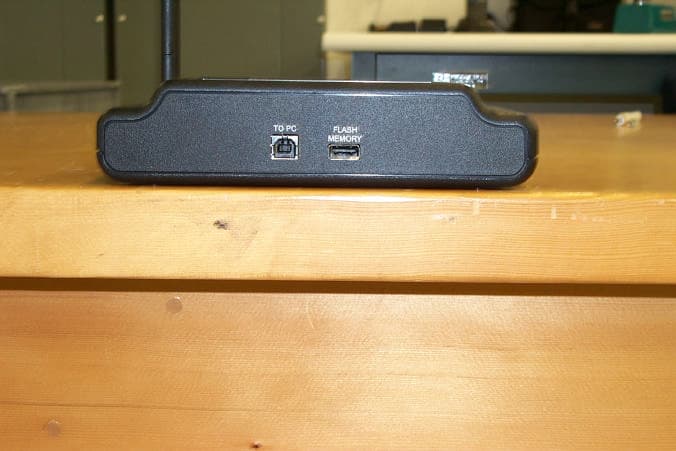
Click to zoom
Application Details
- Equipment Class
- DTS - Digital Transmission System
- Date of Grant
- Jun 05, 2006
- Application Purpose
- Original Equipment
- Date of Application
- Jun 05, 2006
- Equipment Note
- Remote Control Base
- Frequency Range
- 903.50000000 - 923.00000000
- Company
- Holtzbrinck Publishers
- Country
- United States
Documents & Files
Document Text
Text extracted from the exhibit documents filed with the FCC. Open a document above to read the original.
Users Manual
i>clicker Base FCC Changes or modifications not expressly approved by Holtzbrinck Publishers could void the user's authority to operate this equipment. This device complies with part 15 of the FCC Rules. Operation is subject to the following two conditions: (1) This device may not cause harmful interference, and (2) this device must accept any interference received, including interference that may cause undesired operation. FCC ID: T24-TMX13 Declaration of Conformity: Note: This equipment has been tested and found to comply with the limits for a Class B digital device, pursuant to part 15 of the FCC Rules. These limits are designed to provide reasonable protection against harmful interference in a residential installation. This equipment generates, uses and can radiate radio frequency energy and, if not installed and used in accordance with the instructions, may cause harmful interference to radio communications. However, there is no guarantee that interference will not occur in a particular installation. If this equipment does cause harmful interference to radio or television reception, which can be determined by turning the equipment off and on, the user is encouraged to try to correct the interference by one or more of the following measures: —Reorient or relocate the receiving antenna. —Increase the separation between the equipment and receiver. —Connect the equipment into an outlet on a circuit different from that to which the receiver is connected. —Consult the dealer or an experienced radio/TV technician for help. The antenna used for this transmitter must not be co-located or operating in conjunction with any other antenna or transmitter i>clicker Model Number TMX13 Holtzbrinck Publishers, LLC 41 Madison Avenue New York, NY 10010, USA (212) 576-9400 i>clicker Base IC IC: 6495A-TMX13 i>clicker Base Instructions START UP 1. Plug your USB cable into the back of the base in the port labeled “To Computer.” 2. Connect the USB cable to your computer’s USB port. 3. Each base comes with a flash drive that contains the i>clicker software. Place flash drive in base (or other USB port). 4. On a PC, go to “My Computer,” and locate the flash drive and double click on it. On a Macintosh, the flash drive icon will appear on your desk top; double click on the icon. 5. Locate your i>clicker folder and open it. Double-click on the i>clicker.exe icon and click “Start Session.” 6. The i>clicker floating bar will appear on the top left corner of your computer screen. It will float above any presentation software. POLLING YOUR STUDENTS 1. To begin polling, click “Start.” To stop polling, click “Stop.” 2. Incoming votes are recorded on the LCD display on your base. The LCD displays a timer, the total vote count, and the percentage of answers submitted for A, B, C, D, and E. 3. Click “Display” to see results graph. The results graph will float over any presentation application you are using (including PowerPoint). To hide the results graph, select “Hide.” ASSIGNING CREDIT 1. Double click on the i>grader application. 2. Follow instructions in software to set points and export grades.
Cover Letter(s)
HOLTZBRINCK PUBLISHERS HOLTZBRINCK PUBLISHERS 41 Madison Avenue, New York, NY 10010 Tel: 212-576-9400 Letter Of Agency Thursday, May 11, 2006 American Telecommunications Certification Body, Inc. 6731 Whittier Avenue Suite C110 McLean, VA 22101 To Whom It May Concern: Please be advised that Holtzbrinck Publishers authorizes NCEE Labs to act on our behalf, until otherwise notified, for applications submitted to American Telecommunications Certification Body, Inc. (ATCB). We certify that we are not subject to denial of federal benefits that includes FCC benefits, pursuant to Section 5301 of the Anti-Drug Abuse ACT of 1988, U.S.C. 862. Further, no party, as defined in 47 CFR 1.2002(b), to the application is subject to denial of federal benefits, that includes FCC benefits. Thank you for your attention to this matter. Lawrence Jankovic Vice President
Cover Letter(s)
HOLTZBRINCK PUBLISHERS HOLTZBRINCK PUBLISHERS 41 Madison Avenue, New York, NY 10010 Tel: 212- 576- 9400 Request for Confidentiality Thursday, May 11, 2006 American Telecommunications Certification Body, Inc. 6731 Whittier Avenue Suite C110 McLean, VA 22101 RE: Certification Application FCC ID: T24-RLR13 and T24-TMX13 Please be advised that the following exhibits are being held confidential on behalf of Holtzbrinck Publishers: • Base Block Diagram • Base Schematic • Description of Circuit Functions for Base The application contains technical information that Holtzbrinck Publishers deems to be trade secrets and proprietary. If made public, the information might be used to the disadvantage of the applicant in the market place. Thank you for your attention to this matter. Lawrence Jankovic Vice President
External Photos
Figure 1 - EUT External View Figure 2 - EUT External View, Back Side
ID Label/Location Info
25.4 mm NOTE: OUTLINE BORDERS ARE FOR ALIGNMENT/REGISTRATION ONLY AND SHOULD NOT BE PRINTED. SCALE: 1/1 PROPRIETARY USE PURSUANT TO COMPANY INSTRUCTIONS TITLE: SCALE: ARTMASTER NO. REVISION: DATE:SHEET: C ALL RIGHTS RESERVED OF AS SHOWN 1 1 1 103M08 BASE LABEL GRAPHICS 5/15/06 This device complies with part 15 of the FCC rules. Operation is subject to the following two conditions: (1) This device may not cause harmful interference, and (2) This device must accept any interference received, including interference that may cause undesired operation. START UP 1. Plug your USB cable into the back of the base in the port labeled “To Computer.” 2. Connect the USB cable to your computer’s USB port. 3. Each base comes with a flash drive that contains the i>clicker software. Place flash drive in base (or other USB port). 4. On a PC, go to “My Computer,” and locate the flash drive and double click on it. On a Macintosh, the flash drive icon will appear on your desk top; double click on the icon. 5. Locate your i>clicker folder and open it. Double-click on the i>clicker.exe icon and click “Start Session.” 6. The i>clicker floating bar will appear on the top left corner of your computer screen. It will float above any presentation software. POLLING YOUR STUDENTS 1. To begin polling, click “Start.” To stop polling, click “Stop.” 2. Incoming votes are recorded on the LCD display on your base. The LCD displays a timer, the total vote count, and the percentage of answers submitted for A, B, C, D, and E. 3. Click “Display” to see results graph. The results graph will float over any presentation application you are using (including PowerPoint). To hide the results graph, select “Hide.” ASSIGNING CREDIT 1. Double click on the i>grader application. 2. Follow instructions in software to set points and export grades. For more information on the software (including i>grader and registration options), www.iclicker.com. BASE INSTRUCTIONS FCC ID: T24-TMX13 IC: 6495A-TMX13 i>clicker Model: TMX13 START UP 1. Plug your USB cable into the back of the base in the port labeled “To Computer.” 2. Connect the USB cable to your computer’s USB port. 3. Each base comes with a flash drive that contains the i>clicker software. Place flash drive in base (or other USB port). 4. On a PC, go to “My Computer,” MADE IN USA PATENT PENDING
Internal Photos
Figure 1 - EUT Internal Photo, with LCD Figure 2 - EUT Internal Photo, without LCD Figure 3 - EUT Internal Photo, Left Side Detail Figure 4 - EUT Internal Photo, Right Side Detail
RF Exposure Info
RF Exposure Statement 1. Standard Applicable According to 1.1307 (b)(1), systems operating under the provisions of this section shall be operated in a manner that ensure that the public is not exposed to radio frequency energy level in excess of the Commission’s guideline. This is a portable device. 2. Measurement Result: This a a portable/mobile device and the max peak output power is 14.12 dBm (.02582 W). Lower that low threshold 60/f GHz mW (25.82 mW), d<2.5 cm general population category. The SAR measurement is not necessary.
Test Setup Photos
NCEE Labs R032806-01-02 FCC ID: T24-TMX13 IC: 6495A-TMX13 Page 42 of 49 Figure 19 - Radiated Emissions Test Setup Figure 20 - Radiated Emissions Test Setup NCEE Labs R032806-01-02 FCC ID: T24-TMX13 IC: 6495A-TMX13 Page 43 of 49 Figure 21 - Conducted Emissions Test Setup Figure 22 - Conducted Emissions Test Setup
Contact Information
Applicant
Troy Williams(President)
Technical Contact
Nebraska Center for Excellence in ElectronicsDoug Kramer
[email protected]402-472-5880
4740 Discovery Dr. · Lincoln, Nebraska · United States
Test Firm
Nebraska Center for Excellence in ElectronicsNic Johnson
Technical Specifications
| # | Rule Parts | Frequency Range | Power Output |
|---|---|---|---|
| 1 | 15C | 903.5 MHz - 923 MHz | 26.00 mW |
Other Applications from Holtzbrinck Publishers
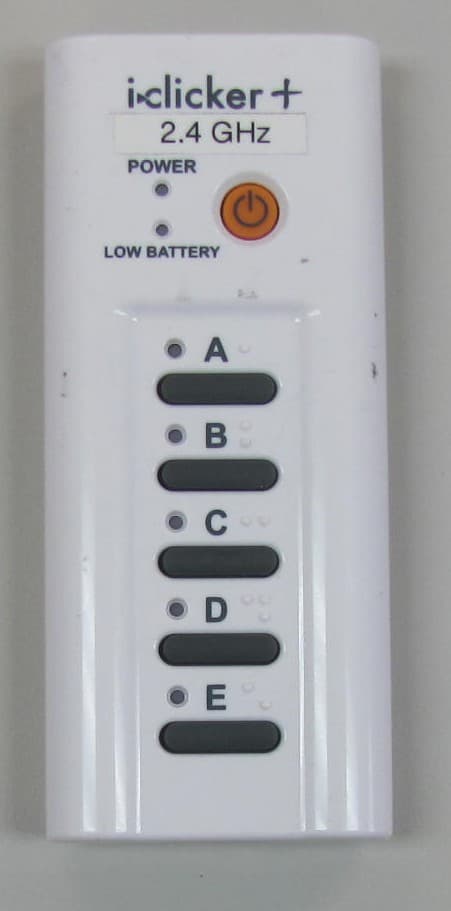
T24-ICL24
May 28, 20142.4 GHz i clicker Remote
Equipment Class
DXX - Part 15 Low Power Communication Device Transmitter
T24-ICL24B
May 28, 2014i clicker Base Unit
Equipment Class
DXX - Part 15 Low Power Communication Device Transmitter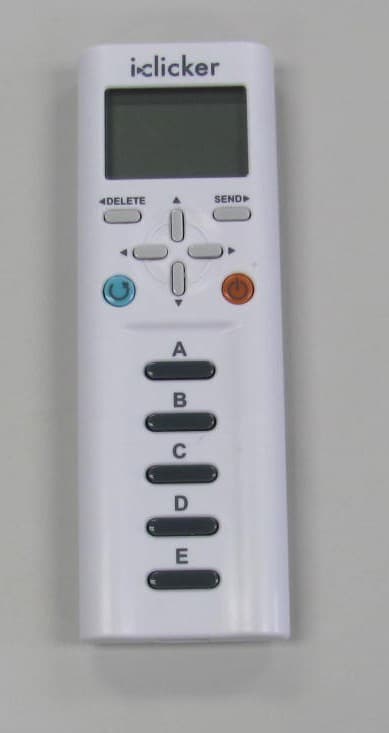
T24-RLR15
Aug 16, 2012Wireless handheld classroom response device for students
Equipment Class
DTS - Digital Transmission SystemT24-TMX14
Jan 11, 2011Wireless Audience Response Device
Equipment Class
DTS - Digital Transmission System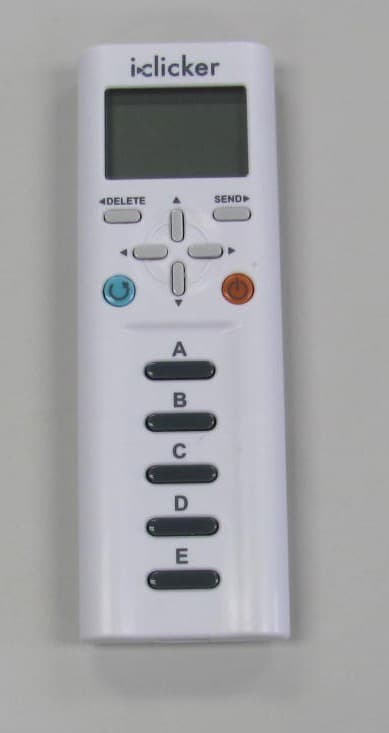
T24-RLR14
Sep 20, 2010Wireless audience response device
Equipment Class
DTS - Digital Transmission System