TAZ2823PS3/PS2/PC 3in1 updatable steering wheel
Front Electronics (H.K.) Ltd.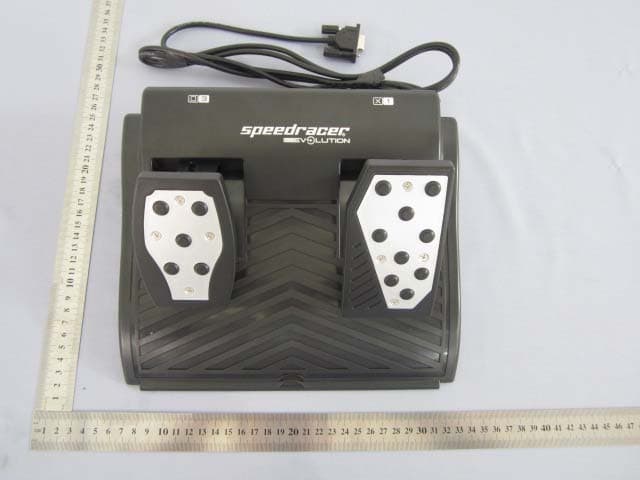
Click to zoom
Application Details
- Equipment Class
- DXX - Part 15 Low Power Communication Device Transmitter
- Date of Grant
- Aug 29, 2011
- Application Purpose
- Original Equipment
- Date of Application
- Aug 29, 2011
- Equipment Note
- PS3/PS2/PC 3in1 updatable steering wheel
- Frequency Range
- 2410.00000000 - 2470.00000000
- Country
- Hong Kong
Documents & Files
Document Text
Text extracted from the exhibit documents filed with the FCC. Open a document above to read the original.
Users Manual
Thank you for purchasing PS®3 - PC Steering Wheel . Please read this manual carefully before use.Features: 1) Two - Format Steering Wheel fully compatible with PS®3 and PC,2) 2.4G wireless technology , up to 10 meters distance,3) Six programmable buttons for tailor made button configuration for use with different racing games,4) Inclinable Steering Wheel control angle adjustment, 5) Twin motors vibration-effect (Driver required for PC version, included) , 6) Steering Sensitivity control, 7) Fully analog driving control for more realistic driving experience during game play, 8) Gear shift stick control for more realistic driving experience during game play, 9) 180 degree steering rotation, entirely rubber wheel rim design for more comfort gripping,10) 8 way digital directional pad for quick menu check, 11) Spring-loaded acceleration and brake control pedals,12) Only one Cable Plugs design - USB plug for all game platform,13) Ergonomics Lap Rest design for a great driving comfort wherever you play a racing game, 14) Super strong and long lasting suction cups for an extremely stabilized driving game experience on desktop. 15)Bottom cover of steering wheel with ergonomic design for racing on your thigh comfortable,17) Serial Port cable connector design prevents an accidental disconnetion from cable come off .18) Powered by 4 AA Batteries with low power indicator,19) Sleep (Power Saving) Mode with quick touch the central Big Button for recall. Default Button Configuration : Upper-Left lever(same asBrake) □ (Analog) 3 Upper-Right lever(same asGas) ╳ (Analog) 1 Multi Wireless Steering Wheel Instruction Manual PC Key name PS3 Gear Shift StickForward R2(Analog) 7 Gear Shift StickBackward L2(Analog) 2 Left Pedal □ (Analog) 3 Right Pedal ╳ (Analog) 1 □ □ (Analog) 1 ╳ ╳ (Analog) 2 ○ ○ (Analog) 3 △ △ (Analog) 4 L1 L1(Analog) 5 R1 R1(Analog) 6 L2 L2(Analog) 7 R2 R2(Analog) 8 Left D-pad Left POV Left Right D-pad Right POV Right Up D-pad Up POV Up Down D-pad Down POV Down SELECT SELECT 9 START START 10 L-Thumb L3 11 R-Thumb R3 12 PRG Program Program Central Big Button Force Connect / PSButton / Wake up Force Connect /Wake up Steering Wheel Left Joystick Xaxis(Analog) Left Joystick Xaxis(Analog) Remarks: The Default Button Configuration is preset according to the following games' button configurations: 1) PS3 format is based on <<FULL Auto 2 Battlelines>> 2) PC format is based on <<Need For Speed 12 Undercover>> Function Diagram: Batteries box Power switch Serial Port cable connection for Pedals Left Pedal Right Pedal Sliding Pedal Stabilizer Racing Pedals d) Receiver Force Connection Button (FC Button) USB Plug for PS3/PC game platform PS3/PC platform selector How to Use: Preparation: 1. Make sure the Power Switch of the Steering Wheel is in OFF position, 2. Open the battey door, put 4 x 2A batteries into the battery compartment, ensuring correct polarity.Push to open the battery cover Put 4 x 2A batteries into the battery compartment Important: a) Strongly recommended to use a battery in same brand, b) DO NOT mix with new and used battery for the power of the product, this will make the product malfunction, c) DO NOT mix with regular and rechargeable battery for the power of the product, this will make the product malfunction, d) Take out the batteries if the product is not going to be used for long time, Low Power Indicator: It is required to replace new batteries when the Green and red LED indicators start to blink with very slow frequency synchrono usly which indicate the power is low. Vibration will be turned off automatically when power is low.Sleep(Power Saving) Mode:The Steering Wheel is built-in a Sleep (Power Saving) Mode, it will be activated under the following conditions: a) When the Steering Wheel is not detected by a relevant receiver and no buttons activated for 1 minute, b) Synchronization has been done but no buttons activated for 5 minutes, The Connection Indicator (Green and red LEDs) will go out when the sleep mode is activated, simply press the central big button to recall the function. Important: Do not turn the steering wheel and keep the Steering Wheel at its natural position during powering on and synchronization as the steering wheel calibrates itself for precise centering, otherwise a malfunction of steering control will be occurred. Automatic Synchronization:The S y nchronization between the receiver and the steerin g wheel is automaticall y detected when the steerin g wheel is switched ON, Force Connection is required if the Automatic Synchronization is fail. Force Connection: Simply press once the " FC " Button of the Receiver and the central big button respectively when the Steering Wheel is switched ON. The Synchroniziation will be automatically activated, the relevant LED will light up when the synchronization is successful. After Synchronization is done, the LED indicator of the Player's I/D will light up as below status: For PC Format - The first LED indicator of the Player's I/D which is on the top of the receiver will light up, The Player's I/D LED indicator will light up for relevant player. For PS3 Format - The Player's I/D LED indicator will light up for relevant player. The first LED will light up for the first d etected player, the 2nd LED will light up for the 2nd detected player, and the same for the 3rd and 4th player. Program indicator(Green LED) Sensitivity indicator(Red LED)LED Status Noted: 1)The 4 Player's I/D LED indicators on the top of receiver will be a connection indicator with blink rapidly for the synchroniz ation status when the synchronization is in 2)The green LED(program indicator) and red LED(sensitivity indicator) under the central big button of steering wheel will be a connection indicator with blink rapidly f the synchronization status when the synchronization is in progress. 3)During synchronization is in progress, the LED indicators will be as below status: a)The LEDs blink rapidly during synchronization, the relevant LED indicators of …
Text truncated - open the document above for the full version.
Cover Letter(s)
SCS-F18: Project and Product Certification Representative Authorization Letter Page 1 of 2 Rev 2.0 2206 Ringwood Avenue San Jose, CA 95131 Tel: 408-526-1188 Fax: 408-526-1088 Email: [email protected] Project and Product Certification Representative Authorization Letter Revision History Reason for Amendment (current / obsolete) From To Approved Date Initial Release (current) 1.0 1.0 Nov-14-2006 Revised wording (current) 1.0 2.0 Sept–25-2007 SCS-F18: Project and Product Certification Representative Authorization Letter Page 2 of 2 Rev 2.0 Front Electronics (H.K.) Ltd. 2011-08-19 To: SIEMIC, INC. 2206 Ringwood Avenue, San Jose, CA 95131 USA Dear Sir/Madam, Re: Project and Product Certification Representative Authorization Letter We, Front Electronics (H.K.) Ltd , hereby authorize SIEMIC, INC. to act as a Certification Body for certifying for the following project(s): PS3/PS2/PC 3in1 updatable steering wheel FEL-2823 We affirm that between SIEMIC and Front Electronics (H.K.) Ltd. , any difference in understanding, including test plan, measurement methods, applicable standards and relevant procedures and processes have been resolved prior to commencement of testing activities. Sincerely, Client’s signature: Client’s name / title : CHIU MK / Director of Marketing Contact information / address: TEL: (852) 2420 2588 FAX: (852) 2421 5788 Email: [email protected] Rm 2919, Asia Trade Centre, 79 Lei Muk Road, Kwai Chung
Cover Letter(s)
SCS-F19: Confidentiality Request Letter Page 1 of 2 Rev 2.0 2206 Ringwood Avenue San Jose, CA 95131 Tel: 408-526-1188 Fax: 408-526-1088 Email: [email protected] Confidentiality Request Letter Revision History Reason for Amendment (current / obsolete) From To Approved Date Initial Release (current) 1.0 1.0 Nov-14-2006 Adding CFR 2.459 1.0 2.0 August – 11 - 2008 SCS-F19: Confidentiality Request Letter Page 2 of 2 Rev 2.0 Front Electronics (H.K.) Ltd. Date: 2011-08-19 To: Federal Communications Commission Authorization and Evaluation Division 7435 Oakland Mills Road Columbia, MD Confidentiality Request regarding application for certification of FCC ID: TAZ2823 We hereby request confidential treatment of information accompanying this application as outlined below: - Schematics - Block Diagram - Operational Description The above materials contain trade secrets and proprietary information not customarily released to the public. The public disclosure of these materials may be harmful to the applicant and provide unjustified benefits to its competitors. The applicant understands that pursuant to Section 0.457 & 0.459 of the Rules, disclosure of this application and all accompanying documentation will not be made before the date of the Grant for this application. Sincerely, Client’s signature: Client’s name / title: CHIU MK / Director of Marketing Contact information / address: TEL: (852) 2420 2588 FAX: (852) 2421 5788 Email: [email protected] Rm 2919, Asia Trade Centre, 79 Lei Muk Road, Kwai Chung
External Photos
Global United Technology Services Co., Ltd. Project No.: GTSE110700636RF 2nd Floor, Block No.2, Laodong Industrial Zone, Xixiang Road Baoan District, Shenzhen, China 518102 Telephone: +86 (0) 755 2779 8480 Fax: +86 (0) 755 2779 8960 Page 2 of 3 Global United Technology Services Co., Ltd. Project No.: GTSE110700636RF 2nd Floor, Block No.2, Laodong Industrial Zone, Xixiang Road Baoan District, Shenzhen, China 518102 Telephone: +86 (0) 755 2779 8480 Fax: +86 (0) 755 2779 8960 Page 3 of 3
ID Label/Location Info
Label Length= 40mm Width= 20mm Product name: PS3/PS2/PC 3in1 updatable steering wheel Model No.: FEL-2823 FCC ID: TAZ2823 FCC statement: This device complies with Part 15 of the FCC Rules. Operation is subject to the following two conditions: (1) This device may not cause harmful interference. (2) This device must accept any interference received, including interference that may cause undesired operation.
ID Label/Location Info
Label Location
Internal Photos
Global United Technology Services Co., Ltd. Project No.: GTSE110700636RF 2nd Floor, Block No.2, Laodong Industrial Zone, Xixiang Road Baoan District, Shenzhen, China 518102 Telephone: +86 (0) 755 2779 8480 Fax: +86 (0) 755 2779 8960 Page 2 of 3 Global United Technology Services Co., Ltd. Project No.: GTSE110700636RF 2nd Floor, Block No.2, Laodong Industrial Zone, Xixiang Road Baoan District, Shenzhen, China 518102 Telephone: +86 (0) 755 2779 8480 Fax: +86 (0) 755 2779 8960 Page 3 of 3
Test Report
Global United Technology Services Co., Ltd. Report No: GTSE11070063601 Authorized Signature: Robinson Lo Laboratory Manager This report details the results of the testing carried out on one sample. The results contained in this test report do not relate to other samples of the same product and does not permit the use of the GTS product certification mark. The manufacturer should ensure that all products in series production are in conformity with the product sample detailed in this report. This report may only be reproduced and distributed in full. If the product in this report is used in any configuration other than that detailed in the report, the manufacturer must ensure the new system complies with all relevant standards. Any mention of GTS International Electrical Approvals or testing done by GTS International Electrical Approvals in connection with, distribution or use of the product described in this report must be approved by GTS International Electrical Approvals in writing. This document cannot be reproduced except in full, without prior written approval of the Company. Any unauthorized alteration, forgery or falsification of the content or appearance of this document is unlawful and offenders may be prosecuted to the fullest extent of the law. Unless otherwise stated the results shown in this test report refer only to the sample(s) tested and such sample(s) are retained for 90 days only.” FCC REPORT Applicant: Front Electronics (H.K.) Ltd. Address of Applicant: Rm 2919, Asia Trade Centre, 79 Lei Muk Road, Kwai Chung Equipment Under Test (EUT) Product Name: PS3/PS2/PC 3in1 updatable steering wheel Model No.: FEL-2823 FCC ID: TAZ2823 Applicable standards: FCC CFR Title 47 Part 15 Subpart C Section 15.249:2010 Date of sample receipt: 28 July., 2011 Date of Test: 29 July. -05 Aug., 2011 Date of report issued: 17 Aug., 2011 Test Result : PASS * * In the configuration tested, the EUT complied with the standards specified above. Report No: GTSE11070063601 Global United Technology Services Co., Ltd. Project No.: GTSE110700636RF 2nd Floor, Block No.2, Laodong Industrial Zone, Xixiang Road Baoan District, Shenzhen, China 518102 Telephone: +86 (0) 755 2779 8480 Fax: +86 (0) 755 2779 8960 Page 2 of 22 2 Version Version No. Date Description 00 2011-08-17 Original Prepared By: Date: 2011-08-17 Project Engineer Check By: Date: 2011-08-17 Reviewer Report No: GTSE11070063601 Global United Technology Services Co., Ltd. Project No.: GTSE110700636RF 2nd Floor, Block No.2, Laodong Industrial Zone, Xixiang Road Baoan District, Shenzhen, China 518102 Telephone: +86 (0) 755 2779 8480 Fax: +86 (0) 755 2779 8960 Page 3 of 22 3 Contents Page 1 COVER PAGE ...........................................................................................................................................1 2 VERSION.................................................................................................................................................................. 2 3 CONTENTS.............................................................................................................................................................. 3 4 TEST SUMMARY.................................................................................................................................................... 4 5 GENERAL INFORMATION................................................................................................................................... 5 5.1 CLIENT INFORMATION....................................................................................................................................... 5 5.2 GENERAL DESCRIPTION OF E.U.T................................................................................................................... 5 5.3 TEST MODE....................................................................................................................................................... 6 5.4 TEST FACILITY................................................................................................................................................... 6 5.5 TEST LOCATION................................................................................................................................................ 6 5.6 DESCRIPTION OF SUPPORT UNITS................................................................................................................... 6 5.7 OTHER INFORMATION REQUESTED BY THE CUSTOMER.................................................................................. 6 5.8 TEST INSTRUMENTS LIST.................................................................................................................................. 7 6 TEST RESULTS AND MEASUREMENT DATA................................................................................................ 8 6.1 ANTENNA REQUIREMENT:................................................................................................................................. 8 6.2 CONDUCTED EMISSIONS................................................................................................................................... 9 6.3 RADIATED EMISSION....................................................................................................................................... 12 6.3.1 Field Strength Of The Fundamental Signal......................................................................................... 14 6.3.2 Spurious Emissions................................................................................................................................. 15 6.3.3 Band edge (Radiated Emission)............................................................................................................ 19 6.4 20DB BANDWIDTH........................................................................................................................................... 20 Report No: GTSE11070063601 Global United Technol…
Text truncated - open the document above for the full version.
Contact Information
Applicant
CHIU MK(Director of Marketing)
Test Firm
Global United Technology Service Co., LtdRobinson Lo
Technical Specifications
| # | Rule Parts | Frequency Range | Power Output |
|---|---|---|---|
| 1 | 15C | 2.41 GHz - 2.47 GHz | - |
Other Applications from Front Electronics (H.K.) Ltd.
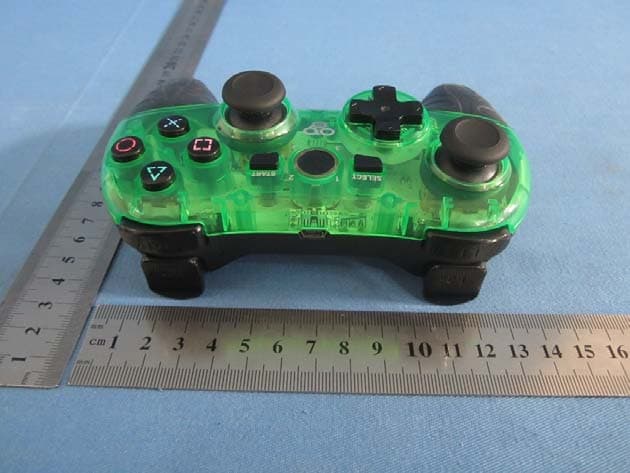
TAZ2967
Nov 28, 2013MULTI-GLO WIRELESS CONTROLLER
Equipment Class
DSS - Part 15 Spread Spectrum Transmitter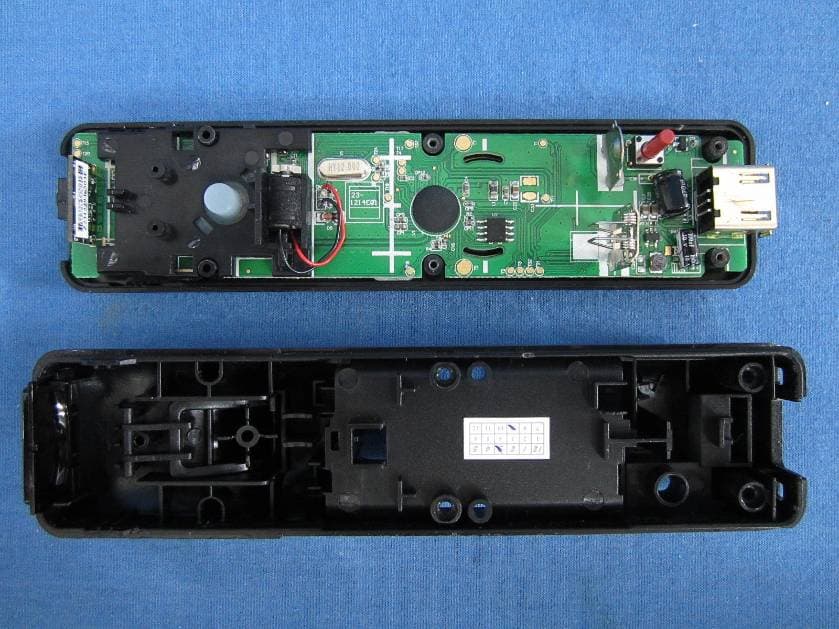
TAZWL015
Nov 01, 2012REMOTE FOR Wii
Equipment Class
DSS - Part 15 Spread Spectrum TransmitterTAZ2924A
Aug 30, 2012Tablet Case with Bluetooth� Keyboard
Equipment Class
DXX - Part 15 Low Power Communication Device Transmitter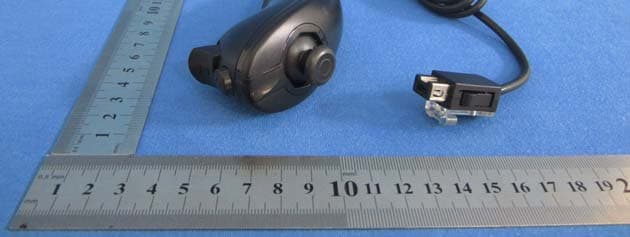
TAZASD798
Jun 06, 2012REMOTE with Motion Plus & PLAYCHUK for Wii
Equipment Class
DSS - Part 15 Spread Spectrum Transmitter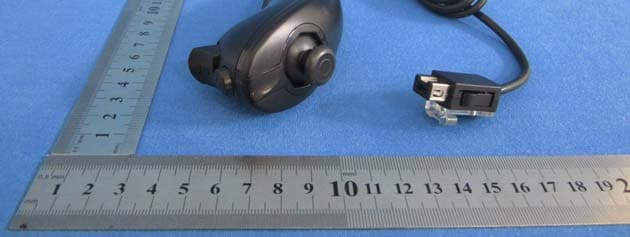
TAZASD837
Jun 06, 2012REMOTE & PLAYCHUK for Wii
Equipment Class
DSS - Part 15 Spread Spectrum Transmitter