TAZ2924Bluetooth Keyboard
Front Electronics (H.K.) Ltd.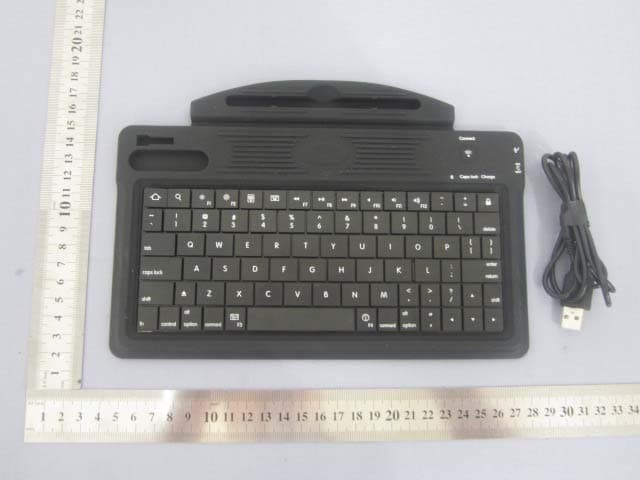
Click to zoom
Application Details
- Equipment Class
- DXX - Part 15 Low Power Communication Device Transmitter
- Date of Grant
- Aug 02, 2011
- Application Purpose
- Original Equipment
- Date of Application
- Aug 02, 2011
- Equipment Note
- Bluetooth Keyboard
- Frequency Range
- 2402.00000000 - 2480.00000000
- Country
- Hong Kong
Documents & Files
Document Text
Text extracted from the exhibit documents filed with the FCC. Open a document above to read the original.
Users Manual
Bluetooth Keyboard with Case for iPad1 and iPad2 User Manual The contents of this package include 1 PU Leather Case with Bluetooth Keyboard for iPad™ 1 and iPad™ 2 ; 1 Micro USB Charge Cable; 1 Touch pen; 1 Screen cleaner; 1 Dust-proof plug; 1 User instruction manual; Features Wireless Bluetooth Keyboard compatible with all iPad™ and iPad™ 2, Wireless Bluetooth Keyboard compatible with Bluetooth 2.0, Right side shift button for fast and efficient typing, The case protects your iPad/iPad 2 in style, Bluetooth keyboard delivers wireless operation and includes iPad/iPad 2 specific keys, Build in rechargeable lithium polymer battery for keyboard, Charging by USB power or USB power adapter (DC5V), Up to 40 hours uninterrupted working time per one full charge, Energy saving keyboard with sleep mode, Wireless operating distance up to 10 meters, Soft eraser for screen cleaner, Dust-proof plug for earphone, Touch pen for iPad™ and iPad™ 2, Specifications Charging Current: < 350 mA Sleep Mode Current: < 40 uA Operating Voltage: 4.2 - 5.0 V Uninterrupted Working Time: > 40 hours Full Charging Time: < 1.5 hours Stand By Time: >200 days Internal Battery: Li-ion 300 mAh Production Diagram Micro USB charge cable Power on the Keyboard Case and pair with iPad or iPad 2 The Keyboard Case’s Bluetooth keyboard should only need to pair to your iPad 2 once as follows: 1. On the Keyboard Case, slide the power switch on. The pairing LED flashes for thrice and then it turns off. 2. Turn on and unlock iPad or iPad2. Click on the iPad or iPad2 setting icon. select Settings > General > Bluetooth > On. iPad or iPad2 will automatically search for a Bluetooth enabled device. 3. Press and hold the Connect button until the Pairing LED flashes quickly to make the Keyboard Case discoverable. The Pairing LED flashes quickly on the Keyboard Case, and the iPad or iPad 2 displays “Bluetooth keyboard” as an available device. 4. Select “Bluetooth keyboard” on the iPad or iPad 2 to connect. The iPad or iPad 2 will display a code on the screen. 5. Type the code using the Keyboard Case and press Enter. The Keyboard Case is now paired to the iPad or iPad 2. Important note: To enter into pairing mode, please press and hold the “Connect” button on the Bluetooth keyboard for about 2 seconds until the Pairing LED flashes quickly. Charge When the battery power is low, the Bluetooth pairing LED on the keyboard will bpairing twice with about 1 second period. You need to recharge the keyboard: Connect the Macro USB power cable one side to the power input interface of the keyboard and one side to any USB port of a PC or an USB power adapter for DC 5V power; Charge LED status: Charging: Charge LED stay on Full: Charge LED be turned off Standby Mode (Power Saver): The keyboard will automatically enter standby mode for power save when it hasn’t been used for a period of time or it has been disconnected the connection. Power Switch: Mechanical power switch version: Slid the mechanical switch to ON/OFF position for power ON/OFF. Power ON: Bluetooth pairing LED will flash thrice. Electronic power switch version: Press and hold the POWER button until the power LED be turned ON or OFF for turning the power ON or OFF. Power ON: Power LED will light up and Bluetooth Pairing LED will flash thrice. The power LED will go off if the power button without any operation in 30 seconds. Troubleshooting The Keyboard does not work If the keyboard fails to operate, or operates incorrectly, follow the steps below before seeking assistance. Make sure the power of the iPad™ or iPad™ 2 and the keyboard are both turned on. Make sure the Bluetooth of the iPad™ or iPad™ 2 is activated. Make sure the keyboard is within the operating distance. Make sure the battery of the keyboard is charged. Make sure the keyboard has been paired with the iPad™ or iPad™ 2. Make sure the keyboard is connected to the iPad™ or iPad™ 2. If, after verifying the steps above, the Bluetooth keyboard does not work or work not correctly, try the following: Turn off the power of the iPad™ or iPad™ 2. Wait for a few seconds, then turn on the power of the iPad™ or iPad™ 2. a. Turn off the power of the Keyboard. b. Wait for a few seconds and then turn on the power of the keyboard. Repair the keyboard and the iPad™ or iPad™ 2. WARNING Read, understand, and follow all instructions, cautions and warnings listed in this manual and any other electronic device manual that will be operated with this keyboard. Keep away from direct sunlight and in extreme temperatures. Do not use sharp object such as knife and razor blade over the keyboard. When folded, do not squeeze the keyboard. Keep away from areas exposed to dirt or liquids. Do not submerse in water. Do not Use this product in any other way than its intended use. Do not disassemble any part of this product. Do not place heavy objects on top of the case. Adult supervision is required for children 6 years old and under. Pull on the plug and nerver pull on the cord when disconnecting the USB charging cable. CAUTIONS Pull on the plug and nerver pull on the cord when disconnecting the USB charging cable. Do not pinch or sharply bend the cords. Secure and place the cords from being stepped on or tripped over. This equipment has been tested and found to comply with the limits for a Class B digital device, pursuant to Part 15 of the FCC Rules. These limits are designed to provide reasonable protection against harmful interference in a residential installation. This equipment generates, uses and can radiate radio frequency energy and, if not installed and used in accordance with the instructions, may cause harmful interference to radio communications. However, there is no guarantee that interference will not occur in a particular installation. If this equipment does cause harmful interference to radio or television reception, which can be determined by turning the equ…
Text truncated - open the document above for the full version.
Cover Letter(s)
SCS-F18: Project and Product Certification Representative Authorization Letter Page 1 of 2 Rev 2.0 2206 Ringwood Avenue San Jose, CA 95131 Tel: 408-526-1188 Fax: 408-526-1088 Email: [email protected] Project and Product Certification Representative Authorization Letter Revision History Reason for Amendment (current / obsolete) From To Approved Date Initial Release (current) 1.0 1.0 Nov-14-2006 Revised wording (current) 1.0 2.0 Sept–25-2007 SCS-F18: Project and Product Certification Representative Authorization Letter Page 2 of 2 Rev 2.0 Front Electronics (H.K.) Ltd. Date: 2011-07-27 To: SIEMIC, INC. 2206 Ringwood Avenue, San Jose, CA 95131 USA Dear Sir/Madam, Re: Project and Product Certification Representative Authorization Letter We, Front Electronics (H.K.) Ltd. hereby authorize SIEMIC, INC. to act as a Certification Body for certifying for the following project(s): Product: Bluetooth keyboard Model No.: FEL-2924 We affirm that between SIEMIC and Front Electronics (H.K.) Ltd. any difference in understanding, including test plan, measurement methods, applicable standards and relevant procedures and processes have been resolved prior to commencement of testing activities. Sincerely, Client’s signature: Client’s name / title: CHUI MK / Director of Marketing Contact information / address: Tel: (852) 2420 2588 Email: [email protected] Address: Rm 2919, Asia Trade Centre, 79 Lei Muk Road, Kwai Chung
Cover Letter(s)
SCS-F19: Confidentiality Request Letter Page 1 of 2 Rev 2.0 2206 Ringwood Avenue San Jose, CA 95131 Tel: 408-526-1188 Fax: 408-526-1088 Email: [email protected] Confidentiality Request Letter Revision History Reason for Amendment (current / obsolete) From To Approved Date Initial Release (current) 1.0 1.0 Nov-14-2006 Adding CFR 2.459 1.0 2.0 August – 11 - 2008 SCS-F19: Confidentiality Request Letter Page 2 of 2 Rev 2.0 Front Electronics (H.K.) Ltd. Date: 2011-07-27 To: Federal Communications Commission Authorization and Evaluation Division 7435 Oakland Mills Road Columbia, MD Confidentiality Request regarding application for certification of FCC ID: TAZ2924 We hereby request confidential treatment of information accompanying this application as outlined below: - Schematics - Block Diagram - Operational Description The above materials contain trade secrets and proprietary information not customarily released to the public. The public disclosure of these materials may be harmful to the applicant and provide unjustified benefits to its competitors. The applicant understands that pursuant to Section 0.457 & 0.459 of the Rules, disclosure of this application and all accompanying documentation will not be made before the date of the Grant for this application. Sincerely, Client’s signature: Client’s name / title: CHUI MK / Director of Marketing Contact information / address: Tel: (852) 2420 2588 Email: [email protected] Address: Rm 2919, Asia Trade Centre, 79 Lei Muk Road, Kwai Chung
Cover Letter(s)
Front Electronics (H.K.) Ltd. Date: 2011-07-27 To: Federal Communications Commission 7435 Oakland Mills Road Columbia, MD FCC ID: TAZ2924 To Whom It May Concern: This letter is to ascertain that Front Electronics (H.K.) Ltd. Product Bluetooth keyboard has been the units used for conducting FCC compliance testing, the DoC part will be tested by FCC recognized test lab. If you have any question or concerns, pls. contact us. Sincerely, Client’s signature: Client’s name / title: CHUI MK / Director of Marketing Contact information / address: Tel: (852) 2420 2588 Email: [email protected] Address: Rm 2919, Asia Trade Centre, 79 Lei Muk Road, Kwai Chung
External Photos
Report No: GTSE11070058701 Global United Technology Services Co., Ltd. Project No.: GTSE110700587RF 2nd Floor, Block No.2, Laodong Industrial Zone, Xixiang Road Baoan District, Shenzhen, China 518102 Telephone: +86 (0) 755 2779 8480 Fax: +86 (0) 755 2779 8960 Page 25 of 27 8 EUT Constructional Details
ID Label/Location Info
Label Size: 40mm*15mm FCC ID: TAZ2924 This device complies with Part 15 of the FCC Rules. Operation is subject to the following two conditions: (1) this device may not cause harmful interference, and (2) this device must accept any interference received, including interference that may cause undesired operation.
ID Label/Location Info
Label Location
Internal Photos
Report No: GTSE11070058701 Global United Technology Services Co., Ltd. Project No.: GTSE110700587RF 2nd Floor, Block No.2, Laodong Industrial Zone, Xixiang Road Baoan District, Shenzhen, China 518102 Telephone: +86 (0) 755 2779 8480 Fax: +86 (0) 755 2779 8960 Page 26 of 27 Report No: GTSE11070058701 Global United Technology Services Co., Ltd. Project No.: GTSE110700587RF 2nd Floor, Block No.2, Laodong Industrial Zone, Xixiang Road Baoan District, Shenzhen, China 518102 Telephone: +86 (0) 755 2779 8480 Fax: +86 (0) 755 2779 8960 Page 27 of 27 ------end------
Test Report
Global United Technology Services Co., Ltd. Report No: GTSE11070058701 Authorized Signature: Robinson Lo Laboratory Manager This report details the results of the testing carried out on one sample. The results contained in this test report do not relate to other samples of the same product and does not permit the use of the GTS product certification mark. The manufacturer should ensure that all products in series production are in conformity with the product sample detailed in this report. This report may only be reproduced and distributed in full. If the product in this report is used in any configuration other than that detailed in the report, the manufacturer must ensure the new system complies with all relevant standards. Any mention of GTS International Electrical Approvals or testing done by GTS International Electrical Approvals in connection with, distribution or use of the product described in this report must be approved by GTS International Electrical Approvals in writing. This document cannot be reproduced except in full, without prior written approval of the Company. Any unauthorized alteration, forgery or falsification of the content or appearance of this document is unlawful and offenders may be prosecuted to the fullest extent of the law. Unless otherwise stated the results shown in this test report refer only to the sample(s) tested and such sample(s) are retained for 90 days only.” FCC REPORT Applicant: Front Electronics (H.K.) Ltd Address of Applicant: Rm 2919, Asia Trade Centre, 79 Lei Muk Road, Kwai Chung Equipment Under Test (EUT) Product Name: Bluetooth keyboard Model No.: FEL-2924 FCC ID: TAZ2924 Applicable standards: FCC CFR Title 47 Part 15 Subpart C Section 15.249:2010 Date of sample receipt: 18 Jul., 2011 Date of Test: 19-23 Jul., 2011 Date of report issued: 25 Jul., 2011 Test Result : PASS * * In the configuration tested, the EUT complied with the standards specified above. Report No: GTSE11070058701 Global United Technology Services Co., Ltd. Project No.: GTSE110700587RF 2nd Floor, Block No.2, Laodong Industrial Zone, Xixiang Road Baoan District, Shenzhen, China 518102 Telephone: +86 (0) 755 2779 8480 Fax: +86 (0) 755 2779 8960 Page 2 of 27 2 Version Version No. Date Description 00 2011-07-25 Original Prepared By: Date: 2011-07-25 Project Engineer Check By: Date: 2011-07-25 Reviewer Report No: GTSE11070058701 Global United Technology Services Co., Ltd. Project No.: GTSE110700587RF 2nd Floor, Block No.2, Laodong Industrial Zone, Xixiang Road Baoan District, Shenzhen, China 518102 Telephone: +86 (0) 755 2779 8480 Fax: +86 (0) 755 2779 8960 Page 3 of 27 3 Contents Page 1 COVER PAGE ...........................................................................................................................................1 2 VERSION.................................................................................................................................................................. 2 3 CONTENTS.............................................................................................................................................................. 3 4 TEST SUMMARY.................................................................................................................................................... 4 5 GENERAL INFORMATION................................................................................................................................... 5 5.1 CLIENT INFORMATION....................................................................................................................................... 5 5.2 GENERAL DESCRIPTION OF E.U.T................................................................................................................... 5 5.3 TEST MODE....................................................................................................................................................... 7 5.4 TEST FACILITY................................................................................................................................................... 7 5.5 TEST LOCATION................................................................................................................................................ 7 5.6 DESCRIPTION OF SUPPORT UNITS................................................................................................................... 7 5.7 OTHER INFORMATION REQUESTED BY THE CUSTOMER.................................................................................. 8 5.8 TEST INSTRUMENTS LIST.................................................................................................................................. 8 6 TEST RESULTS AND MEASUREMENT DATA................................................................................................ 9 6.1 ANTENNA REQUIREMENT:................................................................................................................................. 9 6.2 CONDUCTED EMISSIONS................................................................................................................................. 10 6.3 RADIATED EMISSION....................................................................................................................................... 13 6.3.1 Field Strength Of The Fundamental Signal......................................................................................... 15 6.3.2 Spurious Emissions................................................................................................................................. 15 6.3.3 Band edge (Radiated Emission)............................................................................................................ 19 6.4 20DB BANDWIDTH........................................................................................................................................... 20 7 TEST SETUP PHOTO..............................................................…
Text truncated - open the document above for the full version.
Test Setup Photos
Report No: GTSE11070058701 Global United Technology Services Co., Ltd. Project No.: GTSE110700587RF 2nd Floor, Block No.2, Laodong Industrial Zone, Xixiang Road Baoan District, Shenzhen, China 518102 Telephone: +86 (0) 755 2779 8480 Fax: +86 (0) 755 2779 8960 Page 23 of 27 7 Test Setup Photo Radiated spurious emission Report No: GTSE11070058701 Global United Technology Services Co., Ltd. Project No.: GTSE110700587RF 2nd Floor, Block No.2, Laodong Industrial Zone, Xixiang Road Baoan District, Shenzhen, China 518102 Telephone: +86 (0) 755 2779 8480 Fax: +86 (0) 755 2779 8960 Page 24 of 27 Conducted emission
Contact Information
Applicant
CHIU MK(Director of Marketing)
Test Firm
Global United Technology Service Co., LtdRobinson Lo
Technical Specifications
| # | Rule Parts | Frequency Range | Power Output |
|---|---|---|---|
| 1 | 15C | 2.40 GHz - 2.48 GHz | - |
Other Applications from Front Electronics (H.K.) Ltd.
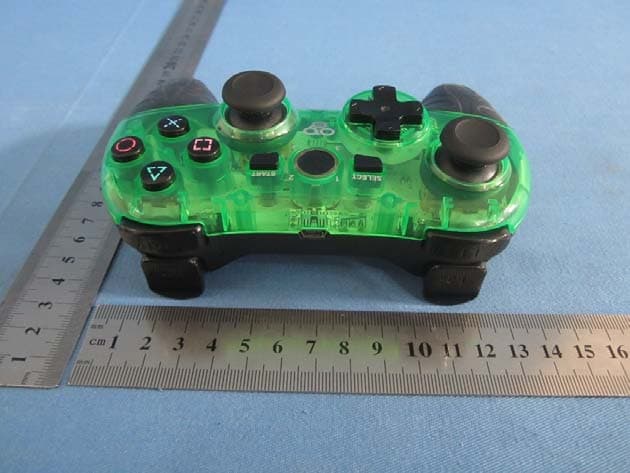
TAZ2967
Nov 28, 2013MULTI-GLO WIRELESS CONTROLLER
Equipment Class
DSS - Part 15 Spread Spectrum Transmitter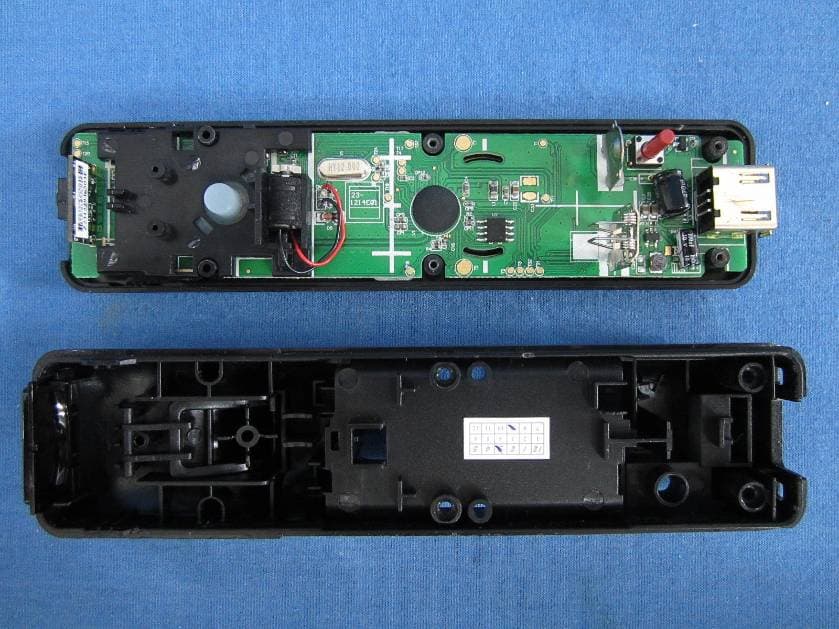
TAZWL015
Nov 01, 2012REMOTE FOR Wii
Equipment Class
DSS - Part 15 Spread Spectrum TransmitterTAZ2924A
Aug 30, 2012Tablet Case with Bluetooth� Keyboard
Equipment Class
DXX - Part 15 Low Power Communication Device Transmitter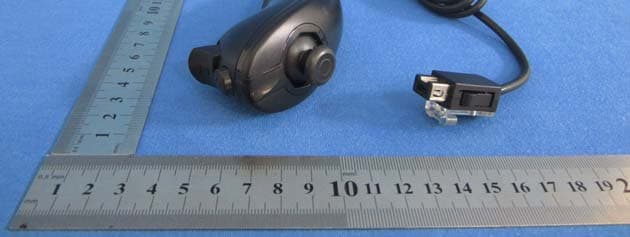
TAZASD798
Jun 06, 2012REMOTE with Motion Plus & PLAYCHUK for Wii
Equipment Class
DSS - Part 15 Spread Spectrum Transmitter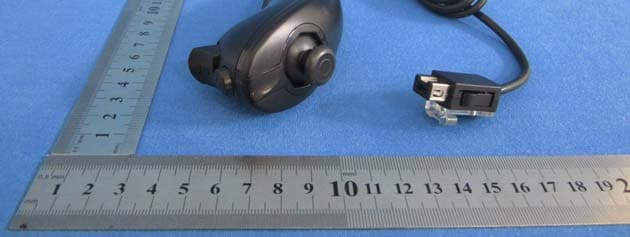
TAZASD837
Jun 06, 2012REMOTE & PLAYCHUK for Wii
Equipment Class
DSS - Part 15 Spread Spectrum Transmitter