TOLVPC200VOICEYE PC MATE
AD Information & Communications Co., Ltd.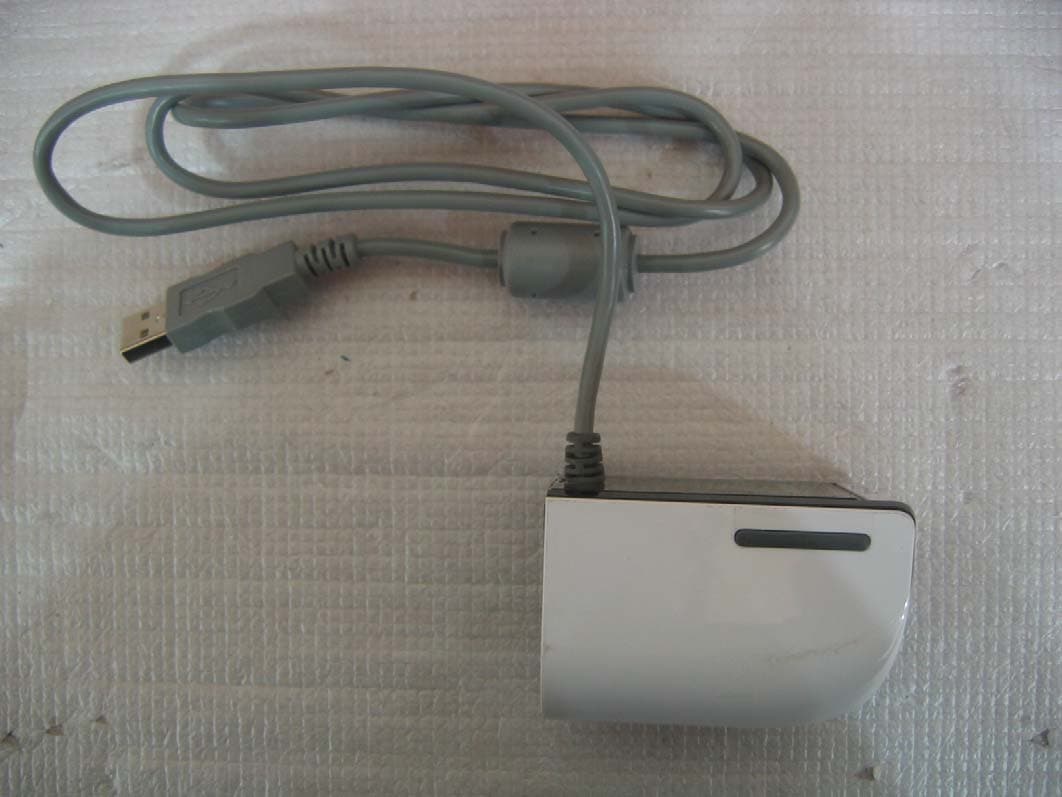
Click to zoom
Application Details
- Equipment Class
- JBP - Part 15 Class B Computing Device Peripheral
- Date of Grant
- Mar 06, 2007
- Application Purpose
- Original Equipment
- Date of Application
- Mar 06, 2007
- Equipment Note
- VOICEYE PC MATE
- Country
- South Korea
Documents & Files
Document Text
Text extracted from the exhibit documents filed with the FCC. Open a document above to read the original.
Users Manual
Compatible with The content of this manual is subject to change without notice. It is the sole responsibility of the user to abide by any related or implied copyright laws. No part of this manual may be reproduced or copied, in any form or by any means, without the prior written permission of AD Information & Communications Co., Ltd. All the names of the companies and/or products mentioned in this manual are either the registered trademarks or brand names of their lawful owners. Copyright © 2005 AD Information & Communications All rights reserved The content of this manual and VOICEYE Reader program are protected by copyright laws and the intellectual property laws. VOICEYE’s original 2D barcode technology makes it free from copyright infringement since it offers protection of intellectual property. Any those texts that are reserved by copyright may not be copied as they are protected as intellectual property. 1. Introduction 2. Features 3. Safety Precautions 4. Components 5. Product and Function 6. Hardware Specifications 7. System Requirements Connection and Installation 1. VOICEYE Reader Installation 2. NWC Player Installation 3. TTS Engine Installation 4. Hardware Installation 5. Driver Installation Quick Guide to using the VOICEYE PC-Mate 1. Getting started with the VOICEYE Reader 2. Detailed Description by Menu 3. Basic Operation Basic Shortcut Keys How to Use VOICEYE Note Template Regulatory Information Warranty 2 Chapter 1 Chapter 2 Chapter 3 Appendix Contents Chapter 1 VOICEYE PC-Mate is an innovative reading device for computers, powered by a unique, sophisticated 2D barcode technology that uses a TTS engine to access printed material. This revolutionary reading solution offers a wide range of applications, both for disabled and for non- disabled people, at home, as well as in fields like education, government, and business. VOICEYE Scanner captures the VOICEYE symbol that consists of encoded and compressed digital text information together with its corresponding file and transfers the text data to your PC. VOICEYE PC-Mate enhances your reading ability by giving you the following features and advantages: z Universal and versatile features fit many categories ....Real-time TTS player, magnifier, music player, educational aids such as training for dyslexia and foreign language study, phonological training, etc. z Bi-modal reading approach: displays words on the screen as they are spoken for easy following, and supports bi-modal auditory and visual education for all ages. z Highly customized solution: flexible, convenient, and remarkably easy to use. The user can configure the TTS setting to hear specific letters as he or she designates. z Digital data processing: eliminates the restrictions of analog type of OCR (Optical Character Recognition) technology, such as high error ratio, high price, etc. z No special hardware is required, except the VOICEYE Scanner, which can be purchased at a low cost z A wide array of flexible options on your screen: allows you to customize the appearance of text on your screen, including text font, font size, font/background color z Auto store function retains a history of the last ten files, which can be scanned for easy review. z Section auto repeat playback: perfect for language study. The word or sentence which you drag with the mouse is read aloud continuously and repeatedly unless you press the corresponding key to stop. z Variable speech speed control to suit specific preferences and purposes: useful in effective phonological training. Speech speed can be controlled in a range of 25 - 400%. Introduction 1 Features 2 3 z Auto scroll: The texts are automatically scrolled for your reading convenience when you want to read texts without the computerized voice. z Auto capture: captures the VOICEYE symbol automatically, without the push of a button. The VOICEYE Scanner scans symbols in seconds - even inverted VOICEYE symbols. z Install this product after reading this user’s manual thoroughly. z Connect the VOICEYE Scanner to your PC after installing software. z Do not pull or bend the USB cable as this may cause a product malfunction. z Do not touch the lens. Use a soft cloth or swab to clean the lens. This icon indicates materials you should take special notice of. Please make sure that every component of the product is included. Hardware VOICEYE Scanner to capture VOICEYE symbol data from printed material PC Connector to convert VOICEYE image scanned with VOICEYE Scanner to digital data and transfer it to PC via USB connection ! ! VOICEYE ScannerConnector USB cable Software CD User’s manual Note Template Safety Precautions 3 Components 4 Product and Function 5 4 Contents Chapter 1 Chapter 2 Chapter 3 Appendix USB cable to supply electric power to PC and transfer VOICEYE image captured with VOICEYE Scanner to PC. Software VOICEYE Maker to create VOICEYE symbol VOICEYE Reader to display and magnify texts on screen after decoding VOICEYE symbol, which has then been transferred to PC, and read them aloud. Text-To-Speech engine to convert text data into a natural-sounding computerized voice VOICEYE Scanner driver To capture the VOICEYE symbol Others User’s Guide to explain how to install and use the product VOICEYE Note Template (Optional) to help the blind find the location of the VOICEYE symbol easily This product must be used with computer that supports USB 2.0. Please make sure that your computer meets this condition. Dimension 43 x 48 x 67 mm, 1.7” x 1.9” x 2.6” Weight 80g, 0.18 lbs Image Sensor 1/2 inch CMOS Color SXGA sensor Color 24bit RGB Color Pixel Array Size 1280 x 1024 pixels Exposure Automatic & Manual Control Signal Noise Ratio 54 dB Max. Image Transfer Rate 15 FPS (Frame Per Sec) Interface USB 2.0 USB Cable Length 1.2 m, 3.9’ ※Under our policy of continuous improvement, we reserve the right to change specifications and designs without prior notice. ! Hardware Specifications 6 5 OS Windows 2000/2003/XP CPU Pentium II, minimum of 500 MHz …
Text truncated - open the document above for the full version.
Block Diagram
Report No: BWS-07-EF-0009 FCC ID : TOLVPC200 Date of Test : February 2, 2007 BWS TECH Inc. AD Information & Communication Co., Ltd. Appendix 5 Appendix 5. Block Diagram
External Photos
Report No: BWS-07-EF-0009 FCC ID : TOLVPC200 Date of Test : February 2, 2007 BWS TECH Inc. AD Information & Communication Co., Ltd. Appendix 3 Appendix 3. Photographs of EUT Front of EUT Report No: BWS-07-EF-0009 FCC ID : TOLVPC200 Date of Test : February 2, 2007 BWS TECH Inc. AD Information & Communication Co., Ltd. Appendix 3 Rear of EUT Report No: BWS-07-EF-0009 FCC ID : TOLVPC200 Date of Test : February 2, 2007 BWS TECH Inc. AD Information & Communication Co., Ltd. Appendix 3 Left of EUT Report No: BWS-07-EF-0009 FCC ID : TOLVPC200 Date of Test : February 2, 2007 BWS TECH Inc. AD Information & Communication Co., Ltd. Appendix 3 Right of EUT
ID Label/Location Info
Report No: BWS-07-EF-0009 FCC ID : TOLVPC200 Date of Test : February 2, 2007 BWS TECH Inc. AD Information & Communication Co., Ltd. Appendix 2 Appendix 2. FCC ID Label and location Product Label Sample with FCC ID Label information Following is a sample copy of the label that will be placed on the rear cabinet of the product. The FCC identifier is marked in the product label. The warning statement and Information to the User are described in the user manual. Label Location The label shown above shall be permanently affixed at a conspicuous location on the device and be readily visible to the user at the time purchase.(Labeling requirements per 2.925) This device complies with part 15 of the FCC rules. Operation is subject to the following conditions: (1) This devices may not cause harmful interference, and (2) this device must accept any interference received including interference that may cause undesired operation. Model No : VPC-200 FCC ID : TOLVPC200 AD Information & Communications Co., Ltd. Made in Korea
Internal Photos
Report No: BWS-07-EF-0009 FCC ID : TOLVPC200 Date of Test : February 2, 2007 BWS TECH Inc. AD Information & Communication Co., Ltd. Appendix 4 Appendix 4. Internal Photographs of EUT Report No: BWS-07-EF-0009 FCC ID : TOLVPC200 Date of Test : February 2, 2007 BWS TECH Inc. AD Information & Communication Co., Ltd. Appendix 4 Top of main board side Report No: BWS-07-EF-0009 FCC ID : TOLVPC200 Date of Test : February 2, 2007 BWS TECH Inc. AD Information & Communication Co., Ltd. Appendix 4 Bottom of main board side
Operational Description
Report No: BWS-07-EF-0009 FCC ID : TOLVPC200 Date of Test : February 2, 2007 BWS TECH Inc. AD Information & Communication Co., Ltd. Operational Description Dimension 43 x 48 x 67 mm, 1.7” x 1.9” x 2.6” Weight 80g, 0.18 lbs Image Sensor 1/2 inch CMOS Color SXGA sensor Color 24bit RGB Color Pixel Array Size 1280 x 1024 pixels Exposure Automatic & Manual Control Signal Noise Ratio 54 dB Max. Image Transfer Rate 15 FPS (Frame Per Sec) Interface USB 2.0 USB Cable Length 1.2 m, 3.9’ OS Windows 2000/2003/XP CPU Pentium II, minimum of 500 MHz RAM 64Mb - 128Mb DB 200Mb - 500Mb Interface High Speed USB 2.0 Power PC USB port support Hardware Specifications 1 System Requirements 2
Operational Description
Report No: BWS-07-EF-0009 FCC ID : TOLVPC200 Date of Test : February 2, 2007 BWS TECH Inc. AD Information & Communication Co., Ltd. Operational Description VOICEYE PC-Mate enhances your reading ability by giving you the following features and advantages: z Universal and versatile features fit many categories ....Real-time TTS player, magnifier, music player, educational aids such as training for dyslexia and foreign language study, phonological training, etc. z Bi-modal reading approach: displays words on the screen as they are spoken for easy following, and supports bi-modal auditory and visual education for all ages. z Highly customized solution: flexible, convenient, and remarkably easy to use. The user can configure the TTS setting to hear specific letters as he or she designates. z Digital data processing: eliminates the restrictions of analog type of OCR (Optical Character Recognition) technology, such as high error ratio, high price, etc. z No special hardware is required, except the VOICEYE Scanner, which can be purchased at a low cost z A wide array of flexible options on your screen: allows you to customize the appearance of text on your screen, including text font, font size, font/background color z Auto store function retains a history of the last ten files, which can be scanned for easy review. z Section auto repeat playback: perfect for language study. The word or sentence which you drag with the mouse is read aloud continuously and repeatedly unless you press the corresponding key to stop. z Variable speech speed control to suit specific preferences and purposes: useful in effective phonological training. Speech speed can be controlled in a range of 25 - 400%. z Auto scroll: The texts are automatically scrolled for your reading convenience when you want to read texts without the computerized voice. z Auto capture: captures the VOICEYE symbol automatically, without the push of a button. The VOICEYE Scanner scans symbols in seconds - even inverted VOICEYE symbols. Features 1 Report No: BWS-07-EF-0009 FCC ID : TOLVPC200 Date of Test : February 2, 2007 BWS TECH Inc. AD Information & Communication Co., Ltd. Hardware VOICEYE Scanner to capture VOICEYE symbol data from printed material PC Connector to convert VOICEYE image scanned with VOICEYE Scanner to digital data and transfer it to PC via USB connection USB cable to supply electric power to PC and transfer VOICEYE image captured with VOICEYE Scanner to PC. Software VOICEYE Maker to create VOICEYE symbol VOICEYE Reader to display and magnify texts on screen after decoding VOICEYE symbol, which has then been transferred to PC, and read them aloud. Text-To-Speech engine to convert text data into a natural-sounding computerized voice VOICEYE Scanner driver To capture the VOICEYE symbol Others User’s Guide to explain how to install and use the product VOICEYE Note Template (Optional) to help the blind find the location of the VOICEYE symbol easily Dimension 43 x 48 x 67 mm, 1.7” x 1.9” x 2.6” Weight 80g, 0.18 lbs Image Sensor 1/2 inch CMOS Color SXGA sensor Color 24bit RGB Color Pixel Array Size 1280 x 1024 pixels Exposure Automatic & Manual Control Signal Noise Ratio 54 dB Max. Image Transfer Rate 15 FPS (Frame Per Sec) Interface USB 2.0 USB Cable Length 1.2 m, 3.9’ Product and Function 2 Hardware Specifications 3 Report No: BWS-07-EF-0009 FCC ID : TOLVPC200 Date of Test : February 2, 2007 BWS TECH Inc. AD Information & Communication Co., Ltd. OS Windows 2000/2003/XP CPU Pentium II, minimum of 500 MHz RAM 64Mb - 128Mb DB 200Mb - 500Mb Interface High Speed USB 2.0 Power PC USB port support System Requirements 4
Test Report
Report No: BWS-07-EF-0009 FCC ID : TOLVPC200 Date of Test : February 2, 2007 This report only responds and may not be reproduced, except in full, without written approval of the BWS TECH,Inc. 1 of 17 Electromagnetic Emission FCC MEASUREMENT REPORT CERTIFICATION OF FCC PART15 Subpart B COMPLIANCE PRODUCT : VOICEYE PC MATE MODEL/TYPE NO : VPC-200 FCC ID : TOLVPC200 TRADE NAME : - APPLICANT : AD Information & Communications Co., Ltd. #608, Ace Techno Tower 8 th , 191-7, Guro-dong, Guro-gu, Seoul, Korea FCC CLASSIFICATION : JBP : Part 15 Class B Computer Device Peripheral FCC RULE PART(S) : FCC Part 15 Subpart B Class B FCC PROCEDURE : Certification DATES OF TEST : February 2, 2007 DATES OF ISSUE : February 7, 2007 TEST REPORT No. : BWS-07-EF-0009 TEST LAB. : BWS TECH Inc. (Registration No. : 553281) This VOICEYE MATE has been tested in accordance with the measurement procedures specified in ANSI C63.4-2003 at the BWS TECH/EMC Test Laboratory and has been shown to be complied with the electromagnetic emission limits specified in FCC Rule Part15 Subpart B Section15.107 and 15.109 I attest to the accuracy of data. All measurement herein were performed by me or were made under my supervision and are correct to the best of my knowledge and belief. I assume full responsibility for the completeness of these measurements and vouch for the qualifications of all persons taking them. The results of testing in this report apply to the product/system which was tested only. Other similar equipment will not necessarily produce the same results due to production tolerance and measurement uncertainties. February 7, 2007 (Date) Nam, Tae-Hyun Chief Engineer Laboratory Division BWS TECH Inc. www.bws.co.kr 2611-1, Maesan-ri, Mohyeon-myeon, Cheoin-gu, Yongin-si, Gyeonggi-do 449-853, Korea TEL: +82 31 333 5997 FAX: +82 31 333 0017 Report No: BWS-07-EF-0009 FCC ID : TOLVPC200 Date of Test : February 2, 2007 BWS TECH Inc. AD Information& Communication Co., Ltd. 2 of 17 TABLE OF CONTENTS Pages 1. General Information 3 2. Description of Test Facility 4 3. Product Information 5 4. Description of Tests 6~7 5. Test Condition 8~10 6. Test Results 11~15 7. Sample Calculation and Other Information 16 8. Test Equipment List 17 Appendix 1. Test Setup Photos Appendix 2. FCC ID Label and location Appendix 3. External Photos of EUT Appendix 4. Internal Photos of EUT Appendix 5. Block Diagram Appendix 6. User Manual Report No: BWS-07-EF-0009 FCC ID : TOLVPC200 Date of Test : February 2, 2007 BWS TECH Inc. AD Information& Communication Co., Ltd. 3 of 17 FCC TEST REPORT Scope – Measurement and determination of electromagnetic emission(EME) of radio frequency devices including intentional radiators and/or unintentional radiators for compliance with the technical rules and regulations of the U.S Federal Communications Commission(FCC). 1. General Information Applicant Name : AD Information & Communications Co., Ltd. Applicant Address : #608, Ace Techno Tower 8 th , 191-7, Guro-dong, Guro-gu, Seoul, Korea Manufacturer Name : AD Information & Communications Co., Ltd. Manufacturer Address : #608, Ace Techno Tower 8 th , 191-7, Guro-dong, Guro-gu, Seoul, Korea Contact Person : Kim, Han-yong Phone/Fax : Phone : +82-2-2025-7750 / Fax : +82-2-2025-7754 z EUT Type : VOICEYE MATE z Model Number : VPC-200 z FCC Identifier : TOLVPC200 z S/N : : Prototype z FCC Rule Part(s) : Part 15 Subpart B Class B z Test Procedure : ANSI C63.4-2003 z Date of Tests : February 7, 2007 z Place of Tests : BWS TECH Inc. EMC Testing Lab (FCC Registration Number : 553281) 611-1, Maesan-ri, Mohyeon-myeon, Cheoin-gu, Yongin-si, Gyeonggi-do 449-853, Korea TEL: +82 31 333 5997 FAX: +82 31 333 0017 z Test Report No. : BWS-07-EF-0009 Report No: BWS-07-EF-0009 FCC ID : TOLVPC200 Date of Test : February 2, 2007 BWS TECH Inc. AD Information& Communication Co., Ltd. 4 of 17 2. Description of Test Facility The measurement for radiated emission test were practiced at the open area test site of BWS TECH Inc. Measurement for conducted emission test were practiced at the semi EMC Anechoic Chamber test site of BWS TECH Inc. facility located at 611-1, Maesan-ri, Mohyeon-myeon, Cheoin-gu, Yongin-si, Gyeonggi-do 449-853, Korea. The site is constructed in conformance with the requirements of the ANSI C63.4-2003 and CISPR Publication 16. The BWS TECH measurement facility has been filed to the Commission with the FCC for 3 and 10 meter site configurations. Detailed description of test facility was found to be in compliance with the requirements of Section 2.948 FCC Rules according to the ANSI C63.4-2003 and registered to the Federal Communications Commission(Registration Number : 553281 ). The measurement procedure described in American National Standard for Method of Measurement of Radio-Noise Emission from Low-Voltage Electrical and Electronic Equipment in the Range of 9 kHz to 40 GHz (ANSI C.63.4-2003) was used in determining radiated and conducted emissions from the AD Information & Communications Co., Ltd. VOICEYE PC MATE Model : VPC-200 Report No: BWS-07-EF-0009 FCC ID : TOLVPC200 Date of Test : February 2, 2007 BWS TECH Inc. AD Information& Communication Co., Ltd. 5 of 17 3. Product Information 3.1 Equipment Description Dimension 43 x 48 x 67 mm, 1.7” x 1.9” x 2.6” Weight 80g, 0.18 lbs Image Sensor 1/2 inch CMOS Color SXGA sensor Color 24bit RGB Color Pixel Array Size 1280 x 1024 pixels Exposure Automatic & Manual Control Signal Noise Ratio 54 dB Max. Image Transfer Rate 15 FPS (Frame Per Sec) Interface USB 2.0 USB Cable Length 1.2 m, 3.9’ 3.2 Variations covered by this report Model Difference : N/A Technical Deviation : N/A 3.3 Additional Information Related to Testing Test results apply only to the particular sample tested and functionality described in this test report. This report may be reproduced in full. Partial reproduction may only be made with the written permission of the BWS TECH Inc. Report No: BWS-07-EF-0009 FCC ID : TOLVPC200 Date of Test : February 2, 2007 BWS TEC…
Text truncated - open the document above for the full version.
Test Setup Photos
Report No: BWS-07-EF-0009 FCC ID : TOLVPC200 Date of Test : February 2, 2007 BWS TECH Inc. AD Information & Communication Co., Ltd. Appendix 1 Appendix 1. Test Setup Photographs Conducted Emission Test Setup Report No: BWS-07-EF-0009 FCC ID : TOLVPC200 Date of Test : February 2, 2007 BWS TECH Inc. AD Information & Communication Co., Ltd. Appendix 1 Radiated Emission Test Setup
Contact Information
Applicant
Kim Han-yong(Director)
Test Firm
BWS TECH INCCheol-Ho Lee
Technical Specifications
| # | Rule Parts | Frequency Range | Power Output |
|---|---|---|---|
| 1 | 15B | - | - |
Other Applications from AD Information & Communications Co., Ltd.
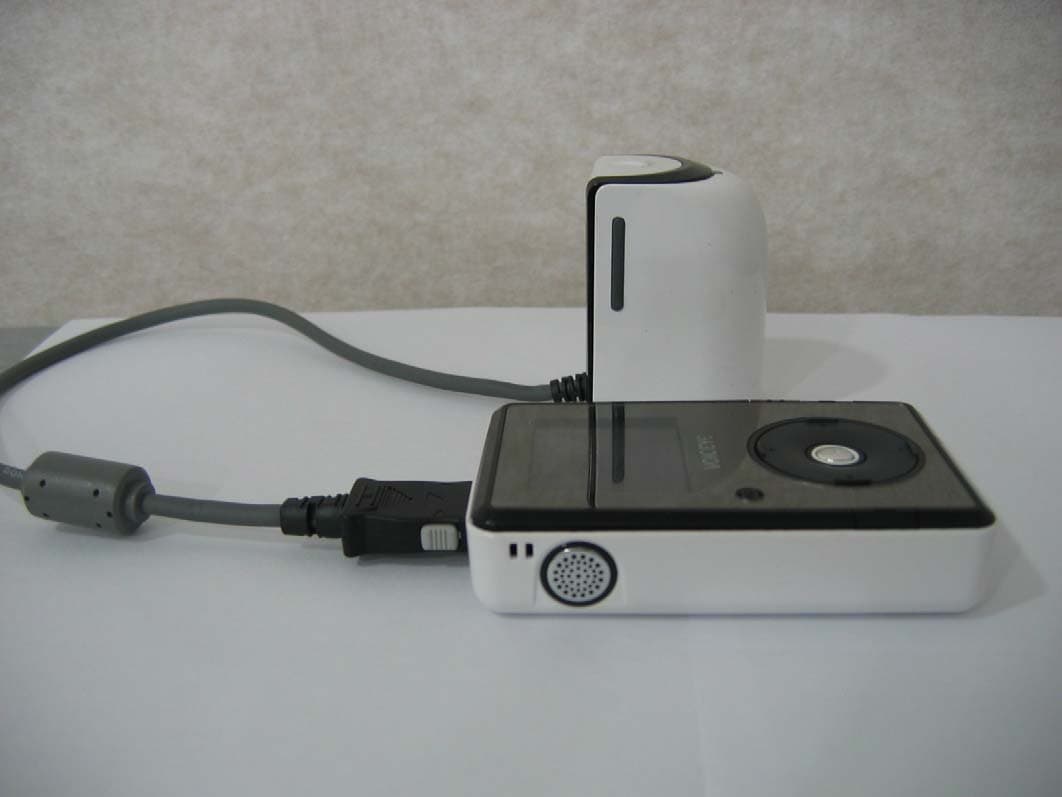
TOLVMP100
Feb 07, 2006VOICEYE MATE
Equipment Class
JBP - Part 15 Class B Computing Device Peripheral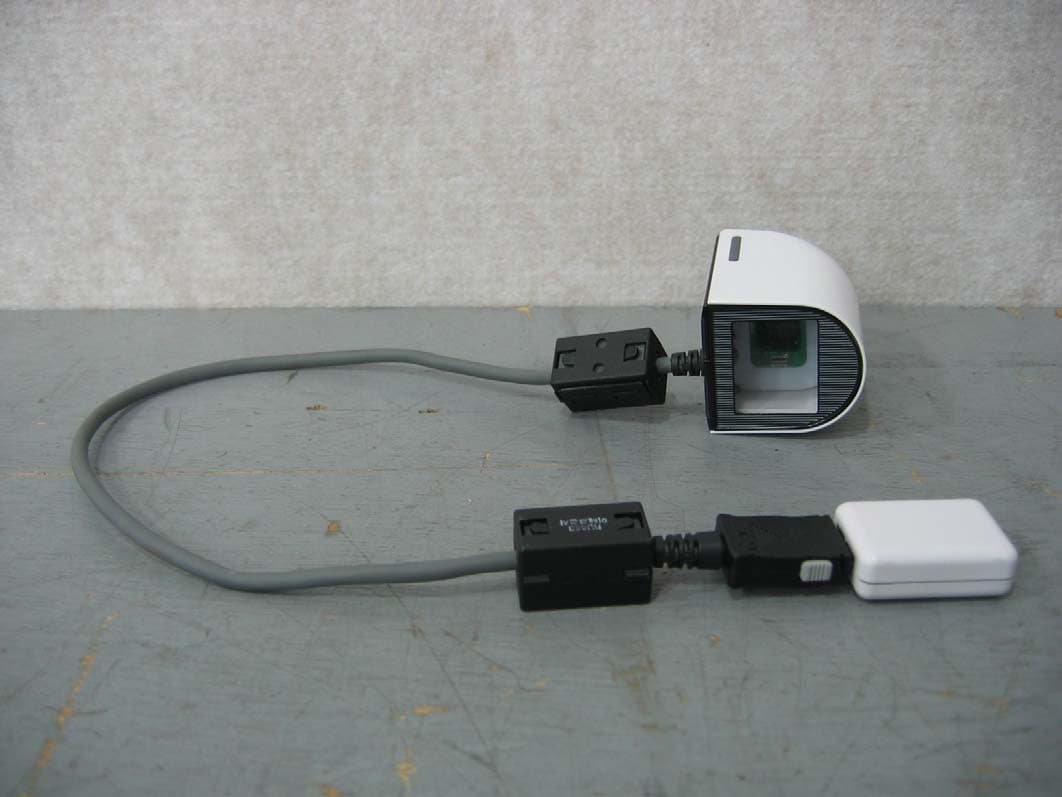
TOLVPC100
Oct 12, 2005VOICEYE PC MATE
Equipment Class
JBP - Part 15 Class B Computing Device Peripheral