Text extracted from the exhibit documents filed with the FCC. Open a document above to read the original.
EMX-900 USER’S MANUAL 2 Using the product ............................................26 Preparation....................................................26 LCD Window showing different modes. ........27 Button Function .............................................29 Basic Operation.............................................33 MUSIC MODE ...............................................40 VIOCE MODE ...............................................41 FM MODE .....................................................42 LINE-IN MODE..............................................45 USB MODE ...................................................47 MENU Configuration .....................................48 FIRMWARE Upgrade ....................................69 Product Specification ......................................70 Troubleshoot Checklist ...................................71 Warranty Certificate.........................................72 EMX-900 USER’S MANUAL 1 Safety Precaution ..............................................3 Product Features ...............................................5 Package Contents..............................................6 In the package.................................................6 Name of Each Part ..........................................7 How to expand USB Jack ................................8 Connecting to the PC ........................................9 Minimum PC Requirements ............................9 Note.................................................................9 Using USB.....................................................10 Removing the product from a PC ..................15 Downloading lyrics. .......................................16 Simple Lyric Editing (Auto Search)................19 Simple Lyric Editing (Manual Search) ...........21 To format the product ....................................25 Contents EMX-900 USER’S MANUAL 4 EMX-900 USER’S MANUAL 3 Safety Precaution ●Do not drop or impact the unit. It may cause malfunctions. ●Do not place the unit close to cash cards and other cards with magnetic strips. The unit can damage those cards. ●Do not press too hard on the transparent plastic cover of the LCD window. Pressing too hard may break the covering. ●Do not press too hard on the keypad. ●Avoid direct exposure to the sunlight. Avoid placing near heat sources or very hot places. ●Use soft fabrics to clean the unit. Do not use solvent, benzyl, or paint thinner. ● Do not touch the leak from the LCD window. It may cause skin irritation. When the leak gets in your eyes or you have a skin contact with the leak, consult your doctor immediately. ●Listening too long at a loud volume can cause serious hearing problems. Doctors warn of the hearing hazard. When you notice problem in your ears, keep the volume down or do not use the product. ●Refrain from using the earphone when you are biking or driving or walking (especially when crossing the street.) They pose safety hazards and in some areas are illegal. ■ In the package EMX-900 USER’S MANUAL 6 EMX-900 USER’S MANUAL 5 Product Features ■Playback of music in digital format ■USB 2.0 ■Lyric Display and ID3 Tag Support ■Lyrics Download (LDB) ■Lyrics Editor ■SRS WOW ■Navigation (Auto Folder Search) ■Equalizer and User EQ Setting ■Repeat Section ■Repeat ■Area Selection Mode (FM Radio) ■FM Auto Scan and Recording ■2 Color(Blue,Yellow) ■Sleep ■ Remaining Memory Level ■ OLED( 128 x 64) ■ Removable Mass Storage Supported ■ Power Save ■ Firmware Upgradeable ■ MP3 Direct Encoding Package Contents Product Body Necklace-type Earphone Installation CD ManualUSB Cable Neck Strap Carrying Case Connecting Cable Armband OPTION EMX-900 USER’S MANUAL 8 EMX-900 USER’S MANUAL 7 ■ Name of Each Part ■ How to expand USB Jack USB close 3 Reset Switch Earphone Line-in Hold Button Play/Stop EQ/Mode Record Button Repeat USB cover open USB cover pull 21 LCD Window Jog Button USB Connection USB Connection EMX-900 USER’S MANUAL 10 ■ Using USB USB Connection Open the USB cover of the product and insert the right end of the cable. Checking the USB driver ●Windows 98SE: My Computer ➔ Properties ➔ Device Manager ➔ USB Controller ➔ Digital Audio Player Or, Control Panel ➔ System ➔ Device Manager ➔ USB Controller ➔ Digital Audio Player ● Windows 2000/ME : My Computer ➔ Properties ➔ Device Manager ➔ USB Controller ➔ Digital Audio Player Or, Control Panel ➔ System ➔ Device Manager ➔ USB Controller ➔ Digital Audio Player ● Windows XP(Home, Professional): Start ➔ My Computer ➔ System ➔ Device Manager ➔ EMX-900 USER’S MANUAL 9 ■ Minimum PC Requirements Pentium 133MHz or better Windows 98SE/ME/2000/XP 20MB or more storage space A CD-ROM drive A USB port ■ Note ● For the Windows 98SE users, install the provided software for a USB connection. ● When USB is not working for any of Windows 98SE/ME/2000/XP systems, try to fix the problem by updating your Windows. ●Windows Update: Select [Start] - > [Windows Update] ●Restart your computer when the software installation is for Windows 98SE/ME. Connecting to a PC Note : Note : Note : Note : Note : Note : Note : Note : Note : Note : Note : Note : Note : Note : Note : Note : Note : Note : Note : Note : Note : Note : Note : Note : Note : Note : Note : Note : Note : Note : Note : Note : Note : Note : TIP : TIP : TIP : TIP : TIP : TIP : TIP : TIP : TIP : TIP : TIP : TIP : TIP : TIP : TIP : TIP : TIP : TIP : TIP : TIP : TIP : TIP : TIP : TIP : TIP : TIP : TIP : TIP : TIP : TIP : TIP : TIP : TIP : TIP : EMX-900 USER’S MANUAL 12 Click “Next” on the Add New Hardware Wizard window as described in the picture. 2 EMX-900 USER’S MANUAL 11 USB Controller ➔ Digital Audio Player Or, Control Panel ➔ System and Maintenance ➔ System ➔ Hardware ➔ Device Manager ➔ USB Controller ➔ Digital Audio Player ●You should install the driver manually when the USB driver is not installed as described in the picture above, except for Windows 98. ●Manual installation is required for the Windows 98 users. ●When the device is not re…
Text truncated - open the document above for the full version.
EMX-900 BLOCK DIRGRAM CPU (MLC3390) PLL( 30MHz~45MHz ) NAND FLASH (128MB/256MB 512/MB/1GB) SDRAM 64MB NOR FLASH 8MB OLED(128*64) 2AREA COLOR KEY USB PP2366 USB2.0 DIVER POWER STEP DOWN (MLC3455) LI-Polymer Battery (3.7V,560mAh) C-MIC EAR- PHONE 5.0V CHARGER 2.5V 3.0V CODEC (WM8750L) FM MODULE LINE IN CLOCK 12.00MH z CLOCK 16.9344MHz STEP UP LT1615 9.0V 3.0V 3.0V 3.0V 3.0V
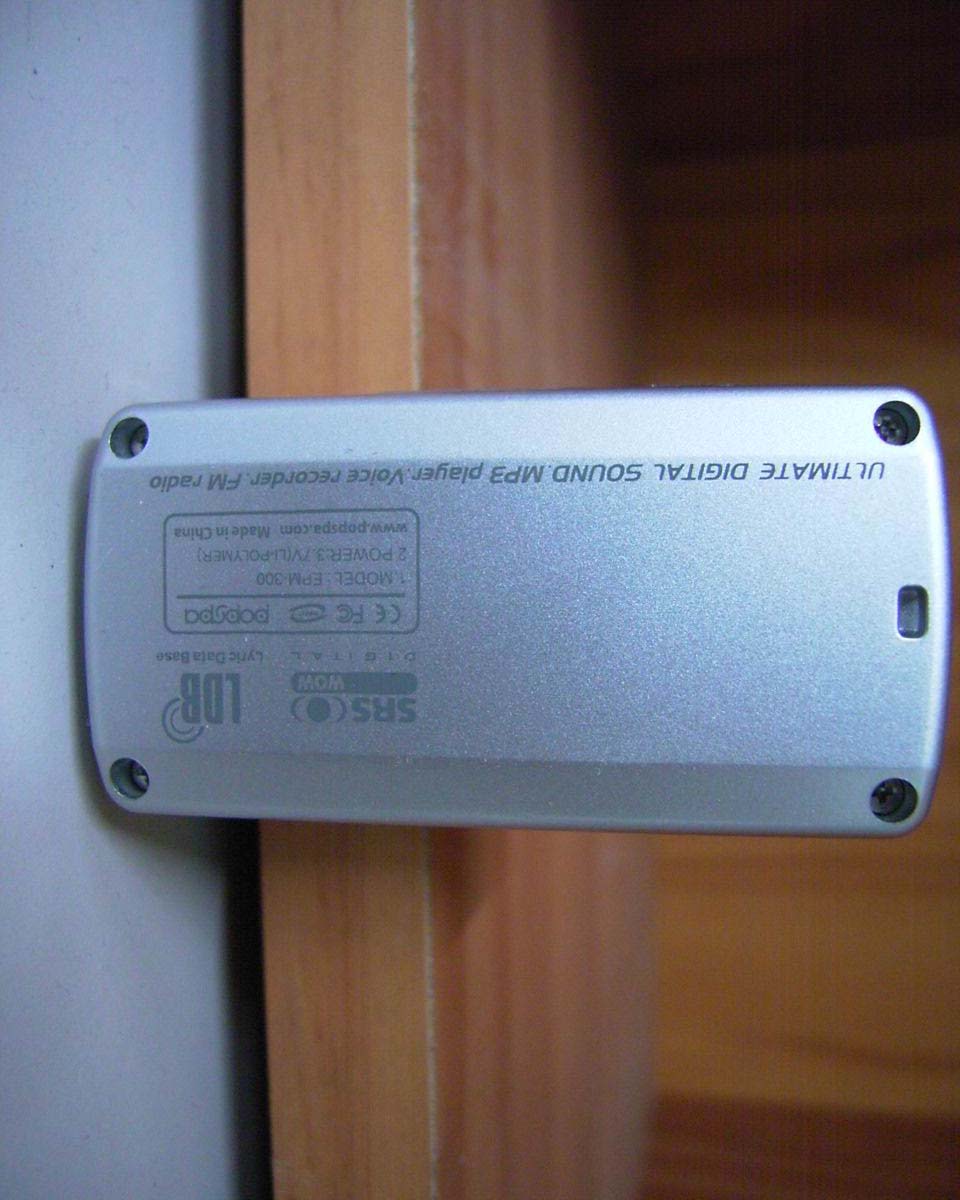
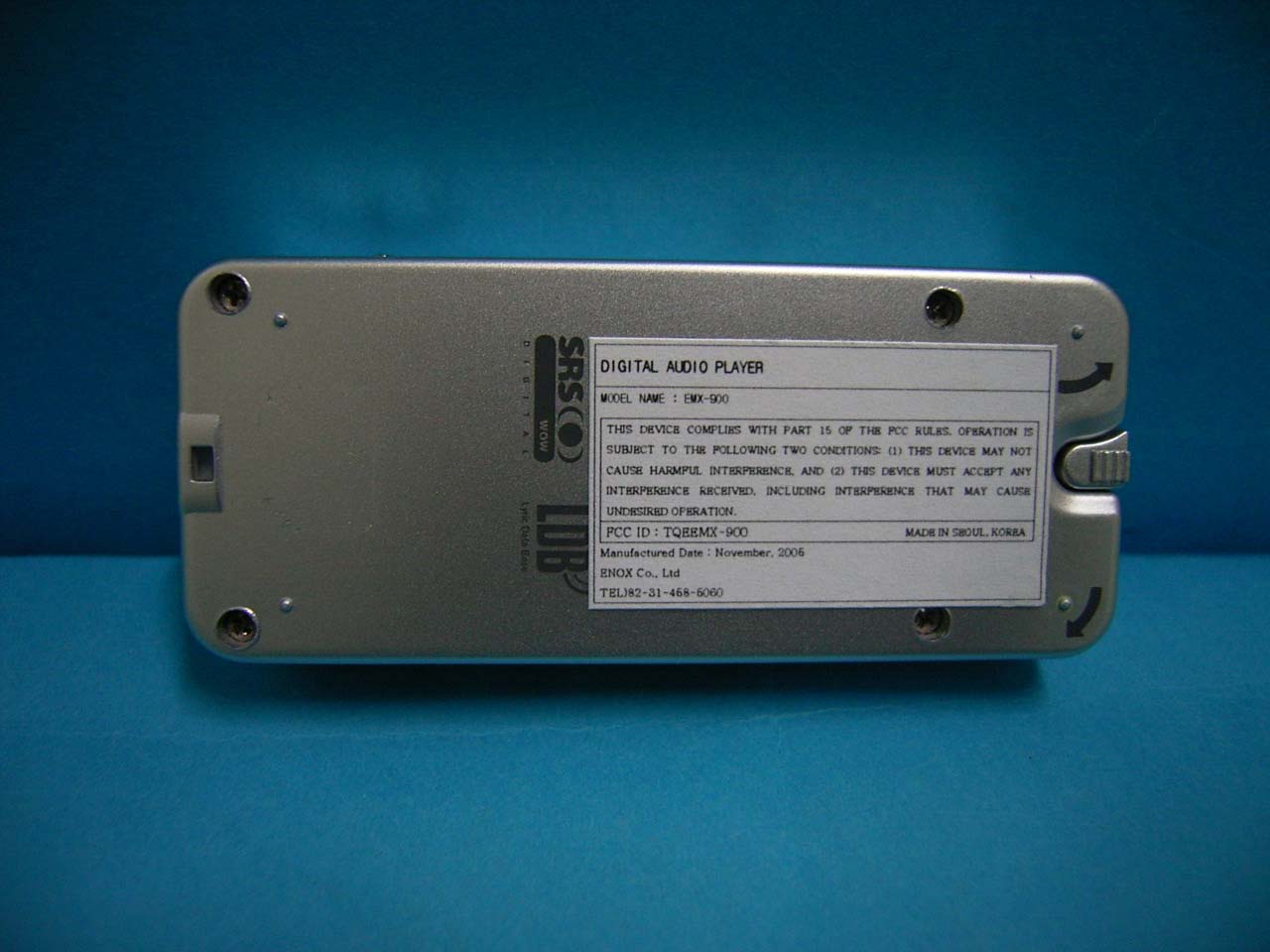
ID Label Sample Location Information
IST Co., Ltd EMC LABORATORY TEST REPORT NO. : 05-IST-0329 1 of 26 Certification of Compliance CFR 47 Part 15 Subpart B Test Report File No. : 05-IST-0329 Date of Issue : Oct 22, 2005 Model(s) : EMX-900 Kind of Product : MP3 PLAYER FCC ID : TQEEMX-900 Applicant : ENOX Co., Ltd Address : 7Fl, Newcore Bldg, 971-20, Hokey-dong, Dongan-gu, Anyang-si, Gyeonggi-do, 431-080, Korea Manufacturer : ENOX Co., Ltd Address : 7Fl, Newcore Bldg, 971-20, Hokey-dong, Dongan-gu, Anyang-si, Gyeonggi-do, 431-080, Korea Test Result ■ Positive □ Negative Reviewed By Approved By S.J.CHO / EMC Group Manager J.H.LEE / Chief Comment(s) - Investigations requested : Measurement to the relevant clauses of FCC rules and regulations Part 15 Subpart B – Unintentional Radiators, Class B. - The test report with appendix consists of 26 pages. - The test result only responds to the tested sample. - It is not allowed to copy this report even partly without the allowance of IST EMC Laboratory. - This equipment as for has been shown to be capable of continued compliance with the applicable technical standards as indicated in the measurement report and was tested in accordance with the measurement procedures specified in ANSI C63.4 2003. IST Co., Ltd EMC LABORATORY TEST REPORT NO. : 05-IST-0329 2 of 26 TABLE OF CONTENTS Table of contents 2 Information of test laboratory, Environmental conditions, Power used, Product information 3 Descriptions of test Conducted Emission 4 Radiated Emission 5 Measurement Uncertainty Calculations 6 Equipment Under Test 7 Test Set-Up (Figure) 8 Summary 9 ■ Test Conditions and Data - Emissions ◆ Conducted Emissions 0.15MHz - 30MHz Applicable Test Conditions / Data and Plots 10-12 ◆ Radiated Emissions 30MHz - 1GHz Applicable Test Conditions / Data and Plots 13-21 Appendix A. The Photos of Test Setup 22-24 B. The Photos of Equipment Under Test 25-26 Note: IST Co., Ltd EMC LABORATORY TEST REPORT NO. : 05-IST-0329 3 of 26 INFORMATIONS OF TEST LABORATORY EMC LABORATORY of IST Co., Ltd. (FCC Filing Lab.) San 21-8, Goan-Ri, Baekam-Myun, Yongin-City Kyonggi-Do, 449-860, Korea TEL : +82 31 333 4093 FAX : +82 31 333 4094 ENVIRONMENTAL CONDITIONS Temperature 23 °C Humidity 45.5 % Atmospheric pressure 1012 mbar POWER SUPPLY SYSTEM USED Power supply system AC 120Vac, 60Hz(PC Power) (Refer to the product information) PRODUCT INFORMATION The Equipment Under Test(EUT) is MP3 PLAYER of ENOX Co., Ltd (FCC ID : TQEEMX-900) Model Name : EMX-900 Supported file format: MPEG 1/2/2.5 Layer 3(8~320kbps, VBR) WMA (5~192kbps) ASF, OGG (Q10) Battery : Li-polymer Battery (3.7V) with in USB : USB2.0 LCD : OLED (128 x 64) / 2 Color Size : 75 x 32 x 16.4mm S/N Ratio : 90dB FM Bandwidth : 87~108MHz - EMC suppression device is not used during the test . - Please refer to user’s manual. IST Co., Ltd EMC LABORATORY TEST REPORT NO. : 05-IST-0329 4 of 26 < Concept Drawing > 215 >150 >40 80 Receiver EUT LISN 80 ≥ 80 80 40 ≥ 80 Measuring apparatus Mains Filter Mains Rear side Equipment under test Coaxial cable Artificial mains networ k Screened room Non-metallic support 80 DESCRIPTIONS OF TEST Conducted Emissions: The measurement were performed over the frequency range of 0.15MHz to 30MHz using a 50 Ω /50uH LISN as the input transducer to a Spectrum Analyzer or a Field Intensity Meter. The measurements were made with the detector set for "Peak" amplitude within a bandwidth of 10KHz or for "quasi-peak" & “Average” within a bandwidth of 9KHz. - Procedure of Test The line-conducted facility is located inside a shielded room No.1. A 1m X 1.5m wooden table 80cm height is placed 40cm away from the vertical wall and 1.5m away from the other wall of the shielded room. The R/S 3725/2 and Hyup-Rip KNW-407 LISN are bonded to bottom of the shielded room. The EUT is located on the wooden table with distance more than 80cm from the LISN and powered from the LISN .The peripheral equipment is powered from the other LISN. Power to the LISNs are filtered by a noise cut power line filters. All electrical cables are shielded by braided tinned steel tubing with inner φ 1.2cm. If the EUT is a DC-powered device, power will be derived from the source power supply it normally will be powered from and this supply lines will be connected to the EMCO LISN. All interconnecting cables more than 1m were shortened by non-inductive bundling to a 1m length. Sufficient time for the EUT, support equipment, and test equipment was allowed in order for them to warm up to their normal operating conditions. The RF output of the LISN was connected to the R/S receiver to determine the frequency producing the maximum emission from the EUT. The frequency producing the maximum level was reexamined using Quasi-Peak mode by manual measurement, after scanned by automatic Peak mode for frequency range from 0.15 to 30MHz. The bandwidth of the receiver was set to 10kHz. The EUT, peripheral equipment, and interconnecting cables were arranged and manipulated to maximize each EME emission. < Side View > IST Co., Ltd EMC LABORATORY TEST REPORT NO. : 05-IST-0329 5 of 26 DESCRIPTION OF TEST Radiated Emissions: The measurement was performed over the frequency range of 30MHz to 1GHz using antenna as the input transducer to a Spectrum analyzer or a Field Intensity Meter. The measurement was made with the detector set for "quasi-peak" within a bandwidth of 120KHz. - Procedure of Test Preliminary measurements were made at 3 meter using bi-conical and log-periodic antennas, and spectrum analyzer to determine the frequency producing the max. emission in anechoic chamber. Appropriate precaution was taken to ensure that all emission from the EUT were maximized and investigated. The system configuration, mode of operation, turn-table azimuth and height with respect to the antenna were noted for each frequency found. The spectrum was scanned from 30MHz to 1000MHz using S/B LogBicon antenna VL9160. Under 30MHz, magnetic loop antenna were used. Final measurements were made at open site with 3-meters test dis…
Text truncated - open the document above for the full version.
| # | Rule Parts | Frequency Range | Power Output |
|---|---|---|---|
| 1 | 15B | - | - |

Digital Audio Player
Equipment Class
JBP - Part 15 Class B Computing Device Peripheral