U2XBTKBDBluetooth Keyboard
Bluepioneer Technology Co., Ltd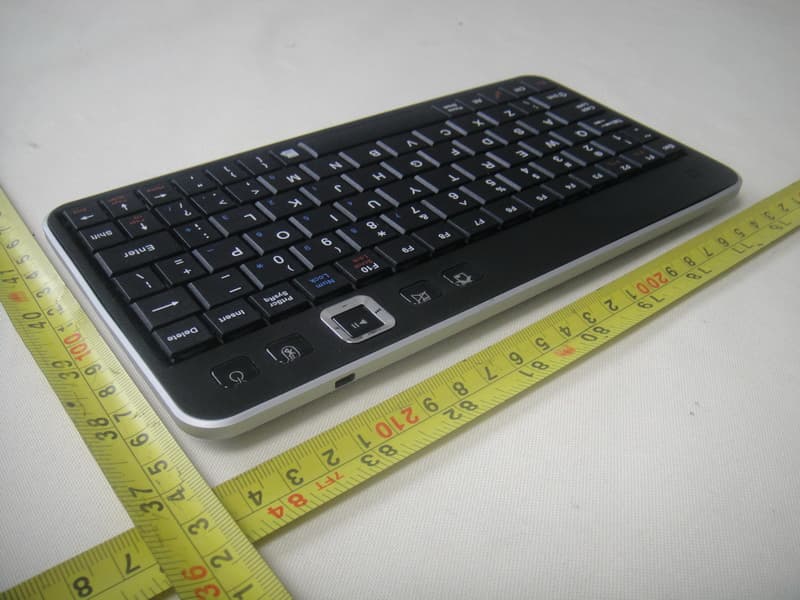
Click to zoom
Application Details
- Equipment Class
- DSS - Part 15 Spread Spectrum Transmitter
- Date of Grant
- Feb 24, 2011
- Application Purpose
- Original Equipment
- Date of Application
- Feb 24, 2011
- Equipment Note
- Bluetooth Keyboard
- Frequency Range
- 2402.00000000 - 2480.00000000
- Country
- Hong Kong
Documents & Files
Document Text
Text extracted from the exhibit documents filed with the FCC. Open a document above to read the original.
Users Manual
BKB-6062 BKB-6062 Please charge the wireless keyboard for 3 hours before using for the first time Bluetooth Keyboard Instruction Manual Introduction Thank you for pur chasing the Bluepioneer Bluetooth Keyboard for iPad, we hope you enjoy using it. For further informat ion, visit our website at Please fully read and understand the information in this instruction manual prior to using your new Bluetooth Keyboard. This instruction manual should be stored in a safe place for future reference. Important Safety Precautions Do not disassemble, repair or modify the Bluetooth Keyboard. Refer servicing to qualified personnel. Keep the Bluetooth Keyboard away from direct sunlight or heat source. Do not expose the Bluetooth Keyboard to any liquid or moisture. Note: Please fully charge the battery before first use www.bluepioneer .com System Requirement Compatible with: 1. Apple iPad, iPhone/ Touch with 4.0 OS 2. Computers with Windows/Mac or Linux OS 3. Sony PlayStation®3 Mobile System Requirements The device must have built in Bluetooth The iPhone Operating System must be 4.0 or higher Computer / Laptop System Requirements Bluetooth-enabled in Windows 98, Me, 2000, XP Vista,Win7 Bluetooth-enabled in Mac OS Package Content: The retail package contains: Bluetooth Keyboard iPad Case User Manual Mini 8 pin USB Cable Features: iPad music toolbar with Play/p ause, volume up and volume down ,Forward and Rewind Broadcom solution with wireless Bluetooth 2.0 interface Standard scissor structure notebook keys Unique iPad style design Intelligent power source management system helps you conserve battery power Built in rechargeable Li-ion battery 300mA/h, support USB charge Installation Guide Overview 1) Home 2) Mute 3) Multi -Media key 4) Pairing 5) Power : on/off 6) USB charging port Bundled with iP ad case: 1 2 3 4 5 6 Pairing your Bluetooth Keyboard with your device Press the “power” button for 1-3 seconds, the green LED will turn on. Press the “pairing button”. The blue LED on the ke yboard should now be peri odically flashing. The Bluetooth keyboard is now in pairing mode and waiting for a connection with your device. Notice 1. When low on power, the green LED will li ght up for 1 second and blink intermitte ntly. 2. When char ging, the Red LED will light up, until fully charged. Recharge th e battery Connect the Bluetooth keyboard to your computer ’s USB port with the USB power cable (included). Configurati on and Troubleshooting Make sure you r Bluetooth keyboard is in pairing mode. iPad 1. Go to Settings>General 2. Tap Bluetooth ON 3. The Bluetooth Keyboard will show up as BKB-6062 “Not Paired” 4. Tap on it. 5. Yo u will now be prompted to enter a PIN numbe r using your keyboard. 6. Enter the four digi t pin from your keyboard an d press ENTER to complete the pair ing. 7. The Keyboard shou ld show up under Devices as Connected Bluetooth Ke yboard Specifications Bluetooth Specification: V ersion 2.0 Class 2 Range o f Frequency: 2.4GHz Spectrum Operating V oltage: 3.7V/460mA lithium battery Operation Current: < 5mA Standby Current: 1.2mA Sleep Current: < 0.2 mA Transmit Range: up to 10 meters Storage Temperature: -40 ~ +125 F Dimensions: 216x110x11.4mm Weight: 200g Tr o u b l e s h ooting If you are unable to connect your Bluetooth Keyboard to the device, or the keyboard is not responding normally, please try the following: Before you install the Bluetooth Keyboard, please make sure Bluetooth is enabled on your device Ensure the Bluetooth Keyboard is wi thin a 10 meter range of your device Ensure the PIN is entered correctly (repeat the PIN and press ENTER) For further assistance, please visit us on line at http:/ /www. bluepioneer.com . Select the Support Tab for Manuals and FAQ’s or click on “LIVE HELP” for direct support. iPhone 4.0 OS From your iPhone Sprin gboard, tap on the Keyboard icon to open the Keyboard utility. Open Bluetooth on the iPhone/iPad to search for the keyboard. Tap on the corresponding keyboard device (noted as BKB-6062) to pair. Yo u will now be prom pted to enter a PIN number using your keyboard. Enter the four digit pin from your keyboard and press ENTER to complete the pairing. Yo u can now te st the connection by typing into the Test Input Field. Pairing your Bluetooth Keyboard with your computer To pair your Bluetooth Keyboard with your computer, please follow the instructions that came with your Bluetooth hardware and software . Note the keyboard will be listed as BKB-6062. Pairing your Bluetooth Keyboard with your PlayStation®3 To pair your Bluetooth Keyboard with your PlayStation®3 visit the playstation.com Knowledge Center searching under “pairing a Bluetoo th device”. FCC Statement This equipment has been tested and found to comply with the limits for a Class B digital device, pursuant to part 15 of the FCC rules. These limits are designed to provide reasonable protection against harmful interference in a residential installation. This equipment generates, uses and can radiate radio frequency energy and, if not installed and used in accordance with the instructions, may cause harmful interference to radio communications. However, there is no guarantee that interference will not occur in a particular installation. If this equipment does cause harmful interference to radio or television reception, which can be determined by turning the equipment off and on, the user is encouraged to try to correct the interference by one or more of the following measures: -Reorient or relocate the receiving antenna. -Increase the separation between the equipment and receiver. -Connect the equipment into an outlet on a circuit different from that to which the receiver is connected. -Consult the dealer or an experienced radio/TV technician for help. To assure continued compliance, any changes or modifications not expressly approved by the party responsible for compliance could void the user’s authority to operate this equipment. (Example- use only shielded interface cables when connecting to…
Text truncated - open the document above for the full version.
Cover Letter(s)
FCC, Request for non-disclosure Date: 10-AUG-09 RF_501, Issue 5 Page 1 of 1 Company Name: Bluepioneer Technology Co., Ltd Address: Unit A&B, 15/F, Neith Tower, 128 Gloucester Road City: Wanchai Country: Hong Kong To: Telefication B.V., Dept. FCC TCB Edisonstraat 12A 6902 PK ZEVENAAR The Netherlands Subject: Request for confidentiality FCC ID: U2XBTKBD Reference number: XXXXXX Dear FCC TCB, 1. Long-Term Confidentiality Pursuant to 47 CFR Section 0.459(a) & (b), we hereby requests non-disclosure and confidential treatment of the following materials submitted in support of FCC certification application: Bill(s) of Material Block Diagrams Operational Description Schematic Diagrams Tune-up Procedure Above materials contain secrets, proprietary and technical information, which would customarily be guarded from competitors under 47 CFR, section 0.457(d)(2). Disclosure or publication or any portion of this company confidential material to other parties could cause substantial competitive harm and provide unjustified benefits for competitors. 2. Short-Term Confidentiality (STC) Pursuant to Public Notice DA 04-1705 of the Commission’s policy, in order to comply with the marketing regulations in 47 CFR §2.803 and the importation rules in 47 CFR §2.1204, a pplicant hereby requests Short-Term Confidential treatment of the following materials (note 1): Internal Photos User’s Manual Test Set-up Photos External Photos Justification: Planned Release Date STC: (notes 2, 3, 4, 5) Date: 2011-01-20 Name and signature of applicant: Bin Zhou Notes: 1) A document or type of document can only have ONE type of confidentiality! 2) Short-Term confidentiality is in principle for 45 days from date of grant; it can be extended max 3 times (total time 180 days max.)! 3) FCC must be informed when marketing begins earlier. 4) Release takes place automatically thus extension must be requested in time. Telefication does not remind you of this! 5) Request for extension or for release must be received by Telefication at least 7 days before date of actual marketing or before expiration of the STC period
External Photos
Neutron Engineering Inc. Project No.: 1101C045 Page 2 of 8 1101C045 Neutron Engineering Inc. Project No.: 1101C045 Page 3 of 8 1101C045 1101C045 Neutron Engineering Inc. Project No.: 1101C045 Page 3 of 8 1101C045 1101C045 Neutron Engineering Inc. Project No.: 1101C045 Page 4 of 8 1101C045
Internal Photos
Neutron Engineering Inc. Project No.: 1101C045 Page 5 of 8 1101C045 1101C045 Neutron Engineering Inc. Project No.: 1101C045 Page 5 of 8 1101C045 1101C045 Neutron Engineering Inc. Project No.: 1101C045 Page 6 of 8 1101C045 1101C045 Neutron Engineering Inc. Project No.: 1101C045 Page 6 of 8 1101C045 1101C045 Neutron Engineering Inc. Project No.: 1101C045 Page 7 of 8 1101C045 1101C045 Neutron Engineering Inc. Project No.: 1101C045 Page 7 of 8 1101C045 1101C045 Neutron Engineering Inc. Project No.: 1101C045 Page 8 of 8 1101C045
Test Report
Neutron Engineering Inc. Report No.: NEI-FCCP-1-1101C045 Page 2 of 67 Declaration Neutron represents to the client that testing is done in accordance with standard procedures as applicable and that test instruments used has been calibrated with the standards traceable to National Measurement Laboratory (NML) of R.O.C., or National Institute of Standards and Technology (NIST) of U.S.A. Neutron's reports apply only to the specific samples tested under conditions. It is manufacture’s responsibility to ensure that additional production units of this model are manufactured with the identical electrical and mechanical components. Neutron shall have no liability for any declarations, inferences o r generalizations drawn by the client or others from Neutron issued reports. Neutron’s reports must not be used by the client to claim product endorsement by the authorities or any agency of the Government. This report is the confidential property of the client. As a mutual protection to the clients, the public and Neutron-self, extracts from the test report shall not be reproduced except in full with Neutron’s authorized written approval. Neutron’s laboratory quality assurance procedures are in compliance with the ISO Guide 17025 requirements, and accredited by the conformity assessment authorities listed in this test report. Limitation For the use of the authority's logo is limited unless the Test Standard(s)/Scope(s)/Item(s) mentioned in this test report is (are) included in the conformity assessment authorities acceptance respective. Neutron Engineering Inc. Report No.: NEI-FCCP-1-1101C045 Page 3 of 67 Table of Contents Page 1 . CERTIFICATION 6 2 . SUMMARY OF TEST RESULTS 7 2.1 TEST FACILITY 8 2.2 MEASUREMENT UNCERTAINTY 8 3 . GENERAL INFORMATION 9 3.1 GENERAL DESCRIPTION OF EUT 9 3.2 DESCRIPTION OF TEST MODES 11 3.3 TABLE OF PARAMETERS OF TEXT SOFTWARE SETTING 11 3.4 BLOCK DIGRAM SHOWING THE CONFIGURATION OF SYSTEM TESTED 12 3.5 DESCRIPTION OF SUPPORT UNITS(CONDUCTED MODE) 13 4 . EMC EMISSION TEST 14 4.1 CONDUCTED EMISSION MEASUREMENT 14 4.1.1 POWER LINE CONDUCTED EMISSION LIMITS 14 4.1.2 MEASUREMENT INSTRUMENTS LIST AND SETTING 14 4.1.3 TEST PROCEDURE 15 4.1.4 DEVIATION FROM TEST STANDARD 15 4.1.5 TEST SETUP 15 4.1.6 EUT OPERATING CONDITIONS 16 4.1.7 TEST RESULTS 17 4.2 RADIATED EMISSION MEASUREMENT 19 4.2.1 RADIATED EMISSION LIMITS 19 4.2.2 MEASUREMENT INSTRUMENTS LIST ANS SETTING 20 4.2.3 TEST PROCEDURE 21 4.2.4 DEVIATION FROM TEST STANDARD 21 4.2.5 TEST SETUP 22 4.2.6 EUT OPERATING CONDITIONS 22 4.2.7 TEST RESULTS (BETWEEN30 – 1000 MHZ) 23 4.2.8 TEST RESULTS (ABOVE 1000 MHZ) 25 5 . NUMBER OF HOPPING CHANNEL 37 5.1 APPLIED PROCEDURES / LIMIT 37 5.1.1 MEASUREMENT INSTRUMENTS LIST AND SETTING 37 5.1.2 TEST PROCEDURE 37 5.1.3 DEVIATION FROM STANDARD 37 5.1.4 TEST SETUP 37 5.1.5 EUT OPERATION CONDITIONS 37 5.1.6 TEST RESULTS 38 Neutron Engineering Inc. Report No.: NEI-FCCP-1-1101C045 Page 4 of 67 Table of Contents Page 6 . AVERAGE TIME OF OCCUPANCY 39 6.1 APPLIED PROCEDURES / LIMIT 39 6.1.1 MEASUREMENT INSTRUMENTS LIST 39 6.1.2 TEST PROCEDURE 39 6.1.3 DEVIATION FROM STANDARD 39 6.1.4 TEST SETUP 40 6.1.5 EUT OPERATION CONDITIONS 40 6.1.6 TEST RESULTS 41 7 . HOPPING CHANNEL SEPARATION MEASUREMENT 47 7.1 APPLIED PROCEDURES / LIMIT 47 7.1.1 MEASUREMENT INSTRUMENTS LIST AND SETTING 47 7.1.2 TEST PROCEDURE 47 7.1.3 DEVIATION FROM STANDARD 47 7.1.4 TEST SETUP 47 7.1.5 EUT OPERATION CONDITIONS 47 7.1.6 TEST RESULTS 48 8 . BANDWIDTH TEST 50 8.1 APPLIED PROCEDURES / LIMIT 50 8.1.1 MEASUREMENT INSTRUMENTS LIST AND SETTING 50 8.1.2 TEST PROCEDURE 50 8.1.3 DEVIATION FROM STANDARD 50 8.1.4 TEST SETUP 50 8.1.5 EUT OPERATION CONDITIONS 50 8.1.6 TEST RESULTS 51 9 . PEAK OUTPUT POWER TEST 53 9.1 APPLIED PROCEDURES / LIMIT 53 9.1.1 MEASUREMENT INSTRUMENTS LIST AND SETTING 53 9.1.2 TEST PROCEDURE 53 9.1.3 DEVIATION FROM STANDARD 53 9.1.4 TEST SETUP 53 9.1.5 EUT OPERATION CONDITIONS 53 9.1.6 TEST RESULTS 54 10 . ANTENNA CONDUCTED SPURIOUS EMISSION 56 10.1 APPLIED PROCEDURES / LIMIT 56 10.1.1 MEASUREMENT INSTRUMENTS LIST AND SETTING 56 10.1.2 TEST PROCEDURE 56 10.1.3 DEVIATION FROM STANDARD 56 10.1.4 TEST SETUP 56 10.1.5 EUT OPERATION CONDITIONS 56 Neutron Engineering Inc. Report No.: NEI-FCCP-1-1101C045 Page 5 of 67 Table of Contents Page 10.1.6 TEST RESULTS 57 11 . RF EXPOSURE TEST 63 11.1 APPLIED PROCEDURES / LIMIT 63 11.1.1 MEASUREMENT INSTRUMENTS LIST 63 11.1.2 MPE CALCULATION METHOD 64 11.1.3 DEVIATION FROM STANDARD 64 11.1.4 TEST SETUP 64 11.1.5 EUT OPERATION CONDITIONS 64 11.1.6 TEST RESULTS 65 12 . EUT TEST PHOTO 66 Neutron Engineering Inc. Report No.: NEI-FCCP-1-1101C045 Page 6 of 67 1. CERTIFICATION E q u i p m e n t : Bluetooth keyboard Brand Name : bluepioneer Model Name : BKB-6062;BKB-6063;BKB-6064;BKB-6065;BKB-6066;BKB-6068 A p p l i c a n t : Bluepioneer Technology Co.,Ltd. Factory : Shenzhen bluepioneer electronics company limited Address : F/2,building C,Huawan industrial park,Bao’an da dao road,Bao’an district, Shenzhen,Guangdong,P.R.China Date of Test : Jan. 06, 2011 ~ Jan. 11, 2011 T e s t I t e m : ENGINEERING SAMPLE Standards : FCC Part15, Subpart C(15.247) / ANSI C63.4 : 2003 The above equipment has been tested and found compliance with the requirement of the relative standards by Neutron Engineering Inc. EMC Laboratory. The test data, data evaluation, and equipment configuration contained in our test report (Ref No. NEI-FCCP-1-1101C045) were obtained utilizing the test procedures, test instruments, test sites that has been accredited by the Authority of NVLAP and TAF according to the ISO-17025 quality assessment standard and technical standard(s). Neutron Engineering Inc. Report No.: NEI-FCCP-1-1101C045 Page 7 of 67 2. SUMMARY OF TEST RESULTS Test procedures according to the technical standards: FCC Part15 (15.247) , Subpart C Standard Section Test Item Judgment Remark 15.207 Conducted Emission PASS 15.247(d) Antenna conducted Spurious EmissionPASS 15.247 (a)(1) Hopping Channel Separation PASS 1…
Text truncated - open the document above for the full version.
Test Setup Photos
Neutron Engineering Inc. Report No.: NEI-FCCP-1-1101C045 Page 66 of 67 12. EUT TEST PHOTO Conducted Measurement Photos Neutron Engineering Inc. Report No.: NEI-FCCP-1-1101C045 Page 66 of 67 12. EUT TEST PHOTO Conducted Measurement Photos Neutron Engineering Inc. Report No.: NEI-FCCP-1-1101C045 Page 67 of 67 Radiated Measurement Photos Neutron Engineering Inc. Report No.: NEI-FCCP-1-1101C045 Page 67 of 67 Radiated Measurement Photos
Contact Information
Applicant
Bin Zhou(Manager)
Technical Contact
Neutron Engineering, Inc.Steven Lu
No.3 Jinshagang 1st Rd, Shixia, Dalang · Dongguan City · China
Test Firm
BTL Inc.Daisy Dai
Technical Specifications
| # | Rule Parts | Frequency Range | Power Output |
|---|---|---|---|
| 1 | 15C | 2.40 GHz - 2.48 GHz | 1.09 mW |
Other Applications from Bluepioneer Technology Co., Ltd
U2XBKB6031
Jun 29, 2015iPad Mini 2/3-BT Keyboard
Equipment Class
DSS - Part 15 Spread Spectrum Transmitter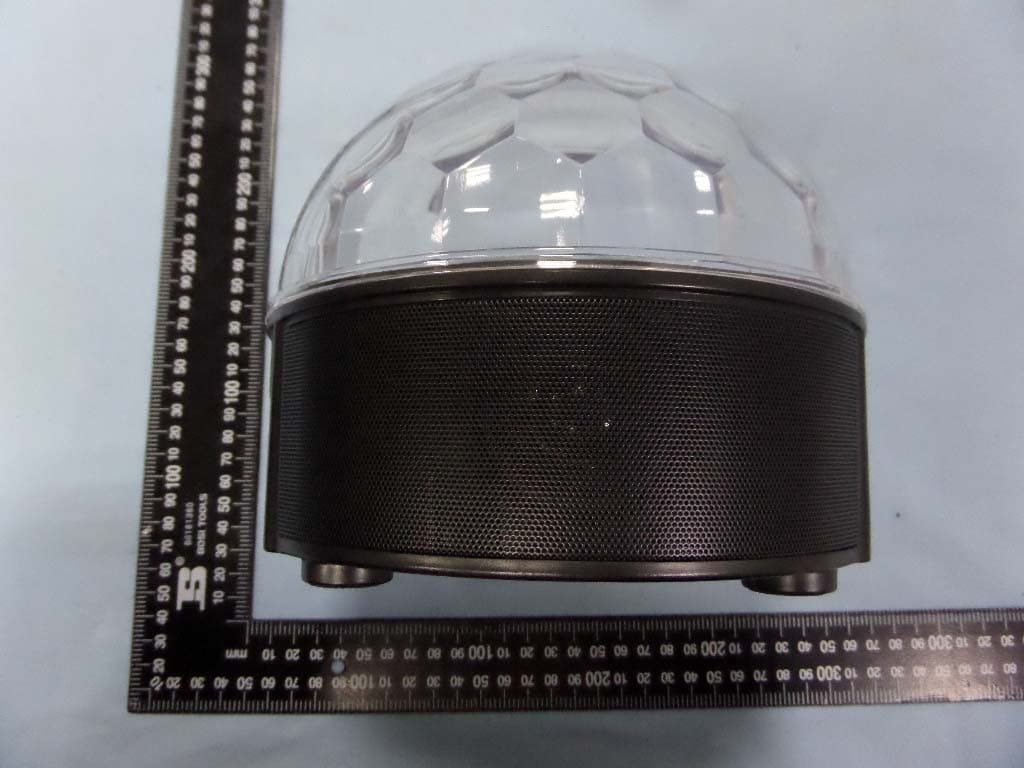
U2XBP2561
May 28, 2015Party Light Bluetooth Speaker
Equipment Class
DSS - Part 15 Spread Spectrum Transmitter
U2XBTGLOVE
May 14, 2014BLUETOOTH GLOVES
Equipment Class
DSS - Part 15 Spread Spectrum Transmitter