Text extracted from the exhibit documents filed with the FCC. Open a document above to read the original.
Bluetooth/GPS Handheld PDA Product Guide © Copyright 2007 Hewlett-Packard Development Company, L.P. HP iPAQ products are powered by Microsoft® Windows Mobile® 6.0 with Messaging and Security Feature Pack. Microsoft Windows, the Windows logo and Actvesync/Windows Mobile Device Center are trademarks of Microsoft Corporation in the U.S. and other countries. Java and all Java-based trademarks and logos are trademarks or registered trademarks of Sun Microsystems, Inc. in the U.S. and other countries. SD Logo is a trademark of its proprietor. Bluetooth® is a trademark owned by its proprietor and used by Hewlett-Packard Development Company, L.P. under license. All other product names mentioned herein may be trademarks of their respective companies. Hewlett-Packard Company shall not be liable for technical or editorial errors or omissions contained herein. The information is provided “as is” without warranty of any kind and is subject to change without notice. The warranties for Hewlett-Packard products are set forth in the express limited warranty statements accompanying such products. Nothing herein should be construed as an additional warranty. This document contains proprietary information that is protected by copyright. No part of this document may be photocopied, reproduced, or translated to another language without the prior written consent of Hewlett-Packard Development Company, L.P. May 2007 Table of contents 1 Register the Travel Companion 2 Box contents Box contents ......................................................................................................................................... 2 3 Components Front components ................................................................................................................................ 3 Left and right components .................................................................................................................... 3 Top components ................................................................................................................................... 4 Back components ................................................................................................................................. 4 4 Learn the basics Status icons .......................................................................................................................................... 6 Enter owner information ....................................................................................................................... 6 Perform a soft reset .............................................................................................................................. 6 Perform a factory reset ......................................................................................................................... 6 Lock and unlock the Travel Companion ............................................................................................... 6 Adjust the volume ................................................................................................................................. 6 Change power management settings ................................................................................................... 7 Dim or adjust the brightness of the backlight ....................................................................................... 7 Change the device name ..................................................................................................................... 7 Set alarms ............................................................................................................................................ 7 Obtain services for a cracked or damaged screen ............................................................................... 7 Protect the Travel Companion screen from cracking or damage ......................................................... 8 Battery saving tips ................................................................................................................................ 8 Check the battery charge level ............................................................................................................. 9 5 Navigation Quick Start Install the battery ................................................................................................................................ 10 Power on and set up the Travel Companion ...................................................................................... 10 Set up the Travel Companion ............................................................................................ 10 Step 1: Remove the battery cover ..................................................................... 10 Step 2: Install the battery and replace the battery cover ................................... 10 Step 3: Charge the battery ................................................................................ 10 Power on the Travel Companion ....................................................................................... 11 Car Kit setup ....................................................................................................................................... 11 Menus ................................................................................................................................................. 12 Navigation setup ................................................................................................................................. 12 Navigate to destinations ..................................................................................................................... 12 Save destinations ............................................................................................................................... 12 Preferences .....................................................................................................................…
Text truncated - open the document above for the full version.
Hon Hai Precision Industry Co., Ltd. FCC ID.: UCVHSTNH-F15C Federal Communications Commission Authorization and Evaluation Division August 28 , 2007 Confidential Statement We have understood that the following request for confidential documents has been and viewable since the date of grant, since it has been granted. Confidentiality Request Pursuant to Sections 0.457 and 0.459 of the Commission’s Rules, the Applicant Hereby requests confidential treatment of information accompanying this Application As outlined below: Schematics:(HSTNH-F15C) Schem Block Diagram:( HSTNH-F15C) BlkDia Operation: (HSTNH-F15C) Operation Above mentioned document contains detailed system and equipment description are considered as proprietary information in operation of the equipment. The public disclosure of above documents might be harmful to our company and would give competitor an unfair advantage in the market. In additional to above mentioned documents, pursuant to Public Notice DA 04-1705 of the Commission’s policy, in order to comply with the marketing regulations in 47 DFR § 2.803 and the importation rules in 47 CFR § 2.1204, while ensuring that business sensitive information remains confidential until the actual marketing of newly authorized divices. We are requesting the commission to grant short-thrm confidentiality request on the following attachments: User Manual:(HSTNH-F15C) UserMan External Photo:( HSTNH-F15C) ExPho Internal Photo: (HSTNH-F15C) InPho Set up Photo: (HSTNH-F15C) Tsup-photo It is our understanding that all measurement test reports, FCC ID label format and correspondent during certification review process cannot be granted as confidential documents and those information will be available for public review once the grant of equipment authorization is issued. Sincerely,
American Telecommunications Certification Body Inc. 6731 Whittier Ave, McLean, VA 22101 September 5, 2007 RE: ATCB005388 FCC ID: UCVHSTNH-F15C IC ID: 466Q-HHF15C I have a few comments on this application. Depending on your responses, kindly understand there may be additional comments. 1. Please be informed that the Government of Canada has changed it's documentation requirements for Canada radio approvals by TCBs. Effective September 1 st 2007, TCBs are required to provide more robust documentation of all filings. This includes providing signatures. Consequently we are required by both Canada and our accreditors to secure proper signatures from responsible parties on all legal documentation. This includes confidentiality letters, application forms, REL listing letters, and RSS-102 attestations. Kindly provide properly signed letters as previously indicated. ~~~~~~~~~~~~~~~~~~~~~~~~~~~~~~ ~ George Chen ~ mailto:[email protected] ~ Taiwan Mobile: +886 930600123 ~ SKYPE: georgeshirley ~~~~~~~~~~~~~~~~~~~~~~~~~~~~~~ The items indicated above must be submitted before processing can continue on the above referenced application. Failure to provide the requested information may result in application termination. Correspondence should be considered part of the permanent submission and may be viewed from the Internet after a Grant of Equipment Authorization is issued. Please do not respond to this correspondence using the email reply button. In order for your response to be processed expeditiously, you must submit your documents through the AmericanTCB.com website. Also, please note that partial responses increase processing time and should not be submitted. Any questions about the content of this correspondence should be directed to the sender.
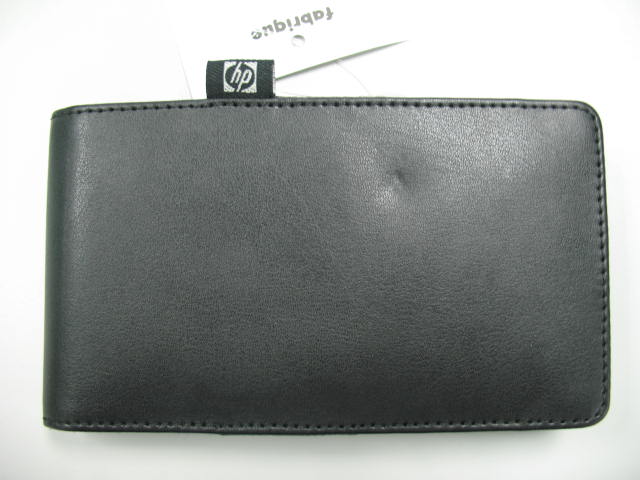
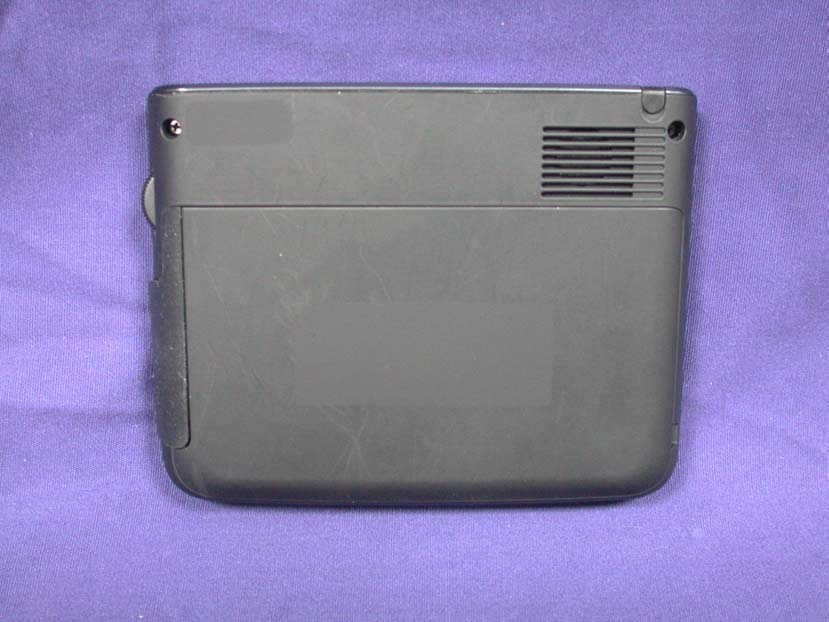
Report No.: 078077R-RFUSP14V01 Page : 1 of 13 Version:1.0 Attachment 2 : EUT Detailed Photographs (1) EUT Photo (2) EUT Photo Report No.: 078077R-RFUSP14V01 Page : 2 of 13 Version:1.0 (3) EUT Photo (4) EUT Photo
Hon Hai Precision Industry Co., Ltd. No.66, Jhongshan Rd., Tucheng City, Taipei County 236, Taiwan (R.O.C.) FCC ID Label The FCC ID and DoC Label will be placed on the equipment as shown in the photograph below.
Report No.: 078077R-RFUSP14V01 Page : 3 of 13 Version:1.0 (5) EUT Photo (6) EUT Photo Report No.: 078077R-RFUSP14V01 Page : 4 of 13 Version:1.0 (7) EUT Photo (8) EUT Photo Report No.: 078077R-RFUSP14V01 Page : 5 of 13 Version:1.0 (9) EUT Photo (10) EUT Photo Report No.: 078077R-RFUSP14V01 Page : 6 of 13 Version:1.0 (11) EUT Photo (12) EUT Photo Report No.: 078077R-RFUSP14V01 Page : 7 of 13 Version:1.0 (13) EUT Photo (14) EUT Photo Report No.: 078077R-RFUSP14V01 Page : 8 of 13 Version:1.0 (15) EUT Photo (16) EUT Photo Report No.: 078077R-RFUSP14V01 Page : 9 of 13 Version:1.0 (17) EUT Photo (18) EUT Photo Report No.: 078077R-RFUSP14V01 Page : 10 of 13 Version:1.0 (19) EUT Photo (20) EUT Photo Report No.: 078077R-RFUSP14V01 Page : 11 of 13 Version:1.0 (21) EUT Photo (22) EUT Photo Report No.: 078077R-RFUSP14V01 Page : 12 of 13 Version:1.0 (23) EUT Photo (24) EUT Photo Report No.: 078077R-RFUSP14V01 Page : 13 of 13 Version:1.0 (25) EUT Photo
Report No. 078077R-RFUSP14V01 Page: 1 of 63 Version:1.0 Test Report Product Name Bluetooth/GPS Handheld PDA Model No. HSTNH-F15C FCC ID. UCVHSTNH-F15C Applicant Hon Hai Precision Industry Co., Ltd. Address No.66, Jhongshan Rd., Tucheng City, Taipei County 236, Taiwan (R.O.C.) Date of Receipt Aug 01, 2007 Issued Date Aug 27, 2007 Report No. 078077R-RFUSP14V01 The Test Results relate only to the samples tested. The test report shall not be reproduced except in full without the written approval of QuieTek Corporation. This report must not be used to claim product endorsement by NVLAP any agency of the U.S. Government Report No. 078077R-RFUSP14V01 Page: 2 of 63 Version:1.0 Test Report Certification Issued Date: Aug 27, 2007 Report No.: 078077R-RFUSP14V01 Product Name Bluetooth/GPS Handheld PDA Applicant Hon Hai Precision Industry Co., Ltd. Address No.66, Jhongshan Rd., Tucheng City, Taipei County 236, Taiwan (R.O.C.) Manufacturer Foxconn Technology Group Model No. HSTNH-F15C FCC ID. UCVHSTNH-F15C Rated Voltage AC 120V/60Hz Working Voltage DC 3.7V Trade Name HP Applicable Standard FCC CFR Title 47 Part 15 Subpart C: 2006 ANSI C63.4: 2003 Test Result Complied The Test Results relate only to the samples tested. The test report shall not be reproduced except in full without the written approval of QuieTek Corporation. This report must not be used to claim product endorsement by NVLAP any agency of the U.S. Government Documented By : (Engineering Adm. Assistant / Nicole Huang) Tested By : (Senior Engineer / Shine Hsu) Approved By : (Deputy Manager /Vincent Lin) 0914 Report No. 078077R-RFUSP14V01 Page: 3 of 63 Version:1.0 TABLE OF CONTENTS Description Page 1. GENERAL INFORMATION ...............................................................................................................4 1.1. EUT Description......................................................................................................................................4 1.2. Operational Description...........................................................................................................................6 1.3. Tested System Details..............................................................................................................................7 1.4. Configuration of Tested System ..............................................................................................................7 1.5. EUT Exercise Software ...........................................................................................................................7 1.6. Test Facility .............................................................................................................................................8 2. PEAK POWER OUTPUT ....................................................................................................................9 2.1. Test Equipment ........................................................................................................................................9 2.2. Test Setup ................................................................................................................................................9 2.3. Limit............... ....................................................................................................................................9 2.4. Uncertainty ..............................................................................................................................................9 2.5. Test Result of Peak Power Output .........................................................................................................10 3. RADIATED EMISSION .....................................................................................................................12 3.1. Test Equipment ......................................................................................................................................12 3.2. Test Setup ..............................................................................................................................................13 3.3. Limits.....................................................................................................................................................13 3.4. Test Procedure .......................................................................................................................................14 3.5. Uncertainty ............................................................................................................................................14 3.6. Test Result of Radiated Emission ..........................................................................................................15 4. BAND EDGE .......................................................................................................................................31 4.1. Test Equipment ......................................................................................................................................31 4.2. Test Setup ..............................................................................................................................................31 4.3. Limit.. ....................................................................................................................................................32 4.4. Test Procedure .......................................................................................................................................32 4.5. Uncertainty ............................................................................................................................................32 4.6. Test Result of Band Edge ......................................................................................................................33 5. CHANNEL NUMBER.........................................................................................................................41 5.1. Tes…
Text truncated - open the document above for the full version.
Report No.: 078077R-RFUSP14V01 Page : 1 of 2 Version:1.0 Attachment 1: EUT Test Setup Photographs Front View of Radiated Test Back View of Radiated Test Report No.: 078077R-RFUSP14V01 Page : 2 of 2 Version:1.0 Front View of Radiated Test (Horn) Back View of Radiated Test (Horn)
| # | Rule Parts | Frequency Range | Power Output |
|---|---|---|---|
| 1 | 15C | 2.40 GHz - 2.48 GHz | 1.00 mW |

WLAN/BT HANDHELD PDA
Equipment Class
DSS - Part 15 Spread Spectrum Transmitter