UIX0701ADLO TransDock FM Transmitter
Netalog, Inc. d/b/a Digital Lifestyle Outfitters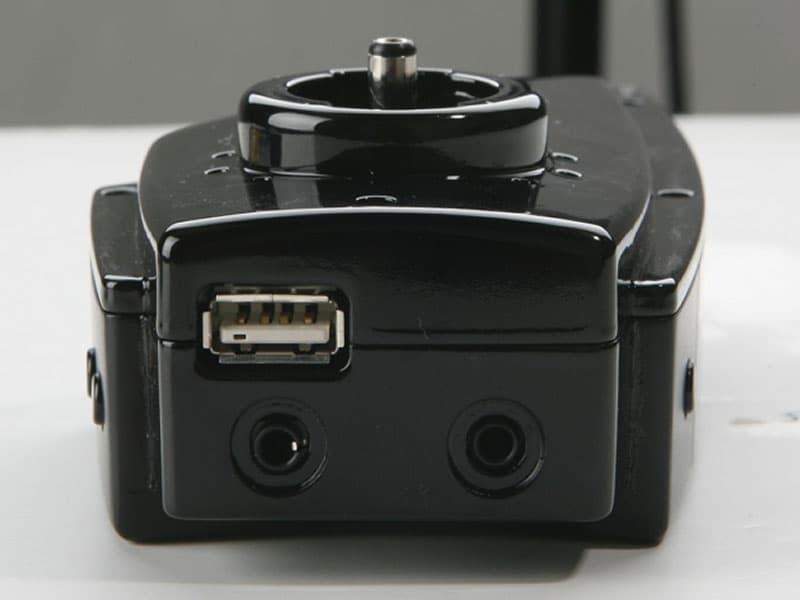
Click to zoom
Application Details
- Equipment Class
- DXX - Part 15 Low Power Communication Device Transmitter
- Date of Grant
- Feb 06, 2007
- Application Purpose
- Original Equipment
- Date of Application
- Feb 06, 2007
- Equipment Note
- DLO TransDock FM Transmitter
- Frequency Range
- 88.10000000 - 107.90000000
- Country
- United States
Documents & Files
Document Text
Text extracted from the exhibit documents filed with the FCC. Open a document above to read the original.
Users Manual
Tra nsDock ™ USER MA NU AL transdock_ii_manual_GM2_070124:Layout 1 1/24/07 6:08 PM Page 1 2 |DLO TRANSDOCKUSERMANUAL © 200 7 DigitalLif estyl e Outfitters DLO log o, Dig ita l LifestyleOu tfi tt ers & Tra nsDo ck are tra dem ar ks of Digi tal Li fes tyle Out fit ters. iPo d is a regi ster ed trademark of Appl e, In c. in U. S. and/or oth er cou ntries . Al l Rig hts Reser ved Print ed in Ch in aM-93 040-0 70120 -B transdock_ii_manual_GM2_070124:Layout 1 1/24/07 6:08 PM Page 2 | 3 Co ntents Quick Star t4 Contro ls and Co nne ctio ns6 Inc lud ed in the Box7 Trans Dock Co ntr ol s Ch art8 Abou t the DLO Tr ans Doc k9 Us ing Your Trans Dock10 Settin g Up You r Tra nsDo ck10 Find ing Emp ty Radio Fr eque nc ie s12 Tun ing Yo ur Trans Doc k13 Tra nsDoc k Fe atu res + Settin gs14 Trans Dock Mod es14 Settin g an d Using Pr es et Stations15 Char gin g Cel l Pho ne s/ PDA ’s/Gaming Syste ms16 Wat chi ng iPo d’s Video s on a Mo bile Vid eo Syste m16 Contro ll ing th e LC D Bac klig ht16 Trans Dock In tel lig ent Po wer Con tro l17 Gettingth e Be st Sou nd Qua lity17 Usin g a Ca sse tt e Adapte r or Dir ect Input18 Usin g oth er MP 3 Pl ayers or Dev ice s18 Tips + Tro ub les ho oti ng20 Tech Specs22 Se rv ice + Sup port23 War ranty24 FC C Sta te me nt25 transdock_ii_manual_GM2_070124:Layout 1 1/24/07 6:08 PM Page 3 4 |DLO TRANSDOCKUSERMANUAL Quic k Sta rt Tha nk you for your purchaseof the DLO TransDock,the bes t an d mos t versa til e all- in -one iPod aut o ac cess ory in the world. We’ ll get you up an d runningin 4 easy ste ps: STE P 1- Con nec t the ChargerAr m to the TransDock Cradle. STE P 2- Adj ust th e TransDockto fit into your Auto Po wer Outle t and plug it in. STE P 3- Tun e your car stereo to 88.5 FM. STE P 4- Sli de your iP od or iPod nano into the Trans Dock and press Pl ay. You can now enjo y your iPod’s mus ic playedthroughyour ca r stereo,while it’s ch arg in g and sec urel y cradled. For more detailedin struc tions and tips , please rea d Setti ng Up You r Trans Dock [pg 10]. transdock_ii_manual_GM2_070124:Layout 1 1/24/07 6:08 PM Page 4 | 5 fm radio 1 2 3 T R A N S D O C K 8 8 . 5 MENU 4 transdock_ii_manual_GM2_070124:Layout 1 1/24/07 6:08 PM Page 5 6 |DLO TRANSDOCKUSERMANUAL Cont ro ls + Connections TRANSDOCK A V O U T A U X I N 88.1 T LCD DISPLAY MODE BUTTON UPBUTTON DOWN BUTTON AUXILIARY AUDIO INPUT IPOD AV OUTPUT (AUDIO + VIDEO) USBPOWER OUTLET 21 5 6 7 3 4 1 2 3 4 1 2 3 4 5 6 7 transdock_ii_manual_GM2_070124:Layout 1 1/24/07 6:08 PM Page 6 | 7 In clud ed in the Box TRANSDOCK TRANSDOCK 88.1 TRANSDOCK DASHBOARD BLACK FACEPLATE (ON TRANSDOCK) SMOOTH SILVER FACEPLATE CHARGER ARM FIT COLLAR EXTENDER ARM 1G & 2G IPOD NANO INSERTS IPOD FIT PADS 1 2 3 4 1 4 5 6 7 5 6 7 8 8 3 2 transdock_ii_manual_GM2_070124:Layout 1 1/24/07 6:08 PM Page 7 8 |DLO TRANSDOCKUSERMANUAL Tra nsDockControlsChart MODE BUTTONFUNCTIONUP BUTTON DOWN BUTTON MANUAL TUNING Press ModeButton until display shows a frequency. e.g. 88.5 (this is the default Mode for TransDock) Press Up Button to tune frequency up [88.1 - 107.9] Press Up Button to select next preset [PRE 1 - PRE 6] Press Up Button to set Backlight timer Press DownButton to select previous preset [PRE 1 - PRE 6] Press DownButton to tune frequency down [107.9 - 88.1] TUNE TO PRESET STATIONS/FREQUENCIES Press ModeButton until display reads BACKLIGHT TIMER Press ModeButton until display reads BACKLIGHT BRIGHTNESS Press ModeButton until display reads Press Up Button toset Backlight Brightness Press DownButton Adjusts Backlight Brightness from[1...4] Default is 3 LEVEL ADJUST Press Up Button to set Level Adjust Press DownButton to Select Level [1...3], Default is 3 S PRE P SET Press ModeButton until display reads SET SET S LEV L LITE L TIME T Press DownButton to select between: [00, :05, :10, :20, ON] Default is :10 transdock_ii_manual_GM2_070124:Layout 1 1/24/07 6:08 PM Page 8 | 9 Ab out the DLO TransDock Th e Tran sD ock is basi cally a mi ni radio stat ion tha t broa dcastsyour iPod or iPod nano’ s au dio to th e FM radi o in your car , tr uck , boat – an yth ing that has a 12 v Auto Power Out let. It cha rg es the batter y in your iPod while cradlingit for eas y accessin your car. It wi ll also cha rg e your USB- chargeablecell phon e, PDA, gamingsyst em or other devi ce, as well as broadcast audi o from al l kinds of dig ita l de vi ces ov er your car stereo.If that’s not en ough, th e Trans Dock featuresan A\V Out Port so you can wat ch an iPod ’s video over a port ab le video systemin a car or van . Th e Tran sD ock has tw o buttonson the right side of the unit for easy tuning.Other fea - tures incl ude six programmable presets, Le vel Adjuster,controllable LCD bac klight, ext erna l de vice input, cass ette or li ne-out,and po wer con trol. Tu rni ng TransD ock Of f or On To man ua ll y tur n TransDockOf f or On while car pow er is on, press and hold theMode But tondo wn for 3 seconds. NO TE :Tran sD ock nor mall y turns On & Off automatic all y with your car. Settin g a Pr ese t 1. Pres s the Mode Buttonto acces s Prese t (PR E) Mode. 2. Selec t Pre set numberwithUporDownBu ttons[ PPRREE 66 -- PPRREE 11 ] 3. P us h a nd hol d down Upor Down Buttonunt il OK app ears on the LCD in order t o sav e y our preset s tat ion. To r ese t T rans Doc k to de fau lt o r fa cto ry s etti ng s Hol d t he Mod e But tondo wn for 6 seconds with th e un it either on or off. transdock_ii_manual_GM2_070124:Layout 1 1/24/07 6:08 PM Page 9 10 | DLO TRANSDOCK USER M ANUAL Using Yo ur TransDock Setti ng U p Yo ur Tr an sD ock 1. Co nn ec t th e Ch arg er Arm to t he TransDock Cradle. Take th e Ch arg er Arm, i ns ert t he fl at side into t he bac k of the T rans Doc k Cradle bod y a nd turn 90 deg rees c loc kwi se to lock it in to pla ce. Do not use the included Ex ten si on Arm unt il you have determined tha t you ’ll n eed it to fit TransDock into your c ar . Mo st c ars wil l do fine with ju st t he s ho rter Charg er A rm. 2. Adj us t you r T ran sDock to fit into yo…
Text truncated - open the document above for the full version.
Cover Letter(s)
FCC Home | Search | Updates | E-Filing | Initiatives | For Consumers | Find People Office of Engineering and Technology FCC > FCC E-filing > Inquiry System Home Page > Reply to OET Response FCC Site Map OET Home Page Site Options Knowledge DataBase Search Detail Criteria Search Submit An Inquiry Reply to an Inquiry Response Category List FAQ Search View Instructions Related Sites Equipment Authorization System (EAS) Telecommunications Certification Bodies (TCB) Reply to an OET Inquiry Response Currently Display Inquiry Tracking Number: 274436 Contact Information: Customer First Name: Al Customer Last Name: Servais Telephone Number: 919-554-3668 Extension: E-mail Address: [email protected] Address: Line 1:762 Park Av Line 2: P.O. Box: City:Youngsville State:North Carolina Zip Code:27596 Country: United States Inquiry Details: First Inquiry Category: TCB Procedures Second Inquiry Category: Third Inquiry Category: QUESTION and ANSWER INFORMATION FOLLOWS: 1) How does this device operate? Please refer to accompanied document, DLO TransDock Operational Description. The product is designed to be used in a car with an Apple iPod ® media player. Although it is compatible with other types of iPods, it is designed for the 5G series of video iPods. The device provides several functions including transmitting iPod audio via a stereo FM link to the car radio and charging the iPod’s battery. The device provides an output connector that allows the user to connect the stereo audio and video output of the iPod to a vehicle’s A/V system using a standard cable (not supplied.) The device provides a stereo line input connector to allow the use of other audio sources as the input to the device. When this input is used, the audio from the iPod connector is disconnected from the circuit; so no more than one source is ever active in the device. Finally, the device also provides a USB-A connection that allows for USB based accessories to be charged by the Transdock unit. 2) Provide information on the device and its antenna. Please refer to accompanied document, DLO TransDock Operational Description. Antenna The product uses an internal whip antenna located inside the plastic case and permanently affixed to the circuit board. No access to the antenna connection or RF signal path is provided to the user and thus no alternative or auxiliary antenna may be used with the device. This device does not use the cars wiring as the transmitting antenna. Please refer to accompanied document DLO_TD_PHOTOS_INTERNAL.pdf for photos of the antenna 3) How is it installed? The device is plugged into and is powered from the 12VDC vehicle accessory plug. 4) What test procedure was used? Guidance Documents: Emissions: FCC 47 CFR Part 15 Test Methods: Emissions: FCC 47CFR Part 15.239 and ANSI C63.4:2005 5) If tested in a car, how was it configured/tested? Page 1 of 2OET Inquiry System Reply to OET Response, Inquiry Tracking Number 274436 2/7/2007https://gullfoss2.fcc.gov/prod/oet/cf/kdb/forms/ReplyToResponse.cfm This device does not use the cars wiring as the transmitting antenna, and therefore was not testing in a vehicle 6) Was the tuning range properly verified? The controls on the TransDock were manually adjusted to verify maximum tuning range from 88.1 MHz to 107.9 MHz. 7) Was the bandwidth properly tested with maximum audio input? All tests were performed with the audio output level at maximum volume. ---Reply from Customer on 02/05/2007--- Please find the Test Report included in this response. Response(s): --OET response sent on Feb 5 2007 3:13PM-- Please provide a copy of the test report but ensure it complies with all FCC rules and training guidance first. --OET response sent on Feb 7 2007 2:27PM-- Go ahead and file the grant. Submit a copy of this inquiry into the filing. Ensure that all exhibits comply with FCC rules and policies. Enter any additional comments below: ProceedClear Please send any comments or suggestions for this site to OET Systems Support Federal Communications Commission 445 12th Street, SW Washington, DC 20554 More FCC Contact Information... Phone: 888-CALL-FCC (225-5322) TTY: 888-TELL-FCC (835-5322) Fax: 202-418-0232 E-mail: [email protected] - Privacy Policy - Web Policies & Notices - Customer Service Standards - Freedom of Information Act Page 2 of 2OET Inquiry System Reply to OET Response, Inquiry Tracking Number 274436 2/7/2007https://gullfoss2.fcc.gov/prod/oet/cf/kdb/forms/ReplyToResponse.cfm
External Photos
DLO Transdock UIX0701A External Photos DLO/Netalog Inc. CONFIDENTIAL Page 1 DLO Transdock UIX0701A External Photos DLO/Netalog Inc. CONFIDENTIAL Page 2 Transdock – Front View Transdock – Rear View (Label not shown) DLO Transdock UIX0701A External Photos DLO/Netalog Inc. CONFIDENTIAL Page 3 Transdock – Left and Right View Transdock – Bottom View
ID Label/Location Info
THE INFORMATION CONTAINED IN THIS DRAWING IS THE SOLE PROPERTY OF DIGITAL LIFESTYLE OUTFITTERS. ANY REPRODUCTION IN PART OR AS A WHOLE WITHOUT THE WRITTEN PERMISSION OF DIGITAL OUTFITTERS. IS PROHIBITED. PROPRIETARY AND CONFIDENTIAL TransDock Product Label DIGITAL LIFESTYLE OUTFITTERS http://dlo.com FSCM NO. SCALE SIZEDWG NO. SHEET 1 of 1 REV - LABLE_009-3040 TransDock 34.00 20.00 R1.00 18 Jan 2007
ID Label/Location Info
DLO TransDock ™ FM Transmitter, Charger and Dock for iPod This device complies with Part 15 of the FCC Rules. Operation is subject to the following two conditions: (1) this device may not cause harmful interference, and (2) this device must accept any interference received, including interference that may cause undesired operation. iPod is a trademark of Apple Computer, Inc., registered in the U.S. and other countries. TransDock, Digital Lifestyle Outfitters & the DLO logo are trademarks of Digital Lifestyle Outfitters FCC ID: UIX0701A Model # 009-3040 US Patent # 6,591,085 L93040-070117-A Made in China Designed by: Digital Lifestyle Outfitters www.dlo.com 33.5mm R: 1mm 19.5mm BLACK LABEL PANTONE: COOL GRAY 6 TEXT DLO TransDock ™ FM Transmitter, Charger and Dock for iPod This device complies with Part 15 of the FCC Rules. Operation is subject to the following two conditions: (1) this device may not cause harmful interference, and (2) this device must accept any interference received, including interference that may cause undesired operation. iPod is a trademark of Apple Computer, Inc., registered in the U.S. and other countries. TransDock, Digital Lifestyle Outfitters & the DLO logo are trademarks of Digital Lifestyle Outfitters FCC ID: UIX0701A Model # 009-3040 US Patent # 6,591,085 L93040-070117-A Made in China Designed by: Digital Lifestyle Outfitters www.dlo.com
Test Report
FCCID: UIX 0701A Emissions Test Report EUT Name: TransDock EUT Model: TransDock FCC Title 47, Part 15.239, Subpart C Prepared for: Garey De Angelis Digital Lifestyle Outfitters 3871 S. Aliston Durham, NC 27713 Tel: 843 577-7067 Fax: 928 447-4937 Prepared by: TUV Rheinland 762 Park Avenue Youngsville, NC 27596 Tel: (919) 554-3668 Fax: (919) 554-3542 http://www.tuv.com/ Report/Issue Date: 2 February 2007 Report Number: 30760114.001 Report Number: 30760114.0011 Page 1 of 29 EUT:Model: TransDock FCC ID: UIX 0701A TransDock Statement of Compliance Manufacturer: Manufacturer: Digital Lifestyle Outfitters Digital Lifestyle Outfitters 3871 S. Aliston 3871 S. Aliston Durham, NC 27713 Durham, NC 27713 843 577-7067 843 577-7067 Requester / Applicant: Requester / Applicant: Garey De Angelis Garey De Angelis Name of Equipment: Name of Equipment: Model No. Model No. TransDock TransDock TransDock TransDock Type of Equipment: Type of Equipment: Information Technology Equipment (ITE) Information Technology Equipment (ITE) Class of Equipment: Class of Equipment: Intentional Radiator Intentional Radiator Application of Regulations: Application of Regulations: FCC Title 47, Part 15.239, Subpart C FCC Title 47, Part 15.239, Subpart C Test Dates: Test Dates: 15 January 2007 to 18 January 2007 15 January 2007 to 18 January 2007 Guidance Documents: Guidance Documents: Emissions: FCC 47 CFR Part 15 Emissions: FCC 47 CFR Part 15 Test Methods: Test Methods: Emissions: FCC 47CFR Part 15.239 and ANSI C63.4:2005 Emissions: FCC 47CFR Part 15.239 and ANSI C63.4:2005 The electromagnetic compatibility test and documented data described in this report has been performed and recorded by TUV Rheinland, in accordance with the standards and procedures listed herein. As the responsible authorized agent of the EMC laboratory, I hereby declare that a sample of one, of the equipment described above, has been shown to be compliant with the EMC requirements of the stated regulations and standards based on these results. If any special accessories and/or modifications were required for compliance, they are listed in the Executive Summary of this report. The electromagnetic compatibility test and documented data described in this report has been performed and recorded by TUV Rheinland, in accordance with the standards and procedures listed herein. As the responsible authorized agent of the EMC laboratory, I hereby declare that a sample of one, of the equipment described above, has been shown to be compliant with the EMC requirements of the stated regulations and standards based on these results. If any special accessories and/or modifications were required for compliance, they are listed in the Executive Summary of this report. This report must not be used to claim product endorsement by NVLAP or any agency of the U.S. Government. This report contains data that are not covered by NVLAP accreditation. This report shall not be reproduced except in full, without the written authorization of the laboratory. This report must not be used to claim product endorsement by NVLAP or any agency of the U.S. Government. This report contains data that are not covered by NVLAP accreditation. This report shall not be reproduced except in full, without the written authorization of the laboratory. 2 February 2007 2 February 2007 Test Engineer Test Engineer Date Date Industry Canada 200094-0 90552 and 100881 IC3755 Report Number: 30760114.0011 Page 2 of 29 EUT:Model: TransDock FCC ID: UIX 0701A Model: TransDock FCC ID: UIX 0701A TransDock TransDock Table of Contents 1 EXECUTIVE SUMMARY.................................................................................................................4 1.1 SCOPE............................................................................................................................................4 1.2 PURPOSE........................................................................................................................................4 1.3 SUMMARY OF TEST RESULTS........................................................................................................4 1.4 EQUIPMENT MODIFICATIONS........................................................................................................4 2 LABORATORY INFORMATION...................................................................................................5 2.1 ACCREDITATIONS & ENDORSEMENTS..........................................................................................5 2.2 TEST FACILITIES............................................................................................................................6 2.3 MEASUREMENT UNCERTAINTY.....................................................................................................7 2.4 CALIBRATION TRACEABILITY.......................................................................................................7 3 PRODUCT INFORMATION............................................................................................................8 3.1 TYPE OF ANTENNA........................................................................................................................8 3.2 TUNABLE FREQUENCY RANGE......................................................................................................8 3.3 ACCESSORIES USED IN TESTING....................................................................................................8 4 EMISSIONS......................................................................................................................................11 4.1 RADIATED EMISSIONS.................................................................................................................11 4.2 20DB BANDWIDTH......................................................................................................................23 5 FREQUENCY STABILITY FCC PART 2.1055(A)(1)-(4) (1)......................................................26 6 TEST …
Text truncated - open the document above for the full version.
Test Setup Photos
Test Setup Photos: DLO TransDock 30760114 Figure 1- Photo of Part 15.209 testing set up (Front) Figure 2- Photo of Part 15.209 testing set up (Back) Figure 3 - Photo of Part 15.239 testing set up (Front) Figure 4 - Photo of Part 15.209 testing set up (Back) Figure 5 -Photo of Part 15.239 testing set up (Front) Figure 6 - Photo of Part 15.209 testing set up (Back) Figure 7 - Photo of Part 15.239 testing set up (Front) Figure 8 - Photo of Part 15.209 testing set up (Back) Figure 9- Setup for Bandwidth testing and Frequency Stability over Voltage Variations. Figure 10 – Setup for Frequency Stability over Temperature Variation Measurements. The Following Photos show the test setups that determined “worst case” testing. Figure 11 – Shows ipod tethered through audio cable. Figure 12 – Shows one of the 3 orthogonal positions used for testing. Figure 13 – shows another one of the 3 orthogonal positions used in testing. Figure 14 – Shows the use of the ipod nano for Frequency stability over temperature variations.
Contact Information
Applicant
Garey De Angelis(VP Product Development)
Technical Contact
New Potato Technologies, Inc.Stuart Ross
[email protected]910-221-7656
424 Landmark Drive · Wilmington, North Carolina · United States
Non-Technical Contact
Netalog Inc.Garey De Angelis
[email protected]843-577-7067
Test Firm
TUV Rheinland of North AmericaMichael Moranha
Technical Specifications
| # | Rule Parts | Frequency Range | Power Output |
|---|---|---|---|
| 1 | 15C | 88.1 MHz - 107.9 MHz | - |
Other Applications from Netalog, Inc. d/b/a Digital Lifestyle Outfitters
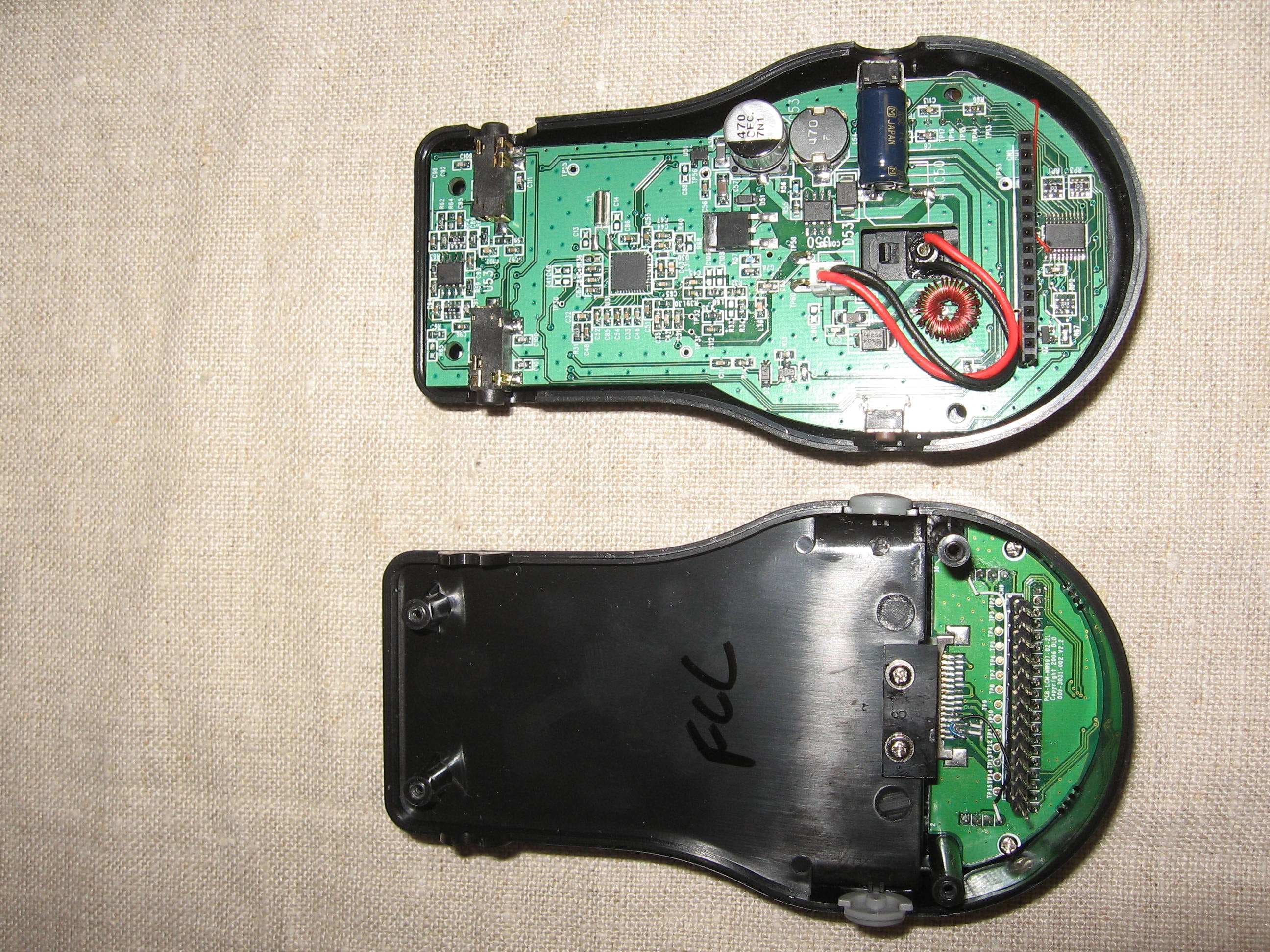
UIX0712F
Mar 13, 2008DLO TransDock Classic FM Transmitter
Equipment Class
DXX - Part 15 Low Power Communication Device Transmitter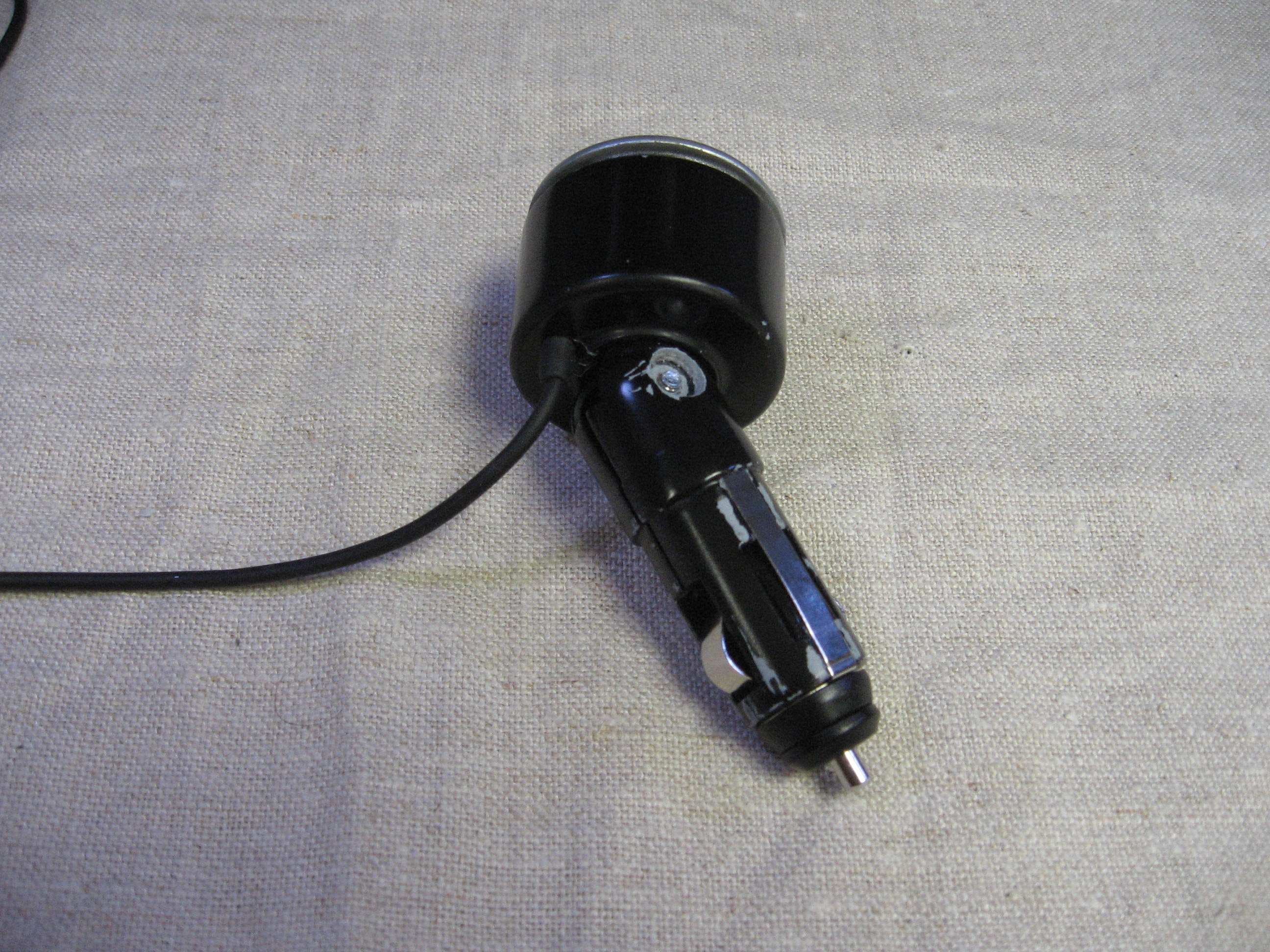
UIX0712E
Mar 13, 2008DLO TransDock Micro II FM Transmitter
Equipment Class
DXX - Part 15 Low Power Communication Device Transmitter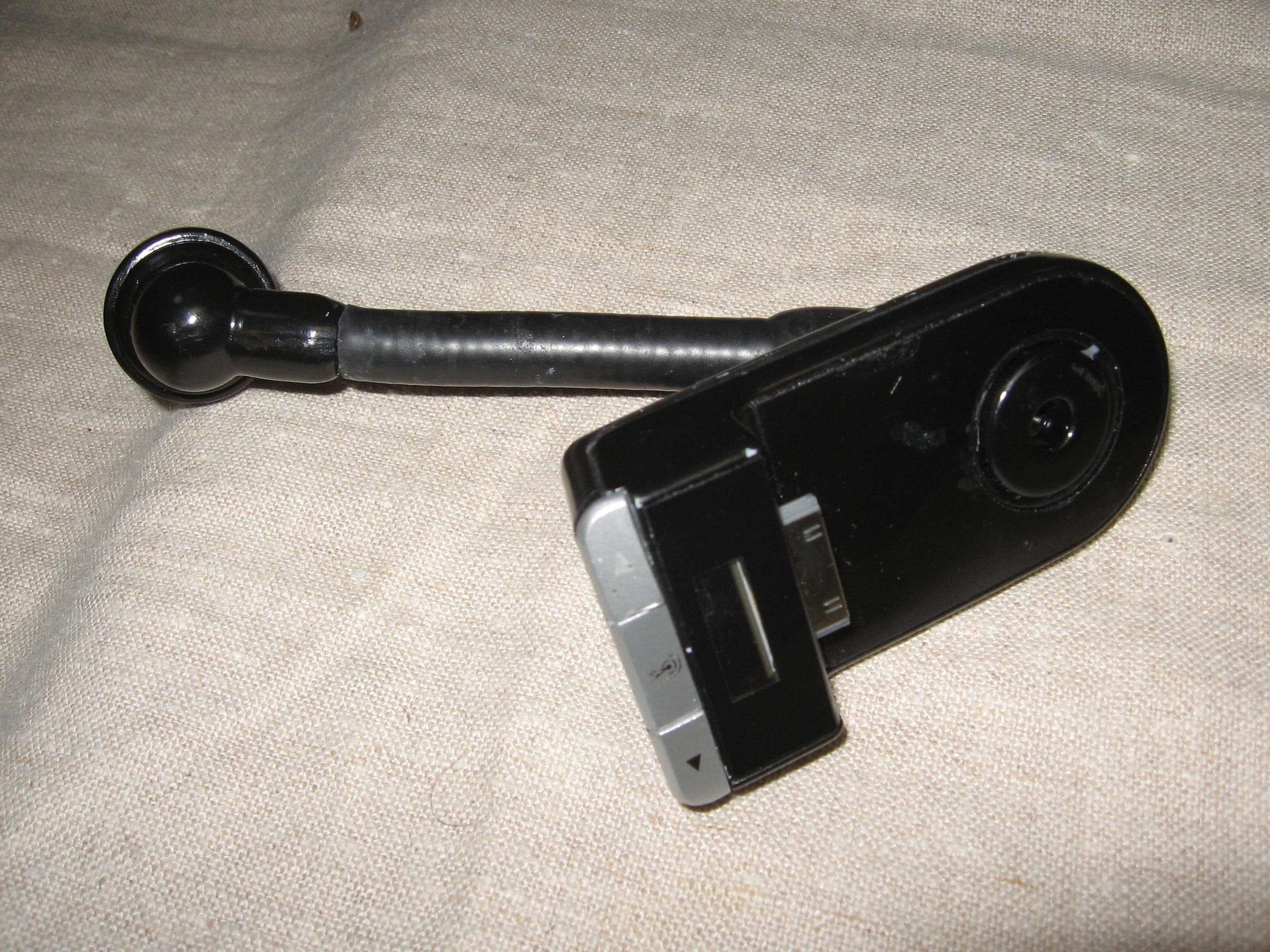
UIX0712D
Mar 13, 2008DLO TransDock 3 FM Transmitter
Equipment Class
DXX - Part 15 Low Power Communication Device Transmitter
UIX0702C
Apr 26, 2007Remote Control For iPod
Equipment Class
DXT - Part 15 Low Power Transceiver, Rx Verified