UK7-C1NSmart Watch
Fossil Group, Inc.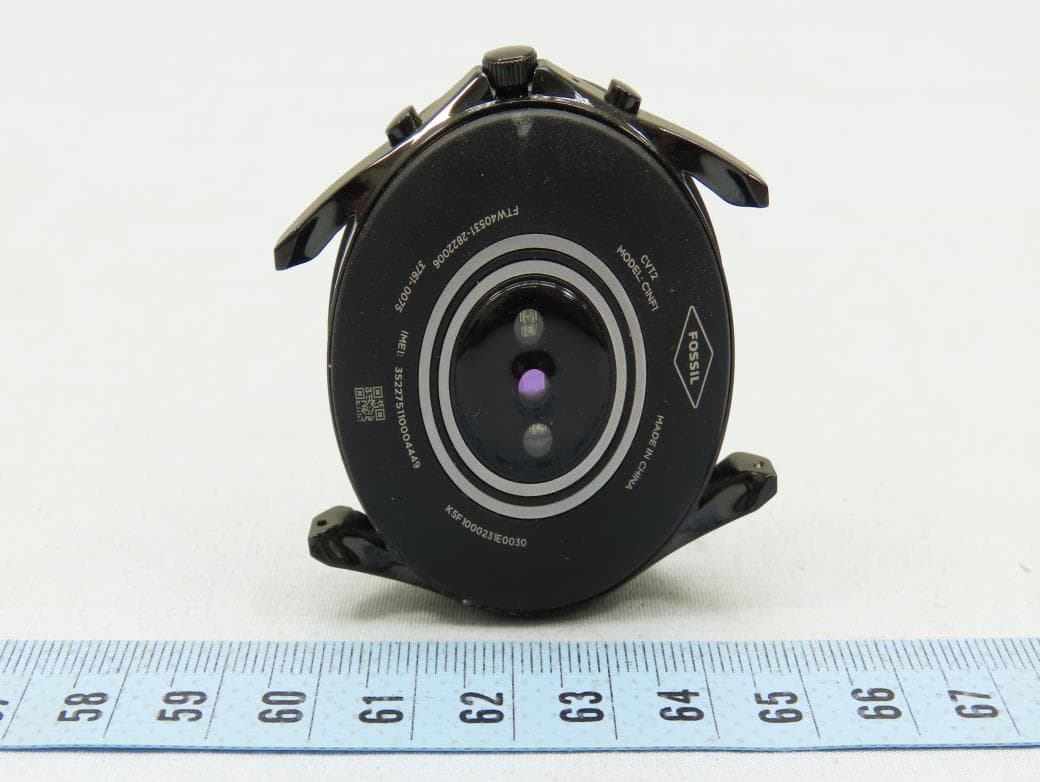
Click to zoom
Application Details
- Equipment Class
- DTS - Digital Transmission System
- Date of Grant
- Dec 21, 2020
- Application Purpose
- Original Equipment
- Date of Application
- Dec 21, 2020
- Equipment Note
- Smart Watch
- Frequency Range
- 2402.00000000 - 2480.00000000
- Company
- Fossil Group, Inc.
- Country
- United States
Documents & Files
Document Text
Text extracted from the exhibit documents filed with the FCC. Open a document above to read the original.
Users Manual
WARRANTY & INFORMATION PRODUCT INFORMATION English 2 Dansk (Danish) 9 Nederlands (Dutch) 15 Svenska (Swedish) 21 Nosk (Norwegian) 27 Deutsch (German) 33 Français (French) 39 Italiano (Italian) 46 Português (Portuguese) 52 Español (Spanish) 59 Polski (Polish) 66 Türkçe (Turkish) 73 (Arabic) 81 Bahasa Indonesia (Indonesian) 86 日本語 (Japanese) 91 中文 (Simplified Chinese) 95 繁體中文 (Traditional Chinese) 98 한국어 (Korean) 102 ไทย (Thai) 106 Русский (Russian) 111 Română (Romanian) 118 Česky (Czech) 124 Tiếng Việt (Vietnamese) 130 Certificate of Warranty 137 Additional Regulatory Notices 141 23 ENGLISH MANUFACTURER: Fossil Group, Inc Headquarters: 901 S. Central Expressway Richardson, Texas 75080 United States of America Internet Address: www.fossilgroup.com/contact-us/ EUROPEAN AUTHORIZED REPRESENTATIVE: Fossil Europe B.V. Terborgseweg 138 7005 BD Doetinchem The Netherlands Visit fossilgroup.com/water for additional information, including water-related use. IMPORTANT SAFETY INSTRUCTIONS • Keep these instructions • Do not attempt to open, disassemble or tamper with the Product. Substances contained in this product and/or its battery may damage the environment and/or human health if handled and disposed of improperly. • Do not use the Product in circumstances that could cause a dangerous situation, such as using the Product while operating heavy machinery or driving a moving vehicle in a manner that might cause you to take your eyes off the road or become so absorbed in the activity that your ability to concentrate on the act of driving becomes impaired. • Do not expose the Product to extremely high or low temperatures, direct sunlight for an extended period of time, or to high water pressure • Never allow children to play with the product; the small components may be a choking hazard! • The Product is not intended for use where the failure of the Product could lead to death, personal injury, or severe environmental damage • Maps, directions, and other GPS or navigation data, including data relating to your current location, may be unavailable, inaccurate, or incomplete • (If applicable) Do not wear or clean your Product while you are charging it. IMPORTANT HEALTH PRECAUTIONS Your use of the Product is solely at your own risk. We do not make any representations, warranties or promises about the accuracy, reliability or effectiveness of any of the Product’s functions or services, including without limitation, the number of steps you’ve taken, calories burned, sleep quality or duration, heart rate (if applicable), and other information. The Product is intended to provide a reasonable approximation of information such as pace, steps, calories burned, distance covered, heart rate (if applicable) and sleep. However, the Product relies on the accuracy of the information you input, uses algorithms that are not necessarily perfect and is subject to other factors beyond our control. For instance, while the heart rate monitor may typically provide an accurate estimate of a user’s heart rate, there are inherent limitations with the technology that may cause some of the heart rate readings to be inaccurate under certain circumstances, such as the fit of the device, physiology of the user and the type and intensity of the activity. We do not guarantee that the information provided by the Product is 100% accurate. The Product will not precisely track each calorie burned or each step taken, and will not precisely report pace, distance covered, heart rate, or sleep. The Product, including its operating system and any heart rate sensors located on the Product (if applicable), is not a medical device and is intended for general wellness/fitness purposes only. It is not designed or intended for use in the diagnosis of disease or other conditions, or in the cure, mitigation, treatment, or prevention of disease. Always seek the advice of a qualified medical professional before starting or making any changes to your exercise, sleep, or nutrition, as doing so may cause severe harm or death. Prolonged rubbing and pressure can irritate the skin. You may be more likely to experience irritation from any wearable device if you have allergies or other sensitivities. Please take special care to keep the device clean as the combination of sweat and dirt may also cause skin irritation. PERSONS WITH IMPLANTED MEDICAL DEVICES SHOULD: The Product contains components and radios that emit electromagnetic fields. These electromagnetic fields and magnets may interfere with medical devices, such as pacemakers and defibrillators. Consult your physician and medical device manufacturer for information specific to your medical device and whether you need to maintain a safe distance of separation between your medical device and the Product. • (If applicable) Consult their physician before using a heart rate monitor. • Keep the Product more than 20 centimeters away from their medical device when the Product is turned on. • Do not wear the Product if they notice any interference. • Never carry the Product in their breast pocket. • Use the wrist opposite the implanted medical device to minimize potential for RF interference. BATTERY PRECAUTION FOR DEVICES USING A COIN CELL BATTERY • Do not ingest battery - Chemical Burn Hazard • This product contains a coin/button cell battery. If the coin/button cell battery is swallowed, it can cause severe internal burns in just 2 hours and can lead to death. • Keep new and used batteries away from children. • If the battery compartment does not close securely, stop using the product and keep it away from children. • If you think batteries might have been swallowed or placed inside any part of the body, seek immediate medical attention FOR PRODUCTS WITH RECHARGEABLE BATTERIES The charging dock is designed for tabletop use. To be compliant with RF exposure guidelines and to avoid interference with implanted medical devices, maintain a distance of at least 15 centimeters (approximately 6 inches) from the charging …
Text truncated - open the document above for the full version.
Users Manual
1. AUFLADEN: Schließen Sie Ihre Smartwatch an das mitgelieferte Ladekabel an. Sobald sie automatisch eingeschaltet wird, tippen Sie auf den Bildschirm, um zu beginnen und wählen Sie Ihre Sprache. Laden Sie Ihre Smartwatch während des Koppelns und der Konfiguration weiter auf. ACHTUNG: Um Schäden an Ihrer Uhr zu vermeiden, verwenden Sie nur das mitgelieferte Ladegerät. Nutze zum Aufladen weder ein USB-Hub noch einen USB-Splitter oder ein USB-Y-Kabel, einen Akku oder sonstige Peripheriegeräte. 2. LEGEN SIE LOS: Aktivieren Sie Bluetooth™ auf Ihrem Handy und laden Sie dann die Wear OS by Google™“-App aus dem Google Play Store herunter. Öffnen Sie die Anwendung und befolgen Sie die auf dem Bildschirm zur Verkopplung angezeigten Hinweise. Sobald die Verbindung zustande gekommen ist, hilft Ihnen Ihre Smartwatch auf interaktive Weise weiter. NÜTZLICHE TIPPS: Aktivieren Sie Ihren LTE-Plan über die App Wear OS by Google auf Ihrem Mobiltelefon oder indem Sie die Website Ihres Mobilfunkanbieters oder einen Händler vor Ort besuchen.Denken Sie daran, Bluetooth™ auf Ihrem Telefon einzuschalten und die Wear OS-App im Hintergrund auszuführen, um sicherzustellen, dass Ihre Smartwatch verbunden bleibt; Laden Sie Ihre Smartwatch während des Kopplungs-Vorgangs weiter auf, da durch die erstmalige Einrichtung die Batterielebensdauer beeinträchtigt werden kann; Verbinden Sie Ihre Smartwatch mit WiFi, damit Updates heruntergeladen werden können; Dies kann einige Minuten dauern. Weitere Informationen zu den Google-Diensten auf Ihrer Smartwatch erhalten Sie unter support.google.com/wearos RESSOURCEN UND UNTERSTÜTZUNG: fossil.com/ support Wear OS by Google und das Google Play sind Handelsmarken von Google, LLC. 1. CHARGEMENT: Branchez votre smartwatch au câble de chargement inclus. Après la mise en route automatique, appuyez sur l’écran pour commencer et sélectionner votre langue. Gardez votre smartwatch en charge durant l’appairage et la configuration. ATTENTION : pour éviter d’endommager votre montre, utilisez uniquement le chargeur inclus. N’utilisez pas d’hub USB, de répartiteur USB, de câble USB en Y, de bloc batterie ou d’autre périphérique pour charger. 2. DÉMARRAGE: Activez le Bluetooth™ sur votre téléphone et téléchargez l’application Wear OS by Google™ via Google Play. Ouvrez l’application et suivez les instructions affichées à l’écran pour coupler l’appareil. Après le couplage, votre smartwatch vous offrira un tutoriel interactif. CONSEILS UTILES: Activez votre LTE grâce à l’application Wear OS by Google, ou en visitant le site web ou le magasin local de votre opérateur mobile. N’oubliez pas d’activer le Bluetooth™ sur votre téléphone et de laisser l’application Wear OS fonctionner en arrière-plan pour vous assurer que votre smartwatch reste connectée; Continuez à charger votre smartwatch durant le processus d’appairage, car la configuration initiale peut rapidement décharger la batterie; Connectez votre smartwatch à un réseau Wi-Fi pour qu’elle puisse télécharger les mises à jour. Cela peut prendre plusieurs minutes. Pour en savoir plus sur les services Google sur votre smartwatch, rendez-vous sur le site : support.google. com/wearos DOCUMENTATION ET ASSISTANCE: fossil.com/support Wear OS by Google et Google Play sont des marques déposées de Google LLC. 1. RICARICA: Collega il tuo smartwatch al cavo di ricarica incluso. Dopo l’accensione automatica, tocca lo schermo per cominciare e scegli la lingua. Lascia il tuo smartwatch in carica durante accoppiamento e configurazione. ATTENZIONE: onde evitare danni all’orologio, usare soltanto il caricatore in dotazione. Non usare un hub USB, uno splitter USB, un cavo USB a “Y”, un battery pack o altri dispositivi periferici per caricare il dispositivo. 2. INTRODUZIONE: Sul tuo telefono, abilita il Bluetooth™, poi scarica l’app Wear OS di Google™ dallo store Google Play. Apri l’app e segui le istruzioni sullo schermo per accoppiare. Una volta accoppiato, il tuo smartwatch ti fornirà un tutorial interattivo. CONSIGLI UTILI: Abilita il tuo piano LTE tramite l’app Wear OS by Google direttamente dal tuo telefono oppure visitando il sito Web o il negozio fisico del tuo gestore di telefonia mobile. Ricorda di attivare il Bluetooth™ del tuo telefono e di lasciare l’applicazione Wear OS in esecuzione in background per essere certo che il tuo smartwatch resti connesso; Continua a caricare lo smartwatch per tutto il processo di accoppiamento, in quanto la configurazione iniziale potrebbe esaurire la carica della batteria; Connetti lo smartwatch al Wi-Fi, così che possa scaricare gli aggiornamenti. Questa operazione potrebbe richiedere diversi minuti. Per saperne di più sui servizi Google disponibili per il tuo smartwatch, vai su: support.google.com/wearos RISORSE E ASSISTENZA: fossil.com/support Wear OS by Google e Google Play sono marchi registrati di Google LLC. 1. CARREGAR: Ligue o seu ‘smartwatch’ ao cabo de carregamento incluído. Depois deste ligar automaticamente, toque no ecrã para começar e escolha o seu idioma. Mantenha o seu ‘smartwatch’ a carregar durante o emparelhamento e configuração. AVISO: Para evitar danificar o seu relógio, utilize apenas o carregador incluído. Não use um concentrador USB, divisor USB, cabo Y USB, conjunto de baterias ou outro dispositivo periférico para carregar. 2. COMEÇAR: No seu telefone, ative o Bluetooth™ e depois transfira a aplicação Wear OS by Google™ a partir da Google Play Store. Abra a aplicação e siga as instruções do ecrã para emparelhar. Uma vez emparelhado, o seu smartwatch irá dar-lhe um tutorial interativo. DICAS ÚTEIS: Ative o seu plano LTE através da aplicação Wear OS by Google no seu telemóvel ou visitando a página Web ou a loja local do seu operador de telemóvel. Lembre-se de ligar o Bluetooth™ do seu telefone e mantenha a ‘app’ Wear OS a correr em segundo plano para garantir que o seu ‘smartwatch’ se mantém ligad; Continue a carregar o seu ‘smartwatch’ ao longo de todo o processo de emparelhamento, dado que a configu…
Text truncated - open the document above for the full version.
Cover Letter(s)
Date: 6/1/2020 Federal Communications Commission 7435 Oakland Mills Road Columbia MD 21046 c.c. UL Verification Services Certification Division 47173 Benicia Street Fremont, CA 94538, USA To whom it may concern: I, the undersigned, hereby authorize Amanda Wu / Senior Specialist of Bureau Veritas Consumer Products Services (H.K.) Ltd., Taoyuan Branch (“BV CPS Taoyuan”), to act on our behalf in all manners relating to application for equipment authorization, including signing of all documents relating to these matters. Any and all acts carried out by Amanda Wu / Senior Specialist of BV CPS Taoyuan on our behalf shall have the same effect as acts of our own. I, the undersigned, hereby certify that we are not subject to a denial of federal benefits, that includes FCC benefits, pursuant to Section 5301 of the Anti-Drug Abuse Act of 1988, 21 U.S.C. 853(a). In authorizing BV CPS Taoyuan as our agent, we still recognize that we are responsible to: a) comply with the relevant provisions of the certification program; b) make all necessary arrangements for the conduct of the evaluation, including provision for examining documentation and access to all areas, records (including internal audit reports) and personnel for the purposes of evaluation (e.g. testing, inspection, assessment, surveillance, reassessment) and resolution of complaints; c) make claims regarding certification only in respect of the scope for which certification has been granted; d) do not use our product certification in such a manner as to bring the Certification Division into disrepute and not make any statement regarding our product certification which the Certification Division may consider misleading or unauthorized; e) upon suspension or cancellation of certification, discontinue use of all advertising matter that contains any reference thereto and return any certification documents as required by the Certification Division; f) use certification only to indicate the products are certified as being in conformity with specified standards; g) endeavor to ensure that no certificate or report nor any part thereof is used in a misleading manner; h) ensure that any reference to our product certification in communication media such as documents, brochures or advertising, complies with the requirements of the Certification Division; i) keep a record of all complaints made known to the us relating to the product’s compliance with requirements of the relevant standard and to make these records available to the Certification Division when requested; j) take appropriate action with respect to such complaints and any deficiencies found in products or services that affect compliance with the requirements for certification; k) document the actions taken. This authorization is valid until further written notice from the applicant. Sincerely Yours, ---------------------------------------------------------------------- Robert Wilson / Senior Vice President, Global Operations Fossil Group, Inc. Tel: 469-587-2999 Fax: 972-498-9635 E- mail: [email protected] REMARK: 1. This authorization letter will be sent along with your application when filing with the Certification Division. 2. Please follow the format and type it on company letterhead and send original to us. 3. Authorized signature must be in agreement with grantee code contact in FCC database.
Cover Letter(s)
Date: June 2, 2020 Federal Communications Commission 7435 Oakland Mills Road - Gate A Columbia, Maryland 21046 Subject: Request for Confidentiality FCC ID: UK7-C1N To Whom It May Concern, Pursuant to the provisions of Sections 0.457 and 0.459 of Commission’s rules (47CFR§§0.457, 0.459), we are requesting the Commission to withhold the following attachments as confidential document from public disclosure indefinitely. Schematic Diagram Block Diagram Operational Description Part list Tune-up Procedure Above mentioned document contains detailed system and equipment description are considered as proprietary information in operation of the equipment. The public disclosure of above documents might be harmful to our company and would give competitor an unfair advantage in the market. In additional to above mentioned documents, pursuant to Public Notice DA 04-1705 of the Commission’ s policy, in order to comply with the marketing regulations in 47 CFR §2.803 and the importation rules in 47 CFR §2.1204, while ensuring that business sensitive information remains confidential until the actual marketing of newly authorized devices. We are requesting the commission to grant short-term confidentiality request on the following attachments until 180 days after the Grant Date of Equipment Authorizations. External Photos Internal Photos Test Setup Photos Users Manual It is our understanding that all measurement test reports, FCC ID label format and correspondent during certification review process cannot be granted as confidential documents and those information will be available for public review once the grant of equipment authorization is issued. Best Regards, Robert Wilson / Senior Vice President, Global Operations Fossil Group, Inc. Tel: 469-587-2999 Fax: 972-498-9635 E- mail: [email protected]
External Photos
Report No.: 191231C03 1 of 5 CONSTRUCTION PHOTOS OF EUT Report No.: 191231C03 2 of 5 Report No.: 191231C03 3 of 5 Report No.: 191231C03 4 of 5 Report No.: 191231C03 5 of 5
ID Label/Location Info
Date: June 2, 2020 FCC E-Label Information FCC ID: UK7-C1N A. Information to be displayed 1. The information that will be displayed on the e-label and information that will remain in the user manual is shown below: Information on E-label In Manual FCC ID number Yes No DoC logo No No 15.19 statement (“This device complies with part 15 of the FCC Rules. Operation is subject to the following two conditions: (1) This device may not cause harmful interference, and (2) this device must accept any interference received, including interference that may cause undesired operation.”) No Yes Class A / B Digital Device user manual statements No Yes Caution to the user that changes or modifications not expressly approved by the party responsible for compliance could void the user's authority to operate the equipment No Yes 2. Images of the e-label screen are provided below: B. Access to the required information on the e-label 1. Users must be able to access the information in no more than three steps in a device’s menu. The actual steps are: 2. The information is stored on the device, no special accessories or supplemental plug-ins (e.g., a SIM/USIM card) are required to access the information. 3. Users are provided specific instructions on how to access the information. 4. The equipment authorization application for the device must clearly include the instructions for accessing information as part of the exhibit showing the label information. C. Labeling for Importation and Purchasing 1. Products utilizing e-labels are required to have a physical label on the product at the time of importation, marketing and sales. For devices imported in bulk and not packaged individually, a removable adhesive label or, for devices in protective bags, a label on the bags is acceptable for this purpose. Any removable label shall be of a type intended to survive normal shipping and handling and must only be removed by the customer after purchase. For devices imported already in individual packages ready for sale, the information may alternatively be provided on the package. It shall contain: a. The FCC ID and/or the DoC logo (if applicable); and b. Any other information required by specific rule to be provided on the surface of the product unless such information is permitted to be included in the User’s manual or other packaging inserts. D. Other considerations 1. The above information must be programmed by the responsible party and the information must be secured in such a manner that third-parties cannot modify it. 2. All the applicable regulatory information required on the packaging or user instructions must be provided according to the rules even if it is displayed electronically. For example, hearing aid compatibility (HAC) ratings for the phones as specified in 47 C.F.R. § 20.19. 3. E-label displays may include regulatory information required to be placed in the User’s Manual or on the packaging as required by the rules. The following considerations must be taken into account for such information distribution. a. If the primary user manual or user guide is provided by other electronic media (e.g.,CD, or online access) then as an option this information can also be provided as part of the e-label b. The e-label format must clearly differentiate between the information required to be on the surface of the product and the information required for the User’s Manual or on the packaging. 4. Products subject to both certification and Declaration of Conformity or certification and Verification can use the e-label guidance by displaying both the FCC ID and an image of the FCC DoC Logo, or FCC ID and product identification as required by the rules. Sincerely yours, ____________________________________________________ Robert Wilson / Senior Vice President, Global Operations Fossil Group, Inc. Tel: 469-587-2999 Fax: 972-498-9635 E-mail: [email protected]
ID Label/Location Info
Page | 1 Description of E-Label on the C1NF1 1. FCC ID is applied by E-Label on device. MENU [STEP 1] [STEP 2] [STEP 3] FCC/IC ID Setting Menu Step 1 Select Setting Step 2 Select System Step 3 Select Regulatory Information Page | 2 Description of E-Label on the C1NF1 2. FCC ID is applied on packaging 3. Instruction of E-Label in the Quick Start Guide (page 4) 4. Other Consideration The above information is being programmed by a responsible party and the information is being secured in such manner that third-parties cannot modify it.
Internal Photos
Report No.: 191231C03 1 of 12 CONSTRUCTION PHOTOS OF EUT . Report No.: 191231C03 2 of 12 Report No.: 191231C03 3 of 12 Report No.: 191231C03 4 of 12 Report No.: 191231C03 5 of 12 Report No.: 191231C03 6 of 12 NFC Ant. WWAN & WLAN & BT Ant. Report No.: 191231C03 7 of 12 Report No.: 191231C03 8 of 12 Report No.: 191231C03 9 of 12 Report No.: 191231C03 10 of 12 Report No.: 191231C03 11 of 12 Report No.: 191231C03 12 of 12
RF Exposure Info
SAR Test Report Report Format Version 5.0.0 Page No. : 1 of 35 Report No. : SF191231C03 Issued Date : Mar. 23, 2020 SAR Test Report Report No. : SF191231C03 Applicant : Fossil Group, Inc. Address : 901 S. Central Expy, Richardson, Texas, United States, 75080 Product : Smart Watch FCC ID : UK7-C1N Brand : FOSSIL Model No. : C1NF1 Standards : FCC 47 CFR Part 2 (2.1093), IEEE C95.1:1992, IEEE Std 1528:2013 KDB 865664 D01 v01r04, KDB 865664 D02 v01r02, KDB 248227 D01 v02r02 KDB 447498 D01 v06, KDB 648474 D03 v01r04, KDB 941225 D05 v02r05 Sample Received Date : Dec. 31, 2019 Date of Testing : Feb. 21, 2020 ~ Feb. 25, 2020 Lab Address : No. 47-2, 14th Ling, Chia Pau Vil., Lin Kou Dist., New Taipei City, Taiwan Test Location : No. 19, Hwa Ya 2nd Rd., Wen Hwa Vil., Kwei Shan Dist., Taoyuan City, Taiwan CERTIFICATION: The above equipment have been tested by Bureau Veritas Consumer Products Services (H.K.) Ltd., Taoyuan Branch–Lin Kou Laboratories, and found compliance with the requirement of the above standards. The test record, data evaluation & Equipment Under Test (EUT) configurations represented herein are true and accurate accounts of the measurements of the sample’s SAR characteristics under the conditions specified in this report. It should not be reproduced except in full, without the written approval of our laboratory. The client should not use it to claim product certification, approval, or endorsement by TAF or any government agencies. Prepared By : Shelly Hsueh / Specialist Approved By : Gordon Lin / Manager FCC Accredited No.: TW0003 This report is for your exclusive use. Any copying or replication of this report to or for any other person or entity, or use of our name or trademark, is permitted only with our prior written permission. This report sets forth our findings solely with respect to the test samples identified herein. The results set forth in this report are not indicative or representative of the quality or characteristics of the lot from which a test sample was taken or any similar or identical product unless specifically and expressly noted. Our report includes all of the tests requested by you and the results thereof based upon the information that you provided to us. You have 60 days from date of issuance of this report to notify us of any material error or omission caused by our negligence, provided, however, that such notice shall be in writing and shall specifically address the issue you wish to raise. A failure to raise such issue within the prescribed time shall constitute your unqualified acceptance of the completeness of this report, the tests conducted and the correctness of the report contents. Unless specific mention, the uncertainty of measurement has been explicitly taken into account to declare the compliance or non-compliance to the specification. SAR Test Report Report Format Version 5.0.0 Page No. : 2 of 35 Report No. : SF191231C03 Issued Date : Mar. 23, 2020 Table of Contents Release Control Record ............................................................................................................................................................... 3 1. Summary of Maximum SAR Value ....................................................................................................................................... 4 2. Description of Equipment Under Test ................................................................................................................................. 5 3. SAR Measurement System ................................................................................................................................................... 6 3.1 Definition of Specific Absorption Rate (SAR) ............................................................................................................... 6 3.2 SPEAG DASY6 System ............................................................................................................................................... 6 3.2.1 Robot ............................................................................................................................................................... 7 3.2.2 Probes ............................................................................................................................................................. 8 3.2.3 Data Acquisition Electronics (DAE) .................................................................................................................. 8 3.2.4 Phantoms ......................................................................................................................................................... 8 3.2.5 Device Holder .................................................................................................................................................. 9 3.2.6 System Validation Dipoles ............................................................................................................................. 10 3.2.7 Power Source ................................................................................................................................................ 10 3.2.8 Tissue Simulating Liquids .............................................................................................................................. 11 3.3 SAR System Verification ............................................................................................................................................ 13 3.4 SAR Measurement Procedure ................................................................................................................................... 14 3.4.1 Area Scan and Zoom Scan Procedure .......................................................................................................... 14 3.4.2 Volume Scan Procedure ................................................................................................................................ 15 3.4.3 Power Drift M…
Text truncated - open the document above for the full version.
RF Exposure Info
SAR Test Report Report Format Version 5.0.0 Issued Date : Mar. 23, 2020 Report No. : SF191231C03 Appendix D. Photographs of EUT and Setup The setup photographs for SAR testing are shown as follows.
Test Report
Report No.: RF191231C03-1 Page No. 1 / 37 Report Format Version: 6.1.1 FCC Test Report Report No.: RF191231C03-1 FCC ID: UK7-C1N Test Model: C1NF1 Received Date: Dec. 31, 2019 Test Date: Jan. 06, 2020 ~ Feb. 09, 2020 Issued Date: Jul. 07, 2020 Applicant: Fossil Group, Inc. Address: 901 S. Central Expy, Richardson, Texas, United States, 75080 Issued By: Bureau Veritas Consumer Products Services (H.K.) Ltd., Taoyuan Branch Lin Kou Laboratories Lab Address: No. 47-2, 14th Ling, Chia Pau Vil., Lin Kou Dist., New Taipei City, Taiwan Test Location : B2F., No.215, Sec. 3, Beixin Rd., Xindian Dist., New Taipei City 231, Taiwan FCC Registration / Designation Number: 427177 / TW0011 This report is for your exclusive use. Any copying or replication of this report to or for any other person or entity, or use of our name or trademark, is permitted only with our prior written permission. This report sets forth our findings solely with respect to the test samples identified herein. The results set forth in this report are not indicative or representative of the quality or characteristics of the lot from which a test sample was taken or any similar or identical product unless specifically and expressly noted. Our report includes all of the tests requested by you and the results thereof based upon the information that you provided to us. You have 60 days from date of issuance of this report to notify us of any material error or omission caused by our negligence, provided, however, that such notice shall be in writing and shall specifically address…
Text truncated - open the document above for the full version.
Contact Information
Applicant
Nikki Gill(Senior Director, Supplier Compliance)
Technical Contact
Bureau Veritas Consumer Products Services (H.K.) LAmanda Wu
[email protected]886-3-264-1929
No.19, Hwa Ya 2nd Rd., Kwei Shan Dist., · Taoyuan · Taiwan
Test Firm
Bureau Veritas CPS (H.K.) Ltd., Taoyuan BranchRichard Chen
Technical Specifications
| # | Rule Parts | Frequency Range | Power Output |
|---|---|---|---|
| 2 | 15C | 2.40 GHz - 2.48 GHz | 1.00 mW |
Other Applications from Fossil Group, Inc.
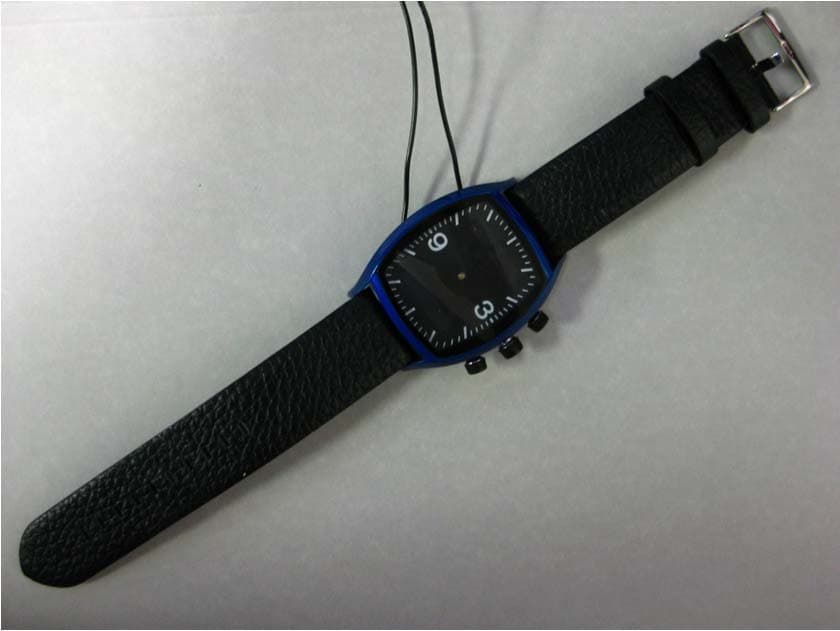
UK7-WDS111
Aug 23, 2011MetaWatch - Analog
Equipment Class
DSS - Part 15 Spread Spectrum Transmitter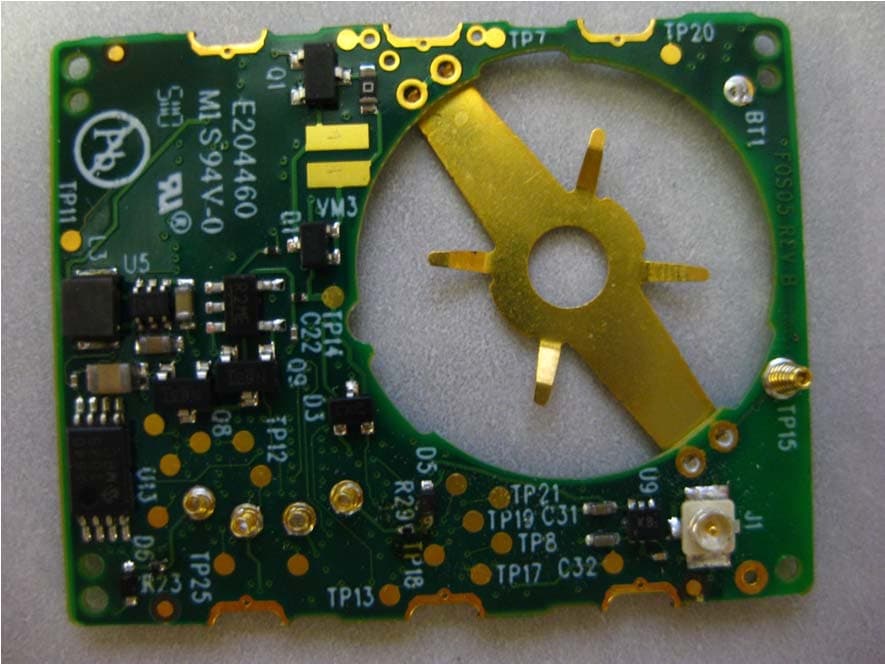
UK7-WDS112
Aug 23, 2011MetaWatch - Digital
Equipment Class
DSS - Part 15 Spread Spectrum Transmitter