UMQSE745HUS DECT Phone - Headset
PHILIPS Consumer Electronics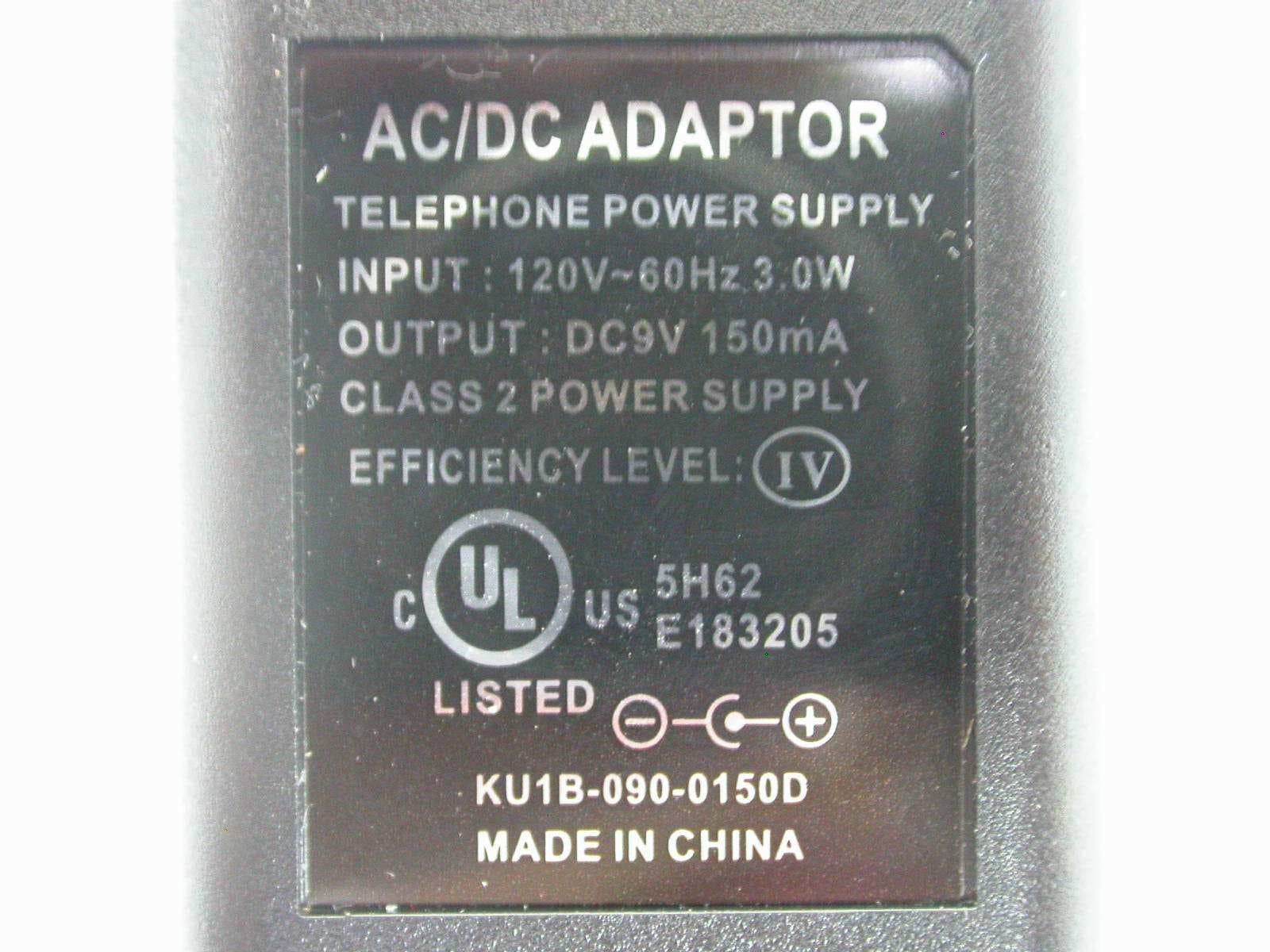
Click to zoom
Application Details
- Equipment Class
- PUE - Part 15 Unlicensed PCS portable Tx held to ear
- Date of Grant
- Jun 05, 2007
- Application Purpose
- Original Equipment
- Date of Application
- Jun 04, 2007
- Equipment Note
- US DECT Phone - Headset
- Frequency Range
- 1921.53600000 - 1928.44800000
- Company
- PHILIPS Consumer Electronics
- Country
- France
Documents & Files
Document Text
Text extracted from the exhibit documents filed with the FCC. Open a document above to read the original.
Users Manual
www.philips.com/support EN Telephone Answering Machine Warning Use only rechargeable batteries. Charge the handset for 24 hours before use. SE 745 SE745_IFU_EN.book Page 1 Monday, March 26, 2007 8:41 PM SE745_IFU_EN.book Page 2 Monday, March 26, 2007 8:41 PM 1 Table of contents Table of contents 1Safety information 3 1.1Equipment Approval Information 3 1.2Rights of the Telephone Company 3 1.3Interference Information 3 1.4Hearing Aid Compatibility (HAC) 4 1.5FCC RF Radiation Exposure Statement 4 2Important 5 2.1Power requirements 5 2.2Conformity 5 2.3Using GAP standard compliance 6 2.4Electric, Magnetic and Electromagnetic Fields ("EMF") 6 2.5Important Information 6 2.6Recycle your batteries 6 2.7Service Centers 6 3Your phone 7 3.1What’s in the box 7 3.2Overview of your phone 8 3.3Display icons 10 3.4Overview of the base station 11 4Getting started 12 4.1Connect the base station 12 4.2Install your phone 13 4.3Welcome mode 13 4.4Menu structure 14 5Using your phone 17 5.1Make a call 17 5.2Answer a call 17 5.3End a call 18 6Use more of your phone 19 6.1Switch the handset on/off 19 6.2Keypad lock/unlock 19 6.3Text or number entry 19 6.4Call in progress 19 6.5Call waiting 20 6.6Caller Line Indentification 20 6.7Using your Phonebook 20 6.8Using the Redial list 23 6.9Using the Call log 24 6.10 Using the Intercom 24 6.11 Paging 26 6.12 Clock and Alarm settings 26 7Personal settings 28 7.1Handset Tones 28 SE745_IFU_EN.book Page 1 Monday, March 26, 2007 8:41 PM 2 Table of contents 7.2Set Wallpaper 28 7.3Set Contrast Level 29 7.4Change the Handset Name 29 7.5Activate /Deactivate Auto Pick-up 29 7.6Activate /Deactivate Auto Hang-up 29 7.7Change the Display Language 29 7.8Babysit mode 29 7.9Set Backlight time 30 7.10 Set Theme Colour 30 8Advanced settings 31 8.1Change Recall time 31 8.2Call Barring 31 8.3Baby Call 31 8.4Registration 32 8.5Select best Base Station 32 8.6Unregister a handset 32 8.7Change Master PIN 33 8.8Reset Unit 33 8.9Set Auto Prefix 33 8.10 Country Selection 34 8.11 Activate/Deactivate Conference mode 34 8.12 Activate/Deactivate XHD Sound mode 34 8.13 To set 1st Ring 34 8.14 Default settings 35 9Games 36 9.1Play Snake game 36 9.2Play Tetris game 36 10Telephone answering machine (TAM) 37 10.1 Play 37 10.2 Delete all messages 38 10.3 Memo recording 38 10.4 Set the Answer mode 38 10.5 Record your Personalised Outgoing Message 38 10.6 Switch the Answering Machine On/Off via handset 39 10.7 Answering Machine settings 39 10.8 Call Screening 40 11Technical data 42 12Frequently asked questions 43 13Index 45 SE745_IFU_EN.book Page 2 Monday, March 26, 2007 8:41 PM 3 Safety information 1Safety information 1.1 Equipment Approval Information Your telephone equipment is approved for connection to the Public Switched Telephone Network and is in compliance with parts 15 and 68, FCC Rules and Regulations and the Technical Requirements for Telephone Terminal Equipment published by ACTA. Notification to the Local Telephone Company On the bottom of this equipment is a label indicating, among other information, the US number and Ringer Equivalence Number (REN) for the equipment. You must, upon request, provide this information to your telephone company. The REN is useful in determining the number of devices you may connect to your telephone line and still have all of these devices ring when your telephone number is called. In most (but not all) areas, the sum of the RENs of all devices connected to one line should not exceed 5. To be certain of the number of devices you may connect to your line as determined by the REN, you should contact your local telephone company. A plug and jack used to connect this equipment to the premises wiring and telephone network must comply with the applicable FCC Part 68 rules and requirements adopted by the ACTA. A compliant telephone cord and modular plug is provided with this product. It is designed to be connected to a compatible modular jack that is also compliant. See installation instructions for details. Notes • This equipment may not be used on coin service provided by the telephone company. • Party lines are subject to state tariffs, and therefore, you may not be able to use your own telephone equipment if you are on a party line. Check with your local telephone company. • Notice must be given to the telephone company upon permanent disconnection of your telephone from your line. • If your home has specially wired alarm equipment connected to the telephone line, ensure the installation of this product does not disable your alarm equipment. If you have questions about what will disable alarm equipment, consult your telephone company or a qualified installer. US Number is located on the cabinet bottom. REN Number is located on the cabinet bottom. 1.2 Rights of the Telephone Company Should your equipment cause trouble on y our line which may harm the telephone network, the telephone company shall, where practicable, notify you that temporary discontinuance of service may be required. Where prior notice is not practicable and the circumstances warrant such action, the telephone company may temporarily discontinue service immediately. In case of such temporary discontinuance, the telephone company must: (1) promptly notify you of such temporary discontinuance; (2) afford you the opportunity to correct the situation; and (3) inform you of your right to bring a complaint to the Commission pursuant to procedures set forth in Subpart E of Part 68, FCC Rules and Regulations. The telephone company may make changes in its communications facilities, equipment, operations or procedures where such action is required in the operation of its business and not inconsistent with FCC Rules and Regulations. If these changes are expected to affect the use or performance of your telephone equipment, the telephone company must give you adequate notice, in writing, to allow you to maintain uninterrupted service. 1.3 Interference Information This equipment generates and uses radio frequenc…
Text truncated - open the document above for the full version.
Users Manual
7 Your phone 3Your phone 3.1 What’s in the box Note *You may find in the box the line adaptor delivered separately from the line cable. In this case, you have to connect the line adaptor to the line cord first before plugging the line cord to the line socket. In multihandset packs, you will find one or more additional handsets, chargers with power supply units and additional rechargeable batteries. HandsetBase stationBattery door 2 AAA rechargeable NiMH batteries Power supplyLine cord* User manualGuaranteeQuick Start Guide Base support SE745_IFU_EN.book Page 7 Monday, March 26, 2007 8:41 PM 8 Your phone 3.2 Overview of your phone AEarpiece B Event LED Blinks when there is a new missed call or Voicemail or answering machine message. Note If you have not subscribed to Caller Line Identification service, there will not be any alerts for new events except for new messages recorded on the answering machine. Hence, the event LED will not blink when there is a new call, or voicemail. C Display See page 10 for an overview of the display icons. D Left Softkey In idle mode: Go to the main menu. In other modes: Select the function displayed on the handset screen directly above it. During a call: Mute/unmute the handset microphone. Switch on the backlight. ERight Softkey In idle mode: Access the Redial list. In other modes: Select the function displayed on the handset screen directly above it. During a call: Initiate a second call, consult phonebook, transfer a call or activate/deactivate XHD Sound mode. Switch on the backlight. F Navigation keys In idle mode: Scroll up to access the Call log and scroll down to access the Phonebook. During a call: Scroll up/down to increase or decrease earpiece and speaker volume. In editing mode: Scroll up/down to go to the previous character or next character. In other modes: Scroll up/down a menu list or go to the previous or next record in the Phonebook, Redial list or Call log. G Talk key In idle mode: Answer an incoming external or internal call. During a call: Activate the recall function. In other modes: Dial the selected number in the Phonebook, Redial list or Call log. H Hang-up key In idle mode: Long press to switch off the handset, Short press to switch on the handset. During a call: Hang up a call. In other modes: Return to idle mode. IKeypad lock key In idle mode: Insert *. Long press to lock/unlock the keypad. During a call: Insert *. JRinger on/off key & Pause key In idle mode: Insert #. Long press to turn the ringer on/off. During a call: Insert #. Long press to insert a pause. In editing mode: Long press to switch between m > : r e * # SE745_IFU_EN.book Page 8 Monday, March 26, 2007 8:41 PM 9 Your phone upper and lower case. K Loudspeaker key In idle mode: Turn on the loudspeaker and dial the number. Answer an incoming call using handsfree mode. During a call: Toggle the loudspeaker on/off. L Call transfer key & Intercom key In idle mode: Initiate an internal call. During a call: Hold the line and page another handset. MMicrophone N Loudspeaker O Battery door Danger Handsfree activation can suddenly increase the volume in the earpiece to a very high level. Make sure the handset is not too close to your ear. v c N O SE745_IFU_EN.book Page 9 Monday, March 26, 2007 8:41 PM 10 Your phone 3.3 Display icons Indicates that the battery is fully charged. Icon blinks during charge and when the battery is low. Indicates that there is an external incoming call, an external call is connected or an external call is held. Icon blinks during intercom mode. Appears when the alarm clock is activated. Appears when the loudspeaker is activated. Appears when Silence is activated. Indicates that the handset is registered and within range of the base station. Icon blinks when the handset is out of range or is searching for a base. Indicates that the keypad is locked. Indicates that XHD Sound mode is activated. Indicates that Do not Disturb mode is activated. Indicates that the telephone answering machine is activated. Icon blinks when the memory for answering machine messages is full. When there are new events such as new missed calls, voicemail or answering machine messages received, the following icons together with the number of occurences are displayed in the middle of the handset screen. There are new missed calls. The number of new missed calls is also displayed on the left of the icon. There are new voicemail messages received. The number of new voicemail messages received is also displayed on the left of the icon.. There are new answering machine messages received. The number of new messages received is also displayed on the left of the icon. Note If you have not subscribed to Caller Line Identification service, there will not be any alerts for the new events except for new messages recorded on the answering machine. Hence, no missed call or voicemail event icons will appear in the middle of the handset screen. SE745_IFU_EN.book Page 10 Monday, March 26, 2007 8:41 PM 11 Your phone 3.4 Overview of the base station A Play/Stop key Play phone messages (the first recorded will be played first). Stop message playback. B LED indicator Blinking: Indicates number of new messages. Steady: Indicates number of old messages. 2 bars flashing: Indicates that there is no more memory left. Indicates the volume level (L0 - L9) when V is pressed. Indicates the current message number during playback. COn/Off key In idle mode, short press to switch on/off the answering machine. During message playback, long press to switch off the answering machine. DErase key Delete current message during message playback. Long press to delete all messages when the answering machine is in idle mode (unread messages will not be deleted). E Repeat key Go to previous message if pressed within 1 second of current message playback. Replay current message if pressed after 1 second of current message playback. F Skip key Skip to the next message during message playback. G Volume keys Increase/Decrease spe…
Text truncated - open the document above for the full version.
Users Manual
11 Your phone 3.4 Overview of the base station A Play/Stop key Play phone messages (the first recorded will be played first). Stop message playback. B LED indicator Blinking: Indicates number of new messages. Steady: Indicates number of old messages. 2 bars flashing: Indicates that there is no more memory left. Indicates the volume level (L0 - L9) when V is pressed. Indicates the current message number during playback. COn/Off key In idle mode, short press to switch on/off the answering machine. During message playback, long press to switch off the answering machine. DErase key Delete current message during message playback. Long press to delete all messages when the answering machine is in idle mode (unread messages will not be deleted). E Repeat key Go to previous message if pressed within 1 second of current message playback. Replay current message if pressed after 1 second of current message playback. F Skip key Skip to the next message during message playback. G Volume keys Increase/Decrease speaker volume during message playback. There are 9 volume levels. HHandset locator key Locate the handset. Long press to start registration procedure. P o x l R V C SE745_IFU_EN.book Page 11 Monday, March 26, 2007 8:41 PM 12 Getting started 4Getting started 4.1 Connect the base station Place the base station in a central location near the telephone line socket and electricity socket. 4.1.1 Install the base support Place the base station face down so that you can see the bottom of the base station. Attach the base support to your base station by fitting the tabs of the base support into the corresponding slots on the base unit. Push into place until a click sound is heard. To remove, simply pull the base support away from the base unit. 4.1.2 Connect the line cord and power cable Connect the line cord and the power cable to their corresponding connectors at the bottom of the base station as shown. Connect the other end of the line cord to the telephone line socket and the other end of the power cable to the electricity socket. Note The line adaptor may not be attached to the line cord. In this case, you have to connect the line adaptor to the line cord first before plugging the line cord to the line socket. Warning Avoid placing the base station too close to large metal objects such as filing cabinets, radiators or electrical appliances. This can impair the range and sound quality. Buildings with thick internal and external walls may impair transmission of signals to and from the base. Warning The base station does not have an ON/OFF switch. Power is applied when the power adaptor 1 1 2 3 Bottom of the base support 4 1 2 SE745_IFU_EN.book Page 12 Monday, March 26, 2007 8:41 PM 13 Getting started is plugged into the unit and connected to the electricity socket. The only way to power down the unit is to unplug the power adaptor from the electricity socket. Therefore, ensure that the electricity socket is easily accessible. The power adaptor and telephone line cord have to be connected correctly, as incorrect connection could damage the unit. Always use the telephone line cord supplied with the unit. Otherwise, you may not get a dial tone. 4.2 Install your phone Before using the handset, the batteries have to be installed and fully charged. 4.2.1 Install battery Warning Always use AAA rechargeable batteries supplied with your unit. There could be risk of battery leakage if you use alkaline batteries or other battery types. Slide out the battery cover. Place the batteries in the correct polarity as indicated and replace the cover. 4.2.2 Charge battery Warning The handset must be charged for at least 24 hours before using it for the first time. When the battery level becomes low, an empty battery icon is displayed on the screen. If the battery level becomes exceedingly low, the phone automatically switches off and any function in progress will not be saved. Place the handset on the charging cradle of the base station. A melody is emitted if the handset is placed correctly. The battery icon on the display blinks during charge. The battery icon becomes steady when the handset is fully charged. Note Optimal battery life is reached after 3 cycles of complete charging (over 15 hours) and discharging, allowing approximately 12 hours of talk-time and 150 hours of stand-by time. 4.3 Welcome mode Note Depending on your country, the WELCOME screen may not appear. In this case, you are not required to select your country/operator/ language settings. Warning You cannot make outgoing calls or receive incoming calls without first defining your country selection. Before you first use your handset, you need to configure it according to the country of use. After charging it for a few minutes, the word WELCOME appears in various languages. Follow these steps to configure your phone: Scroll : to the word WELCOME in your preferred language and press mSELECT to confirm your selection. Scroll : to your country. Press mSELECT to confirm your selection. Press : to your operator (if necessary). Press mSELECT again to confirm your selection. • The default line settings and menu language for the selected country will be automatically configured. • To set date/time, see “Set Date and Time” on page 26. Your phone is now ready for use. 1 2 1 2 3 1 2 3 4 5 SE745_IFU_EN.book Page 13 Monday, March 26, 2007 8:41 PM 14 Getting started 4.4 Menu structure The table below describes the menu tree of your phone. Press left soft key mMENU in idle mode to enter each option. Use navigation keys : to navigate within the menus. PhonebookNew Entry List Edit Entry Delete Entry Delete All Direct Memory Copy from SIM Phbk transfer Clock & AlarmSet Date/Time AlarmOff/On Once/On Daily Alarm ToneMelody 1/2/3 Do not Disturb Personal SetHandset TonesRing Volume Ring Melody Group Melody Key Beep Wallpaper ContrastLevel 1/2/3 Handset Name Auto Pick-upOn/Off Auto Hang-upOn/Off Language Babysit Mode Backlight Time Theme Colour SE745_IFU_EN.book Page 14 Mond…
Text truncated - open the document above for the full version.
External Photos
FCC ID: UMQSE745H ETC Report No.: 07-04-MAS-028-01 IC ID:1945A-SE745 Page A1 of A3 ANNEX A: EXTERNAL CONSTRUCTION PHOTOS OF EUT 1. Outside view 1 of EUT 2. Outside view 2 of EUT FCC ID: UMQSE745H ETC Report No.: 07-04-MAS-028-01 IC ID:1945A-SE745 Page A2 of A3 3. Outside view 1 of charger 4. Outside view 2 of charger FCC ID: UMQSE745H ETC Report No.: 07-04-MAS-028-01 IC ID:1945A-SE745 Page A3 of A3 5. Adaptor
ID Label/Location Info
ID Label_Location_PP
Internal Photos
FCC ID: UMQSE745H ETC Report No.: 07-04-MAS-028-01 IC ID:1945A-SE745 Page B1 of B5 ANNEX B: INTERNAL CONSTRUCTION PHOTOS OF EUT 1. Inside View 1 of EUT 2. Inside View 2 of EUT FCC ID: UMQSE745H ETC Report No.: 07-04-MAS-028-01 IC ID:1945A-SE745 Page B2 of B5 3. Front view of PCB 4. Front view of PCB FCC ID: UMQSE745H ETC Report No.: 07-04-MAS-028-01 IC ID:1945A-SE745 Page B3 of B5 5. Rear view of PCB FCC ID: UMQSE745H ETC Report No.: 07-04-MAS-028-01 IC ID:1945A-SE745 Page B4 of B5 6. Inside View 1 of charger 7. Inside View 2 of charger FCC ID: UMQSE745H ETC Report No.: 07-04-MAS-028-01 IC ID:1945A-SE745 Page B5 of B5 8. Front view of PCB 9. Rear view of PCB
RF Exposure Info
Report No.: 07-04-MAS-028-03 Page 1 of 71 FCC ID: UMQSE745H TÜV Hong Kong Limited Room 601, InnoCentre, 72 Tat Chee Avenue, Kowloon Tong, Hong Kong FCC ID: UMQSE745H Report No.: 07-04-MAS-028-03 Client: Philips Consumer Electronics Product: US DECT Handset Model: SE745 Manufacturer/supplier: Huiyang CCT Telecommunications Products Co. Ltd. Date test item received: 2007/03/29 Date test campaign completed: 2007/04/27 Date of issue: 2007/04/30 Test Result: ■ Compliance □ Not Compliance Statement of Compliance: The SAR values measured for the test sample are below the maximum recommended level of 1.6 mW/g averaged over any 1g tissue according to FCC OET Bulletin 65 Supplement C (Edition 01-01) and Industry Canada RSS-102 (Issue 2, 2005). The test result onl y corresponds to the tested sample. It is not permitted to copy this report, in part or in full, without the permission of the test laboratory. Total number of pages of this test report: 71 pages Test Engineer Eric Lin Checked by Joe Hsieh Approved by TÜV HK Jeff Pong The testing described in this report has been carried out to the best of our knowledge and ability, and our responsibility is limited to the exercise of reasonable care. This certification is not intended to believe the sellers from their legal and/or contractual obligations. SAR Evaluation Report for FCC OET Bulletin 65 Supplement C and Industry Standard RSS-102 Issue 2 Report No.: 07-04-MAS-028-03 Page 2 of 71 FCC ID: UMQSE745H TÜV Hong Kong Limited Room 601, InnoCentre, 72 Tat Chee Avenue, Kowloon Tong, Hong Kong Applicant Information Client : Philips Consumer Electronics Address : 9, rue Maurice Trintignant - 72000 Le Mans - France Contact : Pascal Lobgeois Manufacturer : Huiyang CCT Telecommunications Products Co. Ltd. Address : CCT Technology Park, San He Economic Developmental Zone, Huiyang District, Huizhou City, Guangdong Province, PRC EUT : UPCS DECT Cordless Handset Trade Name : Philips Model No. : SE745 Standard Applied : FCC OET 65 Supplement C (Edition 01-01, June 2001) Industry Standard RSS-102 Issue 2 (November 2005) IEEE Standard 1528-2003 Test Location : Electronics Testing Center, Taiwan (www.etc.org.tw) No.8, Lane 29, Wenming RD.,LeShan Tsuen, GuiShan Shiang,Taoyuan County 33383, Taiwan, R.O.C. The US DECT handset of SE745 is in compliance with the FCC Report and Order 93-326 and Health Canada Safety Code 6, and the tests were performed according to the FCC OET65c and RSS-102 Issue 2 for uncontrolled exposure. Report No.: 07-04-MAS-028-03 Page 3 of 71 FCC ID: UMQSE745H TÜV Hong Kong Limited Room 601, InnoCentre, 72 Tat Chee Avenue, Kowloon Tong, Hong Kong Table of Contents EXECUTIVE SUMMARY........................................................................................................................ 5 1 GENERAL INFORMATION............................................................................................................. 6 1.1 Description of Equipment Under Test ..................................................................................... 6 1.2 Photograph of EUT .................................................................................................................. 6 1.3 Environment Conditions .......................................................................................................... 7 1.4 FCC Requirements for SAR Compliance Testing ................................................................... 7 1.4.1 RF Exposure Limits ..........................................................................................................................7 1.5 The SAR Measurement Procudure for Mobile ........................................................................ 8 1.5.1 General Requirements.......................................................................................................................8 1.5.2 Phantom Requirements .....................................................................................................................8 1.5.3 Test Positions ....................................................................................................................................8 1.5.4 Test Procedures ...............................................................................................................................10 1.5.5 Test Procedures for Handset with Ear-Microphone and Belt-Clip .................................................11 2 DESCRIPTION OF THE TEST EQUIPMENT.................................................................................. 12 2.1 Test Equipment List ............................................................................................................... 12 2.2 DASY4 Measurement System Diagram ................................................................................ 13 2.3 DASY4 Measurement Server................................................................................................. 14 2.4 DAE (Data Acquisition Electronics)...................................................................................... 15 2.5 Phantom.................................................................................................................................. 16 2.6 Device Holder ........................................................................................................................ 16 2.7 Specifications of Probes ......................................................................................................... 17 2.8 SAR Measurement Procedures in DASY4 ............................................................................ 17 2.9 Simulating Liquids ................................................................................................................. 18 2.10 System Performance Check ................................................................................................... 18 2.10.1 Purpose .............................................................................................…
Text truncated - open the document above for the full version.
RF Exposure Info
Report No.: 07-04-MAS-028-03 Page 54 of 71 FCC ID: UMQSE745H TÜV Hong Kong Limited Room 601, InnoCentre, 72 Tat Chee Avenue, Kowloon Tong, Hong Kong ANNEX D: DIPOLE CERTIFICATE Report No.: 07-04-MAS-028-03 Page 55 of 71 FCC ID: UMQSE745H TÜV Hong Kong Limited Room 601, InnoCentre, 72 Tat Chee Avenue, Kowloon Tong, Hong Kong Report No.: 07-04-MAS-028-03 Page 56 of 71 FCC ID: UMQSE745H TÜV Hong Kong Limited Room 601, InnoCentre, 72 Tat Chee Avenue, Kowloon Tong, Hong Kong Report No.: 07-04-MAS-028-03 Page 57 of 71 FCC ID: UMQSE745H TÜV Hong Kong Limited Room 601, InnoCentre, 72 Tat Chee Avenue, Kowloon Tong, Hong Kong Report No.: 07-04-MAS-028-03 Page 58 of 71 FCC ID: UMQSE745H TÜV Hong Kong Limited Room 601, InnoCentre, 72 Tat Chee Avenue, Kowloon Tong, Hong Kong Report No.: 07-04-MAS-028-03 Page 59 of 71 FCC ID: UMQSE745H TÜV Hong Kong Limited Room 601, InnoCentre, 72 Tat Chee Avenue, Kowloon Tong, Hong Kong Report No.: 07-04-MAS-028-03 Page 60 of 71 FCC ID: UMQSE745H TÜV Hong Kong Limited Room 601, InnoCentre, 72 Tat Chee Avenue, Kowloon Tong, Hong Kong Report No.: 07-04-MAS-028-03 Page 61 of 71 FCC ID: UMQSE745H TÜV Hong Kong Limited Room 601, InnoCentre, 72 Tat Chee Avenue, Kowloon Tong, Hong Kong Report No.: 07-04-MAS-028-03 Page 62 of 71 FCC ID: UMQSE745H TÜV Hong Kong Limited Room 601, InnoCentre, 72 Tat Chee Avenue, Kowloon Tong, Hong Kong Report No.: 07-04-MAS-028-03 Page 63 of 71 FCC ID: UMQSE745H TÜV Hong Kong Limited Room 601, InnoCentre, 72 Tat Chee Avenue, Kowloon Tong, Hong Kong ANNEX E: PROBE CERTIFICATE Report No.: 07-04-MAS-028-03 Page 64 of 71 FCC ID: UMQSE745H TÜV Hong Kong Limited Room 601, InnoCentre, 72 Tat Chee Avenue, Kowloon Tong, Hong Kong Report No.: 07-04-MAS-028-03 Page 65 of 71 FCC ID: UMQSE745H TÜV Hong Kong Limited Room 601, InnoCentre, 72 Tat Chee Avenue, Kowloon Tong, Hong Kong Report No.: 07-04-MAS-028-03 Page 66 of 71 FCC ID: UMQSE745H TÜV Hong Kong Limited Room 601, InnoCentre, 72 Tat Chee Avenue, Kowloon Tong, Hong Kong Report No.: 07-04-MAS-028-03 Page 67 of 71 FCC ID: UMQSE745H TÜV Hong Kong Limited Room 601, InnoCentre, 72 Tat Chee Avenue, Kowloon Tong, Hong Kong Report No.: 07-04-MAS-028-03 Page 68 of 71 FCC ID: UMQSE745H TÜV Hong Kong Limited Room 601, InnoCentre, 72 Tat Chee Avenue, Kowloon Tong, Hong Kong Report No.: 07-04-MAS-028-03 Page 69 of 71 FCC ID: UMQSE745H TÜV Hong Kong Limited Room 601, InnoCentre, 72 Tat Chee Avenue, Kowloon Tong, Hong Kong Report No.: 07-04-MAS-028-03 Page 70 of 71 FCC ID: UMQSE745H TÜV Hong Kong Limited Room 601, InnoCentre, 72 Tat Chee Avenue, Kowloon Tong, Hong Kong Report No.: 07-04-MAS-028-03 Page 71 of 71 FCC ID: UMQSE745H TÜV Hong Kong Limited Room 601, InnoCentre, 72 Tat Chee Avenue, Kowloon Tong, Hong Kong
Test Report
FCC ID: UMQSE745H Sheet 1 of 91 Sheets IC ID: 1945A-SE745 ETC Report No.: 07-04-MAS-028-01 TÜV Hong Kong Limited Room 601, InnoCentre, 72 Tat Chee Avenue, Kowloon Tong, Hong Kong CONFORMANCE TEST REPORT FOR FCC Part 15, subpart D Industry Canada RSS-213, Issue 2 Report No.: 07-04-MAS-028-01 Client: Philips Consumer Electronics Product: US DECT PHONE - Handset (PP) Model: SE745 (Multiple Model List please see page 5.) FCC ID: UMQSE745H IC ID: 1945A-SE745 Manufacturer/supplier: Huiyang CCT Telecommunications Products Co. Ltd. Date test item received: 2007/04/09 Date test campaign completed: 2007/05/08 Date of issue: 2007/05/08 The test result only corresponds to the tested sample. It is not permitted to copy this report, in part or in full, without the permission of the test laboratory. Total number of pages of this test report: 91 pages Total number of pages of photos: External photos 3 pages Internal photos 5 pages Setup photos 6 pages Test Engineer Checked By Approved By Eric Lin, James Joe Hsieh Jeff Pong FCC ID: UMQSE745H Sheet 2 of 91 Sheets IC ID: 1945A-SE745 ETC Report No.: 07-04-MAS-028-01 TÜV Hong Kong Limited Room 601, InnoCentre, 72 Tat Chee Avenue, Kowloon Tong, Hong Kong Table of Contents Page 1 GENARAL INFORMATION.........................................................................................................4 1.1 Testing Laboratory.....................................................................................................................4 1.2 Client Information.......................................................................................................................4 1.3 Manufacturer...............................................................................................................................4 2 TEST INFORMATION..................................................................................................................5 2.1 Description of Tested Device(s)..............................................................................................5 2.2 Test Environment...................................................................................................…
Text truncated - open the document above for the full version.
Contact Information
Applicant
Anthony Raucoule(Product Quality Manager)
Test Firm
Electronics Testing Center, TaiwanWinpo Tsai
Technical Specifications
| # | Rule Parts | Frequency Range | Power Output |
|---|---|---|---|
| 1 | 15D | 1.92 GHz - 1.93 GHz | 105.00 mW |
Other Applications from PHILIPS Consumer Electronics
UMQSE65H
Apr 24, 2008US DECT PHONE-HEADSET
Equipment Class
PUE - Part 15 Unlicensed PCS portable Tx held to ear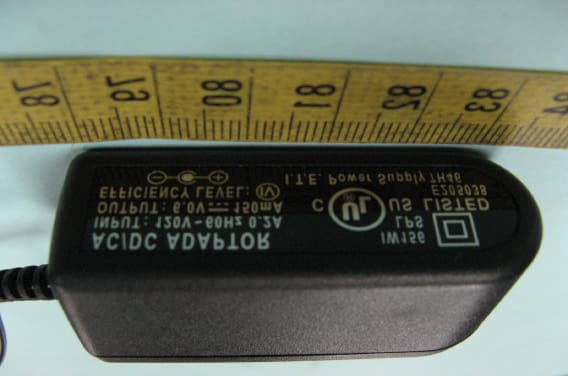
UMQCD150H
Dec 30, 2007MASTER US-EN TELEPHONE ANSWERING MACHINE
Equipment Class
PUE - Part 15 Unlicensed PCS portable Tx held to ear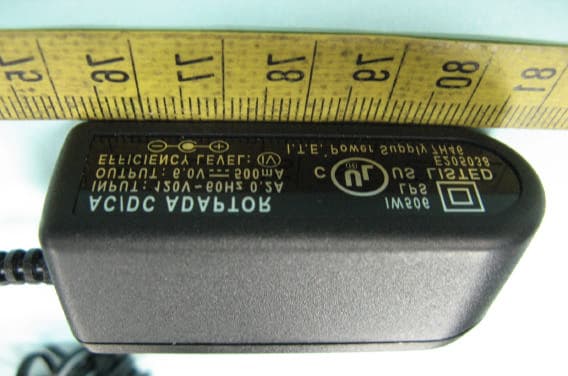
UMQCD150
Dec 25, 2007MASTER US-EN TELEPHONE ANSWERING MACHINE
Equipment Class
PUB - Part 15 Unlicensed PCS Base Station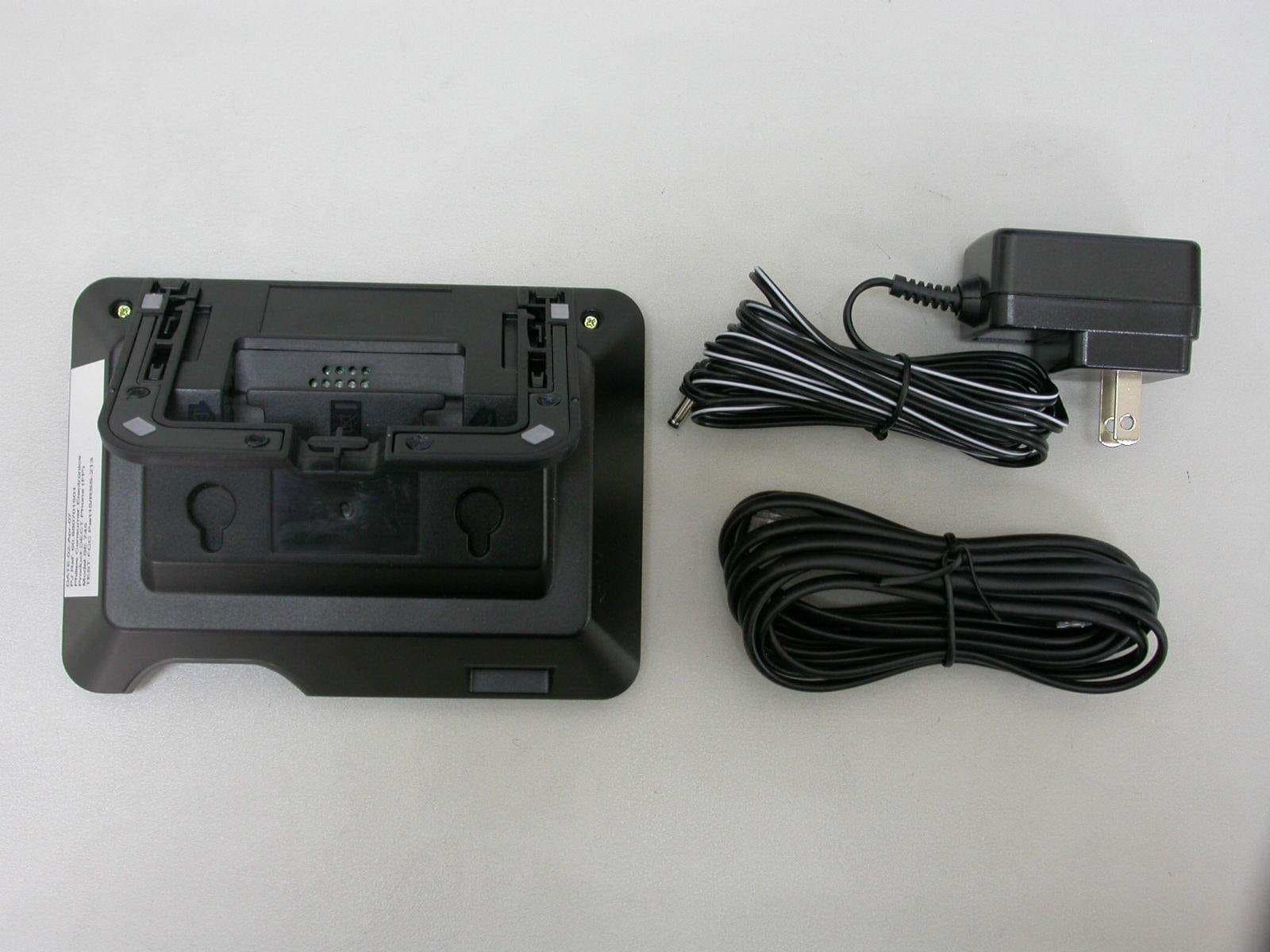
UMQSE745
Jun 05, 2007US DECT Phone - Base
Equipment Class
PUB - Part 15 Unlicensed PCS Base Station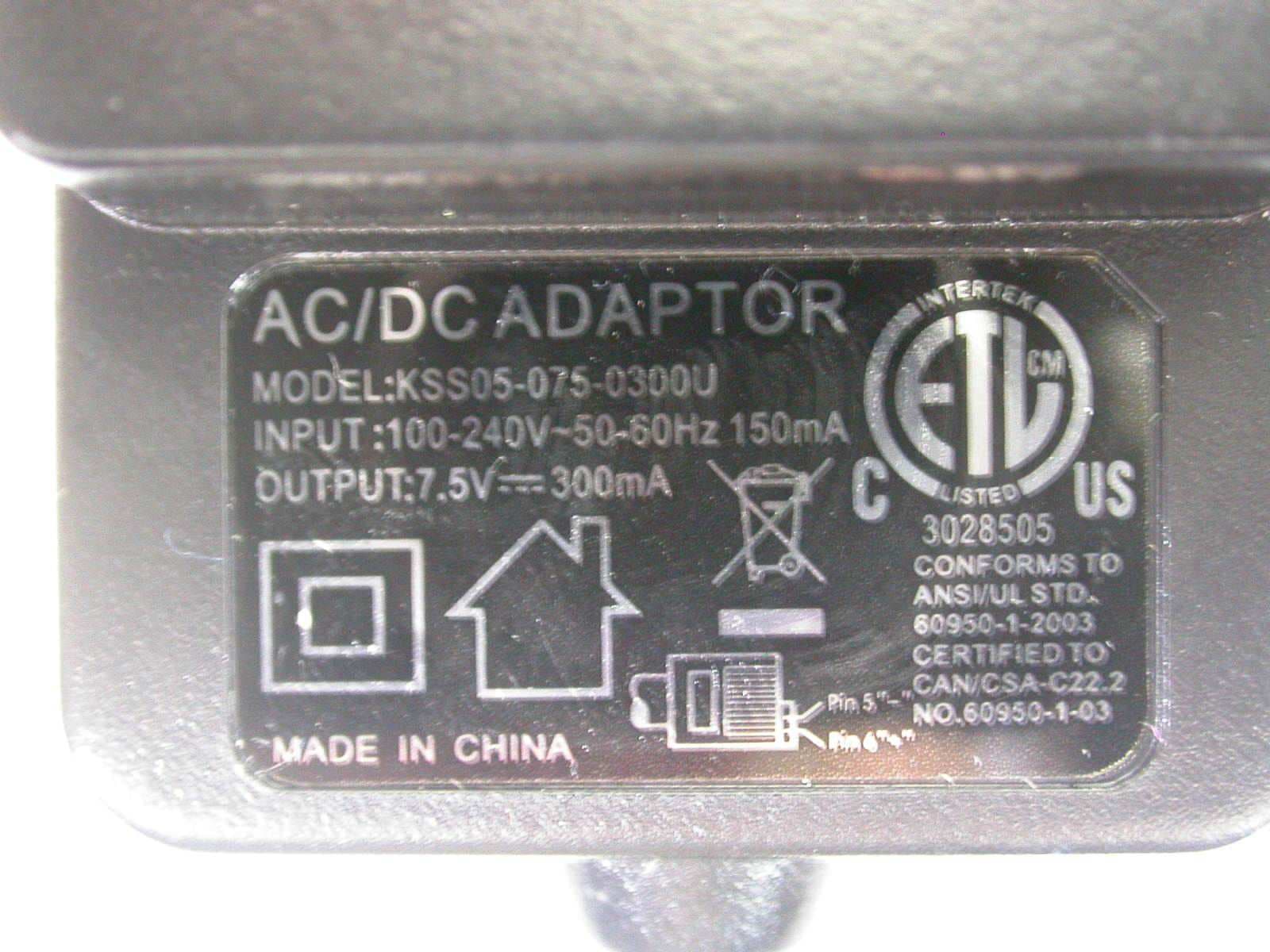
UMQID937
Mar 26, 2007US DECT PHONE -- BASE
Equipment Class
PUB - Part 15 Unlicensed PCS Base Station