UTU01017829GPS Receiver with Bluetooth
Novatel Inc
Click to zoom
Application Details
- Equipment Class
- DTS - Digital Transmission System
- Date of Grant
- Apr 10, 2007
- Application Purpose
- Original Equipment
- Date of Application
- Apr 05, 2007
- Equipment Note
- GPS Receiver with Bluetooth
- Frequency Range
- 2402.00000000 - 2480.00000000
- Company
- Novatel Inc
- Country
- Canada
Documents & Files
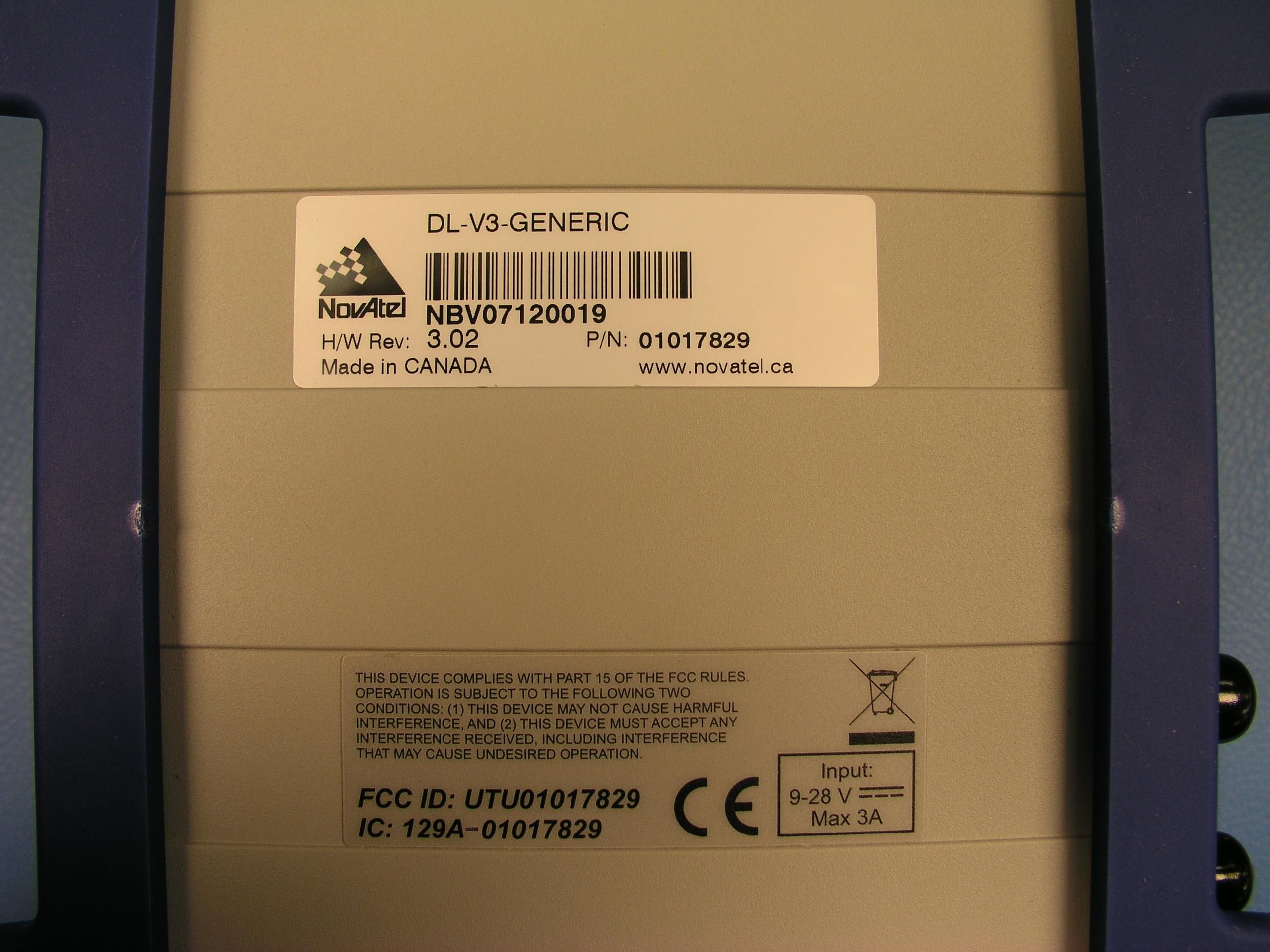
Document Text
Text extracted from the exhibit documents filed with the FCC. Open a document above to read the original.
Users Manual
OM-20000093 Rev 5B OEMV Family Installation and Operation User Manual 2OEMV Family Installation and Operation User Manual Rev 5B Proprietary Notice OEMV Family Installation and Operation User Manual Publication Number:OM-20000093 Revision Level: 5B Revision Date:2007/03/23 Proprietary Notice Information in this document is subject to change without notice and does not represent a commitment on the part of NovAtel Inc. The software described in this document is furnished under a licence agreement or non-disclosure agreement. The software may be used or copied only in accordance with the terms of the agreement. It is against the law to copy the software on any medium except as specifically allowed in the license or non-disclosure agreement. No part of this manual may be reproduced or transmitted in any form or by any means, electronic or mechanical, including photocopying and recording, for any purpose without the express written permission of a duly authorized representative of NovAtel Inc. The information contained within this manual is believed to be true and correct at the time of publication. NovAtel, ProPak, RT-2 and RT-20 are registered trademarks of NovAtel Inc. PAC, AdVance RTK, FlexPak-V1, FlexPak-V1G, FlexPak-V2, DL-V3 and SMART-V1 are trademarks of NovAtel Inc. All other brand names are trademarks of their respective holders. Manufactured and protected under U.S. Patent: © Copyright 2006-2007 NovAtel Inc. All rights reserved. Unpublished rights reserved under International copyright laws. Printed in Canada on recycled paper. Recyclable. PAC Correlator #6,243,409 B1 #5,414,729 Narrow Correlator #5,101,416 #5,390,207 #5,495,499 #5,809,064 GLONASS #6,608,998 B1 GALILEO #6,184,822 B1 Dual Frequency GPS #5,736,961 Position for Velocity Kalman Filter #6,664,923 B1 Anti-Jamming Technology #5,734,674 RTK Positioning #6,728,637 B2 #6,664,923 B1 OEMV Family Installation and Operation User Manual Rev 5B3 Table of Contents Table of Contents Table of Contents 3 Notice 10 Software License 15 Warranty 17 Customer Service 18 Foreword 19 1 Introduction20 1.1 Overview of the OEMV Family .............................................................................. 20 1.1.1 Common Features....................................................................................... 20 1.2 OEMV Cards ......................................................................................................... 21 1.2.1 OEMV-1 Card .............................................................................................. 21 1.2.2 OEMV-1G Card ........................................................................................... 22 1.2.3 OEMV-2 Card .............................................................................................. 22 1.2.4 OEMV-3 Card .............................................................................................. 23 1.3 OEMV-Based Enclosures ..................................................................................... 25 1.3.1 ProPak-V3 and DL-V3 ................................................................................. 26 1.3.2 FlexPak........................................................................................................ 28 1.3.3 SMART-V1 .................................................................................................. 29 2 Receiver System Overview30 2.1 OEMV Card........................................................................................................... 31 2.1.1 Radio Frequency (RF) Section .................................................................... 31 2.1.2 Digital Electronics Section ........................................................................... 31 2.2 Enclosure and Wiring Harness ............................................................................. 31 2.3 GNSS Antenna ..................................................................................................... 31 2.3.1 Optional LNA Power Supply ........................................................................ 32 2.4 Principal Power Supply ......................................................................................... 32 2.5 Data Communications Equipment ........................................................................ 32 3 Installation and Set Up33 3.1 Additional Equipment Required ............................................................................ 33 3.1.1 Selecting a GNSS Antenna ......................................................................... 33 3.1.2 Choosing a Coaxial Cable ........................................................................... 34 3.1.3 Power Supply Requirements ....................................................................... 34 3.2 Installation Overview ............................................................................................. 36 3.2.1 Installing an OEMV Card in a Wiring Harness and Enclosure..................... 36 3.2.2 Mounting Bracket (DL-V3 and ProPak-V3 Only) ......................................... 39 3.2.3 Mounting the GNSS Antenna ...................................................................... 39 3.2.4 Connecting the Antenna to the Receiver..................................................... 40 3.2.5 Applying Power to the Receiver .................................................................. 40 3.2.6 Connecting Data Communications Equipment............................................ 41 3.3 Additional Features and Information ..................................................................... 44 3.3.1 Strobes ........................................................................................................ 44 4OEMV Family Installation and Operation User Manual Rev 5B Table of Contents 3.3.2 Universal Serial Bus (USB) ......................................................................... 45 3.3.3 CAN Bus ............................................................................…
Text truncated - open the document above for the full version.
Users Manual
PC Software and FirmwareChapter 6 OEMV Family Installation and Operation User Manual Rev 5B109 4.Select either Ignore or Warn in the File signature verification box. 5.Click on OK to accept the new policy. 6.Click on OK again to close the System Properties dialog. 7.Unplug the NovAtel receiver USB cable, plug it back in and follow the installation instructions described in either the Windows XP Installation section starting below or the Windows 2000 Installation section starting on Page 111. 6.4.2Windows XP Installation If upgrading drivers, uninstall older versions using the NovAtel USB Configuration tool located in the Start Menu under Program Files | OEMV PC Software. If you have not installed NovAtel USB drivers before, the NovAtel USB Configuration tool will not be there until you install them. After connecting the NovAtel GPS receiver to a USB port on the PC, the Found New Hardware wizard appears. 1.The screens displayed in this section, from Windows XP, may vary from what you see and depend on your operating system. 2.During the driver installation you may see a Window Logo testing warning if you skipped the steps in Section 6.4.1,Windows Driver Signing on Page 108. Our USB drivers are compatible with Microsoft Windows operating systems. Please click on Continue Anyway if you see a warning like this: 110OEMV Family Installation and Operation User Manual Rev 5B Chapter 6PC Software and Firmware 1.Click on No, not this time and then click on Next. 2.Select the Install from a list or specific location (Advanced) field and click on Next. 3.Clear the Search removable media check box, select the Include this location in the search: field and Browse to the USB driver install directory on the supplied OEMV family CD. Then click on Next. 4.Click on Finish to complete the driver installation. PC Software and FirmwareChapter 6 OEMV Family Installation and Operation User Manual Rev 5B111 After installing the NovAtel USB driver, Windows detects the OEMV-2 or OEMV-3 receiver's new virtual COM ports and begins to initialize them. As each port is detected, the Found New Hardware wizard appears. Complete the following steps for each port: 1.Select the Install the software automatically field (recommended) and click on Next. 2.Click on Finish. Installation is complete when no more dialogs appear. The new COM ports corresponding to the receiver's USB1, USB2, and USB3 ports are numbered sequentially following the existing ports in the PC, and are ready to use with any existing application that communicates with the receiver's COM ports. The assignment of COM port numbers is tied to the USB port on the PC. This allows you to switch receivers without Windows assigning new COM ports. However, if you connect the receiver to a different USB port, Windows detects the receiver's presence on that USB port and assigns three new COM port numbers. 6.4.3Windows 2000 Installation If upgrading drivers, uninstall older version using NovAtel USB Configuration tool located in the Start Menu under Program Files | OEMV PC Software. After connecting the NovAtel GPS receiver to a USB port on the PC, the Found New Hardware wizard appears. Click on Next. (see the example screens and notes in Section 6.4.2, Windows XP Installation starting on Page 109). 1.Select the Search for a suitable driver for my device field and click on Next. 2.Select the Specify a location field and click on Next. 3.Specify the location using the browse button, for example, on the supplied OEMV family CD: USB Drivers\Install 4.Click on OK. 5.Confirm that the driver found is, for example: \USB Drivers\Install\ngpsusb.inf 112OEMV Family Installation and Operation User Manual Rev 5B Chapter 6PC Software and Firmware 6.Click on Next. 7.Click on Finish to complete the driver installation. After installing the drivers, Windows detects the NovAtel receiver's new virtual COM ports and begins to initialize them. Installation is complete when no more dialogs appear. The new COM ports corresponding to the receiver's USB1, USB2, and USB3 ports are numbered sequentially following the existing ports in the PC, and are ready to use with any existing application that communicates with the receiver's COM ports. The assignment of COM port numbers is tied to the USB port on the PC. This allows you to switch receivers without Windows assigning new COM ports. However, if you connect the receiver to a different USB port, Windows detects the receiver's presence on that USB port and assign three new COM port numbers. 6.5Firmware Upgrades The receiver stores its program firmware in non-volatile memory, which allows you to perform firmware upgrades without having to return the receiver to the distributor. New firmware can be transferred to the receiver through COM1, and the unit will immediately be ready for operation at a higher level of performance. The first step in upgrading your receiver is to contact your local NovAtel dealer. Your dealer will assist you in selecting the best upgrade option that suits your specific GPS needs. If your needs are still unresolved after seeing your dealer then you can contact NovAtel directly through any of the methods described in the Customer Service section, see Page 18, at the beginning of this manual. When you call, be sure to have available your receiver model number, serial number, and program revision level. This information can be found by issuing the LOG VERSION command at the port prompt. After establishing which new model/revision level would best suit your needs, and having described the terms and conditions, you will be issued an authorization code (auth-code). The auth-code is required to unlock the new features according to your authorized upgrade model type. To upgrade to a higher performance model at the same firmware revision level (for example, upgrading from an OEMV-3-L1 to an OEMV-3-RT2 on firmware version 3.000), you can use the AUTH command with the issued auth-code. If you are upgrading to a higher firmware revisio…
Text truncated - open the document above for the full version.
Cover Letter(s)
NATIONAL TECHNICAL SYSTEMS, INC. www.ntscorp.com 5151 47 th Street NE • Calgary, Alberta T2E 3R2 (403)295-5134 • • (403) 295-4190 fax April 3, 2007 Timco Engineering Inc. 849 N.W. State Road 45 P.O. Box 370 Newberry, Florida 32669 Phone: (352) 472-5500 or Toll Free 1-888-472-2424 Fax: (352) 472-2030 RE: Certification Application FCC ID: UTU010117829 IC #: 129A-01017829 To Whom It May Concern: Please be advised pursuant to 47CFR 0.459 that the following information is to be held Permanently confidential on behalf of Novatel Inc • Schematics DS-01017721rev3.pdf • Parts list bluetooth bom.xls • Detailed Block Diagram cg511Blockdiagram.pdf • Operational Description cg511operation description.pdf • Internal photographs Internal photos.pdf This application contains technical information that Novatel Inc deems to be trade secrets and proprietary. If made public, the information might be used to the disadvantage of the applicant in the marketplace. Internal photos - note that this device is sold to other businesses not the general public, it can be serviced by trained repair personel only. It also can only be opened using a specialized tourque wrench. Therefore the photos may be held confidential due to thier proprietary nature. Thank you for your attention to this matter. Sincerely, Glen Moore EMC Manager NTS On Behalf of Novatel Inc
External Photos
CG-511 Rev: 0. Model:DL-V3 FCC Exhibit Novatel Inc. FCC ID # UTU01017829 IC ID # 129A-01017829 Date: March 27, 2007 Revision #:0 External Photographs DL-V3 Front View DL-V3 Rear View CG-511 Rev: 0. Model:DL-V3 FCC Exhibit Novatel Inc. FCC ID # UTU01017829 IC ID # 129A-01017829 Date: March 27, 2007 Revision #:0 DL-V3 Top View DL-V3 Bottom View CG-511 Rev: 0. Model:DL-V3 FCC Exhibit Novatel Inc. FCC ID # UTU01017829 IC ID # 129A-01017829 Date: March 27, 2007 Revision #:0 DL-V3 Side View
Test Report
Confidentiality Statement: This report and the information contained herein represent the results of testing articles/products identified and selected by the client. The tests were performed to specifications and/or procedures approved by the client. National Technical Systems (“NTS”) makes no representations expressed or implied that such testing fully demonstrates efficiency, performance, reliability, or any other characteristic of the articles being tested, or similar products. This report should not be relied upon as an endorsement or certification by NTS of the equipment tested, nor does it represent any statement whatsoever as to its merchantability or fitness of the test article or similar products for a particular purpose. This document shall not be reproduced except in full without written approval from National Technical Systems (“NTS”) and the customer. Product Integrity Laboratory 5151-47 th Street, NE Calgary, Alberta T3J 3R2 Tel: (403) 568-6605 Fax : (403) 568-6970 Certification Test Report CFR 47 FCC Part 15, Subpart C Section 15.247 Industry Canada RSS 210, Issue 6 Novatel Inc DL-V3 GPS Receiver with Bluetooth FCC ID # UTU010117829 IC # 129A-01017829 Project Code CG-511 (Report CG-511-RA-1-1) Revision: 1 March 29, 2007 Prepared for: Novatel Inc Author: Glen Moore EMC Manager Approved by: Nick Kobrosly Lab Manager CG-511-RA-1-1 Model:DL-V3 Compliance Test Report Novatel Inc. FCC ID # UTU01017829 IC ID # 129A-01017829 ______________________________________________________________________ The test results contained in this report refer exclusively to the product(s) presented for testing. The test results do not cover models or products not referred herein. This test report should not be published or duplicated in whole or part without permission from the testing body and the customer. NTS Product Integrity Laboratory, 5151-47 th Street N.E. Tel: 403-568-6605, Fax: 403-568-6970 Confidential Page 2 of 33 Report Summary NTS Canada Product Integrity Laboratory 5151-47 th Street, N.E. Calgary Alberta T3J 3R2 Accreditation Numbers: FCC 101386 IC 46405-3978 File # IC3978-2 Standards Council of Canada Accredited Laboratory No. 440 Applicant: Novatel Inc 1120 – 68 th Avenue N.E Calgary, Alberta Canada, T2E 8S5 Tel: 403-295-4940 Customer Representative: Roland Jackman EUT Description: EUT Description Manufacturer Model Revision Serial Number 2.4 GHz Bluetooth compatible Transceiver integrated in host GPS RX system Novatel Inc DL-V3 1.00 NBV06460005 CG-511-RA-1-1 Model:DL-V3 Compliance Test Report Novatel Inc. FCC ID # UTU01017829 IC ID # 129A-01017829 ______________________________________________________________________ The test results contained in this report refer exclusively to the product(s) presented for testing. The test results do not cover models or products not referred herein. This test report should not be published or duplicated in whole or part without permission from the testing body and the customer. NTS Product Integrity Laboratory, 5151-47 th Street N.E. Tel: 403-568-6605, Fax: 403-568-6970 Confidential Page 3 of 33 Test Summary Deviations* from: Appendix Test/Requirement Description Base Standard Test Basis NTS Procedure Pass / Fail Applicable Rule Parts A TX 6 dB Bandwidth No No No PASS FCC Subpart C 15.247 B TX Peak Power Output No No No PASS FCC Subpart C 15.247 C TX Peak Power Density No No No PASS FCC Subpart C 15.247 D TX Conducted Spurious Emissions No No No PASS FCC Subpart C 15.247, 15.205 E TX Conducted Spurious Emissions Band edge No No No PASS FCC Subpart C 15.247, 15.205 F TX Radiated Spurious Emissions 30 MHz- 25 GHz ,RSS 210 Issue 5 RX Spurious Emissions No No No PASS FCC Subpart C 15.247, 15.205, RSS 210 G Duty Cycle Correction Factor No No No PASS 15.247 H Test Equipment List No No No PASS Test Result: The product presented for testing complied with test requirements as shown above. Prepared By: ______________________ Glen Moore EMC Manager Reviewed By: ______________________ Alex Mathews Compliance Specialist Approved By: ______________________ Jennifer Hansen Quality Representative CG-511-RA-1-1 Model:DL-V3 Compliance Test Report Novatel Inc. FCC ID # UTU01017829 IC ID # 129A-01017829 ______________________________________________________________________ The test results contained in this report refer exclusively to the product(s) presented for testing. The test results do not cover models or products not referred herein. This test report should not be published or duplicated in whole or part without permission from the testing body and the customer. NTS Product Integrity Laboratory, 5151-47 th Street N.E. Tel: 403-568-6605, Fax: 403-568-6970 Confidential Page 4 of 33 Table of Contents REPORT SUMMARY ........................................................................................................................................................2 TEST SUMMARY..............................................................................................................................................................3 REGISTER OF REVISIONS .............................................................................................................................................5 1.0 INTRODUCTION ................................................................................................................................................6 1.1 PURPOSE.................................................................................................................................................................................... 6 2.0 EUT DESCRIPTION ...........................................................................................................................................6 2.1 CONFIGURATION.......................................................................................................................................................................... 6 2.1.1 EUT POWER........................................................…
Text truncated - open the document above for the full version.
Test Setup Photos
CG-511 Rev: 0. Model:DL-V3 FCC Exhibit Novatel Inc. FCC ID # UTU01017829 IC ID # 129A-01017829 Date: Revison # Test Photographs Figure 1 Radiated Emissions Test Photograph Figure 2 > 1 GHz Radiated Emissions Test Photograph
Contact Information
Applicant
Roland Jackman(Sr. Compliance Specialist)
Test Firm
National Technical Systems, Inc.Nick Kobrosly
Technical Specifications
| # | Rule Parts | Frequency Range | Power Output |
|---|---|---|---|
| 1 | 15C | 2.40 GHz - 2.48 GHz | 3.00 mW |
Other Applications from Novatel Inc
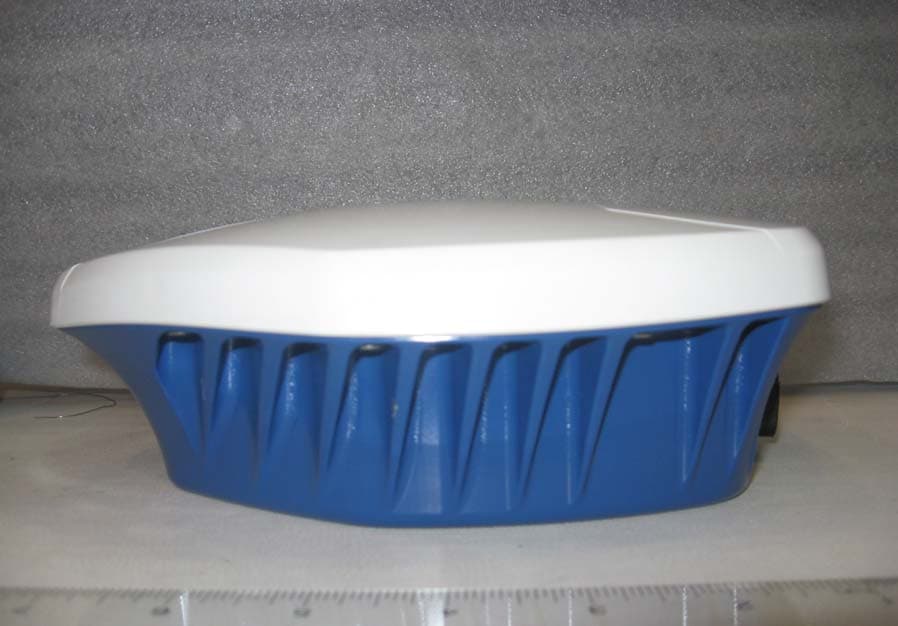
UTU01018518
Jul 13, 2010Smart-MR10 BlueTooth Intergration
Equipment Class
DSS - Part 15 Spread Spectrum Transmitter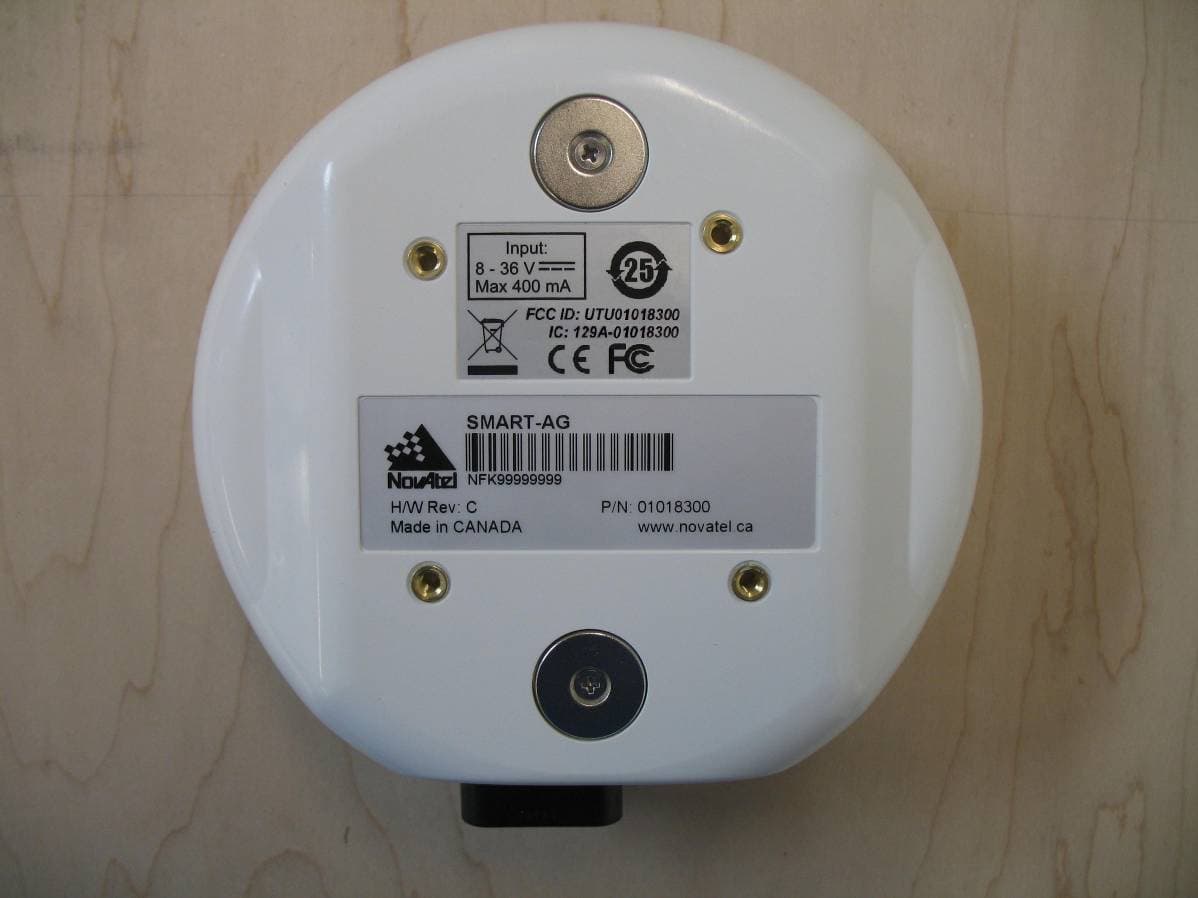
UTU01018300
Dec 14, 2009GPS Receiver
Equipment Class
DSS - Part 15 Spread Spectrum Transmitter