UXX-S5A946AAdvanced Edge Router
Cradlepoint, Inc.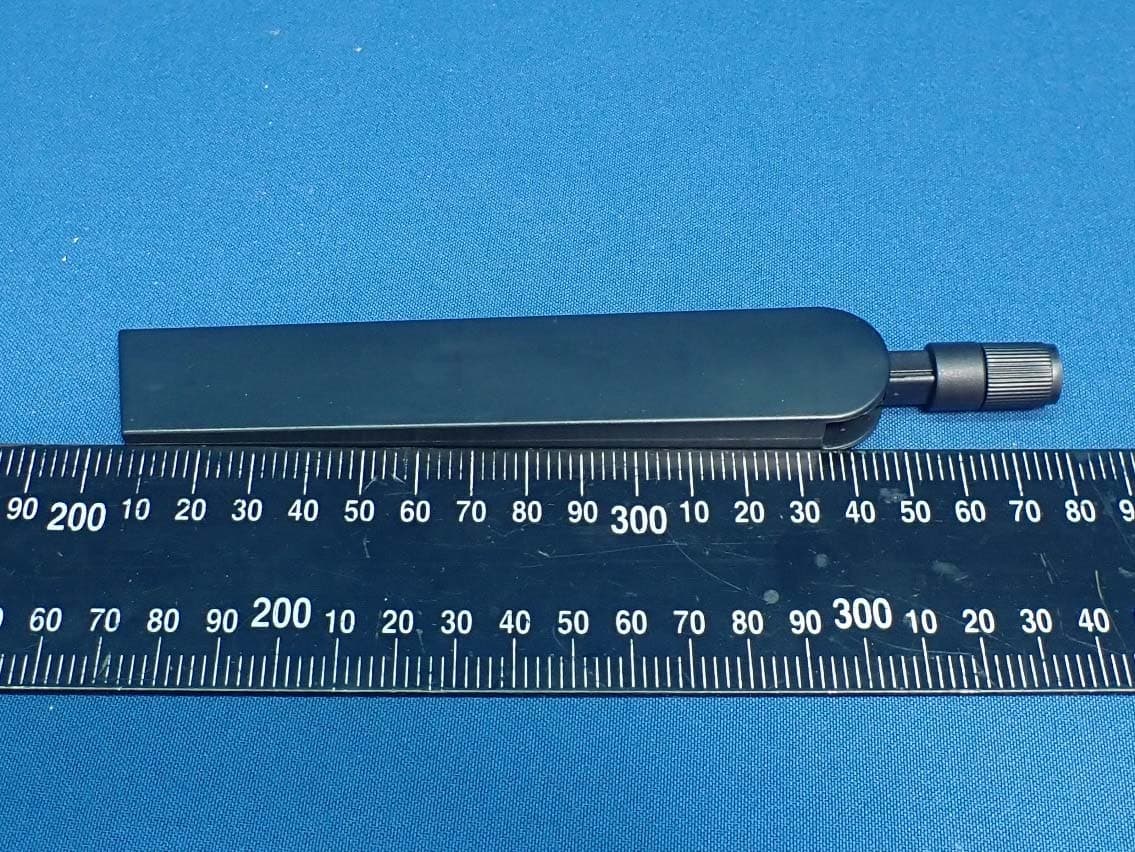
Click to zoom
Application Details
- Equipment Class
- DTS - Digital Transmission System
- Date of Grant
- Jan 30, 2020
- Application Purpose
- Original Equipment
- Date of Application
- Jan 15, 2020
- Equipment Note
- Advanced Edge Router
- Frequency Range
- 2412.00000000 - 2462.00000000
- Company
- Cradlepoint, Inc.
- Country
- United States
Documents & Files
Document Text
Text extracted from the exhibit documents filed with the FCC. Open a document above to read the original.
Users Manual
19 December 2019 Document Part: 170825-000 SAFETY, REGULATORY, AND WARRANTY GUIDE CRADLEPOINT E300-C18B MODEL: S5A946A CRADLEPOINT E300-C4D MODEL: S5A947A CRADLEPOINT E350-C4D MODEL: S5A952A WITH OPTIONAL PLUG-I N MODULES: CRADLEPOINT MC400LP4 MODEL: MC400LP4 CRADLEPOINT MC400LP5 MODEL: MC400LP5 CRADLEPOINT MC400LP6 MODEL: MC400LP6 CRADLEPOINT MC400-600M-C MODEL: MC400-600M-C CRADLEPOINT MC400-1200M-B MODEL: MC400-1200M This important Safety, Regulatory, and Warranty Guide contains safety, handling, disposal, regulatory, trademark, copyright, and software licensing information. Read all safety information below and operating instructions before using the device to avoid injury. FEDERAL COMMUNICATION COMMISSION INTERFERENCE STATEMENT This equipment has been tested and found to comply with the limits for a Class B digital device, pursuant to Part 15 of the FCC Rules. These limits are designed to provide reasonable protection against harmful interference in a residential installation. This equipment generates, uses and can radiate radio frequency energy and, if not installed and used in accordance with the instructions, may cause harmful interference to radio communications. However, there is no guarantee that interference will not occur in a particular installation. If this equipment does cause harmful interference to radio or television reception, which can be determined by turning the equipment off and on, the user is encouraged to try to correct the interference by one of the following measures: • Reorient or relocate the receiving antenna. • Connect the equipment into an outlet on a circuit different from that to which the receiver is connected. • Increase the separation between the equipment and receiver. • Consult the dealer or an experienced radio/TV technician for help. FCC CAUTION Any changes or modi fications not expressly approved by t he party responsible for compliance could void t he user’s authority to operate this equipment. Th is device complies with Part 15 of t he FCC Rules. Operation is subject to the following two conditions: (1) this device may not cause harmful interference, and (2) this device must accept any interference received, including interference that may cause u ndesired operation. FCC STATEMENT For product available in the USA/Canada market, only channel 1-11 can be operated. Selection of o ther channels is not possible. Operation on the 5150-5250 MHz and 5250-5350 MHz WiFi radios is restricted to indoor use only. FCC RADIATION EXPOSURE STATEMENT Th is equipment complies with FCC radiation exposure limits set forth for an uncontrolled environment. This equipment should be installed and operated with minimum distance of 20 cm between the radiator and your body. Th is device and its antennas(s) must not be co-located or operating in conjunction with any other antenna or t ransmitter except in accordance with FCC multi-transm itter product procedures. To comply w ith FCC regulations and human exposure to RF radiation, the m aximum cellular antenna gain must not exceed 1dBi (619-970MHz) and 2 dBi for channel operating higher than 1G. INDUSTRY CANADA STATEMENT This device complies with Industry Canada license-exempt RSS standards. Operation is subject to the following two conditions: (1) this device may not cause interference, and (2) this device must accept any interference, including interference that may cause undesired operation of the device. For product available in the USA/Canada market, only channel 1-11 can be operated. Selection of other channels is not possible. The devi ce for the band 5150-5350 MHz is only for indoor usage to reduce potential for harmful interference to co-channel mobile satellite systems. INDUSTRY CANADA RADIATION EXPOSURE STATEMENT This equipment complies with IC radiation exposure limits set forth for an uncontrolled environment. This equipment should be installed and operated with minimum distance of 25 c m between the radiator and your body. These radio transmitters (IC:6921A-S5A946A, 5131A-LM960, 5131A-LM940, 2417C-MC7455, 2417C-HL7588, 10224A-2018EC25AF) have been approved by Industry Canada to operate with the antenna types listed below with the maximum permissible gain and required antenna impedance for each antenna type indicated. Antenna types not included in this list, having a g ain greater than the maximum gain indicated for that type, are strictly prohibited for use with this device. These devices have been designed to operate with cellular antennas having a m aximum gain of 1dBi in 619-970MHz band and maximum gain of 2 dBi for all other operation in higher than 1G bands. Antennas having a higher gain are stric tly prohibited per regulations of Industry Canada. The required antenna impedance is 50 ohms. This device and its antennas(s) must not be co-located o r operating in conjunction with any other antenna or t ransmitter except in accordance with IC multi-transmitter product procedures. DÉCLARATION D’INDUSTRIE CANADA Le présent appareil est conforme aux CNR d'In dustrie Canada applicables aux appareils radio exempts de licence. L'exploitation est autorisée aux deu x conditions suivantes: (1) l'appareil ne doit pas produire de brouillage, et (2) l'utilisateur de l'appareil doit accepter tout brouillage radioélectrique subi, même si le brouillage est susceptible d'en compromettre le fonctionnement. Pour l es produits disponibl es aux États-Unis / Canada du marché, seul le canal 1 à 11 peuvent être exploités. Sélection d'autres canaux n'est pas possible. les dispositifs fonctionnant dans la bande 5150-5350 MHz sont r éservés uniquement pour une utilisation à l’intérieur afin de réduire les risques de brouillage préjudiciable aux systèmes de satellites mobiles utilisant les mêmes canaux. NOTE IMPORTANTE (POUR L’UTILISATION DE DISPOSITIFS MOBILES): DÉCLARATION D’EXPOSITION AUX R ADIATIONS Cet équipement est conforme aux limites d'exposition aux rayonnements IC établies pour un environnement non contrôlé. Cet équipement…
Text truncated - open the document above for the full version.
Users Manual
E300 Branch Router Quick Start Guide - DRAFT Introduction This document provides a brief overview of the E300 Branch Router, discusses what's inside the box, and provides basic setup and install instructions. Navigation What's in the Box Hardware Accessories Required Tools Before You Begin Location Considerations SIM Card for Wireless Connectivity Installing an External Modem Setup Understanding LEDs Connecting to NetCloud Troubleshooting Resources Help and Support E300 Branch Router Models What's in the Box • One router with built-in WiFi and embedded LTE modem • Two or Four LTE universal modem antennas (SMA)* • An AC/DC power adapter • One MC400 modem door screw • Four rubber feet for desk mounting • Antenna Alignment instructions/Wall Mount Template • Safety, Regulatory, and Warranty Guide *Number of antennas vary depending on the model Hardware Hardware specifications vary by model type. Accessories To enable cellular connectivity, you will also need at least one activated 2FF-sized SIM card with an active cellular data plan. Required Tools #0 Philips-head screwdriver (for LTE modem door cover) Before You Begin Read the following before setting up the E300 Branch Router. Location Considerations To ensure the E300 operates efficiently, do the following: • Ensure the device is positioned to receive optimal signal. Avoid positioning near concrete walls, metal or reflective surfaces, or any other objects that may interfere with RF reception. • Ensure plenty of ventilation. Avoid installing the device in enclosed spaces. • Do not install the device in direct exposure to the elements. Extreme heat or cold can and will impact the router's performance. • Refer to the E300 Safety, Regulatory, and Warranty Guide (included with your hardware) for more information about location considerations. SIM Card for Wireless Connectivity A wireless broadband data plan must be added to your Cradlepoint E300 for wireless broadband connectivity. Wireless broadband data plans are available from wireless carriers such as Verizon, AT&T, Sprint, and T-Mobile. The SIM card must be activated and provisioned by the carrier. Contact your carrier for details about selecting a data plan and about the process for provisioning your SIM. Installing an External Modem The E300 includes a slot for an additional MC400 LTE modem. This enhanced capability allows for redundancy, advanced configuration, failover, and upgradability. The E300 supports both the MC400- 600M or the MC400-1200M. Refer to the following for more information: Insert Optional MC400 External Modem MC400 Webpage MC400 Spec Sheet MC400 Quick Start Guide Setup Read through the following to set up your E300 Branch Router. 1. Insert an Activated SIM. a. If setting up cellular connectivity, do the following: b. Remove the modem door covering the SIM slots. c. Insert an activated 2FF-sized SIM card with metal contacts face up and notch in, into the SIM 1 slot. It will click into place. Depress again to remove, if necessary. d. Insert a secondary/backup, activated SIM card into the SIM 2 slot, if desired. e. Replace the modem door and secure with the modem door screw. NOTE: The modem door cover must be on the device or the embedded modem will not power on. 2. Insert Optional External MC400 Modem. The E300 has a slot for second, removable modem (MC400). Before the E300 can be set up, the additional modem must be installed. To install this modem, do the following: a. Insert an activated 2FF-sized SIM card into the MC400 modem, metal contacts down, notch end first. b. Remove the modem door on the E300 device. c. Slide the MC400 modem into the available modem slot, USB plug first, with the Cradlepoint logo facing up. d. Replace the MC400 modem door cover. NOTE: Remove the plastic SMA covers from the modem door cover for the additional antenna ports on the modem. e. Secure with the door cover screw. 3. Attach the Antennas. Attach the cellular modem antennas (included) to the connectors. a. Hold the antenna straight and twist the base of the antenna to connect to the device, folding the joint if needed. NOTE: Do not over-tighten. The maximum recommended torque is 4 in-lbs. b. Angle the antennas for optimal signal reception. 4. Connect the Power Source a. Connect the power supply to the router and then plug the provided power supply into an electrical outlet. b. Switch the device to ON (O = OFF, – = ON). The LED lights will begin lighting up. Once the E300 is powered on, log into your NetCloud account and configure the device. Refer to the Connecting to NetCloud section of this document for more information. Understanding LEDs INDICATOR BEHAVIOR POWER: The Cradlepoint E300 must be powered using an approved 54 VDC power source. • Green = Powered On. • No Light = Not receiving power. Check the power switch and the power source connection. • Amber = Attention. Open the administration pages and check the router status. (WiFi version only) VPN VPN: Indicates status of VPN connection. • Blue = Connected to an active VPN. • Green = Router is connected to remote modem via WAN (captive modem) REMOVABLE MODEM: Indicates the status of removable LTE modem(s). • Green = Modem has established an active connection. • Blinking Green = Modem is connecting. • Blinking Amber = Data connection error. No modem connection possible. • Blinking Red = Modem is in the process of resetting. WiFi BROADCAST: Indicates activity on the WiFi broadcast for both 2.4 GHz and 5 GHz bands. • Blue = WiFi is on and operating normally. • No Light = WiFi is not operating. ALERT: • Amber = Attention. Open the administration pages and check the router status. • No Light = Not receiving power. Check the power switch and the power source connection. INDICATOR BEHAVIOR SIGNAL STRENGTH: LED bars indicate the active modem’s signal strength (only for embedded and removable modems). When the embedded modem is active, the bars will be blue. When the removable modem is active, the bars will be green. When the remote (cap…
Text truncated - open the document above for the full version.
Cover Letter(s)
1111 W Jefferson St, Boise, ID 83702 Toll Free: 855.813.3385 Local: 208.424.5054 Fax: 208.429.6852 cradlepoint.com Date: 2019-12-03 FCC ID: UXX-S5A946A To the attention of Federal Communications Commission Authorization and Evaluation Division Permanent Confidentiality Request PXUVXaQW WR SecWLRQV 0.457 aQd 0.459 RI WKe CRPPLVVLRQ¶V RXOeV, WKe Applicant hereby requests confidential treatment of information accompanying this Application as outlined below: Schematics Block Diagram Operational Description Software Operational Description The above materials contain trade secrets and proprietary information not customarily released to the public. The public disclosure of these matters might be harmful to the Applicant and provide unjustified benefits to its competitors. The Applicant understands that pursuant to Rule 0.457, disclosure of this Application and all accompanying documentation will not be made before the date of the Grant for this application. Sincerely yours, ----------------------------------------------- Pankaj Malhotra SVP Engineering Cradlepoint, Inc. Tel: +1 208 424 5054 Email: [email protected]
Cover Letter(s)
1111 W Jefferson St, Boise, ID 83702 Toll Free: 855.813.3385 Local: 208.424.5054 Fax: 208.429.6852 cradlepoint.com Date: 2019-12-03 FCC ID:UXX-S5A946A AUTHORIZATION LETTER To Whom It May Concern: Cradlepoint,Inc, hereby authorizes Debby Lin of Bureau Veritas Consumer Products SerYiceV (H.K.) LWd., Tao\Xan Branch (³BV CPS Tao\Xan ́), Wo acW on iWV behalf in all maWWerV relaWing Wo Whe Federal CommXnicaWion CommiVVion (³FCC ́) applicaWion for equipment authorization in connection with the FCC ID listed above, including signing of all documents relating to these matters. Any and all acts carried out by Debby Lin of BV CPS Tao\Xan on CradlepoinW, Inc¶V behalf, ZiWhin Whe Vcope of Whe poZerV granWed herein, shall have the same effect as acts of its own. If \oX haYe an\ qXeVWionV regarding Whe aXWhori]aWion, pleaVe don¶W heViWaWe Wo conWacW us. Sincerely yours, ----------------------------------------------- Pankaj Malhotra SVP Engineering Cradlepoint, Inc. Tel: +1 208 424 5054 Email: [email protected]
Cover Letter(s)
1111 W Jefferson St, Boise, ID 83702 Toll Free: 855.813.3385 Local: 208.424.5054 Fax: 208.429.6852 cradlepoint.com Date: 2019-12-02 FCC ID: UXX-S5A946A IC ID: 6921A-S5A946A AUTHORIZATION LETTER To whom it may concern: I, the undersigned Steven T. Wood of Cradlepoint Inc. hereby authorize Pankaj Malhotra of Cradlepoint Inc. to act on my behalf in all matters relating to all processes required in FCC and ISED for the identifiers above, and any communication needed with the national authorities. Any and all acts carried out by Pankaj Malhotra on my behalf shall have the same effects as acts of our own. If you have any questions regarding the authorization, please don’t hesitate to contact us. Thank you! Sincerely yours, ----------------------------------- Steven T. Wood VP Technical Support Cradlepoint Inc. Tel: (208) 424-5054 E-mail: [email protected]
External Photos
Reference No.: 191025E02-1 Page No. 1 / 18 Report No.: {report no} CONSTRUCTION PHOTOS OF EUT Model No.: S5A946A Reference No.: 191025E02-1 Page No. 2 / 18 Report No.: {report no} Reference No.: 191025E02-1 Page No. 3 / 18 Report No.: {report no} Reference No.: 191025E02-1 Page No. 4 / 18 Report No.: {report no} Reference No.: 191025E02-1 Page No. 5 / 18 Report No.: {report no} WWAN Antenna Reference No.: 191025E02-1 Page No. 6 / 18 Report No.: {report no} Reference No.: 191025E02-1 Page No. 7 / 18 Report No.: {report no} Model No.: S5A947A Reference No.: 191025E02-1 Page No. 8 / 18 Report No.: {report no} Reference No.: 191025E02-1 Page No. 9 / 18 Report No.: {report no} Reference No.: 191025E02-1 Page No. 10 / 18 Report No.: {report no} Reference No.: 191025E02-1 Page No. 11 / 18 Report No.: {report no} WWAN Antenna Reference No.: 191025E02-1 Page No. 12 / 18 Report No.: {report no} Reference No.: 191025E02-1 Page No. 13 / 18 Report No.: {report no} Model No.: WA-36A12R Reference No.: 191025E02-1 Page No. 14 / 18 Report No.: {report no} Reference No.: 191025E02-1 Page No. 15 / 18 Report No.: {report no} Model No.: WA-36N12R Reference No.: 191025E02-1 Page No. 16 / 18 Report No.: {report no} Reference No.: 191025E02-1 Page No. 17 / 18 Report No.: {report no} Model No.: KSA-36W-120300D5 Reference No.: 191025E02-1 Page No. 18 / 18 Report No.: {report no}
ID Label/Location Info
FCC LABEL & Label LOCATION The label will be permanently affixed at a conspicu ous location on the device. Bottom of the EUT FCC ID:UXX-S5A946A Label
Internal Photos
Reference No.: 191025E02-2 Page No. 1 / 60 Report No.: {report no} CONSTRUCTION PHOTOS OF EUT Model No.: S5A946A Reference No.: 191025E02-2 Page No. 2 / 60 Report No.: {report no} Reference No.: 191025E02-2 Page No. 3 / 60 Report No.: {report no} Reference No.: 191025E02-2 Page No. 4 / 60 Report No.: {report no} Reference No.: 191025E02-2 Page No. 5 / 60 Report No.: {report no} Reference No.: 191025E02-2 Page No. 6 / 60 Report No.: {report no} Reference No.: 191025E02-2 Page No. 7 / 60 Report No.: {report no} Reference No.: 191025E02-2 Page No. 8 / 60 Report No.: {report no} Reference No.: 191025E02-2 Page No. 9 / 60 Report No.: {report no} Reference No.: 191025E02-2 Page No. 10 / 60 Report No.: {report no} Reference No.: 191025E02-2 Page No. 11 / 60 Report No.: {report no} Reference No.: 191025E02-2 Page No. 12 / 60 Report No.: {report no} Reference No.: 191025E02-2 Page No. 13 / 60 Report No.: {report no} Reference No.: 191025E02-2 Page No. 14 / 60 Report No.: {report no} Reference No.: 191025E02-2 Page No. 15 / 60 Report No.: {report no} Reference No.: 191025E02-2 Page No. 16 / 60 Report No.: {report no} Reference No.: 191025E02-2 Page No. 17 / 60 Report No.: {report no} Reference No.: 191025E02-2 Page No. 18 / 60 Report No.: {report no} Reference No.: 191025E02-2 Page No. 19 / 60 Report No.: {report no} Reference No.: 191025E02-2 Page No. 20 / 60 Report No.: {report no} Reference No.: 191025E02-2 Page No. 21 / 60 Report No.: {report no} Reference No.: 191025E02-2 Page No. 22 / 60 Report No.: {report no} Reference No.: 191025E02-2 Page No. 23 / 60 Report No.: {report no} Reference No.: 191025E02-2 Page No. 24 / 60 Report No.: {report no} Reference No.: 191025E02-2 Page No. 25 / 60 Report No.: {report no} Reference No.: 191025E02-2 Page No. 26 / 60 Report No.: {report no} WLAN Antenna (WiFi Chain0) Reference No.: 191025E02-2 Page No. 27 / 60 Report No.: {report no} Reference No.: 191025E02-2 Page No. 28 / 60 Report No.: {report no} WLAN Antenna (WiFi Chain1) Reference No.: 191025E02-2 Page No. 29 / 60 Report No.: {report no} Reference No.: 191025E02-2 Page No. 30 / 60 Report No.: {report no}
Internal Photos
Reference No.: 191025E02-2 Page No. 31 / 60 Report No.: {report no} Model No.: S5A947A Reference No.: 191025E02-2 Page No. 32 / 60 Report No.: {report no} Reference No.: 191025E02-2 Page No. 33 / 60 Report No.: {report no} Reference No.: 191025E02-2 Page No. 34 / 60 Report No.: {report no} Reference No.: 191025E02-2 Page No. 35 / 60 Report No.: {report no} Reference No.: 191025E02-2 Page No. 36 / 60 Report No.: {report no} Reference No.: 191025E02-2 Page No. 37 / 60 Report No.: {report no} Reference No.: 191025E02-2 Page No. 38 / 60 Report No.: {report no} Reference No.: 191025E02-2 Page No. 39 / 60 Report No.: {report no} Reference No.: 191025E02-2 Page No. 40 / 60 Report No.: {report no} Reference No.: 191025E02-2 Page No. 41 / 60 Report No.: {report no} Reference No.: 191025E02-2 Page No. 42 / 60 Report No.: {report no} Reference No.: 191025E02-2 Page No. 43 / 60 Report No.: {report no} Reference No.: 191025E02-2 Page No. 44 / 60 Report No.: {report no} Reference No.: 191025E02-2 Page No. 45 / 60 Report No.: {report no} Reference No.: 191025E02-2 Page No. 46 / 60 Report No.: {report no} Reference No.: 191025E02-2 Page No. 47 / 60 Report No.: {report no} Reference No.: 191025E02-2 Page No. 48 / 60 Report No.: {report no} Reference No.: 191025E02-2 Page No. 49 / 60 Report No.: {report no} Reference No.: 191025E02-2 Page No. 50 / 60 Report No.: {report no} Reference No.: 191025E02-2 Page No. 51 / 60 Report No.: {report no} Reference No.: 191025E02-2 Page No. 52 / 60 Report No.: {report no} Reference No.: 191025E02-2 Page No. 53 / 60 Report No.: {report no} Reference No.: 191025E02-2 Page No. 54 / 60 Report No.: {report no} Reference No.: 191025E02-2 Page No. 55 / 60 Report No.: {report no} Reference No.: 191025E02-2 Page No. 56 / 60 Report No.: {report no} Reference No.: 191025E02-2 Page No. 57 / 60 Report No.: {report no} WLAN Antenna (WiFi Chain0) Reference No.: 191025E02-2 Page No. 58 / 60 Report No.: {report no} Reference No.: 191025E02-2 Page No. 59 / 60 Report No.: {report no} WLAN Antenna (WiFi Chain1) Reference No.: 191025E02-2 Page No. 60 / 60 Report No.: {report no}
RF Exposure Info
Report No.: SA191025E02 Page No. 1 / 8 Report Format Version: 6.1.1 RF Exposure Report Report No.: SA191025E02 FCC ID: UXX-S5A946A Test Model: S5A947A Series Model: S5A946A Received Date: Oct. 25, 2019 Date of Evaluation: Nov. 29, 2019 Issued Date: Dec. 04, 2019 Applicant: Cradlepoint, Inc Address: 1111 W. Jefferson Street Suite 400 Boise, ID 83702 USA Issued By: Bureau Veritas Consumer Products Services (H.K.) Ltd., Taoyuan Branch Lin Kou Laboratories Lab Address: No. 47-2, 14th Ling, Chia Pau Vil., Lin Kou Dist., New Taipei City, Taiwan Test Location: No. 19, Hwa Ya 2nd Rd., Wen Hwa Vil., Kwei Shan Dist., Taoyuan City 33383, TAIWAN FCC Registration / Designation Number: 788550 / TW0003 This report is for your exclusive use. Any copying or replication of this report to or for any other person or entity, or use of our name or trademark, is permitted only with our prior written permission. This report sets forth our findings solely with respect to the test samples identified herein. The results set forth in this report are not indicative or representative of the quality or characteristics of the lot from which a test sample was taken or any similar or identical product unless specifically and expressly noted. Our report includes all of the tests requested by you and the results thereof based upon the information that you provided to us. You have 60 days from date of issuance of this report to notify us of any material error or omission caused by our negligence, provided, however, that such notice shall be in writing and shall specifically address the issue you wish to raise. A failure to raise such issue within the prescribed time shall constitute your unqualified acceptance of the completeness of this report, the tests conducted and the correctness of the report contents. Unless specific mention, the uncertainty of measurement has been explicitly taken into account to declare the compliance or non-compliance to the specification. The report must not be used by the client to claim product certification, approval, or endorsement by TAF or any government agencies. Report No.: SA191025E02 Page No. 2 / 8 Report Format Version: 6.1.1 Table of Contents Release Control Record .................................................................................................................................. 3 1 Certificate of Conformity ...................................................................................................................... 4 2 RF Exposure .......................................................................................................................................... 5 2.1 Limits for Maximum Permissible Exposure (MPE) .............................................................................. 5 2.2 MPE Calculation Formula ................................................................................................................... 5 2.3 Classification ....................................................................................................................................... 5 2.4 Calculation Result of Maximum Conducted Power ............................................................................. 6 Report No.: SA191025E02 Page No. 3 / 8 Report Format Version: 6.1.1 Release Control Record Issue No. Description Date Issued SA191025E02 Original Release Dec. 04, 2019 Report No.: SA191025E02 Page No. 4 / 8 Report Format Version: 6.1.1 1 Certificate of Conformity Product: Advanced Edge Router Brand: cradlepoint Test Model: S5A947A Series Model: S5A946A Sample Status: Engineering Sample Applicant: Cradlepoint, Inc Date of Evaluation: Nov. 29, 2019 Standards: FCC Part 2 (Section 2.1091) KDB 447498 D01 General RF Exposure Guidance v06 IEEE C95.3 -2002 The above equipment has been tested by Bureau Veritas Consumer Products Services (H.K.) Ltd., Taoyuan Branch, and found compliance with the requirement of the above standards. The test record, data evaluation & Equipment Under Test (EUT) configurations represented herein are true and accurate accounts of the measurements of the sample’s RF characteristics under the conditions specified in this report. Prepared by : , Date: Dec. 04, 2019 Rona Chen / Specialist Approved by : , Date: Dec. 04, 2019 Dylan Chiou / Project Engineer Report No.: SA191025E02 Page No. 5 / 8 Report Format Version: 6.1.1 2 RF Exposure 2.1 Limits for Maximum Permissible Exposure (MPE) Frequency Range (MHz) Electric Field Strength (V/m) Magnetic Field Strength (A/m) Power Density (mW/cm 2 ) Average Time (minutes) Limits For General Population / Uncontrolled Exposure 0.3-1.34 614 1.63 (100)* 30 1.34-30 824/f 2.19/f (180/f 2 )* 30 30-300 27.5 0.073 0.2 30 300-1500 ... ... f/1500 30 1500-100,000 ... ... 1.0 30 f = Frequency in MHz ; *Plane-wave equivalent power density 2.2 MPE Calculation Formula Pd = (Pout*G) / (4*pi*r 2 ) where Pd = power density in mW/cm 2 Pout = output power to antenna in mW G = gain of antenna in linear scale pi = 3.1416 r = distance between observation point and center of the radiator in cm 2.3 Classification The antenna of this product, under normal use condition, is at least 20cm away from the body of the user. So, this device is classified as Mobile Device. Note: All models of EUT are listed as below. Brand Product Marketing Name (PMN) Model Wi-Fi Function Embedded Radio (WWAN Module) Number of WWAN Antenna Port cradlepoint E300-C18B S5A946A Yes Telit, LM960A18 Contains FCC ID: RI7LM960 Contains IC : 5131A-LM960 4 E300-C4D S5A947A Yes Quectel, EC25-AF Contains FCC ID: XMR201808EC25AF Contains IC : 10224A-2018EC25AF 2 * The differences compared with different models are embedded WWAN module and number of WWAN antenna port. Report No.: SA191025E02 Page No. 6 / 8 Report Format Version: 6.1.1 2.4 Calculation Result of Maximum Conducted Power For WWAN Module (Brand: Telit / Model: LM960A18) Band Frequency Band (MHz) Max Power (dBm) Antenna Gain (dBi) Distance (cm) Power Density (mW/cm 2 ) Limit (mW/cm 2 ) WCDMA …
Text truncated - open the document above for the full version.
Test Report
Report No.: RF191025E02 Page No. 1 / 76 Report Format Version: 6.1.1 FCC Test Report Report No.: RF191025E02 FCC ID: UXX-S5A946A Test Model: S5A947A Series Model: S5A946A Received Date: Oct. 25, 2019 Test Date: Nov. 06, 2019 ~ Nov. 21, 2019 Issued Date: Dec. 04, 2019 Applicant: Cradlepoint, Inc Address: 1111 W. Jefferson Street Suite 400 Boise, ID 83702 USA Issued By: Bureau Veritas Consumer Products Services (H.K.) Ltd., Taoyuan Branch Lin Kou Laboratories Lab Address: No. 47-2, 14th Ling, Chia Pau Vil., Lin Kou Dist., New Taipei City, Taiwan Test Location: No.19, Hwa Ya 2nd Rd., Wen Hwa Vil., Kwei Shan Dist., Taoyuan City 33383, Taiwan FCC Registration / Designation Number: 788550 / TW0003 This report is for your exclusive use. Any copying or replication of this report to or for any other person or entity, or use of our name or trademark, is permitted only with our prior written permission. This report sets forth our findings solely with respect to the test samples identified herein. The results set forth in this report are not indicative or representative of the quality or characteristics of the lot from which a test sample was taken or any similar or identical product unless specifically and expressly noted. Our report includes all of the tests requested by you and the results thereof based upon the information that you provided to us. You have 60 days from date of issuance of this report to notify us of any material error or omission caused by our negligence, provided, however, that such notice shall be in writing and shall specifically address the issue you wish to raise. A failure to raise such issue within the prescribed time shall constitute your unqualified acceptance of the completeness of this report, the tests conducted and the correctness of the report contents. Unless specific mention, the uncertainty of measurement has been explicitly taken into account to declare the compliance or non-compliance to the specification. The report must not be used by the client to claim product certification, approval, or endorsement by TAF or any government agencies. Report No.: RF191025E02 Page No. 2 / 76 Report Format Version: 6.1.1 Table of Contents Release Control Record .................................................................................................................................. 4 1 Certificate of Conformity ........................................................................................................................... 5 2 Summary of Test Results ........................................................................................................................... 6 2.1 Measurement Uncertainty ..................................................................................................................... 6 2.2 Modification Record .............................................................................................................................. 6 3 General Information ................................................................................................................................... 7 3.1 General Description of EUT .............................................................................…
Text truncated - open the document above for the full version.
Contact Information
Applicant
Steve Howarth(VP Engineering)
Test Firm
Bureau Veritas CPS(H.K.) Ltd., Taoyuan BranchLiu Ken
Technical Specifications
| # | Rule Parts | Frequency Range | Power Output |
|---|---|---|---|
| 1 | 15C | 2.41 GHz - 2.46 GHz | 634.00 mW |
Other Applications from Cradlepoint, Inc.
UXX-S5A609A
Feb 06, 20265G Ruggedized Router
Equipment Class
DTS - Digital Transmission SystemUXX-S5A440A
Sep 26, 2024Semi-ruggedized IoT Router
Equipment Class
NII - Unlicensed National Information Infrastructure TXUXX-S5A435A
Sep 11, 2024Ruggedized 5G Router
Equipment Class
NII - Unlicensed National Information Infrastructure TX
UXX-S5A237A
Dec 07, 2022R2105 5G Ruggedized Router
Equipment Class
DTS - Digital Transmission System
UXX-S5A107A
May 05, 20215G Adapter
Equipment Class
DTS - Digital Transmission System