FCCID.CO- FCC ID Database
HomeCompaniesEquipment ClassesSearch

Β© 2026 FCC ID Database. All rights reserved.

AboutContactData sourced from FCC public records
  1. Home/
  2. ALL BEST TECHNOLOGY LIMITED/
  3. V3YABTH08001

V3YABTH08001BLUETOOTH DEVICE

ALL BEST TECHNOLOGY LIMITED
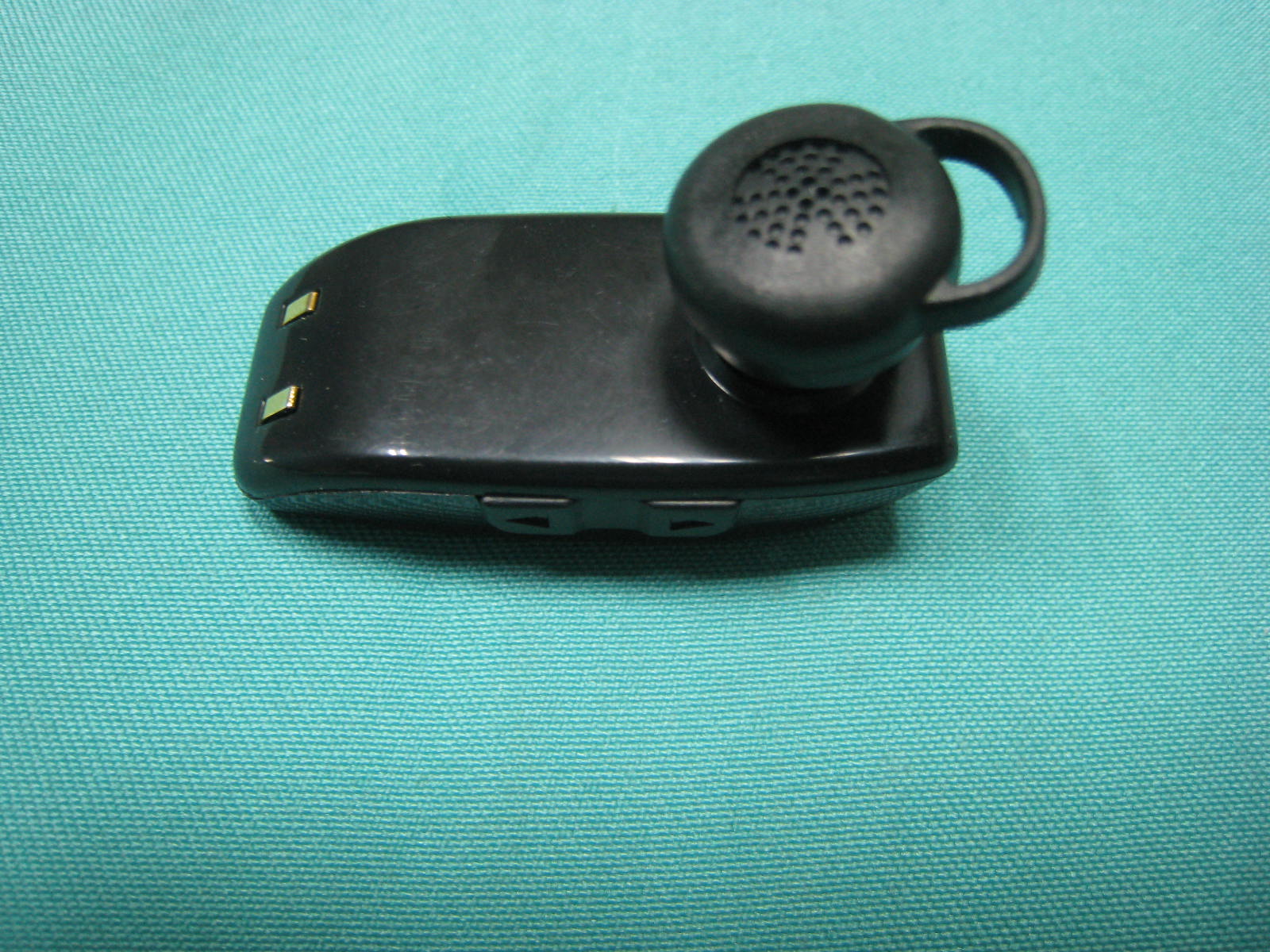
BLUETOOTH DEVICE - FCC ID V3YABTH08001 - ALL BEST TECHNOLOGY LIMITED
Click to zoom

Application Details

Equipment Class
DXX - Part 15 Low Power Communication Device Transmitter
Date of Grant
Apr 02, 2008
Application Purpose
Original Equipment
Date of Application
Apr 02, 2008
Equipment Note
BLUETOOTH DEVICE
Frequency Range
2402.00000000 - 2480.00000000
Company
ALL BEST TECHNOLOGY LIMITED
Country
China

Documents & Files

Select a file to view

Users Manual

β†—

Block Diagram

β†—

Cover Letter(s)

β†—

External Photos

β†—

ID Label/Location Info

β†—
β†—

Internal Photos

β†—

Operational Description

β†—

Schematics

β†—

Test Report

β†—

Test Setup Photos

β†—

Document Text

Text extracted from the exhibit documents filed with the FCC. Open a document above to read the original.

Users Manual

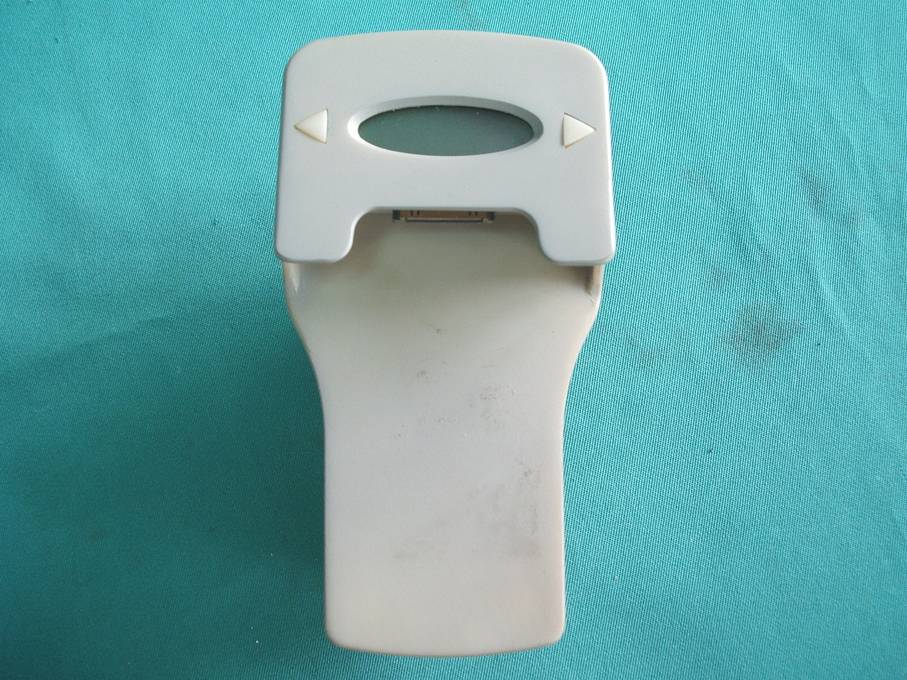
H201 Please read this user's guide to get started, and to make the best use of the headset many features. Bluetooth Specification: Bluetooth Version 2.0 compliant. Power Level: Class Support Profile: hand-Free, Headset (Headset role only). Standby Time: 200 hours. Talk Time: Up to 6 hours Transmissions Range: 10 metres. *Above mentioned standby time and talk time will be different depending to mobile phones setting and using environment. The figures above shows the average values tested by laboratory. Product Specification BEFORE USING YOUR HEADSET 1 Your headset uses a rechargeable battery, You must charge the battery fully before using the headset for the first time. 1. Put the headset in the supplied charging case and close the cover. Your headset overview Charging the headset Multi-Function button Indicator light Microphone Charging contact Hook Volume control buttons 2 T NA T R O P M I 2. Plug the adapter into the case's charging socket. 3. Plug the adapter into the electrical outlet, the blue light will turn on. 4. Full charge the headset until the blue light turns off (approximately 2 hours), Remove the adapter from the case. 1. If you hear the low battery warning sound (beeps every 5 seconds) and the red indicator light is flashing every 5 seconds, that means the battery needs to be charged. 2. If you turn the headset on and the ending melody ("So-Me-Do") is immediately played, that also means the battery needs to be charged. 3. The headset is not functional while charging. 3 Always store the headset with the power off and make sure it is safely protected. Avoid storage at high temperatures (above 40 C/104F). Such as in a hot vehicle or in direct sunlight. (Storage at high temperatures can damaged performance and reduce battery life). Do not expose the headset or any of its supplied parts to rain or other liquids. To turn the headset on, press and hold the Multi-Function button 2-4 seconds until you hear a long beep sound, release the button. The blue light will turn on for 3 seconds and then flash every 5 seconds. To turn the headset off, press and hold the Multi-Function button 2-4 seconds until you hear a short beep sound. Then, release the button, an ending melody ("So-Me- Do") will be played, and the headset turns off. Note: If turn the headset on and leaving it unpaired with your phone for 5 minutes, the headset will automatically turn off to conserve battery power. Storage of the headset BASIC OPERATIONS Turning the headset on/off 4 1. Ensure that your phone's Bluetooth feature is on (see your phone's guide for details). 2. Ensure that the headset is off (see Turning the headset on/off). 3. Press and hold the Multi-Function button 2-4 seconds to turn the headset on, the blue indicator light will turn on for 3 seconds and then flash every 5 seconds. 4. Set your Bluetooth phone to discover the headset by following your phone's guide. Typically, the steps involve going to set up, Connect, or Bluetooth menu on your phone and the selecting the option to discover Bluetooth devices. 5. Your phone will find the headset and ask if you want to pair with it , Confirm this by pressing the Yes or OK key. 6. Enter a passkey or PIN, 0000 (4 zeros), the press the Yes or OK key. 7. Press Multi-Function button once to connect with your phone's. (You can also use the phone's connection function.) Pairing will create a unique and encrypted wireless link between as your bluetooth phone and bluetooth headset. If the above steps cannot be successfully done, please delete the pairing date (see Deleting all pairing data) and repeat steps 1-7. Pairing with your Bluetooth phone 5 To confirm your phone and headset are operating properly, make a test call: 1. Place the headset over your ear. 2. On your phone, dial the number you want to call and press the "send" key. 3. If paired successfully, you will hear the ring tone on the headset. After headset is successfully paired , you don't need to repeat these initial setup steps each time you use the headset. Wear the headset on your ear. Depending on what ear you are going to wear the headset, simply adjust the hook accordingly. Wearing the headset 6 Making a voice activated call If the voice recognition feature is on, you can make a voice activated call. 1. Press the Multi- Function button once, You will hear the voice-activation tone. 2. Say the name of the person you wish to call. Depending on your phone, this feature may not be supported. Redialing the last number To make a call to the last number you have dialed, press and hold both volume control buttons, the release. *Depending on your phone, you should press the multi-Function button briefly or press and hold it to redial the last number. Press the Multi-Function button once. T NA T R O P M I Making a call Ending a call 7 After you hear the ring tone, press the multi-Function button once. If you answer the call with your phone, you can transfer the call to he headset by pressing simultaneously both volume control buttons once or , by using the transfer function of your phone. You can also transfer the call from the headset to the phone by pressing simultaneously both Volume control buttons once or, by using the transfer function of your phone. When you hear the ring tone, press and hold both Volume control buttons until you hear a short beep. The call will be rejected. Depending on your phones setting or type, you may only be able to mute the ringer or this feature may not be supported. Answering a call Transferring a call between phone and headset Rejecting a call 8 Press [ ] on the side of the headset to increase the volume level and [ ] to decrease the volume level. When the headset is on and disconnected with the phone, the pairing information can be deleted by pressing and holding he Multi-Function button until a long beep sound is heared. To prevent possible harm to he environment, please separate this from other types waste and recycle it responsibly to promote the sustainable reuse of mat…

Text truncated - open the document above for the full version.

Cover Letter(s)

Junde Industrial (Shenzhen) Limited Rm 406-407, 1st Building, Pengyi Garden, Bagua 2nd Rd., Futian, Shenzhen, China FCC ID: VFU-JUNDEH201 Power of Attorney 2008-03-02 Federal Communications Commission Authorization and Evaluation Division 7435 Oakland Mills Road To Whom It May Concern: We, the undersigned, hereby authorize Most Technology Service Co., Ltd.(Mark Wen/General Manager) on our behalf, to apply to the Federal Communications Commission on our equipment. Any and all acts carried out by Most Technology Service Co., Ltd.(Mark Wen/General Manager) on our behalf shall have the same effect as acts of our own. This authorization will expire on Mar. 01, 2009. This is to advise that we are in full compliance with the Anti-Drug Abuse Act. We, Junde Industrial (Shenzhen) Limited are not subject to a denial of federal benefits pursuant to Section 5301 of the Anti-Drug Act of 1988, 21 USC853a, and no party to the application is subject to a denial of federal benefits pursuant to that section. Sincerely Junde Industrial (Shenzhen) Limited Wayne Wu (General manager)

ID Label/Location Info

LABEL LOCATION

ID Label/Location Info

Label Drawing FCC ID: VFU-JUNDEH201 Model Number: H201

Operational Description

The brief introduction of the circuit of the Bluetooth headset 1. BlueCore3-Multimedia is a single chip radio and baseband IC for Bluetooth 2.4GHz Systems of Terax Company. QR22811A contains 8Mbit of internal Flash memory. It provides a fully compliant Bluetooth system to v1.2 of the specification for data and voice communications. 2. The BlueCore3-Multimedia RF local oscillator and internal digital clocks are derived from the reference clock at the BlueCore3-Multimedia 12MHz Crystal XTAL_IN input. This reference is from a crystal connected between XTAL_IN and XTAL_OUT. 3. Launching antenna is chip antenna, it’s good for receive and launch 2402-2480MHz RF signal. 4. Power of the whole body is provided by 3.7V polymer battery.

Test Report

Most Technology Service Co., Ltd. Tel:(86) 755-26825180 Fax:(86) 755-86170310 Http:// www. szmost.com Email: [email protected] Junde Industrial (Shenzhen) Limited FCC ID: VFU-JUNDEH201 Cover Sheet Test Report Product Name: Bluetooth Headset FCC ID: VFU-JUNDEH201 MODEL NO. : H201 Applicant: Junde Industrial (Shenzhen) Limited Rm 406-407, 1st Building, Pengyi Garden, Bagua 2nd Rd., Futian, Shenzhen, China Date Received: 03/02/2008-03/07/2008 Date Tested: 03/07/2008 Most Technology Service Co., Ltd. Tel:(86) 755-26825180 Fax:(86) 755-86170310 Http:// www. szmost.com Email: [email protected] APPLICANT: Junde Industrial (Shenzhen) Limited FCC ID: VFU-JUNDEH201 TABLE OF CONTENTS TABLE OF CONTENTS APPLICANT: JUNDE INDUSTRIAL (SHENZHEN) LIMITED FCC ID: VFU-JUNDEH201 TEST REPORT CONTAINING: PAGE 1...........TEST EQUIPMENT LIST PAGE 2...........TEST PROCEDURE PAGE 3-5.........POWER LINE CONDUCTED INTERFERENC AND PLOTS PAGE 6-7.........RADIATION INTERFERENCE TEST DATA PAGE 8-11........OCCUPIED BANDWIDTH AND PLOTS EXHIBIT INCLUDED: PAGE 1...........BLOCK DIAGRAM PAGE 2...........SCHEMATIC PAGE 3...........USERS MANUAL PAGE 4...........LABEL SAMPLE PAGE 5...........LABEL LOCATION PAGE 6...........EXTERNAL PHOTOGRAPHS PAGE 7...........INTERNAL PHOTOGRAPHS PAGE 8...........OPERATIONAL DESCRIPTION PAGE 9...........TEST SET UP PHOTOGRAPHS Most Technology Service Co., Ltd. Tel:(86) 755-26825180 Fax:(86) 755-86170310 Http:// www. szmost.com Email: [email protected] APPLICANT: Junde Industrial (Shenzhen) Limited FCC ID: VFU-JUNDEH201 Page 1 of 11 EMC Equipment List Remark: Test Firm Name: Most Technology Service Co., Ltd. Test Firm Address: No. 5, 2nd Langshan Road, North District, Hi-tech Industrial Park,Nanshan, Shenzhen, Guangdong, China FCC Registered Test Site Number: 490827 Equipment Manufacturer Model No.Serial No.Last Cal. Cal. Interval EMI Test Receiver ROHDE&SCHWARZ ESCI 100492 Apr 06,2007 1 Year LISN ROHDE&SCHWARZ ENV216 100093 Apr 06,2007 1Year EMI Test Receiver ROHDE&SCHWARZ ESCI 101202 Apr 06,2007 1 Year Spectrum Analyzer ANRITSU MS2651B 6200238316 Apr 06,2007 1 Year 50 Coaxial Switch ANRITSU CORP MP59B 6200283933 Apr 06,2007 1 Year Bilog Antenna Sunol JB3 A121206 Apr 06,2007 1 Year Horn Antenna EMCO 3115 640201028-0 6 Apr 06,2007 1 Year 50 Coaxial Switch ANRITSU CORP MP59B 6200283933 Apr 06,2007 1 Year Cable Resenberger N/A NO.1 Apr 06,2007 1 Year Cable SCHWARZBECK N/A NO.2 Apr 06,2007 1 Year Cable SCHWARZBECK N/A NO.3 Apr 06,2007 1 Year Single Phase Power Line Filter Kikusui LIN40MA-PC R-L LM002352 Apr 06,2007 1Year AC Power Source Kikusui AC40MA LM003232 Apr 06,2007 1Year Test analyzer Kikusui KHA1000 LM003720 Apr 06,2007 1Year ESD Tester Kikusui KES4021 LM003537 Apr 08,2007 1 Year Signal Generator IFR 2032 203002/100 Apr 08,2007 1 Year Amplifier A&R 150W1000 301584 NCR NCR Dual Directional Coupler A&R DC6080 301508 Apr 06,2007 1 Year Power Head A&R PH2000 301193 Apr 06,2007 1 Year Power Meter A&R PM2002 302799 Apr 06,2007 1 Year Field Monitor A&R FM5004 300329 Apr 06,2007 1 Year Field Probe A&R FP5000 300221 Apr 06,2007 1 Year EMCPRO System EM Test UCS-500-M4 V064810202 6 Apr 06,2007 1 Year EMCPRO System EM Test UCS-500-M4 V064810202 6 Apr 06,2007 1 Year Most Technology Service Co., Ltd. Tel:(86) 755-26825180 Fax:(86) 755-86170310 Http:// www. szmost.com Email: [email protected] APPLICANT: Junde Industrial (Shenzhen) Limited FCC ID: VFU-JUNDEH201 Page 2 of 11 TEST PROCEDURE GENERAL: This report shall NOT be reproduced except in full without the written approval of MOST TECHNOLOGY SERVICE CO., LTD. The EUT was transmitting a test signal during the testing. POWER LINE CONDUCTED INTERFERENCE: The test procedure used was ANSI Standard C63.4-2003 using a 50H LISN. Both Lines were observed. The bandwidth of the receiver was 10kHz with an appropriate sweep speed. The ambient temperature of the EUT was 25 with a humidity of 58%. RADIATION INTERFERENCE: The test procedure used was ANSI Standard C63.4-2003 using a ANRITSU spectrum analyzer with a pre-selector. The analyzer was calibrated in dB above a micro volt at the output of the antenna. The resolution bandwidth was 100 kHz and the video bandwidth was 300 kHz up to 1 GHz and 1 MHz with a video BW of 3 MHz above 1 GHz. The ambient temperature of the EUT was 25 with a humidity of 58%. FORMULA OF CONVERSION FACTORS: The Field Strength at 3m was established by adding the meter reading of the spectrum analyzer (which is set to read in units of dBuV) to the antenna correction factor supplied by the antenna manufacturer and cable loss. The antenna correction factors and cable loss are stated in terms of dB. The gain of the Pre-selector was accounted for in the Spectrum Analyzer Meter Reading. Example: Freq (MHz) METER READING + ACF + CABLE = FS 33 20 dBuV + 10.36 dB + 0.9 dB= 31.26 dBuV/m @ 3m ANSI STANDARD C63.4-2003 10.1.7 MEASUREMENT PROCEDURES: The EUT was placed on a table 80 cm high and with dimensions of 1m by 1.5m. The EUT was placed in the center of the table (1.5m side). The table used for radiated measurements is capable of continuous rotation. When an emission was found, the table was rotated to produce the maximum signal strength. At this point, the antenna was raised and lowered from 1m to 4m. The antenna was placed in both the horizontal and vertical planes. The situation was similar for the conducted measurement except that the table did not rotate. The EUT was setup as described in ANSI Standard C63.4-2003 10.1.7 with the EUT 40 cm from the vertical ground wall. Most Technology Service Co., Ltd. Tel:(86) 755-26825180 Fax:(86) 755-86170310 Http:// www. szmost.com Email: [email protected] APPLICANT: Junde Industrial (Shenzhen) Limited FCC ID: VFU-JUNDEH201 Page 3 of 11 APPLICANT: Junde Industrial (Shenzhen) Limited FCC ID: VFU-JUNDEH201 NAME OF TEST: POWER LINE CONDUCTED INTERFERENCE RULES PART NUMBER: 15.107 MINIMUM REQUIREMENTS: FREQUENCY(MHz) LEVEL(dBV) QP AV 0.15-0.5 66 to 56* 56 to 46* 0.5-5 56 46 5-30 60 50 *Decreases with the loga…

Text truncated - open the document above for the full version.

Contact Information

Applicant

CHEN JACK(GENERAL MANAGER)
[email protected]86-769-86069325Fax: 86-769-86068305

Test Firm

Most Technology Service Co., Ltd.Mark Wen
[email protected]86-755-86170306Fax: 86-755-86170310

Technical Specifications

#Rule PartsFrequency RangePower Output
115C2.40 GHz - 2.48 GHz-

Other Applications from ALL BEST TECHNOLOGY LIMITED
FM TRANSMITTER - FCC ID V3Y-ABTH08001 - ALL BEST TECHNOLOGY LIMITED
V3Y-ABTH08001

FM TRANSMITTER

Mar 23, 2008

Equipment Class

DXX - Part 15 Low Power Communication Device Transmitter