VFI95519808GH5 Wireless Guitar Controller for Xbox 360
RedOctane, Inc.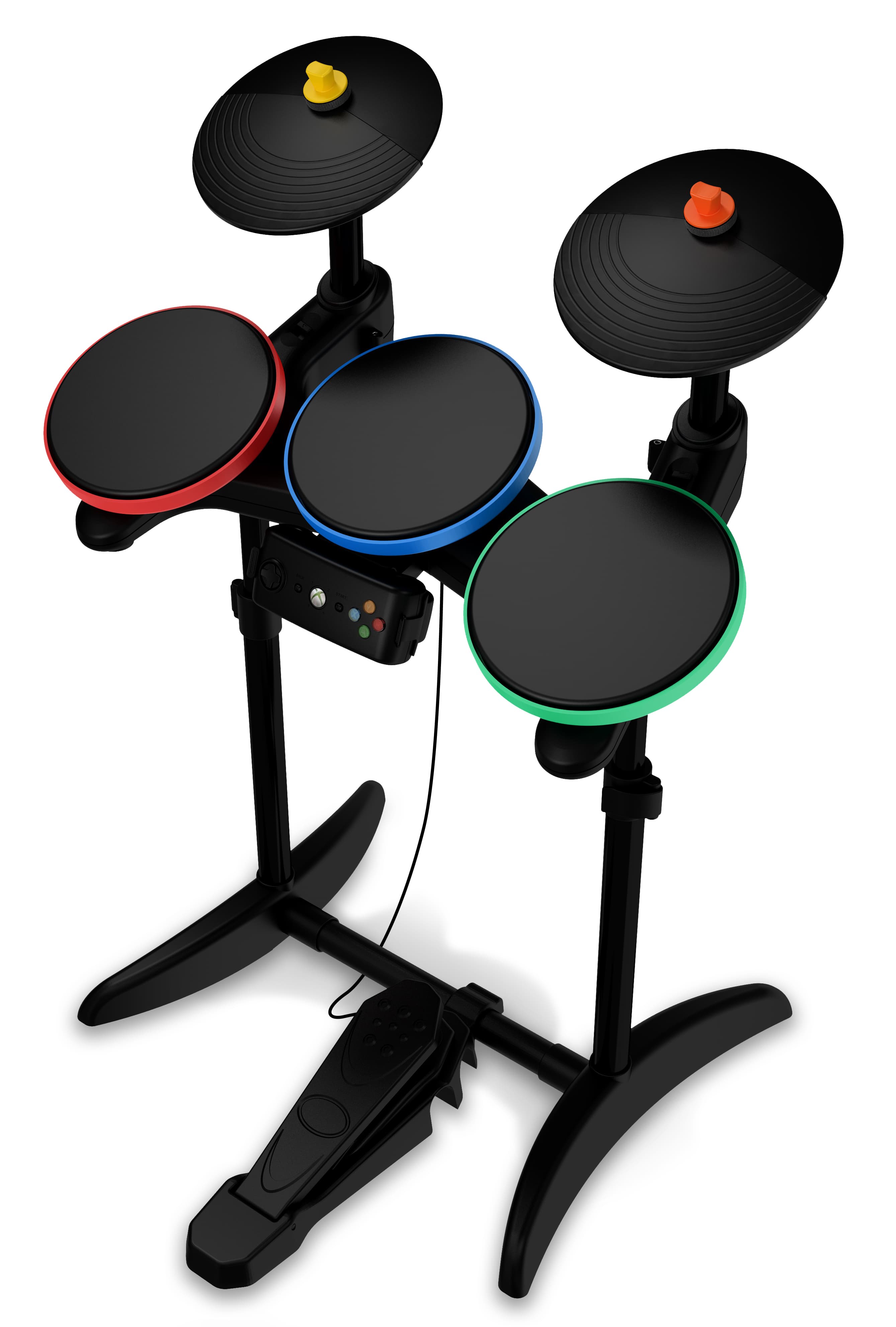
Click to zoom
Application Details
- Equipment Class
- DSS - Part 15 Spread Spectrum Transmitter
- Date of Grant
- Feb 09, 2010
- Application Purpose
- Original Equipment
- Date of Application
- Feb 09, 2010
- Equipment Note
- GH5 Wireless Guitar Controller for Xbox 360
- Frequency Range
- 2402.00000000 - 2482.00000000
- Company
- RedOctane, Inc.
- Country
- United States
Documents & Files
Document Text
Text extracted from the exhibit documents filed with the FCC. Open a document above to read the original.
Users Manual
rounded corner radius 1.27 mm FLAT: 360 mm x 520 mmFOLDED: 130 mmx 180 mm CUSTOMER SUPPORT | LIMITED HARDWARE WARRANTYSUPPORT CLIENTS | GARANTIE MATÉRIEL LIMITÉESERVIZIO CLIENTI | GARANZIA HARDWARE LIMITATAKUNDENDIENST | EINGESCHRÄNKTE HARDWAREGARANTIESERVICIO TÉCNICO | GARANTÍA LIMITADA DEL HARDWARE KUNDESUPPORT | BEGRÆNSET HARDWARE-GARANTIKUNDESTØTTE | BEGRENSET MASKINVAREGARANTIKUNDSUPPORT | BEGRÄNSAD MASKINVARUGARANTIASIAKASTUKI | RAJOITETTU LAITTEISTOTAKUUSUPORTE AO CLIENTE | GARANTIA LIMITADA DO HARDWARE Thank you for purchasing this controller. For your personal safety and the safety of others, before using this product please c arefully read the instruction manual and quick start guide. WIRELESS CONTROLLER INSTRUCTION MANUAL ENGLISH IMPORTANT HEALTH AND SAFETY WARNINGS Please read the following precautions before using the controller.WARNING: Do not use the controller if you have heart, respiratory or other physical impairments that limit your physical activi ty. If you have any doubts, consult with a physician.(1) Avoid excessive play. It is recommended that parents monitor their children for appropriate play. (2) If your hands, wrist s, arms or eyes become tired or sore while playing, stop and rest them for several hours before playing again. (3) Take frequent breaks to avoid any discomfor t or cramping in your hands. (4) If you experience discomfort or cramping in your hands, try different play styles to find the one most comfortable for you. (5) The controller must be used with care to avoid injury. Activision will not be liable from injuries resulting from improper use of the controller. CONTROLLER CARE (1) Keep the controller dry and away from open flames or other heat sources. (2) Do not leave the controller in a dusty or humi d place. (3) Do not modify or disassemble the controller under any circumstances. (4) Never stand on the controller. (5) Use a dry cloth to clean the co ntroller, never use chemicals. (6) Use the controller only with the appropriate gaming system for which it was designed. (7) Regularly inspect the controller . (8) If the controller functions in an unusual manner or produces smoke, immediately stop use and turn off the power. TROUBLESHOOTING If you encounter problems, try the possible solutions provided below.(1) Make sure the controller is wirelessly connected to the console. Refer to the quick start guide supplied with the controlle r. (2) Move the controller closer to the console. (3) Check that the batteries still have some charge. (4) Keep the console and controller at least two feet aw ay from large metal objects. (5) Make sure the front of the console is positioned in the direction of the controller. (6) Cordless phones (2.4GHz), wireless LA Ns, microwave ovens and some cell phones can cause interference. Turn these products off or unplug and try reconnecting the controller.If none of these solutions work, turn the console off, remove and reinsert the batteries into the controller and repeat the step s for connecting the controller to the console. BATTERY SAFETY Incorrect use of batteries may result in battery leakage, overheating or explosion. When using batteries, be sure to follow the se instructions: (1) Make sure the positive (+) and negative (-) ends of the batteries are inserted in the correct directions. (2) Keep batteri es out of reach of children. (3) Do not mix old and new or different types of batteries. Use only appropriate sized batteries. (4) Do not attempt to recharg e non-rechargeable type batteries. (5) Remove the batteries when the product will not be used for an extended period of time. (6) If the battery has leaked, be sure to carefully remove all fluid with a paper towel before inserting new batteries. Take care to keep all leaked fluid from touching your skin or clothes. If fluid comes into contact with the skin, flush with water immediately. (7) Dispose of batteries in accordance with local and national disposal re gulations. FCC INFORMATION FOR THE CONSUMER This equipment has been tested and found to comply with the limits for a Class B digital device, pursuant to part 15 of the FCC Rules. These limits are designed to provide reasonable protection against harmful in terference in a residential installation. This equipment generates, uses, and can radiate radio frequency energy and, if not installed and used in accordance with the instructions, may cause harmful interference to radio co mmunications. However, there is no guarantee that interference will not occur in a particular installation. If this equipment does cause harmful inter ference to radio or television reception, which can be determined by turning the equipment off and on, the user is encouraged to try to correct the interferenc e by one or more of the following measures:• Reorient or relocate the receiving antenna. • Increase the separation between the equipment and receiver. • Connect the equ ipment into an outlet on a circuit different from that to which the receiver is connected. • Consult the dealer or an experienced radio/TV technician for help. This device complies with Part 15 of the FCC Rules. Operation is subject to the following two conditions: (1) This device may n ot cause harmful interference, and (2) this device must accept any interference received, including interference that may cause undesired operation.NOTE: Changes or modifications not expressly approved by the party responsible for compliance could void the user’s authority to operate the equipment. IC INFORMATION FOR THE CONSUMER This device complies with RSS 210 of Industry Canada (IC). Operation is subject to the following two conditions: (1) this devic e may not cause interference, and (2) this device must accept any interference, including interference that may cause undesired operation of this device. This Class B digital apparatus complies with Canadian ICES-003. Cet appareil numérique de la classe B est conforme à la norme NMB-003 du Canada. PRODUCT DISPOSAL INFORMATION Dispose…
Text truncated - open the document above for the full version.
Users Manual
Questions or issues when setting up your new controller? We recommend that you first contact Activision customer support before returning your product or visit the website below for technical help: Vous avez des questions ou rencontrez un problème lors de l'installation de votre nouvelle manette? Il est recommandé de commencer par contacter le support clients d'Activision avant de nous retourner votre produit ou de visiter le site Internet ci-dessous afin de recevoir une aide technique: ¿Tienes preguntas o problemas para instalar el nuevo mando? Te recomendamos que contactes primero con un representante del servicio de atención al cliente de Activision antes de enviarnos tu producto o que visites el siguiente sitio Web para obtener asistencia técnica: In caso di domande o problemi relativi alla configurazione del nuovo controller, prima di restituire il prodotto rivolgersi all'assistenza clienti di Activision o visitare il sito Web all'indirizzo riportato di seguito:Haben Sie Fragen oder Probleme bei der Einrichtung Ihres neuen Controllers? Wenden Sie sich zuerst an den Kundendienst von Activision, bevor Sie Ihr Produkt zurückgeben, oder suchen Sie auf der unten angegebenen Website nach technischer Hilfe: http://activision.com/support Spørgsmål og problemer under opsætningen af din nye kontrol. Vi anbefaler, at du kontakter Activisions kundeservice eller besøger webstedet nedenfor for at få teknisk hjælp, før du returnerer dit produkt: Har du spørsmål eller problemer angående installasjonen av den nye kontrollenheten din? Vi anbefaler at du tar kontakt med Activisions kundestøtte før du returnerer produktet, eller besøker nettsiden nedenfor for teknisk hjelp: Har du frågor eller problem som rör inställningen av din nya kontroll? Vi rekommenderar att du först tar kontakt med Activisions kundtjänst innan du returnerar produkten eller att du besöker webbplatsen nedan för teknisk hjälp: Jos sinulla on uuden ohjaimen käyttöönottoon liittyviä kysymyksiä tai ongelmia, suosittelemme, että otat yhteyden Activisionin asiakastukeen ennen tuotteen palauttamista. Teknistä tukea saa myös seuraavalta sivustolta:Dúvidas ou perguntas sobre a configuração do seu novo controle? Sugerimos que você entre em contato com o suporte a clientes da Activision antes de devolver o produto, ou visite o seguinte website para obter ajuda técnica: http://activision.com/support Adjusting Kick PedalAjuster la pédale de grosse caisseAjustar el pedalPedale per grancassaEinstellung des Bass-Pedals Remove the controllerInstall the batteriesRetirer la manetteInstaller les pilesExtrae la tapaColoca las pilasRimuovere il controllerInserire le pileController entfernenBatterien einlegen Justering af trommepedalenJustere basstrommepedalenJustera kickpedalenPedaalin säätöAjuste do pedal Fjern controllerenIsæt batterierneTa ut kontrollerenSett i batterieneTa bort kontrollenSätt i batteriernaIrrota ohjainAsenna akutRetire o controleColoque as pilhas 51234 11 1213141516 789 10 651234 11 1213141516 789 10 6 Printed in China | Imprimé en Chine | Impreso en China | Stampato in Cina | Gedruckt in China POWER SAVE MODE: If the controller is turned on but has not been used for more than 15 minutes it will automatically enter a “sleep mode” to prolong battery life. To turn the power back on, press and hold the Xbox Guide button or START button.MODE ÉCONOMIE D'ÉNERGIE: Si la manette est allumée mais reste inutilisée pendant plus de 5 minutes, elle passe automatiquement en mode veille afin de prolonger la durée de vie des piles. Pour la mettre à nouveau sous tension, maintenez la touche Xbox Guide ou la touche START enfoncée.MODO DE AHORRO DE ENERGÍA: Si el mando está encendido, pero no se utiliza durante más de 15 minutos, automáticamente pasará al “modo de espera” para prolongar la vida de las baterías. Para conectar nuevamente la alimentación, mantén pulsado el Botón Guía Xbox o el Botón START.MODALITÀ DI RISPARMIO ENERGIA: se il controller è acceso ma non viene utilizzato per più di 15 minuti, viene automaticamente attivata la modalità di sospensione per estendere la durata delle pile. Per riattivare il controller, premere e tenere premuto il pulante della Guida di Xbox o di avvio.STROMSPARMODUS: Falls der Controller eingeschaltet ist und länger als 15 Minuten nicht verwendet wurde, wird automatisch der Stromsparmodus aktiviert, um die Lebensdauer der Batterie zu verlängern. Um den Controller wieder einzuschalten, halten Sie die Xbox Guide-Taste oder die START-Taste fest. Turn ON the controllerAllumer la manetteEnciende el mandoAccendere il controllerController einschalten Press the Connect buttonAppuyer sur la touche de connexionPulsa el botón de conexiónPremere il pulsante di connessioneVerbindungstaste drücken Press and hold the Connect button until controller is connectedMaintenir la touche de connexion jusqu'à ce que la manette soit connectéeMantén pulsado el botón de conexión hasta que el mando se conectePremere e tenere premuto il pulsante di connes-sione finché non viene connesso il controllerVerbindungstaste drücken und festhalten, bis der Controller angemeldet wird 1-1 1-2 1-3 1-4 2-1 2-2 2-3 2-4 3-1 3-2 3-3 3-4 Turn ON the consoleAllumer la consoleEnciende la consolaAccendere la consoleKonsole einschalten Wireless Controller for Xbox 360® Manette sans fil pour Xbox 360®Mando inalámbrico Xbox 360Controller wireless per Xbox 360Wireless Controller für Xbox 360 DED E ITI T ESE S FRF R ENE N IMPORTANT! Before using the Xbox 360 with this product, read the Xbox 360 instruction manual for safety, health, and other information regarding the use of the Xbox 360. ¡IMPORTANTE! Antes de usar la consola Xbox 360 con este producto, lee el manual de instrucciones Xbox 360 para obtener información importante sobre salud y seguridad y otra información relacionada con el uso de la consola Xbox 360.IMPORTANT ! Avant d'utiliser votre console Xbox 360 avec ce produit, consultez son manuel d'instructions pour des informations de santé et de sécurité …
Text truncated - open the document above for the full version.
Users Manual
Questions or issues when setting up your new controller? We recommend that you first contact Activision customer support before returning your product or visit the website below for technical help: Vous avez des questions ou rencontrez un problème lors de l'installation de votre nouvelle manette? Il est recommandé de commencer par contacter le support clients d'Activision avant de nous retourner votre produit ou de visiter le site Internet ci-dessous afin de recevoir une aide technique: ¿Tienes preguntas o problemas para instalar tu nuevo mando? Te recomendamos que contactes primero a un representante del servicio de atención al cliente de Activision antes de enviarnos tu producto o que visites el sitio web a continuación para obtener asistencia técnica: In caso di domande o problemi relativi alla configurazione del nuovo controller, prima di restituire il prodotto rivolgersi all'assistenza clienti di Activision o visitare il sito Web all'indirizzo riportato di seguito. Fragen zur oder Probleme bei der Einrichtung Ihres neuen Controllers? Wenden Sie sich zuerst an den Kundendienst von Activision, bevor Sie Ihr Produkt zurückgeben, oder suchen Sie auf der unten angegebenen Website nach technischer Hilfe: http://activision.com/support Adjusting Kick PedalAdjusting Kick PedalAdjusting Kick PedalAdjusting Kick PedalAdjusting Kick Pedal Remove the controllerInstall the batteriesRemove the controllerInstaller les pilesRemove the controllerColoca las pilasRemove the controllerInserire le batterieRemove the controllerBatterien einlegen 51234 11 1213141516 789 10 6 Printed in China | Printed in China | Printed in China | Printed in China | Printed in China POWER SAVE MODE: If the controller is turned on but has not been used for more than 15 minutes it will automatically enter a “sleep mode” to prolong battery life. To turn the power back on, press and hold the Xbox Guide button or START button.MODE VEILLE: Si la manette est allumée mais reste inutilisée pendant plus de 15 minutes, elle passe automatiquement en mode veille afin de prolonger la durée de vie des piles. Pour la mettre à nouveau sous tension, maintenez la touche Xbox Guide ou la touche START enfoncée.MODO DE AHORRO DE ENERGÍA: Si el mando está encendido pero no se utiliza durante más de 15 minutos, automáticamente pasará al “modo apagado” para prolongar la vida de las pilas. Para conectar nuevamente la alimentación, presiona y mantén pulsado el Botón Guía Xbox o el Botón START.MODALITÀ DI RISPARMIO ENERGIA: Se il controller è acceso ma non viene utilizzato per più di 15 minuti, viene automaticamente attivata la modalità di sos pensione per estendere la durata delle batterie. Per riattivare il controller, premere e tenere premuto il pulsante Guida di Xbox o di avvio.STROMSPARMODUS: Falls der Controller eingeschaltet ist und länger als 15 Minuten nicht verwendet wurde, wird automatisch der Stromsparmodus aktiviert, um die Lebensdauer der Batterie zu verlängern. Um den Controller wieder einzuschalten, halten Sie die Xbox-Guide-Taste oder die START-Taste gedrückt. Turn ON the controllerAllumer la manetteEnciende el mandoAccendere il controllerController einschalten Press the Connect buttonAppuyer sur la touche de connexionPulsa el botón de conexiónPremere il pulsante di connessioneVerbindungstaste drüken Press and hold the Connect buttonMaintenir la touche de connexionMantén pulsado el botón de conexiónPremere e tenere premuto il pulsante di connessioneVerbindungstaste gedrückt halten 1-1 1-2 1-3 1-4 2-1 2-2 2-3 2-4 3-1 3-2 3-3 3-4 Turn ON the consoleAllumer la consoleEnciende la consolaAccendere la consoleKonsole einschalten Wireless Controller for Xbox 360® Manette sans fil pour Xbox 360Controlador inalámbrico Xbox 360 Controller wireless per Xbox 360Wireless Controller für die Xbox 360 DED E ITI T ESE S FRF R ENE N IMPORTANT! Before using the Xbox 360 with this product, read the Xbox 360 instruction manual for safety, health, and other information regarding the use of the Xbox 360. ¡IMPORTANTE!. Por razones de seguridad y salud, antes de utilizar la Xbox 360 con este producto, lea el manual de instrucciones de la Xbox 360 así como también todo otra información referente al uso de la Xbox 360.IMPORTANT ! Avant d'utiliser le Xbox 360 avec ce produit, lisez le manuel d'instructions du Xbox 360 pour l'information sur la sécurité, la santé et autres renseignements sur l'utilisation du Xbox 360.IMPORTANTE. Prima di utilizzare la console Xbox 360 con il prodotto, leggere il manuale delle istruzioni di Xbox 360 per informazioni sulla sicurezza e sull'incolumità fisica e altre informazioni relative all'utilizzo della console Xbox 360.WICHTIG! Bevor Sie die Xbox 360 mit diesem Produkt verwenden, lesen Sie im Handbuch zur Xbox 360 die Kapitel zu Sicherheit und Gesundheit sowie die weiteren Informationen zur Verwendung der Xbox 360. Guitar Hero® games © 2005-2009 Activision Publishing, Inc. Guitar Hero, Activision and RedOctane are registered trademarks of A ctivision Publishing, Inc. Covered by one or more of the following patents: U.S. Patent Nos. 5,739,457, 6,018,121, 6,225,547, 6 ,347,998, 6,369,313, 6,390,923, 6,425,822, 6,645,067 and 6,835,887; patents pending. Microsoft, Xbox, Xbox 360, Xbox LIVE, and the Xbox logos are trademarks of the Microsoft group of companies and are used under license from Microsoft. ACTIVISI ON AUTHORIZES USE OF THIS GUITAR HERO CONTROLLER ONLY WITH A GUITAR HERO GAME PRODUCT OR OTHER ACTIVISION LICENSED PRODUCT. ACT IVISION EXPRESSLY PROHIBITS THE USE OF THIS GUITAR HERO CONTROLLER WITH ANY OTHER GAME. NO OTHER LICENSE, EXPRESS OR IMPLIED, IS GRANTED.Guitar Hero® games © 2005-2009 Activision Publishing, Inc. Guitar Hero, Activision and RedOctane are registered trademarks of A ctivision Publishing, Inc. Covered by one or more of the following patents: U.S. Patent Nos. 5,739,457, 6,018,121, 6,225,547, 6 ,347,998, 6,369,313, 6,390,923, 6,425,822, 6,645,067 and 6,835,887; patents pending. Microsoft, Xbox, Xbox 360, X…
Text truncated - open the document above for the full version.
Cover Letter(s)
Elliott TCB 684 West Maude Ave. Sunnyvale, CA. 94085 January 26, 2010 Gentlemen: This is your letter of authorization to accept our appointment of Elliott Laboratories, Inc. as our Agent for RedOctane, 444 Castro Street, Suite 140, Mountain View, Ca. 94041, to sign applications before Elliott TCB and to make representations to you on our behalf. Elliott Laboratories, Inc. is to receive and exchange data between our company and Elliott TCB. I hereby certify on behalf of RedOctane 444 Castro Street, Suite 140, Mountain View, Ca. 94041 ("Applicant") that neither Applicant nor any party to the application (officers, directors, and 5% shareholders) is subject to a denial of Federal benefits that includes FCC benefits pursuant to section 5301 of the Anti- Drug Abuse Act of 1988. 21 U.S.C. 853a. Sincerely, Stephen N. Withers Executive Hardware Producer RedOctane
Cover Letter(s)
Elliott TCB 684 West Maude Ave. Sunnyvale, CA. 94085 January 26, 2010 Gentlemen: This is your letter of authorization to accept our appointment of Elliott Laboratories, Inc. as our Agent for RedOctane, 444 Castro Street, Suite 140, Mountain View, Ca. 94041, to sign applications before Elliott TCB and to make representations to you on our behalf. Elliott Laboratories, Inc. is to receive and exchange data between our company and Elliott TCB. I hereby certify on behalf of RedOctane 444 Castro Street, Suite 140, Mountain View, Ca. 94041 ("Applicant") that neither Applicant nor any party to the application (officers, directors, and 5% shareholders) is subject to a denial of Federal benefits that includes FCC benefits pursuant to section 5301 of the Anti- Drug Abuse Act of 1988. 21 U.S.C. 853a. Sincerely, Stephen N. Withers Executive Hardware Producer RedOctane
ID Label/Location Info
Rating Sticker Paper Text: White Background: Black Model No.: Band Hero: Xbox 360 (95519.808) PROJECT: Band Hero SCALE 1:1 SCALE 1:2 Received by: Part Name Injection / Embossing/ Silkscreen /Packaging Information Form 59mm 29m m Background=black Contain= White FCC Statement See Instruction Manual FCC ID: VFI95519808 IC: 7196A-95519808 U.S. Patents Pending Made in China RedOctane Model No. 95519.808 2 DC 3V47mA Wireless Drum Kit Controller for Xbox 360 http://www.activision.com/support This device complies with Part 15 of FCC Rules. Operation is subject to the following two conditions: (1) this device may not cause harmful interference, and (2) this device must accept any interference received, including interference that may cause undesired operation. This Class B digital apparatus complies with Canadian ICES-003. Cet appareil numérique de la classe B est conforme à la norme NMB-003 du Canada Background=black Contain= White Wireless Drum Kit Controller Part No.: MaterialColorSymbol 95519.808 59mm 29m m FCC Statement See Instruction Manual FCC ID: VFI95519808 IC: 7196A-95519808 U.S. Patents Pending Made in China RedOctane Model No. 95519.808 2 DC 3V47mA Wireless Drum Kit Controller for Xbox 360 http://www.activision.com/support This device complies with Part 15 of FCC Rules. Operation is subject to the following two conditions: (1) this device may not cause harmful interference, and (2) this device must accept any interference received, including interference that may cause undesired operation. This Class B digital apparatus complies with Canadian ICES-003. Cet appareil numérique de la classe B est conforme à la norme NMB-003 du Canada
RF Exposure Info
EMC Test Data Client: Contact: Standard: Test Specific Details General Test Configuration No 0.00042 SAR Threshold for handheld devices used within 5cm of body = 300*[f(GHz)]^-0.5 mW Freq (GHz): 2.48 SAR Threshold (mW): 190.50 EUT Power (mW): 2.1 Result:The EUT is below the threshold for SAR for a handheld device used within 5cm of body. RedOctaneJob Number: J76179 Model: Band Hero Wireless Drum Controller for Xbox 360 (95519.808) T-Log Number: T77098 Account Manager: Sheareen Washington Calculation uses the free space transmission formula: S = (PG)/(4 πd 2 ) Where: S is power density (W/m 2 ), P is output power (W), G is antenna gain relative to isotropic, d is separation distance from the transmitting antenna (m). Mark Johnson FCC 15.247, RSS-210Class: N/ A Test Engineer: Mark Hill Maximum Permissible Exposure Objective: The objective of this test session is to perform final qualification testing of the EUT with respect to the specification listed above. Date of Test: 2/1/2010 Summary of Results Device exceeds SAR threshold for handheld device used within 5cm of body Power Density @ 20cm (mW/cm^2) Modifications Made During Testing No modifications were made to the EUT during testing Deviations From The Standard No deviations were made from the requirements of the standard. T77098 (FCC_IC)MPE CalcPage 1 of 2 EMC Test Data Client: Contact: Standard: RedOctaneJob Number: J76179 Model: Band Hero Wireless Drum Controller for Xbox 360 (95519.808) T-Log Number: T77098 Account Manager: Sheareen Washington Mark Johnson FCC 15.247, RSS-210Class: N/ A MPE Calculation Use: General Antenna: Internal - 0dBi Cable AntPower Freq.LossGainat AntEIRP MHzdBmmW*dBdBidBmmW 2402-----1.4 2440-----2.1 2480-----0.5 EUTPower Density (S)MPE Limit Powe rat 20 cmat 20 cm mW/cm^2mW/cm^2 0.000111.000 0.000281.000 0.000421.000 T77098 (FCC_IC)MPE CalcPage 2 of 2
Test Report
File: R77604 Page 1 of 19 EMC Test Report Application for Grant of Equipment Authorization pursuant to Industry Canada RSS-Gen Issue 2 / RSS 210 Issue 7 FCC Part 15 Subpart C Model: 95519.808 (Wireless Drum Controller for Xbox 360) IC CERTIFICATION #: 7196A-95519808 FCC ID: VFI95519808 APPLICANT: RedOctane Inc. 444 Castro Street Mountain View, CA 94041 TEST SITE(S): Elliott Laboratories 684 W. Maude Avenue Sunnyvale, CA 94085 IC SITE REGISTRATION #: 2845A-2 REPORT DATE: February 2, 2010 FINAL TEST DATES: November 3, 2009 AUTHORIZED SIGNATORY: ______________________________ Mark E. Hill Staff Engineer Elliott Laboratories Elliott Laboratories is accredited by the A2LA, certificate number 2016-01, to perform the test(s) listed in this report, except where noted otherwise. This report shall not be reproduced, except in its entirety, without the written approval of Elliott Laboratories Testing Cert #2016-01 Elliott Laboratories -- EMC Department Test Report Report Date: February 2, 2010 File: R77604 Page 2 of 19 REVISION HISTORY Rev# Date Comments Modified By - February 2, 2010 First release Elliott Laboratories -- EMC Department Test Report Report Date: February 2, 2010 File: R77604 Page 3 of 19 TABLE OF CONTENTS COVER PAGE.............................................................................................................................................................1 REVISION HISTORY ................................................................................................................................................2 TABLE OF CONTENTS ............................................................................................................................................3 SCOPE..........................................................................................................................................................................4 OBJECTIVE ................................................................................................................................................................4 STATEMENT OF COMPLIANCE...........................................................................................................................5 DEVIATIONS FROM THE STANDARDS ..............................................................................................................5 TEST RESULTS SUMMARY ...................................................................................................................................6 FREQUENCY HOPPING SPREAD SPECTRUM (2400 – 2483.5 MHZ, LESS THAN 75 CHANNELS) ................6 GENERAL REQUIREMENTS APPLICABLE TO ALL BANDS..........................................................................6 MEASUREMENT UNCERTAINTIES....................................................................................................................7 EQUIPMENT UNDER TEST (EUT) DETAILS ......................................................................................................8 GENERAL................................................................................................................................................................8 ANTENNA SYSTEM ..............................................................................................................................................8 ENCLOSURE...........................................................................................................................................................8 MODIFICATIONS...................................................................................................................................................8 SUPPORT EQUIPMENT.........................................................................................................................................8 EUT INTERFACE PORTS ......................................................................................................................................9 EUT OPERATION ...................................................................................................................................................9 TEST SITE.................................................................................................................................................................10 GENERAL INFORMATION .................................................................................................................................10 RADIATED EMISSIONS CONSIDERATIONS ..................................................................................................10 MEASUREMENT INSTRUMENTATION ............................................................................................................11 RECEIVER SYSTEM ............................................................................................................................................11 INSTRUMENT CONTROL COMPUTER ............................................................................................................11 FILTERS/ATTENUATORS ..................................................................................................................................12 ANTENNAS...........................................................................................................................................................12 ANTENNA MAST AND EQUIPMENT TURNTABLE .......................................................................................12 INSTRUMENT CALIBRATION...........................................................................................................................12 TEST PROCEDURES ..............................................................................................................................................13 EUT AND CABLE PLACEMENT ........................................................................................................................13 RADIATED EMISSIONS .......................................…
Text truncated - open the document above for the full version.
Contact Information
Applicant
Stephen Withers(Product Manager)
Technical Contact
Test Firm
NTS Labs, LLC Fremont & NewarkDavid Bare
Technical Specifications
| # | Rule Parts | Frequency Range | Power Output |
|---|---|---|---|
| 1 | 15C | 2.40 GHz - 2.48 GHz | 1.60 mW |
Other Applications from RedOctane, Inc.
VFIPRT0002808
Sep 17, 2009Wireless Drum Receiver for PS2&PS3
Equipment Class
DXX - Part 15 Low Power Communication Device TransmitterVFI95893805
Jul 19, 2009Wireless Controller for PS2 & PS3
Equipment Class
DXX - Part 15 Low Power Communication Device Transmitter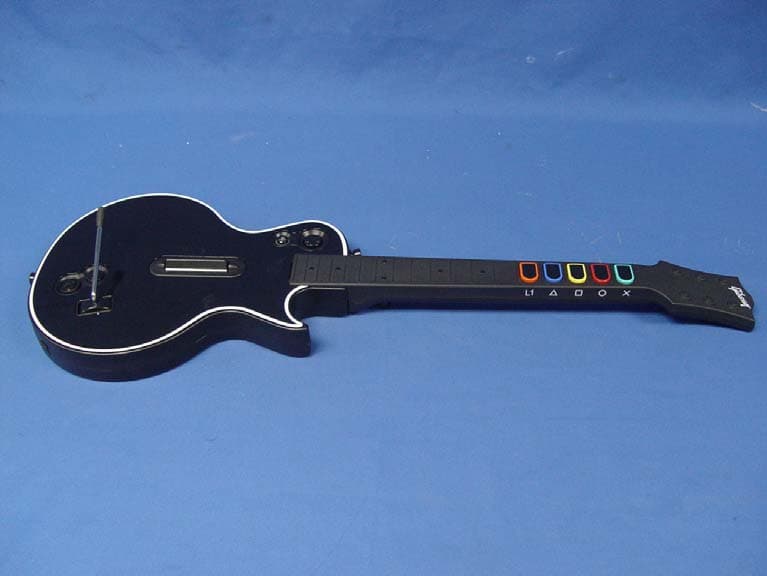
VFIBW95121805
Oct 24, 2007Controller Side Radio
Equipment Class
DXX - Part 15 Low Power Communication Device Transmitter
VFIBW90121806
Oct 23, 2007Station Side Radio
Equipment Class
DXX - Part 15 Low Power Communication Device Transmitter