VGUZWM2Wireless Messenger 2
Zipit Wireless, Inc.
Click to zoom
Application Details
- Equipment Class
- DTS - Digital Transmission System
- Date of Grant
- Nov 13, 2007
- Application Purpose
- Original Equipment
- Date of Application
- Nov 13, 2007
- Equipment Note
- Wireless Messenger 2
- Frequency Range
- 2412.00000000 - 2462.00000000
- Company
- Zipit Wireless, Inc.
- Country
- United States
Documents & Files
Document Text
Text extracted from the exhibit documents filed with the FCC. Open a document above to read the original.
Users Manual
JUMP START Getting online with your Zipit Wireless Messenger 2 is quick and easy! All you need is an existing Instant Messaging account and wireless Internet access. Then just... 1. Plug it in. Connect the included AC adapter to the back of your Zipit device and to an AC power outlet. 2. Turn it on. Press the green Power button for one second. 3. Hook it up. Follow the prompts to configure your device to use up to 3 existing IM accounts. 4. Lose the PC. Press the MyFriendz button to start chatting, or access other options such as MyTunez or MyPhotoz through the HOME button. Check out the 411! Explore more options at Zipitwireless.com. TABLE OF CONTENTS JUMP START............................... i CHECK IT OUT ........................... 1 Getting Started...................... 2 Locating Controls ................... 3 Charging the Battery .............. 4 Turning the Zipit On and Off .... 4 Using Standby and Sleep Modes5 GET CONNECTED ....................... 6 Connecting to Your Wireless Network 6 Defining Your Messaging Accounts 11 Registering Your Zipit ............12 Using the Home Menu ...........13 SPEAK OUT ..............................14 Using the MyFriendz List ........14 Using the Chat Window..........15 Sending Emoticonz and Special Characters 16 Receiving an IMAlert and Using IMResponse 17 Using Other Messaging Options18 LISTEN UP ...............................19 MyTunez Player Controls ........20 Playing MyMusic from an SD Card 21 Using MyNetwork Audio Streaming 23 Using MyStationz Internet Radio25 SHOW YOUR STYLE ...................26 TAKE CONTROL ........................27 LOCK IT DOWN.........................28 GO BEYOND .............................29 TROUBLESHOOTING ..................31 Understanding Setup Error Messages 31 Handling Network Setup Errors34 Recovering from Lost Connections and Chats 34 FCC DECLARATION OF COMFORMITY 35 CHECK IT OUT Congratulations on your new Zipit ® Wireless Messenger 2! The Zipit® Wireless Messenger 2 is a portable instant messaging device with a built-in full-function audio player and a high resolution photo player. With this personal media device, you can easily Instant message (IM) your friends — up to 99 simultaneous chats — using MyFriendz™ buddy lists for AIM, MSN, and Yahoo Manage your IM accounts and MyFriendz profiles Use IMAlert™ to track multiple chats Customize your IM display and sounds Listen to your MyTunez™ (MP3 and WMA files) from – An SD sound card – Streaming media servers on your network – Streaming Internet Radio View your MyPhotoz™ And, through the Zipitwireless.com web site, you can Download cool color Themez™, fonts, Emoticonz™, and MySoundz™ Upload a personal background and apply it to your Zipit device Load your piggy bank and purchase premium Themez and Fontz Refer a friend and earn piggy bank Creditz™ 1 Getting Started You can use some features of your Zipit Wireless Messenger 2 without being connected to the Internet. To get started, though, or to use instant messaging, you must have wireless Internet (Wi-Fi® network) access an existing instant messaging (IM) account Wi-Fi Access If you are using your Zipit device at home, you will need a wireless access point or router that is connected to a broadband Internet service (like a cable or DSL connection). If you are in a public area or business, you will need wireless access through a public Wi-Fi “hotspot.” A public Wi-Fi hotspot is an open hotspot that does not require a browser or a fee for access. Check this! Lots of businesses, hotels, and restaurants have public hotspots that are free to their customers. Go to Zipitwireless.com to see the available hotspots in your area. The Zipit Wireless Messenger 2 contains an 802.11g radio and will work with both 802.11b and 802.11g networks. IM Account If you don’t have an IM account, you can set one up for free on any Internet-connected PC. Go to Zipitwireless.com for more information. When you set up a new account, you will choose or be provided with a screen name and a password. 2 Locating Controls Power. Press and hold for 1 second to turn your device on or off. MyFriendz. Open or close the MyFriendz List of buddies logged in to the IM service(s) you are using. Home . Press for Home Menu to access main functions. Options. Context-sensitive menu of actions that match active function. MyEmoticonz ( ☺ ) . Press to add an emoticon (smiley) to your IM. * Cursor Arrows (Up, Down, Left, Right). Navigate. In chat, use ← to move back through text without deleting. * Select (centered between cursor arrows) . Select (highlight) or execute function. * Alt: In text entry, press once to access alternate function; twice to set Alt Lock. Shift : In text entry, press once to capitalize next letter; twice to set Shift Lock. Backspace (← BS): Delete typed characters. Enter : Execute selected function. Previous and Next . Context-sensitive; use to back up or go forward in the active function: in menu, one level in chat, one open conversation in audio player, one song in photo player, one slideshow in setup, one screen in MyFriendz or audio list, one page *: Different function for audio; see page “MyTunez Player Controls” on page 20. 3 Select Power SD card slot AC adapter Charging the Battery Plug the AC adapter into the DC input jack on the back side of your Zipit device and into an AC power outlet. You can start using your device immediately. Charge the battery for at least 3 hours before removing the power adapter. An LED on your Zipit device shows the status of your battery. If the battery is charging (on AC power), the battery LED will be solid amber. The LED will turn solid green when the battery is completely charged. If the battery charge gets low, the LED will blink in amber, the battery icon in the chat window header will flash, and you’ll see this message: You’ll only see this message once. If you press NEXT and don’t connect your AC adapter, your Zipit device will turn itself off in 5 minutes. Turnin…
Text truncated - open the document above for the full version.
Cover Letter(s)
RF_160, Issue 01 Declaration of Authorization We Name: Inventec Electronics (M) Sdn. Bhd Address: 200 North Main St. Greenville City: SC 29601 Country: USA Declare that: Name: Neutron Engineering, Inc. Address: B1, No. 37, Lane 365, YuangGuang St., NeiHu District 114 City: Taipei, Taiwan Country: China is authorized to apply for Certification of the following product(s): Product description: Wireless Messenger 2 Type designation: Z2 Trademark: Zipit on our behalf. Date:2007-11-7 City: SC Name: Ralph Heredia Signature:
Cover Letter(s)
Federal Communications Commission 7435 Oakland Mills Road Columbia, MD 21046 Gentlemen: This letter is to comply with Sections 0.457 and 0.459 pertaining to confidential material. Zipit Wireless, Inc. would like the following documents regarding this submission for FCC ID: VGUZWM2 to be kept confidential. 1. Block Diagram 2. Schematic 3. Operational principal The above material contains trade secrets or technical data, which would customarily be guarded from competitors. We do not want these documents to be accessible to the general public. Sincerely, ________________________________________________ Ralph Heredia. VP Business Development
External Photos
Project No.: 0708043 Page 2 of 37 Neutron Engineering Inc. W/O Jump-EUT Photo 0708043 0708043 Project No.: 0708043 Page 2 of 37 Neutron Engineering Inc. W/O Jump-EUT Photo 0708043 0708043 Project No.: 0708043 Page 3 of 37 Neutron Engineering Inc. 0708043 0708043 Project No.: 0708043 Page 3 of 37 Neutron Engineering Inc. 0708043 0708043 Project No.: 0708043 Page 4 of 37 Neutron Engineering Inc. 0708043 0708043 Project No.: 0708043 Page 4 of 37 Neutron Engineering Inc. 0708043 0708043 Project No.: 0708043 Page 5 of 37 Neutron Engineering Inc. 0708043 0708043 Project No.: 0708043 Page 5 of 37 Neutron Engineering Inc. 0708043 0708043 Project No.: 0708043 Page 6 of 37 Neutron Engineering Inc. 0708043 Project No.: 0708043 Page 22 of 37 Neutron Engineering Inc. With Jump-EUT photo 0708043 0708043 Project No.: 0708043 Page 22 of 37 Neutron Engineering Inc. With Jump-EUT photo 0708043 0708043 Project No.: 0708043 Page 23 of 37 Neutron Engineering Inc. 0708043 0708043 Project No.: 0708043 Page 23 of 37 Neutron Engineering Inc. 0708043 0708043 Project No.: 0708043 Page 24 of 37 Neutron Engineering Inc. 0708043 0708043 Project No.: 0708043 Page 24 of 37 Neutron Engineering Inc. 0708043 0708043 Project No.: 0708043 Page 25 of 37 Neutron Engineering Inc. 0708043 0708043 Project No.: 0708043 Page 25 of 37 Neutron Engineering Inc. 0708043 0708043 Project No.: 0708043 Page 26 of 37 Neutron Engineering Inc. 0708043
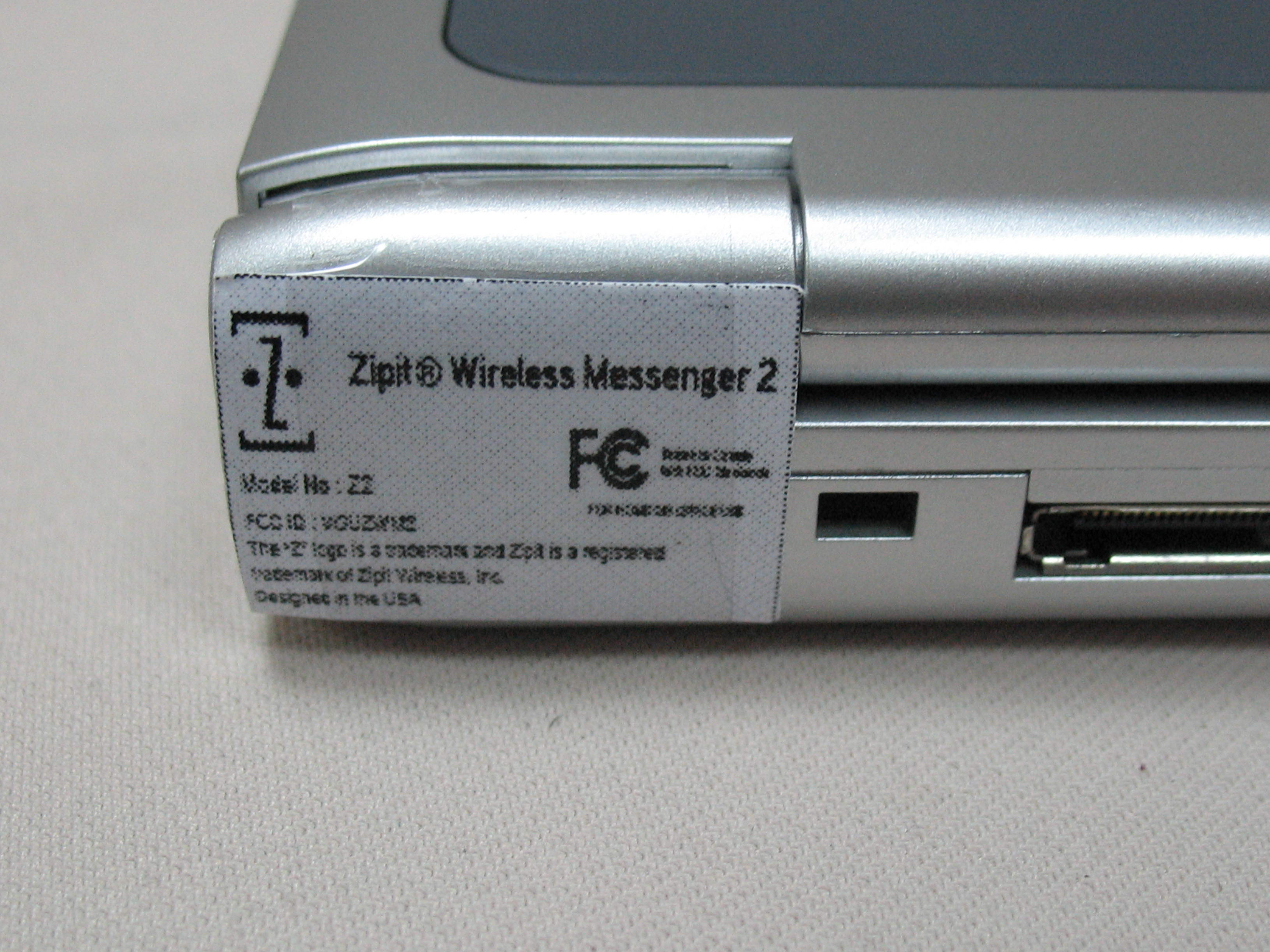
ID Label/Location Info
Model No : Z2 FCC ID : VGUZWM2 The “Z” logo is a trademark and Zipit is a registered trademark of Zipit Wireless, Inc. Designed in the USA Made in Malaysia ® Tested to Comply With FCC Standards FOR HOME OR OFFICE USE Scale 1 :1 Model No : Z2 FCC ID : VGUZWM2 The “Z” logo is a trademark and Zipit is a registered trademark of Zipit Wireless, Inc. Designed in the USA ® Tested to Comply With FCC Standards FOR HOME OR OFFICE USE PART NO. DESCRIPTION MATERIAL DIMENSION DATE PREPARE REVIEW APPROVAL PART NAME SCALE MODEL NO. TOLERANCE VERSION REMARK : STICK-FCC-WM326AAA-01-ZIPIT -GLOSSY WHITE POLYESTER-34.5*19.5-1C Stick FCC 34.5*19.5 1 WM326AAA Inventec INVENTEC ELECTRONICS (MALAYSIA) SDN.BHD. (178533-U) 21007 KF THAM GLOSSY WHITE POLYESTER E5A22981MMMF
Internal Photos
Project No.: 0708043 Page 7 of 37 Neutron Engineering Inc. 0708043 0708043 Project No.: 0708043 Page 7 of 37 Neutron Engineering Inc. 0708043 0708043 Project No.: 0708043 Page 8 of 37 Neutron Engineering Inc. 0708043 0708043 Project No.: 0708043 Page 8 of 37 Neutron Engineering Inc. 0708043 0708043 Project No.: 0708043 Page 9 of 37 Neutron Engineering Inc. 0708043 0708043 Project No.: 0708043 Page 9 of 37 Neutron Engineering Inc. 0708043 0708043 Project No.: 0708043 Page 10 of 37 Neutron Engineering Inc. 0708043 0708043 Project No.: 0708043 Page 10 of 37 Neutron Engineering Inc. 0708043 0708043 Project No.: 0708043 Page 11 of 37 Neutron Engineering Inc. 0708043 0708043 Project No.: 0708043 Page 11 of 37 Neutron Engineering Inc. 0708043 0708043 Project No.: 0708043 Page 12 of 37 Neutron Engineering Inc. 0708043 0708043 Project No.: 0708043 Page 12 of 37 Neutron Engineering Inc. 0708043 0708043 Project No.: 0708043 Page 13 of 37 Neutron Engineering Inc. 0708043 0708043 Project No.: 0708043 Page 13 of 37 Neutron Engineering Inc. 0708043 0708043 Project No.: 0708043 Page 14 of 37 Neutron Engineering Inc. 0708043 Project No.: 0708043 Page 15 of 37 Neutron Engineering Inc. 0708043 0708043 Project No.: 0708043 Page 15 of 37 Neutron Engineering Inc. 0708043 0708043 Project No.: 0708043 Page 16 of 37 Neutron Engineering Inc. 0708043 0708043 Project No.: 0708043 Page 16 of 37 Neutron Engineering Inc. 0708043 0708043 Project No.: 0708043 Page 17 of 37 Neutron Engineering Inc. 0708043 0708043 Project No.: 0708043 Page 17 of 37 Neutron Engineering Inc. 0708043 0708043 Project No.: 0708043 Page 18 of 37 Neutron Engineering Inc. 0708043 Project No.: 0708043 Page 19 of 37 Neutron Engineering Inc. 0708043 0708043 Project No.: 0708043 Page 19 of 37 Neutron Engineering Inc. 0708043 0708043 Project No.: 0708043 Page 20 of 37 Neutron Engineering Inc. 0708043 0708043 Project No.: 0708043 Page 20 of 37 Neutron Engineering Inc. 0708043 0708043 Project No.: 0708043 Page 21 of 37 Neutron Engineering Inc. 0708043 0708043 0708043 0708043 Project No.: 0708043 Page 21 of 37 Neutron Engineering Inc. 0708043 0708043 0708043 0708043 Project No.: 0708043 Page 27 of 37 Neutron Engineering Inc. 0708043 0708043 Project No.: 0708043 Page 27 of 37 Neutron Engineering Inc. 0708043 0708043 Project No.: 0708043 Page 28 of 37 Neutron Engineering Inc. 0708043 0708043 Project No.: 0708043 Page 28 of 37 Neutron Engineering Inc. 0708043 0708043 Project No.: 0708043 Page 29 of 37 Neutron Engineering Inc. 0708043 0708043 Project No.: 0708043 Page 29 of 37 Neutron Engineering Inc. 0708043 0708043 Project No.: 0708043 Page 30 of 37 Neutron Engineering Inc. 0708043 0708043 Project No.: 0708043 Page 30 of 37 Neutron Engineering Inc. 0708043 0708043 Project No.: 0708043 Page 31 of 37 Neutron Engineering Inc. 0708043 0708043 Project No.: 0708043 Page 31 of 37 Neutron Engineering Inc. 0708043 0708043 Project No.: 0708043 Page 32 of 37 Neutron Engineering Inc. 0708043 0708043 Project No.: 0708043 Page 32 of 37 Neutron Engineering Inc. 0708043 0708043 Project No.: 0708043 Page 33 of 37 Neutron Engineering Inc. 0708043 0708043 Project No.: 0708043 Page 33 of 37 Neutron Engineering Inc. 0708043 0708043 Project No.: 0708043 Page 34 of 37 Neutron Engineering Inc. 0708043 0708043 Project No.: 0708043 Page 34 of 37 Neutron Engineering Inc. 0708043 0708043 Project No.: 0708043 Page 35 of 37 Neutron Engineering Inc. 0708043 0708043 Project No.: 0708043 Page 35 of 37 Neutron Engineering Inc. 0708043 0708043 Project No.: 0708043 Page 36 of 37 Neutron Engineering Inc. 0708043 0708043 Project No.: 0708043 Page 36 of 37 Neutron Engineering Inc. 0708043 0708043 Project No.: 0708043 Page 37 of 37 Neutron Engineering Inc. 0708043
RF Exposure Info
©2005 A Test Lab Techno Corp. Page 1 of 64 This report shall not be reproduced except in full, without the written approval of A Test Lab Techno Corp. Rev.01 This document may be altered or revised by A Test Lab Techno. Corp. personnel only, and shall be noted in the revision section of the document. A Test Lab Techno Corp. Changan Lab:No. 140 -1, Changan Street, Bade City, Taoyuan County, Taiwan R.O.C. Te l:886-271-0188 / Fax:886-271-0190 SAR EVALUATION REPORT Test Report No.: 0710FS18 Applicant: Zipit Wireless, Inc. FCC ID: VGUZWM2 Trade Name: Zipit Model Name: Z2 EUT Type: Wireless Messenger 2 Dates of Test: Aug. 26-27, 2007 Test Environment: Ambient Temperature: 22 ± 3 °C Relative Humidity: 40 - 70 % Test Specification: Standard C95.1-1999 IEEE Std. 1528-2003 Max. SAR: 0.118W/kg 802.11b Body SAR_close 0mm 0.074 W/kg 802.11g Body SAR_close 0mm 0.616W/kg 802.11b Body SAR_open 15mm 0.455 W/kg 802.11g Body SAR_open 15mm 0.375W/kg 802.11b Body SAR_close 15mm 0.296 W/kg 802.11g Body SAR_close 15mm Test Lab : Changan Lab 1. The test operations have to be performed with cautious behavior, the test results are as attached. 2. The test results are under chamber environment of A Test Lab Techno Corp. A Test Lab Techno Corp. does not assume responsibility for any conclusions and generalizations drawn from the test results with regard to other specimens or samples. 3. The measurement report has to be written approval of A Test Lab Techno Corp. It may only be reproduced or published in full. Country Huang 20071105 Sam Chuang 20071105 Measurement Center Manager Testing Engineer Test Report No:0710FS18 Page 2 of 64 ©2005 A Test Lab Techno Corp. Rev.01 Contents 1. Description of Equipment Under Test (EUT) ............................................................... 3 2. Other Accessories ......................................................................................................... 4 3. Introduction.................................................................................................................... 6 4. SAR Definition................................................................................................................ 7 5. SAR Measurement Setup .............................................................................................. 8 6. System Components ................................................................................................... 10 6.1 DASY4 E-Field Probe System ......................................................................... 10 6.2 Data Acquisition Electronic (DAE) System....................................................... 12 6.3 Robot............................................................................................................... 13 6.4 Measurement Server ....................................................................................... 13 6.5 Device Holder for Transmitters ........................................................................ 13 6.6 Phantom - SAM v4.0 ....................................................................................... 14 6.7 Data Storage and Evaluation ........................................................................... 14 7. Test Equipment List..................................................................................................... 17 8. Tissue Simulating Liquids .......................................................................................... 18 8.1 Liquid Confirmation.......................................................................................... 19 9. Measurement Process................................................................................................. 21 9.1 Device and Test Conditions ............................................................................. 21 System Performance Check .......................................................................................... 22 9.2 Dosimetric Assessment Setup ......................................................................... 23 9.3 Spatial Peak SAR Evaluation........................................................................... 25 10. Measurement Uncertainty ........................................................................................... 26 11. SAR Test Results Summary ........................................................................................ 28 11.1 802.11b Wi-Fi Body SAR - close_0mm ........................................................... 28 11.2 802.11b Wi-Fi Body SAR - close_0mm ........................................................... 28 11.3 802.11g Wi-Fi Body SAR - open_Space 15mm ............................................... 29 11.4 802.11g Wi-Fi Body SAR - open_Space 15mm ............................................... 29 11.5 802.11b Wi-Fi Body SAR - close_15mm ......................................................... 30 11.6 802.11b Wi-Fi Body SAR - close_15mm ......................................................... 30 11.7 Std. C95.1-1999 RF Exposure Limit ................................................................ 33 12. Conclusion ................................................................................................................... 34 13. References ................................................................................................................... 35 Appendix A -System Performance Check.........................................................................36 Appendix B -SAR Measurement Data................................................................................ 40 Appendix C -Calibration..................................................................................................... 64 Test Report No:0710FS18 Page 3 of 64 ©2005 A Test Lab Techno Corp. Rev.01 1. Description of Equipment Under Test (EUT) Applicant: Manufacturer: Inventec Multimedia & Telecom(Tianjin) Co., Ltd Manufacturer Address: No. 51 The Ninth Avenue, Tianjin Economic Technologic…
Text truncated - open the document above for the full version.
Test Report
Report No.: NEI-FCCP-1-0708043 Page 2 of 78 Neutron Engineering Inc. Declaration Neutron represents to the client that testing is done in accordance with standard procedures as applicable and that test instruments used has been calibrated with the standards traceable to National Measurement Laboratory (NML) of R.O.C., or National Institute of Standards and Technology (NIST) of U.S.A. Neutron's reports apply only to the specific samples tested under conditions. It is manufacture’s responsibility to ensure that additional production units of this model are manufactured with the identical electrical and mechanical components. Neutronshall have no liability for any declarations, inferences o r generalizations drawn by the client or others from Neutron issued reports. Neutron’s reports must not be used by the client to claim product endorsement by the authorities or any agency of the Government. This report is the confidential property of the client. As a mutual protection to the clients, the public and Neutron-self, extracts from the test report shall not be reproduced except in full with Neutron’s authorized written approval. Neutron’s laboratory quality assurance procedures are in compliance with the ISO Guide 17025 requirements, and accredited by the conformity assessment authorities listed in this test report. Limitation For the use of the authority's logo is limited unless the Test Standard(s)/Scope(s)/Item(s) mentioned in this test report is (are) included in the conformity assessment authorities acceptance respective. Report No.: NEI-FCCP-1-0708043 Page 3 of 78 Neutron Engineering Inc. Table of Contents Page 1 . CERTIFICATION 5 2 . SUMMARY OF TEST RESULTS 6 2.1 TEST FACILITY 7 2.2 MEASUREMENT UNCERTAINTY 7 3 . GENERAL INFORMATION 8 3.1 GENERAL DESCRIPTION OF EUT 8 3.2 DESCRIPTION OF TEST MODES 9 3.3 TABLE OF PARAMETERS OF TEXT SOFTWARE SETTING 9 3.4 BLOCK DIGRAM SHOWING THE CONFIGURATION OF SYSTEM TESTED 10 3.5 DESCRIPTION OF SUPPORT UNITS 11 4 . EMC EMISSION TEST 12 4.1 CONDUCTED EMISSION MEASUREMENT 12 4.1.1 POWER LINE CONDUCTED EMISSION LIMITS 12 4.1.2 MEASUREMENT INSTRUMENTS LIST 12 4.1.3 TEST PROCEDURE 13 4.1.4 DEVIATION FROM TEST STANDARD 13 4.1.5 TEST SETUP 13 4.1.7 TEST RESULTS 14 4.2 RADIATED EMISSION MEASUREMENT 16 4.2.1 RADIATED EMISSION LIMITS 16 4.2.2 MEASUREMENT INSTRUMENTS LIST 17 4.2.3 TEST PROCEDURE 18 4.2.4 DEVIATION FROM TEST STANDARD 18 4.2.5 TEST SETUP 19 4.2.6 EUT OPERATING CONDITIONS 19 4.2.7 TEST RESULTS (Between 30 – 1000 MHz) 20 4.2.8 TEST RESULTS (Above 1000 MHz) 24 4.2.9 TEST RESULTS (Restricted Bands Requirements) 48 5 . BANDWIDTH TEST 56 5.1 APPLIED PROCEDURES / LIMIT 56 5.1.1 MEASUREMENT INSTRUMENTS LIST 56 5.1.2 TEST PROCEDURE 56 5.1.3 DEVIATION FROM STANDARD 56 5.1.4 TEST SETUP 56 5.1.5 EUT OPERATION CONDITIONS 56 5.1.6 TEST RESULTS 57 Report No.: NEI-FCCP-1-0708043 Page 4 of 78 Neutron Engineering Inc. Table of Contents Page 6 . PEAK OUTPUT POWER TEST 61 6.1 APPLIED PROCEDURES / LIMIT 61 6.1.1 MEASUREMENT INSTRUMENTS LIST 61 6.1.2 TEST PROCEDURE 61 6.1.3 DEVIATION FROM STANDARD 61 6.1.4 TEST SETUP 61 6.1.5 EUT OPERATION CONDITIONS 61 6.1.6 TEST RESULTS 62 7 . ANTENNA CONDUCTED SPURIOUS EMISSION 63 7.1 APPLIED PROCEDURES / LIMIT 63 7.1.1 MEASUREMENT INSTRUMENTS LIST 63 7.1.2 TEST PROCEDURE 63 7.1.3 DEVIATION FROM STANDARD 63 7.1.4 TEST SETUP 63 7.1.5 EUT OPERATION CONDITIONS 64 7.1.6 TEST RESULTS 65 8 . POWER SPECTRAL DENSITY TEST 69 8.1 APPLIED PROCEDURES / LIMIT 69 8.1.1 MEASUREMENT INSTRUMENTS LIST 69 8.1.2 TEST PROCEDURE 69 8.1.3 DEVIATION FROM STANDARD 69 8.1.4 TEST SETUP 69 8.1.5 EUT OPERATION CONDITIONS 69 8.1.6 TEST RESULTS 70 9 . RF EXPOSURE TEST 74 9.1 Applied procedures / limit 74 9.1.1 MEASUREMENT INSTRUMENTS LIST 74 9.1.2 MPE CALCULATION METHOD 74 9.1.3 DEVIATION FROM STANDARD 75 9.1.4 TEST SETUP 75 9.1.5 EUT OPERATION CONDITIONS 75 9.1.6 TEST RESULTS 76 10 . EUT TEST PHOTO 77 Report No.: NEI-FCCP-1-0708043 Page 5 of 78 Neutron Engineering Inc. 1. CERTIFICATION E q u i p m e n t : Wireless Messenger 2 Trade Name : Zipit Model Name : Z2 A p p l i c a n t : Zipit Wireless,Inc. (Certificate and Report Holder) Data of Test : Aug. 11, 2007 ~ Sep. 26, 2007 Te s t I t e m : ENGINEERING SAMPLE Standards : FCC Part15, Subpart C(15.247)/ ANCI C63.4 : 2003 The above equipment has been tested and found compliance with the requirement of the relative standards by Neutron Engineering Inc. EMC Laboratory. The test data, data evaluation, and equipment configuration contained in our test report (Ref No. NEI-FCCP-1-0708043) were obtained utilizing the test procedures, test instruments, test sites that has been accredited by the Authority of NVLAP and TAF according to the ISO-17025 quality assessment standard and technical standard(s). Report No.: NEI-FCCP-1-0708043 Page 6 of 78 Neutron Engineering Inc. 2. SUMMARY OF TEST RESULTS Test procedures according to the technical standards: FCC Part15, Subpart C Standard Section Test Item Judgment Remark 15.207 Conducted Emission PASS 15.247 (c) Antenna conducted Spurious Emission PASS 15.247 (a)(2) 6dB Bandwidth PASS 15.247 (b) Peak Output Power PASS 15.247 (c) Radiated Spurious Emission PASS 15.247 (d) Power Spectral Density PASS 15.203 Antenna Requirement PASS 1.1307 1.1310 2.1091 2.1093 RF Exposure Compliance PASS NOTE: (1)” N/A” denotes test is not applicable in this Test Report Report No.: NEI-FCCP-1-0708043 Page 7 of 78 Neutron Engineering Inc. 2.1 TEST FACILITY The test facilities used to collect the test data in this report is C01/OS02 at the location of No.132-1, Lane 329, Sec. 2, Palain Road, Shijr City, Taipei, Taiwan. Neurtron's test firm number is: 95335. 2.2 MEASUREMENT UNCERTAINTY The reported uncertainty of measurement y ± U,where expended uncertainty U is based on a standard uncertainty multiplied by a coverage factor of k=2,providing a level of confidence of approximately 95 %。 A. Conducted Measurement : Test Site Method Measurement Frequency Range U,(dB) NOTE C01 ANSI150 KHz ~ 30MHz 1.94 B. Radia…
Text truncated - open the document above for the full version.
Test Setup Photos
Report No.: NEI-FCCP-1-0708043 Page 75 of 7 6 Neutron Engineering Inc. Conducted Measurement Photos Report No.: NEI-FCCP-1-0708043 Page 75 of 7 6 Neutron Engineering Inc. Conducted Measurement Photos Report No.: NEI-FCCP-1-0708043 Page 76 of 7 6 Neutron Engineering Inc. Radiated Measurement Photos Report No.: NEI-FCCP-1-0708043 Page 76 of 7 6 Neutron Engineering Inc. Radiated Measurement Photos
Contact Information
Applicant
Ralph Heredia(Vp Business Development)
Technical Contact
Neutron Engineering, Inc.Annie Yuan
[email protected]+86-769-87082000
B1, No. 37, Lane 365, YuangGuang St. · Taipei · Taiwan
Test Firm
BTL Inc.Andy Yeh
Technical Specifications
| # | Rule Parts | Frequency Range | Power Output |
|---|---|---|---|
| 1 | 15C | 2.41 GHz - 2.46 GHz | 48.00 mW |
Other Applications from Zipit Wireless, Inc.
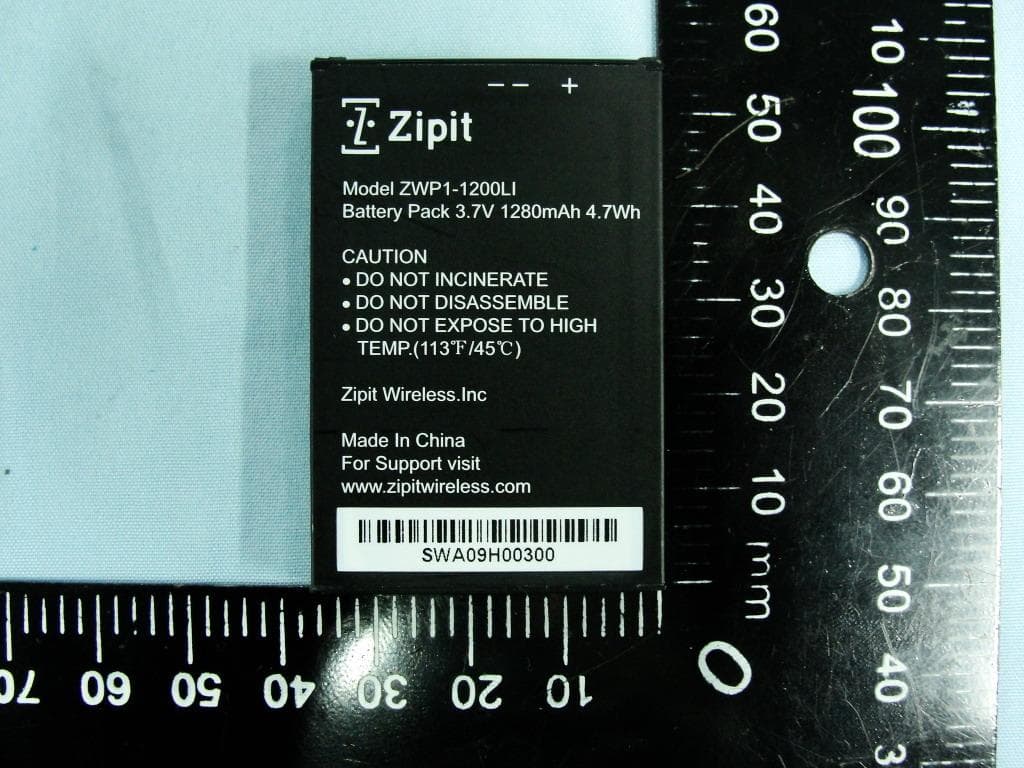
VGUZWP1
Jan 12, 2011Z3 Wireless Messenger 3
Equipment Class
PCE - PCS Licensed Transmitter held to ear