VIXAWSBTCN1AR Bliss Speaker
Voxx Accessories Corp.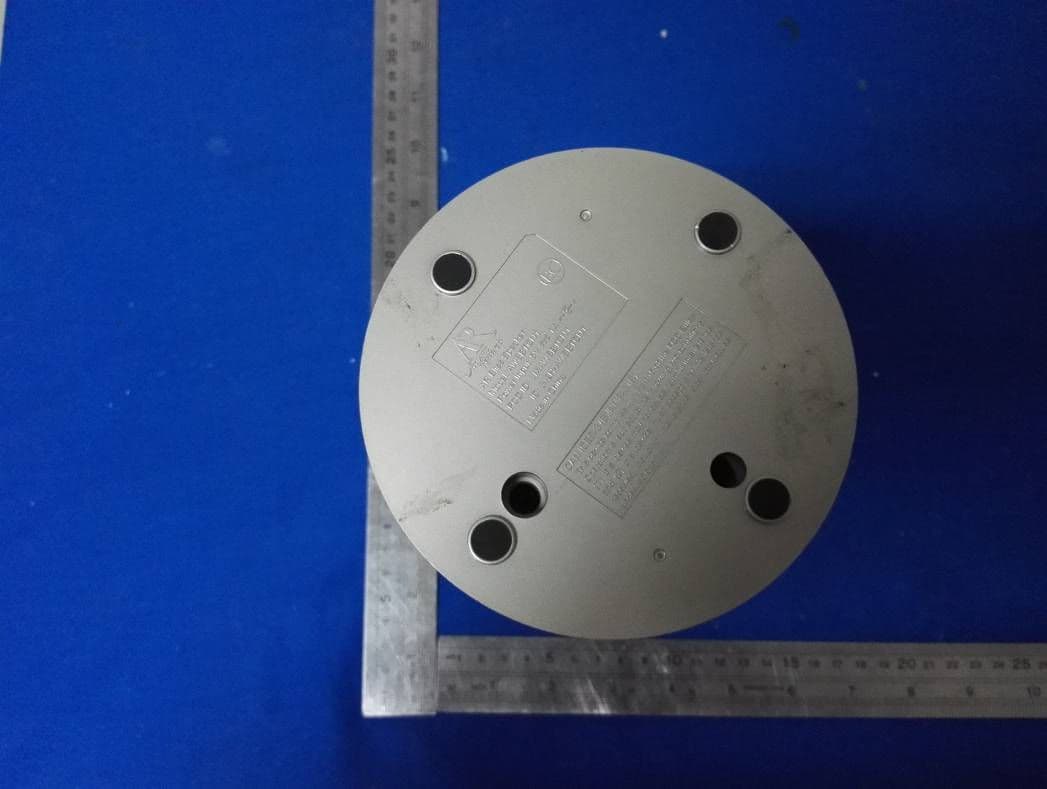
Click to zoom
Application Details
- Equipment Class
- DSS - Part 15 Spread Spectrum Transmitter
- Date of Grant
- Dec 10, 2015
- Application Purpose
- Original Equipment
- Date of Application
- Dec 10, 2015
- Equipment Note
- AR Bliss Speaker
- Frequency Range
- 2402.00000000 - 2480.00000000
- Company
- Voxx Accessories Corp.
- Country
- United States
Documents & Files
Document Text
Text extracted from the exhibit documents filed with the FCC. Open a document above to read the original.
Users Manual
Instructions en français : page 9 Instrucciones en español : page 17 AWSBTCN1 QSG 01 quick start guide AR Bliss Speaker AWSBTCN1 2 Getting to know Bluetooth Bluetooth wireless is a quick and easy way to connect a smartphone to a speaker or a headset. There are basically two steps to making Bluetooth work. PAIRING: “Hi. I’m a phone.” The two devices get to know each other. The two devices do something together (like play music). This guide takes you through the steps to get started. CONNECTING: “Hi. I’m a speaker.” 3 Make sure the following items came in this package: • Portable Wireless Speaker with LED Candle • USB Charging Cable Unpack 1 Charge the speaker 2 Before you start using the speaker for the first time, it’s a good idea to charge it completely. To charge the speaker: Open the rubber door covering the jacks on the back of the speaker. Plug the included USB cable into the DC IN jack behind this door. Plug the other end of the USB charging cable into a power source, like a computer or a USB charging adapter. The DC IN charging indicator is red while the speaker is charging. It turns off when the speaker is fully charged. Note: You can use the speaker while it’s charging. Speaker back Speaker Cable 4 Wi-Fi Bluetooth Bluetooth Settings VPN Settings Wi-Fi Setting s 8:45P M Press the button on back of the speaker to turn it on. The SPEAKER POWER/PAIR indicator light blinks blue, slowly at first, then more rapidly. This means the speaker is ready to pair with your phone or other Bluetooth device. Turn the speaker on 3 Speaker back Enable Bluetooth on your smartphone or other device. Make sure the SPEAKER POWER/PAIR indicator is blinking rapidly. (If it isn’t, give a quick double press to the button. The speaker gives an audio signal.) Choose AR BLISS SPEAKER from the pairing options on your smartphone. (If it’s not in the list, choose “Scan” from your phone’s Bluetooth menu.) Pair and connect 4 5 Note: If you’ve previously paired a different Bluetooth device with this speaker, the speaker will automatically attempt to reconnect to that device when you switch the speaker on. If you want to pair to a new device, double-press the button on the speaker—the speaker gives an audio signal. Headset AR Bliss Speaker Computer 8:45P M Bluetoot h devices The speaker gives an audio signal when it’s finished pairing and connecting to your smartphone. The SPEAKER POWER/PAIR indicator turns solid blue. Note: The process of enabling Bluetooth and connecting varies from device to device. See your device’s owners manual for more information and specific instructions. Bluetooth Wireless Connection Tips • Make sure the Bluetooth capability of your device is turned on. • Make sure there’s nothing plugged into the speaker’s Aux In jack when you’re trying to use Bluetooth. • The Bluetooth wireless connection works up to a range of roughly 33 feet (10 meters). This range may vary, however, based on other factors, such as room layout, wall material, obstacles, your device’s Bluetooth performance, etc. If you’re having problems connecting to the speaker, move closer to it. • If your device asks you for a password to connect, use “0000”. 6 8 :45P M Start playing music on your device 5 Set your device’s volume for music to 50%. Note: This is to make sure the sound from the speaker isn’t too loud when you start streaming. Start playing music or other audio on your device. Within seconds, the speaker starts streaming the audio wirelessly via Bluetooth. To adjust the volume of your audio: Use the volume controls on your phone. 7 Using the AUX input Use a mini-jack audio cable (not included) to connect the audio output from your device to the AUX IN audio input on the speaker’s back panel (open the rubber door to access the jack). The speaker automatically switches to the AUX IN audio. The SPEAKER POWER/PAIR indicator turns white. To listen to Bluetooth audio again, unplug the cable from the speaker’s AUX IN jack. Speaker back Using the LED Candle The Bliss Wireless Speaker has a built-in soft-light LED candle you can use with or without the speaker playing. To turn the LED Candle on or off: Press the CANDLE LIGHT button on the back of the speaker. Speaker back 8 Tour of the Bliss wireless speaker CANDLE LIGHT button turns the Bliss wireless speaker’s LED light on and off. AUX IN jack lets you connect directly to the speaker to listen to an audio source. DC IN jack connects to the USB charging cable provided to power or charge the speaker. Speaker back If you have any questions about this product, visit Acoustic-Research.com or call our toll-free help line at 1-800-732-6866. button turns the speaker on and off (press and hold), initiates pairing with a Bluetooth device (double press), or initiates reconnection with a previously paired device (single press). SPEAKER POWER/PAIR indicator shows the connection status of the speaker: • fast blinking blue means the speaker is trying to pair with a device • slow blinking blue means the speaker is trying to reconnect to a paired device • solid blue means the speaker is paired with a device and ready to play audio • solid white means there is something connected to the speaker’s AUX IN jack English instructions: page 1 Instrucciones en español : page 17 HAUT-PARLEUR PORTABLE SANS FIL AVEC BOUGIE DEL Guide de démarrage rapide 10 Familiarisation avec Bluetooth La liaison sans fil Bluetooth est une solution rapide et facile pour connecter un téléphone intelligent à un haut-parleur ou à un casque d’écoute. Il y a deux étapes fondamentales pour faire fonctionner Bluetooth. APPARIEMENT : Les deux appareils apprennent à se connaître. Les deux appareils font quelque chose ensemble (par exemple, diffuser de la musique). Ce guide présente les étapes permettant de commencer à utiliser le produit. CONNEXION : « Bonjour. Je suis un téléphone. » « Bonjour. Je suis un haut- parleur. » 11 Assurez-vous que les articles suivants sont inclus dans l’emballage : • Haut-parleur portable sans fil a…
Text truncated - open the document above for the full version.
Cover Letter(s)
SCS-F18: Project and Product Certification Representative Authorization Letter Page 1 of 2 Rev 5.0 775 Montague Expressway Milpitas, CA 95035 Tel: 408-526-1188 Fax: 408-526-1088 Email: [email protected] Project and Product Certification Representative Authorization Letter Reason for Amendment (current / obsolete) Revision History Approved Date From To Initial Release (obsolete) 1.0 1.0 Nov-14-2006 Revised wording (obsolete) 1.0 2.0 Sept–25-2007 Updated company template (obsolete) 2.0 3.0 Jan-31-2012 Updated letter information (obsolete) 3.0 4.0 May-23-2014 Added FCC ID field (current) 4.0 5.0 Sept 16 2014 SCS-F18: Project and Product Certification Representative Authorization Letter Page 2 of 2 Rev 5.0 Voxx Accessories Corp. 3502 Woodview Trace, suite 220, Indianapolis, IN 46268, United States 2015-11-25 To: SIEMIC, INC. 775 Montague Expressway, Milpitas, CA 95035 USA Dear Sir/Madam, Re: Product Certification Representative Authorization Letter We, Voxx Accessories Corp. hereby authorize SIEMIC, Inc. to act as a Certification Body for certifying for the following project(s): FCC ID: VIXAWSBTCN1 Product: AR Bliss Speaker Model No.: AWSBTCN1 Sincerely, signature : name / title: Milan Phillabaum / Quality Director address: 3502 Woodview Trace, suite 220, Indianapolis, IN 46268, United States
Cover Letter(s)
SCS-F19: Confidentiality Request Letter Page 1 of 2 Rev 5.0 775 Montague Expressway Milpitas, CA 95035 Tel: 408-526-1188 Fax: 408-526-1088 Email: [email protected] Confidentiality Request Letter Reason for Amendment (current / obsolete) Revision History Approved Date From To Initial Release (obsolete) 1.0 1.0 Nov-14-2006 Adding CFR 2.459 (obsolete) 1.0 2.0 August – 11 - 2008 Updated company template& Added text box (obsolete) 2.0 3.0 Jan-31-2012 Added IC confidentiality letter form (obsolete) 3.0 4.0 March-26-2015 Corrections to STC form. Added reference to KDB (current) 4.0 5.0 Nov 19 2015 SCS-F19: Confidentiality Request Letter Page 2 of 2 Rev 5.0 Voxx Accessories Corp. 3502 Woodview Trace, suite 220, Indianapolis, IN 46268, United States 2015-11-25 To: Federal Communications Commission Authorization and Evaluation Division 7435 Oakland Mills Road Columbia, MD Subject: Permanent Confidentiality Request for FCC ID: VIXAWSBTCN1 Pursuant to sections 0.457 and 0.459 of CFR 47, we respectfully request permanent confidential treatment of the following Exhibits accompanying this application as: - e.g. Block Diagram - e.g. Schematics - e.g. Operational Description The above materials contain trade secrets and proprietary information not customarily released to the public. The public disclosure of these materials may be harmful to the applicant and provide unjustified benefits to its competitors. The applicant understands that disclosure of this application and all accompanying documentation will not be made before the date of the Grant for this application. Sincerely, Client’s signature : Client’s name & title : Milan Phillabaum / Quality Director Contact information / address: Voxx Accessories Corp. 3502 Woodview Trace, suite 220, Indianapolis, IN 46268, United States
External Photos
FCC ID:VIXAWSBTCN1 Keyway Testing Technology Co., Ltd. Report No. 15KWE113241F Page 60 of 64 13. PHOTOGRAPHS OF THE EUT FCC ID:VIXAWSBTCN1 Keyway Testing Technology Co., Ltd. Report No. 15KWE113241F Page 61 of 64 FCC ID:VIXAWSBTCN1 Keyway Testing Technology Co., Ltd. Report No. 15KWE113241F Page 62 of 64 FCC ID:VIXAWSBTCN1 Keyway Testing Technology Co., Ltd. Report No. 15KWE113241F Page 63 of 64
ID Label/Location Info
Label Location AR Bliss Speaker Model: AWSBTCN1 FCC ID: VIXAWSBTCN1 This device complies with part 15 of the FCC Rules. Operation is subject to the following two conditions: (1)This device may not cause harmful interference, and (2)this device must accept any interference received, including interference that may cause undesired operation.
Internal Photos
FCC ID:VIXAWSBTCN1 Keyway Testing Technology Co., Ltd. Report No. 15KWE113241F Page 71 of 73 FCC ID:VIXAWSBTCN1 Keyway Testing Technology Co., Ltd. Report No. 15KWE113241F Page 72 of 73 ANT FCC ID:VIXAWSBTCN1 Keyway Testing Technology Co., Ltd. Report No. 15KWE113241F Page 73 of 73 ------End------
RF Exposure Info
FCC ID: VIXAWSBTCN1 Keyway Testing Technology Co., Ltd. Page 1 of 2 RF EXPOSURE REPORT for Voxx Accessories Corp. AR Bliss Speaker Model Number: AWSBTCN1 FCC ID: VIXAWSBTCN1 Prepared for : Voxx Accessories Corp. Address : 3502 Woodview Trace, suite 220, Indianapolis, IN 46268, United States Prepared by : Keyway Testing Technology Co., Ltd. Address : Building 1, Baishun Industrial Zone, Zhangmutou Town, Dongguan, Guangdong, China Tel: 86-769-8718 2258 Fax: 86-769-8718 1058 Tested by: Approved by: Date : Nov.02~16, 2015 Date: Nov. 17, 2015 Keven Wu / Engineer Andy Gao / Supervisor FCC ID: VIXAWSBTCN1 Keyway Testing Technology Co., Ltd. Page 2 of 2 Test Result of RF Exposure Evaluation According to the KDB-447498 D01 V06, FCC 47CFR§2.1091 the following RF exposure evaluation shall to demonstrate RF exposure compliance. Friis transmission formula: Pd = (Pout*G)/(4*pi*r2) Where Pd = power density in mW/cm2, Pout = output power to antenna in mW; G = gain of antenna in linear scale, Pi = 3.1416; R = distance between observation point and center of the radiator in cm。 Target power W/ tolerance (dBm) Max tune up power tolerance (dBm) Output power to antenna (mW) Antenna Gain(dBi) Power Density at R=20cm (mW/cm 2 ) Limit (mW/cm 2 ) Result GFSK/ Pi/4DQPSK/ 8-DPSK 5 ±1.0 6.0 3.98 1.0 0.001 1.0 Pass
Test Report
FCC ID:VIXAWSBTCN1 Keyway Testing Technology Co., Ltd. Report No. 15KWE113241F Page 1 of 80 FCC TEST REPORT(Bluetooth) for Voxx Accessories Corp. AR Bliss Speaker Model Number: AWSBTCN1 FCC ID: VIXAWSBTCN1 Prepared for : Voxx Accessories Corp. Address : 3502 Woodview Trace, suite 220, Indianapolis, IN 46268, United States Prepared by : Keyway Testing Technology Co., Ltd. Address : Building 1, Baishun Industrial Zone, Zhangmutou Town, Dongguan, Guangdong, China Tel: 86-769-8718 2258 Fax: 86-769-8718 1058 Report No. : 15KWE113241F Date of Test : Nov. 02~16, 2015 Date of Report : Nov. 17, 2015 FCC ID:VIXAWSBTCN1 Keyway Testing Technology Co., Ltd. Report No. 15KWE113241F Page 2 of 80 TABLE OF CONTENTS Test Report Declaration Page 1. TEST SUMMARY .......................................................................................................................... 4 2. GENERAL PRODUCT INFORMATION .................................................................................... 5 2.1. Product Function ................................................................................................................................. 5 2.2. Description of Device (EUT) ............................................................................................................. 5 2.3. Difference between Model Numbers ............................................................................................... 5 2.4. Independent Operation Modes ......................................................................................................... 5 2.5. Test Supporting System .................................................................................................................... 5 2.6. Test Facilities ...................................................................................................................................... 6 2.7. List of Test and Measurement Instruments .................................................................................... 7 3. TEST SET-UP AND OPERATION MODES .............................................................................. 8 3.1. Principle of Configuration Selection ................................................................................................. 8 3.2. Block Diagram of Test Set-up ........................................................................................................... 8 3.3. Test Operation Mode and Test Software ........................................................................................ 8 3.4. Special Accessories and Auxiliary Equipment ............................................................................... 8 3.5. Countermeasures to Achieve EMC Compliance ........................................................................... 8 3.6. Test Environment: .............................................................................................................................. 8 4. MAXIMUM PEAK OUTPUT POWER ......................................................................................... 9 4.1. Limits .................................................................................................................................................... 9 4.2. Test Procedure ................................................................................................................................. 9 5. EMISSION TEST RESULTS...................................................................................................... 15 5.1. Conducted Emission at the Mains Terminals Test ...................................................................... 15 5.2. Radiated Emission Test ................................................................................................................... 20 6. 20DB BANDWIDTH .................................................................................................................... 38 6.1. Limits .................................................................................................................................................. 38 6.2. Test setup .......................................................................................................................................... 38 7. FREQUENCY SEPARATION .................................................................................................... 45 7.1. Limits .................................................................................................................................................. 45 7.2. Test setup .......................................................................................................................................... 45 8. NUMBER OF HOPPING FREQUENCY .................................................................................. 52 8.1. Limits .................................................................................................................................................. 52 8.2. Test setup .......................................................................................................................................... 52 9. DWELL TIME ............................................................................................................................... 54 9.1. Limits .................................................................................................................................................. 54 9.2. Test setup .......................................................................................................................................... 54 10. BAND EDGE COMPLIANCE TEST ..................................................................................... 61 10.1. Limits .................................................................................................................................................. 61 10.2. Test setup ....................................................................................................…
Text truncated - open the document above for the full version.
Test Setup Photos
FCC ID:VIXAWSBTCN1 Keyway Testing Technology Co., Ltd. Report No. 15KWE113241F Page 58 of 65 12. PHOTOGRAPHS OF TEST SET-UP Radiated Emission Test FCC ID:VIXAWSBTCN1 Keyway Testing Technology Co., Ltd. Report No. 15KWE113241F Page 59 of 65 Conducted Emission
Contact Information
Applicant
Paul Tinaphong(Senior V.P.)
Test Firm
Keyway Testing Technology Co., Ltd.Jade Yang
Technical Specifications
| # | Rule Parts | Frequency Range | Power Output |
|---|---|---|---|
| 1 | 15C | 2.40 GHz - 2.48 GHz | 3.41 mW |
Other Applications from Voxx Accessories Corp.

VIXARHTVHS
Jul 22, 2024Wireless TV Headset
Equipment Class
DTS - Digital Transmission System
VIXRSH082
Mar 31, 2024OTC Hearing Aids
Equipment Class
DSS - Part 15 Spread Spectrum Transmitter
VIXRSH082RC
Mar 31, 2024Keychain Remote
Equipment Class
DTS - Digital Transmission System
VIXSPKAW740M2
Jul 17, 2023Center Stage Freestyle All-in-One Karaoke System
Equipment Class
DSS - Part 15 Spread Spectrum Transmitter
VIXSPKAW740M
Jul 15, 2023Wireless Microphone
Equipment Class
DSS - Part 15 Spread Spectrum Transmitter