VL5-AC411Wireless Speaker System
Plastoform Industries Ltd.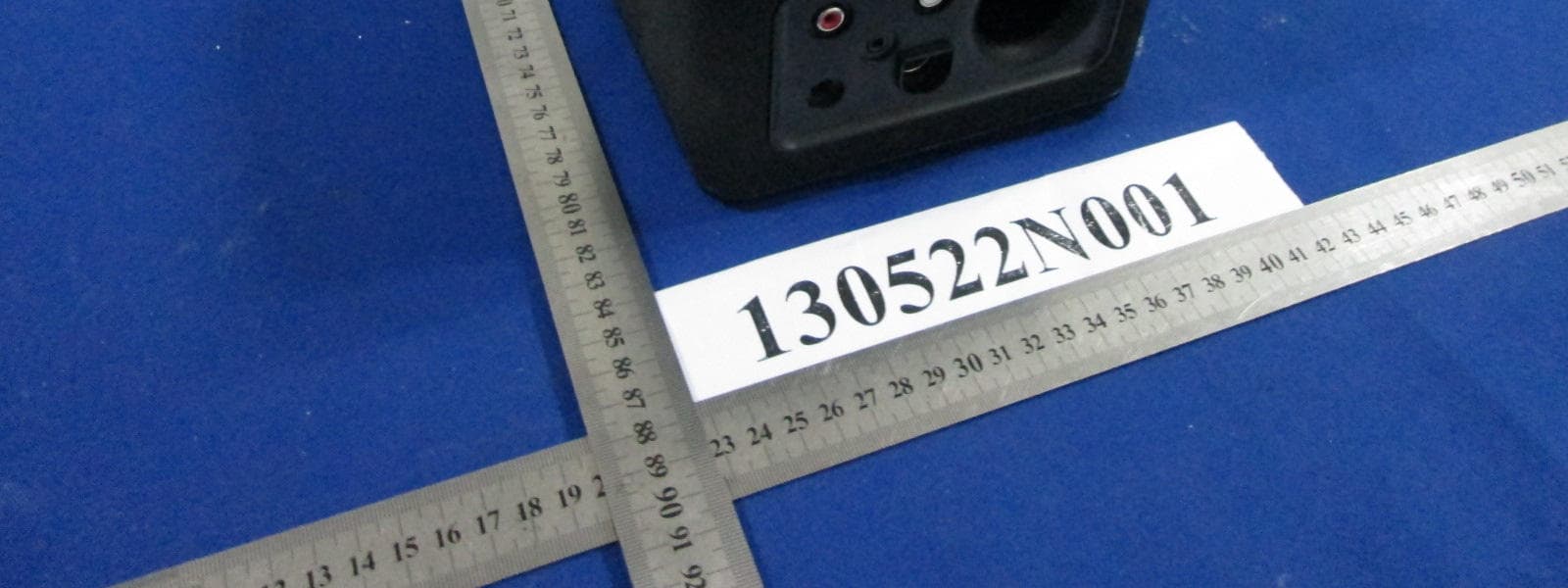
Click to zoom
Application Details
- Equipment Class
- DXX - Part 15 Low Power Communication Device Transmitter
- Date of Grant
- Jul 29, 2013
- Application Purpose
- Original Equipment
- Date of Application
- Jul 29, 2013
- Equipment Note
- Wireless Speaker System
- Frequency Range
- 2402.00000000 - 2480.00000000
- Company
- Plastoform Industries Ltd.
- Country
- Hong Kong
Documents & Files
Document Text
Text extracted from the exhibit documents filed with the FCC. Open a document above to read the original.
Users Manual
What is the DELL AC411 Speaker and how does it work Table of Contents 1. Overview 2. How to Connect the Dell AC411 Speaker to the Dell computer 3. How to pair the Bluetooth code 4. Trouble shooting Dell AC411 Speaker 1. Overview 1.1 Product over view 1.2 Product Labels 1.3 Product Spec DELL AC411 Speaker 1.1 Product over view 1. Main unit 1pcs 2. Left satellite 1pcs 3 Right satellite 1pcs 4.RC remote control 1pcs 5.Power adaptor 1pcs 6. AUX In cable 1pcs 7. literature document 1pcs View of the RC control 1. Bluetooth icon button 2. Earphone Jack 3. Power button 4. Bass button 5. Volume button View of the main unit’s rear 1. Right Jack 2. Left Jack 3. DC IN Jack 4. RC IN Jack 5. AUX IN Jack 2. PPID Label 1.3 Product Spec General Model Number AC411 Bluetooth 3.0 Connection Type AUX-IN (3.5mm Jack) Supported Operating Systems Microsoft Windows 7 SP1 or later, Windows 8 Electrical Power adaptor 18V 2.5A Output power 7W+7W +15W continuous RMS power @ ≤ 10% THD Physical Characteristics Main unit L*W*H 141*150*150 mm Line in cable length 200 mm RC remote control L*W*H 70*70*17.5 mm Adaptor cable 179mm Cable on the RC remote control 200 mm Weight 2124 g Environmental Operating temperature 0 °C to 40 °C Storage temperature -40 °C to 65 °C Operating humidity 90% maximum relative humidity, non condensing Storage humidity 90% maximum relative humidity, non condensing Bluetooth 3.0 Wireless Radio transmission The baseband transmit data is GFSK Modulated in the 2.4 GHz ISM band Range Up to 10m radio range. No performance degradation up to max radio range (10 m) AC411 offers Customers the opportunity to bring the full range of audio to their workspace while continuing to take advantage of the reduced footprint presented by their Dell Platform. NOTE: The Del l AC411 Speaker will also work with other Music sources such as, MP3 or Mobile Phones with Ø3.5mm Audio jack. All the speaker systems connect to the audio ports are in the same way. Refer to the connection diagrams and quick start Guide for a better understanding of how they operated. 2. How to Connect the Dell AC411 Speaker to the Dell compute 1. Plug the satellites into the R/L Jack according to the silkscreen on the rear of the main unit. 2. Plug the RC remote control into the RC IN Jack. 3. Plug the AUX IN cable into the AUX IN Jack and with the other side into the 3.5mm jack or earphone jack on the computer. 4. Connect the adaptor onto the AC411 via the DC IN Jack. 3. How to pair the Bluetooth For Win7 operation system 1. Start-> control Panel->Devices and Printers -> click add a device Dell AC411 Dell AC411 For Win8 operation system 1. Start->Control panel->Devices and Printers Dell AC411 2. Click add a device Dell AC411 For other Bluetooth Pair you Bluetooth devices after searching Dell AC411on you Bluetooth devices. 4. Trouble shooting Dell AC 411 Speaker The most important aspect of troubleshooting of AC411 is understands that it receives its power from power adaptor. COMMON SYMPTOMS WHAT YOU EXPERIENCE POSSIBLE SOLUTIONS -Missing items Troubleshooting Guide: Packaging Check Open the box and check if the power adaptor is presented inside the package and check if the adaptor looks like below photo or not. US Brazil EU UK AUS China Korea ARG Dell AC411 Check if the main unit is placed in the packing Check if the two satellites (right and left satellite) are presented at the packing. Check if the RC remote is placed in the packing Check if the AUX IN cable is placed in the packing Check all packaging literatures are presented inside the package or not 1. Main unit 1pcs 2. Left satellite 1pcs 3 Right satellite 1pcs 4.RC remote control 1pcs 5.Power adaptor 1pcs 6. AUX In cable 1pcs 7. literature document 1pcs Look inside the packaging again. If any items missed please require form the retailer. - AC411 not function properly and no sound. Troubleshooting Guide: AC411 is in the power on with no LED on. 1. Once the adaptor plugged in, observe if the white LED on the AC411 lights up after pressing the power button. i. If the LED is not lighted, check if the wall socket is faulted. Replace a known good wall socket. ii. If the LED is not lighted, check if the adaptor had been plugged onto the AC411 or not iii. If no light is observed after doing the above two steps then the power adaptor is defective, please replace a good one. 2. Light is observed i. The AC411 dose not work properly in the AUX in mode you still have a function problem when play at Aux in mode, please check if the Aux in plug is plugged into the AUX IN Jack rightly and make sure the satellites are connected rightly and AC411 is at Aux in mode, the Bluetooth LED (blue LED) is off. ii. The AC411 does not work properly in Bluetooth mode Please check if your Bluetooth device is in the Bluetooth mode Please Check if the AC411’s LED flashes quickly in Blue or not If all those are ok please restart the AC411 and pair it again Or else the AC411 is defective The AC411does not work properly - for Windows 7 and Windows 8 OS (1)The AC411 is NOT detected in the Devices and Printers List If AC411 does not show on the Device manager panel after paired. Please power off the AC411 then power on it again and make sure the AC411 is in the Bluetooth mode. Re- pair the AC411 with the computer again (2) The AC411 is present in Device Manager without errors The AC411 is present in the Device Manager without errors. This means the AC411 can be detected by the system. 1. Check the function of the AC411 if it already works normally 2. If the AC411 still does not work, try to replace the AC411 with a known good Speaker - AC411 Distorted Sound Troubleshooting Guide: 1. AUX in mode Clear out all obstructions between the AC411 and the user. Confirm that the audio AUX IN plug is completely inserted into the jack of the AUX IN and the sound card. Set all volume controls to their midpoints. Decrease the volume of the audio application. Turn the volume level to lower by rotating the AC41’s knob counter-clockwise. Clea…
Text truncated - open the document above for the full version.
Cover Letter(s)
Plastoform Industries Ltd 022311 – 6 Authority to Act as Agent Date: _2013-7-23 American Certification Body, Inc. 6731 Whittier Avenue Suite C110 McLean, VA 22101 To Whom It May Concern: _____ Bureau Veritas Shenzhen Co. Ltd Dongguan Branch _____ is authorized to act on our behalf, until otherwise notified, for applications to American Certification Body, Inc. (ACB). We certify that we are not subject to denial of federal benefits, that includes FCC benefits, pursuant to Section 5301 of the Anti-Drug Abuse Act of 1988, 21 U.S.C. 862. Further, no party, as defined in 47 CFR 1.2002 (b), to the application is subject to denial of federal benefits, that includes FCC benefits. Thank you, Agency Agreement Expiration Date: _____2013-12-31_____ By: ________ __________________ __ Winny Mak ____ (Signature 1 ) (Print name) Title: _____Manager______ On behalf of: _ Plastoform Industries Ltd _ (Company Name) Telephone: __ +852-24845660___ 1 - Must be signed by applicant contact given for applicant on the FCC site, or by the authorized agent if an appropriate authorized agent letter has been provided. Letters should be placed on appropriate letterhead. Plastoform Industries Ltd 022311 – 6 Request for Confidentiality Date: 2013-7-23___ Subject: Confidentiality Request for: ____FCCID : VL5-AC411 _____ Pursuant to FCC 47 CRF 0.457(d) and 0.459 and IC RSP-100, Section 10, the applicant requests that a part of the subject FCC application be held confidential. Type of Confidentiality Requested Exhibit Short Term Permanent Block Diagrams Short Term External Photos Short Term Permanent* 2 Internal Photos Short Term Permanent Operation Description/Theory of Operation Short Term Permanent Parts List & Placement/BOM Short Term Permanent Tune-Up Procedure Short Term Permanent Schematics Short Term Test Setup Photos Short Term Permanent* User’s Manual *Note: ______(Insert Explanation as Necessary)______ __ Plastoform Industries Ltd ____ has spent substantial effort in developing this product and it is one of the first of its kind in industry. Having the subject information easily available to "competition" would negate the advantage they have achieved by developing this product. Not protecting the details of the design will result in financial hardship. Permanent Confidentiality: The applicant requests the exhibits listed above as permanently confidential be permanently withheld from public review due to materials that contain trade secrets and proprietary information not customarily released to the public. Short-Term Confidentiality: The applicant requests the exhibits selected above as short term confidential be withheld from public view for a period of ___(specify number of days not to exceed 180 ) 3 ___ days from the date of the Grant of Equipment Authorization and prior to marketing. This is to avoid premature release of sensitive information prior to marketing or release of the product to the public. Applicant is also aware that they are responsible to notify ACB in the event information regarding the product or the product is made available to the public. ACB will then release the documents listed above for public disclosure pursuant to FCC Public Notice DA 04-1705. NOTE for Industry Canada Applications: The applicant understands that until such time that IC distinguishes between Short Term and Permanent Confidentiality, either type of marked exhibit above will simply be marked Confidential when submitted to IC. Sincerely, By: ______ ____Manager( Signature/Title____ ____ Winny Mak __Print name___ 2 - The asterisked items (*) require further justification before permanent confidentiality will be allowed. These also currently require review by the FCC under their Permit-But-Ask policy before the grant is issued and can delay completion of an application. Further justification should be added to the note above. One such example for a potted device would be: “The EUT is FULLY potted using a non-removable epoxy based material. Removal of potting material causes irreparable damage to internal circuitry. See photographs exhibits that outline the device before and after potting.” 3 - Please refer to http://acbcert.com/documents/misc-docs/Memo-Short-Term-Vs-Standard-Confidentiality.pdf for complete details.
Cover Letter(s)
Plastoform Industries Ltd. DATE:2013-7-23 FCC DECLARATION OF CONFORMITY (DoC) Trade Name(s): Model Number(s): AC411 Our device above has been tested and found to be compliant with the FCC Part 15 Class B limits as a computer peripheral. This device complies with Part 15 of the FCC Rules. Operation is subject to the following two conditions: (1) This device may not cause harmful interference, and (2) this device must accept any interference received, including interference that may cause undesired operation. Details of test lab and documentation Test Lab Name: Bureau Veritas CPS (H.K.) Ltd., Taoyuan Branch FCC Test Site Accreditation Number (as seen on FCC website): TW1050 Test report number and issue date: FD130705E06 , 2013/7/22 Declaring Party: Plastoform Industries Ltd. Name, Winny Mak Title, Manager Signature
External Photos
Bureau Veritas Shenzhen Co., Ltd. Dongguan Branch No. 34, Chenwulu Section, Guantai Rd., Houjie Town, Dongguan City, Guangdong 523942, China Tel.: +86 769 8593 5656 Fax: +86 769 8593 1080 Email: [email protected] Page 1 of 3 Report Version 1 Test Report No.: RF130521N003 PHOTOGRAPHS OF THE EUT Bureau Veritas Shenzhen Co., Ltd. Dongguan Branch No. 34, Chenwulu Section, Guantai Rd., Houjie Town, Dongguan City, Guangdong 523942, China Tel.: +86 769 8593 5656 Fax: +86 769 8593 1080 Email: [email protected] Page 2 of 3 Report Version 1 Test Report No.: RF130521N003 Bureau Veritas Shenzhen Co., Ltd. Dongguan Branch No. 34, Chenwulu Section, Guantai Rd., Houjie Town, Dongguan City, Guangdong 523942, China Tel.: +86 769 8593 5656 Fax: +86 769 8593 1080 Email: [email protected] Page 3 of 3 Report Version 1 Test Report No.: RF130521N003
Internal Photos
Bureau Veritas Shenzhen Co., Ltd. Dongguan Branch No. 34, Chenwulu Section, Guantai Rd., Houjie Town, Dongguan City, Guangdong 523942, China Tel.: +86 769 8593 5656 Fax: +86 769 8593 1080 Email: [email protected] Page 1 of 4 Report Version 1 Test Report No.:RF130522N001 PHOTOGRAPHS OF THE EUT Bureau Veritas Shenzhen Co., Ltd. Dongguan Branch No. 34, Chenwulu Section, Guantai Rd., Houjie Town, Dongguan City, Guangdong 523942, China Tel.: +86 769 8593 5656 Fax: +86 769 8593 1080 Email: [email protected] Page 2 of 4 Report Version 1 Test Report No.:RF130522N001 ANT Bureau Veritas Shenzhen Co., Ltd. Dongguan Branch No. 34, Chenwulu Section, Guantai Rd., Houjie Town, Dongguan City, Guangdong 523942, China Tel.: +86 769 8593 5656 Fax: +86 769 8593 1080 Email: [email protected] Page 3 of 4 Report Version 1 Test Report No.:RF130522N001 Bureau Veritas Shenzhen Co., Ltd. Dongguan Branch No. 34, Chenwulu Section, Guantai Rd., Houjie Town, Dongguan City, Guangdong 523942, China Tel.: +86 769 8593 5656 Fax: +86 769 8593 1080 Email: [email protected] Page 4 of 4 Report Version 1 Test Report No.:RF130522N001
Test Report
Bureau Veritas Shenzhen Co., Ltd. Dongguan Branch No. 34, Chenwulu Section, Guantai Rd., Houjie Town, Dongguan City, Guangdong 523942, China Tel: +86 769 8593 5656 Fax: +86 769 8593 1080 Email: [email protected] Page 1 of 33 Report Version 1 Test Report No.: RF130522N001 TEST REPORT Applicant Plastoform Industries Ltd. Address Rm. 902-4 Seapower Center 73 Lei Muk Road, Kwai Chung Hong Kong Manufacturer or Supplier DELL (CHINA) COMPANY LIMITED Address No.2388,Jinshang Road,Information Photo-Electronic Park,Xiamen Torch Hi-tech Zone,China Product Wireless Speaker System Brand Name Model AC411 Additional Model & Model Difference N/A Date of tests May. 23, 2013 ~ Jul. 01, 2013 The submitted sample of the above equipment has been tested according to the requirements of the following standards: FCC Part 15, Subpart C (Section 15.249) CONCLUSION: The submitted sample was found to COMPLY with the test requirement Tested by Kent Liu Project Engineer / EMC Department Approved by Sam Tung Manager / EMC Department This report is for your exclusive use. Any copying or replication of this report to or for any other person or entity, or use of our name or trademark, is permitted only with our prior written permission. This report sets forth our findings solely with respect to the test samples identified herein. The results set forth in this report are not indicative or representative of the quality or characteristics of the lot from which a test sample was taken or any similar or identical product unless specifically and expressly noted. Our report includes all of the tests requested by you and the results thereof based upon the information that you provided to us. You have 60 days from date of issuance of this report to notify us of any material error or omission caused by our negligence, provided, however, that such notice shall be in writing and shall specifically address the issue you wish to raise. A failure to raise such issue within the prescribed time shall constitute your unqualified acceptance of the completeness of this report, the tests conducted and the correctness of the report contents. Unless specific mention, the uncertainty of measurement has been explicitly taken into account to declare the compliance or non-compliance to the specification Bureau Veritas Shenzhen Co., Ltd. Dongguan Branch No. 34, Chenwulu Section, Guantai Rd., Houjie Town, Dongguan City, Guangdong 523942, China Tel: +86 769 8593 5656 Fax: +86 769 8593 1080 Email: [email protected] Page 2 of 33 Report Version 1 Test Report No.: RF130522N001 TABLE OF CONTENTS RELEASE CONTROL RECORD ............................................................................................................ 4 1 SUMMARY OF TEST RESULTS.................................................................................................... 5 2 MEASUREMENT UNCERTAINTY................................................................................................. 5 3 GENERAL INFORMATION ............................................................................................................6 3.1 GENERAL DESCRIPTION OF EUT ........................................................................................... 6 3.2 DESCRIPTION OF TEST MODES ............................................................................................. 7 3.3 GENERAL DESCRIPTION OF APPLIED STANDARDS ............................................................ 8 3.4 DESCRIPTION OF SUPPORT UNITS ....................................................................................... 8 4 TEST TYPES AND RESULTS........................................................................................................ 9 4.1 CONDUCTED EMISSION MEASUREMENT ............................................................................. 9 4.1.1 LIMITS OF CONDUCTED EMISSION MEASUREMENT ...................................................... 9 4.1.2 TEST INSTRUMENTS ........................................................................................................... 9 4.1.3 TEST PROCEDURES .......................................................................................................... 10 4.1.4 DEVIATION FROM TEST STANDARD ................................................................................ 10 4.1.5 TEST SETUP ........................................................................................................................11 4.1.6 EUT OPERATING CONDITIONS..........................................................................................11 4.1.7 TEST RESULTS ................................................................................................................... 12 4.2 RADIATED EMISSION MEASUREMENT ................................................................................ 14 4.2.1 LIMITS OF RADIATED EMISSION MEASUREMENT.......................................................... 14 4.2.2 TEST INSTRUMENTS ......................................................................................................... 15 4.2.3 TEST PROCEDURES .......................................................................................................... 16 4.2.4 DEVIATION FROM TEST STANDARD ................................................................................ 16 4.2.5 TEST SETUP ....................................................................................................................... 17 4.2.6 EUT OPERATING CONDITIONS......................................................................................... 17 4.2.7 TEST RESULTS ................................................................................................................... 18 4.3 20dB BANDWIDTH MEASUREMENT...................................................................................... 26 4.3.1 LIMITS OF 20dB BANDWIDTH MEASUREMENT.............................................................. 26 4.3.2 TES…
Text truncated - open the document above for the full version.
Test Setup Photos
Bureau Veritas Shenzhen Co., Ltd. Dongguan Branch No. 34, Chenwulu Section, Guantai Rd., Houjie Town, Dongguan City, Guangdong 523942, China Tel.: +86 769 8593 5656 Fax: +86 769 8593 1080 Email: [email protected] Page 1 of 3 Report Version 1 Test Report No.: RF130522N001 SET-UP FOR CONDUCTED EMISSION TEST Bureau Veritas Shenzhen Co., Ltd. Dongguan Branch No. 34, Chenwulu Section, Guantai Rd., Houjie Town, Dongguan City, Guangdong 523942, China Tel.: +86 769 8593 5656 Fax: +86 769 8593 1080 Email: [email protected] Page 2 of 3 Report Version 1 Test Report No.: RF130522N001 SET-UP FOR RADIATED EMISSION TEST Frequency Range< 30MHz~1GHz > Bureau Veritas Shenzhen Co., Ltd. Dongguan Branch No. 34, Chenwulu Section, Guantai Rd., Houjie Town, Dongguan City, Guangdong 523942, China Tel.: +86 769 8593 5656 Fax: +86 769 8593 1080 Email: [email protected] Page 3 of 3 Report Version 1 Test Report No.: RF130522N001 Frequency Range< Above 1GHz >
Contact Information
Applicant
Winny Mak
Technical Contact
Bureau Veritas Shenzhen Co. Ltd Dongguan BranchJoyce Zeng
[email protected]86-769-8593565
No. 34, Chenwulu Section, Guantai Rd., Houjie Town · Dongguan · China
Non-Technical Contact
Bureau Veritas Shenzhen Co. Ltd Dongguan BranchJoyce Zeng
[email protected]86-769-8593565
Test Firm
Bureau Veritas Shenzhen Co., Ltd. Dongguan BranchAlec Hu
Technical Specifications
| # | Rule Parts | Frequency Range | Power Output |
|---|---|---|---|
| 1 | 15C | 2.40 GHz - 2.48 GHz | - |
Other Applications from Plastoform Industries Ltd.
VL5-OUT
Oct 22, 2015Recover Outlier Speaker Walnut
Equipment Class
DSS - Part 15 Spread Spectrum Transmitter
VL5-BBUNPLUGGED
Aug 02, 2015Portable Bluetooth Speaker
Equipment Class
DSS - Part 15 Spread Spectrum Transmitter
VL5-BIGBLUEMINI
Jul 11, 2015Portable Bluetooth speaker
Equipment Class
DSS - Part 15 Spread Spectrum Transmitter
VL5-BBLIVEV2
Feb 05, 2015Bluetooth Speaker
Equipment Class
DXX - Part 15 Low Power Communication Device Transmitter
VL5-MW212RC
Apr 21, 2014Bluetooth Speaker
Equipment Class
DXX - Part 15 Low Power Communication Device Transmitter