VL5-JBBA100IBLUETOOTH DEVICE
Plastoform Industries Ltd.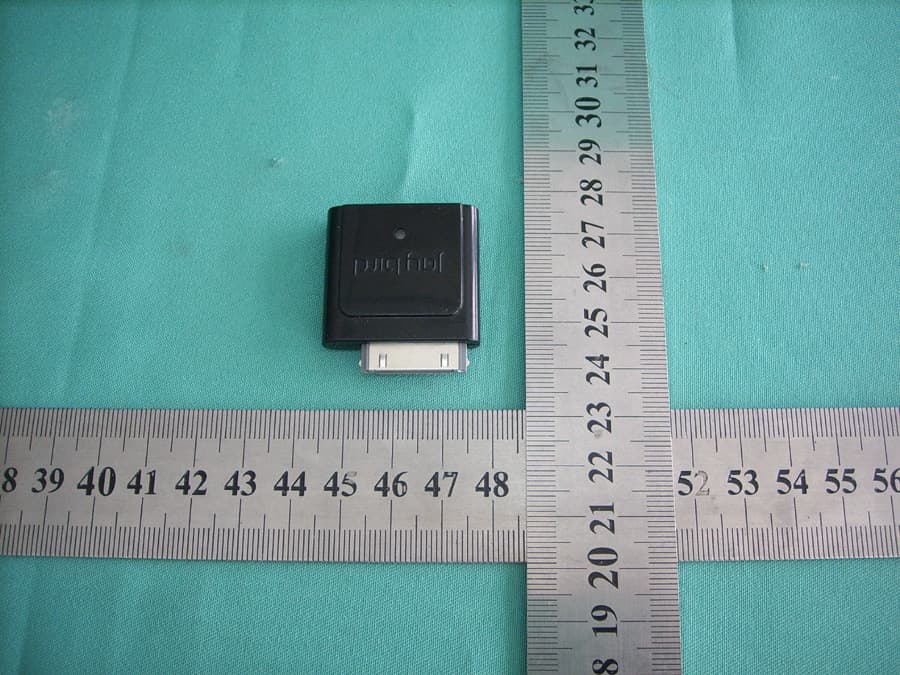
Click to zoom
Application Details
- Equipment Class
- DXX - Part 15 Low Power Communication Device Transmitter
- Date of Grant
- Nov 13, 2007
- Application Purpose
- Original Equipment
- Date of Application
- Nov 13, 2007
- Equipment Note
- BLUETOOTH DEVICE
- Frequency Range
- 2402.00000000 - 2480.00000000
- Company
- Plastoform Industries Ltd.
- Country
- Hong Kong
Documents & Files
Document Text
Text extracted from the exhibit documents filed with the FCC. Open a document above to read the original.
Users Manual
JB-BA-100i JayBird Bluetooth® Adapter for iPod User Guide User Manual Specs: • 3.5” wide by 5.5” tall • One color on white paper (black ink) FRONT COVER JB-BA-100i JayBird Bluetooth® Adapter for iPod Easy-step Instructions [JayBird Logo] For use with the JB-100 JayBird Bluetooth® Stereo Headset [image or line drawing of headset] [Made-For-iPod logo] COPY (starting on the inside cover) Introduction: The JayBird Bluetooth® Adapter for MP3 enables any compatible iPod® (see list below) to transmit stereo audio to your JB-100 JayBird Bluetooth® Stereo Headset (up to a 30 foot range). The JayBird Bluetooth® Adapter for iPod is compatible with the following iPod® models: • iPod Nano • iPod with video (5G) • iPod mini • iPod (4G, photo) The JayBird Bluetooth® Adapter for iPod is powered by the iPod once connected to the iPod dock connector, so no batteries are required. . JB-BA-100i JayBird Bluetooth® Adapter for iPod User Guide Pairing the adapter with your JayBird Bluetooth® Stereo Headset 1. Plug the adapter into the iPod® Dock Connector. The LED should be facing UP (same side as the front of the iPod®) 2. Turn the iPod® on and start playing music. The LED on the adapter will be steady blue color while it is in search mode. 3. Make sure that your headset is turned off. 4. Put the headset into pairing mode by pressing the POWER/TALK button on the headset until the LED on the right earpiece blink alternating red and blue colors. 5. The adapter LED will flash blue once it start to pair with the headset. 6. Once the headset finds and pairs with the adapter, both the adapter and headset LEDs will blink blue (the headset will blink blue every six seconds and the adapter LED will blink blue every 2 seconds). Your headset and adapter are now paired. Listening to Music 1. Once paired, all you need to do is plug in the adapter to the iPod® dock connector, turn on your headset, and play music. You will hear the music through your headset. 2. Adjust the volume by using the UP/DOWN buttons on the headset. Adjusting the volume on the iPod® will have no effect. 3. When not using the adapter, it’s a good idea to remove it from the iPod® dock connector as it is drawing power from the iPod® and will reduce the iPod® battery play time. Using the phone call feature of your JayBird Bluetooth® Stereo Headset 1. The JayBird Bluetooth® Stereo Headset can also be paired with any compatible Bluetooth® enabled mobile phone. For pairing instructions, refer to the user manual that came with your headset. 2. Once paired with a mobile phone, you can make and receive phone calls even while listening to music from your iPod® wirelessly using your JayBird Bluetooth® Adapter. When a call comes in, you will hear the phone ring. Answer the call by pressing the TALK button on the headset (or by pressing the answer button on your phone) and the music will turn off automatically and you can then take the call. When you done with the call and have hung up, the headset will switch back to music play. (Refer to your JayBird Bluetooth® Stereo Headset user manual for detailed instructions on making and receiving phone calls) JB-BA-100i JayBird Bluetooth® Adapter for iPod User Guide TECHNICAL SPECIFICATIONS Protocol Bluetooth 1.2, A2DP Frequency Band 2.4 GHz Tx Power Bluetooth Class 2 Range 10 meters/33 feet Audio Format 16-bit Stereo Music Playing Time Draws power from iPod Battery No battery - draws power from iPod Charging No charging required - draws power from iPod Weight:(Grams) 6.5g Operating Temp 14 F to 113 F (-10° C to 45° C) (subject to change) Storage Temp -4 F to 131 F (-20° C to 55° C) (subject to change) AC power supply Not required - draws power from iPod No of Paired Device 1 Pairing passkey Not required - automatically pairs with headset Features Power and audio line out from iPod. status LED Agency Approvals FCC, CE Included In Box JayBird Bluetooth Adapter for iPod User Manual Compatibility - iPod Nano - iPod with video (5G) - iPod mini - iPod (4G, photo) Federal Communication Commission This device complies with Part 15 of the FCC Rules. Operation is subject to the following two conditions: (1) This device may not cause harmful interference, and (2) this device must accept any interference received, including interference that may cause undesired operation. This equipment has been tested and found to comply with the limits for a Class B digital device, pursuant to Part 15 of the FCC Rules. These limits are designed to provide reasonable protection against harmful interference in a residential installation. This equipment generates, uses and can radiate radio frequency energy and, if not installed and used in accordance with the instructions, may cause harmful interference to radio communications. However, there is no guarantee that interference will not occur in a particular installation. If this equipment does cause harmful interference to radio or television reception, which JB-BA-100i JayBird Bluetooth® Adapter for iPod User Guide can be determined by turning the equipment off and on, the user is encouraged to try to correct the interference by one of the following measures: • Reorient or relocate the receiving antenna. • Increase the separation between the equipment and receiver. • Connect the equipment into an outlet on a circuit different from that to which the receiver is connected. • Consult the dealer or an experienced radio/TV technician for help. Any changes or modifications not expressly approved by the party responsible for compliance could void the user's authority to operate this equipment.
Block Diagram
JB100i Block Diagram U1 CSR BC352239A Ipod 30pin connector Audio input Power input UART 2402MHz-2480MHz Flash(8Mbit) Filter Balun Antenna Y1 XTAL-26M
ID Label/Location Info
Label Drawing FCC ID: VL5-JBBA100I Model Number:JB-BA-100i
Operational Description
The brief introduction of the circuit of the Bluetooth iPOD Dongle 1.IC U1 BlueCore3-Multimedia External is a single chip radio and baseband IC for Bluetooth 2.4GHz systems of CSR Company .BC352239A interfaces to 8Mbit of external Flash momory.It provides a fully compliant Bluetooth system to v1.2 of the specification for data and voice communications. 2.The BlueCore3-Multimedia RF local oscillator and internal digital clocks are derived from the reference clock at the BlueCore3-Multimedia 26M Hz Crystal Y1 XTAL_IN input. This reference is from a crystal connected between XTAL_IN and XTAL_OUT. 3.Launching antenna is printing antenna.in fact,good effect can be obtained by chip antenna. 4.Power of the whole body and Audio signal are provided by Ipod 30 pin connector. 5.The flash memorizer use the iPOD power provided by 3.0V. 6 .The balun is a device that joins a balanced line to an unbalanced line,it is a type of transformer. 7 .Filter can filtered any noise out of Bluetooth band.
Schematics
55 44 33 22 11 D D C C B B A A UART_TX UART_RX VBUS VBUSUSB_DNUSB_DP USB_DPUSB_DNUART_RXUART_TX 3V3 1V8 3V3 3V3 3V3 TitleSize Document Number Rev Date: Sheet of PBTITXXC2X-V12 1.2 PBTITXXC2X-V12 2210 O'Toole Ave Suite 200 San Jose, CA 95131 11 Wednesday, October 17, 2007 TitleSize Document Number Rev Date: Sheet of PBTITXXC2X-V12 1.2 PBTITXXC2X-V12 2210 O'Toole Ave Suite 200 San Jose, CA 95131 11 Wednesday, October 17, 2007 TitleSize Document Number Rev Date: Sheet of PBTITXXC2X-V12 1.2 PBTITXXC2X-V12 2210 O'Toole Ave Suite 200 San Jose, CA 95131 11 Wednesday, October 17, 2007 C11C11 L2L2 R4R4 C9C9 C6C6 L3L3 C4C4 CR1CR1 C5C5 C2C2 C3C3 H1H1 D1D1 C12C12 R11R11 L1L1 C8C8 J2 GND 1 SPI_MOSI 2 SPI_CLK 3 SPI_CSB 4 SPI_MISO 5 3V3 6 R5R5 H2H2 ANT1ANT1 C13C13 R6 R10R10 U3 BTMM3C2XXV13 U3 BTMM3C2XXV13 PIO11 39 PIO1 38 PIO2 37 PIO0 36 RESET 35 PCM_IN 34 PCM_SYNC 33 PCM_OUT 32 PCM_CLK 31 UART_RX 30 UART_TX 29 UART_CTS 28 SPI_MISO 26 AUDIO_OUT_P_LEFT 5 AUDIO_OUT_N_LEFT 6 AUDIO_IN_P_RIGHT 8 AUDIO_IN_N_RIGHT 9 RF 1 AIO_0 13 GND3 12 AIO_3 14 AUDIO_IN_N_LEFT 11 PIO4 15 PIO6 16 USB_DN 17 USB_DP 18 GND4 44 PIO8 42 PIO3 43 1V8 19 PIO7 20 AUDIO_OUT_P_RIGHT 3 AUDIO_OUT_N_RIGHT 4 GND2 7 AUDIO_IN_P_LEFT 10 GND1 2 PIO5 22 3V3 21 SPI_CSB 24 SPI_MOSI 23 PIO9 40 PIO10 41 SPI_CLK 25 UART_RTS 27 R3R3 J1J1 1 2 3 4 5 6 7 8 9 10 11 12 13 14 15 16 17 18 19 20 21 22 23 24 25 26 27 28 29 30 31 32 R1R1 S1S1 C1C1 C7C7 R2R2 J3J3 1 2 3 4 C10C10
Test Report
Most Technology Service Co., Ltd. Tel:(86) 755-26825180 Fax:(86) 755-86170310 Http:// www. szmost.com Email: [email protected] Plastoform Industries Ltd. FCC ID: VL5-JBBA100I Cover Sheet Test Report Product Name: JayBird Bluetooth Adapter for iPod FCC ID: VL5-JBBA100I MODEL NO. : JB-BA-100i Applicant: Plastoform Industries Ltd. Units 6A-12, 15 Floor, Mita Centre, 552-566 Castle Peak Road, Kwai Chung Date Received: 10/21/2007-10/31/2007 Date Tested: 10/31/2007 Most Technology Service Co., Ltd. Tel:(86) 755-26825180 Fax:(86) 755-86170310 Http:// www. szmost.com Email: [email protected] APPLICANT: Plastoform Industries Ltd. FCC ID: VL5-JBBA100I TABLE OF CONTENTS TABLE OF CONTENTS APPLICANT: PLASTOFORM INDUSTRIES LTD. FCC ID: VL5-JBBA100I TEST REPORT CONTAINING: PAGE 1...........TEST EQUIPMENT LIST PAGE 2...........TEST PROCEDURE PAGE 3-4.........RADIATION INTERFERENCE TEST DATA PAGE 5-8.........OCCUPIED BANDWIDTH AND PLOTS EXHIBIT INCLUDED: PAGE 1...........BLOCK DIAGRAM PAGE 2...........SCHEMATIC PAGE 3...........USERS MANUAL PAGE 4...........LABEL SAMPLE PAGE 5...........LABEL LOCATION PAGE 6...........EXTERNAL PHOTOGRAPHS PAGE 7...........INTERNAL PHOTOGRAPHS PAGE 8...........OPERATIONAL DESCRIPTION PAGE 9...........TEST SET UP PHOTOGRAPHS Most Technology Service Co., Ltd. Tel:(86) 755-26825180 Fax:(86) 755-86170310 Http:// www. szmost.com Email: [email protected] APPLICANT: Plastoform Industries Ltd. FCC ID: VL5-JBBA100I Page 1 of 8 EMC Equipment List Remark: Test Firm Name: Most Technology Service Co., Ltd. Test Firm Address: No. 5, 2nd Langshan Road, North District, Hi-tech Industrial Park,Nanshan, Shenzhen, Guangdong, China FCC Registered Test Site Number: 490827 Equipment Manufacturer Model No. Serial No. Last Cal. Cal. Interval EMI Test Receiver ROHDE&SCHWARZ ESCI 100492 Apr 06,2007 1 Year LISN ROHDE&SCHWARZ ENV216 100093 Apr 06,2007 1Year EMI Test Receiver ROHDE&SCHWARZ ESCI 101202 Apr 06,2007 1 Year Spectrum Analyzer ANRITSU MS2651B 6200238316 Apr 06,2007 1 Year 50O Coaxial Switch ANRITSU CORP MP59B 6200283933 Apr 06,2007 1 Year Bilog Antenna Sunol JB3 A121206 Apr 06,2007 1 Year Horn Antenna EMCO 3115 640201028-06 Apr 06,2007 1 Year 50O Coaxial Switch ANRITSU CORP MP59B 6200283933 Apr 06,2007 1 Year Cable Resenberger N/A NO.1 Apr 06,2007 1 Year Cable SCHWARZBECK N/A NO.2 Apr 06,2007 1 Year Cable SCHWARZBECK N/A NO.3 Apr 06,2007 1 Year Single Phase Power Line Filter Kikusui LIN40MA-PCR -L LM002352 Apr 06,2007 1Year AC Power Source Kikusui AC40MA LM003232 Apr 06,2007 1Year Test analyzer Kikusui KHA1000 LM003720 Apr 06,2007 1Year ESD Tester Kikusui KES4021 LM003537 Apr 08,2007 1 Year Signal Generator IFR 2032 203002/100 Apr 08,2007 1 Year Amplifier A&R 150W1000 301584 NCR NCR Dual Directional Coupler A&R DC6080 301508 Apr 06,2007 1 Year Power Head A&R PH2000 301193 Apr 06,2007 1 Year Power Meter A&R PM2002 302799 Apr 06,2007 1 Year Field Monitor A&R FM5004 300329 Apr 06,2007 1 Year Field Probe A&R FP5000 300221 Apr 06,2007 1 Year EMCPRO System EM Test UCS-500-M4 V0648102026 Apr 06,2007 1 Year EMCPRO System EM Test UCS-500-M4 V0648102026 Apr 06,2007 1 Year Most Technology Service Co., Ltd. Tel:(86) 755-26825180 Fax:(86) 755-86170310 Http:// www. szmost.com Email: [email protected] APPLICANT: Plastoform Industries Ltd. FCC ID: VL5-JBBA100I Page 2 of 8 TEST PROCEDURE GENERAL: This report shall NOT be reproduced except in full without the written approval of MOST TECHNOLOGY SERVICE CO., LTD. The EUT was transmitting a test signal during the testing. POWER LINE CONDUCTED INTERFERENCE: The test procedure used was ANSI Standard C63.4-2003 using a 50H LISN. Both Lines were observed. The bandwidth of the receiver was 10kHz with an appropriate sweep speed. The ambient temperature of the EUT was 25 with a humidity of 58%. RADIATION INTERFERENCE: The test procedure used was ANSI Standard C63.4-2003 using a ANRITSU spectrum analyzer with a pre-selector. The analyzer was calibrated in dB above a micro volt at the output of the antenna. The resolution bandwidth was 100 kHz and the video bandwidth was 300 kHz up to 1 GHz and 1 MHz with a video BW of 3 MHz above 1 GHz. The ambient temperature of the EUT was 25 with a humidity of 58%. FORMULA OF CONVERSION FACTORS: The Field Strength at 3m was established by adding the meter reading of the spectrum analyzer (which is set to read in units of dBuV) to the antenna correction factor supplied by the antenna manufacturer and cable loss. The antenna correction factors and cable loss are stated in terms of dB. The gain of the Pre-selector was accounted for in the Spectrum Analyzer Meter Reading. Example: Freq (MHz) METER READING + ACF + CABLE = FS 33 20 dBuV + 10.36 dB + 0.9 dB= 31.26 dBuV/m @ 3m ANSI STANDARD C63.4-2003 10.1.7 MEASUREMENT PROCEDURES: The EUT was placed on a table 80 cm high and with dimensions of 1m by 1.5m. The EUT was placed in the center of the table (1.5m side). The table used for radiated measurements is capable of continuous rotation. When an emission was found, the table was rotated to produce the maximum signal strength. At this point, the antenna was raised and lowered from 1m to 4m. The antenna was placed in both the horizontal and vertical planes. The situation was similar for the conducted measurement except that the table did not rotate. The EUT was setup as described in ANSI Standard C63.4-2003 10.1.7 with the EUT 40 cm from the vertical ground wall. Most Technology Service Co., Ltd. Tel:(86) 755-26825180 Fax:(86) 755-86170310 Http:// www. szmost.com Email: [email protected] APPLICANT: Plastoform Industries Ltd. FCC ID: VL5-JBBA100I Page 3 of 8 APPLICANT: PLASTOFORM INDUSTRIES LTD. FCC ID: VL5-JBBA100I NAME OF TEST: RADIATION INTERFERENCE RULES PART NUMBER: 15.249, 15.209 REQUIREMENTS: FIELD STRENGTH of Fundamental: FIELD STRENGTH of Harmonics S15.209 902-928 MHZ 2.4-2.4835 GHz 94 dBuV/m @3m 54 dBuV/m @3m 30 -88 MHz 40 dBuV/m @3M 88 - 216 MHz 43.5 216 - 960 MHz 46 ABOVE 960 MHz 54dBuV/m EMISSIONS RADIATED OUTSIDE OF THE SPECIF…
Text truncated - open the document above for the full version.
Contact Information
Applicant
Winny Mak
Test Firm
Most Technology Service Co., Ltd.Mark Wen
Technical Specifications
| # | Rule Parts | Frequency Range | Power Output |
|---|---|---|---|
| 1 | 15C | 2.40 GHz - 2.48 GHz | - |
Other Applications from Plastoform Industries Ltd.
VL5-OUT
Oct 22, 2015Recover Outlier Speaker Walnut
Equipment Class
DSS - Part 15 Spread Spectrum Transmitter
VL5-BBUNPLUGGED
Aug 02, 2015Portable Bluetooth Speaker
Equipment Class
DSS - Part 15 Spread Spectrum Transmitter
VL5-BIGBLUEMINI
Jul 11, 2015Portable Bluetooth speaker
Equipment Class
DSS - Part 15 Spread Spectrum Transmitter
VL5-BBLIVEV2
Feb 05, 2015Bluetooth Speaker
Equipment Class
DXX - Part 15 Low Power Communication Device Transmitter
VL5-MW212RC
Apr 21, 2014Bluetooth Speaker
Equipment Class
DXX - Part 15 Low Power Communication Device Transmitter