VO8-I4SBluetooth Headset
GuangZhou LIWEI Electronics, LTD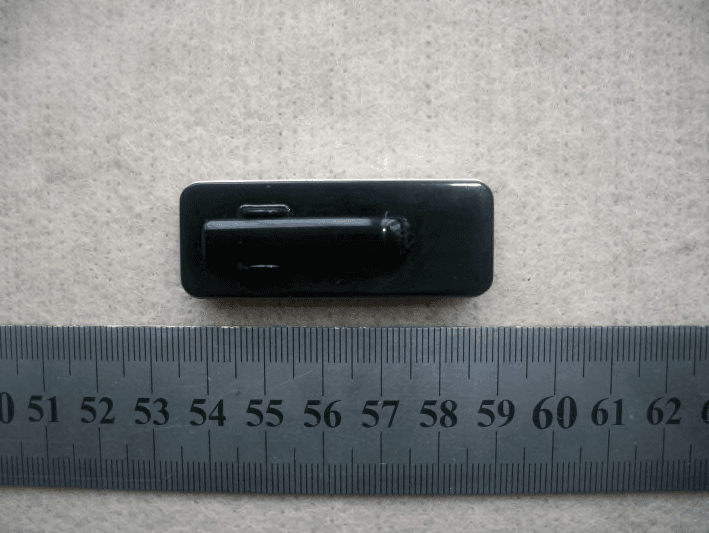
Click to zoom
Application Details
- Equipment Class
- DSS - Part 15 Spread Spectrum Transmitter
- Date of Grant
- Nov 24, 2011
- Application Purpose
- Original Equipment
- Date of Application
- Nov 22, 2011
- Equipment Note
- Bluetooth Headset
- Frequency Range
- 2402.00000000 - 2480.00000000
- Country
- China
Documents & Files
Document Text
Text extracted from the exhibit documents filed with the FCC. Open a document above to read the original.
Users Manual
4 Product overview The Bluetooth Stereo Headset is composed of: 1.MF Button ( ) 2.Microphone( ) 3.Charging Jack( ) 4.Speaker( ) 5.Earhook( ) 6.Indicator Light( ) 7.Previous Song/Volume (-) Button( ) 8.Next Song/Volume (+) Button( ) Charging the headset Your headset uses a rechargeable battery. You must charge the battery fully before using the headset for the first time. Please make sure to turn off the headset before charging. 1. Plugging the charging cradle in the port. 2. The red indicator light remains solid when charging. 3. The fully charging takes approximately2-3 hours. 4. The indicator light is in solid blue when charging completed. How to turning on/off: Turn on:Press the MF button until you hear the beep and the blue indicator light flashes. Turn off: Press the MF button until you hear the beep and the blue indicator light flashes twice. Redialing the previous call Press and hold the MF button for 2 seconds until you hear a long beep. Playing music When you are listening to the music, you can press the MF button to play music or make a pause and the volume control buttons is to select previous song and next song (Briefly press the Volume + to go to next song and Volume to go to the previous song.). 67 phone. Take the headset away from the mobile phone for more than 10 meters (33ft). Reconnect the paired headset with the mobile phone If you want to connect the paired headset with the mobile phone, you can do as below: Turning on the headset and setting up the connection in the Bluetooth list of your mobile phone Pressing once the MF button of the headset. (You have to do the setting in your mobile phone to allow the automatic connection with the paired headset.) Answering a call When you hear the ring tone, press the MF button once If you prefer answering the call by your phone, you can transfer the call from the headset on your phone. Ending a call Press and release the MF button once or end call on your phone's keypad. Answering or rejecting a call when listening to music If there is ring tone of incoming call when you are listening to music from your phone or PC or other Bluetooth enabled devices, press the MF button to answer the call and press and hold the MF button for 2 seconds to reject the call. Pause or put a call on hold During the phone call, just press and hold the MF button for 2 seconds to put a call on hold. If you want to resume to the call, you can also press and hold the MF button for 2 seconds. (This is subject to the mobile phone's feature.) Volume control Press and hold the Volume Control (+) to increase volume and release when it reaches your preferred volume. Vice versa! 5 Pairing with your Bluetooth phone 1. The distance between the Bluetooth headset and your Bluetooth phone would be better within 1 meter when pairing, the closer the better. 2. Ensuring the headset is off. 3. Pressing still the Multifunctional Button until you see the blue light remains solid. 4. Set your Bluetooth phone to discover the headset by following your phone's guide. Typically, the steps involved are going to a "Setup" "Connect" or "Bluetooth" menu on your phone and then select the option to discover Blueto- oth devices. 5. Your phone will find the headset and ask if you want to pair with it. Confirming this by pressing “yes” or “ok”. 6.Enter passkey “0000”, then press “yes” or “ok”. IMPORTANT:If pairing is successful, the indicator light will flash in blue 10 times rapidly before going to flashing every 3 seconds, If unsuccessful, the light remains on, and you will need to reattempt the pairing. While the light will go out if the pairing time takes more than 60 seconds, in that case, you need to turn off the headset and turn it on for pairing again. Disconnect the headset from the mobile phone If you want to disconnect the headset from the mobile phone, you can do as below: Turn off the headset Disconnect the headset from the Bluetooth list the mobile 2.将充电器插头插入耳机充电接口( ),另一端插到交流电 源插座上(如图).此时耳机开始充电,充电时,红灯( )恒亮. 3.耳机充足电,大约需要2-3个小时,充满后蓝灯( )恒亮或红 灯熄灭. 蓝牙配对步骤: 1.配对时,请将蓝牙耳机和手机的距离控制在1米范围内, 越近越好. 2.确认蓝牙耳机处于开机状态. 3.按多功能键( ),到蓝灯( )恒亮或红蓝灯( )同时(交 替)亮,此时耳机进入蓝牙配对状态. 4.按照蓝牙手机的说明书,打开"蓝牙搜索"或"添加新设备" 选择耳机名称,确认后按手机的提示输入"0000"确认. 注意:蓝牙耳机的配对时间是有限的"一般为60秒",如果蓝 灯( )熄灭变为红灯( )闪烁状态说明蓝牙配对状 态已停止.如果您这时仍未配对成功,请重复步骤1~4 再次配对. 开机或关机 开启耳机时,请按住多功能键( ),耳机会蜂鸣且蓝色指示灯 ( )会快速闪烁或长按多功能键( )进入配对状态。 关闭耳机时,请按住多功能键( ),耳机会蜂鸣且蓝色指示灯 ( )会快速闪烁两下. 将已配对耳机重新连接至手机 要连接耳机和手机,请打开耳机,使用手机的"蓝牙"功能表建立 连接,或按一下多功能键( ). 断开耳机与手机的连接 要断开耳机与手机的连接(例如,将手机连接至其他蓝牙设备), 请采用以下任一方式: 关闭耳机 使用手机的"蓝牙"功能表断开耳机与手机的连接. 将耳机移至距离手机10米(约30英尺)以远的位置. 用户使用说明书 USER GUIDE 1 耳机由以下部分组成: 1.多功能键( ) 2.麦克风( ) 3.充电插孔( ) 4.听筒( ) 5.耳挂( ) 6.指示灯( ) 7.上一曲/音量-( ) 8.下一曲/音量+( ) 使用入门 耳机充电 本耳机使用内置式不可拆卸充电电池. 请勿尝试从耳机中取出 电池,以免损坏耳机. 1.充电时,先将耳机关机 使用充电器给本耳机充电前,请先检查充电器是否为耳机配套 充电器. 警告: 必须使用配套的充电器给耳机充电,使用不配套 的充电器可能会损坏耳机 充电器和电池 您可以设置手机,使其在耳机启动时自动与耳机建立连接.在手 机中,要实现这一目的,请在"蓝牙"功能表中更改配对设备设置. 接听来电 ( ) 来电时,耳机内发出来电提示音或铃声,按下耳机多功能键, 即可接听来电,或使用手机接听键,接听来电 挂断通话 ( ) 按下耳机多功能键或使用手机挂断键即可挂断通话. 暂停或保留通话 通话时,长按多功能键( )2秒可保留现有通话,如需恢复通 话,则长按多功能键( )2秒。(是否支持本功能,取决于手机) 末位重拨 耳机支持末位重拨功能:长按2秒耳机多功能键( )即可实现 末位重拨。 音乐播放/暂停/选曲 收听音乐时可以操作多功能键( )播放或暂停,上一曲、下一 曲进行选曲等。(短按一次"+"为下一曲,短-次"-"为上一曲) 音量调节 :, 音量键调节音量的大小长按住"+"3秒为音量增大长按住 "-"3秒为音量减小(注:当音量达到最大或最小时会有蜂鸣声 提示) 拒绝来电 长按2秒耳机多功能键( )或直接用手机挂断键即可拒绝来电. 23 R Bluetooth Stereo Headset FCC STATEMENT 1. This device complies with Part 15 of the FCC Rules.Operation is subject to the following two conditions: (1) This device may not cause harmful interference. (2) This device must accept any interference received, including interferencethat may cause undesired operation. 2. Changes or modifications not expressly approved by the party responsible forcompliance could void the user's authority to operate the equipment. NOTE: This equipment has been tested and found to comply with the limitsfor aClass B digital device, pursuant to Part 15 of the FCC Rules. These limits aredesigned to provide reasonable protection against harmful interference in aresidential installation. This equipment generates uses and can …
Text truncated - open the document above for the full version.
Cover Letter(s)
SCS-F18: Project and Product Certification Representative Authorization LetterPage1of2Rev 2.0 2206 Ringwood Avenue San Jose, CA 95131 Tel: 408-526-1188 Fax: 408-526-1088 Email: [email protected] Project and Product Certification Representative Authorization Letter Revision History Reason for Amendment (current / obsolete) FromTo Approved Date Initial Release (current)1.01.0Nov-14-2006 Revised wording(current)1.02.0Sept–25-2007 SCS-F18: Project and Product Certification Representative Authorization LetterPage2of2Rev 2.0 Guangzhou Liwei Electronics Co.,Ltd. 11/10/2011 To: SIEMIC, INC. 2206 Ringwood Avenue, San Jose, CA 95131 USA Dear Sir/Madam, Re:Project and ProductCertification Representative Authorization Letter We,Guangzhou Liwei Electronics Co.,Ltd.hereby authorize SIEMIC, INC. to act as a Certification Bodyforcertifyingfor the following project(s): Product Description:Bluetooth Headset ModelName:I4S We affirm that between SIEMIC andGuangzhou Liwei Electronics Co.,Ltd., any difference in understanding, including test plan, measurement methods, applicable standards and relevant procedures and processes have been resolved prior to commencement of testing activities. Sincerely, Boyao/General Engineer Tel:+86-020-86062626Fax:+86-020-86062626-826 E-mail:[email protected] No.33,Zhenzhongbei Road,Shenshan Industrial Park Baiyuan District Guangzhou 510005 P.R. China
Cover Letter(s)
SCS-F19: Confidentiality Request Letter Page 1 of 2 Rev 2.0 2206 Ringwood Avenue San Jose, CA 95131 Tel: 408-526-1188 Fax: 408-526-1088 Email: [email protected] Confidentiality Request Letter Reason for Amendment (current / obsolete) Revision History Approved Date From To Initial Release (current) 1.0 1.0 Nov-14-2006 Adding CFR 2.459 1.0 2.0 August – 11 - 2008 SCS-F19: Confidentiality Request Letter Page 2 of 2 Rev 2.0 Guangzhou Liwei Electronics Co.,LTD. ________________________________________ 2011-11-10 To: Federal Communications Commission Authorization and Evaluation Division 7435 Oakland Mills Road Columbia, MD Confidentiality Request regarding application for certification of FCC ID: VO8- I4S We hereby request confidential treatment of information accompanying this application as outlined below: - Block Diagram - Schematics - Operational Description The above materials contain trade secrets and proprietary information not customarily released to the public. The public disclosure of these materials may be harmful to the applicant and provide unjustified benefits to its competitors. The applicant understands that pursuant to Section 0.457 & 0.459 of the Rules, disclosure of this application and all accompanying documentation will not be made before the date of the Grant for this application. Sincerely, Signature: Client’s name / title : Boyao/ General Engineer Contact information / address : Tel: +86-020-86062626 Fax: +86-020-86062626-826 E-mail: [email protected] No.33,Zhenzhongbei Road,Shenshan Industrial Park Baiyuan District Guangzhou 510005 P.R. China
Cover Letter(s)
Guangzhou Liwei Electronics Co.,Ltd. Date:2011-11-10 To: Federal Communications Commission 7435 Oakland Mills Road Columbia, MD FCC ID:VO8-I4S To Whom It May Concern: This letter is to ascertain thatSCM Microsystems, Inc.ProductBluetooth Headsethas been the units used for conducting FCC compliance testing, the DoC part will be tested by FCC recognized test lab. If you have any question or concerns, pls. contact us. Sincerely, Boyao/General Engineer Tel:+86-020-86062626Fax:+86-020-86062626-826 E-mail:[email protected] No.33,Zhenzhongbei Road,Shenshan Industrial Park Baiyuan District Guangzhou 510005 P.R. China
External Photos
Report No.:ENC111031GZ10F1-1 Page1of3 ATTACHMENTI PHOTOGRAPHS OF EUT ALL VIEW OF SAMPLE Report No.:ENC111031GZ10F1-1 Page2of3 Report No.:ENC111031GZ10F1-1 Page3of3
ID Label/Location Info
Bluetooth Headset Model:I4S FCC ID: VO8-I4S Guangzhou Liwei Electronics Co.,LTD. Made in China
ID Label/Location Info
Bluetooth Headset Model:I4S FCC ID: VO8-I4S GuangzhouLiwei Electronics Co.,LTD. Made in China
Internal Photos
Report No.:ENC111031GZ10F1-2 Page1of3 ATTACHMENTII InternalPhotos Report No.:ENC111031GZ10F1-2 Page2of3 Report No.:ENC111031GZ10F1-2 Page3of3
RF Exposure Info
FCC ID :VO8-I4S Bluetooth (Portable device) According to §15.247(e)(i) and §1.1307(b)(1), systems operating under the provisions of this section shall be operated in a manner that ensures that the public is not exposed to radio frequency energy levelin excess of the Commission’s guidelines. According to KDB 447498 (2)(a)(i) Frequency Range Low Frequency (MHz)High Frequency(MHz) Center frequency (MHz) 60/f SAR Limitation (mw) 24022480244124.5 Maximum measured transmitter power: Conducted Power (mW)Max Antenna GainEIRP (mW) 0.581 1.81 dBi or 1.517numeric 0.881 0.494 1.81 dBi or 1.517numeric 0.749 0.426 1.81 dBi or 1.517numeric 0.646 Remark:EIRP=P*G=0.581*1.517=0.881mW Threshold at which no SAR required is 25 mw. Maximum Tx power is0.881mw EIRP. Conclusion: No SAR is required. SIMULTANEOUS TRANSMISSION EVALUATION Signature RayZhou/ManagerNov.10,2011
Test Report
The results shown in this test report refer only to the sample(s) tested unless otherwise stated and the sample(s) are retained for 30 days only. The document is issuedby ENC, this document cannot be reproduced except in full with our prior written permission. The document is available on request and the brief informationfor its validation can be assessable and confirmed athttp://www.enc-lab.com. 317/3193/FHuiCheng Building, XiangPuTel:+86-020-23314234Fax:+86-020-8256 8534 Street, DongPu, TianHe, GuangZhouE-mail: enc@ enc-lab.comHttp://www.enc-lab.com EastNoticeCertification FCC Radio Test Report FCC ID: VO8-I4S For Bluetooth Headset ModelName:I4S Brand Name:Bluedio Report No.: ENC111031GZ10F1 Date of Issue: Nov.9, 2011 Prepared For Guangzhou Liwei Electronics Co., LTD. No.33, Zhenzhongbei Road,Shenshan Industrial Park Baiyuan District Guangzhou 510005 P.R. China TEL:+86-20-8606 2626 FAX:+86-20-8606 2626-800 Prepared By East Notice Certification Service Co., Ltd. 317/319,3/F, HuiCheng Building, XiangPu Street, DongPu, TianHe,GuangZhou, China TEL:+86-20-23314234 FAX:+86-20-8256 8534 The results shown in this test report refer only to the sample(s) tested unless otherwise stated and the sample(s) are retained for 30 days only. The document is issuedby ENC, this document cannot be reproduced except in full with our prior written permission. The document is available on request and the brief informationfor its validation can be assessable and confirmed athttp://www.enc-lab.com. 317/3193/FHuiCheng Building, XiangPuTel:+86-020-23314234Fax:+86-020-8256 8534 Street, DongPu, TianHe, GuangZhouE-mail: enc@ enc-lab.comHttp://www.enc-lab.com EastNoticeCertification Report No.:ENC111031GZ10F1 Page1of55 TABLE OF CONTENTS 1 . CERTIFICATION.............................................................................................................................3 2 . SUMMARY OF TEST RESULTS.................................................................................................4 2.1 TEST FACILITY............................................................................................................................5 2.2 MEASUREMENT UNCERTAINTY..............................................................................................5 3 . GENERAL INFORMATION...........................................................................................................6 3.1 GENERAL DESCRIPTION OF EUT............................................................................................6 3.2 DESCRIPTION OF TEST MODES..............................................................................................8 3.3 TABLE OF PARAMETERS OF TEXT SOFTWARE SETTING..................................................8 3.4 BLOCK DIGRAM SHOWING THE CONFIGURATION OF SYSTEM TESTED.......................9 3.5 DESCRIPTION OF SUPPORT UNITS(CONDUCTED MODE)..............................................10 4 . EMC EMISSION TEST.................................................................................................................11 4.1 CONDUCTED EMISSION MEASUREMENT...........................................................................11 4.1.1 POWER LINE CONDUCTED EMISSION LIMITS.................................................................11 4.1.2 MEASUREMENT INSTRUMENTS LIST AND SETTING.....................................................11 4.1.3 TEST PROCEDURE...............................................................................................................12 4.1.4 DEVIATION FROM TEST STANDARD..................................................................................12 4.1.5 TEST SETUP...........................................................................................................................12 4.1.6 EUT OPERATING CONDITIONS...........................................................................................13 4.1.7 TEST RESULTS......................................................................................................................14 4.2 RADIATED EMISSION MEASUREMENT& BAND EDGE..........................................................16 4.2.1 RADIATED EMISSION LIMITS................................................................................16 4.2.2 MEASUREMENT INSTRUMENTS LIST ANS SETTING..............................................17 4.2.3 TEST PROCEDURE...............................................................................................................18 4.2.4 DEVIATION FROM TEST STANDARD..................................................................................18 4.2.5 TEST SETUP...........................................................................................................................19 4.2.6 EUT OPERATING CONDITIONS...........................................................................................19 4.2.7 TEST RESULTS (BETWEEN30–1000 MHZ)...........................................................20 4.2.8 TEST RESULTS (ABOVE 1000 MHZ)..................................................................................23 4.2.9 BAND EDGE..........................................................................................................................26 5 . NUMBEROF HOPPING CHANNEL.........................................................................................31 5.1 APPLIED PROCEDURES / LIMIT.............................................................................................31 5.1.1 MEASUREMENT INSTRUMENTS LIST AND SETTING.....................................................31 5.1.2 TEST PROCEDURE...............................................................................................................31 5.1.3 DEVIATION FROM STANDARD............................................................................................31 5.1.4 TEST SETUP...........................................................................................................................31 5.1.5 …
Text truncated - open the document above for the full version.
Test Setup Photos
Report No.:ENC111031GZ10F1-3 Page1of3 ATTACHMENTIII PHOTOGRAPHS OF THE TEST SETUP Report No.:ENC111031GZ10F1-3 Page2of3 CONDUCTED EMISSION TESTSETUP RADIATED EMISSION TEST SETUP Report No.:ENC111031GZ10F1-3 Page3of3 RADIATED EMISSION TEST SETUP
Contact Information
Applicant
Jiawei Yang(Manager)
Test Firm
Guangdong Environment Radiation Monitoring CenterYang XuFu
[email protected]862084206353
Technical Specifications
| # | Rule Parts | Frequency Range | Power Output |
|---|---|---|---|
| 1 | 15C | 2.40 GHz - 2.48 GHz | 500.00 µW |
Other Applications from GuangZhou LIWEI Electronics, LTD
VO8-S6
Apr 07, 2022S6
Equipment Class
DSS - Part 15 Spread Spectrum Transmitter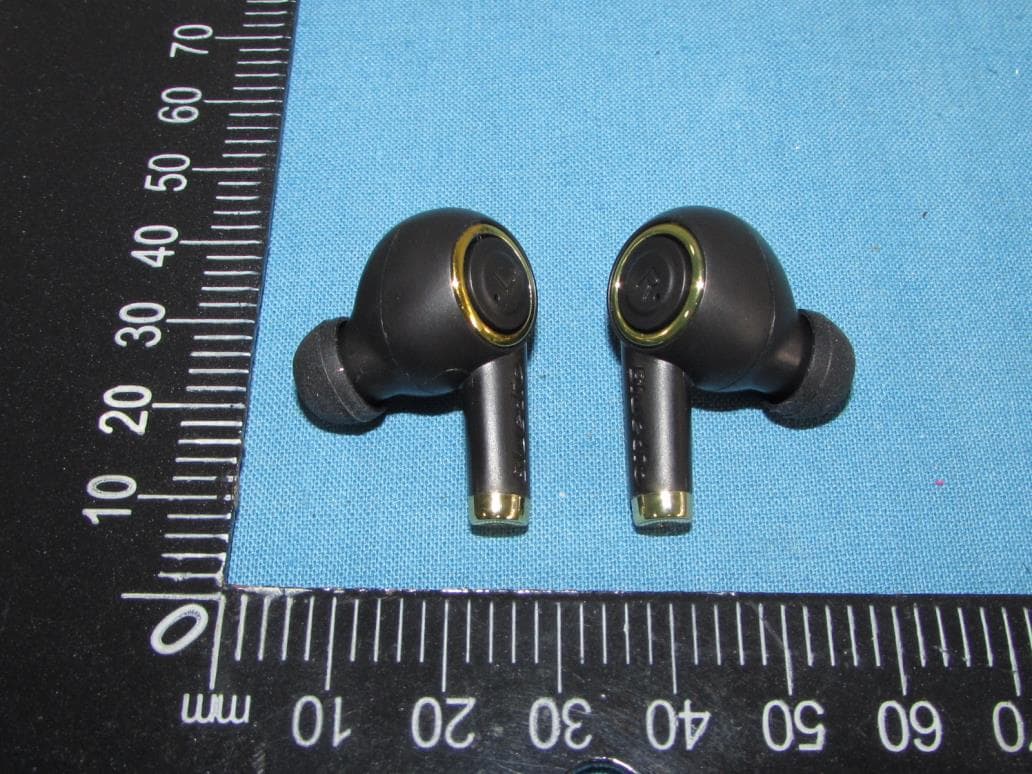
VO8-P
Jun 10, 2020True Wireless Stereo Earphones
Equipment Class
DSS - Part 15 Spread Spectrum TransmitterVO8CI3
Jan 27, 2016Bluetooth headset
Equipment Class
DXX - Part 15 Low Power Communication Device Transmitter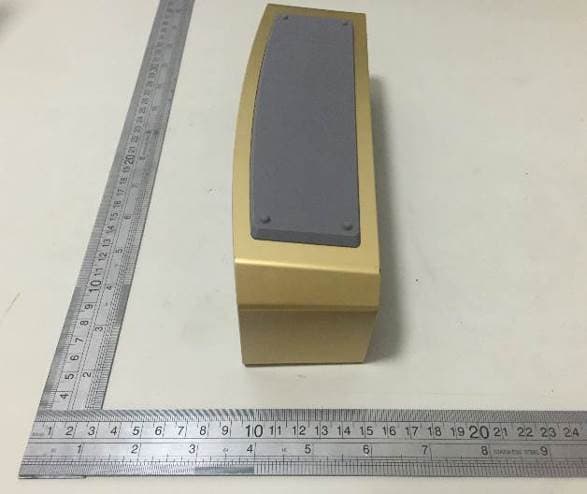
VO8-BS-3
Jul 08, 2015Bluetooth Stereo Speaker
Equipment Class
DSS - Part 15 Spread Spectrum Transmitter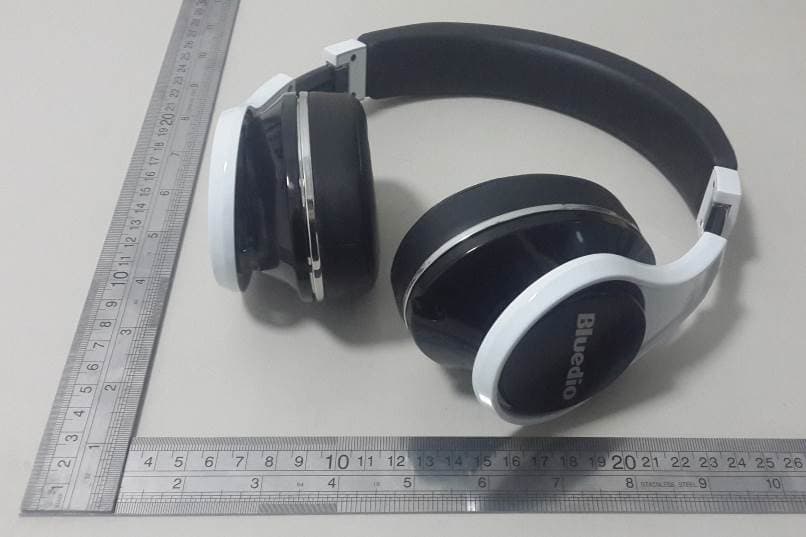
VO8-UFO
Feb 15, 2015Bluetooth Headset
Equipment Class
DTS - Digital Transmission System