VS9-5X11EX-05 MILITARY STYLE HEADSET CRISP&DEEP
Good Better Best Ltd trading as Gioteck
Click to zoom
Application Details
- Equipment Class
- JBP - Part 15 Class B Computing Device Peripheral
- Date of Grant
- Dec 22, 2011
- Application Purpose
- Original Equipment
- Date of Application
- Dec 22, 2011
- Equipment Note
- EX-05 MILITARY STYLE HEADSET CRISP&DEEP
- Country
- United Kingdom
Documents & Files
Document Text
Text extracted from the exhibit documents filed with the FCC. Open a document above to read the original.
Users Manual
EX - 05 MILITARY STYLE HEADSET CRISP AND DEEP WIRED STEREO HEADPHONES ex05_wired_xb3_solos_eu_manual.indd 105/09/2011 12:37 thank you Thank you for purchasing the EX-05 Military Style Headset from Gioteck. We hope that this product will go beyond your expectations for a quality made accessory. Please read this booklet thoroughly before using the product. Thank you & enjoy! precautions This product has been designed with the highest concern for safety. However, any electrical device, if used improperly, has the potential to cause harm. To help ensure risk-free operation please pay attention to the following guidelines. • Use only as intended. This is a precision product, handle with care. • Contains small parts. Not suitable for children under 3 years of age. • Store in a dry & dust free area. Do not store in areas of extreme heat or cold, and avoid direct sunlight or heat sources eg. heaters. • Do not allow the product to get wet or dirty; doing so may cause damage. • Do not clean with benzene, paint thinner, acetone, alcohol, or other such solvents. • Do not take the product apart; doing so will void your warranty and may cause electrical shock. warnings This symbol indicates important installation, operational or maintenance instructions. Always follow these instructions closely. environment Please help to conserve the environment by recycling all of the packaging of this product. This headset should NOT be disposed of in normal household waste. It should be disposed of separately. Please take it to an electrical waste collection point. 02 | CONTENTS & PRECAUTIONS CONTENTS 02 | Contents & Precautions 03 | Features & Details 05 | Set Up 08 | Chat Set Up 10 | Troubleshooting 11 | Legals ex05_wired_xb3_solos_eu_manual.indd 205/09/2011 12:37 01 02 06 05 03 04 features & details The EX-05 comes with true-to-life sound acoustics that make sure you hear your enemy, before you see them. Providing high quality, true sound & using the latest cutting edge audio technology, the EX-05 comes with a lightweight headband, ergonomic adjusters and circumaural ear cups to provide outstanding comfort. headset 01 | Lightweight Headband 02 | Headset Adjusters 03 | Micro-Fibre Mufflers 04 | Flexible Rubber Mic Boom 05 | Connector Cable 06 | Connector Plug FEATURES & DETAILS | 03 GB ex05_wired_xb3_solos_eu_manual.indd 305/09/2011 12:37 04 | FEATURES & DETAILS wired inline connector 01 | Headset Connector 02 | Inline Control Box 03 | Game Volume 04 | Chat Volume 05 | Mute Switch 06 | RCA Pass Through Connectors 07 | USB Connector 08 | Mini Jack Cable (for Xbox Live Chat) features & details 0102 07 0304 06 05 08 ex05_wired_xb3_solos_eu_manual.indd 405/09/2011 12:37 SET UP | 05 set up - xbox 360 slim using standard a/v cables Use the AV cable supplied with your Xbox 360 to connect your console to your TV (or sound system) as shown. This will allow you to hear your game time through your TV or EX-05 Headset. RCA TV CONNECTORS AV MULTI OUT INLINE CONTROLLER (INCLUDED) HEADSET CONNECTOR USBAV CABLE SUPPLIED wITH XBOX 360® CONSOLE wHITEYELLO w RED GB ex05_wired_xb3_solos_eu_manual.indd 505/09/2011 12:37 06 | SET UP set up - xbox 360 using hdmi HDMI OUTPUT HDMI CABLE (NOT SUPPLIED) AV MULTI OUT INLINE CONTROLLER (INCLUDED) USBAV CABLE SUPPLIED wITH XBOX 360® CONSOLE RCA SPLITTER CABLE (INCLUDED) HEADSET CONNECTOR HDMI TV ex05_wired_xb3_solos_eu_manual.indd 605/09/2011 12:37 SET UP | 07 HDMI TV HDMI OUTPUT HDMI CABLE (NOT SUPPLIED) USB AV MULTI OUT INLINE CONTROLLER (INCLUDED) AV CABLE (SOLD SEPERATELY) RCA SPLITTER CABLE (INCLUDED) wHITERED RCA TV OUTPUTS set up - xbox 360 slim using hdmi HEADSET CONNECTOR GB ALTERNATIVE SET UP ex05_wired_xb3_solos_eu_manual.indd 705/09/2011 12:37 set up - chat on xbox 360 The EX-05 may be used to communicate with other players during XBOX live multi player gaming sessions. Plug the Mini Jack cable supplied into the Mini Jack cable port of the inline connector (1) and connect the other end of the cable to the input of your Xbox controller (2). To customise your chat settings, follow the instructions opposite. 08 | CHAT SET UP 01 02 ex05_wired_xb3_solos_eu_manual.indd 805/09/2011 12:37 AB BackSelect Voice Game Volume Mute Kinect 6 Voice Output Play Through Headset Play Through Speakers Play Through Both Voice VolumeSet options for in-game voice and private chat. Voice Volume adjusts how loud other people sound. Game Volume adjusts the game’s volume during chat. 10 Profile MarketplaceGamesMediaGioteck666Settings Family Settings System Settings Account Managment Turn O Console Preferences Xbox Guide ABXY BackSelectSign OutXbox Dashboard AB BackSelect Notifications Voice Vibration Family Timer Online Status Preferences Xbox Dashboard Xbox Guide MarketplaceGamesMediaGioteck666Settings Friends Party ABXY BackSelectSign OutXbox Dashboard Messages Chat & IM Play a Game CHAT SET UP | 09 1. At the Xbox dashboard select the 'settings' menu. 3. Select 'voice' from the 'preferences' menu. 2. Select 'preferences' from the 'settings' menu. 4. Adjust settings. GB ex05_wired_xb3_solos_eu_manual.indd 905/09/2011 12:37 troubleshooting Having trouble with your EX-05 Military Style Headset? These troubleshooting steps will show you the smoothest path to resolving your issue. Be sure to perform troubleshooting before returning your headset. When using chat my friends can’t hear me • Check that the headset is connected to the Xbox 360® Controller. • Make sure the Mute switch on the inline controller is turned OFF. When using chat I can’t hear my friends. • Have you remembered to turn up the chat volume on the inline controller? • Check that you have set up the audio configuration correctly. I can’t hear the game audio. • Make sure the game volume is turned up on the inline controller? • Check that the headset is plugged in to the inline controller correctly. • Check that you have set up the audio configuration correctly. For further assistance please contact our customer support team on our website: www.g…
Text truncated - open the document above for the full version.
External Photos
External Photo
ID Label/Location Info
FCC ID: VS9‐5U21 Label: FCC ID: VS9‐5X11 Specifications: Text is Black in color and justified. Labels are printed in indelible ink on permanent adhesive silk‐screened onto the EUT or shall be affixed at a conspicuous location on the EUT. Lable Location
Internal Photos
Internal Photo
Test Report
Report No.: SZ11100091E04 Page 2 of 17 TABLE OF CONTENTS 1. GENERAL INFORMATION .................................................................................................... 3 1.1 EUT Description ......................................................................................................................... 3 1.2 Test Standards and Results ........................................................................................................ 4 1.3 Facilities and Accreditations ...................................................................................................... 5 1.3.1 Facilities .................................................................................................................................... 5 1.3.2 Test Environment Conditions .................................................................................................... 5 1.3.3 Measurement Uncertainty ......................................................................................................... 5 2. TEST CONDITIONS SETTING............................................................................................... 6 2.1 Test Mode .................................................................................................................................... 6 2.2 Test Setup and Equipments List ................................................................................................ 7 2.2.1 Radiated Emission ..................................................................................................................... 7 3. 47 CFR PART 15B REQUIREMENTS .................................................................................... 9 3.1 Radiated Emission ...................................................................................................................... 9 3.1.1 Requirement .............................................................................................................................. 9 3.1.2 Test Description ........................................................................................................................ 9 3.1.3 Test Result ............................................................................................................................... 10 ANNEX A PHOTOS OF THE EUT ............................................................................................. 12 ANNEX B PHOTOS OF TEST SETUP ...................................................................................... 17 Change History Issue Date Reason for change 1.0 November 30, 2011 First edition Report No.: SZ11100091E04 Page 3 of 17 1. GENERAL INFORMATION 1.1 EUT Description EUT Type ........................Headset Serial No. ........................(n.a., marked #1 by test site) Hardware Version .......... .N/A Software Version .............N/A Applicant .........................Goodbetterbest Limited Suites 103-107 Devonshire Business Centre Works Road Letchworth Herts SG6 1GJ United Kingdom Manufacturer Goodbetterbest Limited Suites 103-107 Devonshire Business Centre Works Road Letchworth Herts SG6 1GJ United Kingdom NOTE: 1. The EUT is a Headset. During the test, the EUT was connected with a XBOX 360 and a TV, and it’s was working normally. 2. For a more detailed description, please refer to Specification or User’s Manual supplied by the applicant and/or manufacturer. Report No.: SZ11100091E04 Page 4 of 17 1.2 Test Standards and Results The objective of the report is to perform testing according to 47 CFR Part 15 Subpart B: No. Identity Document Title 1 47 CFR Part 15 (10-1-09 Edition) Radio Frequency Devices Test detailed items/section required by FCC rules and results are as below: No. Section Description Result 2 15.109 Radiated Emission PASS NOTE: The tests were performed according to the method of measurements prescribed in ANSI C63.4 2009. Report No.: SZ11100091E04 Page 5 of 17 1.3 Facilities and Accreditations 1.3.1 Facilities Shenzhen Morlab Communications Technology Co., Ltd. Morlab Laboratory is a testing organization accredited by China National Accreditation Service for Conformity Assessment (CNAS) according to ISO/IEC 17025. The accreditation certificate number is L3572. All measurement facilities used to collect the measurement data are located at 3/F, Electronic Testing Building, Shahe Road, Xili, Nanshan District, Shenzhen, 518055 P. R. China. The test site is constructed in conformance with the requirements of ANSI C63.7, ANSI C63.4 and CISPR Publication 22; the FCC registration number is 741109. 1.3.2 Test Environment Conditions During the measurement, the environmental conditions were within the listed ranges: Temperature (°C): 15 - 35 Relative Humidity (%): 30 - 60 Atmospheric Pressure (kPa): 86 -106 1.3.3 Measurement Uncertainty The uncertainty is calculated using the methods suggested in the "Guide to the Expression of Uncertainty in Measurement" (GUM) published by ISO. Uncertainty of Conducted Emission: ±1.8dB Uncertainty of Radiated Emission: ±3.1dB Report No.: SZ11100091E04 Page 6 of 17 2. TEST CONDITIONS SETTING 2.1 Te s t M o d e During the measurement, The EUT was working normally, its configuration of the emission tests is EUT + XBOX + TV. The EUT was connected with the XBOX via the USB connector and the RCA pass through connectors. Through the AV cable supplied with XBOX 360 console, the XBOX was connected with a TV. The figure as follow: In addition, there was a Microphone which was connected with the EUT via the XBOX Live Chat Input port . Report No.: SZ11100091E04 Page 7 of 17 2.2 Test Setup and Equipments List 2.2.1 Radiated Emission A. Test Procedure a. The measuring distance of at 3 m shall be used for measurements at frequency up to 1GHz.For frequencies above 1GHz, any suitable measuring distance may be used. b. The EUT was placed on the top of a rotating table 0.8 meters above the ground at a 3m meter open area test site. The table was rotated 360 degrees to determine the positio…
Text truncated - open the document above for the full version.
Test Setup Photos
Test Setup Photos 1.RE
Contact Information
Applicant
Stephen Withers(Consultant)
Test Firm
Shenzhen Morlab Communications Technology Co.,LtdShu Luan
Technical Specifications
| # | Rule Parts | Frequency Range | Power Output |
|---|---|---|---|
| 1 | 15B | - | - |
Other Applications from Good Better Best Ltd trading as Gioteck
VS9-WX4NSW
Jul 25, 2022WIRELESS CONTROLLER
Equipment Class
DSS - Part 15 Spread Spectrum Transmitter
VS9-FL400
Dec 07, 2015Bluetooth Headset
Equipment Class
DSS - Part 15 Spread Spectrum Transmitter
VS9-FL300
Sep 29, 2015Bluetooth Headset
Equipment Class
DSS - Part 15 Spread Spectrum Transmitter
VS9LP1D
Jul 29, 2015Bluetooth Chat Headset Dongle
Equipment Class
DSS - Part 15 Spread Spectrum Transmitter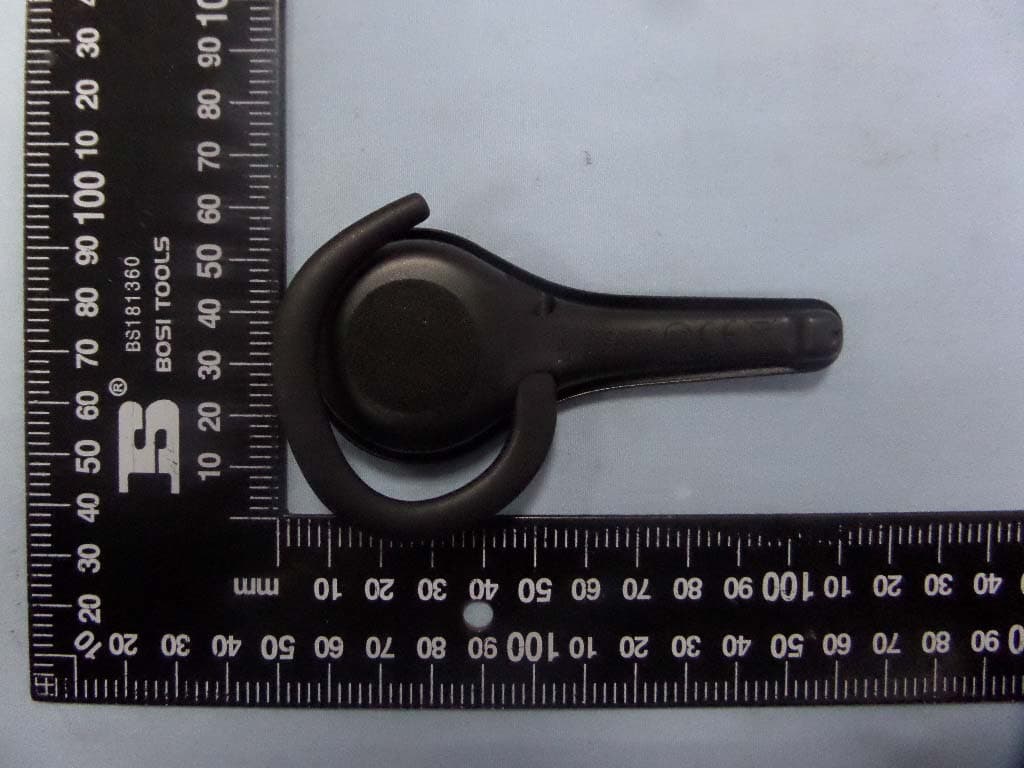
VS9LP1
Jul 28, 2015Bluetooth headset
Equipment Class
DSS - Part 15 Spread Spectrum Transmitter