VS9-G300GIOTECK PS3 HF-2 CONTROLLER
Good Better Best Ltd trading as Gioteck
Click to zoom
Application Details
- Equipment Class
- DXX - Part 15 Low Power Communication Device Transmitter
- Date of Grant
- Mar 20, 2011
- Application Purpose
- Original Equipment
- Date of Application
- Mar 20, 2011
- Equipment Note
- GIOTECK PS3 HF-2 CONTROLLER
- Frequency Range
- 2402.00000000 - 2480.00000000
- Country
- United Kingdom
Documents & Files
Document Text
Text extracted from the exhibit documents filed with the FCC. Open a document above to read the original.
Users Manual
HF-2 BLUETOOTH CONTROLLER FOR PS3™ ERGONOMIC FPS CONTROLLER MODEL G30000A This product is not designed, manufactured, sponsored or endorsed by Sony Computer Entertainment Inc. or any of its divisions. PS3™ is a trademark of Sony Computer Entertainment Inc. Specification & appearance are subject to change without prior notice. Copyright © 2011 GBB Group. All Rights Reserved. 02 | CONTENTS & PRECAUTIONS FEATURES & DETAILS | 03 thank you Thank you for purchasing the HF-2 Bluetooth Controller from Gioteck. We hope that this product will go beyond your expectations for a quality made accessory. Please read this booklet thoroughly before using the product and review the PS3™ manual for additional details regarding PS3™ operation. Thank you & enjoy! features & details The HF-2 has been ergonomically designed to enhance the "First Person Shooter" gameplay experience. You’ll find it’s the little touches that make all the difference. precautions This product has been designed with the highest concern for safety. However, any electrical device, if used improperly, has the potential to cause harm. To help ensure risk-free operation please pay attention to the following guidelines. • Use only as intended. This is a precision product, handle with care. • Contains small parts. Not suitable for children under 3 years of age. • Store in a dry & dust free area. Do not store in areas of extreme heat or cold, and avoid direct sunlight or heat sources eg. heaters. • Do not allow the product to get wet or dirty; doing so may cause damage. • Do not clean with benzene, paint thinner, acetone, alcohol, or other such solvents. • Do not take the product apart; doing so will void your warranty and may cause electrical shock. 01 | Home Button 02 | Select Button 03 | Turbo Button 04 | Start Button 05 | Crescent with LED feedback 06 | L3 Thumbstick 07 | Buttons 08 | Directional Pad 09 | R3 Thumbstick 10 | R1 Button 11 | R2 Button 12 | L1 Button 13 | L2 Button 14 | Mini-USB Port 15 | Flip Switch 16 | Battery Compartment 02 03 01 0809 07 04 06 05 1012 13 14 11 15 16 warnings This symbol indicates important installation, operational or maintenance instructions. Always follow these instructions closely. environment Please help to conserve the environment by recycling the inner cardboard packaging of this product. This controller should NOT be disposed of in normal household waste. It should be disposed of separately. Please take it to an electrical waste collection point. CONTENTS 02 | Precautions 03 | Features & Details 04 | Setup 05 | Battery replacement 06 | Pairing 07 | Operation 09 | Thumbstick calibration 10 | Troubleshooting 11 | Legals The HF-2 does not need to contain batteries to function as a wired device. set up The HF-2 Controller is very easy to set up, and for your convenience it can be used as either a wired or wireless device. To use your controller as a wired device connect the USB to the PS3™ [01] and the mini USB to the controller’s charging socket [02]. Using your thumb, press in the catch on the battery door [01]. Lift to open. Replace with new batteries, or a Gioteck battery pack. Replace the battery door. battery replacement To use your controller wirelessly, remove the battery compartment cover and insert two AA batteries or a Gioteck Rechargeable battery pack. 01 02 04 | SETUP BATTERY REPLACEMENT | 05 01 06 | PAIRING OPERATION | 07 Controller assigned to port 7. pairing your controller The HF-2 must be paired to your PS3™ to use it wirelessly. To enable pairing, connect your controller to the PS3™ via a USB cable and pairing will happen automatically. The pairing process can take up to 10 seconds. Controller assigned to port 1. The HF-2 will go into sleep mode if not used for 10 minutes. To wake up the controller, press the Home button. operation To power on your controller, press and hold the home button for 2 seconds until a red LED appears in the crescent. To power off your controller, press and hold the home button for 1 second. turbo function Pressing an action button assigned with turbo will simulate the button being pressed rapidly e.g. “boost firepower”. To enable turbo function: While pressing the Turbo button, press & release the action button you wish to turbo. To switch turbo off, repeat the procedure above. NOTE: More than one button can be assigned the turbo function at any one time. To clear all turbo functions: Press & hold the Turbo button ONLY for 12 seconds. reassigning ports Once paired one or two LEDs within the crescent of the controller will light depending on which port the controller has been assigned to. To assign your controller to a different port, go to: Accessory Settings – Reassign Controller and scroll to assign the controller to your desired port. 08 | OPERATION flip switch To swap the functions assigned to the L1 & L2 and R1 & R2 buttons simply slide the switch from left to right. operation For your convenience a flip switch has been built into the body of the HF-2 controller enabling you to swap the functions assigned to the L1 & L2 and R1 & R2 buttons. 01 THUMBSTICK CALIBRATION | 09 thumbstick calibration The HF-2 has calibrated thumbsticks that will sharpen aim and improve accuracy during serious FPS gameplay. If would like to change the HF-2 thumbstick sensitivity, download the latest Gioteck software from the HF-2 support pages on our website: www.gioteck.com In the event that a system update interfers with the operation of your controller, go to www.gioteck.com to download the latest Gioteck updates. 10 | TROUBLESHOOTINGLEGALS | 11 troubleshooting Having trouble with your HF-2 controller? These troubleshooting steps will show you the smoothest path to resolving your issue. Be sure to perform troubleshooting before having your product serviced. Gioteck hereby declares that this controller is in compliance with the essential requirements and other provisions of Directive 1999/E/EC. To view the full version of the Declaration of Conformity please go online to …
Text truncated - open the document above for the full version.
Cover Letter(s)
Good Better Best Ltd. FCC ID: YNG-PF100001 POWER OF ATTORNEY March 16, 2011 Federal Communications Commission Authorization and Evaluation Division 7435 Oakland Mills Road Columbia, MD 21046 To Whom It May Concern: We, Good Better Best Ltd. hereby authorize Shenzhen Super Test Service Technology Co., Ltd. (Terry YANG/ Manager) on our behalf, to apply to the Federal Communications Commission on our equipment. Any and all acts carried out by Shenzhen Super Test Service Technology Co., Ltd. (Terry YANG/ Manager) on our behalf shall have the same effect as acts of our own. This authorization expires on March 31, 2011. This is to advise that we are in full compliance with the Anti-Drug Abuse Act. We, Good Better Best Ltd. are not subject to a denial of federal benefits pursuant to Section 5301 of the Anti-Drug Act of 1988, 21 USC853a, and no party to the application is subject to a denial of federal benefits pursuant to that section. Carol Hanson (Company Secretary) Good Better Best Ltd. March 17, 2011
External Photos
FRONT BACK T VIEW OF SA K VIEW OF SA AMPLE AMPLE UP VIEW OF SAMPLE DOWN VIEW OF SAMPLE LEFT VIEW OF SAMPLE RIGHT VIEW OF SAMPLE PHOT PHOTO O TO OF USB C F THE ENTI R CABLE RE SAMPLE
Internal Photos
INTERNAL PHOTO OF SAMPLE - 1 INTERNAL PHOTO OF SAMPLE - 2 INTERNAL PHOTO OF SAMPLE - 3 INTERNAL PHOTO OF SAMPLE - 4
Operational Description
Gioteck PS3 HF-2 controller Operation Principle February 25, 2011 The MP01006 is the main microcontroller for HF-2 controller. It is an 8-bit MCU that interprets keystrokes, controls the LED indicators and motor, provides USB connectivity and communicates with the wireless module. The controller’s firmware is stored on the EEPROM. There are four LED indicators on the controller that displays the status of the controller. When the controller is connected to PS3 with a USB cable, it can be used as a wired controller. Furthermore, the pairing is done when connected via USB. The MARB0060 is a wireless module with integrated MCU that handles the wireless communication between the controller and console. The data rate is at 3Mbps. The non-removable antenna is an embedded PCB antenna and matching is done by using lumped inductors and capacitors. The radio system uses 2.4GHz (the frequency range is 2402 - 2480MHz) FHSS, which consists of 79 channels and the channel spacing is 1MHz. The controller can be powered by USB bus or 2 AA-size batteries and output voltage is regulated to 3.3V. The total current consumption of controller is about 100mA when connected wirelessly. It will enter sleep mode if no button is pressed after 10 minutes.
Test Report
FCC 47 CFR PART 15 SUBPART C TEST REPORT For Applicant : Good Better Best Ltd. Address : 61-63 THE GREEN, STOTFOLD, HITCHIN, SG5 4AN, U.K. Product Name : Gioteck PS3 HF-2 Controller Model Name : G300 Brand Name : Gioteck FCC ID : VS9-G300 Report No. : STS110220F2 Date of Issue : March. 10, 2011 Issued by :Shenzhen Super Test Service Technology Co., Ltd. Address : No.5, Langshan 2nd Rd., North Hi-Tech Industrial park, Nanshan, Shenzhen, Guangdong, China Tel : 86-755-2795 8522 Fax : 86-755-2795 8022 The report consists 38 pages in total. It may be duplicated completely for legal use with the approval of the applicant. It should not be reproduced except in full, without the written approval of our laboratory. The client should not use it to claim product endorsement by STS. The test results in the report only apply to the tested sample. The test report shall be invalid without all the signatures of testing engineers, reviewer and approver. FCC ID: VS9-G300 Report No.: STS110220F2 Page 2 of 38 TABLE OF CONTENTS 1. VERIFICATION OF CONFORMITY.......................................................................................... 3 2. GENERAL INFORMATION ....................................................................................................... 4 2.1 Product Information ................................................................................................................ 4 2.2 Objective ................................................................................................................................ 5 2.3 Test Standards and Results .................................................................................................... 5 2.4 Environmental Conditions ....................................................................................................... 5 3. TEST FACILITY ........................................................................................................................ 6 3.1TEST FACILITY ....................................................................................................................... 6 3.2 GENERAL TEST PROCEDURES .......................................................................................... 6 3.3 FCC PART 15.205 RESTRICTED BANDS OF OPERATIONS ............................................... 7 4. SETUP OF EQUIPMENT UNDER TEST.................................................................................. 8 4.1 SUPPORT EQUIPMENT ........................................................................................................ 8 4.2 TEST EQUIPMENT LIST ........................................................................................................ 9 5. 47 CFR Part 15C 15.249 Requirements ................................................................................. 10 5.1 Spurious Emission Test ........................................................................................................ 10 5.1.1 Requirement ...................................................................................................................... 10 5.1.2 Test Description .................................................................................................................. 11 5.1.3 Test Description ................................................................................................................. 12 5.1.4 Test Result ......................................................................................................................... 13 5.2 Band Edge ............................................................................................................................ 20 5.2.1 Requirement ...................................................................................................................... 20 5.2.2 Test Description ................................................................................................................. 20 5.2.3Test Result .......................................................................................................................... 20 5.3 LINE CONDUCTED EMISSION TEST ................................................................................. 25 5.3.1. LIMITS OF LINE CONDUCTED EMISSION TEST........................................................... 25 5.3.2. BLOCK DIAGRAM OF TEST SETUP ............................................................................... 25 5.3.3. PRELIMINARY PROCEDURE OF LINE CONDUCTED EMISSION TEST ...................... 26 5.3.4. FINAL PROCEDURE OF LINE CONDUCTED EMISSION TEST .................................... 26 5.3.5. TEST RESULT OF LINE CONDUCTED EMISSION TEST .............................................. 27 APPENDIX 1 .............................................................................................................................. 29 PHOTOGRAPHS OF TEST SETUP ........................................................................................... 29 APPENDIX 2 .............................................................................................................................. 32 PHOTOGRAPHS OF EUT ......................................................................................................... 32 FCC ID: VS9-G300 Report No.: STS110220F2 Page 3 of 38 1. VERIFICATION OF CONFORMITY Equipment Under Test: Gioteck PS3 HF-2 Controller Brand Name: Gioteck Model Number: G300 FCC ID: VS9-G300 Applicant: Good Better Best Ltd. 61-63 THE GREEN, STOTFOLD, HITCHIN, SG5 4AN, U.K. Manufacturer: Honey Bee Electronic International Limited Flat L, 12/F., Phase 4, Kwun Tong Industrial Centre, 436-446 Kwun Tong Road, Kowloon, Hong Kong Technical Standards: 47 CFR Part 15 Subpart C File Number: STS110220F2 Date of test: March.3, 12 ~ March.8, 2011 Deviation: None Condition of Test Sample: Normal Test Result: PASS The above equipment was tested by STS for compliance with the requirements set forth in FCC rules and the Technical Standards mentioned above. …
Text truncated - open the document above for the full version.
Test Setup Photos
CE TEST SETUP RE TEST SETUP
Contact Information
Applicant
Stephen Withers(Consultant)
Test Firm
Most Technology Service Co., Ltd.Mark Wen
Technical Specifications
| # | Rule Parts | Frequency Range | Power Output |
|---|---|---|---|
| 1 | 15C | 2.40 GHz - 2.48 GHz | - |
Other Applications from Good Better Best Ltd trading as Gioteck
VS9-WX4NSW
Jul 25, 2022WIRELESS CONTROLLER
Equipment Class
DSS - Part 15 Spread Spectrum Transmitter
VS9-FL400
Dec 07, 2015Bluetooth Headset
Equipment Class
DSS - Part 15 Spread Spectrum Transmitter
VS9-FL300
Sep 29, 2015Bluetooth Headset
Equipment Class
DSS - Part 15 Spread Spectrum Transmitter
VS9LP1D
Jul 29, 2015Bluetooth Chat Headset Dongle
Equipment Class
DSS - Part 15 Spread Spectrum Transmitter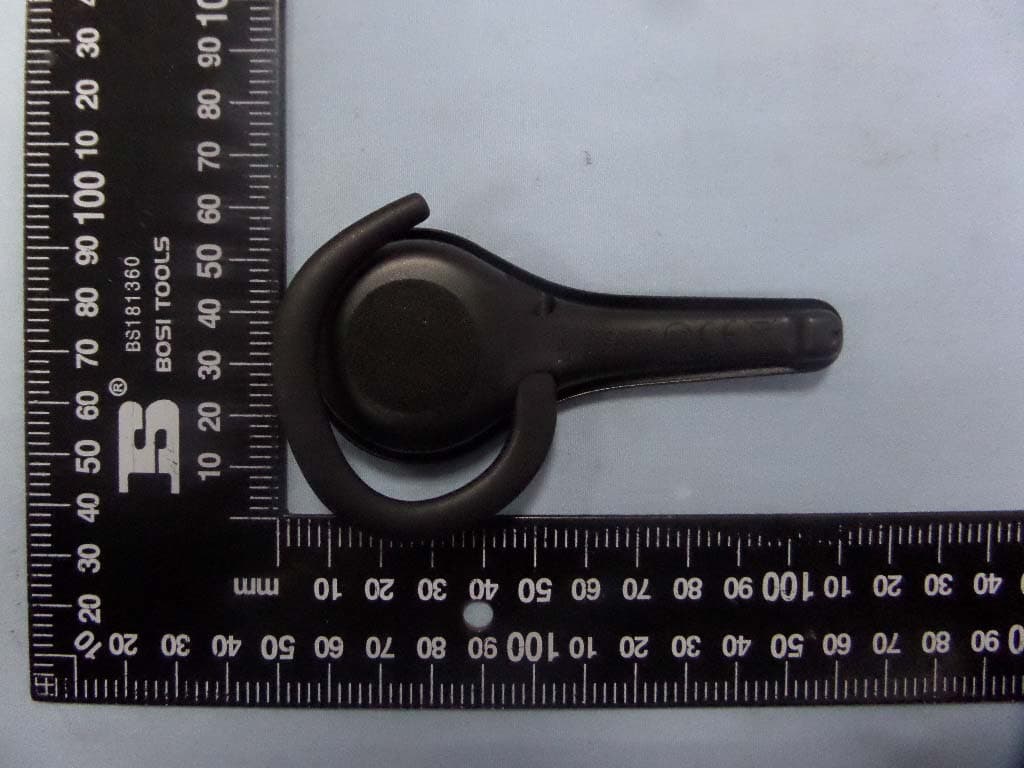
VS9LP1
Jul 28, 2015Bluetooth headset
Equipment Class
DSS - Part 15 Spread Spectrum Transmitter