VULBKS-4800MFINGERPRINT ACCESS CONTROLLER
Bioinsec Co.,Ltd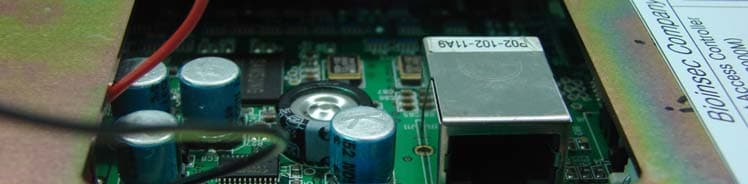
Click to zoom
Application Details
- Equipment Class
- DXX - Part 15 Low Power Communication Device Transmitter
- Date of Grant
- Jan 22, 2008
- Application Purpose
- Original Equipment
- Date of Application
- Jan 21, 2008
- Equipment Note
- FINGERPRINT ACCESS CONTROLLER
- Frequency Range
- 13.56200000 - 13.56200000
- Company
- Bioinsec Co.,Ltd
- Country
- South Korea
Documents & Files
Document Text
Text extracted from the exhibit documents filed with the FCC. Open a document above to read the original.
Users Manual
Console Manager - 1 - User Manual 27, Sep, 2007 Console Manager - 2 - Table of Contents 1 About BKS-4800 Series -------------------------------------------------------------------------- 4 - 2 Setup Console Manager-------------------------------------------------------------------------- 4 - 2.1 Installation - 4 - 2.1.1 Installation PC Capacity - 4 - 2.1.2 Console Manger total diagram - 5 - 2.1.3 How to install Console Manager on PC - 5 - 2.1.4 How to uninstall Console Manager on PC - 8 - 2.2 How to setup Console Manager - 9 - 2.2.1 Enter Console Manager - 9 - 2.2.2 Main window and basic word - 12 - 2.3 How to use Console Tele Manager - 16 - 3 How to connect between Terminal & Server---------------------------------------------- 17 - 3.1 Select portHow to register - 17 - 3.2 Setup terminal - 18 - 3.3 Connection of terminal -25- 4 How to enroll User--------------------------------------------------------------------------------- 37 - 4.1 Enroll company - 37 - 4.2 Enroll Group(Department or Branch) - 38 - 4.3 Enroll position - 39 - 4.4 Enroll Userr - 40 - 5 Set schedule & Role -------------------------------------------------------------------------------- 45 - 5.1 Set schedule - 55 - 5.1.1 Set Holiday - 55 - 5.1.2 Set Time Zone - 57 - 5.1.3 Set Time schedule - 58 - 5.2 Transmit Schedule to terminal - 59 - 5.3 Role - 60 - 5.4 Schedule control layout -- 58 6 Transmit------------------------------------------------------------------------------------------------- 63 - 6.1 Download & Upload - 63 - 6.1.1 Download User - 64 - 6.1.2 Delete User - 64 - Console Manager - 3 - 6.1.3 Download All user - 65 - 6.1.4 Delete All user - 65 - 6.1.5 Upload FP and EM TYPE - 65 - 6.1.6 Download and delete schedule - 66 - 6.1.7 Download terminal status - 66 - 6.1.8 Firmware update - 66 - 7 Monitoring----------------------------------------------------------------------------------------------- 66 - 8 Report---------------------------------------------------------------------------------------------------- 67 - 8.1 User log data view - 69 - 8.2 All log data view - 65 9 Time & Attendance----------------------------------------------------------------------------------오류! 책갈피가 정의되어 있지 않습니다. 9.1 Enter T&A 오류! 책갈피가 정의되어 있지 않습니다. 9.2 Set T&A condition 오류! 책갈피가 정의되어 있지 않습니다. 9.2.1 Data path 오류! 책갈피가 정의되어 있지 않습니다. 9.2.2 Standard time 오류! 책갈피가 정의되어 있지 않습니다. 9.2.3 Holiday 오류! 책갈피가 정의되어 있지 않습니다. 9.2.4 Enroll others 오류! 책갈피가 정의되어 있지 않습니다. 9.3 Trans T&A data 오류! 책갈피가 정의되어 있지 않습니다. 9.4 Query T&A 오류! 책갈피가 정의되어 있지 않습니다. 9.4.1 Daily 오류! 책갈피가 정의되어 있지 않습니다. 9.4.2 Personal 오류! 책갈피가 정의되어 있지 않습니다. 9.4.3 Period 오류! 책갈피가 정의되어 있지 않습니다. 10 Other function---------------------------------------------------------------------------------------오류! 책갈피가 정의되어 있지 않습니다. 10.1 Check enrolled user of terminal 오류! 책갈피가 정의되어 있지 않습니다. 10.2 Data Utility 오류! 책갈피가 정의되어 있지 않습니다. 10.3 Door Open 오류! 책갈피가 정의되어 있지 않습니다. 10.4 Change window structure 오류! 책갈피가 정의되어 있지 않습니다. 10.5 Sliding message on LCD 오류! 책갈피가 정의되어 있지 않습니다. Console Manager - 4 - 1. About BKS-4800 Series BKS-4800 security, work place time and attendance, and over-time work verification and other situations requiring the presence of the authorized personnel. Fingerprint identification technology bypasses problems of existing security solutions such as EM TYPEcards and keypad locks. These are prone to security breach from card duplication and misplacement or improper disclosure of password. These accidents allow for proxy authorization and breach of security. Fingerprints have constancy and uniqueness and its pattern can be easily and cheaply recorded, thus making it the most desirable form of biometric recognition system. The new sensor now enables us to cut costs as well as to miniaturize, both of which will make the technology more practical and more easily mass marketed. BKS-4800 supports various I/O protocols and is an optimal solution for managing access-controlled points. With 128 X 64 pixels blue LCD screen, 12 regular keys and 5 special function keys, make BKS-4800 user-friendly. Communication is based on TCP/IP is also easy with the included 1 RS232 port, 1 RS485 port, 1 relay signal and 1 external sensor inputs. 2. Setup Console Manager Installation Installation PC Capacity BKS-4800 Manager system : suggested PC application CPU Pentium 4 1.7 GHz over RAM 256MB over (512MB suggest to be over) OS Windows 2000 / XP HDD 40GB over Network LAN THE MANUFACTURER IS NOT RESPONSIBLE FOR ANY RADIO OR TV INTERFERENCE CAUSED BY UNAUTHORIZED MODIFICATIONS TO THIS EQUIPMENT. SUCH MODIFICATIONS COULD VOID THE USER’S AUTHORITY TO OPERATE THE EQUIPMENT. Console Manager - 5 - BKS-4800 Manager system : minimum capacity CPU Pentium 3 1.0 GHz over RAM 128MB over OS Windows NT / 2000 / XP HDD 20GB over Network LAN Console Manager total diagram How to install Console Manager on PC Content of installation ① Choose the administration PC. ② Check the computer installed Window system. (Windows 2000 / XP) ③ To install Console Manager as to click “Setup.exe”. ④ After installation of Console Manager, input BKS-2600 to USB port. ⑤ Install BKS-2600 driver. E E n n r r o o l l l l b b a a s s i i c c d d a a t t a a C C o o n n n n e e c c t t i i o o n n c c o o n n d d i i t t i i o o n n M M o o n n i i t t o o r r i i n n g g T T & & A A t t t t e e n n d d a a n n c c e e D D B B Console Manager Terminal Console Manager - 6 - Set Console Manager Double click the “setup.exe” file and then the below installation window will be shown. Caution: The Console manager should be set at only C drive. Please click the Next button. Click the next button after confirm License Agreement. Console Manager - 7 - Click Next button. Console Manager - 8 - “Console Manager” & “Console Service” Icon created on the desktop. How to uninstall Console Manager on PC Uninstall Console Manager Start – control – Program add/delete – Select Console Manager . Click the delete button and Console Manager will be removed. Console Manager - 9…
Text truncated - open the document above for the full version.
External Photos
Test Report Report No.: KST-FCC-070076 Page : 1 / 3 KOSTEC Co., Ltd. : 180-254, Annyung-dong, Hwasung-shi, Kyunggi-do, Korea 445-970 | T. +82 31 222 4251 F +82 31 222 4252 ⊙ External Photographs(E.U.T) Front Rear Test Report Report No.: KST-FCC-070076 Page : 2 / 3 KOSTEC Co., Ltd Test Lab www.kosteclab.com Port_1(RJ11) Port_2(RJ45) 180-254, Annyung-dong, Hwasung-shi, Kyunggi-do, Korea 445-970 TEL : 82-31-222-4251 FAX : 82-31-222-4252 Test Report Report No.: KST-FCC-070076 Page : 3 / 3 KOSTEC Co., Ltd Test Lab www.kosteclab.com Adaptor 180-254, Annyung-dong, Hwasung-shi, Kyunggi-do, Korea 445-970 TEL : 82-31-222-4251 FAX : 82-31-222-4252
Internal Photos
Test Report Report No.: KST-FCC-070076 Page : 1 / 7 KOSTEC Co., Ltd. : 180-254, Annyung-dong, Hwasung-shi, Kyunggi-do, Korea 445-970 | T. +82 31 222 4251 F +82 31 222 4252 ⊙ Internal Photographs (E.U.T) Inside Main control Board (Front) Test Report Report No.: KST-FCC-070076 Page : 2 / 7 KOSTEC Co., Ltd Test Lab www.kosteclab.com Main control Board (Rear) Sensor Board(Front) 180-254, Annyung-dong, Hwasung-shi, Kyunggi-do, Korea 445-970 TEL : 82-31-222-4251 FAX : 82-31-222-4252 Test Report Report No.: KST-FCC-070076 Page : 3 / 7 KOSTEC Co., Ltd Test Lab www.kosteclab.com Sensor Board(Rear) RF Antenna(Front) 180-254, Annyung-dong, Hwasung-shi, Kyunggi-do, Korea 445-970 TEL : 82-31-222-4251 FAX : 82-31-222-4252 Test Report Report No.: KST-FCC-070076 Page : 4 / 7 KOSTEC Co., Ltd Test Lab www.kosteclab.com RF Antenna(Rear) 180-254, Annyung-dong, Hwasung-shi, Kyunggi-do, Korea 445-970 TEL : 82-31-222-4251 FAX : 82-31-222-4252 Test Report Report No.: KST-FCC-070076 Page : 5 / 7 KOSTEC Co., Ltd Test Lab www.kosteclab.com LED Board(Front) LED Board(Rear) 180-254, Annyung-dong, Hwasung-shi, Kyunggi-do, Korea 445-970 TEL : 82-31-222-4251 FAX : 82-31-222-4252 Test Report Report No.: KST-FCC-070076 Page : 6 / 7 KOSTEC Co., Ltd Test Lab www.kosteclab.com RF Generator part(Front) RF Generator part(Rear) 180-254, Annyung-dong, Hwasung-shi, Kyunggi-do, Korea 445-970 TEL : 82-31-222-4251 FAX : 82-31-222-4252 Test Report Report No.: KST-FCC-070076 Page : 7 / 7 KOSTEC Co., Ltd Test Lab www.kosteclab.com LCD Panel(Front) LCD Panel(Rear) 180-254, Annyung-dong, Hwasung-shi, Kyunggi-do, Korea 445-970 TEL : 82-31-222-4251 FAX : 82-31-222-4252
Operational Description
Description of Circuit functions(BKS-4800M) The device is an access controller by FP/RF/PIN. Device has an user data of 2FP, 1RF, 1PIN. Main blocks -Power, CPU, Memory, Voice chip, LCD, CMOS sensor, 485 communication, RS232, LAN, I/O ports, Mifare Module -Power DC 12V => 5V by an U2 switching regulator => output 3.3V to the circuit after passing by U3. U5 switches to 1.8V for supplying into the CPU Core power. -CPU ARM9 Core CPU is supplied 12Mhz clock though OCS1 and the CPU processes as 200Mhz. -Memory U6, U8 16Mbyte RAM is connected to Memory by 32bit data bus, operates as 100Mhz. -Voice chip U7 chips works the process of “voice files write into the chip => CPU call a number of file => playing the called Voice file” -LCD This graphic LCD is controlled by a 8bit data bus. -CMOS sensor The FP module can read the FP image, consists of an optic sensor and a CMOS sensor. When placing a finger on The sensor, it calls LED for reading FP image. The 320X240 CIF level image sensor controls by 12C communication And call the image though 8bit data bus. -485 communication It’s for the communication with an external server. The U20 of 485 chip connects to UART port of CPU and works With the external 485 device. -RS232 communication It’s for the communication with an external server. RS232 chip (U21) interfaced to CPU UART port, makes to be communication with the PC serial port -LAN U25 containing TCP/IP protocol stack transmits the Ethernet data to CPU by 8bit data bus. It can connect to a network using by U 27 Single-Port 10/100M fast Ethernet PHYceiver and RJ45 jack built-in transformer coil -I/O ports It has several I/O ports for send/receive a signal from external contacts. -Mifare Module(13.56Mhz) It follows the ISO14443A standard(13.56Mhz, up to 10cm distance, 106kBaud), interfaces with the UART port of CPU. The CPU controls the Mifare module and data transaction by serial communication.
Test Report
Korea Standard Technology Report No.: KST-FCC-070076 KOSTEC Co., Ltd. : 180-254, Annyung-dong, Hwasung-shi, Kyunggi-do, Korea 445-970 | T. +82 31 222 4251 F +82 31 222 4252 FCC EVALUATION REPORT FOR CERTIFICATION KOREA Standard Technology Test report No.: KST-FCC-070076 Applicant’s Name : Bioinsec Co., Ltd. Applicant’s Address : 3F, Taerim Building, 197-24, Guro3-dong Guro-gu, Seoul 152-848, Korea Manufacturer’s Name : Bioinsec Co., Ltd. Manufacturer’s Address : 3F, Taerim Building, 197-24, Guro3-dong Guro-gu, Seoul 152-848, Korea EUT’s: FCC ID : VULBKS-4800M Product Name : Fingerprint Access Controller Model Number(s) : BKS-4800M(CFN-3000M) Product Options : Request for a multi list model name(CFM-3000M) by manufacturer Category : FCC Part 15 subpart C, Section 15.207,15.209,15.225 Supplementary Information The device bearing the brand name and FCC ID specified above has been shown to comply with the applicable technical standards as indicated in the measurement report and was tested in accordance with measurement procedures specified in ANSI C63.4-2003. I attest to the accuracy of data and all measurements reported herein were performed by or were made under my supervision and are correct to the best of my knowledge and belief. I assume full responsibility for the completeness of these measurements and vouch for the qualifications of all persons taking them. Test Date : November 22, 2007 Issued Date : November 26, 2007 Te s t e d b y : Approved by: Test Report Report No.: KST-FCC070076 Page : 2 / 14 KOSTEC Co., Ltd Test Lab www.kosteclab.com 180-254, Annyung-dong, Hwasung-shi, Kyunggi-do, Korea 445-970 TEL : 82-31-222-4251 FAX : 82-31-222-4252 Contents 1. GENERAL DESCRIPTION 2. TEST FACILITY 3. MAP 4. TEST SYSTEM CONFIGURATION 5. DESCRIPTION OF E.U.T 6. SUMMARY OF TEST RESULTS 7. TEST RESULTS Test Report Report No.: KST-FCC070076 Page : 3 / 14 KOSTEC Co., Ltd Test Lab www.kosteclab.com 1. General Description 1) FCC ID VULBKS-4800M 2) Purpose of test FCC Certification 3) FCC Rules Section FCC Parts15 Subpart C, Section 15.207, 15.209, 15.225 4) Test result Compliant to specification 5) Equipment under test RFID(Radio frequency identification for 13.562MHz 6) Kind of equipment Fingerprint Access Controller 7) Equipment Model Name: BKS-4800M(CFM-3000M) 8) Equipment Serial No Prototype 9) Utilisation Identification and data transmission for fingerprint 10) ITU emission Code A1D 11) Antenna description Internal Loop antenna 12) Modulation Method Continuous carrier 13) Fundamental Frequency 13.562MHz 14) Channel spacing Not applicable 15) Number of Channel 1(one) 16) Communication Type One way Type 17) Weight 350g 18) Dimension 155(W) x 3(H) x 155(D) mm 19) Operatin temperature -20°C~ +70°C 20) Power Source DC 12V (Adaptor) 180-254, Annyung-dong, Hwasung-shi, Kyunggi-do, Korea 445-970 TEL : 82-31-222-4251 FAX : 82-31-222-4252 Test Report Report No.: KST-FCC070076 Page : 4 / 14 KOSTEC Co., Ltd Test Lab www.kosteclab.com 2. Test Facility The open area field test site and conducted measurement facility are used for these testing, where are located following address and drawing. This site was fully described in a report dated November 14, 2002. that was submitted to the FCC. KOSTEC CO., LTD. (Korea Standard Technology) ▣ Head office & Test Lab ; 180-254, Annyung-Dong, Hwasung-shi, Kyunggi-do, Korea 445-380 Telephone Number : +82-31-222-4251 Facsimile Number : +82-31-222-4252 MIC(Ministry of Information and Communication) Number : KR0041 FCC Filing Number. : 525762 VCCI Membership Number : 2005 VCCI Registration Number : R-1657 / C-1763 180-254, Annyung-dong, Hwasung-shi, Kyunggi-do, Korea 445-970 TEL : 82-31-222-4251 FAX : 82-31-222-4252 Test Report Report No.: KST-FCC070076 Page : 5 / 14 KOSTEC Co., Ltd Test Lab www.kosteclab.com 180-254, Annyung-dong, Hwasung-shi, Kyunggi-do, Korea 445-970 TEL : 82-31-222-4251 FAX : 82-31-222-4252 3. MAP Korea Hwasung-shi (open area test site) KOSTEC Co.,Ltd Test Report Report No.: KST-FCC070076 Page : 6 / 14 KOSTEC Co., Ltd Test Lab www.kosteclab.com 4. TEST SYSTEM CONFIGURATION ■ Operation Environment Ambienty Temperature (°C ) Humidity (%) Pressure ( hPa ) 10m Open area test site 19 51 1015 Shielded room 24 43 1015 Test site These testing were performed following locations ; -. Conducted Emission .......... Shield room -. Radiated Emission .......... 10m Open area test site: Measurement Uncertainty All measurements involve certain levels of uncertainties, especially in field of EMC. The factors contributing to uncertainties are test receiver, Cable loss, Antenna factor calibration, Antenna directivity, Antenna factor variation with height, Antenna phase center variation, Antenna frequency interpolation, measurement distance variation, Site imperfection, mismatch, and system repeatability. Based on NIS 80,81, The measurement uncertainty level with a 95 % confidence level were applied. Sample calculation : Part 15.207 – Powerline Conducted emission The conducted emission is calculated by adding the LISN Factor, cable loss from the measured reading. The sample calculation is as follows table: Frequency(MHz) Level(dBuV) Line(Pol)Loss(dB)Result(dBuV)Limit(dBuV) Margin(dB) 27.124 25.0 - 2.0 27.0 56.0 29.0 ⊙ Result(dBuV) = Level(dBuV)+Loss(dB) * Level(dBuV) = Test receiver reading value * Line(Pol) = Live and Neutral port * Loss(dB) = LISN insertion Loss + Cable Loss * Result(dBuV) = Measurement Value * Limit(dBuV) = Value specified by FCC Part 15.207 * Margin(dB) = Limit-Result 180-254, Annyung-dong, Hwasung-shi, Kyunggi-do, Korea 445-970 TEL : 82-31-222-4251 FAX : 82-31-222-4252 Test Report Report No.: KST-FCC070076 Page : 7 / 14 KOSTEC Co., Ltd Test Lab www.kosteclab.com Part 15.209, 15.225 – Radiated emission The field strength emission is calculated by adding the Antenna factor, cable loss from the measured reading. The sample calculation is as following table : Frequency (MHz) Reading (dBuV) P (H/V) H (m) A(°) Antenna (dB/m) Cable loss (dB) Distance Factor(d…
Text truncated - open the document above for the full version.
Test Setup Photos
Test Report Report No.: KST-FCC-070076 Page : 1 / 6 KOSTEC Co., Ltd. : 180-254, Annyung-dong, Hwasung-shi, Kyunggi-do, Korea 445-970 | T. +82 31 222 4251 F +82 31 222 4252 ■ E.U.T Test Configuration PC LCD Monitor Adaptor Fingerprint Access Controller (EUT) Keyboard Mouse Test Report Report No.: KST-FCC-070076 Page : 2 / 6 KOSTEC Co., Ltd Test Lab www.kosteclab.com ■ Photographs Conducted Emission ( Front ) Conducted Emission ( Rear ) 180-254, Annyung-dong, Hwasung-shi, Kyunggi-do, Korea 445-970 TEL : 82-31-222-4251 FAX : 82-31-222-4252 Test Report Report No.: KST-FCC-070076 Page : 3 / 6 KOSTEC Co., Ltd Test Lab www.kosteclab.com ■ Photographs Radiated Emission (Front) Radiated Emission ( Rear) ■ Photographs 180-254, Annyung-dong, Hwasung-shi, Kyunggi-do, Korea 445-970 TEL : 82-31-222-4251 FAX : 82-31-222-4252 Test Report Report No.: KST-FCC-070076 Page : 4 / 6 KOSTEC Co., Ltd Test Lab www.kosteclab.com Radiated Emission (Loop Antenna) Fundamental carrier Level 180-254, Annyung-dong, Hwasung-shi, Kyunggi-do, Korea 445-970 TEL : 82-31-222-4251 FAX : 82-31-222-4252 Test Report Report No.: KST-FCC-070076 Page : 5 / 6 KOSTEC Co., Ltd Test Lab www.kosteclab.com ■ Photographs Temperature & Humidity Chamber test ( Indoor) Temperature & Humidity Chamber test ( Outdoor ) 180-254, Annyung-dong, Hwasung-shi, Kyunggi-do, Korea 445-970 TEL : 82-31-222-4251 FAX : 82-31-222-4252 Test Report Report No.: KST-FCC-070076 Page : 6 / 6 KOSTEC Co., Ltd Test Lab www.kosteclab.com Frequency Test Temperature Graph (High Temperature) (Low Temperature) 180-254, Annyung-dong, Hwasung-shi, Kyunggi-do, Korea 445-970 TEL : 82-31-222-4251 FAX : 82-31-222-4252
Contact Information
Applicant
Karen Hur(General manager)
Test Firm
KOSTEC Co., LtdLee Chang-Ho
Technical Specifications
| # | Rule Parts | Frequency Range | Power Output |
|---|---|---|---|
| 1 | 15C | 13.562 MHz - 13.562 MHz | - |
Other Applications from Bioinsec Co.,Ltd
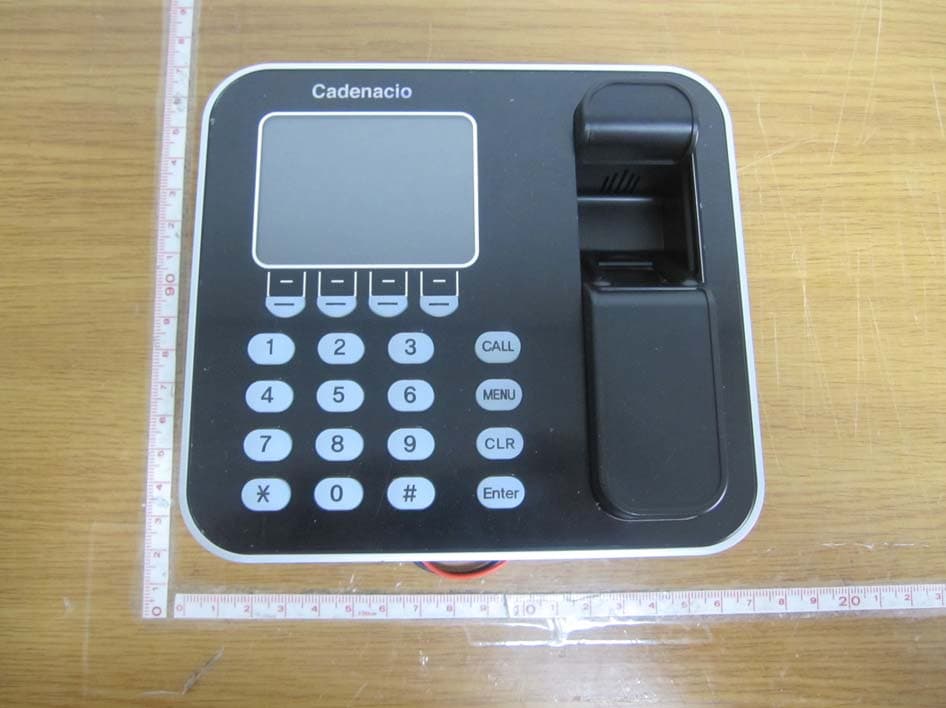
VULCATENACCIOLITE
May 30, 2011FINGERPRINTER ACCESS CONTROLLER
Equipment Class
DXX - Part 15 Low Power Communication Device Transmitter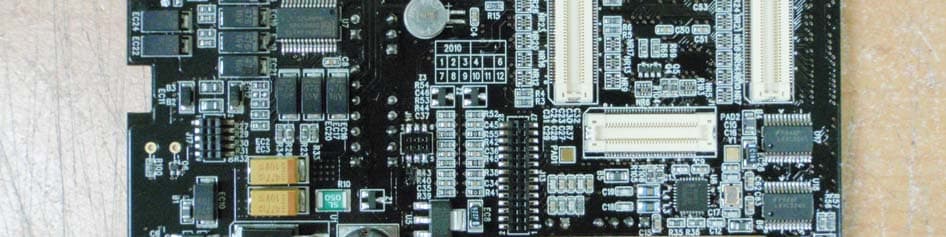
VULCADENACIO
Jul 13, 2010FINGERPRINTER ACCESS CONTROLLER
Equipment Class
DXX - Part 15 Low Power Communication Device Transmitter