W5D-LVC02AInternet Radio Bluetooth FM car kit
Myine Electronics Inc. d/b/a Livio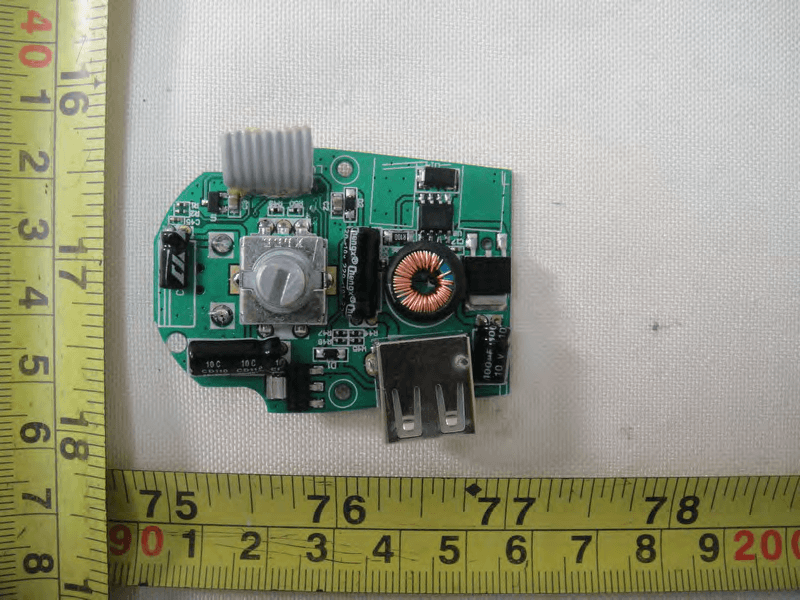
Click to zoom
Application Details
- Equipment Class
- DSS - Part 15 Spread Spectrum Transmitter
- Date of Grant
- Jun 21, 2011
- Application Purpose
- Original Equipment
- Date of Application
- Jun 20, 2011
- Equipment Note
- Internet Radio Bluetooth FM car kit
- Frequency Range
- 2402.00000000 - 2480.00000000
- Country
- United States
Documents & Files
Document Text
Text extracted from the exhibit documents filed with the FCC. Open a document above to read the original.
Users Manual
LVC02A User’s manual Contents ■ Before use......................................................................1 1. About LVC02A................................................................1 2. Overview........................................................................2 3. How to use.....................................................................3 ■ Getting started..................................................................5 1. Paring with a Bluetooth mobile phone........................................5 2. FM frequency adjustment......................................................5 3. Music playback.......... .........................................................6 4. Making a call with LVC02A................................................6 5. The usage of LIVIO RADIO APP...........................................7 6. Connecting and opening APP automatically..............................8 7. Basic operation................................................................8 8. Line out........................................................................11 9. Line in..........................................................................12 10. Charging for the other devices.............................................13 11. Recovery factory settings...................................................13 12. Indicator light................................................................13 ■ Care and maintenance.......................................................14 ■ FAQs.............................................................................14 ■ Specifications................................................................15 Welcome to use this Bluetooth hands-free kit, LVC02A. Please read this user’s manual carefully before use. ■Before use 1. About LVC02A LVC02A is a Bluetooth hands-free car kit, it also has the functions of Bluetooth stereo receiver and FM transmitter. With LVC02A, you not only can make a call, but also enjoy the music. It has a DC 5V USB charging jack to power or charge other devices. It has the following features: 1) Bluetooth hands-free car kit: Paring with a Bluetooth mobile phone or PDA supporting HFP. ◆Answer a call / reject a call / end a call ◆Redial last number ◆Voice dial 2) Bluetooth stereo receiver: Paring with a Bluetooth music device or Blueooth transmitter supporting A2DP. ◆Enjoy music wirelessly ◆Adjust the volume ◆Remote control: pause / play ◆Remote control: previous song / next song 3) FM transmitter: Transmitting a call and music to the car FM radio. ◆Transmit a call or music to the car FM radio ◆Adjust transmitting frequency 4)Line in / Line out jack ◆Line in: Transmit stereo music to LVC02A from a iPod or MP3. ◆Line out: Transmit a call or music to the car stereo system from LVC02A. 5) USB charging jack LVC02A has a USB charging jack which provides DC 5V voltage for powering or charging other devices. 6) Remote control of car internet radio APP of Livio Radio When LVC02A connects with iPhone which has installed car internet radio APP, you can operate LVC02A to start APP, find similar station, tag song information, switch saved station, play and pause etc. 7) RDS function If your car FM radio supports RDS function, you can operate LVC02A to transfer the information displayed on the car internet radio APP to the car FM radio. 2. Overview 1 Previous song 13 Line in 2 Next song 14 USB jack 3 End button (Red LED) 15 Display screen 4 Answer button (Green LED) 16 Microphone 5 Scan button 17 USB function switch 6 Tag button 18 iPhone/Android switch 7 APP button 19 Power contact 8 Play button 20 Cigarette lighter plug 9 Stop button 21 Power LED indicator 10 Knop 22 button/power switch 11 Pause button 23 Flexible neck 12 Line out 3. How to use 1) Connect the cigaretter lighter plug with flexible neck into the main body of LVC02A, as the following pictures show: 2) Insert the cigaretter lighter plug into the cigarette lighter socket of your car or power socket, and make sure connect correctly, as the following pictures show: 3) Press down the power switch to turn on LVC02A, at this time, the power LED indicator is on, as the following picture show: 4) Bend the flexible neck to proper position to make LVC02A face the user. ■ Getting started 1. Paring with a Bluetooth mobile phone Prior to using LVC02A for the first time, you have to pair it with a Bluetooth-enabled mobile phone. The pairing procedures are subject to different models of mobile phones. Please refer to your mobile phone user’s manual for further information. The general pairing procedures are as follows: 1) Keep LVC02A and Bluetooth mobile phone within 1 meter when pairing; 2) Press and hold End button for about 3 seconds, until red and green LEDs flash alternately. LVC02A successfully entered pairing mode; 3) Activate your mobile phone’s Bluetooth function and set your mobile phone to search for Bluetooth devices within range, and select “livio-LVC02A” from the list of devices shown; 4) According to the indication, enter password or PIN No: “0000”; 5) If prompted by your mobile phone to connect, select “Yes” (this will vary among mobile phone models). After successful connecting, Red and green LEDs are on; Remarks: ◆Pairing mode will last 3 minutes. LVC02A will switch to the mode of not connected to device automatically if no devices can be connected within 3 minutes. If you want to continue pairing LVC02A with the Bluetooth device, please turn off LVC02A first and then re-pair according to steps 1~5 mentioned above. ◆If successful paring, LVC02A and your Bluetooth mobile phone will remember each other, they will need to re-pair next time unless the pairing information is deleted because of a new pairing. 2. FM frequency adjustment 1) Adjust the frequency of car FM radio to a frequency that is not occupied by the broadcasting radio station and adjust the volume to proper position. 2) Short Press Knop on the LVC02A once, the display screen will flash and LVC02A e…
Text truncated - open the document above for the full version.
Internal Photos
Neutron Engineering Inc. Project No.: 1105C094 Page 3 of 11 1105C094 1105C094 Neutron Engineering Inc. Project No.: 1105C094 Page 3 of 11 1105C094 1105C094 Neutron Engineering Inc. Project No.: 1105C094 Page 4 of 11 1105C094 1105C094 Neutron Engineering Inc. Project No.: 1105C094 Page 4 of 11 1105C094 1105C094 Neutron Engineering Inc. Project No.: 1105C094 Page 5 of 11 1105C094 1105C094 Neutron Engineering Inc. Project No.: 1105C094 Page 5 of 11 1105C094 1105C094 Neutron Engineering Inc. Project No.: 1105C094 Page 6 of 11 1105C094 1105C094 1105C094 Neutron Engineering Inc. Project No.: 1105C094 Page 6 of 11 1105C094 1105C094 1105C094 Neutron Engineering Inc. Project No.: 1105C094 Page 7 of 11 1105C094 1105C094 Neutron Engineering Inc. Project No.: 1105C094 Page 7 of 11 1105C094 1105C094 Neutron Engineering Inc. Project No.: 1105C094 Page 8 of 11 1105C094 1105C094 Neutron Engineering Inc. Project No.: 1105C094 Page 8 of 11 1105C094 1105C094 Neutron Engineering Inc. Project No.: 1105C094 Page 9 of 11 1105C094 1105C094 Neutron Engineering Inc. Project No.: 1105C094 Page 9 of 11 1105C094 1105C094 Neutron Engineering Inc. Project No.: 1105C094 Page 10 of 11 1105C094 1105C094 Neutron Engineering Inc. Project No.: 1105C094 Page 10 of 11 1105C094 1105C094 Neutron Engineering Inc. Project No.: 1105C094 Page 11 of 11 1105C094 1105C094 Neutron Engineering Inc. Project No.: 1105C094 Page 11 of 11 1105C094 1105C094
Test Report
Neutron Engineering Inc. Report No.: NEI-FICP-1-1105C094 Page 1 of 101 FCC/IC Radio Test Report FCC ID: W5D-LVC02A IC: 9676A-LVC02A This report concerns (check one) : Original Grant Class II Change Issued Date : Jun. 03, 2011 Project No. : 1105C094 Equipment : Internet Radio Bluetooth FM car kit Model Name : LVC02A Applicant : Myine Electronics, Inc. d/b/a Livio Address : 3136 Hilton Rd. Ferndale Michigan USA Manufacturer Zhongshan K-mate General Electronics Co., Ltd Address B1 Building,Fuwan Ind.Zone,Fuwan Nan Road,East District,Zhongshan,China Tested by: Neutron Engineering Inc. EMC Laboratory Date of Receipt: May. 09, 2011 Date of Test: May. 09, 2011 ~ Jun. 03, 2011 Testing Engineer : (Ivan Cao) Technical Manager : (Leo Heng) Authorized Signatory : (Steven Lu) Neutron Engineering Inc. No.3,Jinshagang 1st Road, ShiXia, Dalang Town, Dong Guan, China. TEL : (0769) 8318-3000 FAX : (0769) 8319-6000 Neutron Engineering Inc. Report No.: NEI-FICP-1-1105C094 Page 2 of 101 Declaration Neutron represents to the client that testing is done in accordance with standard procedures as applicable and that test instruments used has been calibrated with the standards traceable to National Measurement Laboratory (NML) of CHINA, or National Institute of Standards and Technology (NIST) of U.S.A. Neutron's reports apply only to the specific samples tested under conditions. It is manufacture’s responsibility to ensure that additional production units of this model are manufactured with the identical electrical and mechanical components. Neutron shall have no liability for any declarations, inferences o r generalizations drawn by the client or others from Neutron issued reports. Neutron’s reports must not be used by the client to claim product endorsement by the authorities or any agency of the Government. This report is the confidential property of the client. As a mutual protection to the clients, the public and Neutron-self, extracts from the test report shall not be reproduced except in full with Neutron’s authorized written approval. Neutron’s laboratory quality assurance procedures are in compliance with the ISO Guide 17025 requirements, and accredited by the conformity assessment authorities listed in this test report. Limitation For the use of the authority's logo is limited unless the Test Standard(s)/Scope(s)/Item(s) mentioned in this test report is (are) included in the conformity assessment authorities acceptance respective. Neutron Engineering Inc. Report No.: NEI-FICP-1-1105C094 Page 3 of 101 Table of Contents Page 1 . CERTIFICATION 6 2 . SUMMARY OF TEST RESULTS 7 2.1 TEST FACILITY 8 2.2 MEASUREMENT UNCERTAINTY 8 3 . GENERAL INFORMATION 9 3.1 GENERAL DESCRIPTION OF EUT 9 3.2 DESCRIPTION OF TEST MODES 11 3.3 TABLE OF PARAMETERS OF TEXT SOFTWARE SETTING 11 3.4 BLOCK DIGRAM SHOWING THE CONFIGURATION OF SYSTEM TESTED 12 3.5 DESCRIPTION OF SUPPORT UNITS 13 4 . EMC EMISSION TEST 14 4.1 CONDUCTED EMISSION MEASUREMENT 14 4.1.1 POWER LINE CONDUCTED EMISSION LIMITS 14 4.1.2 MEASUREMENT INSTRUMENTS LIST AND SETTING 14 4.1.3 TEST PROCEDURE 15 4.1.4 DEVIATION FROM TEST STANDARD 15 4.1.5 TEST SETUP 15 4.1.6 EUT OPERATING CONDITIONS 15 4.1.7 TEST RESULTS 16 4.2 RADIATED EMISSION MEASUREMENT 17 4.2.1 RADIATED EMISSION LIMITS 17 4.2.2 MEASUREMENT INSTRUMENTS LIST ANS SETTING 18 4.2.3 TEST PROCEDURE 19 4.2.4 DEVIATION FROM TEST STANDARD 19 4.2.5 TEST SETUP 20 4.2.6 EUT OPERATING CONDITIONS 20 4.2.7 TEST RESULTS (BETWEEN30 – 1000 MHZ) 21 4.2.8 TEST RESULTS (ABOVE 1000 MHZ) 25 5 . NUMBER OF HOPPING CHANNEL 55 5.1 APPLIED PROCEDURES / LIMIT 55 5.1.1 MEASUREMENT INSTRUMENTS LIST AND SETTING 55 5.1.2 TEST PROCEDURE 55 5.1.3 DEVIATION FROM STANDARD 55 5.1.4 TEST SETUP 55 5.1.5 EUT OPERATION CONDITIONS 55 5.1.6 TEST RESULTS 56 Neutron Engineering Inc. Report No.: NEI-FICP-1-1105C094 Page 4 of 101 Table of Contents Page 6 . AVERAGE TIME OF OCCUPANCY 58 6.1 APPLIED PROCEDURES / LIMIT 58 6.1.1 MEASUREMENT INSTRUMENTS LIST 58 6.1.2 TEST PROCEDURE 58 6.1.3 DEVIATION FROM STANDARD 58 6.1.4 TEST SETUP 59 6.1.5 EUT OPERATION CONDITIONS 59 6.1.6 TEST RESULTS 60 7 . HOPPING CHANNEL SEPARATION MEASUREMENT 72 7.1 APPLIED PROCEDURES / LIMIT 72 7.1.1 MEASUREMENT INSTRUMENTS LIST AND SETTING 72 7.1.2 TEST PROCEDURE 72 7.1.3 DEVIATION FROM STANDARD 72 7.1.4 TEST SETUP 72 7.1.5 EUT OPERATION CONDITIONS 72 7.1.6 TEST RESULTS 73 8 . BANDWIDTH TEST 77 8.1 APPLIED PROCEDURES / LIMIT 77 8.1.1 MEASUREMENT INSTRUMENTS LIST AND SETTING 77 8.1.2 TEST PROCEDURE 77 8.1.3 DEVIATION FROM STANDARD 77 8.1.4 TEST SETUP 77 8.1.5 EUT OPERATION CONDITIONS 77 8.1.6 TEST RESULTS 78 9 . PEAK OUTPUT POWER TEST 82 9.1 APPLIED PROCEDURES / LIMIT 82 9.1.1 MEASUREMENT INSTRUMENTS LIST AND SETTING 82 9.1.2 TEST PROCEDURE 82 9.1.3 DEVIATION FROM STANDARD 82 9.1.4 TEST SETUP 82 9.1.5 EUT OPERATION CONDITIONS 82 9.1.6 TEST RESULTS 83 10 . ANTENNA CONDUCTED SPURIOUS EMISSION 87 10.1 APPLIED PROCEDURES / LIMIT 87 10.1.1 MEASUREMENT INSTRUMENTS LIST AND SETTING 87 10.1.2 TEST PROCEDURE 87 10.1.3 DEVIATION FROM STANDARD 87 10.1.4 TEST SETUP 87 10.1.5 EUT OPERATION CONDITIONS 87 Neutron Engineering Inc. Report No.: NEI-FICP-1-1105C094 Page 5 of 101 Table of Contents Page 10.1.6 TEST RESULTS 88 11 . EUT TEST PHOTO 100 Neutron Engineering Inc. Report No.: NEI-FICP-1-1105C094 Page 6 of 101 1. CERTIFICATION E q u i p m e n t : Internet Radio Bluetooth FM car kit Brand Name : Model Name : LVC02A A p p l i c a n t : Myine Electronics, Inc. d/b/a Livio Factory : Zhongshan K-mate General Electronics Co., Ltd Address : B1 Building,Fuwan Ind.Zone,Fuwan Nan Road,East District,Zhongshan,China Date of Test : May. 09, 2011 ~ Jun. 03, 2011 T e s t I t e m : ENGINEERING SAMPLE Standards : FCC Part15, Subpart C(15.247) / ANSI C63.4 : 2003 / Canada RSS-210:2010 The above equipment has been tested and found compliance with the requirement of the relative standards by Neutron Engineering Inc. EMC Laboratory. The test data, data evaluation, and equipment configuration contained in our test re…
Text truncated - open the document above for the full version.
Test Setup Photos
Neutron Engineering Inc. Report No.: NEI-FICP-1-1105C094 Page 102 of 103 12. EUT TEST PHOTO Conducted Measurement Photos Neutron Engineering Inc. Report No.: NEI-FICP-1-1105C094 Page 102 of 103 12. EUT TEST PHOTO Conducted Measurement Photos Neutron Engineering Inc. Report No.: NEI-FICP-1-1105C094 Page 103 of 103 Radiated Measurement Photos 30M~1000MHz Neutron Engineering Inc. Report No.: NEI-FICP-1-1105C094 Page 103 of 103 Radiated Measurement Photos 30M~1000MHz
Contact Information
Applicant
Massimo Baldini
Technical Contact
Test Firm
BTL Inc.Daisy Dai
Technical Specifications
| # | Rule Parts | Frequency Range | Power Output |
|---|---|---|---|
| 1 | 15C | 2.40 GHz - 2.48 GHz | 730.00 µW |
Other Applications from Myine Electronics Inc. d/b/a Livio
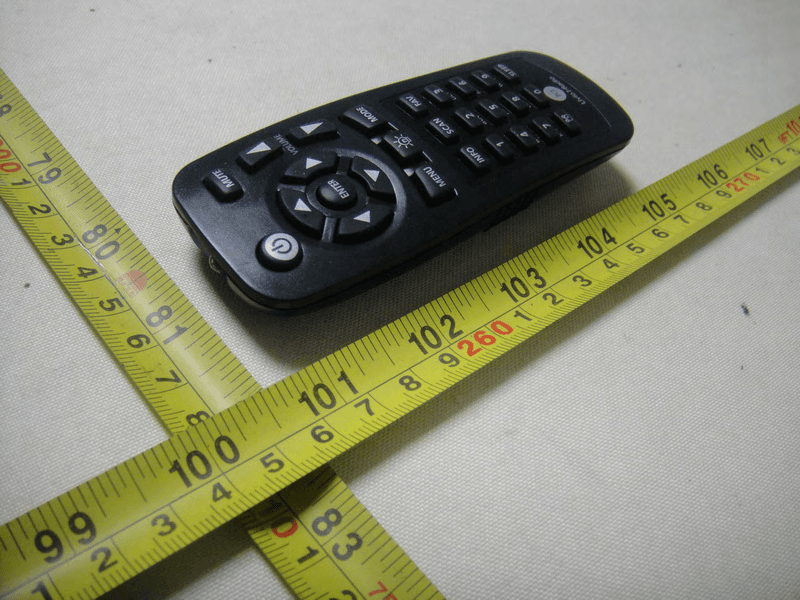
W5DIRA003
Jan 25, 2011Internet Radio
Equipment Class
DTS - Digital Transmission System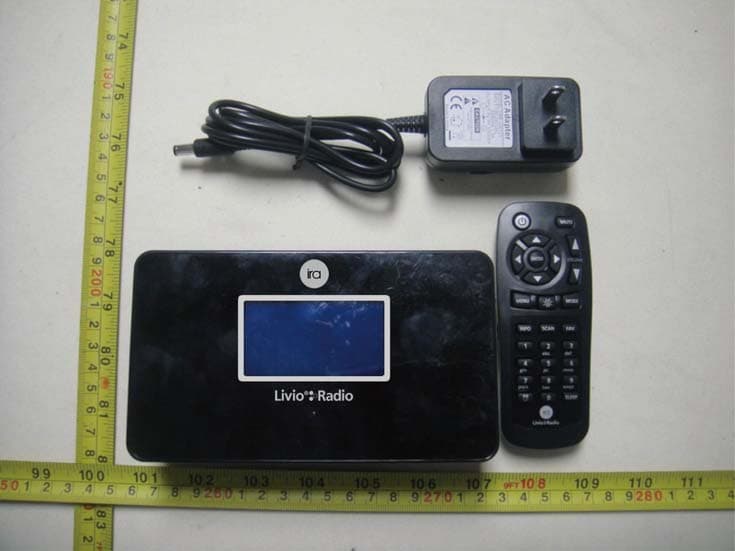
W5DIRA002
Jan 25, 2011Internet Radio
Equipment Class
DTS - Digital Transmission System