W5DIRA003Internet Radio
Myine Electronics Inc. d/b/a Livio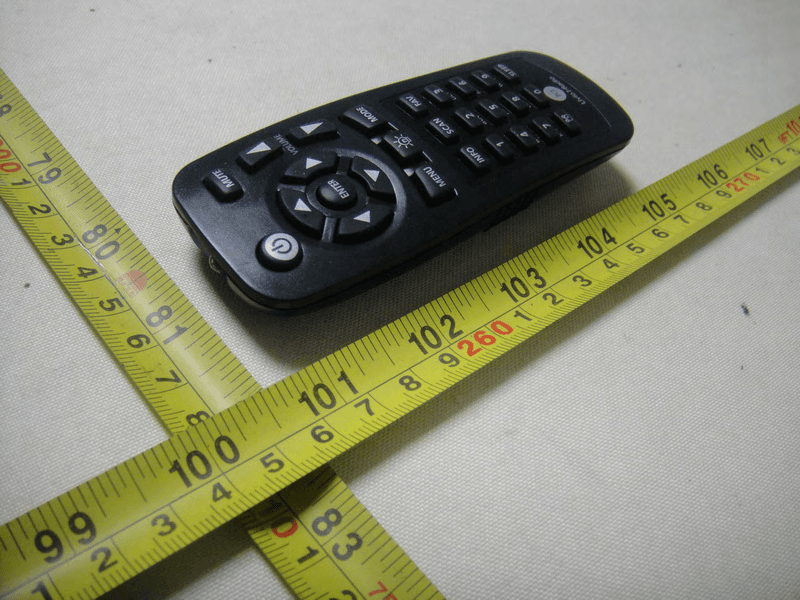
Click to zoom
Application Details
- Equipment Class
- DTS - Digital Transmission System
- Date of Grant
- Jan 25, 2011
- Application Purpose
- Original Equipment
- Date of Application
- Jan 25, 2011
- Equipment Note
- Internet Radio
- Frequency Range
- 2412.00000000 - 2462.00000000
- Country
- United States
Documents & Files
Document Text
Text extracted from the exhibit documents filed with the FCC. Open a document above to read the original.
Users Manual
User Guide Wi-Fi Internet Radio Adapter Version 2.0 Software 18606-1A5 IR001 1 For Help, go to www.LivioRadio.com/help Contents About Livio Radio 2 Package Contents 2 Remote Control 2 Getting Started 3 Set The Time and date 5 Favorite Stations (FAV) 5 Media Center 6 Software Update 6 Reset to Default 7 Advanced Settings 7 Menu Map 8 IMPORTANT SAFETY INSTRUCTIONS 10 Warranty 11 2 User Guide Still having trouble? Call1-877-97-LIVIO for assistance. ABOUT LIVIO RADIO Our Philosophy is Simple: We Love Radio. Really, it’s the driving force behind our work. Like our products themselves, we’re a hip and laid-back bunch. No frills. No crazy features. No cumbersome junk. We do our jobs so our customers don’t have to and we find ways to bring online audio to more people, in more places. We’re proud of our products and our customers love them. Don’t believe it? Google us. We dare you. PACKAGE CONTENTS Please make sure that the following contents are included in the original package: 1. Ira Internet Radio Adapter 2. AC Power Adapter 3. RCA Cables 4. RCA to 3.5mm Adapter 5. Remote Control 6. User Manual REMOTE CONTROL 1.POWER:ON/OFF 2.MUTE:Because we all get phone calls now and again. Press MUTE to turn volume off completely. Press MUTE a second time to return to the previously set volume level. 3.DIRECTIONAL PAD + ENTER:These are your controls to navigate Ira’s display 4.VOLUME: Adjusts the volume output 5.MENU: Open the main menu display for options. 6.LIGHT SETTING:Turns the display backlight on/off. 7.MODE:Switch to USB Mode to play audio from a connected USB Device or select UPnP to stream audio from a compatible computer media server (advanced users). 8.INFO:Displays station information. 9.SCAN: Scan’s to a similar Internet radio station. 10.FAV:Favorite station list. To add stations to the Favorite station list:When you hear a station you would like to save as a favorite, press and hold the FAV button. 3 For Help, go towww.LivioRadio.com/help To show a list of your saved Favorite stations : Press the FAV button on the remote control once. To Delete a favorite : Select the station you wish to delete from the list, press the right arrow on the remote, and then select “Delete.” 11.0-9 Keys: Quickly jump to a favorite station and use to enter numbers and letters. (same keyboard as used for text messaging on your phone) 12.ALARM SET :Brings up the alarm clock menu 13.SLEEP TIMER : Sets a sleep timer on the IRA to shut down after selected minutes. GETTING STARTED STEP 1Connect Ira To Your Wi-Fi Network Ira + Speaker System*Wireless Router Modem with Broadband Connection Internet *speakers not included Plug Ira into a wall power outlet and it will automatically turn itself on and find available Wi-Fi Internet. Ira will first ask if you would like to set up by showing “Would you like to configure Network now? 1. You can select “Yes” to go through automatic set up. rIf your router has a button labeled WPS you can select “Yes (WPS).” WPS will automatically set up your IRA to your router using a secure password and is the fastest way to set the IRA up to your Wi-Fi Internet at home. rSelect “NO” to skip set up. 2. Ira will show that it is scanning for available networks and then display a list of networks. 4 User Guide Still having trouble? Call 1-877-97-LIVIO for assistance. 3. Select the network you wish to connect to: a. If there is a key symbol next to the network you will need to enter the password for the network. Use the arrows or the number keypad to enter letters on the network. NOTE: Passwords are Case-Sensitive. Be sure to enter the characters accurately. b. Press right to move to the next character and left to delete c. When you are done press the “ENTER” key. _______________________________________________________________ NOTE: PLEASE READ SAFETY INSTRUCTIONS AND ALL WARNINGS BEFORE USING IRA. Your password is the same Wi-Fi password you use on a laptop or PC to connect to the Internet. Some Wi-Fi networks hide their names for security reasons. If you can not see your Wi-Fi network in the list, you can manually enter in the Wi-Fi information by selecting “Configuration” and then “Network” from the main menu.. If Ira still does not connect follow the Advanced Settings guidelines. 12:00PM All That Jazz Radio WMA 32 kbps/Jazz Playing... < 11/92 Buffer Status* Station name. Connection Status* Network Status. Data Information Connection status. Buffer Status. STEP 2 Connect Ira To Your Speaker System Ira includes both an RCA cable (Red/White) and a RCA adapter. You can plug Ira into any aux input on a boombox, home stereo, or television. These inputs are usually marked with an “IN” or “INPUT”, and may also be colored red and white. We recommend setting the volume level to 10 on Ira before turning on your speaker system. 5 For Help, go to www.LivioRadio.com/help Uses 1/8” (3.5 mm) or RCA plug to connect to your speaker system. STEP 3 Enjoy The Music You Love Ira comes pre-loaded with thousands of free Internet radio stations. To listen to music, simply press “Menu” on the remote, then select “Internet radio” and “Browse Stations” to find a station or a podcast. SET THE TIME AND DATE To set the time and date, select: MENU > Date & Time > “Set Date and Time” FAVORITE STATIONS (FAV) When you hear a station you would like to save as a favorite, press and hold the “FAV” button. The station is being added to My Favorites. The station has already been in My Favorites. Favorite exceeds the maximum of 250 entries. To show a list of your saved Favorite (FAV) stations press the FAV button on the remote control one time. 12:00PM Add to My Favorite Auto Scan Play < 2/4 To delete a station from the Favorite (FAV) list, highlight the station and press and hold the FAV button. 6 User Guide Still having trouble? Call 1-877-97-LIVIO for assistance. 12:00PM Delete Shift Up Shift Down < 1/6 A maximum of 40 stations can be saved in the Favorite (FAV) list. MEDIA CENTER Within the Media Center you can play music from a …
Text truncated - open the document above for the full version.
External Photos
Neutron Engineering Inc. Project No.: 1008C323 Page 2 of 20 1008C323 Neutron Engineering Inc. Project No.: 1008C323 Page 3 of 20 1008C323 1008C323 Neutron Engineering Inc. Project No.: 1008C323 Page 3 of 20 1008C323 1008C323 Neutron Engineering Inc. Project No.: 1008C323 Page 4 of 20 1008C323 1008C323 Neutron Engineering Inc. Project No.: 1008C323 Page 4 of 20 1008C323 1008C323 Neutron Engineering Inc. Project No.: 1008C323 Page 5 of 20 1008C323 100 8C323 1008C323 Neutron Engineering Inc. Project No.: 1008C323 Page 5 of 20 1008C323 100 8C323 1008C323 Neutron Engineering Inc. Project No.: 1008C323 Page 6 of 20 1008C323 1008C323 Neutron Engineering Inc. Project No.: 1008C323 Page 6 of 20 1008C323 1008C323
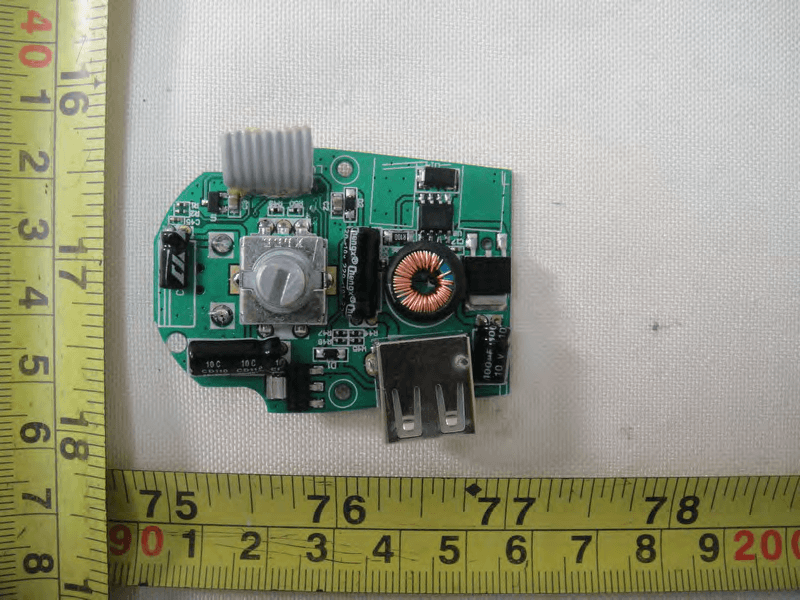
Internal Photos
Neutron Engineering Inc. Project No.: 1008C323 Page 7 of 20 1008C323 1008C323 Neutron Engineering Inc. Project No.: 1008C323 Page 7 of 20 1008C323 1008C323 Neutron Engineering Inc. Project No.: 1008C323 Page 8 of 20 1008C323 1008C323 Neutron Engineering Inc. Project No.: 1008C323 Page 8 of 20 1008C323 1008C323 Neutron Engineering Inc. Project No.: 1008C323 Page 9 of 20 1008C323 1008C323 Neutron Engineering Inc. Project No.: 1008C323 Page 9 of 20 1008C323 1008C323 Neutron Engineering Inc. Project No.: 1008C323 Page 10 of 20 1008C323 1008C323 Neutron Engineering Inc. Project No.: 1008C323 Page 10 of 20 1008C323 1008C323 Neutron Engineering Inc. Project No.: 1008C323 Page 11 of 20 1008C323 1008C323 Neutron Engineering Inc. Project No.: 1008C323 Page 11 of 20 1008C323 1008C323 Neutron Engineering Inc. Project No.: 1008C323 Page 12 of 20 1008C323 Neutron Engineering Inc. Project No.: 1008C323 Page 13 of 20 1008C323 1008C323 1008C323 1008C323 Neutron Engineering Inc. Project No.: 1008C323 Page 13 of 20 1008C323 1008C323 1008C323 1008C323 Neutron Engineering Inc. Project No.: 1008C323 Page 14 of 20 1008C323 1008C323 Neutron Engineering Inc. Project No.: 1008C323 Page 14 of 20 1008C323 1008C323 Neutron Engineering Inc. Project No.: 1008C323 Page 15 of 20 1008C323 1008C323 Neutron Engineering Inc. Project No.: 1008C323 Page 15 of 20 1008C323 1008C323 Neutron Engineering Inc. Project No.: 1008C323 Page 16 of 20 1008C323 1008C323 1008C323 1008C323 Neutron Engineering Inc. Project No.: 1008C323 Page 16 of 20 1008C323 1008C323 1008C323 1008C323 Neutron Engineering Inc. Project No.: 1008C323 Page 17 of 20 1008C323 1008C323 Neutron Engineering Inc. Project No.: 1008C323 Page 17 of 20 1008C323 1008C323 Neutron Engineering Inc. Project No.: 1008C323 Page 18 of 20 1008C323 1008C323 Neutron Engineering Inc. Project No.: 1008C323 Page 18 of 20 1008C323 1008C323 Neutron Engineering Inc. Project No.: 1008C323 Page 19 of 20 1008C323 1008C323 Neutron Engineering Inc. Project No.: 1008C323 Page 19 of 20 1008C323 1008C323 Neutron Engineering Inc. Project No.: 1008C323 Page 20 of 20 1008C323 1008C323 1008C323 1008C323 Neutron Engineering Inc. Project No.: 1008C323 Page 20 of 20 1008C323 1008C323 1008C323 1008C323
RF Exposure Info
Neutron Engineering Inc. FCC RF EXPOSURE REPORT FCC ID: W5DIRA003 Project No. : 1008C323 Equipment : Internet Raido Model : IRA;BT-H20XXG(XX=01-10) Applicant : Myine Electronics LLC Address : 3136 Hilton Ferndale, MI 48220 USA According: : FCC Guidelines for Human Exposure IEEE C95.1 Neutron Engineering Inc. No.3, Jinshagang 1st Road, ShiXia, Dalang Town, Dong Guan, China. TEL : (0769) 8318-3000 FAX : (0769) 8319-6000 Neutron Engineering Inc. MPE CALCULATION METHOD: Calculation Method of RF Safety Distance: where: S = power density P = power input to the antenna G = power gain of the antenna in the direction of interest relative to an isotropic radiator R = distance to the center of radiation of the antenna Ant. Brand name Model Name Antenna TypeConnector Gain (dBi) 1 Airgain N2420 Embedded Antenna N/A 3.8 TEST RESULTS EUT: Internet Radio Model Name : IRA Temperature: 25 °C Relative Humidity: 60 % Pressure: 1012 hPa Test Voltage : AC 120V/60Hz Test Mode : TX B MODE CH01/CH06/CH11 Antenna Gain (dBi) Antenna Gain (numeric) Peak Output Power (dBm) Peak Output Power (mW) Power Density (S) (mW/cm 2 ) Limit of Power Density (S) (mW/cm 2 ) Te s t Result 3.80 2.3988 16.98 49.8884 0.023820471 Complies 3.80 2.3988 17.11 51.4044 0.024544281 Complies 3.80 2.3988 17.61 57.6766 0.027539141 Complies Neutron Engineering Inc. EUT: Internet Radio Model Name : IRA Temperature: 25 °C Relative Humidity: 60 % Pressure: 1012 hPa Test Voltage : AC 120V/60Hz Test Mode : TX G MODE CH00/CH07/CH14 Antenna Gain (dBi) Antenna Gain (numeric) Peak Output Power (dBm) Peak Output Power (mW) Power Density (S) (mW/cm 2 ) Limit of Power Density (S) (mW/cm 2 ) Te s t Result 3.80 2.3988 20.67 116.6810 0.055712211 Complies 3.80 2.3988 21.45 139.6368 0.066673061 Complies 3.80 2.3988 21.75 149.6236 0.071441471 Complies
Test Report
Neutron Engineering Inc. Report No.: NEI-FCCP-1-1008C323 Page 2 of 75 Declaration Neutron represents to the client that testing is done in accordance with standard procedures as applicable and that test instruments used has been calibrated with the standards traceable to National Measurement Laboratory (NML) of CHINA, or National Institute of Standards and Technology (NIST) of U.S.A. Neutron's reports apply only to the specific samples tested under conditions. It is manufacture’s responsibility to ensure that additional production units of this model are manufactured with the identical electrical and mechanical components. Neutron shall have no liability for any declarations, inferences o r generalizations drawn by the client or others from Neutron issued reports. Neutron’s reports must not be used by the client to claim product endorsement by the authorities or any agency of the Government. This report is the confidential property of the client. As a mutual protection to the clients, the public and Neutron-self, extracts from the test report shall not be reproduced except in full with Neutron’s authorized written approval. Neutron’s laboratory quality assurance procedures are in compliance with the ISO Guide 17025 requirements, and accredited by the conformity assessment authorities listed in this test report. Limitation For the use of the authority's logo is limited unless the Test Standard(s)/Scope(s)/Item(s) mentioned in this test report is (are) included in the conformity assessment authorities acceptance respective. Neutron Engineering Inc. Report No.: NEI-FCCP-1-1008C323 Page 3 of 75 Table of Contents Page 1 . CERTIFICATION 5 2 . SUMMARY OF TEST RESULTS 6 2.1 TEST FACILITY 7 2.2 MEASUREMENT UNCERTAINTY 7 3 . GENERAL INFORMATION 8 3.1 GENERAL DESCRIPTION OF EUT 8 3.2 DESCRIPTION OF TEST MODES 10 3.3 TABLE OF PARAMETERS OF TEXT SOFTWARE SETTING 11 3.4 BLOCK DIGRAM SHOWING THE CONFIGURATION OF SYSTEM TESTED 12 3.5 DESCRIPTION OF SUPPORT UNITS 13 4 . EMC EMISSION TEST 14 4.1 CONDUCTED EMISSION MEASUREMENT 14 4.1.1 POWER LINE CONDUCTED EMISSION LIMITS 14 4.1.2 MEASUREMENT INSTRUMENTS LIST AND SETTING 14 4.1.3 TEST PROCEDURE 15 4.1.4 DEVIATION FROM TEST STANDARD 15 4.1.5 TEST SETUP 15 4.1.6 EUT OPERATING CONDITIONS 15 4.1.7 TEST RESULTS 16 4.2 RADIATED EMISSION MEASUREMENT 20 4.2.1 RADIATED EMISSION LIMITS 20 4.2.2 MEASUREMENT INSTRUMENTS LIST ANS SETTING 21 4.2.3 TEST PROCEDURE 22 4.2.4 DEVIATION FROM TEST STANDARD 22 4.2.5 TEST SETUP 23 4.2.6 EUT OPERATING CONDITIONS 23 4.2.7 TEST RESULTS (BETWEEN 30 – 1000 MHZ) 24 4.2.8 TEST RESULTS (ABOVE 1000 MHZ) 26 5 . BANDWIDTH TEST 50 5.1 APPLIED PROCEDURES / LIMIT 50 5.1.1 MEASUREMENT INSTRUMENTS LIST 50 5.1.2 TEST PROCEDURE 50 5.1.3 DEVIATION FROM STANDARD 50 5.1.4 TEST SETUP 51 5.1.5 EUT OPERATION CONDITIONS 51 5.1.6 TEST RESULTS 52 Neutron Engineering Inc. Report No.: NEI-FCCP-1-1008C323 Page 4 of 75 Table of Contents Page 6 . PEAK OUTPUT POWER TEST 56 6.1 APPLIED PROCEDURES / LIMIT 56 6.1.1 MEASUREMENT INSTRUMENTS LIST 56 6.1.2 TEST PROCEDURE 56 6.1.3 DEVIATION FROM STANDARD 56 6.1.4 TEST SETUP 56 6.1.5 EUT OPERATION CONDITIONS 56 6.1.6 TEST RESULTS 57 7 . ANTENNA CONDUCTED SPURIOUS EMISSION 58 7.1 APPLIED PROCEDURES / LIMIT 58 7.1.1 MEASUREMENT INSTRUMENTS LIST 58 7.1.2 TEST PROCEDURE 58 7.1.3 DEVIATION FROM STANDARD 58 7.1.4 TEST SETUP 58 7.1.5 EUT OPERATION CONDITIONS 58 7.1.6 TEST RESULTS 59 8 . POWER SPECTRAL DENSITY TEST 69 8.1 APPLIED PROCEDURES / LIMIT 69 8.1.1 MEASUREMENT INSTRUMENTS LIST 69 8.1.2 TEST PROCEDURE 69 8.1.3 DEVIATION FROM STANDARD 69 8.1.4 TEST SETUP 69 8.1.5 EUT OPERATION CONDITIONS 69 8.1.6 TEST RESULTS 70 9 . EUT TEST PHOTO 74 Neutron Engineering Inc. Report No.: NEI-FCCP-1-1008C323 Page 5 of 75 1. CERTIFICATION E q u i p m e n t : Internet Radio Brand Name : LIVIO RADIO Model Name : IRA; BT-H20XXG(XX=01-10) A p p l i c a n t : Myine Electronics LLC Date of Test : Sep. 03, 2010 ~ Nov. 10, 2010 T e s t I t e m : ENGINEERING SAMPLE Standards : FCC Part15, Subpart C(15.247) / ANSI C63.4 : 2003 The above equipment has been tested and found compliance with the requirement of the relative standards by Neutron Engineering Inc. EMC Laboratory. The test data, data evaluation, and equipment configuration contained in our test report (Ref No. NEI-FCCP-1-1008C323) were obtained utilizing the test procedures, test instruments, test sites that has been accredited by the Authority of NVLAP and TAF according to the ISO-17025 quality assessment standard and technical standard(s). Neutron Engineering Inc. Report No.: NEI-FCCP-1-1008C323 Page 6 of 75 2. SUMMARY OF TEST RESULTS Test procedures according to the technical standards: FCC Part15 (15.247) , Subpart C Standard Section Test Item Judgment Remark 15.207 Conducted Emission PASS 15.247(d) Antenna conducted Spurious EmissionPASS 15.247(a)(2) 6dB Bandwidth PASS 15.247(b)(3) Peak Output Power PASS 15.209/15.205 Radiated Spurious Emission PASS 15.247(e) Power Spectral Density PASS 15.203 Antenna Requirement PASS NOTE: (1)” N/A” denotes test is not applicable in this Test Report Neutron Engineering Inc. Report No.: NEI-FCCP-1-1008C323 Page 7 of 75 2.1 TEST FACILITY The test facilities used to collect the test data in this report is CB03/DG-C03 at the location of No.3,Jinshagang 1st Road, ShiXia, Dalang Town, Dong Guan, China.523792 Neutron's test firm number is 319330 2.2 MEASUREMENT UNCERTAINTY Where relevant, the following measurement uncertainty levels have been estimated for tests performed on the EUT as specified in CISPR 16-4-2: The reported uncertainty of measurement y ± U,where expended uncertainty U is based on a standard uncertainty multiplied by a coverage factor of k=2,providing a level of confidence of approximately 95 %。 A. Conducted Measurement : Test Site Method Measurement Frequency Range U,(dB) NOTE DG-C03 CISPR 150 KHz ~ 30MHz 1.94 B. Radiated Measurement : Test Site Method Measurement Frequency Range Ant. H / V U,(dB) NOTE 30MHz ~ 200MHz V 3.82 30MHz ~ 200MHz H 3…
Text truncated - open the document above for the full version.
Test Setup Photos
Neutron Engineering Inc. Report No.: NEI-FCCP-1-1008C323 Page 74 of 75 9. EUT TEST PHOTO Conducted Measurement Photos Neutron Engineering Inc. Report No.: NEI-FCCP-1-1008C323 Page 74 of 75 9. EUT TEST PHOTO Conducted Measurement Photos Neutron Engineering Inc. Report No.: NEI-FCCP-1-1008C323 Page 75 of 75 Radiated Measurement Photos Neutron Engineering Inc. Report No.: NEI-FCCP-1-1008C323 Page 75 of 75 Radiated Measurement Photos
Contact Information
Applicant
Massimo Baldini
Technical Contact
Neutron Engineering, Inc.Steven Lu
[email protected]+86-769-83183000
No.3,Jinshagang 1st Rd, ShiXia,Dalang · Dongguan City · China
Non-Technical Contact
Neutron Engineering, Inc.Cathy Wang
[email protected]+86-769-83183000
Test Firm
BTL Inc.Daisy Dai
Technical Specifications
| # | Rule Parts | Frequency Range | Power Output |
|---|---|---|---|
| 1 | 15C | 2.41 GHz - 2.46 GHz | 150.00 mW |
Other Applications from Myine Electronics Inc. d/b/a Livio
W5D-LVC02A
Jun 21, 2011Internet Radio Bluetooth FM car kit
Equipment Class
DSS - Part 15 Spread Spectrum Transmitter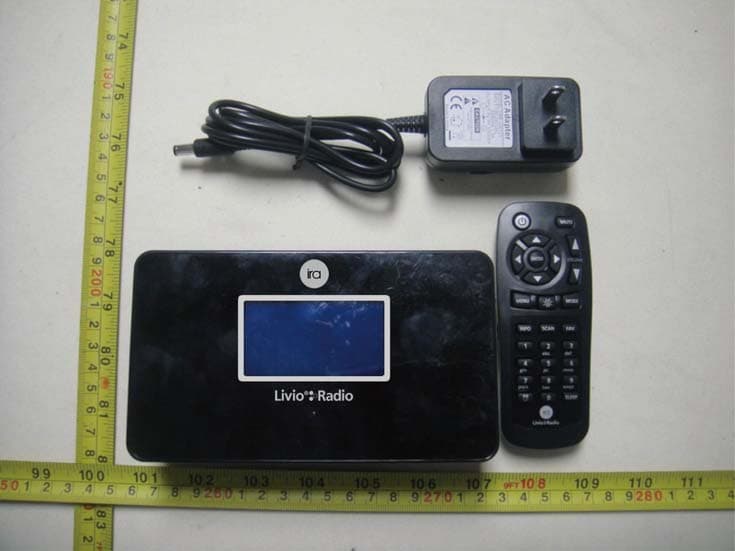
W5DIRA002
Jan 25, 2011Internet Radio
Equipment Class
DTS - Digital Transmission System