WFZSCND502A1232FilmScan35 II-Professional-2.4-TV out
EU3C COMPANY LIMITED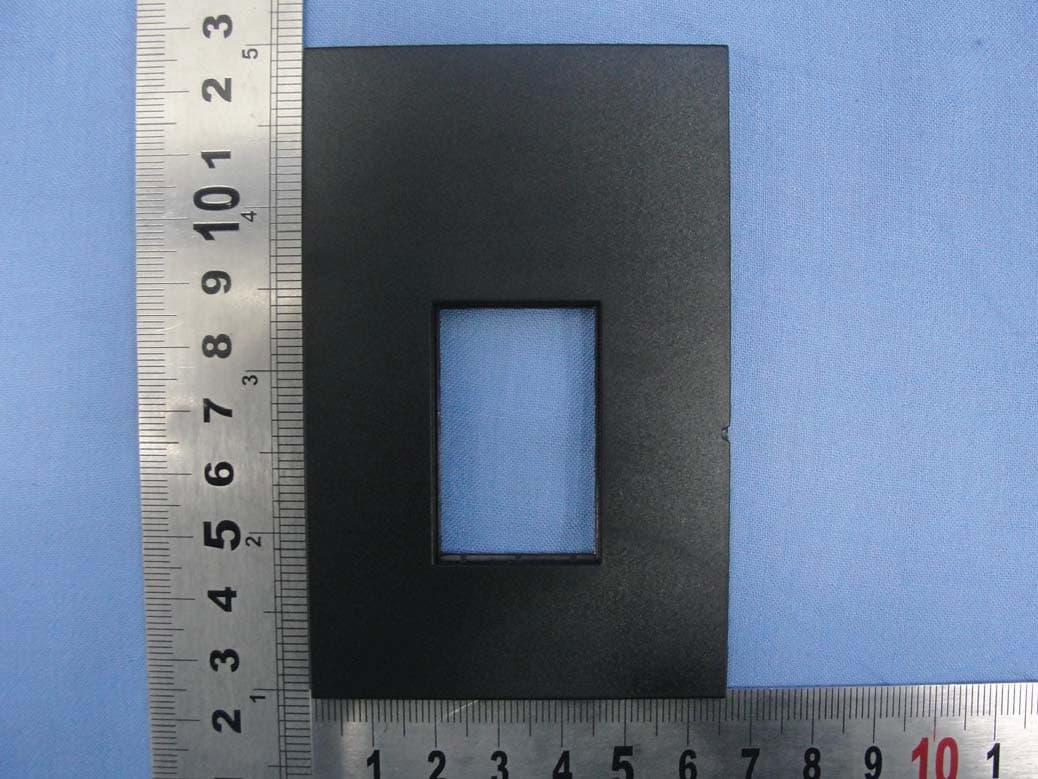
Click to zoom
Application Details
- Equipment Class
- JBP - Part 15 Class B Computing Device Peripheral
- Date of Grant
- Mar 14, 2011
- Application Purpose
- Original Equipment
- Date of Application
- Mar 14, 2011
- Equipment Note
- FilmScan35 II-Professional-2.4-TV out
- Company
- EU3C COMPANY LIMITED
- Country
- Hong Kong
Documents & Files
Document Text
Text extracted from the exhibit documents filed with the FCC. Open a document above to read the original.
Users Manual
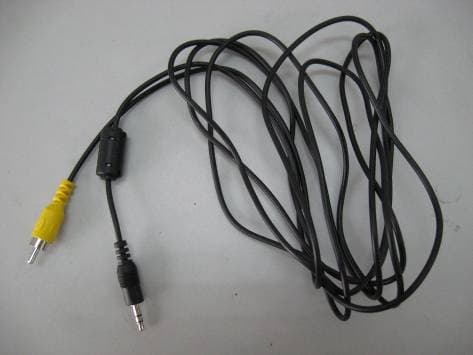
FilmScan35‐II‐2.4‐TV out -Patent pending- User Manual Version 1.02 July 2009 Index I. Unpack FilmScan35‐II‐2.4‐TV out.....................................2 II. Install film into the film holder.........................................3 III. Quick Start.....................................................................7 IV. Operation Guide............................................................12 V. Specification..................................................................32 ‐1‐ I. Unpack FilmScan35‐II‐2.4‐TV out FilmScan35‐II‐2.4‐TV‐out Negative/Slide Film Holder User Manual USB power core USB/Video cable Roll Film Holder Clean brush Note We strongly suggest using a clean, dry, non‐alcohol cotton swab to clean the glass surface periodically to produce a clear image during operation. Clean dust from FilmScanner back light, to use the clean brush to wipe the dust. Dust or dirt from the negative, slide films and cover trays may affect the scanned image quality, please make sure the materials are cleaned before inserting into the scanner. Please find recommend, processional purger from photo store to clean the dust on films if any to avoid damaging the only one copy of old films. ‐2‐ II. Install film into the film holder ● Install the Slide into holder 1. Open the slide holder as illustrated 2. Put slide into positive slide slot 3. Close the film holder ● Install the Negative Film into holder 1. Open the film holder as illustrated ‐3‐ 2. Install film into negative film slot 3. Close the film holder ● Install the Roll Film into holder: 1. Take out the roll film holder from package 2. Insert roll film into film slot 3. Pull out the roll film in another side -4- Note To avoid mirror image, follow the serial numbers (from left to right) on top of film when install negative film into holder If the image is upside down [see fig.2], the image can be corrected by Flip function in hard key of device before capture, or enter playback edit menu after capture [see fig.3.4]. ‐5‐ Figure 1 Figure 2 ● Press hard key on top of device in live view Figure 3 ● Playback mode menu Figure 4 ‐6‐ Down/Flip button (Flip hard key) Flip III. Quick Start ‐7‐ Up/Mirror button Film Slot OK button SD card Slot Down/Flip button Power button USB port TV out jack Power status LED 1. Put Film onto the film cartridge 2. Insert the film cartridge into FilmScan35‐II‐2.4‐TV out ‐8‐ 3. Connect USB cable to FilmScan35‐II‐2.4‐TV out 4. Turn on Device by power button -9- 5. Press OK button to capture the image 6. Follow the menu on display for scanning ‐10‐ 7. After finished the capture, take out the SD card which stored capture images 8. Or read picture from PC by MSDC mode ‐11‐ IV. Operation Guide Home: Main menu ● Capture: capture mode (default) ● Playback: playback mode ● Film Type: define the film type which loaded in cartridge ● USB mode: MSDC (Mass Storage Device Class) mode ● Setting: TV out and format option 1. Capture After welcome page, above menu will remains for 5 sec. User can press up/down button for desired menu. Or system will auto enter Capture mode if there is no action during this 5 second period. ‐12‐ Capture Playback Film Type USB mode Setting Capture 1.1 Capture: Mirror/Flip (Hard Key) ● Press Up/Mirror button to change image left to right ● Press Down/Flip button to upside down image ‐13‐ Up/Mirror button Down/Flip button Mirror Flip 1.2 Capture mode Once enter capture mode, there will be a red indicator on left top corner to indicate it is in live view mode. When the film cartridge is inserted into the scanner slot, the image always shows the positive image according to previous defined Film Type (after power on. the Film Type is default to negative film). Reconfirm the film position through the display before press OK button. 1.3 Capture: Edit Menu ● Save: save captured image ● Rotate +90: continue rotate +90 degrees ● Rotate ‐90: continue rotate ‐90 degrees (this is for adjusting the user who took the portrait picture) ● Cancel: cancel any editing with this image ● Home: Back to main menu ‐14‐ Live view indicator (flashing at 0.5sec rate) Save Rotate +90 Cancel Rotate ‐90 Home Selected image 1.4 Live View ‐> Capture/Edit Menu Live View Capture/Edit Menu OK OK Once press OK button in live view, the edit menu will be appeared. When user press OK button again, the current image will be saved into SD card. The display will return to live view again. 1.5 Capture: Save Once user press OK button on top of FilmScan35‐II‐2.4‐TV out, preview (live view) image will be selected and shown on the TFT which will take between 3‐4 second with 4 icons shown on the left side of the screen. Save icon will be highlighted for user to confirm the saving by OK button. After the above step, display goes back to live view mode (preview). ‐15‐ Save 1.6 Capture: Rotate +/‐90 degrees User can apply the up/down button for further editing (rotate +90/‐90). Once user confirm rotate +90 degrees, they can press the OK button, the image will be rotate +90 degrees and cursor will remain at Save. Press OK button again will save the rotated image to SD card and screen will return to live view. For continuously rotate +90 degrees, move cursor to rotate again and press OK. 1.7 Capture: Cancel Or select Cancel and press OK button to cancel any of the editing step with present selected image and FilmScan35‐II‐2.4‐TV out goes to live view mode (nothing will be saved onto the SD card). ‐16‐ OK Playback /captured image 1.8 Capture: Home Go back to main menu, press OK button when select Home icon. 1.9 Exit from Edit mode back to Capture mode (Live View) Once User presses OK button for save or cancel option, display will return to capture mode/live view. Then, user can move the film cartridge to next target film to capture. -17- Next image in film cartridge OK 1.10 Memory full Once the internal memory or SD card is full, user can see a SD card full once press OK button. User has to down load the images to PC or replace another SD c…
Text truncated - open the document above for the full version.
Cover Letter(s)
Rev. 1/1/03 EU3C Company Limited Unit7, 8/F., Austin Tower, 22-26 Austin Avenue, Tsim Sha Tsui, Kowloon, Hong Kong Tel: 852-2302-4811 Fax: 852-2302-4911 Date: March 14, 2011 Federal Communications Commission Authorization and Evaluation Division Confidentiality Request regarding application for certification of FCC ID: WFZSCND502A1232 Pursuant to Sections 0.457 and 0.459 of the Commission’s Rules, we hereby request confidential treatment of information accompanying this application as outlined below: Schematics (file: SCND502A1232_pdf) Block Diagram (file: SCND502A1232_BlkDia.pdf) Operation Description (file: SCND502A1232_OpDes.pdf) The above materials contain trade secrets and proprietary information not customarily released to the public. The public disclosure of these materials may be harmful to the applicant and provide unjustified benefits to its competitors. The applicant understands that pursuant to Section 0.457 of the Rules, disclosure of this application and all accompanying documentation will not be made before the date of the Grant for this application. Sincerely, Letty Lee
Cover Letter(s)
EU3C Company Limited Unit7, 8/F., Austin Tower, 22-26 Austin Avenue, Tsim Sha Tsui, Kowloon, Hong Kong Tel: 852-2302-4811 Fax: 852-2302-4911 Date: March 8, 2011 Power of Attorney To whom it may concern, Please be notified that I, Letty Lee, have designated Roy Wu in Sporton International Inc. as the persons being responsible for this project and to sign the form 731 and other documentation. Any and all acts carried out by Roy Wu in Sporton International Inc., on the matters of relating to all processes required in the FCC approval and any communication needed with the national authority, shall have the same legal authority as acts on our own behalf. We further certifies that neither the applicant nor any party to this application, as defined in 47 CFR Ch. 1.2002 (b), is subject to a denial to Federal benefits, that include FCC benefits, pursuant to section 5301 of the Anti-Drug Abuse Act of 1998, 21 U.S.C. 835(a). This authorization is limited to the product of as following: FCC ID: WFZSCND502A1232 If you have any acknowledgement and response, please send it to Sporton International Inc. directly. Should you have any questions or comments regarding this matter, please have my best attention. Sincerely yours, Contact Person: Letty Lee Company: EU3C Company Limited TEL: 852-2302-4811 FAX: 852-2302-4911 E-mail: [email protected]
Cover Letter(s)
1/1 EU3C Company Limited Unit7, 8/F., Austin Tower, 22-26 Austin Avenue, Tsim Sha Tsui, Kowloon, Hong Kong Tel: 852-2302-4811 Fax: 852-2302-4911 Date: March 8, 2011 Federal Communications Commission Authorization and Evaluation Division RE : Certification Application FCC ID : WFZSCND502A1232 To Whom It May Concern, Pursuant to sections 0.457 and 0.459 of CFR 47 and to avoid premature release of sensitive information prior to marketing or release of the product to the public, the applicant requests the following documents contained in this certification application be temporarily withheld from public disclosure for an initial period of 180 days: External Photos (file: SCND502A1232_ExtPho.pdf) Internal Photos (file: SCND502A1232_IntPho.pdf) Test Setup Photos (file: SCND502A1232_Tsup.pdf) User Manual (file: SCND502A1232_UserMan.pdf) The application contains technical information, which EU3C Company Limited deems to be trade secrets and proprietary. If made public, the information might be used to the disadvantage of the applicant in the market place. The Applicant understands that pursuant to Rule 0.457, disclosure of this Application and all accompanying documentation will not be made before the date of the Grant for this application Sincerely, Letty Lee
External Photos
FCC TEST REPORTReport No. : FV090702 SPORTON International Inc. PAGE NUMBER : A1 OF A22 TEL : 886-2-2696-2468 FAX : 886-2-2696-2255 FOR EE External Photographs of EUT FCC TEST REPORTReport No. : FV090702 SPORTON International Inc. PAGE NUMBER : A2 OF A22 TEL : 886-2-2696-2468 FAX : 886-2-2696-2255 FCC TEST REPORTReport No. : FV090702 SPORTON International Inc. PAGE NUMBER : A3 OF A22 TEL : 886-2-2696-2468 FAX : 886-2-2696-2255 FCC TEST REPORTReport No. : FV090702 SPORTON International Inc. PAGE NUMBER : A4 OF A22 TEL : 886-2-2696-2468 FAX : 886-2-2696-2255 FCC TEST REPORTReport No. : FV090702 SPORTON International Inc. PAGE NUMBER : A5 OF A22 TEL : 886-2-2696-2468 FAX : 886-2-2696-2255 FCC TEST REPORTReport No. : FV090702 SPORTON International Inc. PAGE NUMBER : A6 OF A22 TEL : 886-2-2696-2468 FAX : 886-2-2696-2255 FCC TEST REPORTReport No. : FV090702 SPORTON International Inc. PAGE NUMBER : A7 OF A22 TEL : 886-2-2696-2468 FAX : 886-2-2696-2255 FCC TEST REPORTReport No. : FV090702 SPORTON International Inc. PAGE NUMBER : A8 OF A22 TEL : 886-2-2696-2468 FAX : 886-2-2696-2255 FCC TEST REPORTReport No. : FV090702 SPORTON International Inc. PAGE NUMBER : A9 OF A22 TEL : 886-2-2696-2468 FAX : 886-2-2696-2255 FCC TEST REPORTReport No. : FV090702 SPORTON International Inc. PAGE NUMBER : A10 OF A22 TEL : 886-2-2696-2468 FAX : 886-2-2696-2255 FCC TEST REPORTReport No. : FV090702 SPORTON International Inc. PAGE NUMBER : A11 OF A22 TEL : 886-2-2696-2468 FAX : 886-2-2696-2255 FCC TEST REPORTReport No. : FV090702 SPORTON International Inc. PAGE NUMBER : A12 OF A22 TEL : 886-2-2696-2468 FAX : 886-2-2696-2255 FCC TEST REPORTReport No. : FV090702 SPORTON International Inc. PAGE NUMBER : A13 OF A22 TEL : 886-2-2696-2468 FAX : 886-2-2696-2255 FCC TEST REPORTReport No. : FV090702 SPORTON International Inc. PAGE NUMBER : A14 OF A22 TEL : 886-2-2696-2468 FAX : 886-2-2696-2255 FCC TEST REPORTReport No. : FV090702 SPORTON International Inc. PAGE NUMBER : A15 OF A22 TEL : 886-2-2696-2468 FAX : 886-2-2696-2255 FCC TEST REPORTReport No. : FV090702 SPORTON International Inc. PAGE NUMBER : A16 OF A22 TEL : 886-2-2696-2468 FAX : 886-2-2696-2255 FCC TEST REPORTReport No. : FV090702 SPORTON International Inc. PAGE NUMBER : A17 OF A22 TEL : 886-2-2696-2468 FAX : 886-2-2696-2255 FCC TEST REPORTReport No. : FV090702 SPORTON International Inc. PAGE NUMBER : A18 OF A22 TEL : 886-2-2696-2468 FAX : 886-2-2696-2255 FCC TEST REPORTReport No. : FV090702 SPORTON International Inc. PAGE NUMBER : A19 OF A22 TEL : 886-2-2696-2468 FAX : 886-2-2696-2255 FCC TEST REPORTReport No. : FV090702 SPORTON International Inc. PAGE NUMBER : A20 OF A22 TEL : 886-2-2696-2468 FAX : 886-2-2696-2255 FCC TEST REPORTReport No. : FV090702 SPORTON International Inc. PAGE NUMBER : A21 OF A22 TEL : 886-2-2696-2468 FAX : 886-2-2696-2255 FCC TEST REPORTReport No. : FV090702 SPORTON International Inc. PAGE NUMBER : A22 OF A22 TEL : 886-2-2696-2468 FAX : 886-2-2696-2255
Internal Photos
FCC TEST REPORT Report No. : FV090702 SPORTON International Inc. PAGE NUMBER : A1 OF A15 TEL : 886-2-2696-2468 FAX : 886-2-2696-2255 FOR I Internal Photographs of EUT FCC TEST REPORTReport No. : FV090702 SPORTON International Inc. PAGE NUMBER : A2 OF A15 TEL : 886-2-2696-2468 FAX : 886-2-2696-2255 FCC TEST REPORTReport No. : FV090702 SPORTON International Inc. PAGE NUMBER : A3 OF A15 TEL : 886-2-2696-2468 FAX : 886-2-2696-2255 FCC TEST REPORTReport No. : FV090702 SPORTON International Inc. PAGE NUMBER : A4 OF A15 TEL : 886-2-2696-2468 FAX : 886-2-2696-2255 FCC TEST REPORTReport No. : FV090702 SPORTON International Inc. PAGE NUMBER : A5 OF A15 TEL : 886-2-2696-2468 FAX : 886-2-2696-2255 FCC TEST REPORTReport No. : FV090702 SPORTON International Inc. PAGE NUMBER : A6 OF A15 TEL : 886-2-2696-2468 FAX : 886-2-2696-2255 FCC TEST REPORTReport No. : FV090702 SPORTON International Inc. PAGE NUMBER : A7 OF A15 TEL : 886-2-2696-2468 FAX : 886-2-2696-2255 FCC TEST REPORTReport No. : FV090702 SPORTON International Inc. PAGE NUMBER : A8 OF A15 TEL : 886-2-2696-2468 FAX : 886-2-2696-2255 FCC TEST REPORTReport No. : FV090702 SPORTON International Inc. PAGE NUMBER : A9 OF A15 TEL : 886-2-2696-2468 FAX : 886-2-2696-2255 FCC TEST REPORTReport No. : FV090702 SPORTON International Inc. PAGE NUMBER : A10 OF A15 TEL : 886-2-2696-2468 FAX : 886-2-2696-2255 FCC TEST REPORTReport No. : FV090702 SPORTON International Inc. PAGE NUMBER : A11 OF A15 TEL : 886-2-2696-2468 FAX : 886-2-2696-2255 FCC TEST REPORTReport No. : FV090702 SPORTON International Inc. PAGE NUMBER : A12 OF A15 TEL : 886-2-2696-2468 FAX : 886-2-2696-2255 FCC TEST REPORTReport No. : FV090702 SPORTON International Inc. PAGE NUMBER : A13 OF A15 TEL : 886-2-2696-2468 FAX : 886-2-2696-2255 FCC TEST REPORTReport No. : FV090702 SPORTON International Inc. PAGE NUMBER : A14 OF A15 TEL : 886-2-2696-2468 FAX : 886-2-2696-2255 FCC TEST REPORTReport No. : FV090702 SPORTON International Inc. PAGE NUMBER : A15 OF A15 TEL : 886-2-2696-2468 FAX : 886-2-2696-2255
Test Report
FCC TEST REPORT Report No. : FV090702 SPORTON International Inc. TEL : 886-2-2696-2468 FAX : 886-2-2696-2255 FCC TEST REPORT for 47 CFR FCC Rules and Regulations Part 15 Subpart B, Class B Digital Device Equipment : A housing for SCND502A1232 Model No. : SCND502A1232 FCC ID : WFZSCND502A1232 Filing Type : Certification Applicant : EU3C Company Limited Unit7, 8/F., Austin Tower, 22-26 Austin Avenue, Tsim Sha Tsui, Kowloon, Hong Kong The test result refers exclusively to the test presented test model / sample. Without written approval of SPORTON International Inc., the test report shall not be reproduced except in full. Certificate or Test Report must not be used by the applicant to claim the product in this test report endorsement by TAF. SPORTON International Inc. 6F, No.106, Sec. 1, Hsin Tai Wu Rd., Hsi Chih, Taipei Hsien, Taiwan, R.O.C. FCC TEST REPORT Report No. : FV090702 SPORTON International Inc. FCC ID : WFZSCND502A1232 TEL : 886-2-2696-2468 Page No. : i FAX : 886-2-2696-2255 Issued Date : Feb. 18, 2011 Table of Contents History of this test report....................................................................................................................................ii CERTIFICATE OF COMPLIANCE........................................................................................................................1 1. General Description of Equipment under Test.............................................................................................2 1.1. Applicant..........................................................................................................................................................................................2 1.2. Manufacturer ...................................................................................................................................................................................2 1.3. Basic Description of Equipment under Test....................................................................................................................................2 1.4. Feature of Equipment under Test ...................................................................................................................................................2 2. Test Configuration of Equipment under Test ...............................................................................................3 2.1. Test Manner ....................................................................................................................................................................................3 2.2. Description of Test System .............................................................................................................................................................3 2.3. Connection Diagram of Test System ..............................................................................................................................................5 3. Test Software ...................................................................................................................................................6 4. General Information of Test............................................................................................................................7 4.1. Test Facility.....................................................................................................................................................................................7 4.2. Test Voltage....................................................................................................................................................................................7 4.3. Standard for Methods of Measurement...........................................................................................................................................7 4.4. Test in Compliance with..................................................................................................................................................................7 4.5. Frequency Range Investigated .......................................................................................................................................................7 4.6. Test Distance ..................................................................................................................................................................................7 5. Test of Conducted Powerline .........................................................................................................................8 5.1. Major Measuring Instruments..........................................................................................................................................................8 5.2. Test Procedures..............................................................................................................................................................................8 5.3. Typical Test Setup Layout of Conducted Powerline .......................................................................................................................9 5.4. Test Result of AC Powerline Conducted Emission .......................................................................................................................10 6. Test of Radiated Emission............................................................................................................................12 6.1. Major Measuring Instruments........................................................................................................................................................12 6.2. Test Procedures............................................................................................................................................................................13 6.3. Typical Test Setup Layout of Radiated Emission.............................................................…
Text truncated - open the document above for the full version.
Test Setup Photos
FCC TEST REPORT Report No. : FV090702 SPORTON International Inc. FCC ID : WFZSCND502A1232 TEL : 886-2-2696-2468 Page No. : 1/3 FAX : 886-2-2696-2255 Issued Date : Feb. 18, 2011 1.1. Photographs of Conducted Powerline Test Configuration The photographs show the configuration that generates the maximum emission. FRONT VIEW REAR VIEW FCC TEST REPORT Report No. : FV090702 SPORTON International Inc. FCC ID : WFZSCND502A1232 TEL : 886-2-2696-2468 Page No. : 2/3 FAX : 886-2-2696-2255 Issued Date : Feb. 18, 2011 SIDE VIEW FCC TEST REPORT Report No. : FV090702 SPORTON International Inc. FCC ID : WFZSCND502A1232 TEL : 886-2-2696-2468 Page No. : 3/3 FAX : 886-2-2696-2255 Issued Date : Feb. 18, 2011 1.2. Photographs of Radiated Emission Test Configuration The photographs show the configuration that generates the maximum emission. FRONT VIEW REAR VIEW
Contact Information
Applicant
LETTY LEE(SENIOR INTERNAL CONTROLLER)
Test Firm
Sporton International Inc.Alex Chen
Technical Specifications
| # | Rule Parts | Frequency Range | Power Output |
|---|---|---|---|
| 1 | 15B | - | - |
Other Applications from EU3C COMPANY LIMITED
WFZSCND502B1232
Apr 12, 2011PART 15 CLASS B COMPUTING PERIPHERAL
Equipment Class
JBP - Part 15 Class B Computing Device Peripheral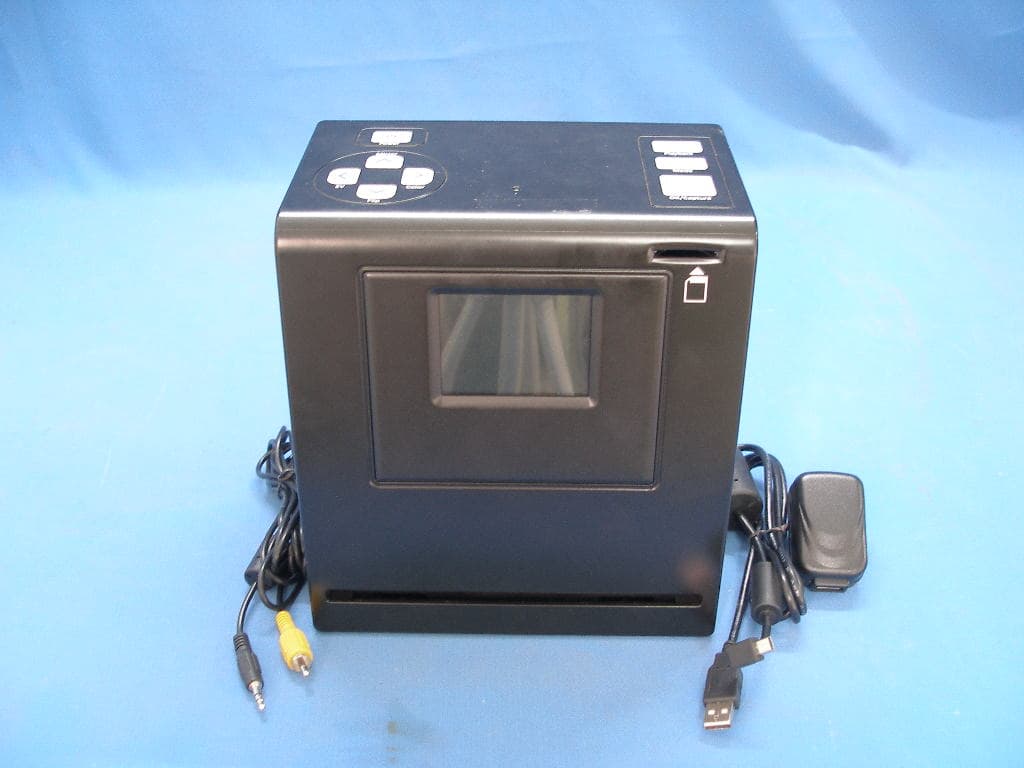
WFZSCND503H1231
Mar 28, 2011CS-II-5M-3.0
Equipment Class
JBP - Part 15 Class B Computing Device Peripheral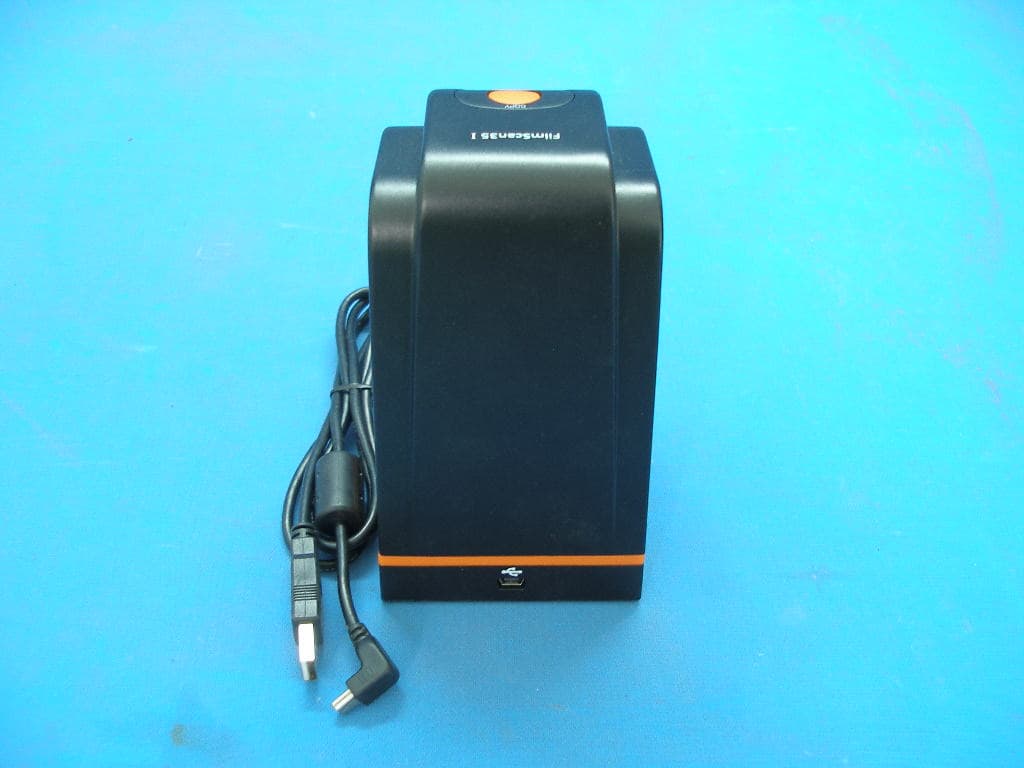
WFZSCND522A1231
Mar 28, 2011FS-I-5M-ND
Equipment Class
JBP - Part 15 Class B Computing Device Peripheral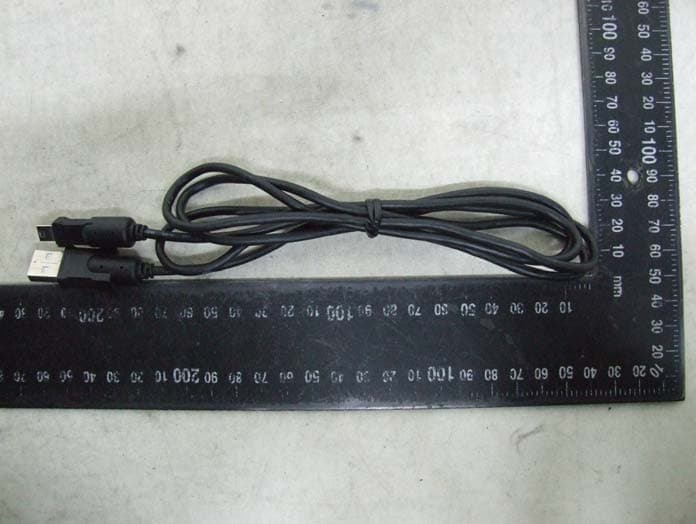
WFZBCS200211011
Mar 24, 2011Businesscardscanner Foldable
Equipment Class
JBP - Part 15 Class B Computing Device Peripheral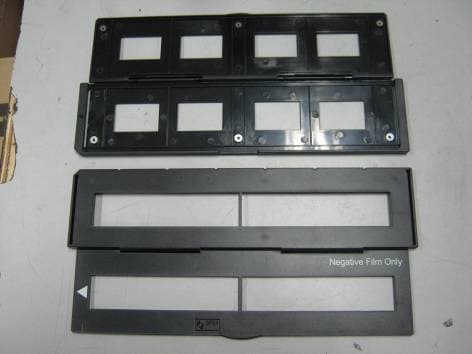
WFZSCND502E1234
Mar 22, 2011PART 15 CLASS B COMPUTING PERIPHERAL
Equipment Class
JBP - Part 15 Class B Computing Device Peripheral