WH7IT385GSM MOBILE PHONE
Shanghai Longcheer Technology Co., Ltd.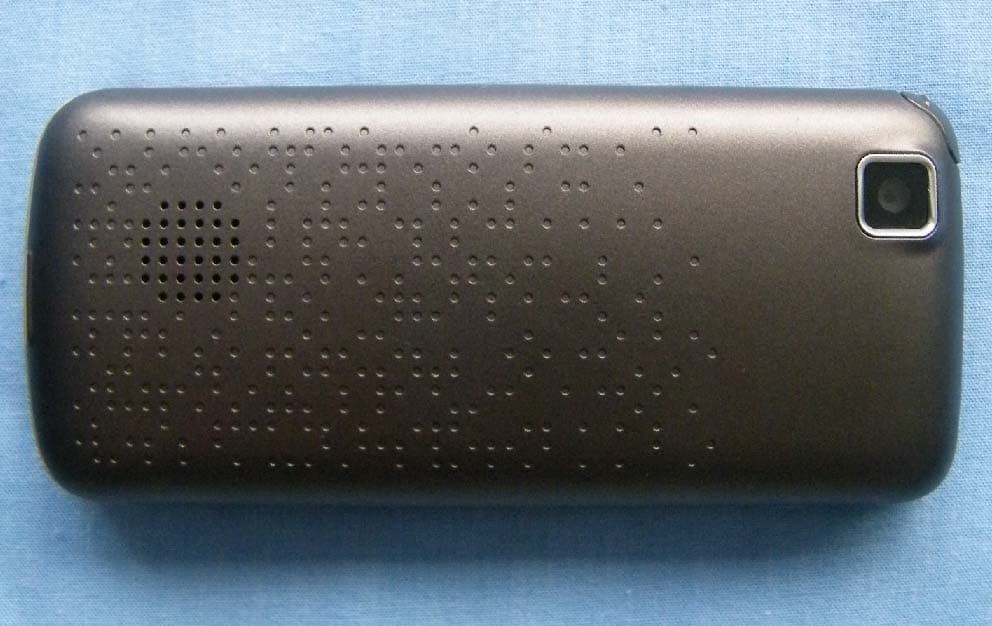
Click to zoom
Application Details
- Equipment Class
- JBP - Part 15 Class B Computing Device Peripheral
- Date of Grant
- Dec 05, 2010
- Application Purpose
- Original Equipment
- Date of Application
- Dec 02, 2010
- Equipment Note
- GSM MOBILE PHONE
- Country
- China
Documents & Files
Document Text
Text extracted from the exhibit documents filed with the FCC. Open a document above to read the original.
Users Manual
1 IT385 DUAL GSM SIM DIGITAL MOBILE IT-PHONE USER MANUAL 2 1 Preface Thank you for purchasing this cellular phone. To guarantee your cellular phone works properly, please follow the instructions in this manual to prevent any possible incidents or malfunctions. Follow all safety warnings to avoid injury or property damage. Screen displays and illustrations in this user’s manual are designed to help you operate your phone to its optimum performance. We continuously strive to improve our products. Therefore, we reserve the rights to revise this user manual or withdraw it at any time without prior notice. 3 Contents 1 Preface -------------------------------------------------------------------------------------------- 2 2 Introduction ------------------------------------------------------------------------------------- 4 2.1 PHONE DISPLAY--------------------------------------------------------------------------------- 4 2.2 ICONS & SYMBOLS------------------------------------------------------------------------------ 6 3 Getting Started --------------------------------------------------------------------------------- 7 3.1 INSERTING THE SIM CARD AND THE BATTERY----------------------------------------------- 7 3.2 INSERTING A MICRO SD (EXTERNAL MEMORY) CARD------------------------------------- 7 3.3 TURNING THE PHONE ON----------------------------------------------------------------------- 7 3.4 CHARGING THE BATTERY----------------------------------------------------------------------- 7 3.5 IMPORTANT PASSWORD------------------------------------------------------------------------ 8 3.6 KEYPAD LOCK AND UNLOCK------------------------------------------------------------------- 8 3.7 TRANSFER FILES TO THE MICRO SD (EXTERNAL MEMORY) CARD------------------------ 8 4 Text Entry ---------------------------------------------------------------------------------------- 9 4.1 INPUT METHOD---------------------------------------------------------------------------------- 9 4.2 SMART INPUT------------------------------------------------------------------------------------ 9 4.3 MULTITAP INPUT--------------------------------------------------------------------------------- 9 4.4 NUMERIC INPUT--------------------------------------------------------------------------------10 5 Calling--------------------------------------------------------------------------------------------11 5.1 MAKING A CALL---------------------------------------------------------------------------------11 5.2 ANSWERING A CALL----------------------------------------------------------------------------11 6 Menu Functions-------------------------------------------------------------------------------12 6.1 HOW TO USE-----------------------------------------------------------------------------------12 6.2 MAIN MENU-------------------------------------------------------------------------------------12 6.3 PHONE BOOK------------------------------------------------------------------------------------12 6.4 MESSAGES--------------------------------------------------------------------------------------14 6.5 CALL HISTORY----------------------------------------------------------------------------------15 6.6 AUDIO PLAYER----------------------------------------------------------------------------------15 6.7 CAMERA-----------------------------------------------------------------------------------------16 6.8 FM RADIO---------------------------------------------------------------------------------------16 6.9 TOOLS-------------------------------------------------------------------------------------------17 6.10 SERVICES--------------------------------------------------------------------------------------18 6.11 MULTIMEDIA-----------------------------------------------------------------------------------19 6.12 SETTINGS--------------------------------------------------------------------------------------21 6.13 BLUETOOTH-----------------------------------------------------------------------------------24 6.14 FILE MANAGER--------------------------------------------------------------------------------25 7 Precautions-------------------------------------------------------------------------------------26 8 Frequently Asked Questions and Troubleshooting ------------------------------28 9 Safety Information and Notices ---------------------------------------------------------30 4 2 Introduction 2.1 Phone Display 5 Key Function SIM1 Dial/receive key Dial and receive calls via SIM1 card. View SIM1 call history in idle mode. SIM2 Dial/receive key Dial and receive calls via SIM2 card. View SIM2 call history in idle mode. Call End Key Pressing and holding to turn the phone on/off. End a call or reject an incoming call. Return to the idle mode. Left Soft Key Enter main menu in idle mode. Right Soft Key Access the phonebook list in idle mode. Return to the previous menu. OK Key Enter the Main menu in idle mode. Confirm a selection. Numeric key Enter numbers, letters or characters. Select a submenu item labeled with the corresponding number. * Press and hold to toggle between *, +, (pause character) P, and (wait character) W. Press to enter symbol when editing text. # Press to switch input modes when entering text. Press and hold to activate or deactivate the silent mode when phone is in idle mode. Navigation Key Press to access four functions in idle mode (Up: User profiles, Down: Phonebook list, Left: Write message, Right: Tools, Within a menu, press Up, Down, Left or Right to scroll through menu options. Note: “Press” in this manual, means to press and release the key; “press and hold” means to press and hold the key for at least 3 seconds. 6 2.2 Icons & Symbols Icon Statement SIM1 Network signal level SIM2 Network signal level Indicates battery capacity Alarm is activated micro SD card is inserted Keypad lock is activated SIM1 Unread Messages SIM2 Unread Messages SIM1 Unread Multimedia Messages SIM2 Unread Multimedia Messages SIM1 Missed calls SIM2 Missed calls SI…
Text truncated - open the document above for the full version.
Cover Letter(s)
Longcheer Technology (Shanghai) Co.,Ltd. Date: November 25, 2010 Federal Communications Commission Office of Engineering and Technology Equipment Authorization Division 7345 Oakland Mills Road Columbia, Maryland 21046 Subject: Permanent Confidentiality request for FCC ID: WH7IT385 To Whom It May Concern, Pursuant to sections 0.457 and 0.459 of CFR 47, the applicant requests permanent confidential treatment of the following information accompanying this application: - Block Diagram - Schematics - Operational Description - BOM list/Tune-Up-Procedure The above materials contain trade secrets and proprietary information not customarily released to the public. The public disclosure of these matters might be harmful to the applicant and provide unjustified benefits to its competitors. Yours Sincerely, Wang Lei Longcheer Technology (Shanghai) Co.,Ltd.
External Photos
IT385_ External Photo
Internal Photos
IT385_ Internal photo
Test Report
Registration Num:428261 Report No.: RZA2010-1380EMC-R1 TESTING No. L2264 Part 15B TEST REPORT Product Name GSM mobile phone Model Name IT385 FCC ID WH7IT385 Client Longcheer Technology (Shanghai) Co., Ltd. TA Technology (Shanghai) Co., Ltd. Registration Num:428261 GENERAL SUMMARY Product Name GSM mobile phone Model Name IT385 FCC ID WH7IT385 Report No. RZA2010-1380EMC-R1 Client Longcheer Technology (Shanghai) Co., Ltd. Manufacturer Longcheer Technology (Shanghai) Co., Ltd. Reference Standard(s) FCC Code CFR47 Part15B (2009-12) Radio frequency device. ANSI C63.4 (2009) Methods of Measurement of Radio-Noise Emission from Low-Voltage Electrical and Electronic Equipment in the Range of 9 KHz to 40GHz. Conclusion This portable wireless equipment has been measured in all cases requested by the relevant standards. Test results in Chapter 2 of this test report are below limits specified in the relevant standards. General Judgment : Pass (Stamp) Date of issue: November 25 th , 2010 Comment The test result only responds to the measured sample. Approved by Yang Weizhong Revised by Fan Guangchang Performed by Liu Wei TA Technology (Shanghai) Co., Ltd. Test Report Registration Num:428261 Report No.: RZA2010-1380EMC-R1 Page 3 of 21 TABLE OF CONTENT 1. General Information ..................................................................................................................... 4 1.1. Notes of the test report.........................................................................................................4 1.2. Testing laboratory .................................................................................................................4 1.3. Applicant Information ............................................................................................................5 1.4. Manufacturer Information ......................................................................................................5 1.5. Information of EUT................................................................................................................6 1.6. Test Date ..............................................................................................................................7 2. Test Information ........................................................................................................................... 8 2.1. Summary of test results ........................................................................................................8 2.2. Radiated Emission ................................................................................................................9 2.3. Conducted Emission...........................................................................................................14 3. Main Test Instruments ................................................................................................................ 19 ANNEX A: The EUT Appearance and Test Setup .......................................................................... 20 A.1 EUT Appearance .....................................................................................................................20 A.2 Test Setup ...............................................................................................................................21 TA Technology (Shanghai) Co., Ltd. Test Report Registration Num:428261 Report No.: RZA2010-1380EMC-R1 Page 4 of 21 1. General Information 1.1. Notes of the test report TA Technology (Shanghai) Co., Ltd. guarantees the reliability of the data presented in this test report, which is the results of measurements and tests performed for the items under test on the date and under the conditions stated in this test report and is based on the knowledge and technical facilities available at TA Technology (Shanghai) Co., Ltd. at the time of execution of the test. TA Technology (Shanghai) Co., Ltd. is liable to the client for the maintenance by its personnel of the confidentiality of all information related to the items under test and the results of the test. This report only refers to the item that has undergone the test. This report standalone dose not constitute or imply by its own an approval of the product by the certification Bodies or competent Authorities. This report can not be used partially or in full for publicity and/or promotional purposes without previous written approval of TA Technology (Shanghai) Co., Ltd. and the Accreditation Bodies, if it applies. 1.2. Testing laboratory Company: TA Technology (Shanghai) Co., Ltd. Address: No.145, Jintang Rd, Tangzhen Industry Park, Pudong City: Shanghai Post code: 201201 Country: P. R. China Contact: Yang Weizhong Telephone: +86-021-50791141/2/3 Fax: +86-021-50791141/2/3-8000 Website: http://www.ta-shanghai.com E-mail: [email protected] TA Technology (Shanghai) Co., Ltd. Test Report Registration Num:428261 Report No.: RZA2010-1380EMC-R1 Page 5 of 21 1.3. Applicant Information Company: Longcheer Technology (Shanghai) Co., Ltd. Address: Building 1,No.401,Caobao Rd, Xuhui District, Shanghai, P.R. China City: Shanghai Postal Code: 201204 Country: P.R. China Contact: Leo BAO Telephone: 86-21-640888898-5108 Fax: 021-54970876 1.4. Manufacturer Information Company: Longcheer Technology (Shanghai) Co., Ltd. Address: Building 1,No.401,Caobao Rd, Xuhui District, Shanghai, P.R. China City: Shanghai Postal Code: 201204 Country: P.R. China Telephone: 86-21-640888898-5108 Fax: 021-54970876 TA Technology (Shanghai) Co., Ltd. Test Report Registration Num:428261 Report No.: RZA2010-1380EMC-R1 Page 6 of 21 1.5. Information of EUT General information Name of EUT: GSM mobile phone IMEI: 358688000000158 Hardware Version: LB6M111A2-1 Software Version: LB6UN01.8.5.1.1T20G0714_M111 Antenna Type: Internal Antenna Power Supply: Battery or Charger Used Host Product: IBM T61 TA Technology (Shanghai) Co., Ltd. Test Report Registration Num:428261 Report No.: RZA2010-1380EMC-R1 Page 7 of 21 Auxiliary equipme…
Text truncated - open the document above for the full version.
Test Setup Photos
IT385_ FCC Test Setup Photo 1. RSE 2. P15B CE 3.P15B RE
Contact Information
Applicant
Bin Zhi(Test Dept Supervisor)
Test Firm
TA Technology (Shanghai) Co., Ltd.Zhihui Liu
Technical Specifications
| # | Rule Parts | Frequency Range | Power Output |
|---|---|---|---|
| 1 | 15B | - | - |
Other Applications from Shanghai Longcheer Technology Co., Ltd.

WH7-LCT-L6352
Jul 13, 2015Mobile Phone
Equipment Class
DSS - Part 15 Spread Spectrum Transmitter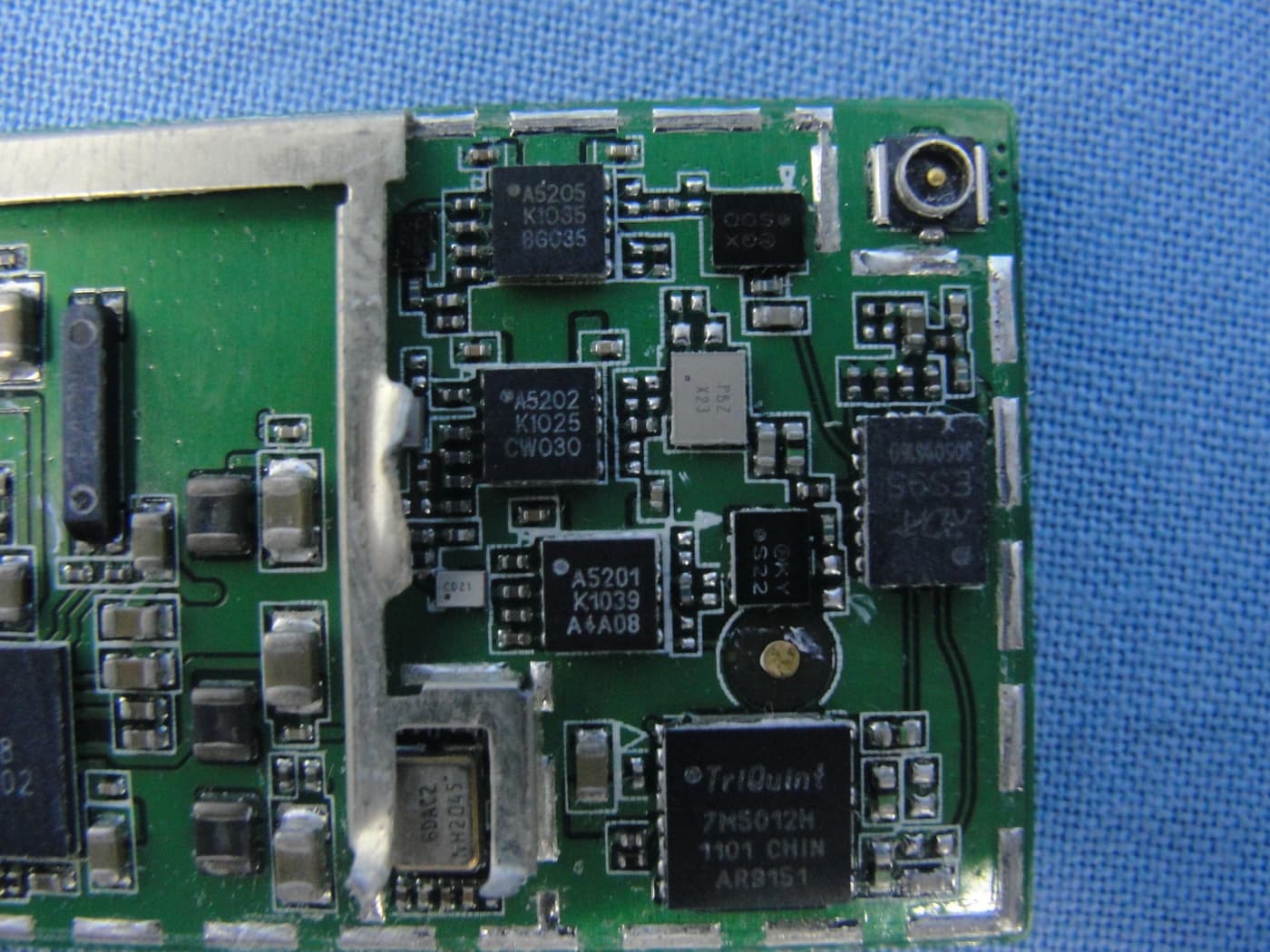
WH7U6100
Jul 12, 2011GSM/WCDMA HSPA MODULE
Equipment Class
PCB - PCS Licensed Transmitter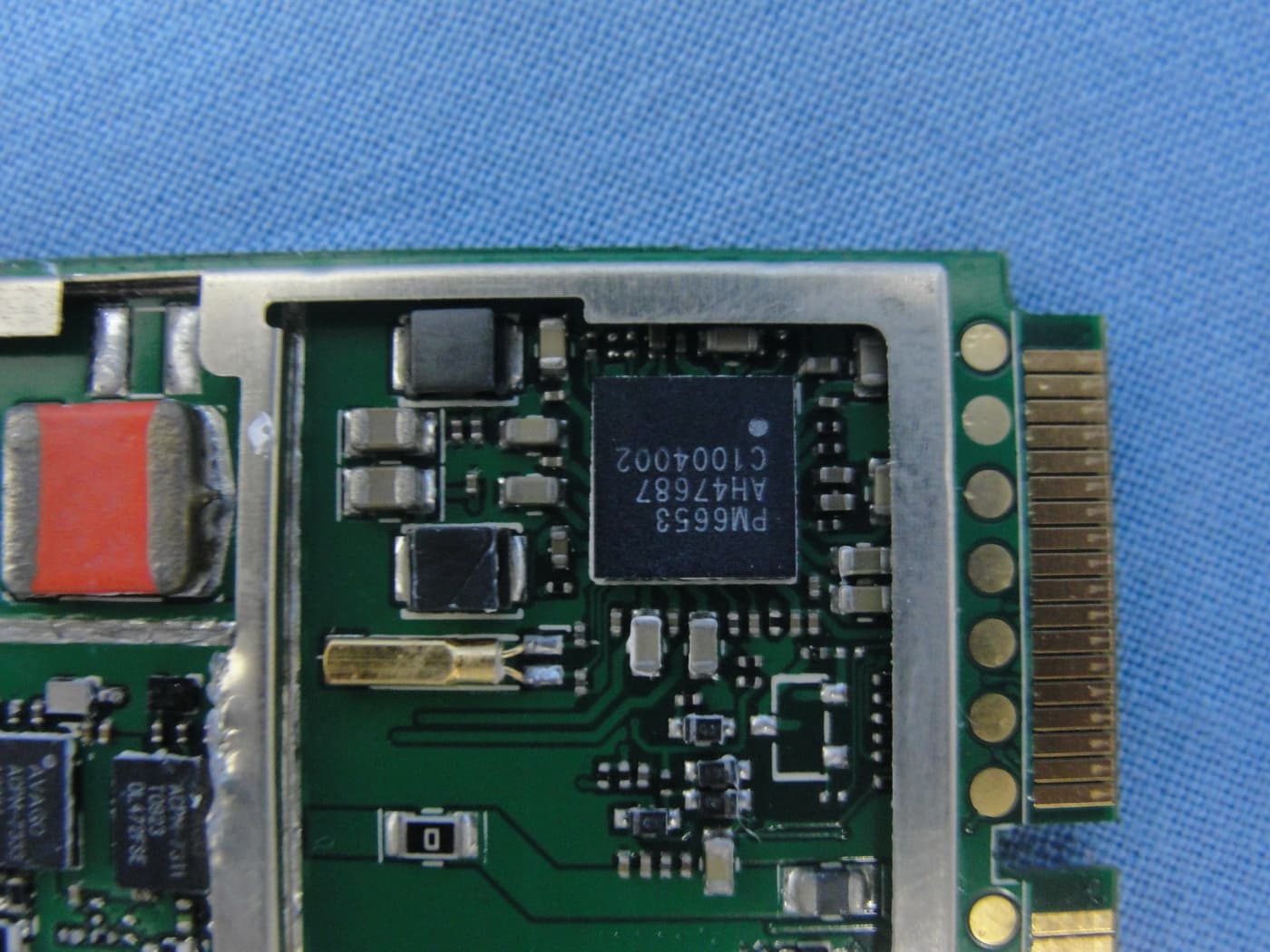
WH7U6300
Jul 12, 2011GSM/WCDMA HSPA Module
Equipment Class
PCB - PCS Licensed Transmitter