WJLNHFP-1TheTalkyOne
Molex CVS Bochum GmbH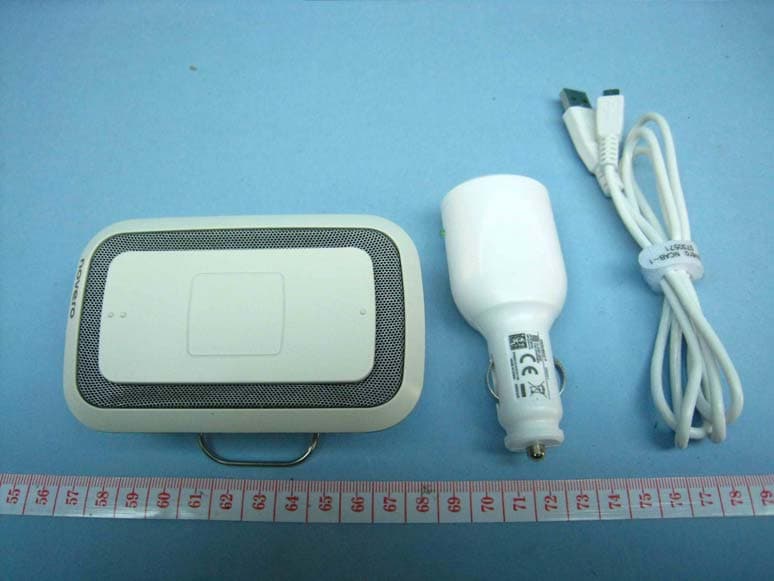
Click to zoom
Application Details
- Equipment Class
- DSS - Part 15 Spread Spectrum Transmitter
- Date of Grant
- Dec 21, 2009
- Application Purpose
- Original Equipment
- Date of Application
- Dec 21, 2009
- Equipment Note
- TheTalkyOne
- Frequency Range
- 2402.00000000 - 2480.00000000
- Company
- Molex CVS Bochum GmbH
- Country
- Germany
Documents & Files
Document Text
Text extracted from the exhibit documents filed with the FCC. Open a document above to read the original.
Users Manual
welcome TheTalkyOne getting started how to ... signals care support safety & disposal certification & safety approvals glossary welcome Congratulations on your new speakerphone! We hope you will enjoy TheTalkyOne by novero. This user guide will help you get started and will present you with all the outstanding features and accessories that provide for the ultimate, customized user experience. TheTalkyOne welcome TheTalkyOne getting started how to ... signals care support safety & disposal certification & safety approvals glossary back TheTalkyOne is ready to use and designed perfectly for your car and your office. It talks in many different languages and it fits perfectly into your car. You can make handsfree calls and stream music while in your car. You can clip it onto the sun visor, place it in the dashboard car holder, and use it as a speakerphone in the office. accessories _read more install _read more box contents _read more technical specifications _read more Multi-function button Volume up Microphone (Front) Volume down USB connection (Back) box contents welcome TheTalkyOne getting started how to ... signals care support safety & disposal certification & safety approvals glossary back Velcro ® / glue padsSun visor clip Car charger (DC)USB cableBox User guide on mini CD TheTalkyOneDashboard car holder accessories To complete the concept of style, elegance and convenience, TheTalkyOne comes with a sun visor clip, a dashboard car holder and 3 Velcro ® pads – one on the holder and 2 spares. Both the sun visor clip and dashboard car holder place your speakerphone in arm’s reach. dashboard car holder _read more sun visor clip _read more welcome TheTalkyOne getting started how to ... signals care support safety & disposal certification & safety approvals glossary back getting started charging _read more pairing _read more turning on _read more welcome TheTalkyOne getting started how to ... signals care support safety & disposal certification & safety approvals glossary back charging TheTalkyOne Before you can use TheTalkyOne, you must charge it. Please use only original novero charging devices. The following charging options are possible: • Car charger (DC): Connect the car charger to the USB cable and to the DC outlet in your car. Connect the USB cable to the speakerphone. • PC via USB cable: Connect your PC and the speakerphone with the USB cable. charging signals _read more welcome TheTalkyOne getting started how to ... signals care support safety & disposal certification & safety approvals glossary back turning TheTalkyOne on/off • To turn the speakerphone on, press and hold (2 sec) the multi-function button. • To turn the speakerphone off, press and hold (2 sec) the multi-function button. If your speakerphone is already paired with a device, it will automatically attempt to connect with this device when turned on. power signals _read more welcome TheTalkyOne getting started how to ... signals care support safety & disposal certification & safety approvals glossary back If TheTalkyOne is not already paired with a Bluetooth device, it will automatically enter pairing mode when you turn it on. • To pair the speakerphone with your mobile device, activate the Bluetooth feature of your mobile device and search for TheTalkyOne. See the user guide of your mobile device for instructions. When your mobile device finds TheTalkyOne, select it and confirm your choice with the pass code or PIN=0000. Your device will confirm when pairing is complete. Enable an automatic connection to prevent having to repeat this procedure every time. This device will now function as your primary device. Pairing mode will time out after 10 minutes and TheTalkyOne will automatically turn off. If pairing has not been completed by then, simply turn the speakerphone back on to re-enter pairing mode. • To pair the speakerphone with a second mobile device, simply repeat the pairing instructions with the second device. This device will function as your secondary device. multipoint _read more pairing signals _read more software update _read more pairing TheTalkyOne welcome TheTalkyOne getting started how to ... signals care support safety & disposal certification & safety approvals glossary back how to ... make calls _read more make advanced calls _read more adjust the volume _read more update software _read more install _read more welcome TheTalkyOne getting started how to ... signals care support safety & disposal certification & safety approvals glossary back make calls • To make a call, simply use your mobile device, and the call will automatically transfer to your speakerphone (subject to device settings). • To make a call, you can also use voice dial by pressing the multi-function button. • To answer a call, press the multi-function button. • To end a call, press the multi-function button. • To redial the last number called, double-press the multi-function button (applies to primary device only). • To reject an incoming call, double-press the multi-function button. – Depending on your mobile device settings, the call will either be directed to your voice mail or the caller will hear a busy signal. call signals _read more voice dial _read more text-to-speech _read more welcome TheTalkyOne getting started how to ... signals care support safety & disposal certification & safety approvals glossary back adjust the volume • To adjust the volume, press volume up (••) or volume down (•). • To mute the microphone, press and hold (2 sec) volume up (••). • To unmute the microphone, press and hold (2 sec) volume up (••) again. volume signals _read more Listening to loud music while driving can be dangerous. Please adjust the volume so that it does not interfere with your driving or prevent you from hearing traffic. ! welcome TheTalkyOne getting started how to ... signals care support safety & disposal certification & safety approvals glossary back make advanced calls voice dial _read more multipoint _read more transfer call _r…
Text truncated - open the document above for the full version.
Cover Letter(s)
Copyright 2009 novero. All rights reserved. Novero GmbH Rensingstrasse 15, 44807 Bochum Germany Tel.: +49 234 51668 0 Fax: +49 234 51668 4880 December, 2 nd , 2009 Federal Communications Commission Authorization & Evaluation Division, 7435 Oakland Mills Road, Columbia, MD. 21046 REQUEST FOR CONFIDENTIALITY Pursuant to Sections 0.457 (d) (l) (ii) and 0.459 of the Commission’s Rules, the Applicant hereby requests confidential treatment of some of the information accompanying this Application of FCC ID: WJLNHFP-1 and as outlined below: - Block Diagrams - Schematic Diagrams These materials contain trade secrets and proprietary information not customarily released to the public and the public disclosure of these matters might be harmful to the Applicant and provide unjustified benefits to its competitors. The Applicant understands that pursuant to Rule 0.457 (d) (l) (ii) disclosure of this Application and all accompanying documentation will not be made before the date of the Grant for this Application. novero GmbH, Bochum, Germany Robert Müller Product Certification Manager
Cover Letter(s)
Copyright 2009 novero. All rights reserved. Novero GmbH Rensingstrasse 15, 44807 Bochum Germany Tel.: +49 234 51668 0 Fax: +49 234 51668 4880 September, 18 th , 2009 Federal Communications Commission Authorization & Evaluation Division, 7435 Oakland Mills Road, Columbia, MD. 21046 LETTER OF AGENCY AUTHORISATION We, the undersigned, hereby authorize Bureau Veritas Consumer Products Services (H.K.) Ltd., Taoyuan Branch (BV CPS Taoyuan Branch) to act on our behalf in all matters relating to application for equipment authorization (FCC ID: WJLNHFP-1), including the signing of all documents relating to these matters. We also hereby certify that no party to the application authorized hereunder is subject to the denial of benefits, including FCC benefits, pursuant to Section 5301 of the Anti-Drug Abuse of 1988, 21 U.S.C.853(a). This agreement expires one year from the current date. novero GmbH, Bochum, Germany Robert Müller Product Certification Manager
External Photos
Page 1 CONSTRUCTION PHOTOS OF EUT Page 2 Page 3 Page 4
ID Label/Location Info
This material, including documentation and any related computer programs, is protected by copyright controlled by novero. All rights are reserved. Copying, including reproducing, storing, adapting or translating, any or all of this material requires the prior written consent of novero. This material also contains confidential information, which may not be disclosed to others without the prior written consent of novero. Copyright 2008 novero. All rights reserved 1:1 Gekko Type Label Label and Sticker H.Karaca ---------- PLACE TOLERANCE OF THE PRINTING ±0.3 Print Files: Layout: XXX-XXXXXX ------------------------- H.Karaca 010909 0.7 0.3 H.Karaca 150509 Datamatrix 5.33 x 5.33 Quality Level: ECC 200 16 Rows, 16 Columns Element width: 6 dots The data in Datamatrix: Serial Number Polyester (like specified in data sheet for blank label) 0.2 0.1 H.Karaca 110509 H.Karaca 070509 N136 CNC ID: xx-xxxx ANATEL: xxxx-xx-xxxx VVVVVVVYWWL20sssss ME 96 0560 MADE IN MALAYSIA ORIGEM: MALÁSIA FCC ID: WJLNHFP-1 IC: 7847A-NHFP1 Type / Tipo: NHFP-1 TheTalkyOne 2 labels on bottom cover label area at rubber foot (label content implemented in tool) 57,00 1,5 (Quiet Zone) 1,5 (Quiet Zone) 7,00 Product code (7 digits) for NHFP-1 is 0694098 1) 2) N136 MADE IN MALAYSIA ORIGEM: MALÁSIA FCC ID: WJLNHFP-1 IC: 7847A-NHFP1 Type / Tipo: NHFP-1 TheTalkyOne CNC ID: xx-xxxx ANATEL: xxxx-xx-xxxx ME 96 0.6 H.Karaca 110809
ID Label/Location Info
Bottom view of product Type Label: Engraved label information in tool 2 type label areas Label Location
Internal Photos
Page 5 Page 6 Page 7 Page 8
Operational Description
FCC ID: WJLNHFP-1 Report No.: RF981124L02 Technical Description The transmitter of the EUT (TheTalkyOne) is powered by 3.7Vdc from Rechargeable battery and 5.0Vdc from car charger or host equipment. The antenna is PCB printed inverted-F antenna without antenna connector. This device is a Frequency Hopping device with 79 hopping frequencies. The other instruction, please have a look at the users manual.
RF Exposure Info
FCC ID: WJLNHFP-1 Report No.: SA981124L02 1 RF EXPOSURE REPORT REPORT NO.: SA981124L02 MODEL NO.: NHFP-1 ACCORDING: FCC Guidelines for Human Exposure IEEE C95.1 APPLICANT: novero GmbH ADDRESS: Rensingstrasse 15, 44807 Bochum, Germany ISSUED BY: Bureau Veritas Consumer Products Services (H.K.) Ltd., Taoyuan Branch LAB ADDRESS: No. 47, 14th Ling, Chia Pau Tsuen, Lin Kou Hsiang, Taipei Hsien 244, Taiwan, R.O.C. TEST LOCATION: No. 19, Hwa Ya 2nd Rd, Wen Hwa Tsuen, Kwei Shan Hsiang, Taoyuan Hsien 333, Taiwan, R.O.C. FCC ID: WJLNHFP-1 Report No.: SA981124L02 2 No Evaluation required if power is below this threshold: F(GHz) mW Low 2.402 High 2.480 24.58 Maximum measured transmitter power: Pout (dBm) Pout (mW) Conducted Power 0.04 1.0 EIRP Power -0.96 0.8 *Note: The antenna is PCB printed inverted-F antenna with -0.1dBi gain. Threshold for no SAR evaluation is 24.58mW Transmitter power is 1.0mW Conclusion: No SAR evaluation required since Transmitter Pout is below FCC threshold
Test Report
Report No.: RF981124L02 1 Report Format Version 3.0.0 FCC TEST REPORT REPORT NO.: RF981124L02 MODEL NO.: NHFP-1 RECEIVED: Nov. 24, 2009 TESTED: Nov. 24 ~ Nov. 30, 2009 ISSUED: Dec. 03, 2009 APPLICANT: novero GmbH ADDRESS: Rensingstrasse 15, 44807 Bochum, Germany ISSUED BY: Bureau Veritas Consumer Products Services (H.K.) Ltd., Taoyuan Branch LAB ADDRESS: No. 47, 14th Ling, Chia Pau Tsuen, Lin Kou Hsiang, Taipei Hsien 244, Taiwan, R.O.C. TEST LOCATION: No. 19, Hwa Ya 2nd Rd, Wen Hwa Tsuen, Kwei Shan Hsiang, Taoyuan Hsien 333, Taiwan, R.O.C. This test report consists of 632 pages in total. It may be duplicated completely for legal use with the approval of the applicant. It should not be reproduced except in full, without the written approval of our laboratory. The client should not use it to claim product endorsement by TAF or any government agencies. The test results in the report only apply to the tested sample. Report No.: RF981124L02 2 Report Format Version 3.0.0 Table of Contents 1. CERTIFICATION....................................................................................................4 2. SUMMARY OF TEST RESULTS ............................................................................5 2.1 MEASUREMENT UNCERTAINTY .........................................................................5 3. GENERAL INFORMATION ....................................................................................6 3.1 GENERAL DESCRIPTION OF EUT.......................................................................6 3.2 DESCRIPTION OF TEST MODES.........................................................................7 3.2.1 CONFIGURATION OF SYSTEM UNDER TEST ....................................................8 3.2.2 TEST MODE APPLICABILITY AND TESTED CHANNEL DETAIL..........................9 3.3 GENERAL DESCRIPTION OF APPLIED STANDARDS ......................................10 3.4 DESCRIPTION OF SUPPORT UNITS................................................................. 11 4. TEST TYPES AND RESULTS..............................................................................12 4.1 RADIATED EMISSION MEASUREMENT ............................................................12 4.1.1 LIMITS OF RADIATED EMISSION MEASUREMENT ..........................................12 4.1.2 TEST INSTRUMENTS .........................................................................................13 4.1.3 TEST PROCEDURES .........................................................................................15 4.1.4 DEVIATION FROM TEST STANDARD ................................................................15 4.1.5 TEST SETUP.......................................................................................................16 4.1.6 EUT OPERATING CONDITIONS.........................................................................16 4.1.7 TEST RESULTS ..................................................................................................17 4.2 CONDUCTED EMISSION MEASUREMENT .......................................................27 4.2.1 LIMITS OF CONDUCTED EMISSION MEASUREMENT .....................................27 4.2.2 TEST INSTRUMENTS .........................................................................................27 4.2.3 TEST PROCEDURES .........................................................................................28 4.2.4 DEVIATION FROM TEST STANDARD ................................................................28 4.2.5 TEST SETUP.......................................................................................................29 4.2.6 EUT OPERATING CONDITIONS.........................................................................29 4.2.7 TEST RESULTS ..................................................................................................30 4.3 NUMBER OF HOPPING FREQUENCY USED ....................................................32 4.3.1 LIMIT OF HOPPING FREQUENCY USED ..........................................................32 4.3.2 TEST INSTRUMENTS .........................................................................................32 4.3.3 TEST PROCEDURES .........................................................................................32 4.3.4 DEVIATION FROM TEST STANDARD ................................................................33 4.3.5 TEST SETUP.......................................................................................................33 4.3.6 TEST RESULTS ..................................................................................................33 4.4 DWELL TIME ON EACH CHANNEL ....................................................................36 4.4.1 LIMIT OF DWELL TIME USED ............................................................................36 4.4.2 TEST INSTRUMENTS .........................................................................................36 4.4.3 TEST PROCEDURES .........................................................................................36 4.4.4 DEVIATION FROM TEST STANDARD ................................................................36 4.4.5 TEST SETUP.......................................................................................................36 4.4.6 TEST RESULTS ..................................................................................................37 4.5 CHANNEL BANDWIDTH .....................................................................................45 4.5.1 LIMITS OF CHANNEL BANDWIDTH ...................................................................45 4.5.2 TEST INSTRUMENTS .........................................................................................45 4.5.3 TEST PROCEDURE............................................................................................45 4.5.4 DEVIATION FROM TEST STANDARD ................................................................45 4.5.5 TEST SETUP....................................................…
Text truncated - open the document above for the full version.
Test Setup Photos
1 PHOTOGRAPHS OF THE TEST CONFIGURATION CONDUCTED EMISSION TEST 2 RADIATED EMISSION TEST (Test Mode A) 3 RADIATED EMISSION TEST (Test Mode B)
Contact Information
Applicant
Robert Mueller(Product Certification Manager)
Technical Contact
Bureau Veritas CPS (H.K.) Ltd. Taoyuan BranchGary Chang
[email protected]886-3-3183232
No. 19, Hwa Ya 2nd Rd., Kwei Shan Hsiang · Taoyuan Hsien · Taiwan
Non-Technical Contact
Bureau Veritas CPS (H.K.) Ltd. Taoyuan BranchEllis Wu
[email protected]886-3-3183232
Test Firm
Bureau Veritas CPS (H.K.) Ltd. Taoyuan BranchRichard Chen
Technical Specifications
| # | Rule Parts | Frequency Range | Power Output |
|---|---|---|---|
| 1 | 15C | 2.40 GHz - 2.48 GHz | 1.00 mW |
Other Applications from Molex CVS Bochum GmbH
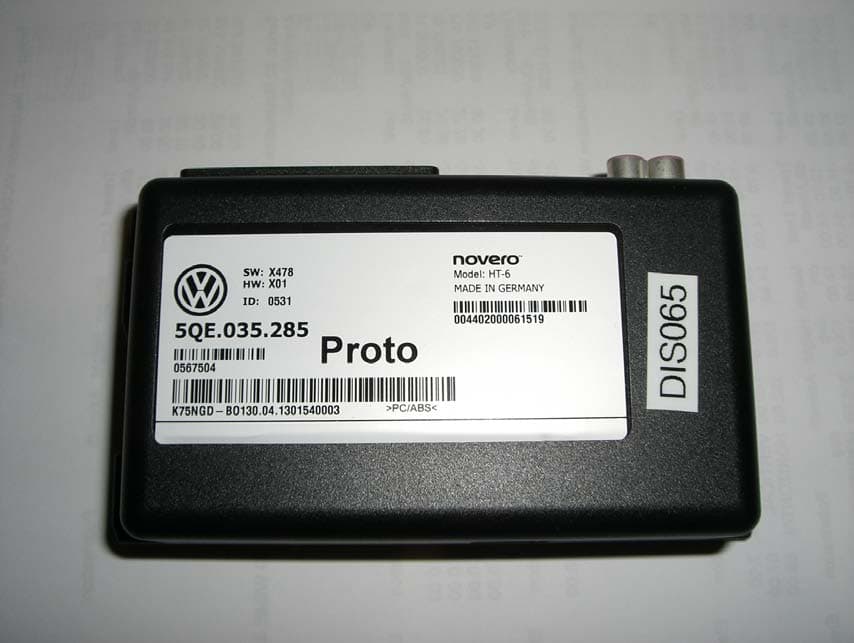
WJLHT-6G
Jul 14, 2013On Board Vehicle Connectivity Unit
Equipment Class
PCB - PCS Licensed Transmitter
WJLHT-6C
Nov 18, 2012On Board Vehicle Connectivity Unit
Equipment Class
PCB - PCS Licensed Transmitter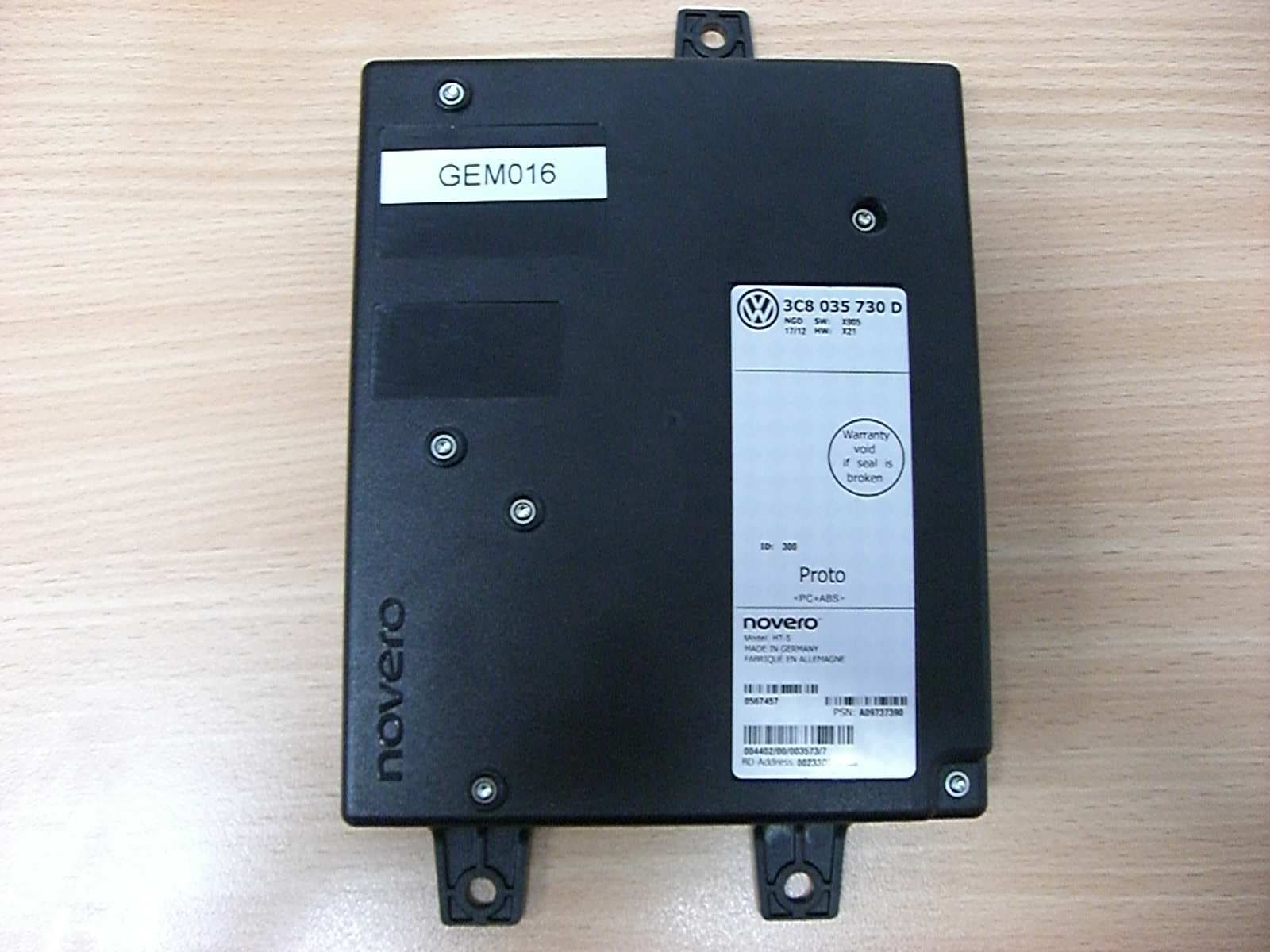
WJLHT-5
Aug 28, 2012Hands-Free Unit with Bluetooth, WLAN and GSM/WCDMA, HT-5
Equipment Class
DSS - Part 15 Spread Spectrum Transmitter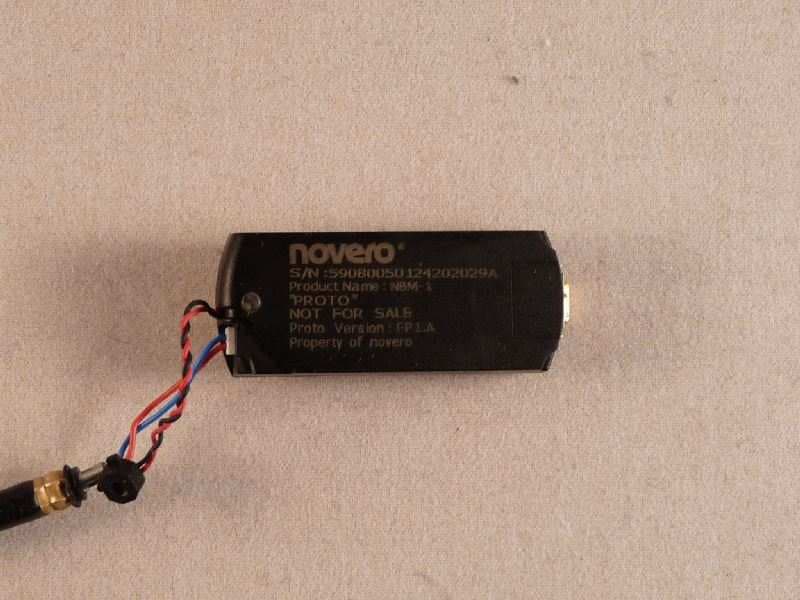
WJLNBM-1
Aug 11, 2010Bluetooth� V2.1 Module for Headset Applications
Equipment Class
DSS - Part 15 Spread Spectrum Transmitter
WJLHT-4
Apr 11, 2010Handsfree Car Kit
Equipment Class
PCB - PCS Licensed Transmitter