Text extracted from the exhibit documents filed with the FCC. Open a document above to read the original.
DV2 Instruction Manual Product Description 1. Blue/Orange Indicator 2. Power/Record button 3. Microphone 4. Lens 5. USB port 6. Reset button Power On & Off To turn on the DV, press and hold the Power/Record button until the Blue Indicator lights up. To turn off the DV, press and hold the Power/Record button until the Blue Indicator goes off. If the DV is idle for 1 minute or the battery is low, it will power off automatically. Note: If Power-off by holding the Power/Record button fails, press the Reset button to power off the DV. Taking Video After switching on the DV, press ( and not hold ) the Power/Record button to start recording, press it again to stop. The Orange indicator will light up during video recording. When memory full, Orange indicator won't light up. To delete some video clip, first of all, the unit should be connected to computer, refer to the “Connected to Computer” for the details. Note: The video clip will lose if the Reset button is pressed during video recording. Connected to Computer To playback or delete the video clips, the DV should be connected to the computer through the USB port. There will be a New Removable Disk Device. Click it and Open the “DCIM” folder. Your video clips are all in this folder. You can do deleting and playback right here. At the same time, the Blue indicator is flashing, it means the battery is charging too. Charging Battery To charge the battery, connect the DV to the USB port. It will start charging automatically, and the Blue indicator is flashing. When the battery is fully charged, the Blue indicator lights up and stop flashing. P. 1 Specification Video Resolution640 x 480 (VGA), 30 fps Storage Included2GB built in memory. Store up to 2 hours video clips File FormatAVI Weight (inc. battery)18g Dimensions57mm x 21mm x 18mm This device complies with Part 15 of the FCC Rules. Operation is subject to the following two conditions: (1) this device may not cause harmful interference, and (2) this device must accept any interference received, including interference that may cause undesired operation. Caution: Changes or modifications not expressly approved by the party responsible for compliance could void the user's authority to operate the equipment. Note: This equipment has been tested and found to comply with the limits for a Class B digital device, pursuant to Part 15 of the FCC Rules. These limits are designed to provide reasonable protection against harmful interference in a residential installation. This equipment generates, uses and can radiate radio frequency energy and, if not installed and used in accordance with the instructions, may cause harmful interference to radio communications. However, there is no guarantee that interference will not occur in a particular installation. If this equipment does cause harmful interference to radio or television reception, which can be determined by turning the equipment off and on, the user is encouraged to try to correct the interference by one or more of the following measures: -- Reorient or relocate the receiving antenna. -- Increase the separation between the equipment and receiver. -- Connect the equipment into an outlet on a circuit different from that to which the receiver is connected. -- Consult the dealer or an experienced radio/TV technician for help. P. 2
5 5 4 4 3 3 2 2 1 1 D D C C B B A A PRODUCT:PCB NUMBER:DESIGN ENGINEER: 05_MCU05_MCU HD[0:15] HA13 HA14 HA11 HA12 POWER_EN HGINTn HWRn HCS0n HRDn RESET# USB_DET CHARGE_DET 06_SENSOR06_SENSOR SDA SCL SEN_RST V_VIS PWDN V_HREF SEN_CLK PCLK VID[0:9] 07_USB07_USB USB_DN- USB_DP+ USB_DET 08_CHARGER08_CHARGER CHARGE_DET 03_AUDIO03_AUDIO AUD_MCLK AUD_SCLK AUD_DIN AUD_LRCK AUD_AD0 SCL SDA AUD_RESET 02_DSP02_DSP HA11 HA13 HA12 HWRn HRDn HGINTn HCS0n HA14 HD[0:15] USB_DN- USB_DP+ SD_CMD SD_CLK SD_DAT[0:3] SD_WP PCLK SEN_CLK V_HREF V_VIS VID[0:9] GPO_VIDB GPO_VIDC SCL SDA AUD_DIN AUD_LRCK AUD_MCLK AUD_SCLK SD_CD RESET# POWER_EN AUD_RESET AUD_AD0 04_SD_CARD04_SD_CARD SD_CMD SD_CLK SD_CD SD_DAT[0:3] SD_WP PCLK USB_DN-HRDn V_HREF SD_WPUSB_DP+HA13 SDASEN_RST HD[0:15]POWER_EN PWDN SD_DAT[0:3]HA11HA12HA14HWRnSD_CD V_VIS HGINTnSD_CMD VID[0:9] HCS0n SCL SD_CLKRESET# SEN_CLKAUD_MCLKAUD_SCLKAUD_DINAUD_LRCKAUD_AD0AUD_RESETSDASCL USB_DETUSB_DET CHARGE_DET PCB_BOARD1 PCB-Board-Main
FCC ID: WMDDV2
FCC ID: WMDDV2 FCC ID: WMDDV2
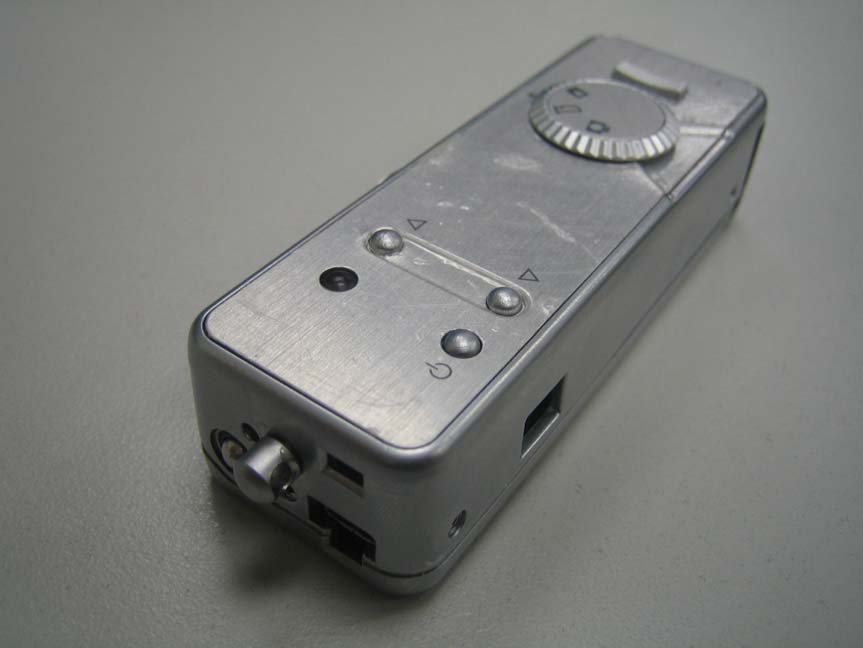
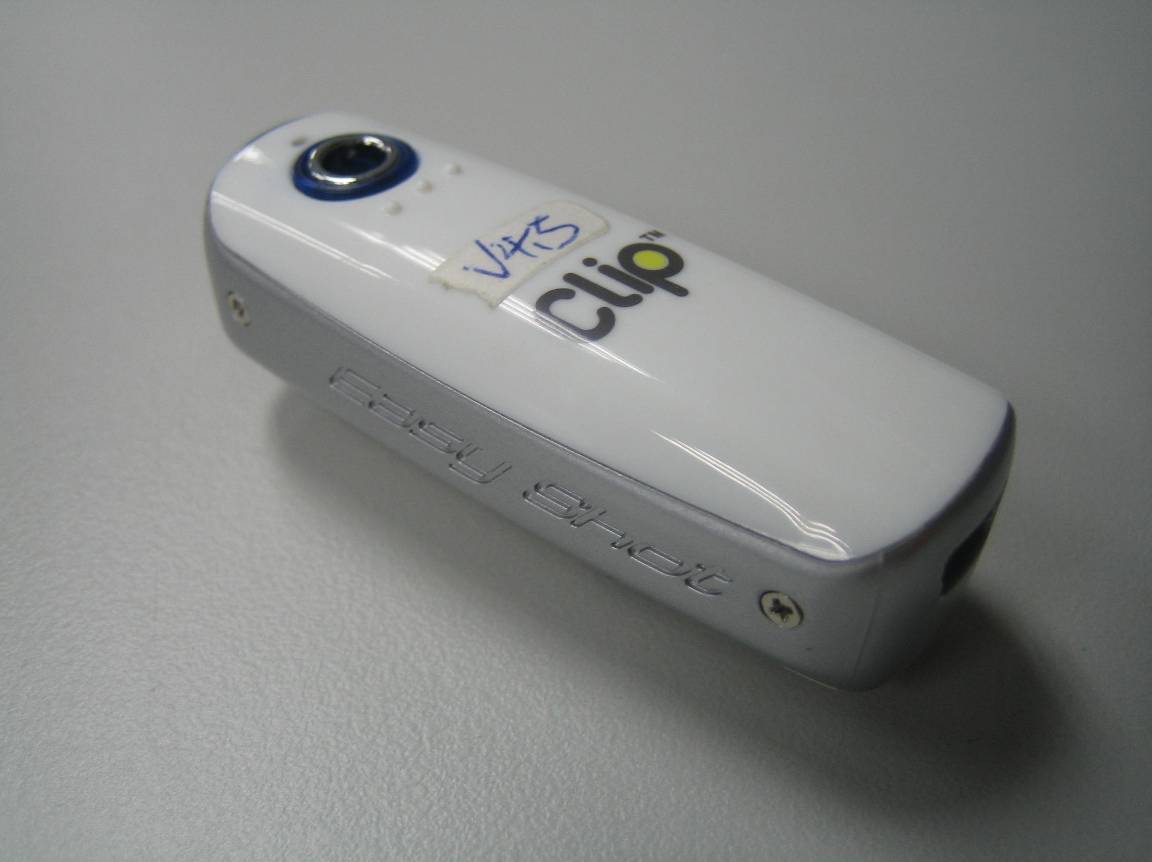
FCC Test Report E4128128701KY1S1 Type / Model Name: DV2 Product Description: Digital Video Camera Applicant: CONCORD KEYSTONE TRADING LIMITED FCC ID: WMDDV2 FCC ID:WMDDV2 File No. E4128128701KY1S1, page 2 of 17 emitel (Shenzhen) Limited, Building 2, 171 Meihua Road, Futian District, Shenzhen, P.R.China 518049 F10_25_Rev5_0 Freigabe: 15.03.2006 FCC -- T E S T R E P O R T Test Report No. : E4128128701KY1S1 December 16, 2009 ______________________________________________________________________________________________ Date of issue This report supercedes our previous report no. E4128128701KY, dated November 05, 2009. Type / Model Name : DV2 Product Description : DIGITAL VIDEO CAMERA Applicant : GRANDTECH INDUSTRIAL LTD. Address : FLAT A1-2, 11/F., BLK. A, YEE LIM INDUSTRIAL CENTRE, 2-28 KWAI LOK STREET, KWAI CHUNG, N.T., HONG KONG Test Result according to the standards listed in clause 1 test standards: PASS The test report merely corresponds to the test sample. It is not permitted to copy extracts of these test results without the written permission of the test laboratory. FCC ID:WMDDV2 File No. E4128128701KY1S1, page 3 of 17 emitel (Shenzhen) Limited, Building 2, 171 Meihua Road, Futian District, Shenzhen, P.R.China 518049 F10_25_Rev5_0 Freigabe: 15.03.2006 Contents 1 TEST STANDARDS 4 2 SUMMARY 5 3 EQUIPMENT UNDER TEST 6 3.1 PHOTO DOCUMENTATION OF THE EUT 6 3.2 POWER SUPPLY SYSTEM UTILISED 7 3.3 SHORT DESCRIPTION OF THE EQUIPMENT UNDER TEST (EUT) 7 4 TEST ENVIRONMENT 8 4.1 ADDRESS OF THE TEST LABORATORY 8 4.2 ENVIRONMENTAL CONDITIONS 8 4.3 STATEMENT OF THE MEASUREMENT UNCERTAINTY 8 5 TEST CONDITIONS AND RESULTS 9 5.1 CONDUCTED DISTURBANCE 9 5.2 RADIATED DISTURBANCE (ELECTRIC FIELD) 13 6 USED TEST EQUIPMENT AND ACCESSORIES 17 FCC ID:WMDDV2 File No. E4128128701KY1S1, page 4 of 17 emitel (Shenzhen) Limited, Building 2, 171 Meihua Road, Futian District, Shenzhen, P.R.China 518049 F10_25_Rev5_0 Freigabe: 15.03.2006 1 TEST STANDARDS The tests were performed according to following standards: FCC Part 15 Subpart B :2008 Test Items Remarks Conducted Emissions (150 kHz – 30 MHz) Section 15.107 (a) Class B Conducted Emissions (150 kHz – 30 MHz) Section 15.107 (b) Class A Radiated Emissions (30 – 1000 MHz) Section 15.109 (a) Class B Radiated Emissions (30 – 1000 MHz) Section 15.109 (b) Class A ANSI C63.4:2003 FCC ID:WMDDV2 File No. E4128128701KY1S1, page 5 of 17 emitel (Shenzhen) Limited, Building 2, 171 Meihua Road, Futian District, Shenzhen, P.R.China 518049 F10_25_Rev5_0 Freigabe: 15.03.2006 2 SUMMARY GENERAL REMARKS: None FINAL ASSESSMENT: The equipment under fulfils the EMC requirements cited in test standard listed in section 1. Date of receipt of test sample : October 29, 2009 Testing commenced on : October 29, 2009 Testing concluded on : November 05, 2009 Reviewed by: Prepared by: Wilson Loke Senior Manager Kidd Yang Engineer FCC ID:WMDDV2 File No. E4128128701KY1S1, page 6 of 17 emitel (Shenzhen) Limited, Building 2, 171 Meihua Road, Futian District, Shenzhen, P.R.China 518049 F10_25_Rev5_0 Freigabe: 15.03.2006 3 EQUIPMENT UNDER TEST 3.1 Photo documentation of the EuT Front View Back View FCC ID:WMDDV2 File No. E4128128701KY1S1, page 7 of 17 emitel (Shenzhen) Limited, Building 2, 171 Meihua Road, Futian District, Shenzhen, P.R.China 518049 F10_25_Rev5_0 Freigabe: 15.03.2006 3.2 Power supply system utilised Power supply voltage: DC 7V(Build-in rechargeable battery) 3.3 Short description of the Equipment under Test (EuT) The EuT is a digital camera powered by a DC 7V build-in rechargeable battery and recharged thru the USB port. It is used for digital photo taking and can download the photo to the PC thru the USB port. Number of tested samples: One Serial number: Not Labelled Dimensions: L: 5.7cm W: 2.1cm H: 1.8cm EuT operation mode: The equipment under test was operated during the measurement under the following conditions: - Operation mode 1: Download mode - Operation mode 2: Record mode - Operation mode 3: Stand by mode EuT configuration: The following interface cables and peripheral devices were connected during the measurements: Interface cables: Interface cable Length Type Line Line termination [m] shielded unshielde d Serial Cable connect to PC 3.0 Serial port Cable Switch Simulator Power Cable of PC 2.0 3 wires LISN Parallel Cable connect to PC 3.0 Parallel port cable Switch Simulator USB Cable connect to EuT and PC 0.6 USB cable PC Peripheral devices: Kind of equipment Model and/or Manufacturer PC DELL Switch Simulator Schaffner FCC ID:WMDDV2 File No. E4128128701KY1S1, page 8 of 17 emitel (Shenzhen) Limited, Building 2, 171 Meihua Road, Futian District, Shenzhen, P.R.China 518049 F10_25_Rev5_0 Freigabe: 15.03.2006 4 TEST ENVIRONMENT 4.1 Address of the test laboratory emitel (Shenzhen) Limited Building 2, 171 Meihua Road, Futian District, Shenzhen, 518049 China FCC Registration No.: 746887 4.2 Environmental conditions During the measurement the environmental conditions were within the listed ranges: Temperature: 15-35 ° C Humidity: 30-60 % Atmospheric pressure: 86-106 kPa 4.3 Statement of the measurement uncertainty The data and results referenced in this document are true and accurate. The reader is cautioned that there may be errors within the calibration limits of the equipment and facilities. The measurement uncertainty was calculated for all measurements listed in this test report acc. to CISPR 16-4-2 /11.2003 „Uncertainties, statistics and limit modelling – Uncertainty in EMC measurements“ and is documented in the quality system acc. to ISO 17025. Furthermore, component and process variability of devices similar to that tested may result in additional deviation. The manufacturer has the sole responsibility of continued compliance of the device. FCC ID:WMDDV2 File No. E4128128701KY1S1, page 9 of 17 emitel (Shenzhen) Limited, Building 2, 171 Meihua Road, Futian District, Shenzhen, P.R.China 518049 F10_25_Rev5_0 Freigabe: 15.03.2006 5 TEST CONDITIONS AND RESULTS 5.1 Condu…
Text truncated - open the document above for the full version.
FCC ID: WMDDV2 Conducted emission test setup photo FCC ID: WMDDV2 Radiated emission test setup photo
Building 2, 171 Meihua Road, Futian District · Shenzhen · China
| # | Rule Parts | Frequency Range | Power Output |
|---|---|---|---|
| 1 | 15B | - | - |

Digital SPY Camera
Equipment Class
JBP - Part 15 Class B Computing Device Peripheral