WVB-FXP86XRFIXED WIRELESS PHONE
Brightstar Corporation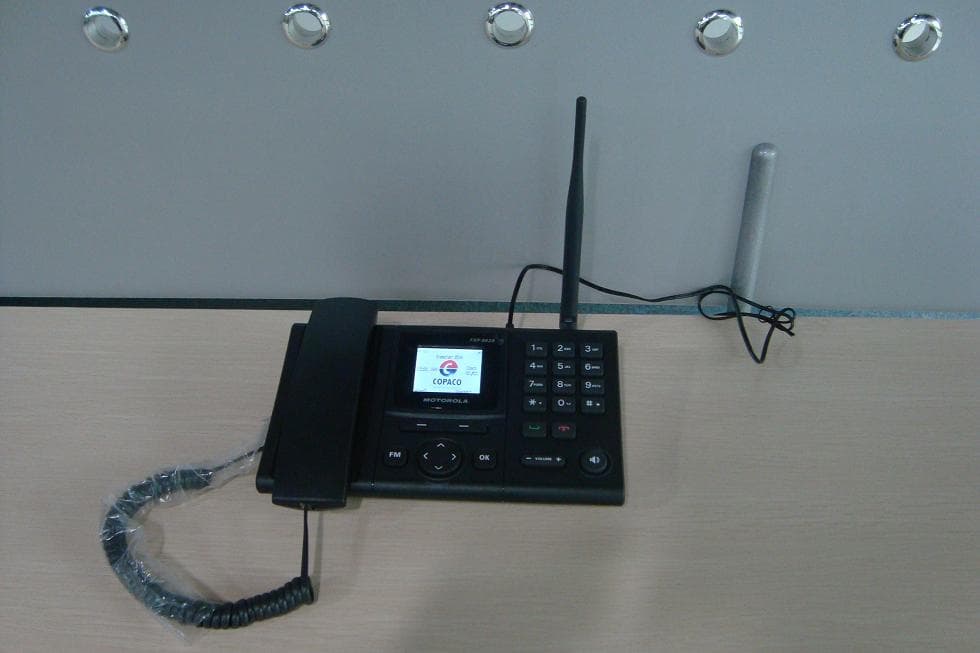
Click to zoom
Application Details
- Equipment Class
- PCB - PCS Licensed Transmitter
- Date of Grant
- Mar 04, 2013
- Application Purpose
- Original Equipment
- Date of Application
- Mar 04, 2013
- Equipment Note
- FIXED WIRELESS PHONE
- Frequency Range
- 1852.40000000 - 1907.60000000
- Company
- Brightstar Corporation
- Country
- United States
Documents & Files
Document Text
Text extracted from the exhibit documents filed with the FCC. Open a document above to read the original.
Users Manual
User Manual FXP-861R / FXP-862R WCDMA Fixed Wireless Phone 1 PREFACE WELCOME Congratulations on the purchase of your FXP-861R / 862R product! Please retain your original dated sales receipt for your records. For warranty service of your FXP-862R / 862R product, you will need to provide a copy of your dated sales receipt to confirm warranty status. Thank you for choosing Motorola product. Please read important safety instructions before use. Read and understand all instructions before use. Please retain this guide for future reference. The information contained in the FXP-862R / 862R user guide is believed to be correct at the time of printing. We reserve the right to change or modify any information, product specifications, features or functionality without notice. The contents of the FXP-862R / 862R user guide are provided “as is.” Certain features may not be activated by your service provider, and/or their network settings may limit the feature’s functionality. Additionally, certain features may require a subscription. Contact your service provider for details. 2 Contents PHONE OVERVIEW .................................................................................................... 4 INSTALLATION ............................................................................................................ 5 KEY FUNCTION .......................................................................................................... 6 [1] Left / Right Soft Key ( Menu / Call logs key ) ................................................ 6 [2] Send key .......................................................................................................... 6 [3] End key ............................................................................................................ 6 [4] Numeric Keys / ‘*’ keys / ‘#’ Keys ................................................................ 6 [5] Navigation / Scroll keys .................................................................................. 6 [6] Speaker key ..................................................................................................... 7 [7] Volume key ....................................................................................................... 7 [8] FM Radio .......................................................................................................... 7 [9] OK key .............................................................................................................. 7 DISPLAY INDICATORS AND ICONS ........................................................................ 8 BASIC OPERATION .................................................................................................... 9 [1] Switching the phone ON and OFF .............................................................. 9 [2] Making a call ................................................................................................. 9 [3] Answering a call ......................................................................................... 10 [4] Speaker mode. ............................................................................................ 10 [5] Adjusting the Ring Volume ........................................................................ 10 [7] Caller ID ....................................................................................................... 11 [8] SMS and Voice Mail .................................................................................... 11 USING PHONE MENUS ........................................................................................... 12 [1] Menus .......................................................................................................... 12 [2] Scrolling through menus ........................................................................... 12 [3] Exiting menu levels .................................................................................... 12 [4] Menu Tree .................................................................................................... 12 [5] Using shortcuts through menu ................................................................. 12 3 ENTER LETTERS AND NUMBERS ........................................................................ 13 [1] Entering Letters ............................................................................................. 13 [2] Editing name or phone number ...................................................................... 13 [3] Changing the case of letters and numbers ................................................... 13 OVERVIEW OF MENU TREE .................................................................................. 14 SAFETY INFORMATION ........................................................................................... 18 GARANTÍA ................................................................................................................. 22 FCC NOTICE TO USERS ........................................................................................ 25 REGULATORY ........................................................................................................... 27 4 PHONE OVERVIEW No. Description No. Description 1 LCD display 9 OK Key 2 Numeric Key 10 Navigation key 3 Left / Menu / OK Key 11 FM key 4 Right / Call logs / Back Key 12 Coil cord 5 Call / Send Key 13 Microphone 6 End / Power off Key 14 Speaker 7 Volume Key 15 Receiver 8 Speaker Key 16 Hook 5 INSTALLATION [1] Connect the coil cord to both the handset and the transceiver (phone). [2] Install the antenna to the antenna connector. Hold the plastic portion of the antenna and turn the metal screw clock-wise. [3] Connect the adaptor to the AC Wall outlet and put adapter jack into the hole on the rear side of transceiver [4] Remove the battery door and Insert SIM card into the SIM slot in the right direction. After this, please connect the rechargeable battery pack into the battery plug and repla…
Text truncated - open the document above for the full version.
Users Manual
User Manual FXP-861R / FXP-862R WCDMA Fixed Wireless Phone 1 PREFACE WELCOME Congratulations on the purchase of your FXP-861R / 862R product! Please retain your original dated sales receipt for your records. For warranty service of your FXP-862R / 862R product, you will need to provide a copy of your dated sales receipt to confirm warranty status. Thank you for choosing Motorola product. Please read important safety instructions before use. Read and understand all instructions before use. Please retain this guide for future reference. The information contained in the FXP-862R / 862R user guide is believed to be correct at the time of printing. We reserve the right to change or modify any information, product specifications, features or functionality without notice. The contents of the FXP-862R / 862R user guide are provided “as is.” Certain features may not be activated by your service provider, and/or their network settings may limit the feature’s functionality. Additionally, certain features may require a subscription. Contact your service provider for details. 2 Contents PHONE OVERVIEW .................................................................................................... 4 INSTALLATION ............................................................................................................ 6 KEY FUNCTION .......................................................................................................... 7 [1] Left / Right Soft Key ( Menu / Call logs key ) ................................................ 7 [2] Send key .......................................................................................................... 7 [3] End key ............................................................................................................ 7 [4] Numeric Keys / ‘*’ keys / ‘#’ Keys ................................................................ 7 [5] Navigation / Scroll keys .................................................................................. 7 [6] Speaker key ..................................................................................................... 8 [7] Volume key ....................................................................................................... 8 [8] FM Radio .......................................................................................................... 8 [9] OK key .............................................................................................................. 8 DISPLAY INDICATORS AND ICONS ........................................................................ 9 BASIC OPERATION .................................................................................................. 10 [1] Switching the phone ON and OFF ............................................................ 10 [2] Making a call ............................................................................................... 10 [3] Answering a call ......................................................................................... 11 [4] Speaker mode. ............................................................................................ 11 [5] Adjusting the Ring Volume ........................................................................ 11 [7] Caller ID ....................................................................................................... 12 [8] SMS and Voice Mail .................................................................................... 12 USING PHONE MENUS ........................................................................................... 13 [1] Menus .......................................................................................................... 13 [2] Scrolling through menus ........................................................................... 13 [3] Exiting menu levels .................................................................................... 13 [4] Menu Tree .................................................................................................... 13 [5] Using shortcuts through menu ................................................................. 13 3 ENTER LETTERS AND NUMBERS ........................................................................ 14 [1] Entering Letters ............................................................................................. 14 [2] Editing name or phone number ...................................................................... 14 [3] Changing the case of letters and numbers ................................................... 14 OVERVIEW OF MENU TREE .................................................................................. 15 SAFETY INFORMATION ........................................................................................... 19 GARANTÍA ................................................................................................................. 23 FCC NOTICE TO USERS ........................................................................................ 26 REGULATORY ........................................................................................................... 28 4 PHONE OVERVIEW No. Description No. Description 1 LCD display 9 OK Key 2 Numeric Key 10 Navigation key 3 Left / Menu / OK Key 11 FM key 4 Right / Call logs / Back Key 12 Coil cord 5 Call / Send Key 13 Microphone 6 End / Power off Key 14 Speaker 7 Volume Key 15 Receiver 8 Speaker Key 16 Hook Note: the device is mobile based on the use of SIM card but not portable. There are two holes on the back, it could be hanged on the wall or on the table. 5 6 INSTALLATION [1] Connect the coil cord to both the handset and the transceiver (phone). [2] Install the antenna to the antenna connector. Hold the plastic portion of the antenna and turn the metal screw clock-wise. [3] Connect the adaptor to the AC Wall outlet and put adapter jack into the hole on the rear side of transceiver [4] Remove the battery d…
Text truncated - open the document above for the full version.
Cover Letter(s)
Date: Feb. 4, 2013 To: Federal Communications Commission, Authorization & Evaluation Division, 7435 Oakland Mills Road, Columbia, MD 21046 RE: Brightstar Corp FCC ID: WVB-FXP86XR FCC Part 22&24 Certification Confidentiality Request Gentlemen: This letter is to comply with 47 CFR 0.457 and 0.459 pertaining to confidentiality material. Brightstar Corp requests that the following documents regarding this submission for FCC ID: WVB-FXP86XR be kept confidential: Exhibit Type File Name Block Diagram Block Diagram.pdf Schematics Schematics.pdf Operational Description Operational Description.pdf Part list BOM.pdf Tune-Up-Procedure Tune up procedure.pdf Those documents contain detailed system and equipment description and related information about the product which Brightstar Corp considers to be confidential proprietary, a custom design and, otherwise, not releasable to the general public. Since this design is a basis form which future technological products will evolve, Brightstar Corp considers this information would be of benefit to its competitors, and that the disclosure of the information in these documents would give competitors an unfair advantage in the market. Thank you for your attention to this matter. Yours Sincerely,
External Photos
External Photos 1. EUT full view with accessories 2. EUT rear view 3. EUT left side view 4. EUT right side view 5. EUT top view 6. EUT bottom view
ID Label/Location Info
FCC ID: WVB-FXP86XR Label Label Location FCC ID Label Location
ID Label/Location Info
FCC ID: WVB-FXP86XR Label Label Location
Internal Photos
Internal Photos 1. EUT uncover view 2. Mainboard front view with shielding 3. Mainboard rear view 4. Mainboard front view without shielding 5. GSM/WCDMA Module view 6. CPU chip view 7. GSM/WCDMA antenna view 8. Keyboard and Speaker view
RF Exposure Info
SZ12120051S02 Page 2 of 10 DIRECTORY 1. TESTING LABORATORY ....................................................................................................... 3 1.1. Identification of the Responsible Testing Laboratory ......................................................... 3 1.2. Identification of the Responsible Testing Location .............................................................. 3 1.3. Accreditation Certificate ........................................................................................................ 3 2. TECHNICAL INFORMATION ............................................................................................... 4 2.1. Identification of Applicant ..................................................................................................... 4 2.2. Identification of Manufacturer .............................................................................................. 4 2.3. Equipment Under Test (EUT) ................................................................................................ 4 2.3.1. Photographs of the EUT .................................................................................................. 4 2.3.2. Identification of all used EUT ......................................................................................... 4 2.4. Applied Reference Documents ............................................................................................... 5 2.5. Test Environment and Conditions ......................................................................................... 5 3. DEVICE CATEGORY AND RF EXPOSURE LIMIT ........................................................... 6 4. MEASUREMENT OF CONDUCTED OUTPUT POWER ................................................... 7 5. RF EXPOSURE EVALUATION ............................................................................................... 9 Change History Issue Date Reason for change 1.0 Feb. 26, 2013 First edition SZ12120051S02 Page 3 of 10 1. Testing Laboratory 1.1. Identification of the Responsible Testing Laboratory Company Name: Shenzhen Morlab Communications Technology Co., Ltd. Department: Morlab Laboratory Address: FL.3, Building A, FeiYang Science Park, No.8 LongChang Road, Block 67, BaoAn District, ShenZhen, GuangDong Province, P. R. China 518101 Responsible Test Lab Manager: Mr. Shu Luan Telephone: +86 755 36698525 Facsimile: +86 755 36698525 1.2. Identification of the Responsible Testing Location Name: Shenzhen Morlab Communications Technology Co., Ltd. Morlab Laboratory Address: FCC Registration Number: FL.3, Building A, FeiYang Science Park, No.8 LongChang Road, Block 67, BaoAn District, ShenZhen, GuangDong Province, P. R. China 518101 695796 1.3. Accreditation Certificate Accredited Testing Laboratory: No. CNAS L3572 SZ12120051S02 Page 4 of 10 2. Technical Information Note: the following data is based on the information by the applicant. 2.1. Identification of Applicant Company Name: Brightstar Corporation Address: 9725 NW 117th Avenue, #300 Miami, FL 33178 2.2. Identification of Manufacturer Company Name: LAKIA Teletech Co., Ltd. Address: 2/F,Unit A, Technology Service Building, Software Garden, 1phase, Xiamen, Fujian, China Zip: 361005 2.3. Equipment Under Test (EUT) Model Name: FXP-862R & FXP-861R Trade Name: Motorola Brand Name: Motorola Hardware Version: FXP862R_V0.2 Software Version: Z93A_LAKIA512_LAKIA_hspa_MT6276_S01.Z93A_LAKIA512 Frequency Bands: GSM 850MHz / PCS 1900MHz; WCDMA 850MHz/1900MHz; Modulation Mode: GSM/GPRS: GMSK; WCDMA/HSDPA/HSUPA: QPSK; Multislot Class 3GPP version: GPRS: Class 12, EDGE: N/A Release 6 Antenna type: External Monopole Antenna Development Stage: Identical prototype Battery Model: 3A0600-30 Battery specification: 600mAh3.7V 2.3.1. Photographs of the EUT Please see for photographs of the EUT External and Internal Photos 2.3.2. Identification of all used EUT The EUT identity consists of numerical and letter characters, the letter character indicates the test sample, and the following two numerical characters indicate the software version of the test sample. EUT Identity Hardware Version Software Version 1# FXP862R_V0.2 Z93A_LAKIA512_LAKIA_hsp a_MT6276_S01.Z93A_LAKIA 512 SZ12120051S02 Page 5 of 10 2.4. Applied Reference Documents Leading reference documents for testing: No. Identity Document Title 1 47 CFR§2.1091 Radiofrequency Radiation Exposure Evaluation: Mobilee Devices 2 FCC OET Bulletin 65 (Edition 97-01), Supplement C (Edition 01-01) Evaluating Compliance with FCC Guidelines for Human Exposure to Radiofrequency Electromagnetic Fields 3 KDB 447498 D01 General RF Exposure Guidance v05 2.5. Test Environment and Conditions Normal Temperature (NT): 20 ... 25 °C Relative Humidity: 30 ... 75 % Air Pressure: 980 ... 1020 hPa Test frequency: GSM 850MHz ; PCS 1900MHz WCDMA 850MHz; WCDMA1900MHz; Operation mode: Call established Power Level: GSM 850 MHz Maximum output power(level 5) PCS 1900 MHz Maximum output power(level 0) WCDMA Maximum output power(All up bits) During power measurement test, EUT is in Traffic Mode (Channel Allocated) at Normal Voltage Condition. The Absolute Radio Frequency Channel Number (ARFCN) is allocated to 125, 190 and 251 respectively in the case of GSM 850 MHz, or to 512, 661 and 810 respectively in the case of PCS 1900 MHz ,or to 9262, 9400 and 9538 respectively in the case of WCDMA 1900MHz, or to 4132, 4175 and 4233 respectively in the case of WCDMA 850MHz. The EUT is commanded to operate at maximum transmitting power. SZ12120051S02 Page 6 of 10 3. Device Category and RF Exposure Limit Refer user manual this device is a Fixed Wireless Phone with home use, Based on the FCC OET Bulleting 65 Supplement C and 47CFR 2.1091,This device belongs to mobile device category with General Population/Uncontrolled exposure. The definition of the category as following: Mobile Derives: CFR Title 47 §2.1091(b) A mobile device is defined as a transmitting device designed to be used in other than fix…
Text truncated - open the document above for the full version.
Test Report
Report No.: SZ12120051W01 Page 2 of 113 TABLE OF CONTENTS 1. GENERAL INFORMATION .................................................................................................... 3 1.1 EUT Description ......................................................................................................................... 3 1.2 Test Standards and Results ........................................................................................................ 5 1.3 Facilities and Accreditations ...................................................................................................... 6 2. 47 CFR PART 2, PART 22H & 24E REQUIREMENTS ........................................................ 7 2.1 Conducted RF Output Power .................................................................................................... 7 2.2 99% Occupied Bandwidth ....................................................................................................... 16 2.3 Frequency Stability ................................................................................................................... 33 2.4 Conducted Out of Band Emissions ......................................................................................... 38 2.5 Band Edge ................................................................................................................................. 70 2.6 Transmitter Radiated Power (EIRP/ERP) ............................................................................. 82 2.7 Radiated Out of Band Emissions ............................................................................................ 88 Change History Issue Date Reason for change 1.0 Feb 21, 2013 First edition Report No.: SZ12120051W01 Page 3 of 113 1. GENERAL INFORMATION 1.1 EUT Description EUT Type ............................. : Fixed Wireless Phone Serial No. .............................. : (n.a, marked #1 by test site) Hardware Version ................. : FXP862R_V0.2 Software Version .................. : Applicant .............................. : Manufacturer ........................ : Z93A_LAKIA512_LAKIA_hspa_MT6276_S01.Z93A_LAKIA512 Brightstar Corporation 9725 NW 117th Avenue, #300 Miami, FL 33178 LAKIA Networks CO., LTD. 2/F,Unit A, Technology Service Building, Software Garden, 1phase, Xiamen, Fujian, China Zip: 361005 Frequency Range .................. : GSM 850MHz: Tx: 824.20 - 848.80MHz (at intervals of 200kHz); Rx: 869.20 - 893.80MHz (at intervals of 200kHz) GSM 1900MHz: Tx: 1850.20 - 1909.80MHz (at intervals of 200kHz); Rx: 1930.20 - 1989.80MHz (at intervals of 200kHz) WCDMA 850MHz Tx: 826.4 - 846.6MHz (at intervals of 200kHz); Rx: 871.4 - 891.6MHz (at intervals of 200kHz) WCDMA 1900MHz Tx: 1852.4 - 1907.6MHz (at intervals of 200kHz); Rx: 1932.4 - 1987.6MHz (at intervals of 200kHz) Modulation Type................... : GSM and GPRS Mode with GMSK Modulation WCDMA Mode with QPSK Modulation HSDPA Mode with QPSK Modulation HSUPA Mode with QPSK Modulation Multislot Class ...................... : GPRS: Multislot Class12 Antenna Type ........................ : TNC External antenna Emission Designators ........... : GSM850:253KGXW, GSM1900:248KGXW, WCDMA850:4M18F9W,WCDMA1900:4M19F9W HSDPA850:4M19F9W,HSDPA1900:4M18F9W HSUPA850:4M18F9W,HSUPA1900:4M19F9W Note 1: The transmitter (Tx) frequency arrangement of the Cellular 850MHz band used by the EUT can be represented with the formula F(n)=824.2+0.2*(n-128), 128<=n<=251; the lowest, middle, highest channel numbers (ARFCHs) used and tested in this report are separately 128 (824.2MHz), 190 (836.6MHz) and 251 (848.8MHz). Note 2: The transmitter (Tx) frequency arrangement of the PCS 1900MHz band used by the EUT can be represented with the formula F(n)=1850.2+0.2*(n-512), 512<=n<=810; the lowest, Report No.: SZ12120051W01 Page 4 of 113 middle and highest channel numbers (ARFCHs) used and tested in this report are separately 512 (1850.2MHz), 661 (1880.0MHz) and 810 (1909.8MHz). Note 3: The transmitter (Tx) frequency arrangement of the WCDMA 850MHz band used by the EUT can be represented with the formula F(n)=826.4+0.2*(n-4132), 4132<=n<=4233; the lowest, middle and highest channel numbers (ARFCHs) used and tested in this report are separately 4132 (826.4MHz), 4175(835MHz) and 4233 (846.6MHz). Note 4: The transmitter (Tx) frequency arrangement of the WCDMA 1900MHz band used by the EUT can be represented with the formula F(n)=1852.4+0.2*(n-9262), 9262<=n<=9538; the lowest, middle and highest channel numbers (ARFCHs) used and tested in this report are separately 9262 (1852.4MHz), 9400 (1880MHz) and 9538 (1907.6MHz). Note 5: For a more detailed description, please refer to Specification or User’s Manual supplied by the applicant and/or manufacturer. Report No.: SZ12120051W01 Page 5 of 113 1.2 Test Standards and Results The objective of the report is to perform testing according to 47 CFR Part 2, Part 22 and Part 24 for the EUT FCC ID Certification: No. Identity Document Title 1 47 CFR Part 2 (10-1-09 Edition) Frequency Allocations and Radio Treaty Matters; General Rules and Regulations 2 47 CFR Part 22 (10-1-09 Edition) Public Mobile Services 3 47 CFR Part 24 (10-1-09 Edition) Personal Communications Services Test detailed items/section required by FCC rules and results are as below: No. Section Description Result 1 2.1046 Conducted RF Output Power PASS 2 2.1049 22.917 24.238 99% Occupied Bandwidth PASS 3 2.1055 22.355 24.235 Frequency Stability PASS 4 2.1051 2.1057 22.917 24.238 Conducted Out of Band Emissions PASS 5 2.1051 2.1057 22.917 24.238 Band Edge PASS 6 22.913 24.232 Transmitter Radiated Power (EIPR/ERP) PASS 7 2.1053 2.1057 22.917 24.238 Radiated Out of Band Emissions PASS NOTE:Measurement method according to TIA/EIA 603.D-2010 Report No.: SZ12120051W01 Page 6 of 113 1.3 Facilities and Accreditations 1.3.1 Facilities Shenzhen Morlab Communications Technology Co., Ltd. Morlab Laboratory is a testing organization accredited by China National Accreditat…
Text truncated - open the document above for the full version.
Test Setup Photos
Test Setup Photos 1. Conducted Spurious Emission 2. Radiated Spurious Emission
Contact Information
Applicant
Welton Giolo(Project Manager)
Test Firm
Shenzhen Morlab Communications Technology Co., LtdIvy zhu
Technical Specifications
| # | Rule Parts | Frequency Range | Power Output | Emission | Tolerance |
|---|---|---|---|---|---|
| 4 | 24E | 1.85 GHz - 1.91 GHz | 191.00 mW | 4M19F9W | 0.1 ppm |
Other Applications from Brightstar Corporation
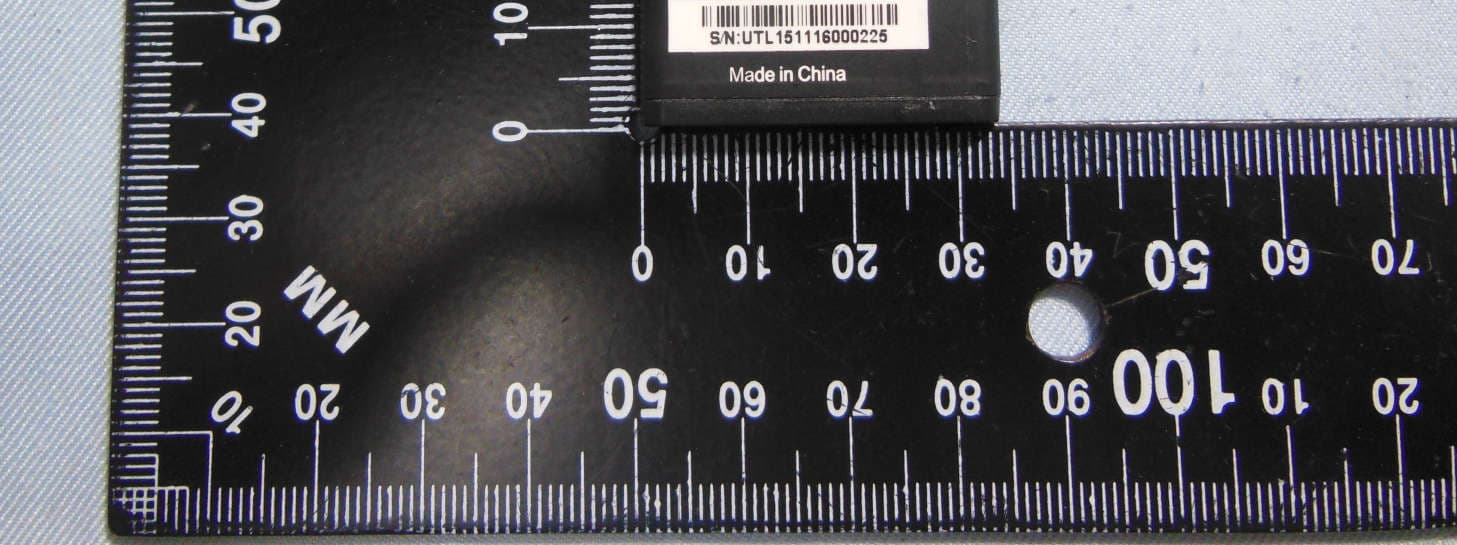
WVBAC622X
Jan 03, 2016CDMA mobile phone
Equipment Class
PCE - PCS Licensed Transmitter held to ear
WVB140M
Nov 08, 2015Smartphone
Equipment Class
JBP - Part 15 Class B Computing Device Peripheral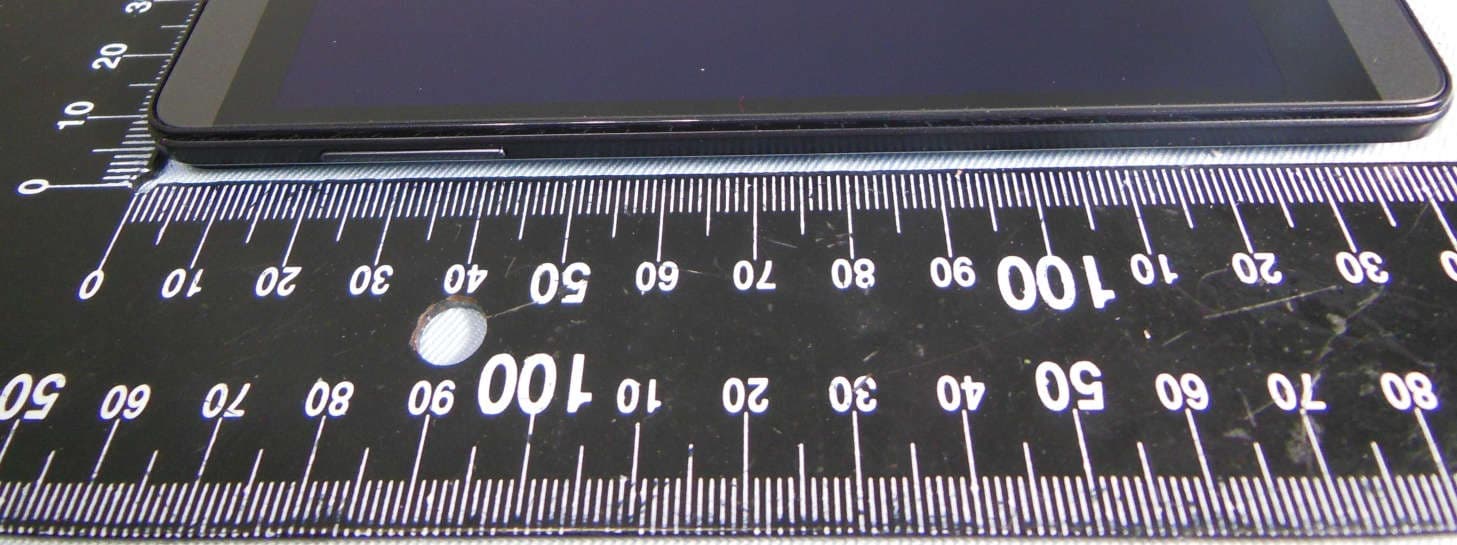
WVBAL660X
Nov 04, 20154G mobile phone
Equipment Class
DTS - Digital Transmission SystemWVBAL620
Nov 01, 2015Mobile phone
Equipment Class
DTS - Digital Transmission System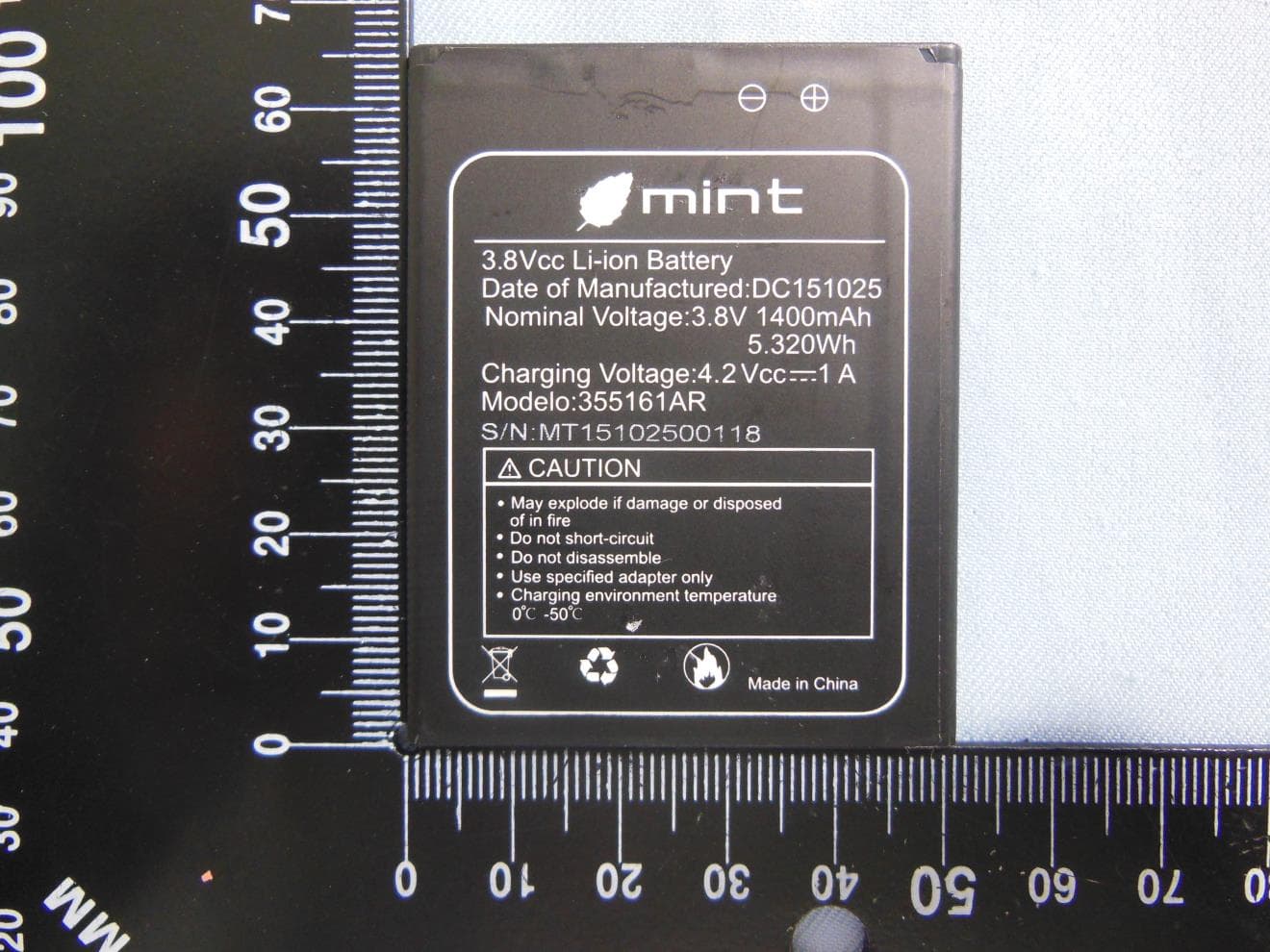
WVB145M
Oct 27, 2015Mobile phone
Equipment Class
PCE - PCS Licensed Transmitter held to ear