X4YHAWCO610Camera
NEXXT SOLUTIONS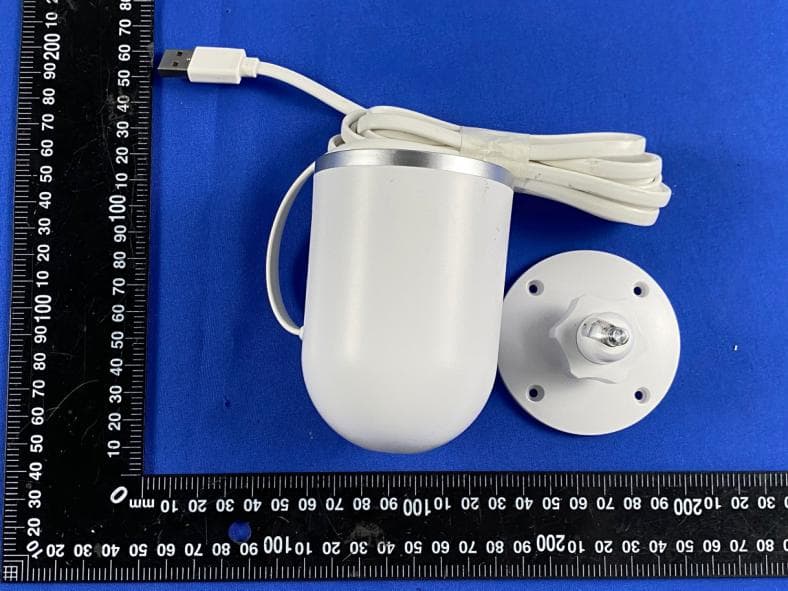
Click to zoom
Application Details
- Equipment Class
- DTS - Digital Transmission System
- Date of Grant
- Sep 20, 2020
- Application Purpose
- Original Equipment
- Date of Application
- Sep 17, 2020
- Equipment Note
- Camera
- Frequency Range
- 2412.00000000 - 2462.00000000
- Company
- NEXXT SOLUTIONS
- Country
- United States
Documents & Files
Document Text
Text extracted from the exhibit documents filed with the FCC. Open a document above to read the original.
Users Manual
Thank you for using smart camera Smart Life 4.APP Video Browsing Details ①Preview mode②Monitor Switch ④SQ ③About device ⑤Full screen Reset Button: Long press “reset” hole 5sec, reset success. Basic Parameters Component Description: Product Name: Smart Camera Pixel: 1.0Mp/2.0MP Video Compression: H.264 High Profile Image Enhancement: Digital Wide Dynamic 3D Noise Reduction Local Storage: MicroTF Card (64G Max) Wireless Encryption: WEP/WPA/WPA2 Encryption Power Input: 12V 1A(Min) Total Power Consumption: 12W (Max) WirelessStandard: 2.4G 802.11 b/g/n Support Platform: Android/iOS It is recommended to insert 8-64GB high-speed Micro TF card, otherwise it will not be able to store, view historical video and support Important functions such as firmware upgrading. 2.Install APP Download APP: scan the QR code below to download and install. Register and login: open the " Smart Life" APP to register and login according to the prompts. 5.Matters Need Attention Try to keep away from the metal space; Avoid the furniture , microwave oven blocked; Avoid the space where the audio, video and data lines are wound, and keep the space away from them as large as possible; Ensure that as close as possible to the coverage of wireless Wi-Fi signals. Switching network environment; In the new network environment, please press the reset hole about 5 seconds, then connect to the network. The name and content of the harmful substances in the product This product conforms to RoHS environmental protection requirements. At present, there is no mature technology in the world to replace or reduce the lead content in the electronic ceramics. porcelain, optical glass, steel and copper alloy. Part Name Harmful Substance shell Board charger annex This form is based on the provisions of SJ/T 11364。 Pb Hg Cd Cr(VI)PBBPBDE ○ ○ ○○○○ X ○ ○○○○ ○ ○ ○○○○ ○ ○ ○○○○ Mobile: Address: Model: Camera ID: Device store: Date of purchase: Store address: Store contact number: Maintenance voucher of intelligent Customer: Mobile: Address: Model: Camera ID: Device store: Date of purchase: Store address: Store contact number: SD Signal 99% ④ ③ ⑤ ① ② 2018-05-14 11:20:30 Maintenance voucher of intelligent Customer: Mobile: Address: Model: Camera ID: Device store: Date of purchase: Store address: Store contact number: Maintenance voucher of intelligent Customer: Mobile: Address: Model: Camera ID: Device store: Date of purchase: Store address: Store contact number: 0102 12 13 14 05 ·click "Confirm". It will jump to the interface to prompt to scan the QR code with camera and click "Continue" (Figure. 07); ·A QR code will prompt on your screen and you need to scan it with the Smart Camera. (the camera is about 20-30 cm away from the mobile phone lens). Then click "hear the prompt sound" (Figure. 08). ·"connecting" (Figure. 09); 070809 03 3.1、 Add The Device-Scan QR code mode ·Make sure Wi-Fi is available and connected to the Internet. ·Open "Smart Life" APP, press the'+' in the upper right corner of the main screen (Figure 01); choose “Security & Sensor”、click "Smart Camera" (Figure 02) to add camera; and then click "Next step" (Figure 03); ·Connect the camera to the power, then system startup completed. 010302 07 3.2、Add The Device-AP Mode If you want to use AP Mode,press the reset button on the machine ·Make sure Wi-Fi is available and connected to the Internet. ·Connect the camera to the power, system startup completed. ·Open "Smart Life" APP, press the'+' in the upper right corner of the main screen (Figure 13); choose “Security & Sensor”、click "Smart Camera" (Figure 14) to add camera ; Alternatively, choose "other ways" to add (as shown in Figure 15); 131514 ·The interface jumps to the WALN connection interface, finds the Wi-Fi at the beginning of "Smart Lifi", and clicks on the connection (Figure 22); ·When the connection is completed, click back and return to the APP interface, at which time the APP display device is connected (Figure 23). ·At this time, the device has been successfully connected; the interface jumps to "Add Device Successful" (Figure 24); 10 222423 ·Then enter the password to complete the connection (Figure 19); ·Click Back and return to the APP compatible mode interface, where the Wi-Fi name and the connected Wi-Fi name are displayed Password, click the "Confirm" button (Figure 20); ·The page jumps to where the interface prompts "Wi-fi" to connect to the device hotspot and clicks "Connect" (Figure 21) 09 202119 04 ·If the mobile phone is not connected to wi-fi, please click "Connect to Wi-fi" (Figure 04); ·It will jump to the WLAN interface and connects Wi-Fi (Figure 05).Please note that only 2.4 GH Wi-Fi network is supported; ·If the phone is connected to Wi-Fi (Figure 06); 040506 06 ·When the progress reaches 100%,connection completed(Figure 10), and click "Finish"; ·Then jump to preview interface (Figure 11) ·After closing the device preview interface, the interface returns to the APP home page. At this time, the connected device will appear on the APP home page (Figure 12). Then you can click directly to the device interface to see the monitoring situation without re-adding afterwards. 1012 ·Then click "hot spot configuration" (Figure 16; ·Then click” compatibility mode”, clicks"Next" (Figure 17); ·Then click "change Network" (Figure 18); 08 161718 Note:Before using the "AP Mode",you need to switch to "AP Mode" by lightly pressing the "Reset key" of the device. Signal 99% 2018-05-14 11:20:30 SD ·Then click “connected”, it will jump to the Preview Interface of the Device (Figure 25) ·Close the device preview interface and the interface returns to the APP home page, at which point the connected device will appear on the APP home page.(Fig. 26), After entering the device interface to view, no need to re-add, click directly into the device interface to view . 11 2526 11 Signal 99% 2018-05-14 11:20:30 SD Federal Communications Commission (FCC) Statement This device complies with part 15 of the FCC Rules. Operation is subject to t…
Text truncated - open the document above for the full version.
Attestation Statements
NEXXT SOLUTIONS 3505 NW 107 AVENUE,DORAL, FLORIDA, 33178, US TEL: 786-280-7600 FAX: 305 477- 5694 Series Models Description FCC ID: X4YHAWCO610 Date: Sep. 14, 2020 Federal Communications Commission Authorization and Evaluation Division 7435 Oakland Mills Road Columbia, MD 21046 To whom it may concern: The device (Product Name: Camera) Models Name: NHC-O610, SC1250, SC2250, SC3250, SC-RIPC-2001 have same electrical, PCB and BOM, only the model’s name and colour are different for marketing requirements. Sincerely, Albert Mizrachi / Vice president of product development
Cover Letter(s)
C5266091_X8_Ed.1 1/1 Letter of Authorization < NEXXT SOLUTIONS > Company: NEXXT SOLUTIONS Address: 3505 NW 107 AVENUE, DORAL, FLORIDA, 33178, US Product Name: Camera Model Number: NHC-O610, SC1250, SC2250, SC3250, SC-RIPC-2001 FCC Identifier: X4YHAWCO610 We authorize LGAI Technological Center S.A., Ronda de la Font del Carme, s/n, 08193 Bellaterra, Spain, to act on our behalf on all matters concerning the above named equipment. Any individual within LGAI Technological Center S.A. is authorized to act on our behalf and take act ion on the application. We declare that authorize LGAI Technological Center S.A., Ronda de la Font del Carme, s/n, 08193 Bellaterra, Spain, is allowed to forward all information related to the approval project to the Federal Communication Commission and to discuss any issues concerning the approval application. Any and all acts carried out by LGAI Technological Center S.A. on our behalf shall have the same effect as acts of our own. Name: Albert Mizrachi Date: 14 Sep. 2020 Title: Vice president of product development Signature of applicant:
Cover Letter(s)
C5266091_X10_Ed.1 1/1 < NEXXT SOLUTIONS > Office of Engineering Technology Federal Communications Commission 7435 Oakland Mills Road Columbia, MD 21046 Date: 14 Sep 2020 Subject: Request for Confidentiality FCC ID: X4YHAWCO610 To Whom It May Concern, Pursuant to the provisions of Sections 0.457 and 0.459 of Commission's rules (47CFR0.457, 0.459), we are requesting the Commission to withhold the following attachment(s) as confidential document from public disclosure. Exhibits Long-Term Confidentiality Short-Term Confidentiality ID Label/Location No No Attestation Statement No No External Photos No Block Diagram Schematics Test Report No No Test Setup Photos No User’s Manual Internal Photos Parts List / Tune Up RF Exposure Info Operational Description Cover Letter(s) No No SDR Software / Security Info No Above mentioned document contains detailed system and equipment description are considered as proprietary information in operation of the equipment. The public disclosure of above documents might be harmful to our company and would give competitor an unfair advantage in the market. It is our understanding that all measurement test reports, FCC ID label format and correspondent during certification review process cannot be granted as confidential documents and those information will be available for public review once the grant of equipment authorization is issued. Sincerely, Signature: Name: Albert Mizrachi Title: Vice president of product development
External Photos
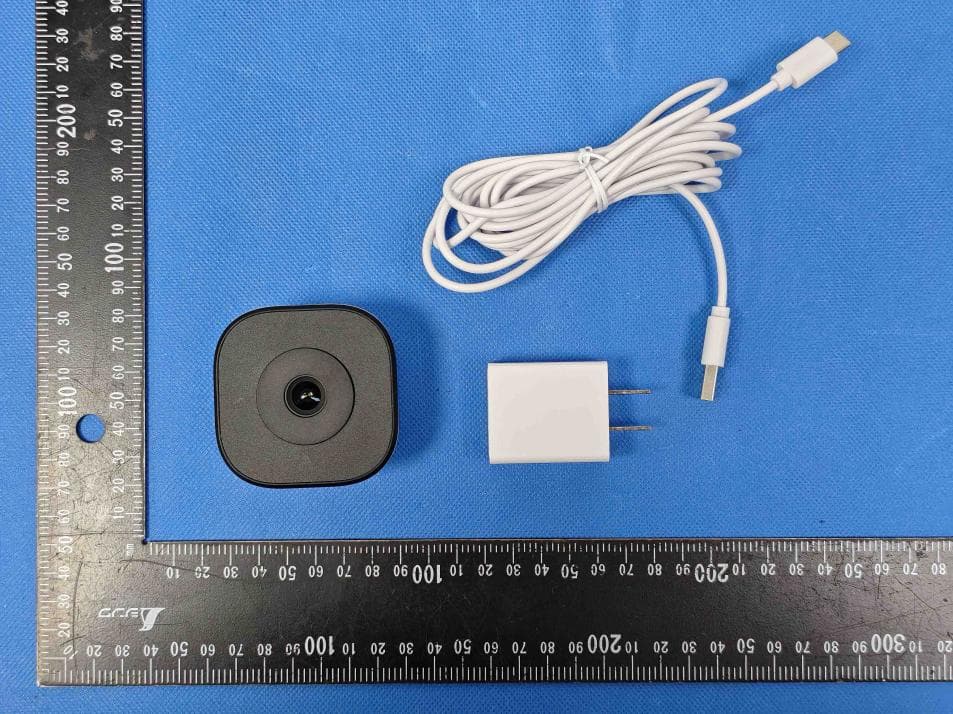
External Photos of EUT FCC ID: X4YHAWCO610
ID Label/Location Info
FCC-ID Label Information 1. Label location: 2.FCC ID Label: FCC ID: X4YHAWCO610 FCC-ID Label Locatio Long3cm* wide1.5cm
Internal Photos
Internal Photos of EUT Antenna FCC ID: X4YHAWCO610 RTS3903N HI1131S
RF Exposure Info
RF Exposure evaluation FCC ID: X4YHAWCO610 1. Reference According to §1.1307(b)(1), systems operating under the provisions of this section shall be operated in a manner that ensures that the public is not exposed to radio frequency energy level in excess of the Commission’s guidelines. According to §1.1310 and §2.1091 RF exposure is calculated. KDB447498 D01: Mobile and Portable Devices RF Exposure Procedures and Equipment Authorization Policies 2. Limit Limits for Maximum Permissible Exposure (MPE)/Controlled Exposure Frequency Range(MHz) Electric Field Strength(V/m) Magnetic Field Strength(A/m) Power Density (mW/cm²) Averaging Time (minute) Limits for Occupational/Controlled Exposure 0.3 – 3.0 3.0 – 30 30 – 300 300 – 1500 1500 – 100,000 614 1842/f 61.4 / / 1.63 4.89/f 0.163 / / (100) * (900/f 2 )* 1.0 f/300 5 6 6 6 6 6 Limits for Maximum Permissible Exposure (MPE)/Uncontrolled Exposure Frequency Range(MHz) Electric Field Strength(V/m) Magnetic Field Strength(A/m) Power Density (mW/cm²) Averaging Time (minute) Limits for Occupational/Controlled Exposure 0.3 – 3.0 3.0 – 30 30 – 300 300 – 1500 1500 – 100,000 614 824/f 27.5 / / 1.63 2.19/f 0.073 / / (100) * (180/f 2 )* 0.2 f/1500 1.0 30 30 30 30 30 F=frequency in MHz *=Plane-wave equivalent power density 3. MPE Calculation Method Predication of MPE limit at a given distance Equation from page 18 of OET Bulletin 65, Edition 97-01 S=PG/4πR² Where: S=power density P=power input to antenna G=power gain of the antenna in the direction of interest relative to an isotropic radiator R=distance to the center of radiation of the antenna 4. Result As declared by the Applicant, the EUT is a wireless device used in a fix application, at least 20 cm from any body part of the user or nearby persons; from the maximum EUT RF output power, the minimum separation distance, r =20cm, as well as the gain of the used antenna is 0dBi for 2.4GHz , the RF power density can be obtained. For 2.4GHz wifi Mode Max. Output Power (dBm) Max. Output Power (mW) Antenna Gain (Numeric) Power Density At 20 cm (mW/cm 2 ) Power Density Limit FCC (mW/cm 2 ) Test Results 802.11b 17.01 50.23 1.0000 0.0100 1.0000 PASS 802.11g 16.21 41.78 1.0000 0.0083 1.0000 PASS 802.11n20 16.05 40.27 1.0000 0.0080 1.0000 PASS 802.11n(HT40) 15.82 38.19 1.0000 0.0076 1.0000 PASS 5. Conclusion The SAR evaluation is not required.
Test Report
Shenzhen CTL Testing Technology Co., Ltd. Tel: +86-755-89486194 E-mail: [email protected] TEST REPORT FCC PART 15.247 Report Reference No. ................ : CTL2007173013-WF Compiled by: ( position+printed name+signature) Happy Guo (File administrators) Tested by: ( position+printed name+signature) Nice Nong (Test Engineer) Approved by: ( position+printed name+signature) Ivan Xie (Manager) Product Name ............................ : Camera Model/Type reference ................ : NHC-O610 List Model(s) ............................... : SC1250, SC2250, SC3250, SC-RIPC-2001 Trade Mark .................................. : N/A FCC ID ......................................... : X4YHAWCO610 Applicant’s name ....................... : NEXXT SOLUTIONS Address of applicant ................. : 3505 NW 107 AVENUE,DORAL, FLORIDA, 33178, US Test Firm ..................................... : Shenzhen CTL Testing Technology Co., Ltd. Address of Test Firm ................. : Floor 1-A, Baisha Technology Park, No.3011, Shahexi Road, Nanshan District, Shenzhen, China 518055 Test specification ....................... : Standard ...................................... : 47 CFR FCC Part 15 Subpart C 15.247 TRF Originator ............................. : Shenzhen CTL Testing Technology Co., Ltd. Master TRF .................................. : Dated 2011-01 Date of receipt of test item ........ : Aug. 04, 2020 Date of sampling ........................ : Aug. 05, 2020 Date of Test Date ........................ : Aug. 05, 2020-Sep. 08, 2020 Date of Issue .............................. : Sep. 08, 2020 Result .......................................... : Pass Shenzhen CTL Testing Technology Co., Ltd. All rights reserved. This publication may be reproduced in whole or in part for non-commercial purposes as long as the Shenzhen CTL Testing Technology Co., Ltd. is acknowledged as copyright owner and source of the material. Shenzhen CTL Testing Technology Co., Ltd. takes no responsibility for and will not assume liability for damages resulting from the reader's interpretation of the reproduced material due to its placement and context. V1.0 Page 2 of 33 Report No.: CTL2007173013-WF TEST REPORT Test Report No. : CTL2007173013-WF Sep. 08, 2020 Date of issue Equipment under Test : Camera Sample No. CTL200717301-1-S003 Model /Type : NHC-O610 Listed Models : SC1250, SC2250, SC3250, SC-RIPC-2001 Applicant : NEXXT SOLUTIONS Address : 3505 NW 107 AVENUE,DORAL, FLORIDA, 33178, US Manufacturer : SUNGALE ELECTRONICS (SHENZHEN) CO., LTD Address : No.1302, DaHong High-Tech Park, No. 6-18, XinHe Road, Xinqiao, Shajing, BaoAn, Shenzhen, 518105, China Test result Pass * * In the configuration tested, the EUT complied with the standards specified page 5. The test results presented in this report relate only to the object tested. This report shall not be reproduced, except in full, without the written approval of the issuing testing laboratory. V1.0 Page 3 of 33 Report No.: CTL2007173013-WF ** Modified History ** Revisions Description Issued Data Report No. Remark Version 1.0 Initial Test Report Release 2020-09-08 CTL2007173013-WF Tracy Qi V1.0 Page 4 of 33 Report No.: CTL2007173013-WF Table of Contents Page 1. SUMMARY ............................................................................................................................................................... 5 1.1. TEST STANDARDS ..................................................................................................................................................... 5 1.2. TEST DESCRIPTION ........................................................................................................................................................ 5 1.3. TEST FACILITY .............................................................................................................................................................. 6 1.4. STATEMENT OF THE MEASUREMENT UNCERTAINTY ............................................................................................................... 6 2. GENERAL INFORMATION .......................................................................................................................................... 8 2.1. ENVIRONMENTAL CONDITIONS ........................................................................................................................................ 8 2.2. GENERAL DESCRIPTION OF EUT ...................................................................................................................................... 8 2.3. DESCRIPTION OF TEST MODES AND TEST FREQUENCY .......................................................................................................... 8 2.4. EQUIPMENTS USED DURING THE TEST .............................................................................................................................. 9 2.5. RELATED SUBMITTAL(S) / GRANT (S) .............................................................................................................................. 10 2.6. MODIFICATIONS ......................................................................................................................................................... 10 3. TEST CONDITIONS AND RESULTS ............................................................................................................................ 11 3.1. CONDUCTED EMISSIONS TEST ....................................................................................................................................... 11 3.2. RADIATED EMISSIONS AND BAND EDGE .......................................................................................................................... 14 3.3. MAXIMUM CONDUCTED OUTPUT POWER ....................................................................................................................... 21 3.4. POWER SPECTRAL DENSITY ............................................................................…
Text truncated - open the document above for the full version.
Test Report
Report No.: CTL2007173013-WF Appendix for 15.247 1. Bandwidth 1.1 Test Result Test Mode Frequency (MHz) TX Type ANT No. 6dB Bandwidth Verdict Test Result (MHz) Limits (MHz) 802.11b 2412 SISO 1 8.667 ≥0.5 PASS 2437 SISO 1 7.806 ≥0.5 PASS 2462 SISO 1 8.690 ≥0.5 PASS 802.11g 2412 SISO 1 16.386 ≥0.5 PASS 2437 SISO 1 16.495 ≥0.5 PASS 2462 SISO 1 16.475 ≥0.5 PASS 802.11n(HT20) 2412 SISO 1 17.306 ≥0.5 PASS 2437 SISO 1 17.686 ≥0.5 PASS 2462 SISO 1 17.708 ≥0.5 PASS 802.11n(HT40) 2422 SISO 1 35.983 ≥0.5 PASS 2437 SISO 1 36.108 ≥0.5 PASS 2452 SISO 1 35.677 ≥0.5 PASS Test Mode Frequency (MHz) TX Type ANT No. 99% Occupied Bandwidth Test Result (MHz) 802.11b 2412 SISO 1 13.342 Only for Report Use 2437 SISO 1 13.449 Only for Report Use 2462 SISO 1 13.281 Only for Report Use 802.11g 2412 SISO 1 16.745 Only for Report Use 2437 SISO 1 16.721 Only for Report Use 2462 SISO 1 16.679 Only for Report Use 802.11n(HT20) 2412 SISO 1 17.830 Only for Report Use 2437 SISO 1 17.807 Only for Report Use 2462 SISO 1 17.765 Only for Report Use 802.11n(HT40) 2422 SISO 1 36.357 Only for Report Use 2437 SISO 1 36.733 Only for Report Use 2452 SISO 1 36.599 Only for Report Use 1.2 Test Graph - 6dB Bandwidth 1.3 Test Graph - 99% Occupied Bandwidth 2. Maximum Conducted Output Power 2.1 Test Result Test Mode Frequency (MHz) Tx Type Measured Peak Output Power (dBm) Limits (dBm) Verdict Ant 1 802.11b 2412 SISO 17.01 30 PASS 2437 SISO 16.65 30 PASS 2462 SISO 17.48 30 PASS 802.11g 2412 SISO 14.26 30 PASS 2437 SISO 14.85 30 PASS 2462 SISO 16.21 30 PASS 802.11n(HT20) 2412 SISO 14.85 30 PASS 2437 SISO 15.02 30 PASS 2462 SISO 16.05 30 PASS 802.11n(HT40) 2422 SISO 15.22 30 PASS 2437 SISO 15.54 30 PASS 2452 SISO 15.82 30 PASS 2.2 Test Graph 3. Maximum Power Spectral Density (PSD) 3.1 Test Result Test Mode Frequency (MHz) Tx Type Maximum Power Spectral Density (dBm/3KHz) Limits (dBm/3kHz) Verdict Ant 1 802.11b 2412 SISO -10.87 ≤8 PASS 2437 SISO -12.08 ≤8 PASS 2462 SISO -11.31 ≤8 PASS 802.11g 2412 SISO -19.19 ≤8 PASS 2437 SISO -19.56 ≤8 PASS 2462 SISO -16.80 ≤8 PASS 802.11n(HT20) 2412 SISO -18.43 ≤8 PASS 2437 SISO -18.90 ≤8 PASS 2462 SISO -16.96 ≤8 PASS 802.11n(HT40) 2422 SISO -21.33 ≤8 PASS 2437 SISO -22.34 ≤8 PASS 2452 SISO -21.77 ≤8 PASS 3.2 Test Graph 4. Unwanted Emissions in Non-restricted Frequency Bands 4.1 Test Result Test Mode Frequency (MHz) TX Type ANT No. Spurious Conducted Emission (dBm) Limits (dBm) Verdict 802.11b 2412 SISO 1 Refer to test graph -15.99 PASS 2437 SISO 1 Refer to test graph -15.99 PASS 2462 SISO 1 Refer to test graph -15.99 PASS 802.11g 2412 SISO 1 Refer to test graph -22.13 PASS 2437 SISO 1 Refer to test graph -22.13 PASS 2462 SISO 1 Refer to test graph -22.13 PASS 802.11n(HT20) 2412 SISO 1 Refer to test graph -22.19 PASS 2437 SISO 1 Refer to test graph -22.19 PASS 2462 SISO 1 Refer to test graph -22.19 PASS 802.11n(HT40) 2422 SISO 1 Refer to test graph -24.76 PASS 2437 SISO 1 Refer to test graph -24.76 PASS 2452 SISO 1 Refer to test graph -24.76 PASS 4.2 Test Graph
Test Setup Photos
Test Setup Photos of the EUT FCC ID: X4YHAWCO610
Contact Information
Applicant
Albert Mizrachi(Vice president of product development)
Technical Contact
Test Firm
Shenzhen CTL Testing Technology Co., Ltd.Tracy Qi
[email protected]86-755-89486194
Technical Specifications
| # | Rule Parts | Frequency Range | Power Output |
|---|---|---|---|
| 1 | 15C | 2.41 GHz - 2.46 GHz | 60.00 mW |
Other Applications from NEXXT SOLUTIONS
X4YHACIF25W
Aug 06, 2026Smart Camera
Equipment Class
DTS - Digital Transmission System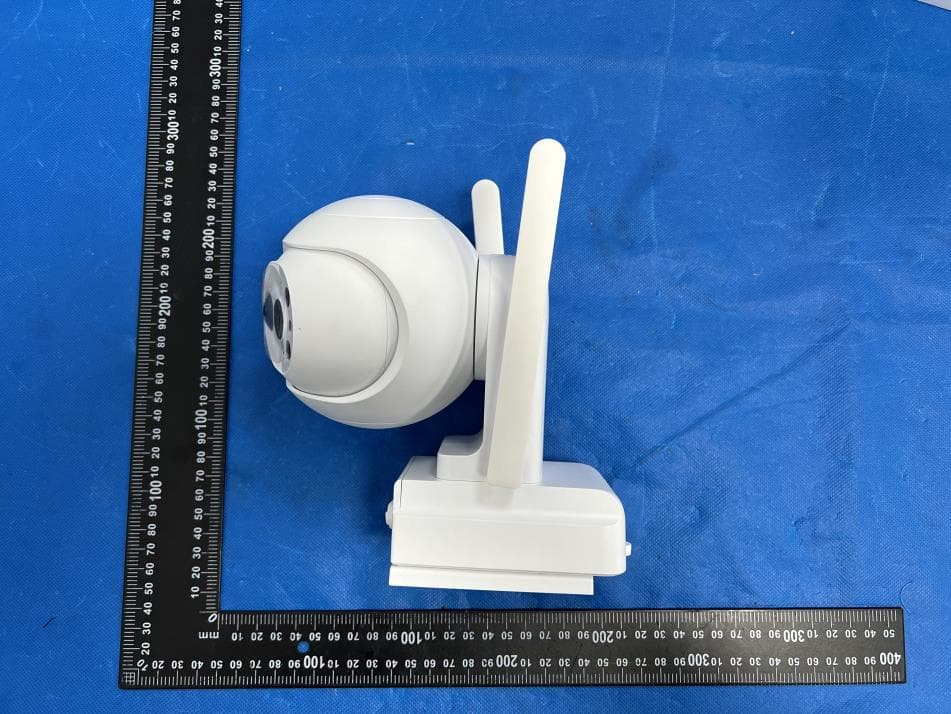
X4YHACOP40SL
Jul 07, 2026Smart Camera
Equipment Class
PCB - PCS Licensed Transmitter
X4YHABXL20
Jan 14, 2026Xmas string lights
Equipment Class
DTS - Digital Transmission System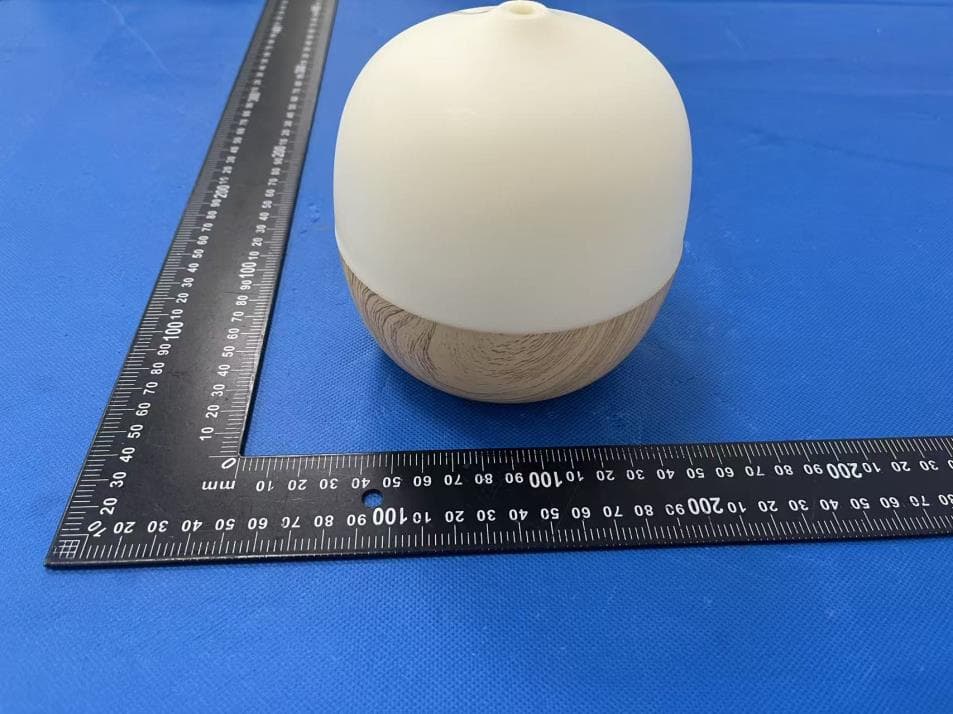
X4YHAAD300
Jan 06, 2026AROMA DIFFUSER
Equipment Class
DTS - Digital Transmission System
X4YHACIP15
Sep 28, 2025Camera
Equipment Class
DTS - Digital Transmission System