X5B-PL051014RAfterglow Fener PS4/PS3 Wireless Headset,Afterglow Nur PS4/PS3 Wireless Headset
Performance Designed Products, LLC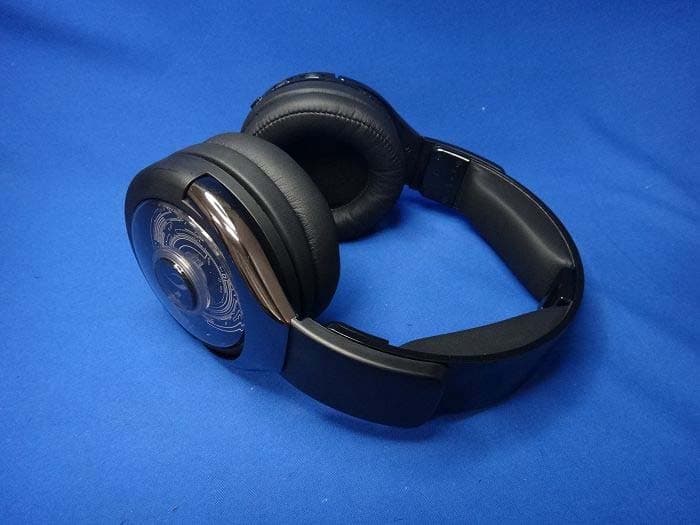
Click to zoom
Application Details
- Equipment Class
- DTS - Digital Transmission System
- Date of Grant
- Sep 24, 2014
- Application Purpose
- Original Equipment
- Date of Application
- Sep 24, 2014
- Equipment Note
- Afterglow Fener PS4/PS3 Wireless Headset,Afterglow Nur PS4/PS3 Wireless Headset
- Frequency Range
- 2403.35000000 - 2479.35000000
- Country
- United States
Documents & Files
Document Text
Text extracted from the exhibit documents filed with the FCC. Open a document above to read the original.
Users Manual
CONTENTS SUBJECT TO CHANGE WITHOUT NOTICE 1 AVNERA PROPRIETARY & CONFIDENTIAL | PROVIDED UNDER NDA General Description The AV6301 / 6302 chipset is optimized for building wireless gaming headsets and point to multi-point audio distribution solutions such as rear speakers and subwoofers in home theater systems.The chipset is comprised of two ICs: AV6301 (sender) and AV6302 (client). These devices share the VMI RF Protocol and may be mixed and matched with other VMI chips (AV6200 / AV6201 / AV6202). The AV63xx family expands the capabilities of Avnera’s world-class VMI wireless audio protocol by providing increased signal routing flexibility to accommodate a wide range of gaming headset applications. The AV6301 / 02 chipset achieves the goal of enabling a single core design to service multiple game platforms (PC or Console), External Digital Signal Processing (DSP) is also easily supported for all gaming platforms. The chip set provides all functions necessary to complete a bidirectional wireless audio link with high quality voice and music performance. Operation in the worldwide 2.4 GHz spectrum addresses the need for global application. System / Chipset Features Stereo audio path: >93 dB SNR, 20 kHz BW Mono voice path: >70 dB SNR, 6.5 kHz voice BW with on chip MIC path (>93 dB SNR with external 16 ADC) Over-the-air (OTA) serial interface: >2 kbps, bi- directional, full duplex Advanced forward error correction coding, error detection, and audio-specific error concealment Diversity antenna support Low and Fixed Latency: <16 ms, Long Range: 15m (non-line-of-site) Auto search/sync/standby/wake-up/shutdown All Voltage Regulators on-chip Interoperability with AV6200 and AV6201 AV6302 The core functionality of the AV6302 is identical to that of the AV6301 and it integrates all of the same functions. To minimize external Bill of Materials (BOM) for a complete headset client the AV6302 integrates additional analog functions. SPI and TWI interfaces are retained as well as a full USB transceiver. Enumeration as a high current device during charging as well as simplified field update of firmware on the Headset is enabled. A complete battery charging system is added to the significant power management functions already on chip. The battery charger includes a temperature monitor and is compliant with Lithium Ion and Lithium polymer battery types. An Integrated high quality audio CODEC directly drives on-chip low impedance headphone amplifiers and interfaces to electret and condenser microphone transducers. On-chip audio DSP, for both the stereo forward audio path and mono microphone path, performs fully programmable functions including gain control, equalization and compression, providing the headset designer with the essential tools to create custom voicing across Headset models or applications. 18 General purpose I/O ports are available, including support for LEDs and Encoders. In addition, a 3 channel general purpose ADC is provided that can support up to 2 potentiometers. A unique feature of the AV6302 Client chip is its ability to accept I2S input in addition to Microphone input for advanced routing of Chat and Microphone signals. Advanced audio routing options include the ability to utilize the microphone preamp, gain control and DSP before outputting the signal to an I2S out. This is a key feature when interfacing to XBOX controller radios. Preliminary Datasheet AV6302 Wireless Audio Receiver CONTENTS SUBJECT TO CHANGE WITHOUT NOTICE 2 AVNERA PROPRIETARY & CONFIDENTIAL | PROVIDED UNDER NDA AV6302 Features On Chip Audio Codec includes Data-Converters, microphone amplifier and headphone amplifiers Audio DSP: EQ, gain control, mix-back, muting Complete Battery Charging System USB HID interface for USB compliant charging and firmware update Noise Gates on Mic and Chat paths 18 General Purpose I/O pins with support for: Master and Slave SPI and TWI interfaces 3 PWM outputs 2 Rotary Encoder Inputs 1 Stereo I2s Out 1 mono I2S In 1 mono I2S Out 3 Channel General Purpose ADC 3 Dedicated Analog inputs Supports 2 potentiometers - game and chat levels Applications PC Game Wireless Headset Game Console Wireless Headset I2S based Wireless Audio Wireless Rear Speakers Wireless Subwoofer Packaging The AV6302 is available in an 8 x 8 mm, 56 pin QFN package and is rated for operation over the commercial temperature range (0 to 70 degrees C) CONTENTS SUBJECT TO CHANGE WITHOUT NOTICE 3 AVNERA PROPRIETARY & CONFIDENTIAL | PROVIDED UNDER NDA Revision History Revision Change Summary Release Date 0.1 Preliminary release of datasheet 9/29/11 0.2 Audio Routing Diagram Update. Package Drawing Update. Pin Description minor updates. Add Selector Grid 10/28/11 0.3 Update Selector Grid, Update to Front page general description and Features. 11/4/11 AV6302 Datasheet (Preliminary) revision 0.3 CONTENTS SUBJECT TO CHANGE WITHOUT NOTICE 4 AVNERA PROPRIETARY & CONFIDENTIAL | PROVIDED UNDER NDA Table of Contents General Description .............................................................................................................................................................. 1 System / Chipset Features ................................................................................................................................................... 1 AV6302 ................................................................................................................................................................................. 1 AV6302 Features .................................................................................................................................................................. 2 Applications .......................................................................................................................................................................... 2 Packaging ...................................................................…
Text truncated - open the document above for the full version.
Users Manual
Headset User ManUal ManUel d’Utilisation dU casqUe- Micro AuriculAres MAnuAl Del usuArio WhAt’s in tHe box englishheADset overview english afterglow Fener™ wireless Headset Micro Usb Play & charge cable optical cable3.5mm aux cable User Manual afterglow transmitter/ charging dock 1. on/oFF/MUte bUtton: Press and hold to power on; repeat to power oFF. When on, the button will function as a Mute Button. click once to mute your microphone, and click again to unmute. 2. aUdio Mode bUtton: controls audio modes and manual lighting. 3. booM-less MicroPHone: internal dual microphone design for chat communications. heADset overview english trAnsMitter/chArging Dock overview english 1. GaMe volUMe dial: Adjusts game volume level. 2. cHat volUMe dial: Adjusts chat volume level. 3. aFterGlow liGHtinG Mode switcH: choose between Manual lighting mode (set any color manually) or Auto lighting mode (which automatically cycles through all colors). the third position turns off the lights while keeping your headset functions active. 4. Universal aUdio line-in : Plug the grey color 3.5mm auxiliary cable into this port and the other end into a sound source (mobile device, tablet, Pc). Microphone, sound and lighting capabilities are supported in Mobile mode. 5. Micro Usb cHarGinG Port: this port enables you to charge your Afterglow Wireless headset while in use. 1. cHarGinG Pins: When the headset is sitting on the dock, the transmitter’s charging pins make contact with the headset’s charging pins for wireless charging. the headset can be placed in both directions. 2. cable ManaGeMent systeM: the hole in the stand and clasp at the base are part of the stand’s cable management system. the optical (or 3.5mm) and usB cables can be fed through this hole and routed to the base of the stand where they are held neatly in place by the clasp. 3. Micro Usb inPUt: Plug the provided usB to micro usB cable from console to this port for power and chat audio. 4. oPtical inPUt Port: use this input for use with your console or any audio device with an digital audio/optical output. 5. 3.5MM auxiliary line-in Port: Plug the grey 3.5mm audio cable into this port and the other end into a sound source to transmit analog audio wirelessly to your Afterglow headset. note: t he optical port has priority over the aux line in. set uP: Playstation ® 4 english 1. Plug the micro usB cable into the Afterglow transmitter Dock/stand and into an active USB port on the PS4 console. Your Dock’s LED light will flash, indicating that it is on and searching for your headset. 2. Plug one end of the included optical cable into the wireless transmitter and the other end into the Playstation ® 4 console. 3. Press and hold the large on/oFF button on your headset to power it on. the alternating leD colors of the headset ear cup will indicate the headset is searching for your wireless transmitter. When the headset ear cup and transmitter dock leD turn a solid blue, your headset and transmitter are communicating. 4. to ensure your Afterglow headset will retrieve game and chat audio: go to the Playstation ® 4 menu > sound and screen settings > Audio output settings > output to headphones > Select “Chat Audio” > Hit “X” to confirm. (Headset will receive the game audio from the optical cable. Using this set up, you can control game and chat audio separately.) 6. You can also adjust your microphone input levels: go to Playstation ® 4 menu >settings > Devices > Audio Devices > Microphone level ** to mute your microphone, press the large Mute button located on your left ear cup. 5. Make sure your volume is turned up. if you want to further increase the volume, you can do so in the Playstation ® 4 menu: go to the Playstation ® 4 menu > settings > Devices > Audio Devices > Volume control set uP: Playstation ® 3 englishset uP: Pc / Mac english 1. Plug the micro usB cable into the Afterglow transmitter Dock/stand and into an active usB port on the Playstation ® 3 console. Your Dock’s LED light will flash, indicating that it is on and searching for your headset. 2. Plug one end of the included optical cable into the wireless transmitter and the other end into the Playstation ® 3 console. 3. Press and hold the large on/oFF button on your headset to power it on. the alternating leD colors of the headset ear cup will indicate the headset is searching for your wireless transmitter. When the headset ear cup and transmitter dock leD turn a solid blue, your headset and transmitter are communicating. 4. check to make sure your headset is recognized by your Playstation ® 3 by checking your console’s sound settings. 1. Plug the micro usB end of the provided cable into the Afterglow transmitter Dock and the other side into a USB port on your PC. Your transmitter’s LED light will flash, indicating that it is on and searching for a headset. 2. Plug one end of the grey 3.5mm cable into an aux port in your Pc, and the other end into the 3.5mm analog port in your wireless transmitter. *if your Pc has an optical output, you may connect your wireless transmitter using the included optical cable instead of the 3.5mm cable. 3. Press and hold the large on/oFF button on your headset to power on. the alternating leD colors on the ear cup indicate the headset is searching for your wireless transmitter. When the ear cup and transmitter leD turns a solid blue, your headset and transmitter are communicating. ** For passive use, simply plug one end of the grey 3.5mm cable into an analog jack in your Pc and the other end into your headset. 4. Make sure your Afterglow wireless headset is chosen as an audio out on your Pc: right click the small speaker icon in the bottom tool bar > select “Volume options” > select Afterglow headset under “sound Devices”. You can further adjust the volume on your headset through your Pc through your audio settings indicated by a small speaker. m a tHe aFterGlow wireless Headset inclUdes tHree liGHtinG Modes: ManUal liGHtinG: i n this mode, the Afterglow lights will …
Text truncated - open the document above for the full version.
Attestation Statements
Performance Designed Products, LLC FCC ID.: X5B-PL051014R 14144 Ventura Blvd., Suite 200 Sherman Oaks, CA91423 USA Tel : 1-323-234-9911 Federal Communications Commission Sep. 15 , 2014 Authorization and Evaluation Division ATTESTATION FCC ID: X5B-PL051014R Product: Afterglow Fener PS4/PS3 Wireless Headset,Afterglow Nur PS4/PS3 Wireless Headset Model: PL-051-014R,PL-051-003R We don't provide any controls or software to allow operation outside the USA frequency band when we sell this product in USA. Sincerely, ------------------------------------------------ Tom Roberts / Chief Technical Officer Performance Designed Products, LLC
Cover Letter(s)
Performance Designed Products, LLC FCC ID.: X5B-PL051014R 14144 Ventura Blvd., Suite 200 Sherman Oaks, CA91423 USA Tel : 1-323-234-9911 Performance Designed Products, LLC 14144 Ventura Blvd., Suite 200 Sherman Oaks, CA91423 USA Tel : 1-323-234-9911 Fax: 1-323-234-9922 Federal Communications Commission Sep. 15 , 2014 Authorization and Evaluation Division Confidentiality Request Pursuant to Sections 0.457 and 0.459 of the Commission’s Rules, the Applicant Hereby requests confidential treatment of information accompanying this Application As outlined below: Schematics: (PL-051-014R) Schem Block Diagram: (PL-051-014R) BlkDia Operational Description: (PL-051-014R) OPDes The above materials contain trade secrets and proprietary information not customarily Released to the public. The public disclosure of these matters might be harmful to the Applicant and provide unjustified benefits to its competitors. The Applicant understands that pursuant to Rule 0.457, disclosure of this Application and all accompanying documentation will not be made before the date of the Grant for this application. Sincerely, ---------------------------------------------------------- Tom Roberts / Chief Technical Officer Performance Designed Products, LLC
Cover Letter(s)
Model Difference Letter Date: 19 September 2014 Dear Sir, I hereby have entrusted the following person to be a proxy regarding application for Type Certification. I am therefore responsible for the contents of the application. The radio equipment has two model numbers which listed below, and to declare that the two models are identical due to marketing requirement. Afterglow Fener PS4/PS3 Wireless Headset for the PL-051-014R Afterglow Nur PS4/PS3 Wireless Headset for the PL-051-003R FCC ID: X5B-PL051014R IC: 8814A-PL051014R Product name: Afterglow Fener PS4/PS3 Wireless Headset, Afterglow Nur PS4/PS3 Wireless Headset Brand: pdp, Afterglow Model number: PL-051-014R, PL-051-003R Applicant : Performance Designed Products, LLC Address : 14144 Ventura Blvd., Suite 200 Sherman Oaks, CA91423 USA Signature : Name and Job Title. : Tom Roberts / Chief Technical Officer E-mail : [email protected] Tel: 1-323-234-9911 Fax: 1-323-234-9922
Cover Letter(s)
RF_160, Issue 02 Performance Designed Products, LLC Declaration of Authorization We Name: Performance Designed Products, LLC... Address: 14144 Ventura Blvd., Suite 200 Sherman Oaks, CA 91423 USA. City: Oaks .. Country: United States . Declare that: Name Representative of agent: Gene Chang (1) Agent Company name: QuieTek Corp. Address: Fl.2, No.345, Xin-hu 2 nd Rd., Nei-hu District City: Taipei Country Taiwan is authorized to apply for Certification of the following product(s): Product description: Afterglow Fener PS4/PS3 Wireless Headset,Afterglow Nur PS4/PS3 Wireless Headset FCC ID: X5B-PL051014R Trademark: pdp, Afterglow on our behalf. Date: 2014/09/15.. City: Oaks .. Name: Tom Roberts .. (2) Function: Chief Technical Officer Signature: Notes: (1): Required for FCC application (2): For FCC it must be the Grantee Code “owner” or the authorized agent.
External Photos
Report No.: 1480538R-RFUSP25V00 Page : 1 of 13 Attachment 2 : EUT Detailed Photographs (1) EUT Photo (2) EUT Photo Report No.: 1480538R-RFUSP25V00 Page : 2 of 13 (3) EUT Photo (4) EUT Photo
ID Label/Location Info
Performance Designed Products, LLC FCC ID.: X5B-PL051014R 14144 Ventura Blvd., Suite 200 Sherman Oaks, CA91423 USA Tel : 1-323-234-9911 FCC ID Label
ID Label/Location Info
Performance Designed Products, LLC FCC ID.: X5B-PL051014R 14144 Ventura Blvd., Suite 200 Sherman Oaks, CA91423 USA Tel : 1-323-234-9911 The FCC ID Label will be placed on the equipment as shown in the photograph below. Model Name: PL-051-014R Model Name: PL-051-003R
Internal Photos
Report No.: 1480538R-RFUSP25V00 Page : 3 of 13 (5) EUT Photo (6) EUT Photo Report No.: 1480538R-RFUSP25V00 Page : 4 of 13 (7) EUT Photo (8) EUT Photo Report No.: 1480538R-RFUSP25V00 Page : 5 of 13 (9) EUT Photo (10) EUT Photo Report No.: 1480538R-RFUSP25V00 Page : 6 of 13 (11) EUT Photo (12) EUT Photo Report No.: 1480538R-RFUSP25V00 Page : 7 of 13 (13) EUT Photo (14) EUT Photo Antenna Antenna Report No.: 1480538R-RFUSP25V00 Page : 8 of 13 (15) EUT Photo - Antenna (16) EUT Photo - Antenna Report No.: 1480538R-RFUSP25V00 Page : 9 of 13 (17) EUT Photo (18) EUT Photo Report No.: 1480538R-RFUSP25V00 Page : 10 of 13 (19) EUT Photo (20) EUT Photo Report No.: 1480538R-RFUSP25V00 Page : 11 of 13 (21) EUT Photo (22) EUT Photo Report No.: 1480538R-RFUSP25V00 Page : 12 of 13 (23) EUT Photo (24) EUT Photo Report No.: 1480538R-RFUSP25V00 Page : 13 of 13 (25) EUT Photo (26) EUT Photo
RF Exposure Info
RF Exposure Statement 1. Standard Applicable According to 1.1307 (b)(1), systems operating under the provisions of this section shall be operated in a manner that ensure that the public is not exposed to radio frequency energy level in excess of the Commission’s guideline. 2. Measurement Result: According to KDB 447498 D01 Mobile Portable RF Exposure v05, Operation frequency = 2450MHz and antenna separation distance = 5mm, SAR Test Exclusion Threshold = 10mW The Device max peak output power = 4.07dBm, Equivalent to 2.553mW and less than 10mW The SAR/MPE measurement is not necessary.
Test Report
Report No.: 1480538R-RFUSP25V00 Page : 1 of 44 FCC Test Report Product Name Afterglow Fener PS4/PS3 Wireless Headset, Afterglow Nur PS4/PS3 Wireless Headset Model No PL-051-014R, PL-051-003R FCC ID. X5B-PL051014R Applicant Performance Designed Products, LLC Address 14144 Ventura Blvd., Suite 200 Sherman Oaks, CA91423 USA Date of Receipt Aug. 25, 2014 Issue Date Sep. 15, 2014 Report No. 1480538R-RFUSP25V00 Report Version V1.0 The test results relate only to the samples tested. The test results shown in the test report are traceable to the national/international standard through the calibration of the equipment and evaluated measurement uncertainty herein. This report must not be used to claim product endorsement by TAF or any agency of the government. The test report shall not be reproduced without the written approval of QuieTek Corporation. Report No.: 1480538R-RFUSP25V00 Page : 2 of 44 Test Report Issue Date: Sep. 15, 2014 Report No.: 1480538R-RFUSP25V00 Product Name Afterglow Fener PS4/PS3 Wireless Headset, Afterglow Nur PS4/PS3 Wireless Headset Applicant Performance Designed Products, LLC Address 14144 Ventura Blvd., Suite 200 Sherman Oaks, CA91423 USA Manufacturer Performance Designed Products, LLC Model No. PL-051-014R, PL-051-003R EUT Rated Voltage DC 3.7V (Power by Battery) EUT Test Voltage AC 120V/60Hz Trade Name pdp, Afterglow Applicable Standard FCC CFR Title 47 Part 15 Subpart C: 2013 ANSI C63.10: 2009, KDB 558074 Test Result Complied Documented By : (Senior Adm. Specialist / Leven Huang ) Tested By : ( Engineer / Benjamin Pan ) Approved By : ( Director / Vincent Lin ) Report No.: 1480538R-RFUSP25V00 Page : 3 of 44 TABLE OF CONTENTS Description Page 1. GENERAL INFORMATION ..................................................................................................... 5 1.1. EUT Description ............................................................................................................................ 5 1.2. Operational Description ................................................................................................................ 7 1.3. Tested System Details.................................................................................................................... 8 1.4. Configuration of Tested System .................................................................................................... 8 1.5. EUT Exercise Software ................................................................................................................. 8 1.6. Test Facility ................................................................................................................................... 9 2. Conducted Emission .................................................................................................................. 10 2.1. Test Equipment ............................................................................................................................ 10 2.2. Test Setup .................................................................................................................................... 10 2.3. Limits .......................................................................................................................................... 11 2.4. Test Procedure ............................................................................................................................. 11 2.5. Uncertainty .................................................................................................................................. 11 2.6. Test Result of Conducted Emission ............................................................................................. 12 3. Peak Power Output ................................................................................................................... 14 3.1. Test Equipment ............................................................................................................................ 14 3.2. Test Setup .................................................................................................................................... 14 3.3. Limit ............................................................................................................................................ 14 3.4. Test Procedure ............................................................................................................................. 14 3.5. Test Result of Peak Power Output ............................................................................................... 15 4. Radiated Emission ..................................................................................................................... 16 4.1. Test Equipment ............................................................................................................................ 16 4.2. Test Setup .................................................................................................................................... 17 4.3. Limits .......................................................................................................................................... 18 4.4. Test Procedure ............................................................................................................................. 18 4.5. Uncertainty .................................................................................................................................. 18 4.6. Test Result of Radiated Emission ................................................................................................ 19 5. RF antenna conducted test ........................................................................................................ 23 5.1. Test Equipment ............................................................................................................................ 23 5.2. Test Setup .................................................................…
Text truncated - open the document above for the full version.
Test Setup Photos
Report No.: 1480538R-RFUSP25V00 Page : 1 of 3 Attachment 1: EUT Test Setup Photographs Front View of Conducted Test Back View of Conducted Test Report No.: 1480538R-RFUSP25V00 Page : 2 of 3 Front View of Radiated Test Back View of Radiated Test Report No.: 1480538R-RFUSP25V00 Page : 3 of 3 Front View of Radiated Test (Horn) Back View of Radiated Test (Horn)
Contact Information
Applicant
Tom Roberts(Chief Technical Officer)
Technical Contact
QuieTek CorporationMaggie Chen
[email protected]886-2-8601-3788
No.5-22, Ruishukeng, Linkou Dist., · Taiwan
Non-Technical Contact
QuieTek CorporationMaggie Chen
[email protected]886-2-8601-3788
Test Firm
DEKRA TESTING AND CERTIFICATION CO., LTD. LinKouMirenda Liao
Technical Specifications
| # | Rule Parts | Frequency Range | Power Output |
|---|---|---|---|
| 1 | 15C | 2.40 GHz - 2.48 GHz | 3.00 mW |
Other Applications from Performance Designed Products, LLC
X5B-049037X
Aug 22, 2024PDP REALMz Wireless Controller for Xbox
Equipment Class
DTS - Digital Transmission SystemX5B-049037T
Aug 22, 2024PDP REALMz Wireless Dongle for Xbox
Equipment Class
DTS - Digital Transmission SystemX5B-500253
Aug 02, 2024Rematch Wireless Controller for Nintendo Switch
Equipment Class
DSS - Part 15 Spread Spectrum TransmitterX5B-500246
Aug 01, 2024Wireless Controller for Nintendo Switch
Equipment Class
DSS - Part 15 Spread Spectrum TransmitterX5B-049038X
Jun 28, 2024Phantom Air Wireless Headset for Xbox / Phantom Air Wireless Headset for Play Station
Equipment Class
DSS - Part 15 Spread Spectrum Transmitter