X5B-PL6322CAP.2 for PS3
Performance Designed Products, LLC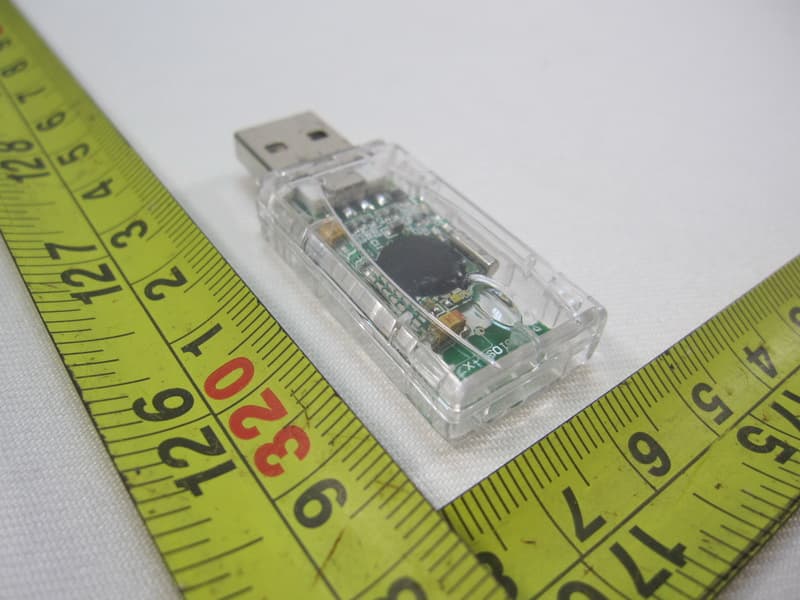
Click to zoom
Application Details
- Equipment Class
- DSS - Part 15 Spread Spectrum Transmitter
- Date of Grant
- Aug 14, 2012
- Application Purpose
- Original Equipment
- Date of Application
- Aug 14, 2012
- Equipment Note
- AP.2 for PS3
- Frequency Range
- 2402.00000000 - 2480.00000000
- Country
- United States
Documents & Files
Document Text
Text extracted from the exhibit documents filed with the FCC. Open a document above to read the original.
Users Manual
AFTERGLOW® AP.2 For Pla ySta tion®3 For: PL-6322 Thank you for purchasing the AFTERGLOW® AP.2 Wireless for PlayStation®3! Contents: 1 AFTERGLOW® AP.2 for PlayStation®3. 1 AFTERGLOW® Wireless Link USB Adapter 1 USB Charge Cable 1 Manual Using the AFTERGLOW® AP.2: 1) The AFTERGLOW® AP.2 is designed to work with the Sony PlaySt ation®3 videogame system. 2) Your new AP.2 Wireless controller features an integrated rechargeable battery pack that should be fully PlayStation®3 when it i s powered on. Connect the mini-USB plug to your AP.2 controller. The indicator Wireless Link USB Adapter i nto one of your PlaySt ation®3’s USB ports while the system is powered on. Press any button on your AP.2 controller and an automatic pairing will t ake place. 4) After pairing is complete your AP.2 controller will show it’s controller number designation via one of 4 indicator LEDs. I t i s now ready to use. Time for some gaming! soon to avoid interruption of play. Changing AFTERGLOW® Modes: AP.2 must be connected to a PlayStation®3 console to function. 2) The AFTERGLOW® button on the AP.2 is located near the controller i ndicator l ights on the controller. 3) The AFTERGLOW® AP.2’s default setting is “ON.” 4) Press the AFTERGLOW® button once to change to “VIBRATION” mode. Lighting occurs in this mode when the AP.2 rumble motors activate. 5) Press the AFTERGLOW® button once more to change to “OFF” mode. No lighting occurs in this mode. 6 ) Press the AFTERGLOW® button once more to return to “ON” mode. 7) Cycle through the three settings as often as you like and enjoy the AFTERGLOW® in your favorite mode! Frequently Asked Questions Can I charge my AP.2 controller before the battery is completely drained? - Yes, you can charge the AP.2 any time you like. You will not damage the battery by charging when the battery still carries a charge. Can I use my AP.2 controller while it is charging via USB? -Yes, you can play with the AP.2 and charge it at the same time. Can I use multiple AP.2 controllers with my PlayStation®3? -Yes, you can use up to 4 AP.2 controllers with your PlaySt ation®3 provided your system has 4 USB ports available. My AP.2 controller will not sync with the PlayStation®3. What can I do? controller and a wireless link should be established. Make sure your PlayStation 3 is powered on and that your AP.2 controller’s battery has a charge. CAUTION authority to operate the equipment. This equipment has been tested and found to comply with the limits for a Class B digital device, pursuant to part 15 of the FCC Rules. These limits are designed to provide reasonable protection against harmful i nterference in a residential i nstallation. This equipment generates, uses and can radiate radio frequency energy and, i f not i nstalled and used in accordance with the instructions, may cause harmful i nterference to radio communi cations. However, t here is no guarantee that i nterference will not occur i n a particular i nstallation. I f this equipment does cause harmful i nterference to radio or television reception, which can be following measures: —Reorient or relocate the receiving antenna. —Increase the separation between the equipment and receiver. —Consult the dealer or an experienced radio/TV technician for help. FCC ID for Controller: X5B-PL6322B FCC ID for Dongle: X5B-PL6322 C This device complies with Industry Canada RSS-210. Operation is subject to the following two conditions: (1) this device may not cause interference, and (2) this device must accept any interference, including interference that may cause undesired operation of the device. Le présent appareil est conforme aux CNR d'Industrie Canada applicables aux appareils radio RSS-210. L'exploitation est autorisée aux deux conditions suivantes : (1) l'appareil ne doit pas produire de brouillage, et (2) l'utilisateur de l'appareil doit accepter tout brouillage radioélectrique subi, même si le brouillage est susceptible d'en compromettre le fonctionnement. © 2011 Performance Designed Products LLC. All r ights reserved. PDP is a trademark, and AFTERGLOW is a registered trademark, of Performance Designed Products LLC. PlaySt ation®3 is a registered trademark of Sony Computer Entertainment, I nc. This product i s not designed, manufactured, s ponsored or endorsed by Sony Computer Entertainment. For technical questions please visit www.pdp.c om or call: 1-800-331-3844 (USA ONLY) *please keep this information for future reference 1840 East 27th Str eet Vernon, CA 90058 USA CBX II - 382-390 Midsummer Blvd., Milton Keynes, Buckinghamshire MK9 2RG UK “F or ages 12+” 2 year limited warranty. See www.pdp.c om for details. ® Operation is subject to the following two conditions: ( 1) t his device may not cause harmful i nterference, and (2) t his device must accept any interference received, including interference that may cause undesired operation This device complies with FCC radiation exposure limits set forth for an uncontrolled environment and it also complies with Part 15 of the FCC RF rules. Merci d’avoir acheté l’AFTERGLOW MD AP.2 sans fil pour PlayStation MD 3! Contenu : 1 AFTERGLOW MD AP.2 pour PlayStation MD 3. 1 adaptateur USB de connexion sans fil pour l’AFTERGLOW MD 1 Câble USB de charge 1 manuel Utilisation de l’AFTERGLOW MD A P. 2 : 1) L’A F T E R G L O W MD AP 2 est conçu pour être utilisé avec le système de jeux vidéo Sony PlayStation MD 3. 2) Cette manette sans fil AP.2 neuve intègre un bloc-batterie rechargeable qui doit être complètement chargé avant toute première utilisation. Pour cela, connectez la prise USB large à un port USB alimenté, tel que celui de la PlayStation MD 3 quand elle est en marche. Connectez la miniprise USB à votre manette AP.2. Les témoins DEL de la manette AP.2 clignoteront dès que la charge débutera. 3) Quand la charge est terminée les témoins DEL de l’AP.2 s’éteindront. À ce moment là, insérez l’adaptateur de connexion sans fil pour l’AFTERGLOW MD dans l’un des ports USB de la PlayStation MD 3 quand le système est…
Text truncated - open the document above for the full version.
Users Manual
5) Drück die AFTERGLOW®-Taste noch einmal, um in den Modus „AUS“ umzuschalten. In diesem Modus sind die Lichteffekte ausgeschaltet. 6) Drück die AFTERGLOW®-Taste noch einmal, um wieder in den Modus „EIN“ umzuschalten. 7) Du kannst zwischen den einzelnen Modi beliebig umschalten, um den AFTERGLOW® an das jeweilige Spiel anzupassen. Häufige Fragen Kann ich den AP.2-Controller auch schon aufladen, wenn der Akku noch nicht leer ist? - Ja, du kannst den AP.2 jederzeit aufladen. Auch wenn der Akku noch nicht leer ist, geht er dadurch nicht schneller kaputt. Kann ich den AP.2-Controller benutzen, während er über USB aufgeladen wird? - Ja, du kannst den AP.2 gleichzeitig aufladen und ihn zum Spielen benutzen. Kann ich mehrere AP.2-Controller an meine PlayStation®3 anschließen? - Ja, du kannst bis zu vier AP.2- Controller an deine PlayStation®3 anschließen, sofern an der Konsole noch vier USB-Anschlüsse frei sind. Ich bekomme den AP.2-Controller nicht mit der PlayStation®3 synchronisiert. Was muss ich beachten? - Wenn du den AP.2 Wireless-USB-Adapter an die Konsole anschließt, blinkt eine LED am Adapter. Wenn du jetzt ein paar Tasten am AP.2-Controller drückst, sollte die Funkverbindung hergestellt werden. Achte darauf, dass die PlayStation 3 eingeschaltet und der Akku im AP.2-Controller aufgeladen ist. © 2011 Performance Designed Products LLC. Alle Rechte vorbehalten. PDP ist eine Marke und AFTERGLOW ist eine eingetragene Marke von Performance Designed Products LLC. PlayStation®3 ist eine eingetragene Marke von Sony Computer Entertainment, Inc. Dieses Produkt wird bzw. wurde nicht von Sony entworfen, hergestellt, angeboten oder unterstützt. Antworten auf technische Fragen: www.pdp.com oder per Telefon: 1-800-331-3844 (nur aus USA) * Bitte zum Nachschlagen aufbewahren 1840 East 27th Street Vernon, CA 90058 USA CBX II - 382-390 Midsummer Blvd., Milton Keynes, Buckinghamshire MK9 2RG UK 2 Jahre eingeschränkte Gewährleistung. Einzelheiten unter www.pdp.com. Grazie per aver acquistato AFTERGLOW® AP.2 Wireless per PlayStation®3! Contenuto: 1 AFTERGLOW® AP.2 per PlayStation®3. 1 adattatore USB link Wireless AFTERGLOW® 1 caco di carica USB 1 Manuale Utilizzo di AFTERGLOW® AP.2: 1) AFTERGLOW® AP.2 è progettato per lavorare con il sistema videogame Sony PlayStation®3. 2) Il nuovo comando AP.2 Wireless è dotato di una batteria ricaricabile integrata che può essere completa mente caricata prima del primo uso. Per farlo, collegare la spina grande USB ad una porta USB alimentata, come la PlayStation®3 quando è accesa. Collegare la mini presa USB al comando AP.2. I LED sull’AP.2 lampeggeranno mentre avviene la ricarica. 3) Quando la carica è completa il LED dell’AP-2 si spegne. A questo punto, inserire l’adattatore USB link wire less AFTERGLOW in una delle porte USB della PlayStation®3 mentre il sistema è acceso. Premere qualsiasi tasto sull’ AP.2 e avrà luogo un’accoppiamento automatico. 4) Dopo il completamento dell’accoppiamento, il comando AP2 mostrerà la sua definizione di numero tramite uno dei 4 LED. Ora è pronto per l’uso. È ora di giocare! 5) Quando la batteria dell’AP.2 funziona lentamente, il LED lampeggerà velocemente. Dovrete caricare presto il comando per evitare l’interruzione del gioco. Modalità di cambio di AFTERGLOW®: 1) AFTERGLOW® AP.2 è caratterizzato da tre (3) modalità di effetti di illuminazione: “ON”, “VIBRAZIONE”, e “OFF.” L’AP. 2 deve essere collegato alla console PlayStation®3 per funzionare. 2) Il tasto AFTERGLOW® sull’AP.2 è posizionato vicino alle luci dell’indicatore del dispositivo di controllo. 3) Le impostazioni predefinite di AFTERGLOW® AP.2 sono “ON” 4) Premere il pulsante AFTERGLOW® per cambiare la modalità “VIBRAZIONE”. In questa modalità le luci lampeggiano quando si attivano i motori rombanti AP.2 5) Premere il pulsante AFTERGLOW® una volta per cambiare la modalità “OFF”. In questa modalità non vi è illuminazione. 6) Premere il pulsante AFTERGLOW® una volta per tornare alla modalità “ON”. 7) Passa tra le tre impostazioni quanto spesso ti pare e goditi AFTERGLOW® nella tua modalità preferita! Domande frequenti Posso caricare il dispositivo di controllo AP2 prima che la batteria sia completamente scarica? -Sì, puoi cari- care l’AP.2 in qualsiasi momento. Non danneggerai la batteria caricandola quando ha ancora un pò di carica. Posso usare il dispositivo di controllo AP2 mentre si carica via USB? -Sì, puoi giocare con l’AP.2 e caricarlo allo stesso tempo. Posso usare dispositivi di controllo AP2 multipli con la PlayStation®3? -Sì puoi usare fino a 4 dispositivi di controllo AP.2 con la PlayStation®3 a patto che il tuo sistema abbia 4 porte USB disponibili. Il mio dispositivo di controllo AP2 non si sincronizza con la PlayStation®3. Che cosa posso fare? -Quando inserisci per la prima volta l’adattatore USB link wireless AP.2 un indicatore luminoso nell’adattatore lampeg- gerà. Premere qualsiasi tasto sull’ AP.2 e si stabilirà un link wireless. Accertati che la PlayStation 3 sia accesa e che la batteria del dispositivo di controllo AP.2 ha la carica. © 2011 Performance Designed Products LLC. Tutti i diritti riservati. AFTERGLOW è un marchio registrato, e PDP è un marchio regis- trato, di Performance Designed Products LLC. Playstation®3 è un marchio registrato, di Sony Computer Entertainment, Inc.Questo prodotto non è progettato, fabbricato, sponsorizzato o approvato da Sony Computer Entertainment. Per domande tecniche visitare www.pdp.com o chiamare: 1-800-331-3844 (solo USA) *Si prega di conservare queste informazioni per riferimento futuro. 1840 East 27th Street Vernon, CA 90058 USA CBX II - 382-390 Midsummer Blvd., Milton Keynes, Buckinghamshire MK9 2RG UK 2 anni di garanzia limitata. Vedere www.pdp.com per informazioni. Obrigado por adquirir o AFTERGLOW® AP.2 sem fios para a PlayStation®3! Conteúdo: 1 AFTERGLOW® AP.2 para a PlayStation®3. 1 adaptador USB para ligação sem fios AFTERGLOW® 1 cabo de recarga USB 1 manual Utilizar o AFTERGLOW® AP.2: 1) O AFTERGLOW® AP.2 foi co…
Text truncated - open the document above for the full version.
Cover Letter(s)
DATE : 2012-05-23 Equipment Autorisation Division Federal Communications Commission 7435 Oakland Mills Road Columbia, MD 21046 FCC ID: X5B-PL6322C Product Name: AP.2 for PS3 Request for Confidentiality Pursuant to Sections 0.457 and 0.459 of the commissions rules, we hereby request that the following documents be held confidential: (List here the documents for which you are seeking confidentiality – for example ...) Schematics Block diagram Operation description These materials contain trade secrets and proprietary information and are not customarily released to the public. The public disclosure of this information might be harmful to the company and provide unjustified benefits to our competitors. Dated this 2012-05-23 By: Tom Roberts Signature Printed Title: Chief Technical Officer On behalf of : Performance Designed Products, LLC Telephone: 1-323-234-9911
Cover Letter(s)
DATE: 2012-5-23 Nemko Canada Inc 303 River Road Ottawa, Ontario, Canada K1V 1H2 Attn: Director of Certification Authority to Act as Agent On our behalf, I appoint Company name: Neutron Engineering, Ms. Cathy Wang Address:No.3, JinShaGang 1 st Road, ShiXia, DaLang Town, City: Dong Guan Country: China to act as our agent in the preparation of this application for equipment certification. I certify that submitted documents properly describe the device or system for which equipment certification is sought. I also certify that each unit manufactured, imported or marketed, as defined in the Federal Communications Commission’s regulations will have affixed to it a label identical to that submitted for approval with this application. For instances where our authorized agent signs the application for certification on our behalf, I acknowledge that all responsibility for complying with the terms and conditions for certification, as specified by Nemko Canada Inc, still resides with Company name: Performance Designed Products, LLC Address: 14144 Ventura Blvd, Suite 200 Sherman. City: Oaks Country: United States __________ Dated this 2012-5-23 Agency agreement expiration date: Usually Give 8 - 12 Months By: Tom Roberts Signature Printed Title: Chief Technical Officer On behalf of : Performance Designed Products, LLC Telephone: 1-323-234-9911
External Photos
Neutron Engineering Inc. Project No.: 1205C142A Page 2 of 6 1205C142A 1205C142A 1205C142A Neutron Engineering Inc. Project No.: 1205C142A Page 2 of 6 1205C142A 1205C142A 1205C142A
Internal Photos
Neutron Engineering Inc. Project No.: 1205C142A Page 3 of 6 1205C142A Neutron Engineering Inc. Project No.: 1205C142A Page 4 of 6 1205C142A 1205C142A Neutron Engineering Inc. Project No.: 1205C142A Page 4 of 6 1205C142A 1205C142A Neutron Engineering Inc. Project No.: 1205C142A Page 5 of 6 1205C142A 1205C142A Neutron Engineering Inc. Project No.: 1205C142A Page 5 of 6 1205C142A 1205C142A Neutron Engineering Inc. Project No.: 1205C142A Page 6 of 6 1205C142A 1205C142A Neutron Engineering Inc. Project No.: 1205C142A Page 6 of 6 1205C142A 1205C142A
Test Report
Neutron Engineering Inc. Report No.: NEI-FICP-1-1205C142A Page 1 of 69 FCC/IC Radio Test Report FCC ID: X5B-PL6322C IC: 8814A-PL6322C This report concerns (check one) : Original Grant Class II Change Issued Date : Jun. 11, 2012 Project No. : 1205C142A Equipment : AP.2 for PS3 Model Name : PL-6322C Applicant : Performance Designed Products, LLC Address : 14144 Ventura Blvd. Suite 200, Sherman Oaks, CA 91423 Manufacturer : Performance Designed Products, LLC Address : 14144 Ventura Blvd. Suite 200, Sherman Oaks, CA 91423 Tested by: Neutron Engineering Inc. EMC Laboratory Date of Receipt: May. 18, 2012 Date of Test: May. 18, 2012 ~ Jun. 08, 2012 Testing Engineer : (David Mao) Technical Manager : (Leo Hung) Authorized Signatory : (Steven Lu) Neutron Engineering Inc. No.3,Jinshagang 1st Road, ShiXia, Dalang Town, Dong Guan, China. TEL : (0769) 8318-3000 FAX : (0769) 8319-6000 Neutron Engineering Inc. Report No.: NEI-FICP-1-1205C142A Page 2 of 69 Declaration Neutron represents to the client that testing is done in accordance with standard procedures as applicable and that test instruments used has been calibrated with the standards traceable to National Measurement Laboratory (NML) of R.O.C., or National Institute of Standards and Technology (NIST) of U.S.A. Neutron's reports apply only to the specific samples tested under conditions. It is manufacture’s responsibility to ensure that additional production units of this model are manufactured with the identical electrical and mechanical components. Neutron shall have no liability for any declarations, inferences o r generalizations drawn by the client or others from Neutron issued reports. Neutron’s reports must not be used by the client to claim product endorsement by the authorities or any agency of the Government. This report is the confidential property of the client. As a mutual protection to the clients, the public and Neutron-self, extracts from the test report shall not be reproduced except in full with Neutron’s authorized written approval. Neutron’s laboratory quality assurance procedures are in compliance with the ISO Guide 17025 requirements, and accredited by the conformity assessment authorities listed in this test report. Limitation For the use of the authority's logo is limited unless the Test Standard(s)/Scope(s)/Item(s) mentioned in this test report is (are) included in the conformity assessment authorities acceptance respective. Neutron Engineering Inc. Report No.: NEI-FICP-1-1205C142A Page 3 of 69 Table of Contents Page 1 . CERTIFICATION 6 2 . SUMMARY OF TEST RESULTS 7 2.1 TEST FACILITY 8 2.2 MEASUREMENT UNCERTAINTY 8 3 . GENERAL INFORMATION 9 3.1 GENERAL DESCRIPTION OF EUT 9 3.2 DESCRIPTION OF TEST MODES 11 3.3 TABLE OF PARAMETERS OF TEXT SOFTWARE SETTING 11 3.4 BLOCK DIGRAM SHOWING THE CONFIGURATION OF SYSTEM TESTED 12 3.5 DESCRIPTION OF SUPPORT UNITS 13 4 . EMC EMISSION TEST 14 4.1 CONDUCTED EMISSION MEASUREMENT 14 4.1.1 POWER LINE CONDUCTED EMISSION LIMITS 14 4.1.2 MEASUREMENT INSTRUMENTS LIST AND SETTING 14 4.1.3 TEST PROCEDURE 15 4.1.4 DEVIATION FROM TEST STANDARD 15 4.1.5 TEST SETUP 15 4.1.6 EUT OPERATING CONDITIONS 15 4.1.7 TEST RESULTS 16 4.2 RADIATED EMISSION MEASUREMENT 18 4.2.1 RADIATED EMISSION LIMITS 18 4.2.2 MEASUREMENT INSTRUMENTS LIST ANS SETTING 19 4.2.3 TEST PROCEDURE 21 4.2.4 DEVIATION FROM TEST STANDARD 21 4.2.5 TEST SETUP 22 4.2.6 EUT OPERATING CONDITIONS 23 4.2.7 TEST RESULTS (BETWEEN30 – 1000 MHZ) 24 4.2.8 TEST RESULTS (ABOVE 1000 MHZ) 28 5 . NUMBER OF HOPPING CHANNEL 46 5.1 APPLIED PROCEDURES / LIMIT 46 5.1.1 MEASUREMENT INSTRUMENTS LIST AND SETTING 46 5.1.2 TEST PROCEDURE 46 5.1.3 DEVIATION FROM STANDARD 46 5.1.4 TEST SETUP 46 5.1.5 EUT OPERATION CONDITIONS 46 5.1.6 TEST RESULTS 47 Neutron Engineering Inc. Report No.: NEI-FICP-1-1205C142A Page 4 of 69 Table of Contents Page 6 . AVERAGE TIME OF OCCUPANCY 48 6.1 APPLIED PROCEDURES / LIMIT 48 6.1.1 MEASUREMENT INSTRUMENTS LIST 48 6.1.2 TEST PROCEDURE 48 6.1.3 DEVIATION FROM STANDARD 48 6.1.4 TEST SETUP 49 6.1.5 EUT OPERATION CONDITIONS 49 6.1.6 TEST RESULTS 50 7 . HOPPING CHANNEL SEPARATION MEASUREMENT 52 7.1 APPLIED PROCEDURES / LIMIT 52 7.1.1 MEASUREMENT INSTRUMENTS LIST AND SETTING 52 7.1.2 TEST PROCEDURE 52 7.1.3 DEVIATION FROM STANDARD 52 7.1.4 TEST SETUP 52 7.1.5 EUT OPERATION CONDITIONS 52 7.1.6 TEST RESULTS 53 8 . BANDWIDTH TEST 55 8.1 APPLIED PROCEDURES / LIMIT 55 8.1.1 MEASUREMENT INSTRUMENTS LIST AND SETTING 55 8.1.2 TEST PROCEDURE 55 8.1.3 DEVIATION FROM STANDARD 55 8.1.4 TEST SETUP 55 8.1.5 EUT OPERATION CONDITIONS 55 8.1.6 TEST RESULTS 56 9 . PEAK OUTPUT POWER TEST 58 9.1 APPLIED PROCEDURES / LIMIT 58 9.1.1 MEASUREMENT INSTRUMENTS LIST AND SETTING 58 9.1.2 TEST PROCEDURE 58 9.1.3 DEVIATION FROM STANDARD 58 9.1.4 TEST SETUP 58 9.1.5 EUT OPERATION CONDITIONS 58 9.1.6 TEST RESULTS 59 10 . ANTENNA CONDUCTED SPURIOUS EMISSION 61 10.1 APPLIED PROCEDURES / LIMIT 61 10.1.1 MEASUREMENT INSTRUMENTS LIST AND SETTING 61 10.1.2 TEST PROCEDURE 61 10.1.3 DEVIATION FROM STANDARD 61 10.1.4 TEST SETUP 61 10.1.5 EUT OPERATION CONDITIONS 61 Neutron Engineering Inc. Report No.: NEI-FICP-1-1205C142A Page 5 of 69 Table of Contents Page 10.1.6 TEST RESULTS 62 11 . EUT TEST PHOTO 68 Neutron Engineering Inc. Report No.: NEI-FICP-1-1205C142A Page 6 of 69 1. CERTIFICATION E q u i p m e n t : AP.2 for PS3 Brand Name : Afterglow Model Name : PL-6322C A p p l i c a n t : Performance Designed Products, LLC Factory : Performance Designed Products, LLC Address : 14144 Ventura Blvd. Suite 200, Sherman Oaks, CA 91423 Date of Test : May. 18, 2012 ~ Jun. 08, 2012 T e s t I t e m : ENGINEERING SAMPLE Standards : FCC Part15, Subpart C(15.247) / ANSI C63.4 : 2003/ Canada RSS-210:2010 The above equipment has been tested and found compliance with the requirement of the relative standards by Neutron Engineering Inc. EMC Laboratory. The test data, data evaluation, and equipment configuration contained in our test report (Ref No. NEI-FICP-1-1205C142A) were obtained utilizing the test …
Text truncated - open the document above for the full version.
Test Setup Photos
Neutron Engineering Inc. Report No.: NEI-FICP-1-1205C142A Page 69 of 69 Radiated Measurement Photos Neutron Engineering Inc. Report No.: NEI-FICP-1-1205C142A Page 69 of 69 Radiated Measurement Photos
Contact Information
Applicant
Tom Roberts(Chief Technical Officer)
Technical Contact
Neutron Engineering Inc.Cathy Wang
[email protected]+886-769-83183000
No.3,Jinshagang 1st Rd, ShiXia,Dalang Town · Dongguan · China
Non-Technical Contact
Neutron Engineering Inc.Cathy Wang
[email protected]+886-769-83183000
Test Firm
BTL Inc.Daisy Dai
Technical Specifications
| # | Rule Parts | Frequency Range | Power Output |
|---|---|---|---|
| 1 | 15C | 2.40 GHz - 2.48 GHz | 10.00 µW |
Other Applications from Performance Designed Products, LLC
X5B-049037X
Aug 22, 2024PDP REALMz Wireless Controller for Xbox
Equipment Class
DTS - Digital Transmission SystemX5B-049037T
Aug 22, 2024PDP REALMz Wireless Dongle for Xbox
Equipment Class
DTS - Digital Transmission SystemX5B-500253
Aug 02, 2024Rematch Wireless Controller for Nintendo Switch
Equipment Class
DSS - Part 15 Spread Spectrum TransmitterX5B-500246
Aug 01, 2024Wireless Controller for Nintendo Switch
Equipment Class
DSS - Part 15 Spread Spectrum TransmitterX5B-049038X
Jun 28, 2024Phantom Air Wireless Headset for Xbox / Phantom Air Wireless Headset for Play Station
Equipment Class
DSS - Part 15 Spread Spectrum Transmitter